Description
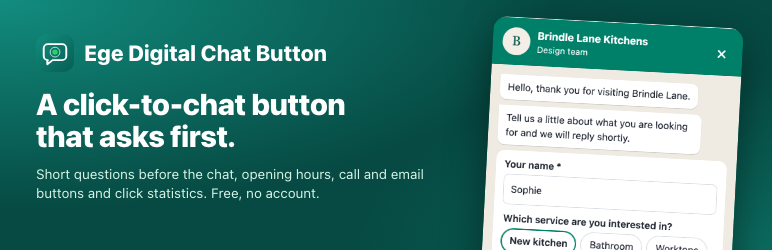
Ege Digital Chat Button adds a floating WhatsApp button to your site. Visitors tap it, read your greeting in a small chat window, answer up to three short questions if you ask any, and WhatsApp opens with a ready-written message that includes their answers.
Everything below works on its own, with no account and nothing sent to us.
The button
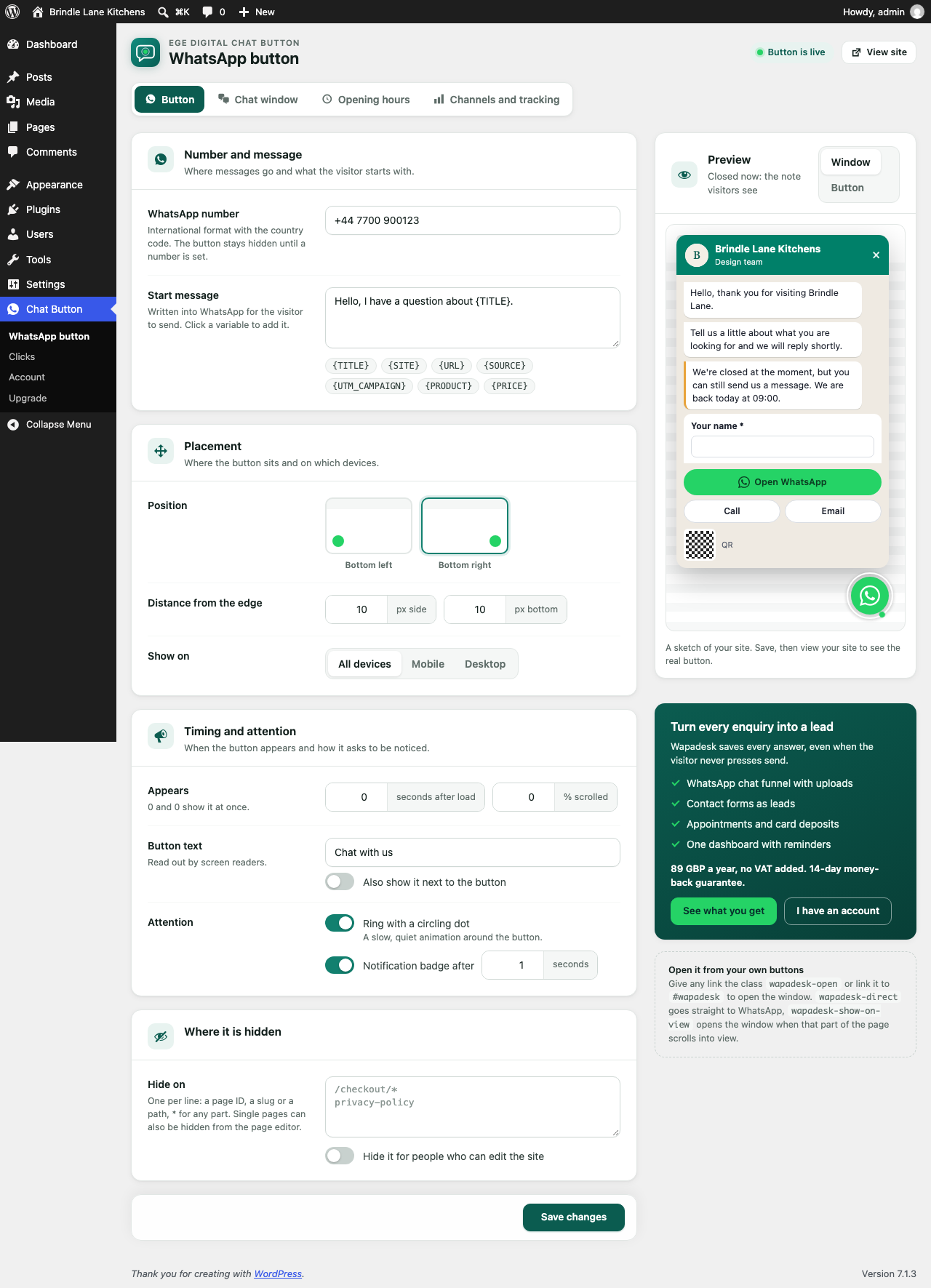
- The standard WhatsApp icon with a ring and a slowly circling dot, bottom right or bottom left, with side and bottom offsets.
- Show it on mobile, desktop or both, after a delay or after the visitor scrolls part of the page.
- A notification badge after a few seconds, once per visit.
- Optional text next to the button.
- Hide it on chosen pages, by ID, slug or path, or from the page editor.
The chat window
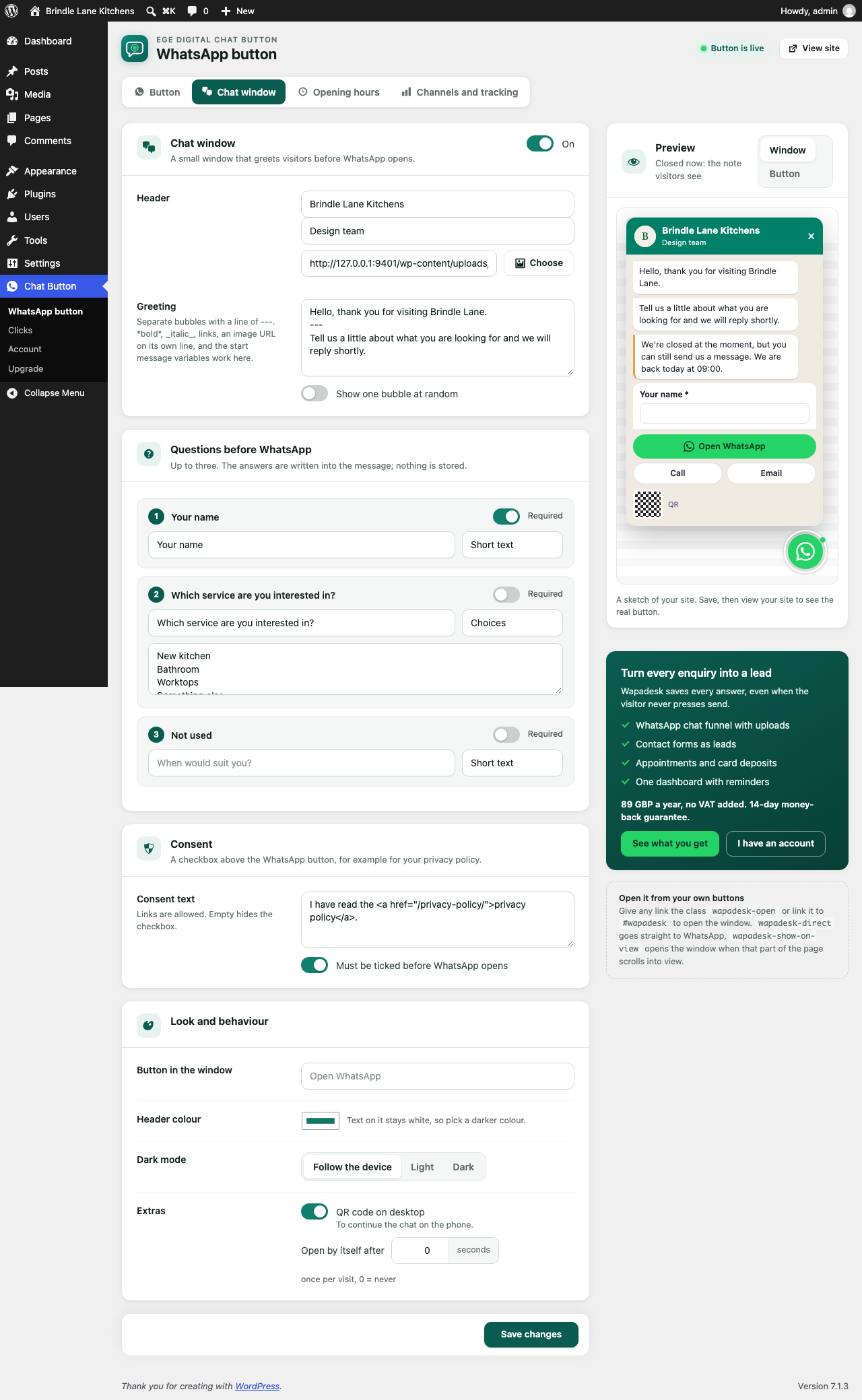
- Your name, a subtitle and a logo or photo in the header.
- One or more greeting bubbles with bold, italic, links and images, or one at random.
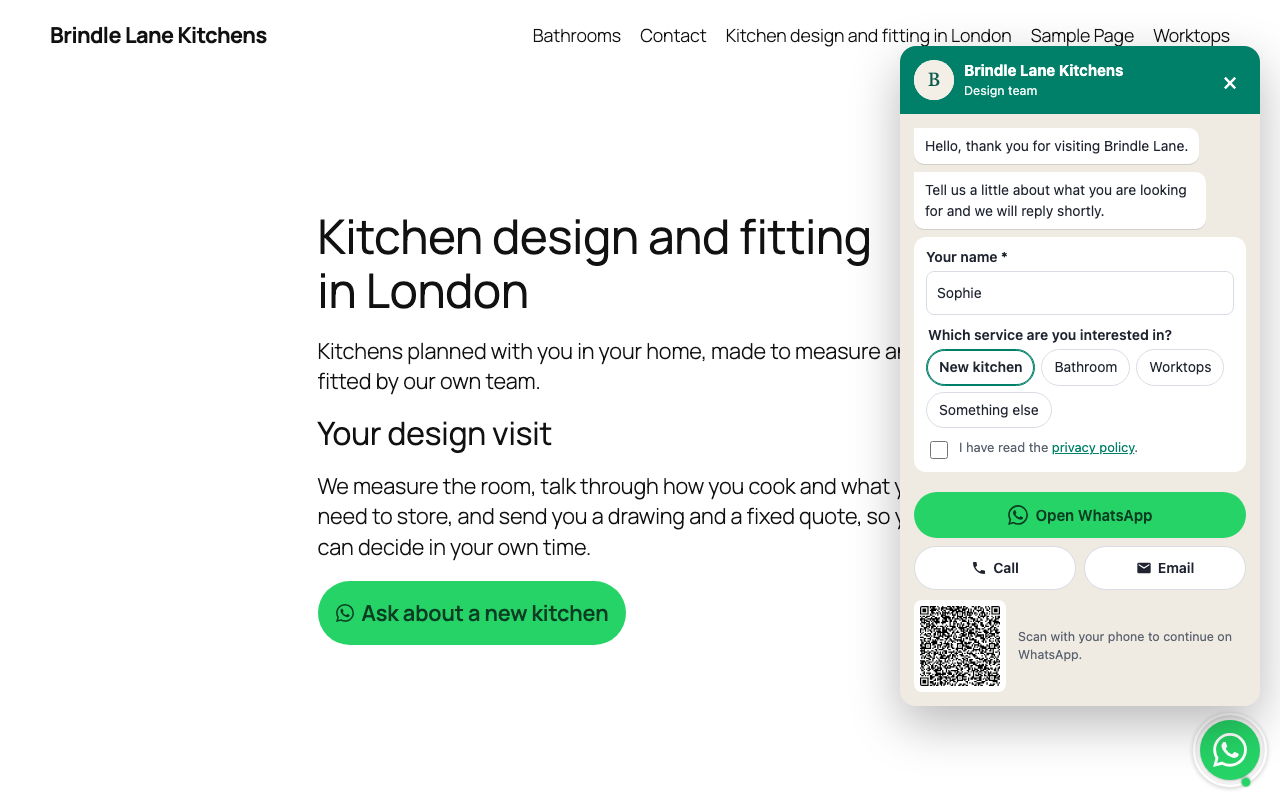
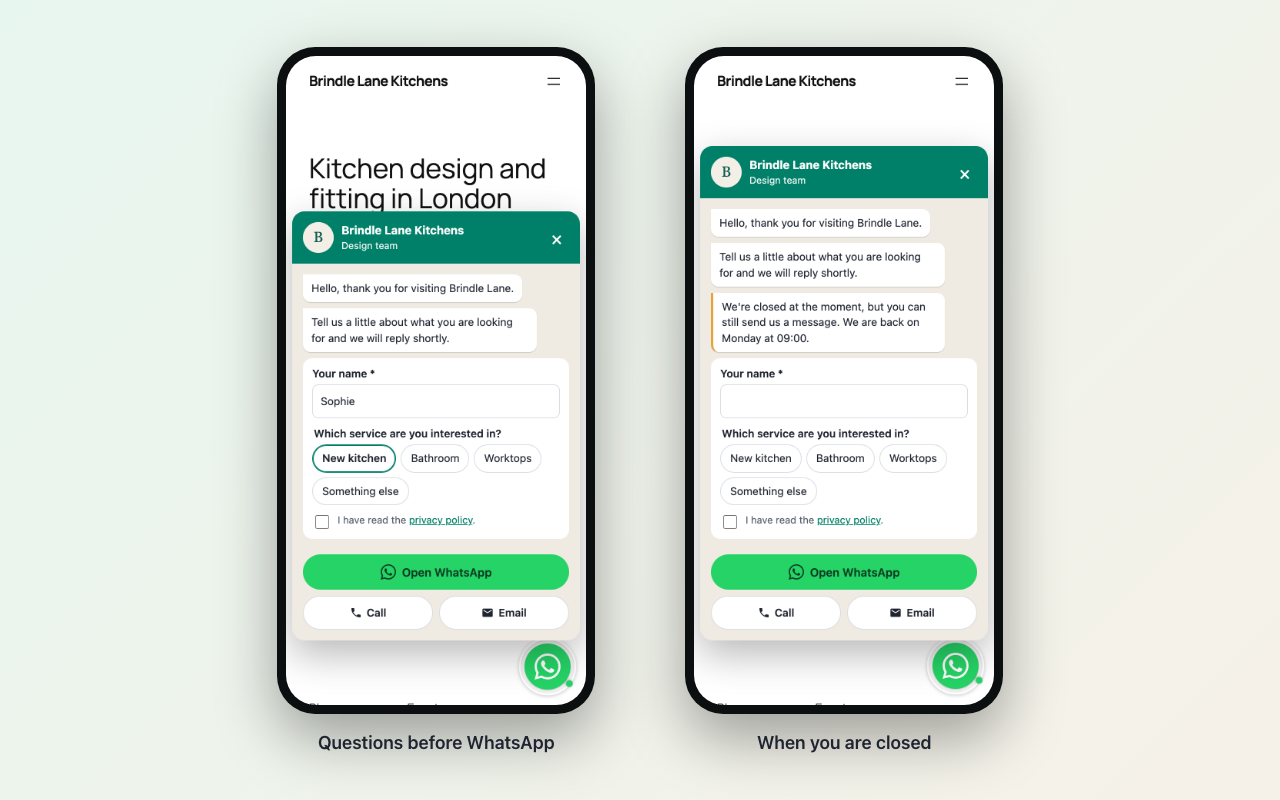
- Questions before WhatsApp: up to three short questions, as text or as choices. The answers are written into the WhatsApp message, so you know who is writing and what they want before you reply. Nothing is stored.
- Opening hours: weekly hours in your site’s time zone, closed dates, and a “we are back on Monday at 09:00” note when you are closed. The button keeps working.
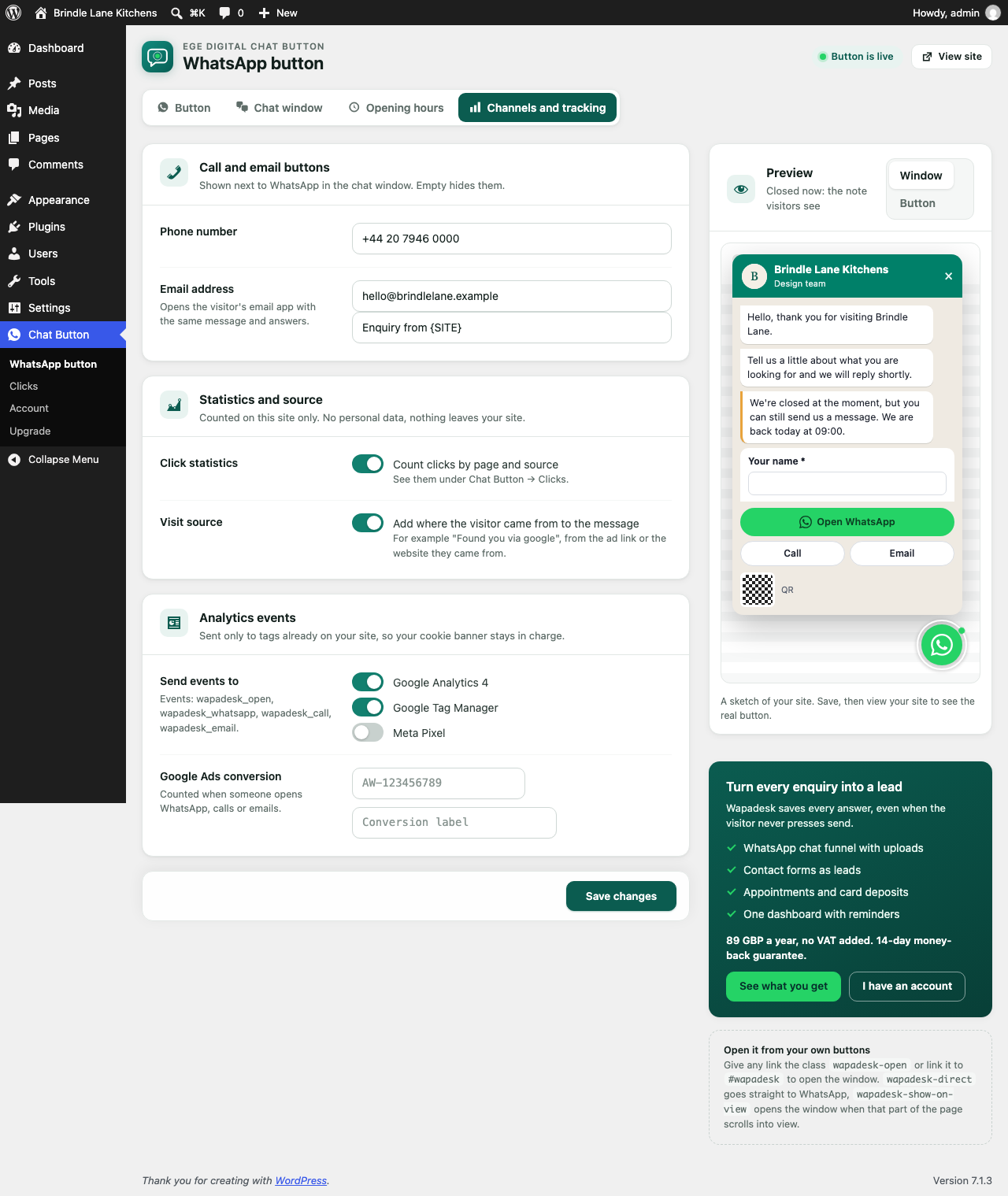
- Call and email buttons next to WhatsApp. The email button opens the visitor’s email app with the same message.
- A consent checkbox that can be required before WhatsApp opens.
- On desktop, a QR code to continue on the phone.
- Header colour and dark mode (follow the device, always light or always dark).
- Opens by itself after a number of seconds if you want, once per visit.
Messages
- A start message with variables: {SITE}, {TITLE}, {URL}, {HOME}, and on WooCommerce products {PRODUCT}, {SKU}, {PRICE}, {REGULAR} and {DISCOUNT}.
- A different start message and greeting on any page or post.
- Visit source: the ad campaign (utm_source) or website the visitor came from can be added to the end of the message, and is available as {SOURCE}, {UTM_SOURCE} and {UTM_CAMPAIGN}.
Statistics and tracking
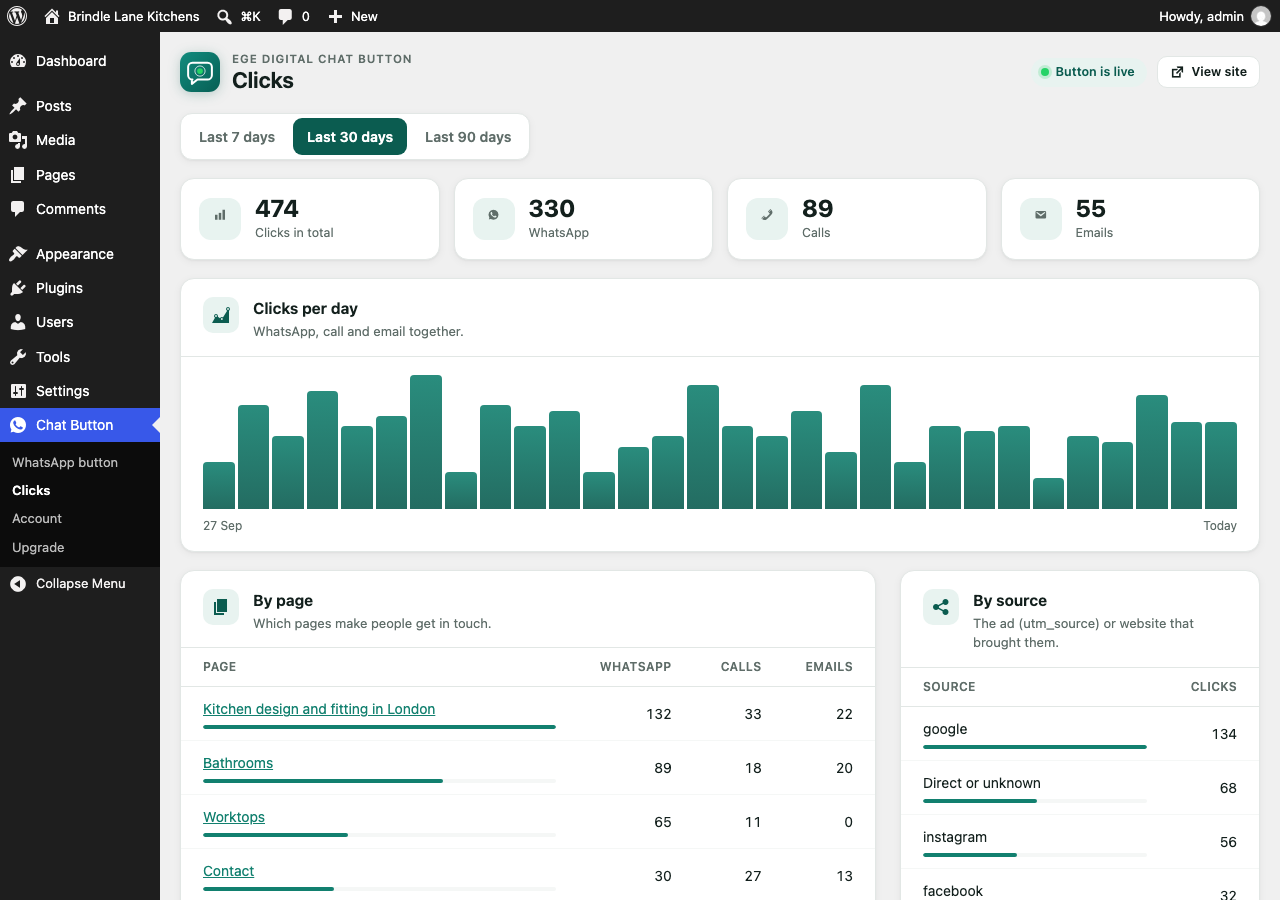
- Click statistics in your WordPress admin: clicks by page and by source, for the last 7, 30 or 90 days, split into WhatsApp, call and email. Counts only, stored in your own database.
- Events for Google Analytics 4, Google Tag Manager, Meta Pixel and Google Ads conversions, sent only to tags already on your site.
Anywhere on the page
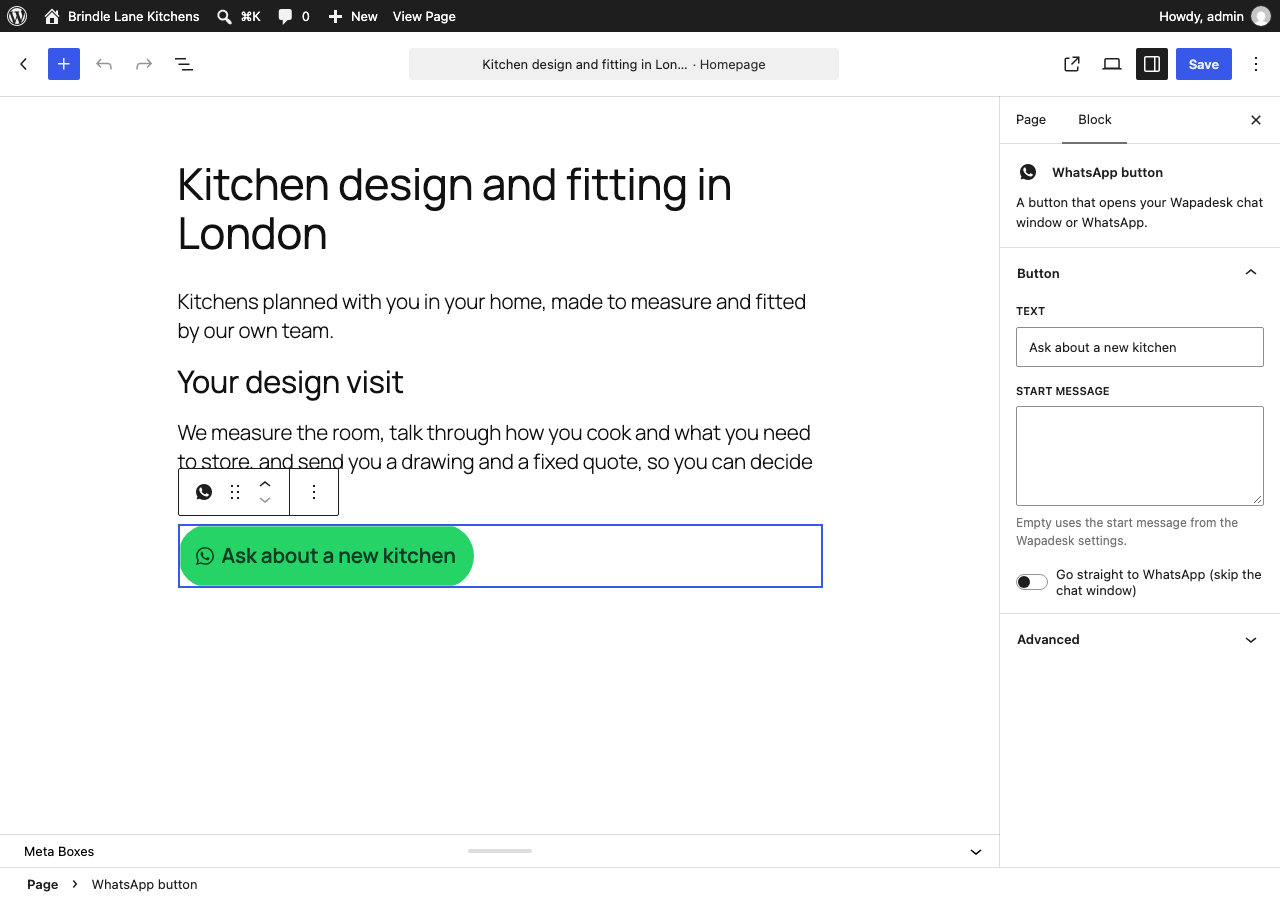
- A “WhatsApp button” block for the block editor, and the [wapadesk_button] shortcode for page builders such as Divi and Elementor.
- Any link or button with the class wapadesk-open, or a link to #wapadesk, opens the window. The class wapadesk-direct goes straight to WhatsApp, and wapadesk-show-on-view opens the window when that element scrolls into view.
- A WhatsApp button next to “Add to cart” on WooCommerce products.
Built carefully
- Plain JavaScript with no dependencies, loaded deferred in the footer. The QR code script loads only on desktop when the window opens.
- Runs in a Shadow DOM, so your theme’s CSS cannot break it and it cannot change your theme.
- No cookies. Keyboard and screen reader friendly, with visible focus and 44 px touch targets.
- Hidden while you edit in Divi, Elementor, Beaver Builder, Oxygen, Bricks and other page builders.
Upgrade: Wapadesk (optional, paid)
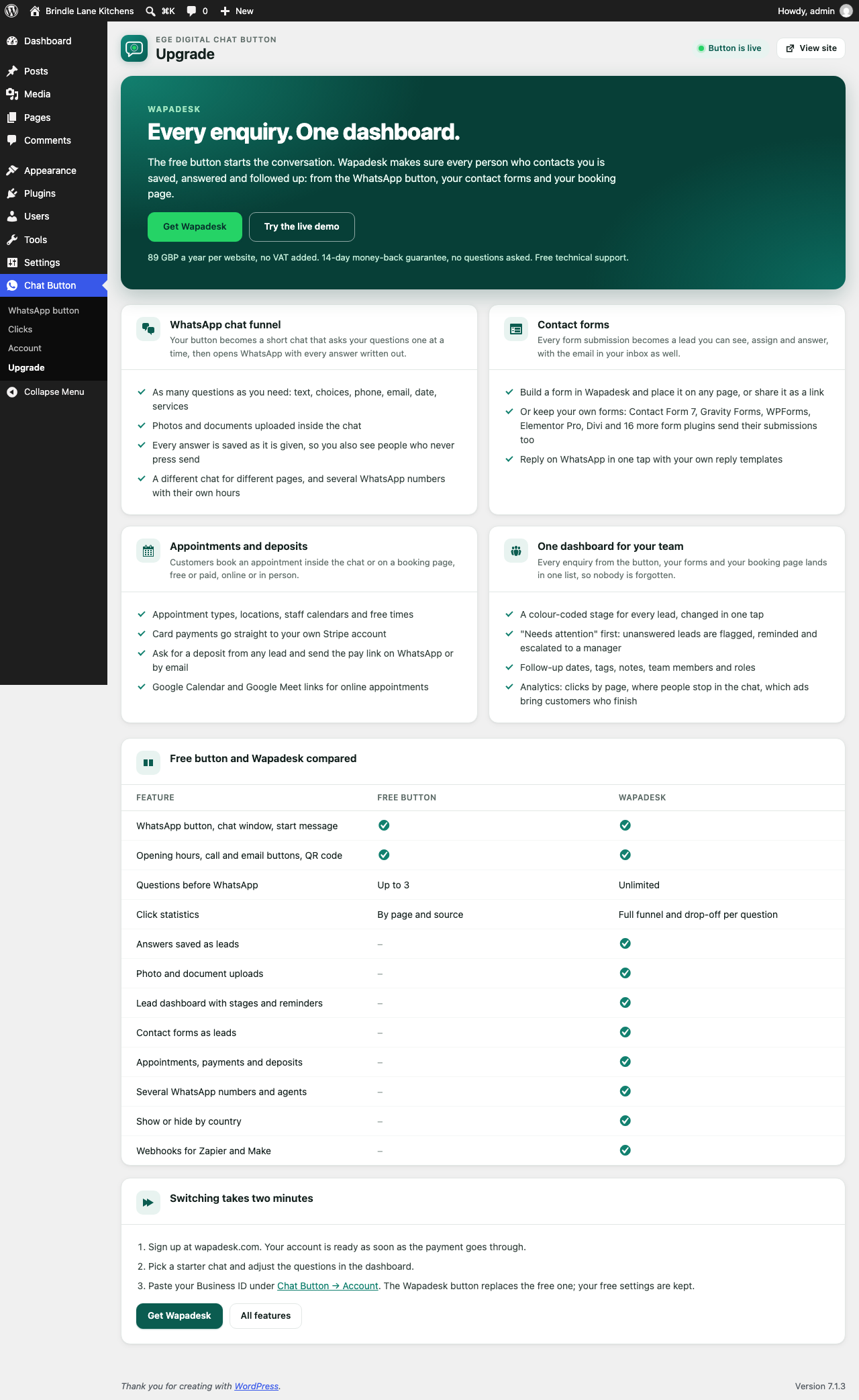
The free button starts the conversation. A Wapadesk account makes sure every person who contacts you is saved, answered and followed up. Every enquiry, one dashboard.
WhatsApp chat funnel. The button becomes a short chat that asks your questions one at a time (text, choices, phone, email, date, procedures), takes photos and documents, and then opens WhatsApp with every answer written out. Every answer is saved as it is given, so you also see the people who never press send. Different chats for different pages, and several WhatsApp numbers with their own hours.
Contact forms. Build a form in Wapadesk and place it on any page, or keep your own: Contact Form 7, Gravity Forms, WPForms, Elementor Pro, Divi and 16 more form plugins send their submissions to Wapadesk. Each one becomes a lead and arrives in your inbox as well.
Appointments and deposits. Consultation types, locations, staff calendars and free times. Patients book inside the chat or on a booking page, free or paid, online or in person. Card payments go straight to your own Stripe account, and you can ask any lead for a deposit by WhatsApp or email. Google Calendar and Google Meet for online consultations.
One dashboard for your team. Every enquiry from the button, your forms and your booking page in one list, each with a colour-coded stage. Unanswered leads are flagged, reminded and escalated to a manager. Follow-up dates, tags, notes, team roles, one-tap WhatsApp replies with your own templates, and analytics that show clicks by page, where people stop in the chat and which ads bring patients who finish.
It costs 89 GBP a year per website, no VAT added, with a 14-day money-back guarantee and free technical support. See wapadesk.com or try the live demo.
When you paste your Wapadesk Clinic ID under Chat Button Account, the Wapadesk button replaces the free button. Your free settings are kept and come back if you remove the Clinic ID. The Chat Button Upgrade screen in your WordPress admin compares the two.
The plugin is developed by Abdurrahman Şimşek at Ege Digital Ltd, a UK company.
Trademarks
WhatsApp is a trademark of Meta Platforms, Inc. Ege Digital Chat Button is made by Ege Digital Ltd and is not affiliated with, endorsed or sponsored by WhatsApp or Meta. It opens WhatsApp through WhatsApp’s public click-to-chat links.
External services
The free button contacts no external service. When a visitor taps it, their own browser opens WhatsApp at wa.me (a Meta service) with the message they are about to send. WhatsApp’s terms and privacy policy apply there: https://www.whatsapp.com/legal/
The plugin connects to Wapadesk (operated by Ege Digital Ltd, UK) only after you enter a Wapadesk Clinic ID or connection key under Chat Button Account:
- With a Clinic ID, your pages load the Wapadesk script from https://cdn.wapadesk.com/w.js, which shows the Wapadesk button and chat. The visitor’s browser sends the page address, referrer, language and the visitor’s answers to Wapadesk.
- With a connection key, submissions of the contact forms you tick are sent from your server to https://api.wapadesk.com after the form plugin has accepted them. The form’s fields and the page address are sent.
- The Wapadesk dashboard can request https://your-site/?wapadesk=verify to confirm the plugin is installed. It returns the plugin version and your Clinic ID, and no personal data.
Wapadesk terms: https://wapadesk.com/legal/terms
Wapadesk privacy policy: https://wapadesk.com/legal/privacy
Screenshots

Blocks
This plugin provides 1 block.
- WhatsApp button
Installation
- Install and activate the plugin.
- Open Chat Button WhatsApp button and enter your WhatsApp number in international format.
- Adjust the window, questions, opening hours and channels on the other tabs, and save.
To use a Wapadesk account, open Chat Button Account and paste the Clinic ID from the Install page of your Wapadesk dashboard.
FAQ
-
Do I need a Wapadesk account?
-
No. The button, the chat window, the questions, opening hours, call and email buttons and click statistics all work without one.
-
Are the answers to my questions stored?
-
No. In the free button the answers only go into the WhatsApp or email message the visitor sends. With a Wapadesk account they are saved as a lead.
-
No. It keeps the visit source and whether the window was already shown in the browser’s session storage for that tab only.
-
The plugin sends events only to tags that are already on your page, such as gtag, dataLayer or fbq. If your consent tool has not loaded them yet, nothing is sent.
-
Give the link or button the class wapadesk-open, or link it to #wapadesk.
-
Yes: list page IDs, slugs or paths such as /checkout/* under Hide on, or tick “Hide the button on this page” in the page editor.
-
How do contact forms reach Wapadesk?
-
With a Wapadesk account, create a connection key on the Install page of the dashboard, paste it under Chat Button Account and tick the forms that should send. After a form plugin has accepted a submission, its fields are sent from your server to Wapadesk over HTTPS. Your forms, their emails and their own entries are unchanged. If Wapadesk cannot be reached, the submission is kept in a small queue in your WordPress database and retried for up to a day, then removed.
Reviews
There are no reviews for this plugin.
Contributors & Developers
“Ege Digital Chat Button” is open source software. The following people have contributed to this plugin.
Contributors
Translate “Ege Digital Chat Button” into your language.
Interested in development?
Browse the code, check out the SVN repository, or subscribe to the development log by RSS.
Changelog
2.0.0
- New: the button works without an account. Chat Button Upgrade explains what an account adds. Chat window, questions before WhatsApp, opening hours, call and email buttons, consent checkbox, desktop QR code, dark mode, notification badge, click statistics by page and source, analytics events, page-level settings, block, shortcode and WooCommerce button.
- The settings moved from Settings Wapadesk to their own menu. The Clinic ID and contact form settings are under Chat Button Account.
1.2.0
- Contact forms: Ninja Forms, Formidable Forms, Fluent Forms, Forminator, Everest Forms, Jetpack Forms, Kadence Blocks, Spectra, Beaver Builder, WS Form, MetForm, JetFormBuilder, HappyForms, weForms, Otter Blocks and SureForms, each with one “all forms” tick.
1.1.1
- Contact forms: Divi’s Contact Form module is supported (all Divi contact forms on the site, one tick).
1.1.0
- Contact forms: send the submissions of chosen Gravity Forms, Contact Form 7, WPForms and Elementor Pro forms to Wapadesk as leads, with a connection key, a test button and a retry queue.
1.0.0
- First release: settings page, async snippet in wp_head, page exclusions, cache-plugin exclusions, install verification endpoint.