
Description
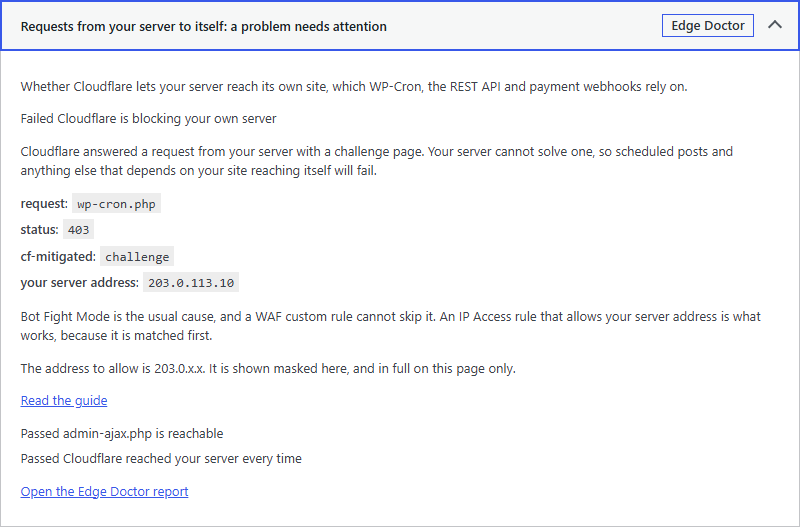
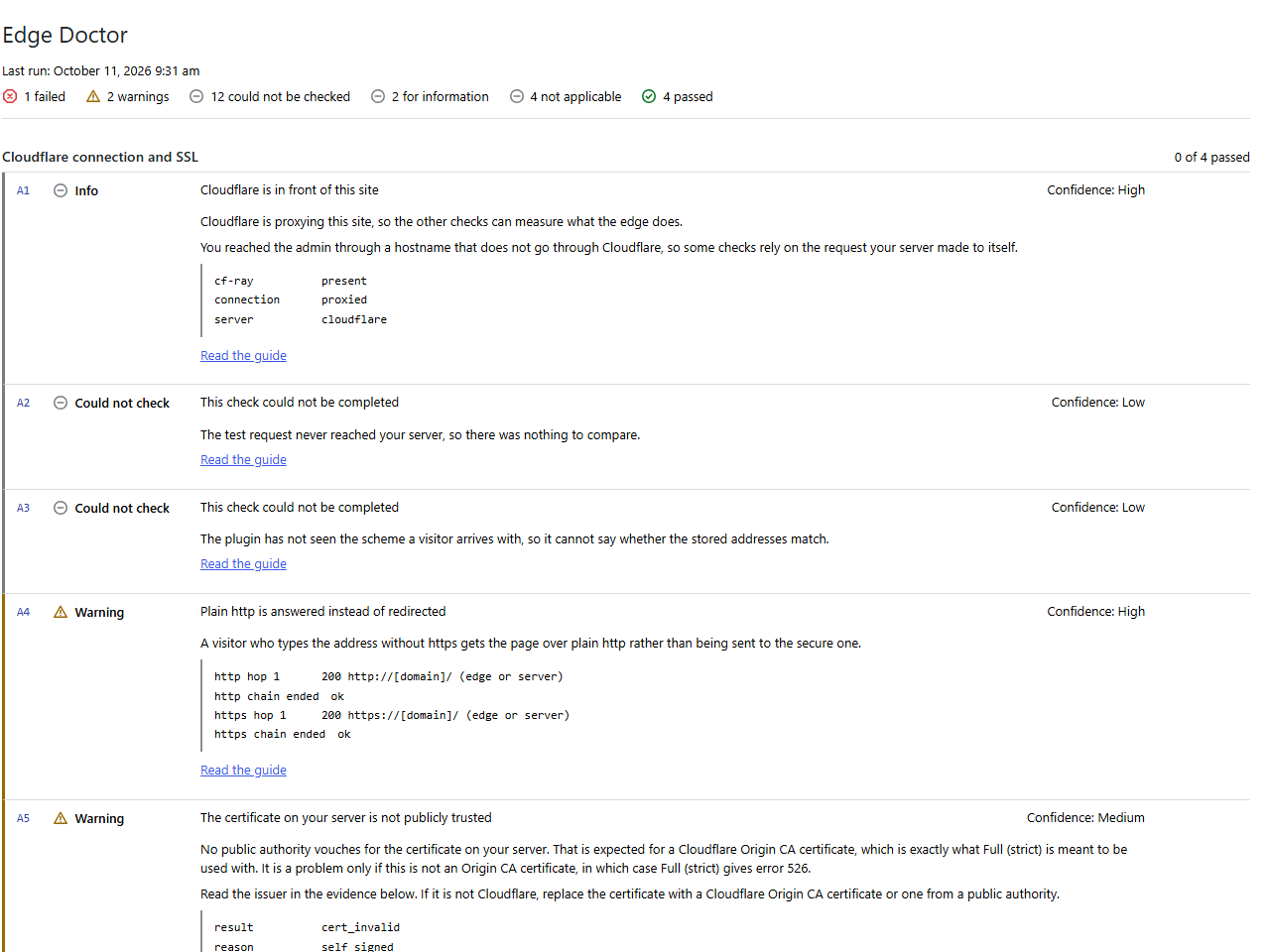
Edge Doctor reads your site and reports what it finds. It runs 25 checks in six groups and shows the results in Site Health, in the Site Health Info section, on its own report page under Tools and through WP-CLI.
The plugin changes nothing. It does not write to Cloudflare, to your server, or to the settings of WordPress or of any other plugin. It stores only its own options and transients.
The checks cover:
- Cloudflare connection and SSL
- Visitor IP behind Cloudflare
- Private pages and the Cloudflare cache
- Cloudflare features that affect WordPress
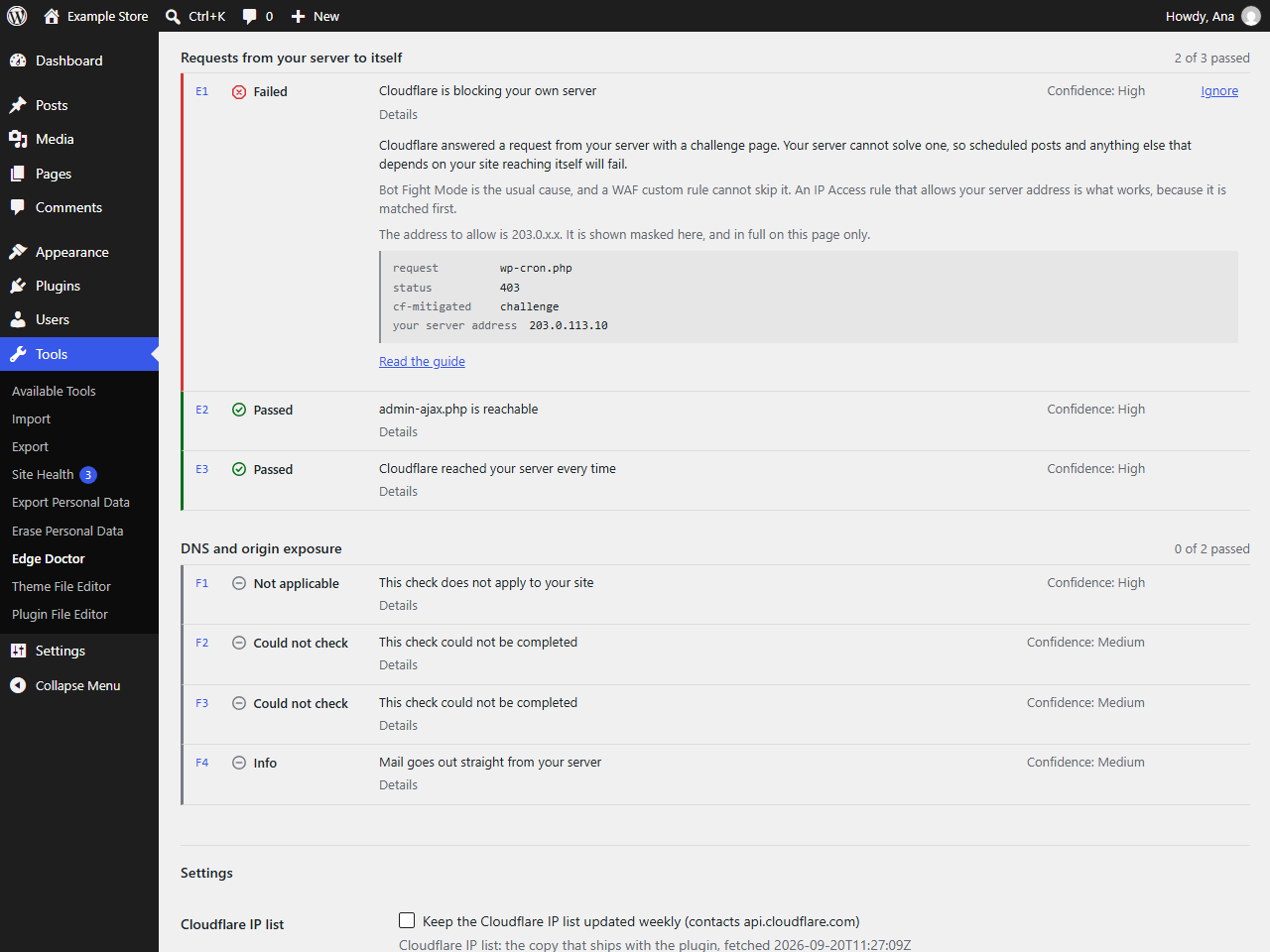
- Requests from your server to itself
- DNS and origin exposure
Every finding says how confident the plugin is, shows the evidence it used and links to a guide at https://rxnwebsolutions.com/edge-doctor/checks/. When the plugin cannot measure something reliably it reports the check as inconclusive with a reason, instead of guessing.
Edge Doctor is not affiliated with or endorsed by Cloudflare, Inc. Cloudflare is a registered trademark of Cloudflare, Inc.
External services
The plugin sends HTTP requests only to your own site, including a request to /cdn-cgi/trace on your own domain, which Cloudflare answers with information about the connection.
One optional feature contacts a third party. When an administrator turns on the weekly refresh of the Cloudflare IP list, or runs wp edge-doctor ips –refresh, the plugin requests https://api.cloudflare.com/client/v4/ips to download the current IP ranges. Only standard HTTP headers are sent. No data about your site or your visitors is sent. The setting is off by default.
That service is provided by Cloudflare, Inc. See their terms at https://www.cloudflare.com/website-terms/ and their privacy policy at https://www.cloudflare.com/privacypolicy/.
Privacy
The plugin sends HTTP requests to your own site, because several checks can only be answered by reading a real response from the edge. It has no telemetry and no analytics. It does not store visitor IP addresses. Results are stored in your own database and are shown only to users who can view Site Health checks. The report you copy from the plugin masks the IP address of your server, and shows a login page that was moved to another address as [custom login URL].
Screenshots

Installation
- Upload the plugin folder to wp-content/plugins, or install it from the Plugins screen.
- Activate the plugin.
- Open Tools, Edge Doctor, or open Tools, Site Health and read the Edge Doctor tests.
FAQ
-
Why does the plugin send requests to my own site?
-
Several checks can only be answered by looking at a real response from the edge. The plugin requests pages on your own domain and reads the response headers. It never sends your administrator cookies with those requests.
-
Does it change my Cloudflare settings?
-
No. The plugin has no Cloudflare API token and makes no changes anywhere. It reads and reports.
-
Is this plugin made by Cloudflare?
-
No. Edge Doctor is not affiliated with or endorsed by Cloudflare, Inc.
-
What does inconclusive mean?
-
It means the plugin could not measure that check reliably on this site, for example because a request to your own site failed or because the cache key ignores the query string. The result names the reason and links to a guide.
Reviews
There are no reviews for this plugin.
Contributors & Developers
“Edge Doctor for Cloudflare®” is open source software. The following people have contributed to this plugin.
Contributors
Translate “Edge Doctor for Cloudflare®” into your language.
Interested in development?
Browse the code, check out the SVN repository, or subscribe to the development log by RSS.
Changelog
1.0.2
- The report page links to the support forum on WordPress.org for reporting a false positive.
- The texts for a login page that could not be confirmed now speak of the address WordPress gives for it, which is what has been measured since 1.0.1, and the cache and Access advice names the login page wherever it was moved.
1.0.1
- The REST routes are registered on every site, also where the REST API is not under /wp-json/, as in WordPress Playground.
- The addresses of wp-admin, the login page, admin-ajax.php and the REST API come from WordPress, so a site in a subdirectory, a moved login page and a changed REST prefix are measured where they are. An address WordPress gives on another host, such as a single sign on page, is never asked; the address on this site is measured instead.
- Requests go only to the hosts of the home and site addresses, and Basic Auth credentials are added only for those hosts.
- The copied report, the printout and wp edge-doctor –redact show a moved login page as [custom login URL].
- Basic Auth credentials are validated before they are forwarded, and are not forwarded at all when they do not pass.
- The report page is printed through wp_kses() with a list of the elements it uses.
- Without dns_get_record(), stream sockets or OpenSSL the affected checks are inconclusive with a reason.
- E3 is inconclusive when no request got an answer, the Cloudflare trace is read at the root of the domain, and the logout link is recognised in any order of its parameters.
1.0.0
- Initial release.