

Description
Turn visitors who would have left into conversations you can follow up.
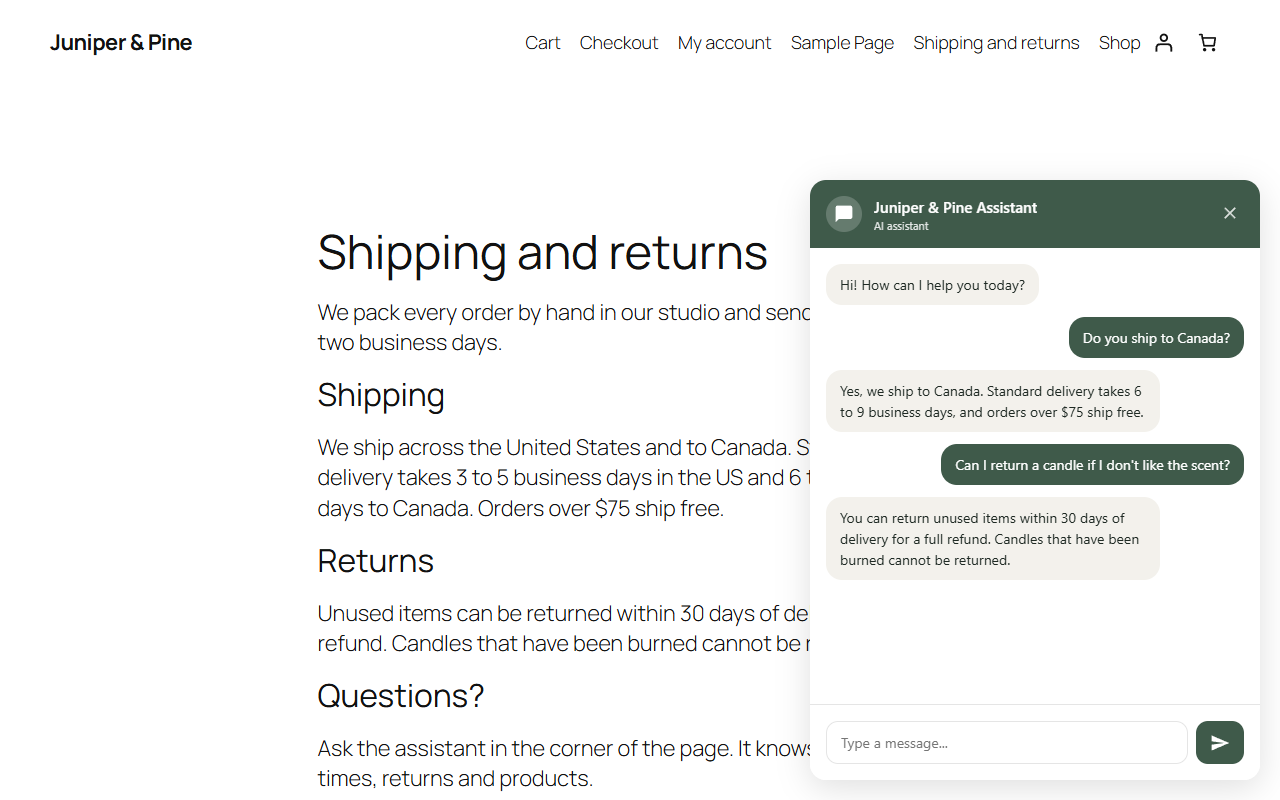
EAForYou adds an AI chat assistant to your WordPress or WooCommerce site. It learns from your own pages, answers visitor questions at any hour in their language, and collects the leads worth following up. Connect in one click: no API keys to paste, no setup screens.
See how it works and what it costs on the EAForYou WordPress plugin page at easyagentforyou.com.
What you get
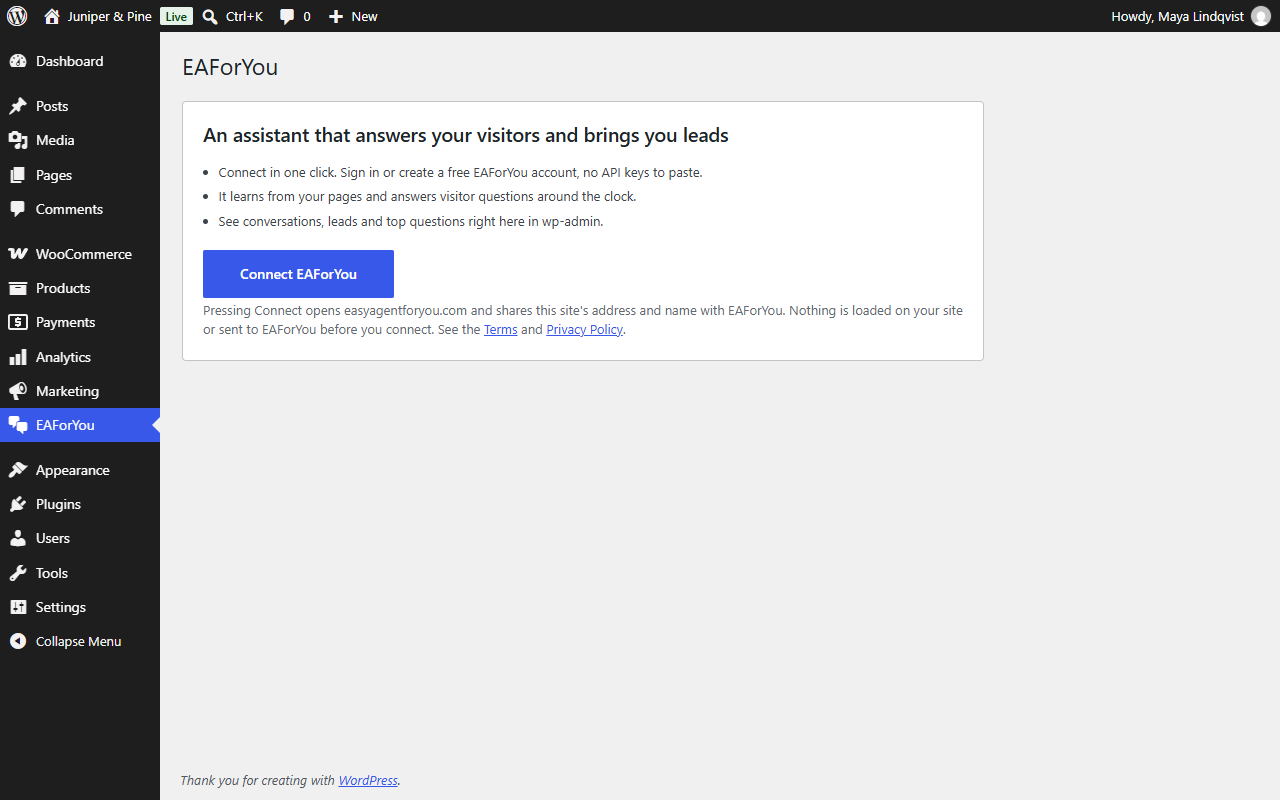
- One-click connect. Press Connect EAForYou, sign in or create a free EAForYou account, and you are back in wp-admin with the chat live.
- An assistant trained on your site. It reads your pages and answers from what you actually publish, so it stays on topic.
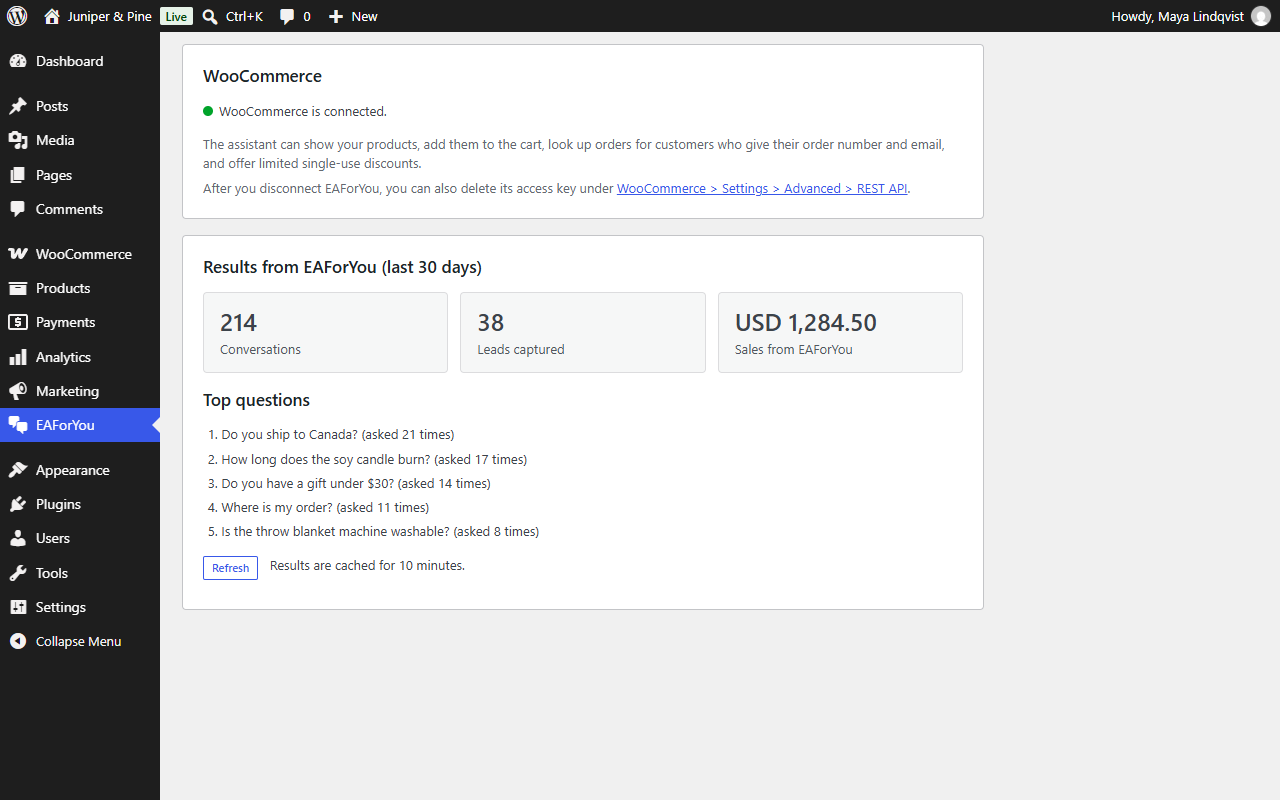
- Results inside wp-admin. See conversations, leads, sales that started in the chat and the questions visitors ask most. No need to leave your dashboard to know whether it is working.
- Make the chat yours. Customize the chat opens your dashboard on this site’s settings: brand colour, button style and text, position, greeting and suggested questions.
- Open the full dashboard in one click (single sign-on, no second login) to review chats, edit the assistant and manage your plan.
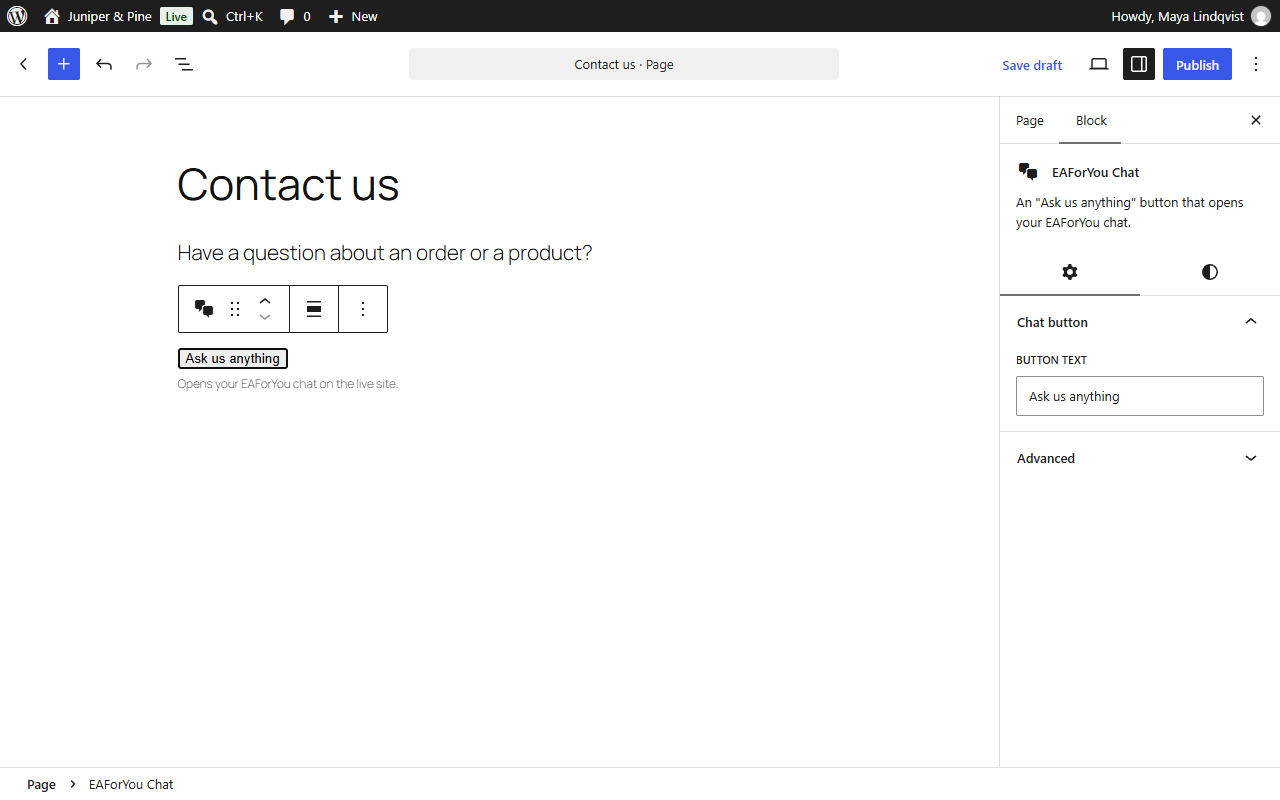
- Chat button anywhere. Add an “Ask us anything” button with the EAForYou Chat block or the
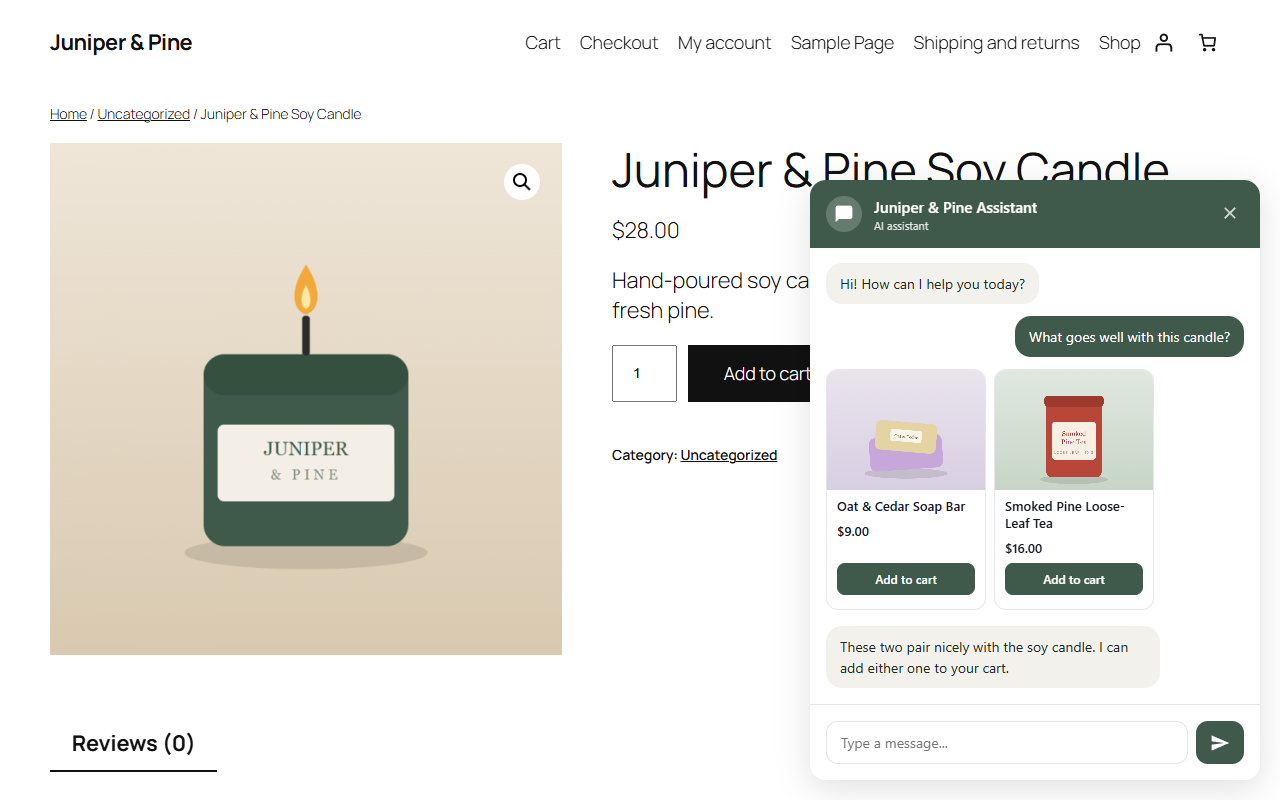
[eaforyou]shortcode. - WooCommerce selling (optional, one more click). Press Connect WooCommerce and approve access on your own store. The assistant can then show your products with an Add to cart button, send shoppers to a ready-filled checkout, look up an order for a customer who gives their order number and the email or phone on it, offer limited single-use discounts that you control, and keep a lead’s contact in WooCommerce (only if they opted in to emails).
- See what it earned. Orders that started in a chat are counted as Sales from EAForYou in the results panel. Compatible with High-Performance Order Storage and the Cart and Checkout blocks.
- Light on your site. A tiny bundled loader adds the chat only after your page has finished loading. Nothing is loaded from EAForYou until you connect.
How pricing works
The plugin is free. EAForYou is a hosted service with a free tier and paid plans (from $10 per month). Limits and billing live on your EAForYou account at easyagentforyou.com, not in the plugin. The plugin has no locked or trial-limited features.
Your control
You can switch the chat off at any time without losing anything, and disconnect in one click. Deleting the plugin removes everything it stored.
External services
This plugin connects your site to EAForYou (easyagentforyou.com), a hosted AI assistant service. The plugin is only a connector: the assistant, its data and the chat run on the service’s servers. Nothing is sent to the service, and no remote script is loaded, until a site administrator presses Connect EAForYou.
Terms of Service: https://www.easyagentforyou.com/terms
Privacy Policy: https://www.easyagentforyou.com/privacy
1. When you connect (administrator action)
- What is sent: your site address (URL) and site name, plus a one-time code that EAForYou issues during sign-in.
- Why: to create or find your EAForYou assistant for this site and to give the plugin its credentials.
- The plugin receives and stores a site key, a signing secret and the chat settings in your database (never shown on screen or sent to visitors’ browsers).
- Ownership check: while you connect, EAForYou’s server calls
https://<your site>/wp-json/easyagent/v1/verifyonce, with the one-time connection code, to confirm that this site (and not someone else’s EAForYou account) started the connection. The plugin answers only yes or no, and the code expires after 15 minutes.
2. While the chat is on (visitor action)
When a visitor opens the chat on your site, their browser loads the EAForYou chat script (from EAForYou) and talks directly to EAForYou’s servers. This sends:
- the messages the visitor types and the assistant’s replies;
- the address and title of the page they are on, the page type, and the referrer;
- on WooCommerce sites, a summary of their cart (item count, subtotal, currency) and the product being viewed;
- for logged-in users only, your WordPress user ID with a time stamp and a cryptographic signature, so EAForYou can tell a real signed-in customer from an imitation. Name and email are not sent by the plugin;
- contact details (name, email, phone) only if the visitor types them into the chat or submits the lead form.
The chat sets a first-party cookie named ea_conv (the chat identifier, up to 7 days) and keeps a chat session identifier in the browser’s local storage so a conversation can continue across pages.
3. When an administrator uses the plugin
- Opening the EAForYou settings page asks EAForYou for your results summary (conversation, lead and sales counts, top questions). Only your site key is sent. The response is cached on your site for 10 minutes.
- Open full dashboard asks EAForYou for a one-time sign-in link (site key only).
- Disconnect, and deleting the plugin while connected, tell EAForYou to revoke the site key (site key only).
4. WooCommerce (only if an administrator presses Connect WooCommerce)
Nothing in this section happens unless you press Connect WooCommerce and approve access on WooCommerce’s own screen.
- Connecting. The plugin asks EAForYou for an authorisation address (site key only) and sends you to your own store’s WooCommerce approval page. When you approve, your store creates a WooCommerce REST API key (read and write) and sends it directly to EAForYou. EAForYou keeps it encrypted and uses it only for the features below. EAForYou then creates two webhooks on your store (order created, order updated) that deliver to EAForYou.
- What EAForYou reads from your store through that key. Published products and their prices and stock (to answer shoppers and show product cards), your public policy pages (returns, shipping, privacy, terms), and a single order only when a shopper gives its number together with the email or phone on the order.
- What EAForYou writes to your store. Single-use discount coupons (only within the limits you set in EAForYou), a WooCommerce customer for a lead who ticked the email-marketing box (with a private note of that consent), and, if you enable it, draft orders.
- Orders. When an order is created or updated and is paid or confirmed (processing, completed or on hold), the plugin trims WooCommerce’s notification to the order number, id, status, total, currency, date, the coupon codes used and the private
_ea_convchat reference before it leaves your store. This is used only to count sales that started in a chat. No customer name, address, email or phone is included. - Checkout links. When the assistant gives a shopper a checkout link, the link contains the chosen products, an optional coupon and the chat reference, signed with a secret shared only between your site and EAForYou. Opening it fills the cart and goes to your checkout; the plugin ignores any such link whose signature does not match.
- The chat cookie. The widget’s
ea_convfirst-party cookie is copied into the private order field_ea_convat checkout. - Disconnecting removes the two webhooks and EAForYou forgets the key. You can also delete the key itself under WooCommerce > Settings > Advanced > REST API.
Screenshots
Blocks
This plugin provides 1 block.
- EAForYou Chat An "Ask us anything" button that opens your EAForYou chat.
Installation
- Install the plugin from Plugins > Add New (search for “EAForYou”) or upload the zip, then activate it.
- Open EAForYou in the wp-admin menu and press Connect EAForYou.
- Sign in or create a free account on the page that opens, and confirm the site.
- You are returned to wp-admin. The assistant starts learning your pages and the chat is live for visitors.
- Optional: add the EAForYou Chat block, or the
[eaforyou]shortcode, wherever you want an inline “Ask us anything” button.
FAQ
-
Do I need an EAForYou account?
-
Yes. You create one (free) during the connect step. There is nothing to type in: the plugin and your account are linked automatically.
-
Does it cost anything?
-
The plugin is free. EAForYou has a free tier and paid plans for more conversations. You manage your plan on easyagentforyou.com.
-
Is anything sent to EAForYou before I connect?
-
No. Until you press Connect the plugin makes no requests to EAForYou and loads no remote scripts. See the External services section above for exactly what is sent afterwards.
-
Where does the chat script come from?
-
The chat widget is part of the EAForYou service and is loaded from EAForYou’s servers after you connect. The small loader that adds it is bundled in this plugin.
-
How do I hide the chat on some pages?
-
Add this to your theme or a code snippet plugin:
add_filter( 'easyagent_load_widget', function ( $load ) { return ! is_page( 'contact' ); } ); -
How do I turn the chat off temporarily?
-
On the EAForYou settings page, untick Show the chat to visitors on my site and save. Your assistant and data stay as they are.
-
Insert the EAForYou Chat block in the editor, or use the shortcode
[eaforyou label="Ask us anything"]. -
Does it work with WooCommerce?
-
Yes. It supports High-Performance Order Storage and the Cart and Checkout blocks. Press Connect WooCommerce on the EAForYou settings page to let the assistant show products, add them to the cart, look up orders and count the sales it brings in. See the External services section for exactly what that shares.
-
Will it slow my site down?
-
The chat is added only after the page has finished loading, using a small loader. It does not block your content from displaying.
-
How do I remove everything?
-
Press Disconnect on the settings page, then deactivate and delete the plugin. The plugin removes its settings from your database when it is deleted. To delete your EAForYou account and its data, use your EAForYou dashboard.
-
The chat sets a first-party cookie named
ea_convand uses the browser’s local storage for a session identifier. You may need to mention these in your cookie notice. See the External services section.
Reviews
There are no reviews for this plugin.
Contributors & Developers
“EAForYou – AI Sales Chat for WooCommerce” is open source software. The following people have contributed to this plugin.
Contributors
Translate “EAForYou – AI Sales Chat for WooCommerce” into your language.
Interested in development?
Browse the code, check out the SVN repository, or subscribe to the development log by RSS.
Changelog
1.1.6
- New: when you connect, EAForYou reads your site and sets the chat’s greeting, suggested questions and colour for your kind of business. Anything you have already changed is kept.
- New: a Finish setting up box with the steps left: teach the chat your pages, add files with your prices or FAQs, and test it.
- Fixed: Open full dashboard and Customize the chat now open the EAForYou sign-in page when one-click sign-in is not available for your account, instead of staying on this page.
1.1.5
- New: a Customize the chat button that opens this site’s chat settings (colours, button, greeting) in your EAForYou dashboard.
- New: the plugin homepage link points to the EAForYou WordPress plugin page.
1.1.4
- Changed: the plugin is now called “EAForYou – AI Sales Chat for WooCommerce”.
- New: the
[eaforyou]shortcode. The older shortcode keeps working, so existing chat buttons stay in place.
1.1.3
- Fixed: removed the plugin website link from the plugin header; the page it pointed to does not exist.
1.1.2
- Changed: the plugin name no longer contains “WordPress”, which WordPress.org does not allow in plugin names.
- Tested with WordPress 7.1 and WooCommerce 11.2; no functional changes.
1.1.1
- Security: EAForYou now checks that a connection really comes from your site (a one-time ownership check through a small REST route) before attaching the site to an account.
1.1.0
- New: Connect WooCommerce (WooCommerce’s own approval screen, no keys to paste) so the assistant can show products, add to cart, look up orders, offer limited single-use discounts and save opted-in leads as customers.
- New: signed checkout links that fill the cart, apply the coupon and open checkout, working for guests.
- New: sales that started in a chat are counted as Sales from EAForYou.
- Changed: the WooCommerce status is shown on the EAForYou settings page.
1.0.0
- First release: one-click connect, chat widget loader, results panel in wp-admin, single sign-on to the dashboard, chat block and
[easyagent]shortcode, WooCommerce HPOS and Cart/Checkout block compatibility, chat-to-order reference.