
Description
Most sites are not translated into ten languages — they are translated into two. Duolangue is built for that exact case: one site, two languages, no bloat. No custom database tables, no settings maze, no machine-translation upsell baked into checkout.
Duolangue gives you a fully working bilingual site for pages, posts and custom post types:
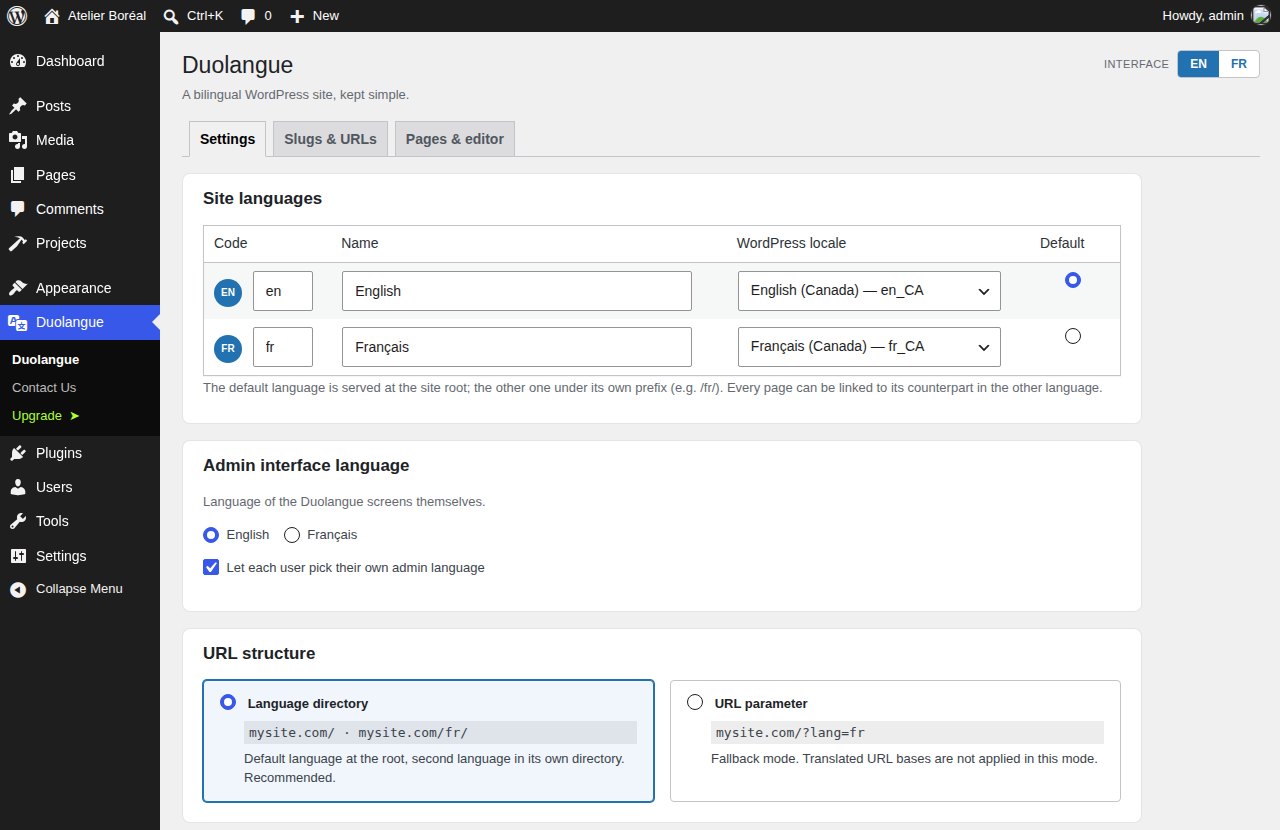
- Directory-based routing — your default language at the root, the second language under its own directory (e.g.
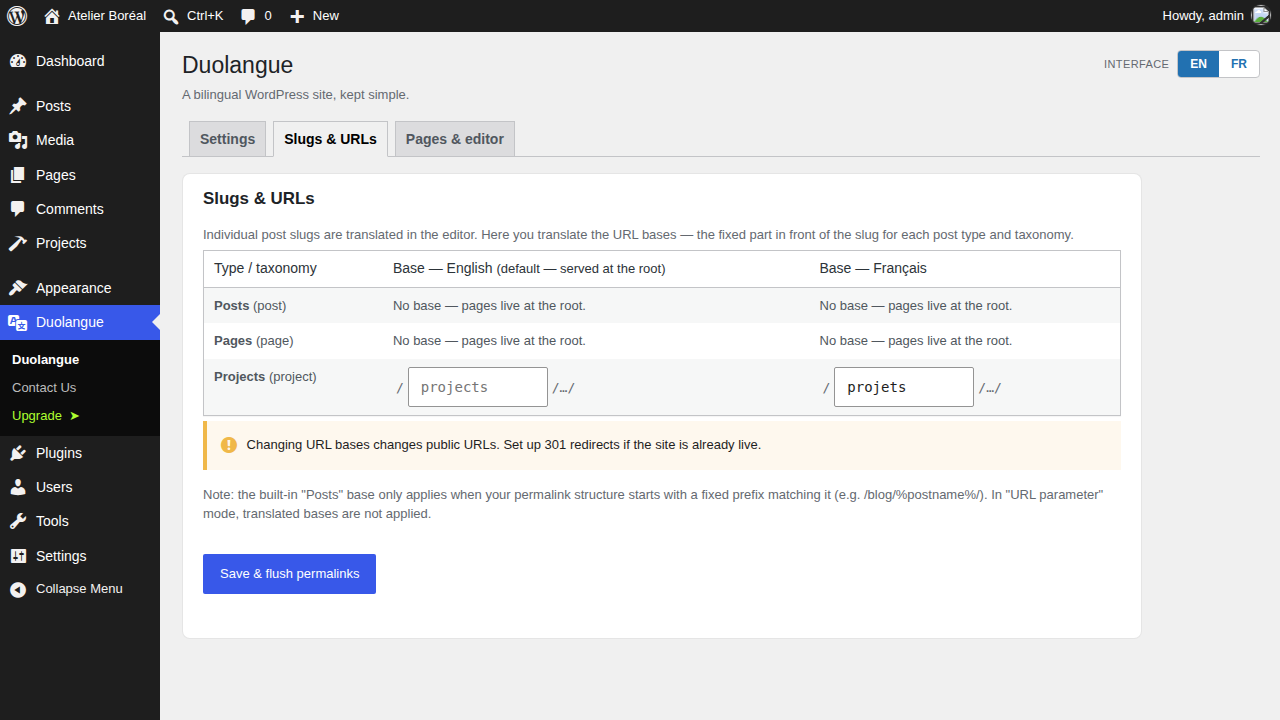
/fr/). A?lang=parameter mode is available as a fallback. - Translated URL bases — translate the URL base of posts and custom post types (e.g.
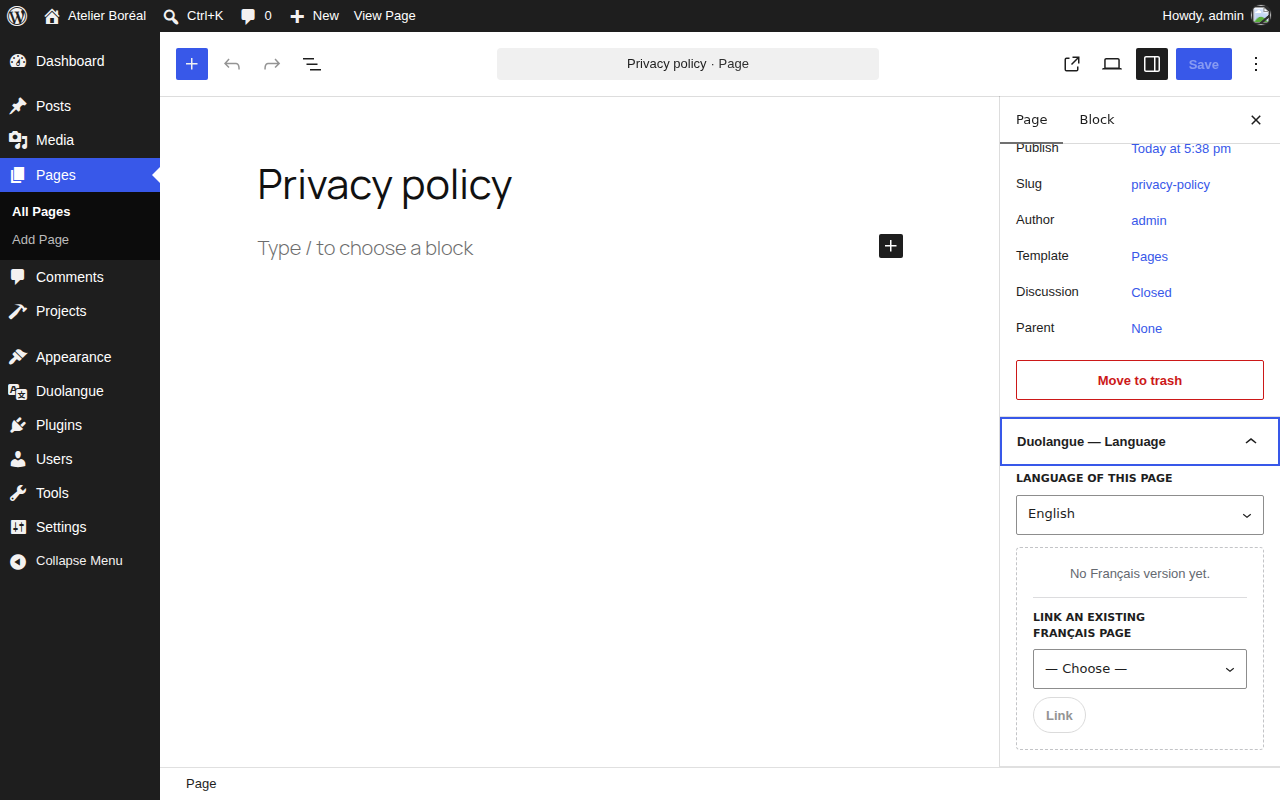
/projects//fr/projets/). - Manual translation linking — link any page, post or custom post type entry to its translation from the editor (the “Duolangue — Language” panel in Gutenberg, or a metabox in the classic editor), or unlink at any time. Nothing is ever deleted.
- Language switcher — a
[duolangue_switcher]shortcode plusduolangue_language_switcher()/duolangue_other_lang_url()template functions for themes, page builders and code blocks. - Automatic hreflang — correct alternate + x-default tags on every page, out of the box.
- Menus follow the visitor’s language — menu items pointing at a linked page or post are swapped to its translation automatically, and a language link can be appended to the menus you choose.
- ACF-aware — Post Object, Page Link and Relationship pickers only list content in the language being edited.
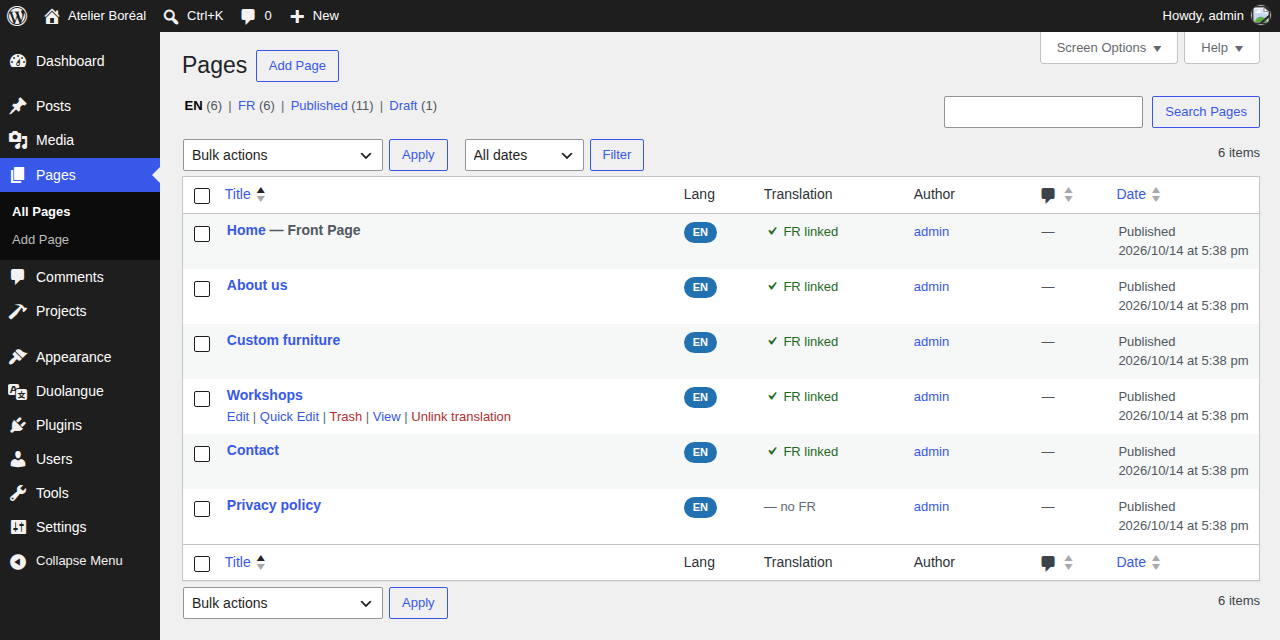
- Native admin integration — a Language column, per-language tabs and bulk “assign language” actions on every list screen.
- Admin language toggle — switch the admin between your two site languages (global setting plus an optional per-user toggle). The plugin’s own strings are translated through translate.wordpress.org.
- Page-builder friendly — builder template post types (Oxygen, Bricks, Breakdance, Elementor, Divi, Beaver Builder) are left untouched.
Every switcher link points to the linked translation of the current page when it exists and is published; otherwise it falls back to the home page of the target language.
What Duolangue deliberately does NOT do
- No third language: Duolangue is designed around a language pair, where every page has exactly one counterpart in the other language (the same in Duolangue Pro).
- No custom SQL tables — everything lives in post meta and a single option.
- No automatic / machine translation — you (or your translator) write the words.
- No subdomain or multisite-based language setup.
Duolangue Pro
A separate commercial edition, Duolangue Pro, adds one-click duplication into the other language, taxonomy term translation and whole-menu translation. Everything described above is in this free plugin, with no limits. Learn more at duolangue.com.
External services
This plugin includes the Freemius SDK, which on activation shows an optional opt-in screen.
- What is sent, and when: only if you click “Allow & Continue” on that screen, Freemius receives your site URL, WordPress, PHP and plugin versions, the site language, your admin name and email address, and later plugin activation/deactivation/uninstall events. If you skip the opt-in, nothing is sent.
- Why: to understand usage, send optional product updates by email and, if you ever purchase a Pro license, manage that account.
- Declining the opt-in does not limit any feature of this plugin.
- Freemius Terms of Service and Privacy Policy.
Screenshots
Installation
- Upload the
duolanguefolder to/wp-content/plugins/, or install it from the Plugins screen. - Activate the plugin.
- Go to Duolangue -> Settings, pick your two languages and their WordPress locales, choose the URL structure, then save.
- (Optional) Go to Duolangue -> Slugs & URLs to translate your URL bases (this flushes permalinks on save).
- Open any page, post or custom post type entry: the “Duolangue — Language” panel in the editor sidebar lets you set its language and link its translation.
FAQ
-
Does Duolangue support more than two languages?
-
No. Duolangue is a bilingual plugin: its data model links each page to a single counterpart in the other language, and its URLs, menus and switcher are built on that pair. This is the same in every edition — Duolangue Pro does not add languages. For three or more languages, a multilingual plugin is the right tool.
-
Does it work with any pair of languages?
-
Yes. English–French, Spanish–German, any pair. Language codes, names and WordPress locales are fully configurable.
-
Where is my data stored? What happens if I uninstall?
-
Everything lives in standard WordPress post meta and one option — no custom SQL tables. Deactivating or uninstalling preserves your language assignments and translation links by default, so reinstalling restores everything. A
DUOLANGUE_REMOVE_ALL_DATAconstant is available if you want a full wipe on uninstall. -
Which content types are translatable?
-
Pages, posts and every public custom post type. Page-builder template types are excluded on purpose; developers can adjust the list with the
duolangue_post_typesandduolangue_excluded_post_typesfilters. -
Are there limits?
-
No. There is no cap on the number of items you translate, no time limit and no license key.
Reviews
There are no reviews for this plugin.
Contributors & Developers
“Duolangue — Lightweight Bilingual” is open source software. The following people have contributed to this plugin.
Contributors
“Duolangue — Lightweight Bilingual” has been translated into 1 locale. Thank you to the translators for their contributions.
Translate “Duolangue — Lightweight Bilingual” into your language.
Interested in development?
Browse the code, check out the SVN repository, or subscribe to the development log by RSS.
Changelog
1.0.4
- Fixed: the language link added to chosen menu locations now also appears when a page builder (Oxygen, Bricks…) renders that menu by its ID instead of its location.
1.0.3
- Clearer wording on the “Pages & editor” and “Slugs & URLs” screens.
1.0.2
- Initial release.