
Description
Website: digiter.org | Full version / Shop
Digiter Calendar Ultra Lite gives each WordPress account a private planning workspace. Organize projects, schedule tasks, track their status and switch between four views without leaving your site.
Included in Lite
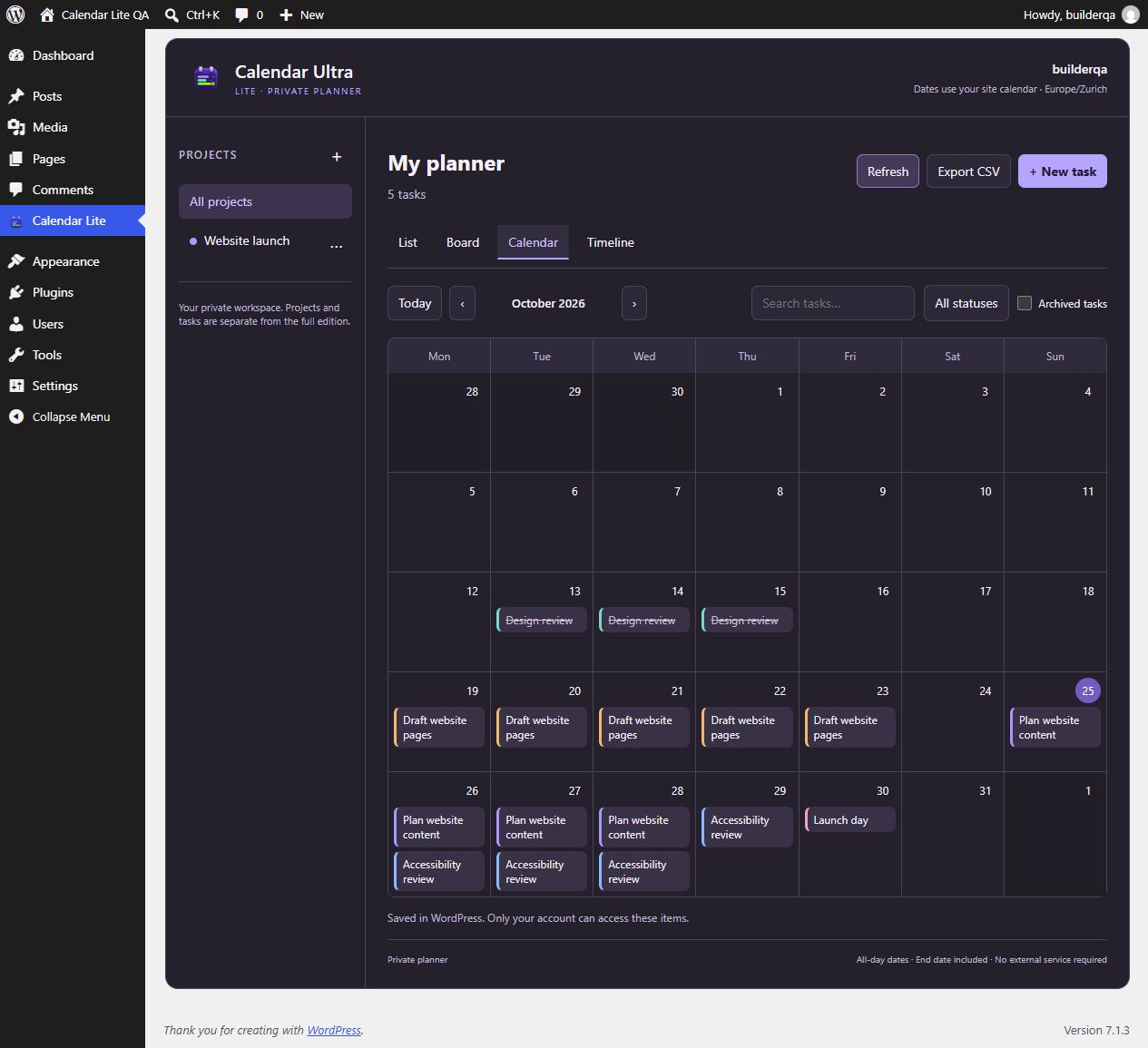
- Calendar month view with tasks spanning their start and end dates.
- Timeline view for the current month, plus list and status-board views.
- Projects with names and colors, and tasks with notes, priorities and dates.
- Search, project and status filters.
- Archive and restore tasks and projects without deleting them.
- CSV export of the currently filtered tasks, including notes.
- Dashboard access and the optional [digiter_calendar_ultra_lite] shortcode.
- Separate private data for each logged-in WordPress user.
All included features are free. There is no license key, trial period, external account, telemetry, payment service or remote code loader. Scripts, styles and the original Digiter calendar icon are bundled locally. WordPress provides the translation library.
Lite and the full edition
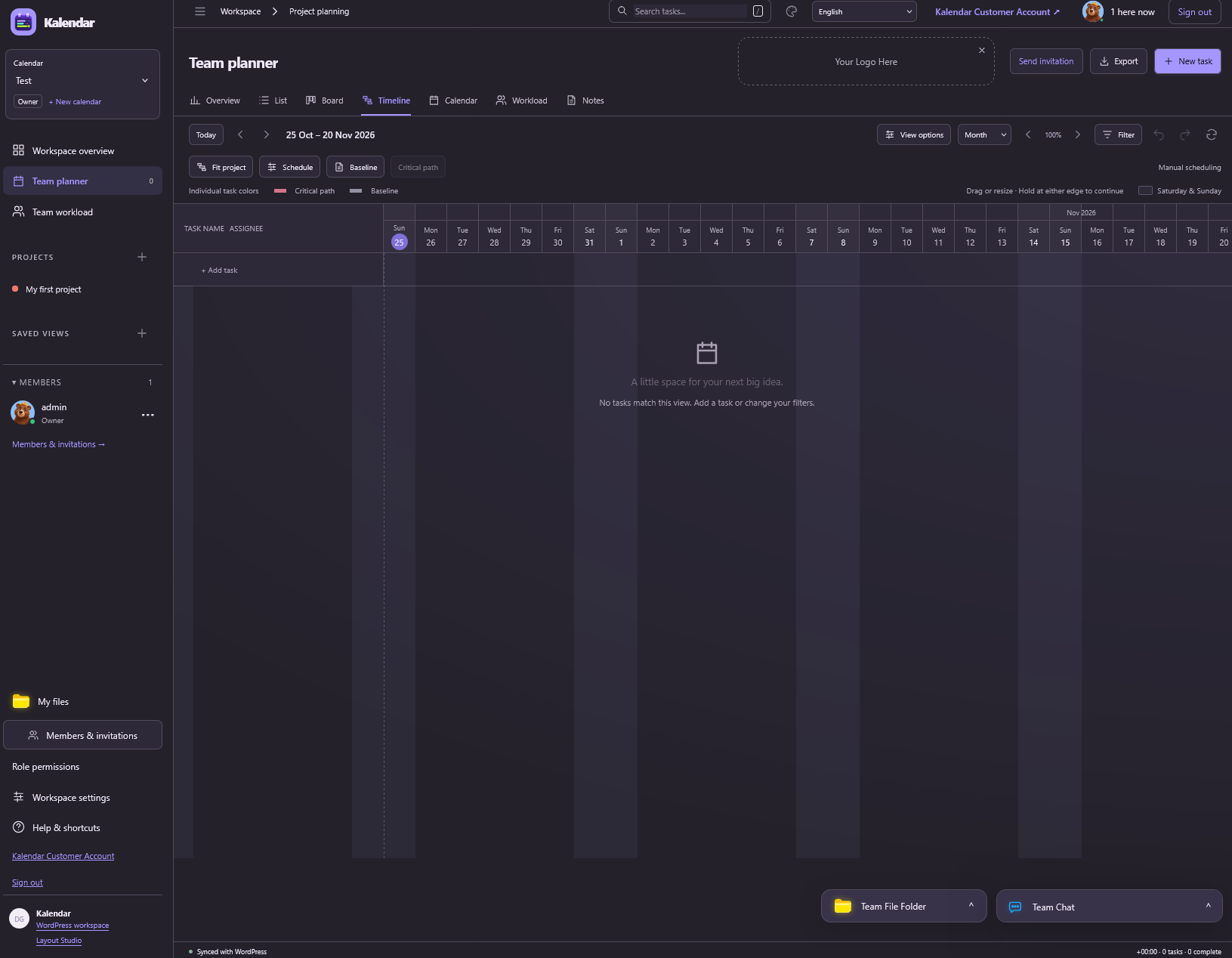
Lite is a standalone private planner. The separately distributed Digiter Calendar Ultra full edition adds shared workspaces, invitations, resource planning, chat, files and commercial calendar service features. Those features are not implemented or locked inside Lite. Screenshot 2 is an owner-supplied reference image of the full edition, clearly identified as such; screenshot 1 shows the actual Lite interface.
Lite and full use separate storage and shortcodes. Activating Lite does not import, overwrite or change the full edition. There is no automatic data migration between editions.
Dates and access
Tasks use all-day dates; the end date is included. Today follows the site’s WordPress time zone, and the week starts on the day selected in WordPress Settings > General. Lite does not send reminders or schedule background jobs.
Any logged-in WordPress user with the read capability can manage their own planner. The application and REST API check ownership on every record. Site/database administrators can still access stored data through administrative tools and backups; this is not end-to-end encryption.
Privacy and stored data
Task titles, notes, dates, status, priority and project colors are stored in the WordPress posts table using private dcult_task and dcult_project post types associated with the owning WordPress user. No data is sent to Digiter or another service. CSV exports download directly to the user’s browser. Keep private information out of exports you share publicly.
Deactivation and uninstall retain planner data so reinstalling does not lose work. Archived items remain available for restoration. Removing a WordPress user and deleting their content also removes that user’s planner posts; reassigning their content transfers ownership as part of WordPress’s account-deletion workflow.
Exclude pages containing the shortcode from full-page caches and do not cache authenticated REST responses. The plugin sends private/no-store headers for its successful REST responses and marks the shortcode page as non-cacheable.
Source and licenses
All PHP, JavaScript and CSS source is included in readable form. No build step is needed. Code and bundled original Digiter brand graphics are distributed under GPL-2.0-or-later. The full-edition reference screenshot was supplied by the Digiter owner for this listing. See license.txt.
Buy the Full version from WordPress
Administrators can open Full version under the plugin menu or use Buy Full version on the Plugins screen. Open Digiter Shop, choose Digiter Calendar Ultra, review the current price and renewal terms, and complete checkout on digiter.org. Recurring plans require a verified Digiter Account. Download the Full ZIP and license from the order or Customer Account. Back up your site, test on staging, deactivate Lite, and install the Full ZIP through Plugins > Add New > Upload Plugin. Activate the license in the Full plugin’s License screen.
Lite and Full use separate storage and shortcodes. There is no automatic transfer of projects or tasks. Export your Lite tasks as CSV and preserve a site backup; keep Lite data until you verify your transition.
All Lite features remain free. These are ordinary optional links: Lite makes no new external requests and never downloads or installs premium code. Full version documentation.
Screenshots
Installation
- Upload the digiter-calendar-ultra-lite folder to wp-content/plugins/ or install its ZIP through Plugins > Add New > Upload Plugin.
- Activate Digiter Calendar Ultra Lite.
- Open Calendar Lite in the WordPress dashboard while signed in.
- Add a project or your first task. Each WordPress account starts with an empty private planner.
- Optionally add [digiter_calendar_ultra_lite] to a page using the Shortcode block. Only signed-in users can see their own tasks.
FAQ
-
Is the full plugin or a license required?
-
No. Lite works on its own and all its included features remain available without payment or a license key.
-
Can other users see my tasks?
-
The Lite interface and its REST endpoints only return records belonging to the current WordPress account. Shared workspaces and invitations belong to the separate full edition. Administrators with database or server access can access stored data.
-
Can I run it alongside the full edition?
-
Yes. Lite has separate post types, script handles, REST routes and the [digiter_calendar_ultra_lite] shortcode. It does not modify full-edition settings or tables.
-
What happens when I archive a project?
-
The project moves to Archived projects. Existing tasks remain available and keep their project reference. Open the archived project to restore it. Archiving a project does not archive its tasks.
-
Export follows your search, project, status and archive filters. It includes all matching dates, including dates outside the currently displayed calendar month. Spreadsheet-formula prefixes are neutralized in exported text.
-
What if I edit an item in two browser tabs?
-
The server checks a version token when saving. If a newer change exists, the stale save is rejected. Close the form, select Refresh and reopen the item before trying again.
-
Does uninstall delete my plans?
-
No. Data is retained for reinstallation. Use your normal WordPress database management process if permanent removal is required, and back up first.
Reviews
There are no reviews for this plugin.
Contributors & Developers
“Digiter Calendar Ultra Lite” is open source software. The following people have contributed to this plugin.
Contributors
Translate “Digiter Calendar Ultra Lite” into your language.
Interested in development?
Browse the code, check out the SVN repository, or subscribe to the development log by RSS.
Changelog
1.0.2
- Make the website and Full version shop links visible at the beginning of the description and provide the product homepage link.
1.0.1
- Add optional Full version purchase links and clear checkout, installation and edition-transition instructions in WordPress.
1.0.0
- First standalone Lite release with private projects and tasks, calendar, timeline, board, list, archive/restore and CSV export.
- Authenticated ownership checks, strict date validation and atomic conflict detection.