Description
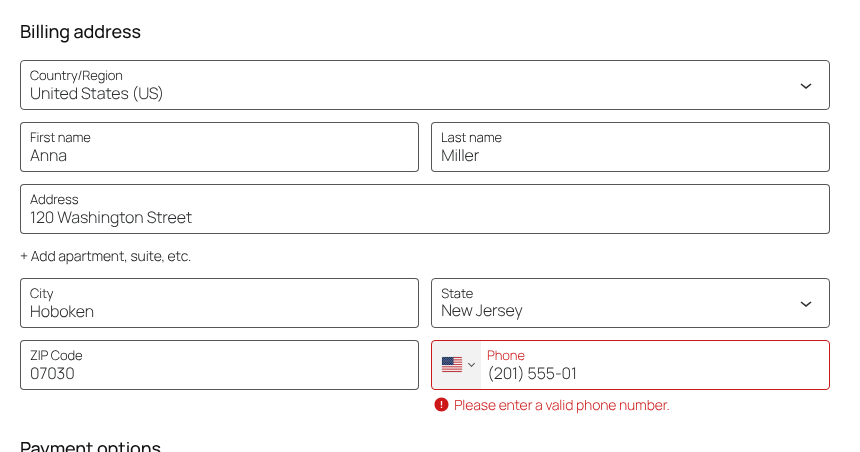
Customers type their phone number the way they are used to, for example (201) 555-0123. Without a country code, you can’t tell where that number belongs, and calls, text messages and couriers fail.
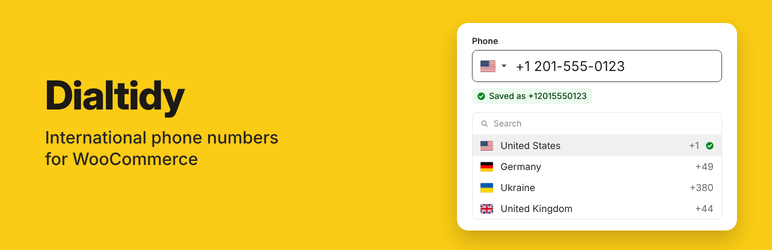
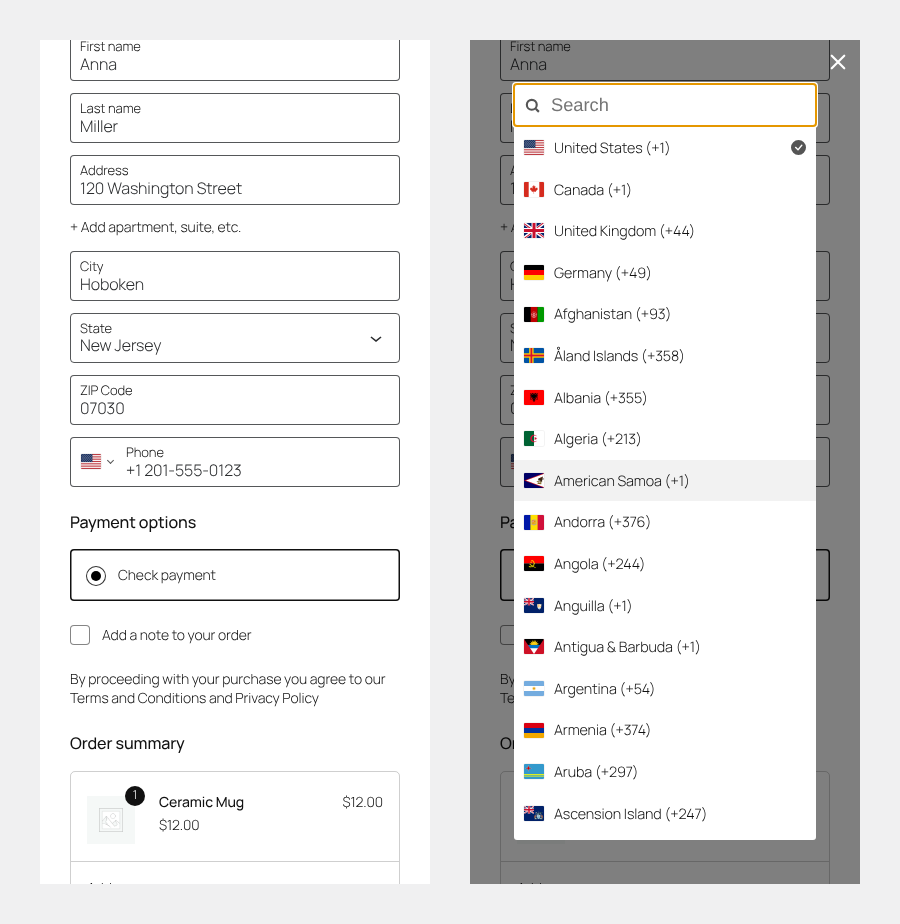
Dialtidy adds a country picker with flags to the phone field. The country of the address is preselected, the customer can pick another one, and the order gets the number in international format: +12015550123.
Features
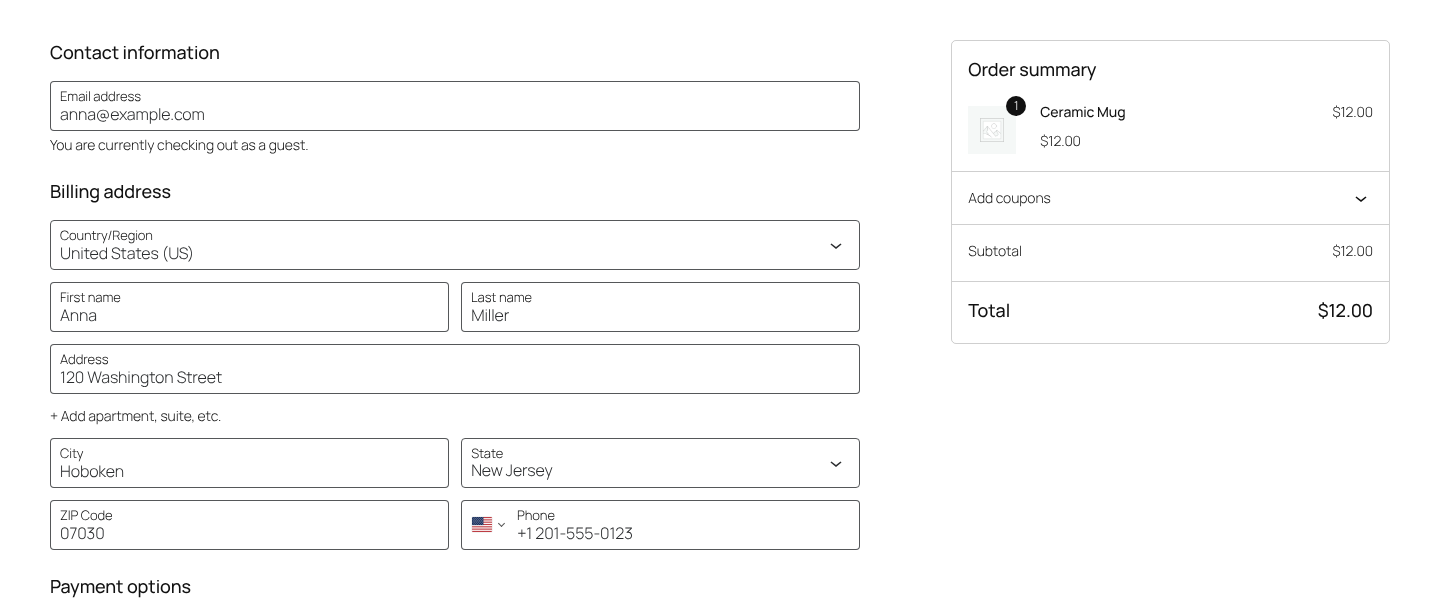
- Works in the block checkout, the classic checkout and the addresses in My account.
- The country of the billing or shipping address is preselected and changes with the address until the customer types a number or picks a country.
- Customers type the number as usual: spaces, dashes and parentheses, a leading 0, 00 or the country code with or without +, and digits from other scripts are all understood.
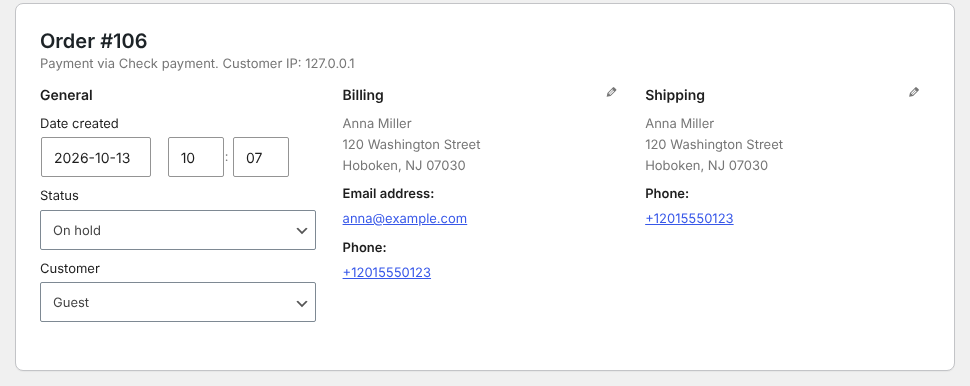
- Numbers are saved in international format (E.164), for example +12015550123, ready for couriers and text messages.
- On the order screen the number is shown with spaces, for example +1 201-555-0123, and can be called with one click.
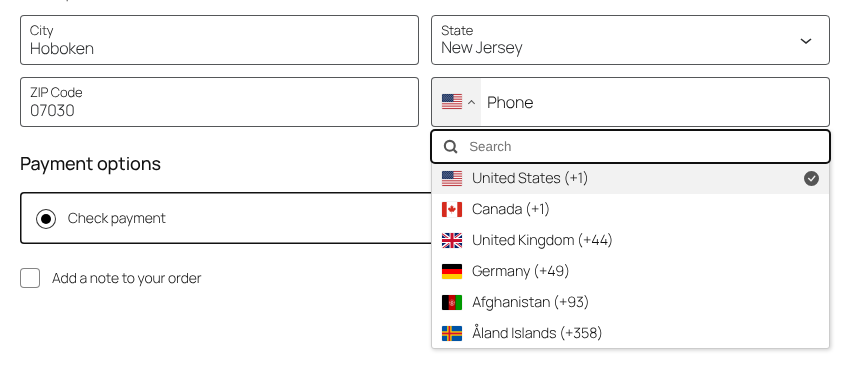
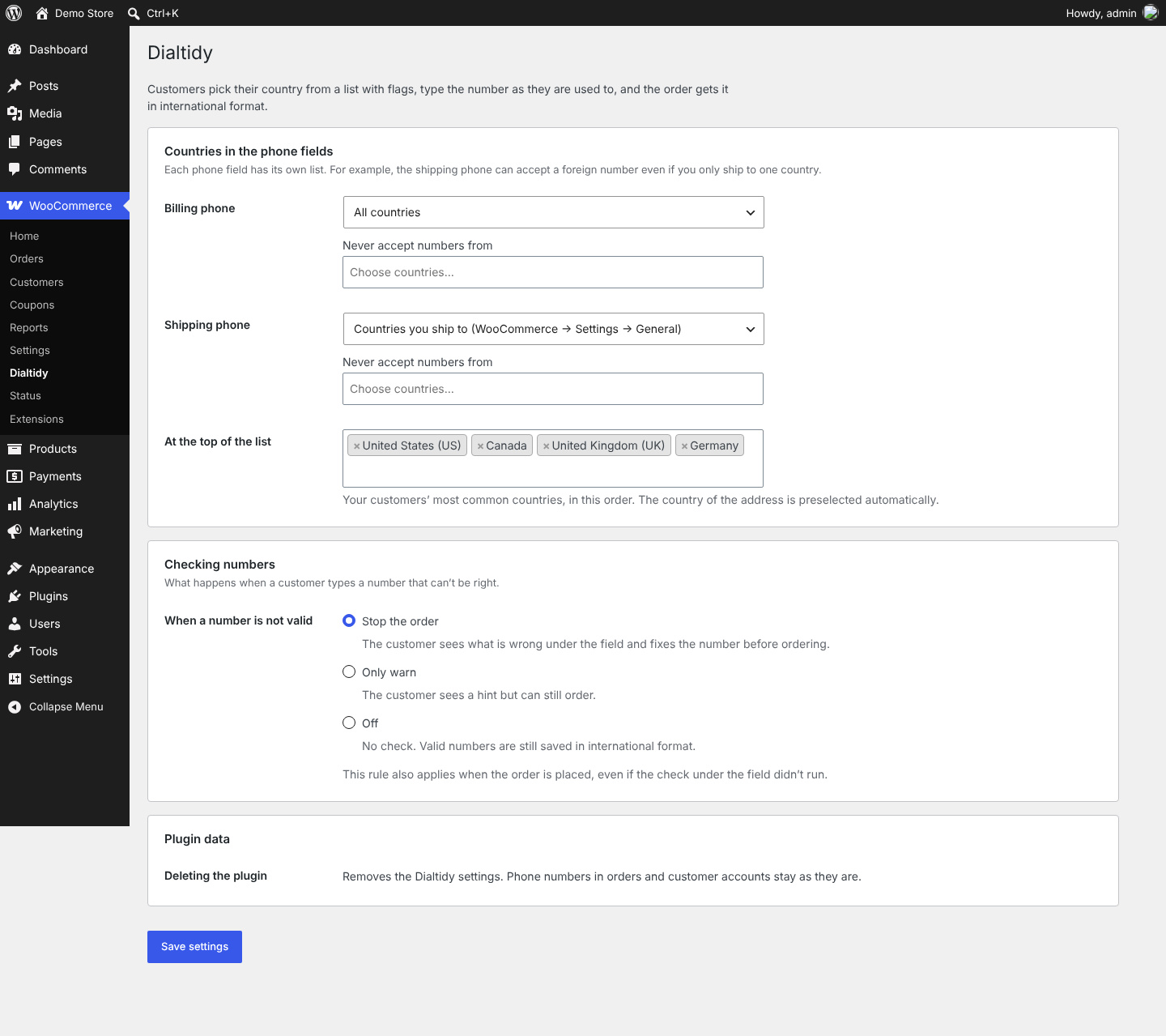
- Each phone field has its own country list: all countries, the countries you sell or ship to, or your own selection. You can also block countries.
- Countries you choose, such as your customers’ most common ones, at the top of the list.
- When a number is not valid: stop the order, only warn, or don’t check.
- The same check runs when the order is placed, even if the check under the field didn’t run.
- An empty optional phone field is never blocked. Dialtidy follows the WooCommerce setting for the phone field.
- Orders paid with express payment buttons (digital wallets) are not stopped because of the phone, when the payment plugin marks them as express payments.
- Short, clear messages under the field, in your site’s language when a translation is available.
- The country list works with the keyboard and has labels for screen readers.
- Compatible with High-Performance Order Storage (HPOS).
Compatibility
- Dialtidy attaches to WooCommerce’s own phone fields. It is tested with the default WordPress themes, block and classic.
- Phone fields added by other plugins and forms are not changed.
- Orders you create in the admin are not changed.
External services
Dialtidy does not connect to any external service. The flags, the country list and the phone number rules are part of the plugin.
Credits
Dialtidy includes these open-source libraries:
- intl-tel-input 29.5.4 by Jack O’Connor, MIT License – the country picker with flags. Bundled as the minified build; the readable source is at https://github.com/jackocnr/intl-tel-input/tree/v29.5.4 and the unminified build is dist/js/intlTelInputWithUtils.js in the npm package intl-tel-input@29.5.4.
- libphonenumber-for-php 8.13.55 by Joshua Gigg, Apache License 2.0 – the phone number rules, with the phone number data of version 9.0.41. Source: https://github.com/giggsey/libphonenumber-for-php. The namespace is changed and the data is written in the format of version 8.13, see vendor/libphonenumber/README.txt.
Screenshots
Installation
- Install and activate Dialtidy. WooCommerce must be active.
- Go to WooCommerce Dialtidy to choose countries and what happens when a number is not valid.
- Open your checkout: the phone field now has a flag.
FAQ
-
Where do I find Dialtidy after installing it?
-
In the admin menu, go to WooCommerce Dialtidy. You can also click “Settings” under the plugin’s name on the Plugins screen.
-
Which phone fields get a flag?
-
The billing and shipping phone in the block checkout and the classic checkout, and the billing and shipping address in My account.
-
How are numbers saved?
-
In international format with the country code, for example +12015550123, even when the customer typed (201) 555-0123. On the order screen it is shown with spaces, for example +1 201-555-0123; the saved number stays the same. Numbers that are already in your orders are not changed.
-
What if a customer has a phone number from another country?
-
The customer picks that country in the list, or types the number with + and the country code. You can limit which countries each phone field accepts under WooCommerce Dialtidy.
-
Is the phone field required?
-
Dialtidy follows the WooCommerce setting, and an empty optional phone is never blocked. To change the setting, edit the Checkout page and select the Checkout block: the phone field option is in the block settings. With the classic checkout, it is under Appearance Customize WooCommerce Checkout.
-
What does “Only warn” do?
-
The customer sees a hint under the field but can still place the order. The number is saved in international format when it is valid, and as typed when it is not.
-
No. With express payment buttons (digital wallets), the phone comes from the customer’s wallet, not from the phone field. Dialtidy saves it in international format when it can and does not stop such an order. Payment plugins that mark express payments the common way are recognized; developers can mark other payment flows with the
dialtidy_is_express_paymentfilter. -
Does it need anything on my server?
-
WordPress 6.6, WooCommerce 9.6 and PHP 7.4 or newer. Full number rules need PHP’s mbstring extension, which almost every host has. Without it, Dialtidy checks the length of the number and adds the address’s country code to numbers typed without one; your country lists still apply, and a country code shared by several countries (such as +1 or +7) counts as any of them.
-
Can developers change the messages or which numbers are accepted?
-
Yes, with filters:
dialtidy_message(the message for a number that is not accepted),dialtidy_allowed_types(for example mobile numbers only),dialtidy_script_config(messages in the browser and spaces while typing),dialtidy_display_phone(how a number is shown on the order screen) anddialtidy_is_express_payment. -
What happens when I delete the plugin?
-
Its settings are removed. Phone numbers in your orders and customer accounts stay as they are.
-
How do I report a security issue?
-
Please email office@wedoingood.com and do not post it in the support forum. We confirm the report, fix it and release an update.
Reviews
There are no reviews for this plugin.
Contributors & Developers
“Dialtidy – International Phone Numbers for WooCommerce” is open source software. The following people have contributed to this plugin.
Contributors
Translate “Dialtidy – International Phone Numbers for WooCommerce” into your language.
Interested in development?
Browse the code, check out the SVN repository, or subscribe to the development log by RSS.
Changelog
1.3.2
- First release.