
Description
dgtl-labs Shipping with GLS for WooCommerce connects a WooCommerce store to shipping with GLS: customers choose at checkout between delivery to their address and delivery to a GLS ParcelShop, and the store creates GLS shipping labels directly from the order and checks shipment status.
Supported country: Germany. Built against GLS Germany’s ShipIT-Farm API (not MyGLS, the API used by GLS’ other national subsidiaries) — addresses, ParcelShop search, and translations are all for the German market.
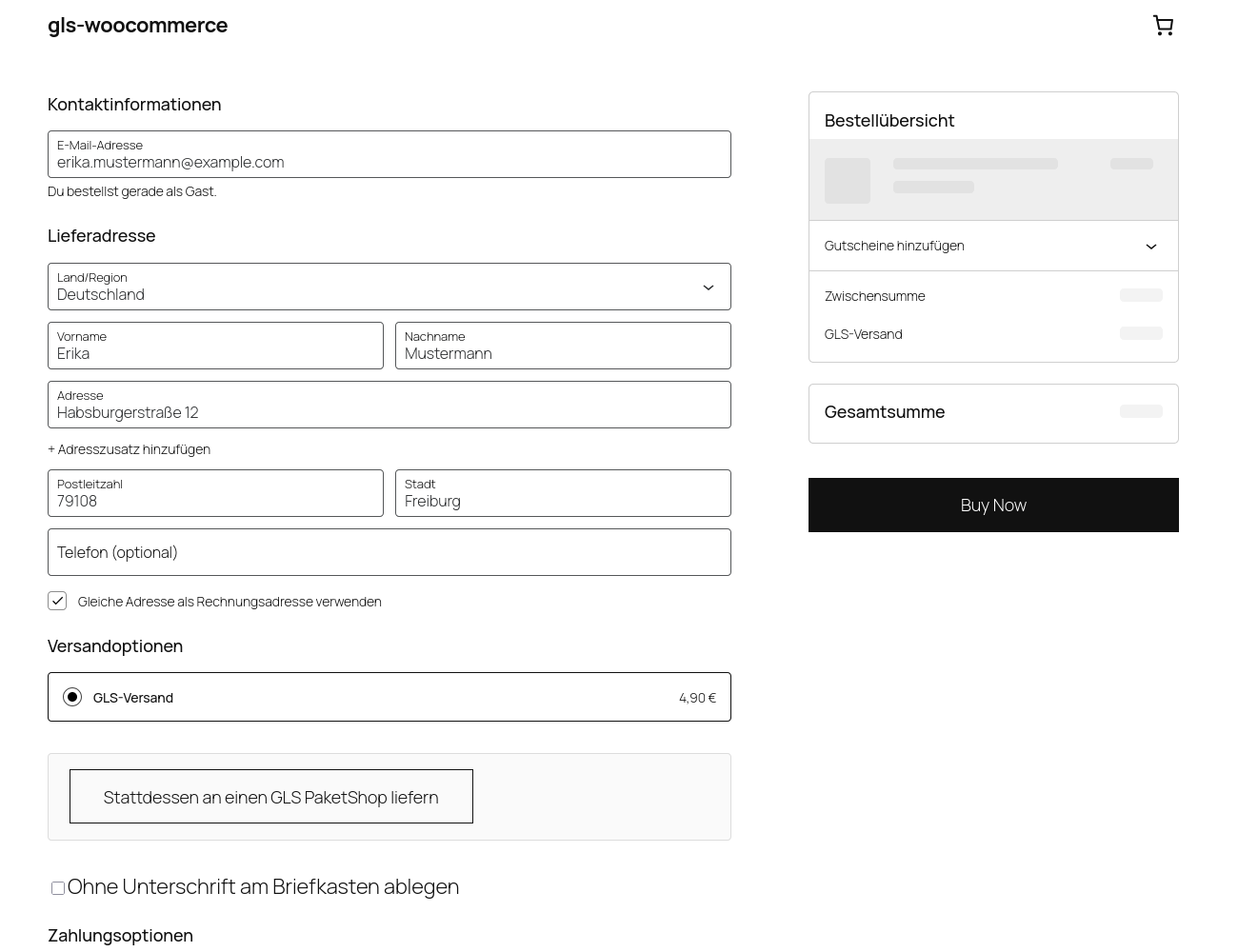
At checkout
- Works with the WooCommerce Cart and Checkout blocks (the default checkout since WooCommerce 8.3) — not the older shortcode checkout.
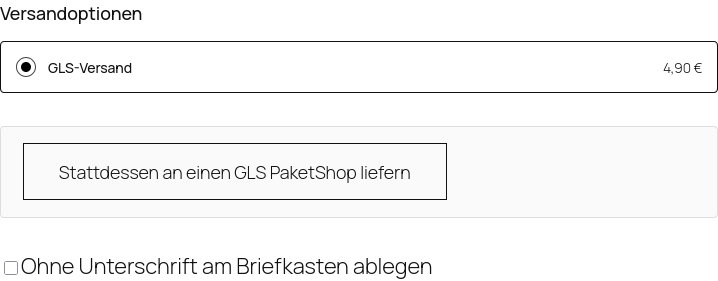
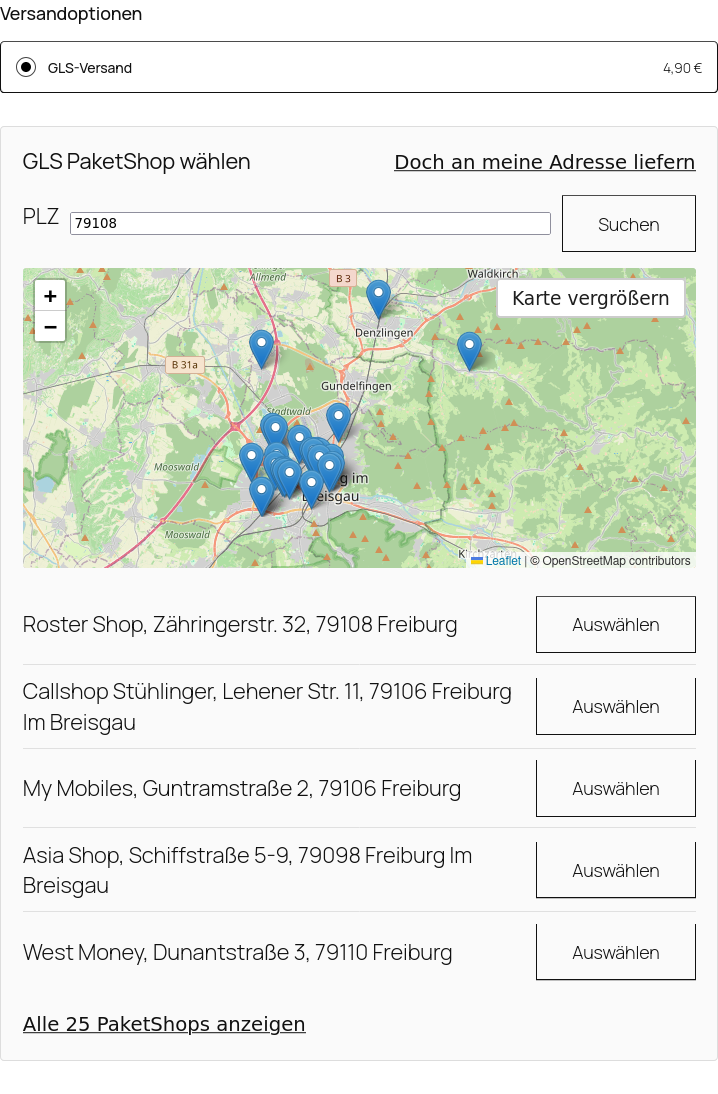
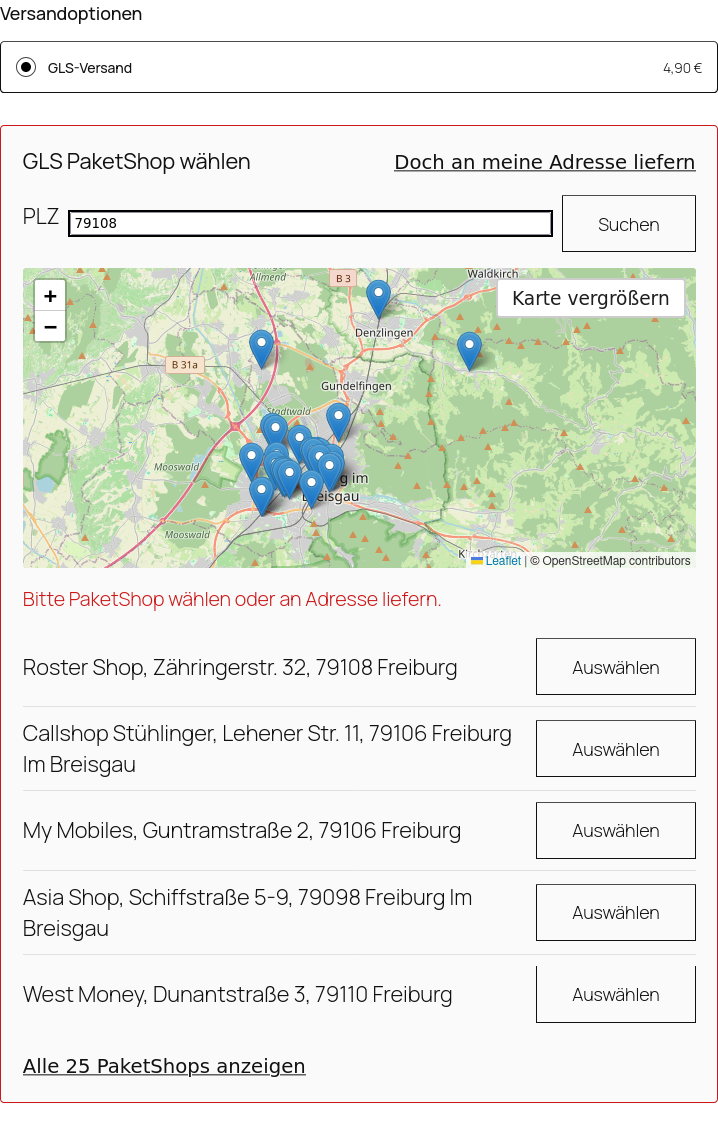
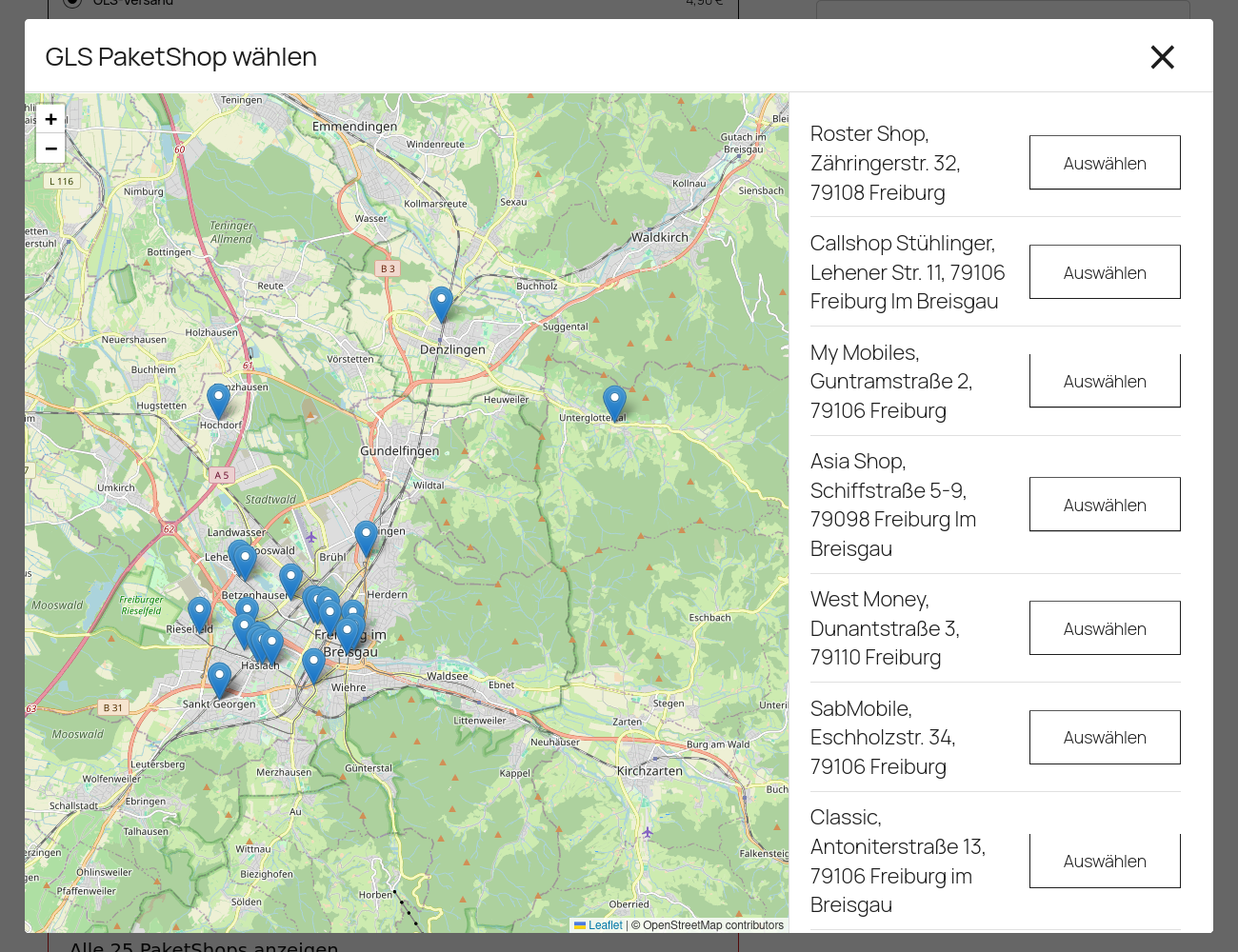
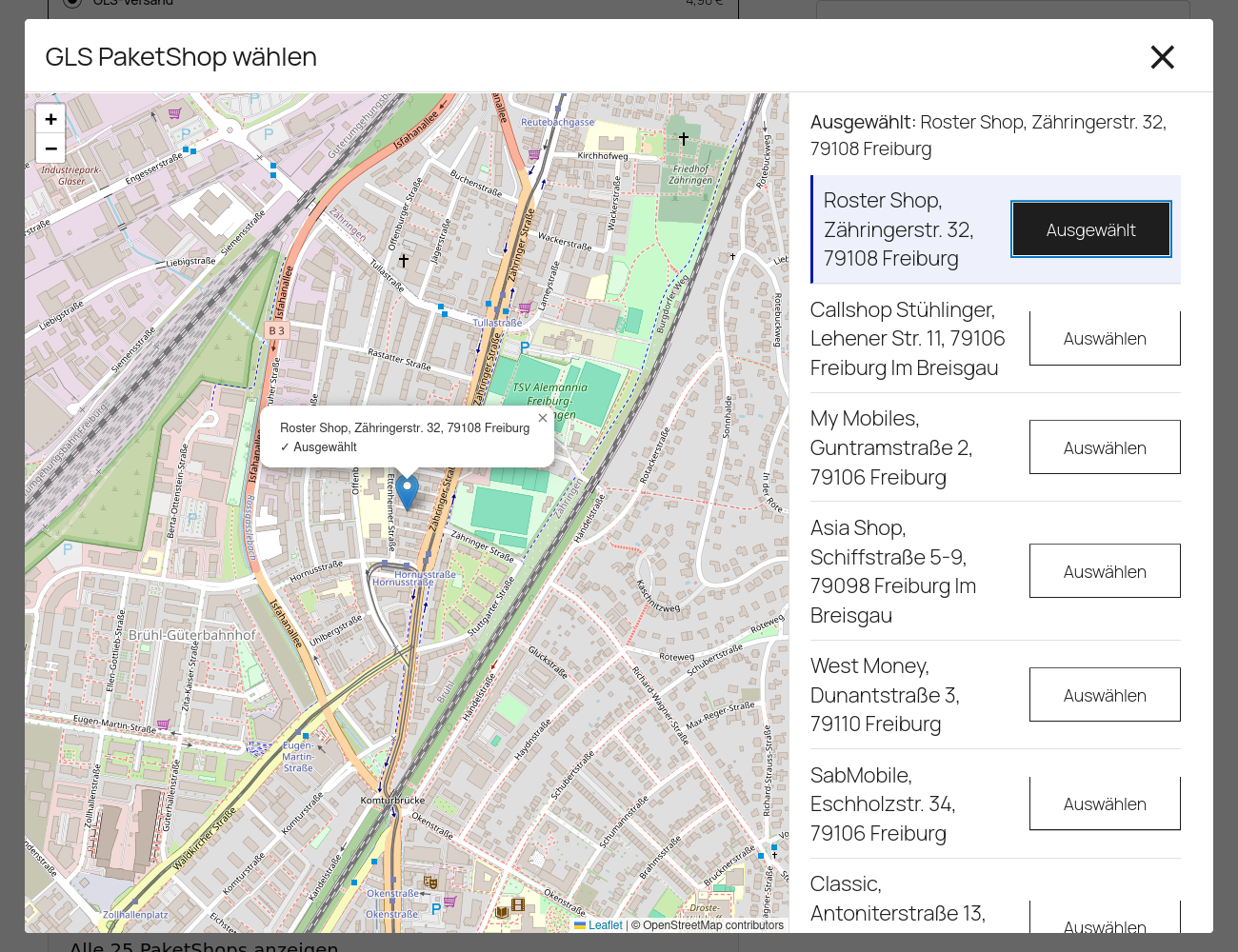
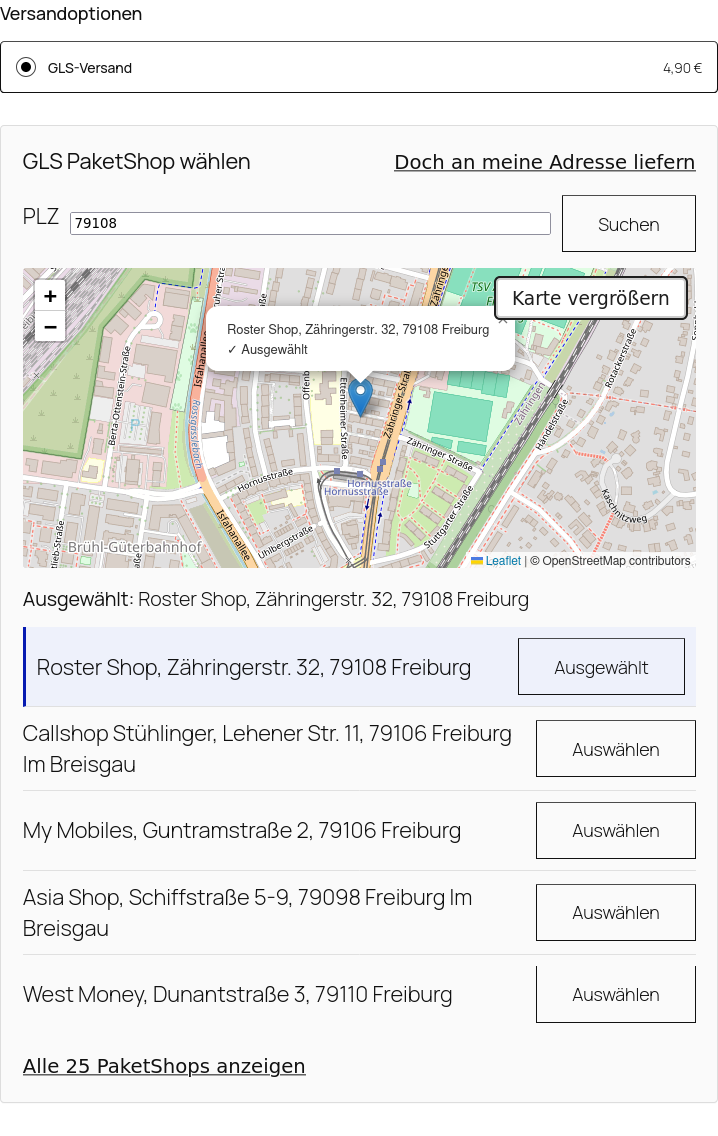
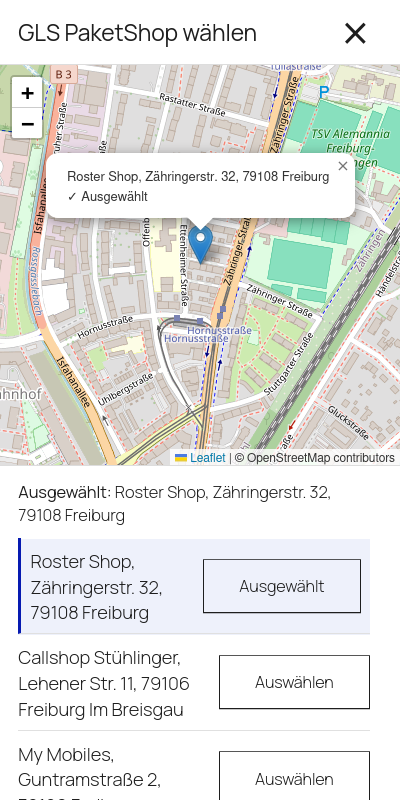
- Home delivery is the default. A customer who wants a ParcelShop instead clicks a button to search; the search starts from the shipping address ZIP code and shows the nearest shops on a map (OpenStreetMap) and in a list, with a full-screen picker (works on phones too) for the complete result.
- Once a ParcelShop is chosen, the choice is required to place the order — a missing shop is rejected in the browser and again on the server.
- Changing the delivery ZIP code after choosing a shop drops the choice if it’s no longer nearby, with a clear notice.
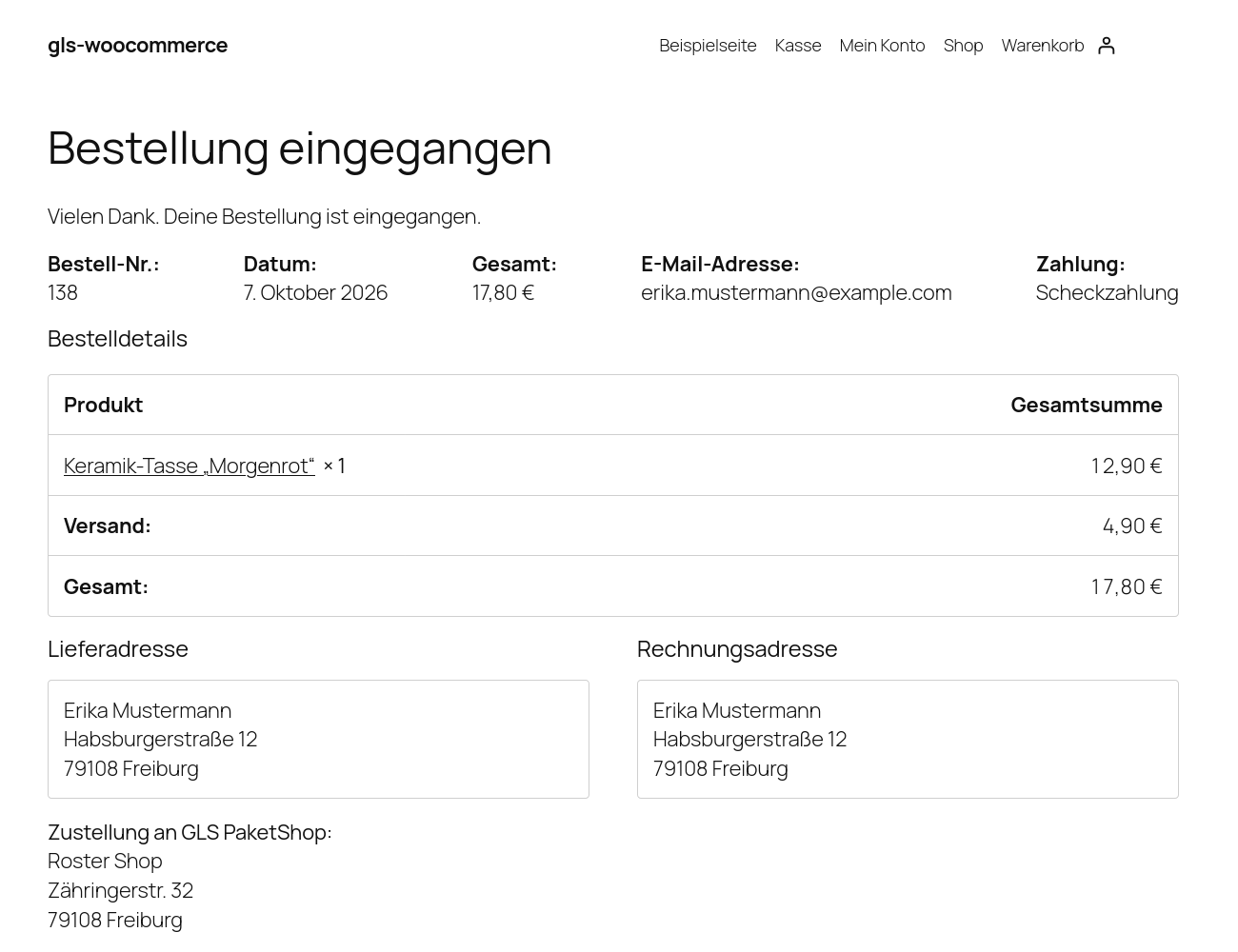
- The chosen ParcelShop (name and address) appears on the order confirmation, in the customer’s account, and in order e-mails.
In the WordPress admin
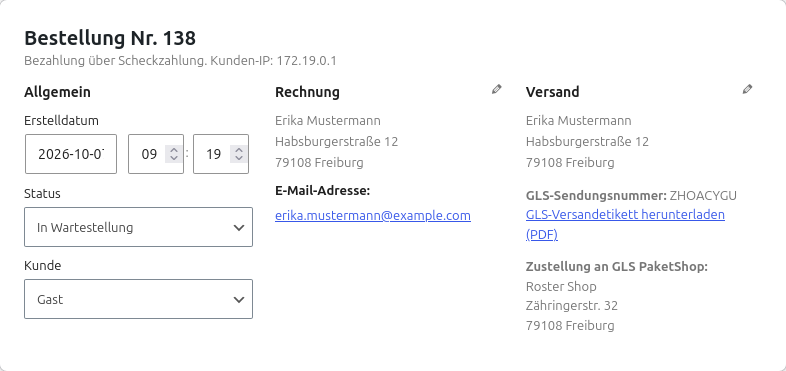
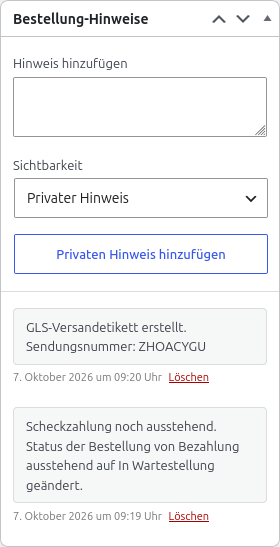
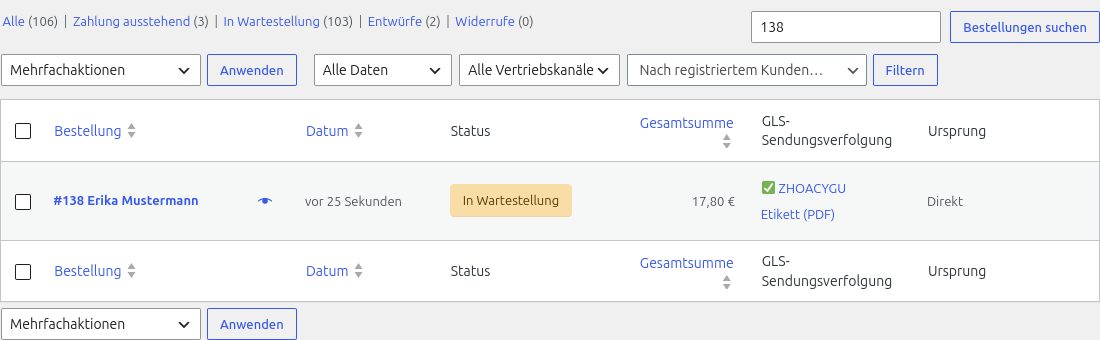
- Create a GLS shipping label as an order action; the PDF is available for download from the order and from the order list.
- Tracking number on the order, in the order list, and in customer order e-mails, linked to GLS tracking.
- Check shipment status as an order action.
- Package weight is calculated from the order’s line items; if an item has no weight, a configurable default package weight is used, or label creation stops with a clear message listing the items that need a weight — the plugin never reports a lower weight than the shipment actually has.
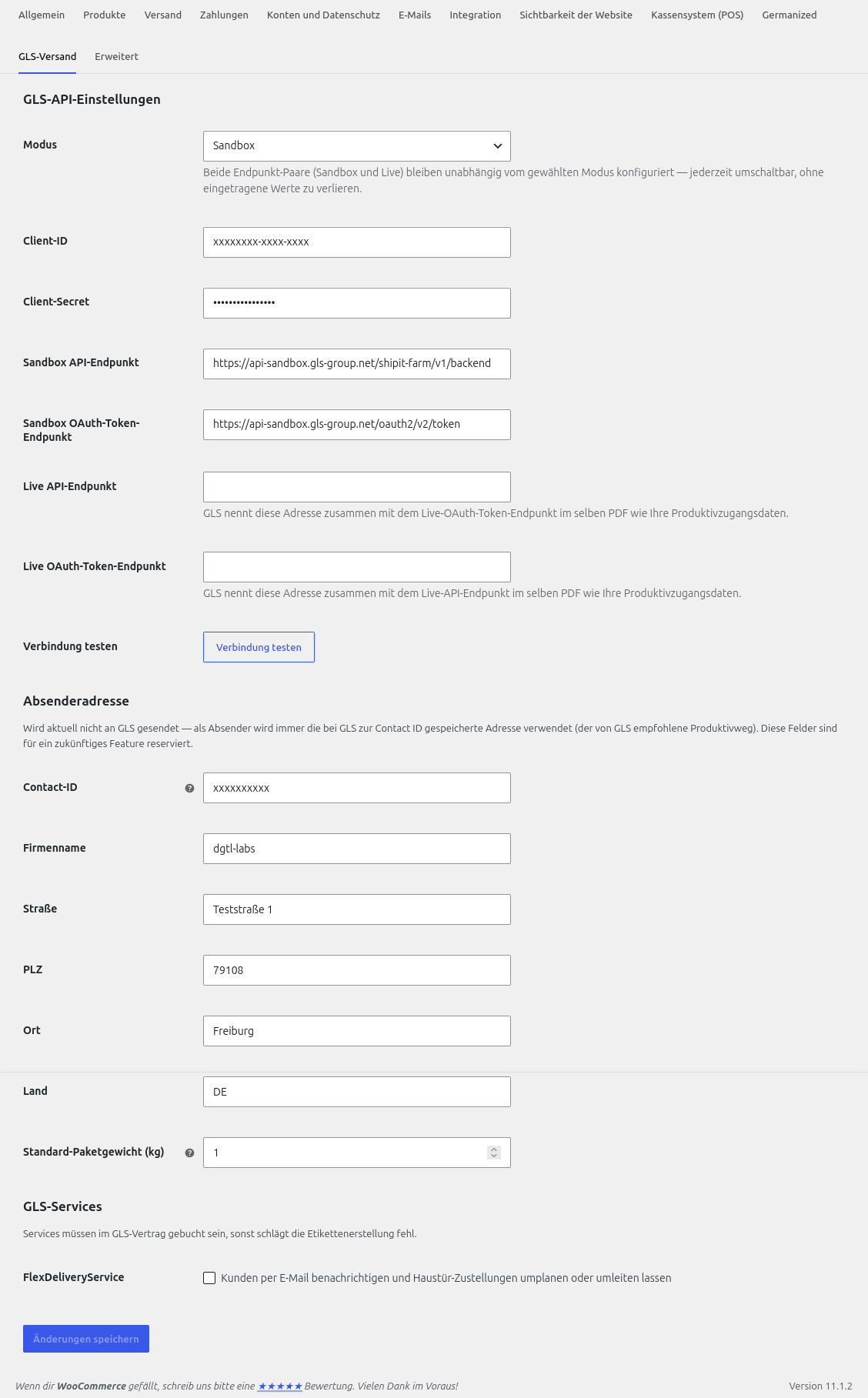
- FlexDeliveryService (GLS notifies the customer by e-mail before home delivery, with the option to reschedule or redirect) as an opt-in setting for home deliveries — only enable it if the service is booked in your GLS contract.
- Sandbox and live mode, switched with one setting; both sets of API endpoints stay saved so switching back and forth never means re-entering credentials.
- Test connection button that checks login and reachability against your saved settings and shows a clear result, instead of a silent failure.
Requirements
- WordPress 6.4+ and WooCommerce 8.3+ with the block checkout (the WooCommerce default since 8.3). High-Performance Order Storage (HPOS) is supported.
- A GLS business shipping contract with access to the GLS ShipIT-Farm API. The FAQ explains how to request API credentials.
- Compatible with WooCommerce Germanized.
Known limitations (current version)
- Only the WooCommerce block checkout is supported, not the older shortcode checkout.
- Cancelling a shipment from the admin isn’t available yet.
- Built and tested for the German market (addresses, ParcelShops, translation).
External services
This plugin connects to two external services to work:
GLS ShipIT-Farm API — used to search ParcelShops during checkout (the delivery ZIP code and country), and, when you use an order action, to create a shipping label (delivery address, e-mail address and phone number) or check shipment status (the tracking number). Both the checkout search and the order actions are actions you or your customer explicitly take; nothing is sent in the background. Requests go to the GLS sandbox by default, or to GLS’ live API once you switch to live mode and enter your production endpoints (see Installation).
Terms of service: https://www.gls-pakete.de/agb-standard — Privacy policy: https://www.gls-pakete.de/datenschutzerklaerung (GLS Group’s own privacy page redirects here too, so it’s the same document; both confirmed correct by GLS, 2026-10-02)
OpenStreetMap tiles — the ParcelShop map on the checkout page loads its map tiles directly in the customer’s browser from OpenStreetMap (tile.openstreetmap.org), which sees the customer’s IP address. This only happens while a customer has the ParcelShop search open.
OpenStreetMap Copyright and License
Screenshots
Installation
- In your WordPress admin, go to Plugins Add New and search for “dgtl-labs Shipping with GLS for WooCommerce”, or upload the plugin ZIP under Plugins Add New Upload Plugin.
- Activate the plugin. WooCommerce must be active — the plugin shows a notice and stays inactive otherwise.
- Go to WooCommerce Settings GLS Shipping and enter your GLS API credentials (see the FAQ for how to request them). The settings are pre-filled with the GLS sandbox endpoints so you can try the plugin before you have production credentials.
- Go to WooCommerce Settings Shipping, open a shipping zone, and add the “GLS Shipping” shipping method with a title and cost.
FAQ
-
How do I get GLS API credentials?
-
You need a GLS business shipping contract with access to the ShipIT-Farm API:
- Register at the GLS Developer Portal with a team e-mail address.
- Create a new app there.
- Activate the Authentication API v2 and ShipIT-Farm API v1 APIs for that app.
- Contact GLS IT support (it-kundensupport@gls-germany.com) with your team e-mail address, app ID, GLS Contact ID, shipping system (“WooCommerce with this plugin”), and the APIs you activated.
- Once approved, GLS provides your Client ID and Client Secret for production, your Contact ID, and both live API endpoints.
-
Can I try the plugin without a GLS contract yet?
-
Partially. The settings page defaults to sandbox mode and comes pre-filled with GLS’s sandbox endpoint URLs, so you don’t need to look those up yourself — but a Client ID and Client Secret from GLS are still required before ParcelShop search, label creation or the connection test will work; there’s no credential-free test mode. GLS has granted sandbox access to developers without an existing shipping contract on request before — contact GLS (see “How do I get GLS API credentials?” above) and ask specifically about sandbox/technology-partner access.
-
Does this work with the classic (shortcode) checkout?
-
No, only the WooCommerce Cart and Checkout blocks are supported.
-
Why wasn’t a label created for my order?
-
The order notes and the “Create GLS shipping label” action show the reason — usually a missing item weight (set a product weight or a default package weight in the settings), missing API credentials, or GLS rejecting the shipment (the exact message from GLS is shown; check the address and, for optional services like FlexDelivery, whether it’s booked in your GLS contract).
-
The checkout map tiles are loaded from OpenStreetMap in the customer’s browser, which sees the customer’s IP address — this belongs in your store’s privacy policy. The ParcelShop search itself runs through your server; only the ZIP code and country are sent to GLS. Creating a label sends the customer’s delivery address, e-mail address and phone number to GLS, as with any shipping carrier.
-
Why does /build contain both index.js and index.unminified.js?
-
index.js is the minified file actually loaded in the browser.
index.unminified.jsis the same code, readable, included alongside it.
Reviews
There are no reviews for this plugin.
Contributors & Developers
“dgtl-labs Shipping with GLS for WooCommerce” is open source software. The following people have contributed to this plugin.
Contributors
Translate “dgtl-labs Shipping with GLS for WooCommerce” into your language.
Interested in development?
Browse the code, check out the SVN repository, or subscribe to the development log by RSS.
Changelog
0.9.0
- Renamed the plugin to “dgtl-labs Shipping with GLS for WooCommerce” (was “dgtl-labs GLS Shipping for WooCommerce”) following a WordPress.org review note about name similarity to an existing plugin.
0.7.3
- Added an explicit Sandbox/Live mode setting. Both sets of endpoints (API and OAuth token, sandbox and live) stay saved regardless of the active mode, so switching no longer means re-entering values.
- Selecting live mode before the live endpoints are filled in now shows a clear configuration message instead of failing silently.
0.7.2
- Added a “Test connection” button on the settings page that checks login and reachability against the saved settings.
- Fixed a cached-token bug where rotating only the client secret could keep using a token fetched under the old secret for up to 4 hours.
0.7.1
- The sender address on labels is now always resolved from your GLS Contact ID, GLS’ recommended production path, instead of being overridden per shipment.
0.7.0
- Internal refactor for the WordPress.org release; no functional or user-facing change.
0.6.0
- Renamed the plugin to “dgtl-labs GLS Shipping for WooCommerce”.
0.5.1
- Fixed: the sender address from the settings was never actually sent to GLS.
- Declared compatibility with High-Performance Order Storage (HPOS) and the Cart/Checkout blocks.
- Renamed the “Shipper ID” setting to “Contact ID”, GLS’ own name for the value.
0.5.0
- Added a full German translation.
0.4.0
- Added a full-screen ParcelShop picker with a large map, and a “Show all” option beyond the five nearest results.
- The checkout now keeps the chosen delivery mode and ParcelShop in the session as the single source of truth.
0.3.2
- Added a configurable default package weight, used when an order item has no weight.
- Fixed: shipments never carried a parcel weight, so GLS rejected every real shipment.
- The chosen ParcelShop is now shown on the order confirmation, in My Account, and in order e-mails.
0.3.1
- Fixed several checkout display issues found in the first browser test of the ParcelShop map (broken marker icons, no visible selection feedback).
0.3.0
- Added a label PDF download link on the order screen and order list.
0.2.2
- Fixed label creation, which failed against the live GLS sandbox due to a missing required field.
0.2.1
- Fixed: the customer e-mail field name didn’t match what GLS actually expects, so every label request failed.
0.2.0
- Added GLS FlexDeliveryService as an opt-in setting.
0.1.1
- Fixed: the chosen ParcelShop wasn’t actually sent to GLS, so parcel-shop orders went to the customer’s home address instead.
0.1.0
- Initial development version: GLS API client, label generation, tracking, ParcelShop selector, Germanized integration.