
Description
FormPilot — Smart Form Builder lets you build forms in a drag-and-drop editor, place them anywhere with a shortcode, and manage what people send you without leaving wp-admin.
Building forms
- Unlimited forms and fields.
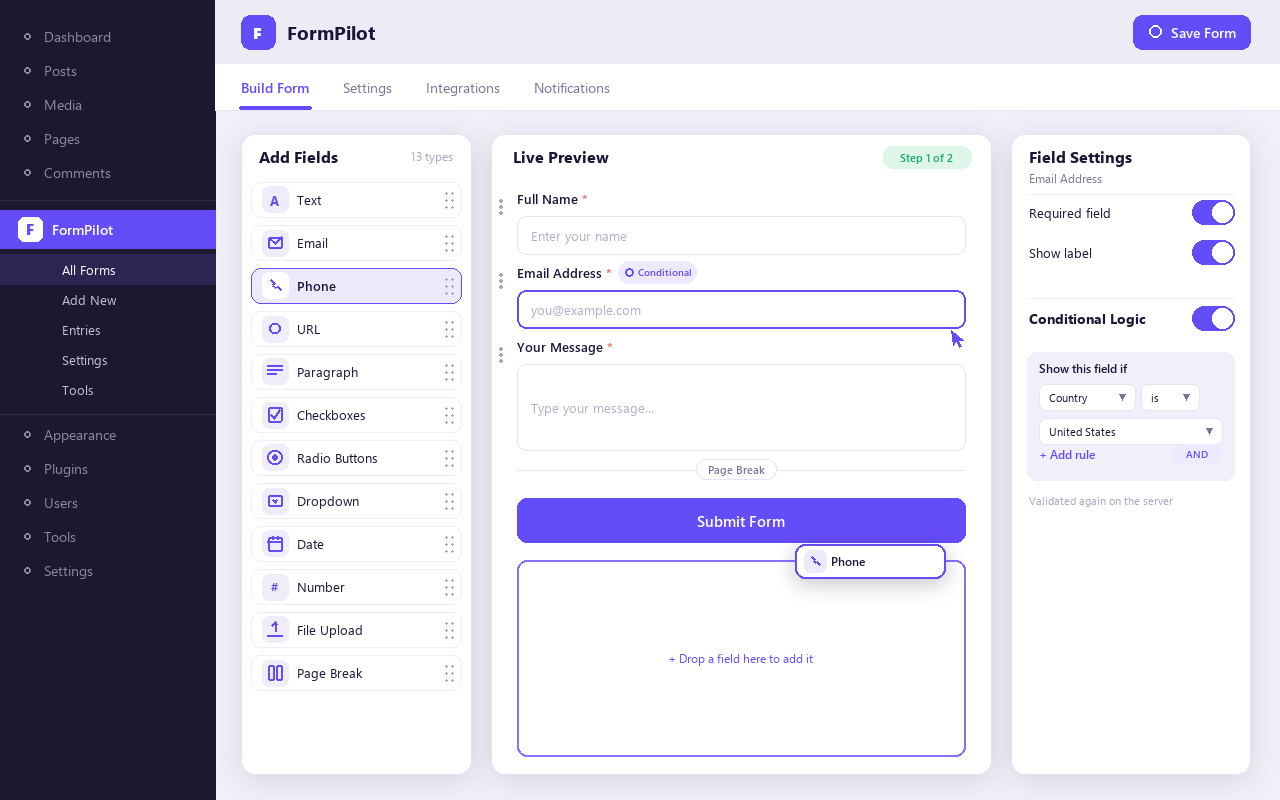
- Thirteen field types: text, email, phone, URL, paragraph, checkboxes, radio buttons, dropdown, date, number, hidden, file upload and page break.
- Drag-and-drop ordering with undo and redo.
- Conditional logic: show, hide, require, enable or disable a field based on other answers, with nested AND/OR rules. The rules are checked again on the server, so a hidden field can never be submitted.
- Multi-step forms, with optional saved progress so a visitor can finish later.
Receiving entries
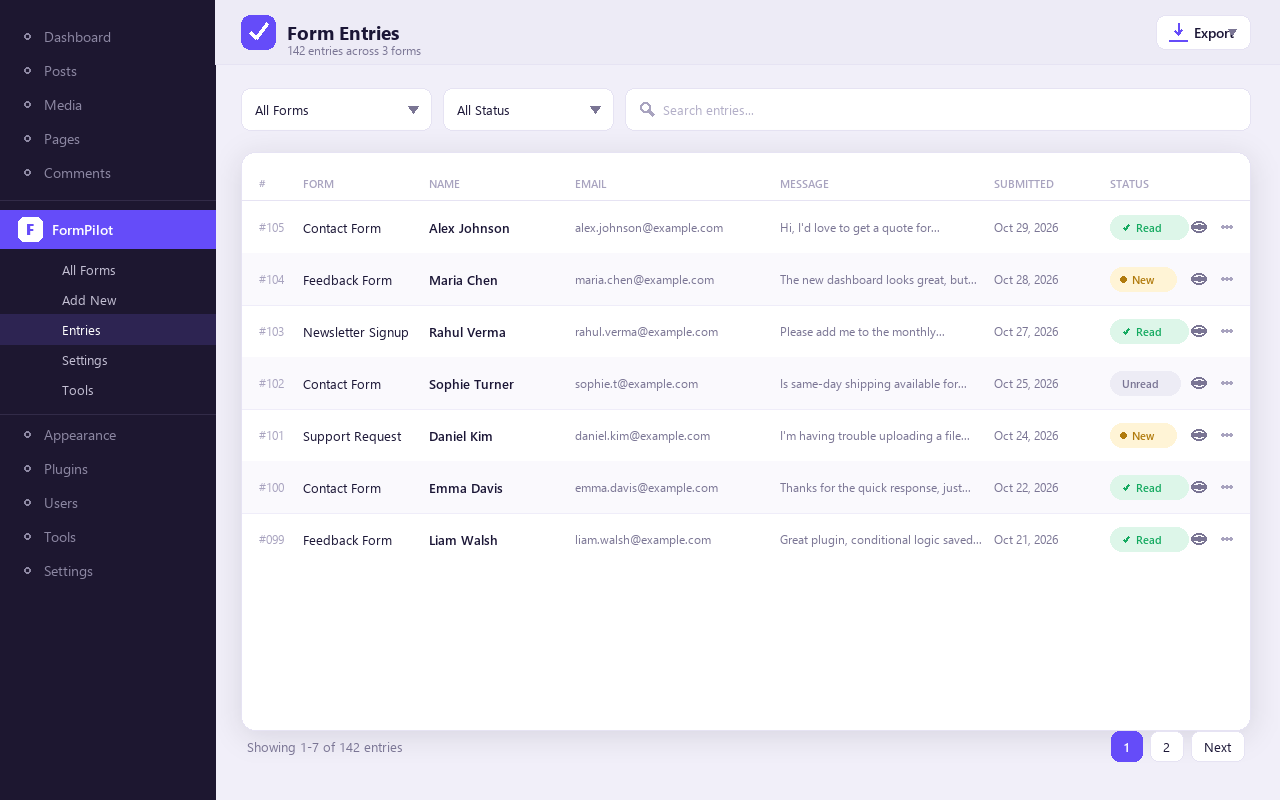
- An entries screen with search, filters and saved filters.
- Exports to CSV, Excel, PDF and JSON.
- Email notifications to you and an optional auto-reply to the visitor, with merge tags, sent immediately or queued.
- Signed webhooks, retried automatically if the receiving end is down.
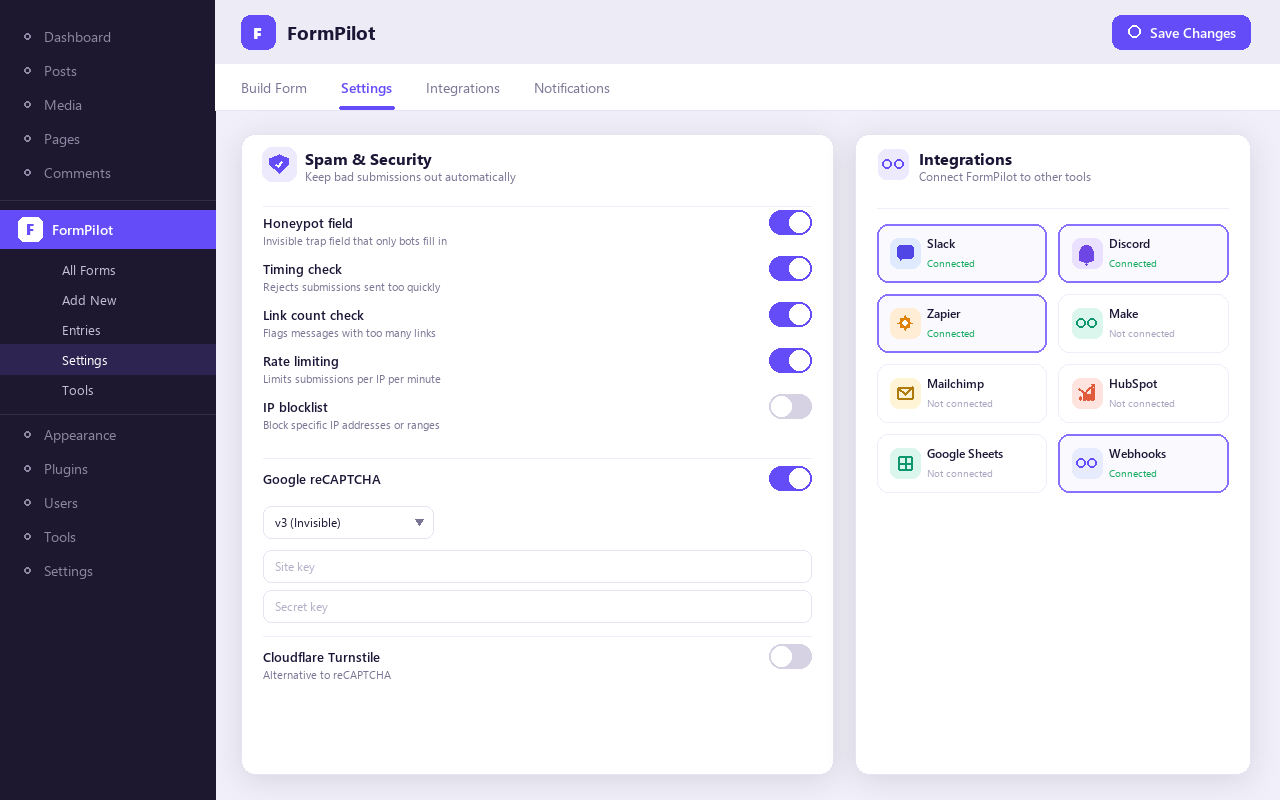
- Optional integrations with Slack, Discord, Zapier, Make, Mailchimp, HubSpot and Google Sheets.
Keeping spam and bad files out
- Honeypot, timing, link, rate-limit and IP blocklist checks.
- Optional Google reCAPTCHA (v2 or v3) or Cloudflare Turnstile.
- Uploads are checked against the file’s real contents and a list of dangerous types that no setting can re-enable. Image metadata such as GPS location is removed, SVG files are sanitised, and every file is stored under a random name.
For developers
- A REST API under
/wp-json/formpilot-builder/v1. - Actions and filters throughout, and theme-overridable frontend templates.
External services
FormPilot — Smart Form Builder contacts no outside service by default. Each service below is used only after a site administrator turns it on and enters the credentials it needs.
Google reCAPTCHA
Used to tell people from bots when a site administrator selects reCAPTCHA v2 or v3 under FormPilot Settings Security and enters keys.
- On pages that show a form, the visitor’s browser loads Google’s script from
https://www.google.com/recaptcha/api.js. That script collects information about the visitor’s device and activity for Google. - When the form is submitted, the site sends Google the visitor’s reCAPTCHA token, the site’s secret key and the visitor’s IP address, to
https://www.google.com/recaptcha/api/siteverify.
Google Terms of Service and Privacy Policy.
Cloudflare Turnstile
Used to tell people from bots when a site administrator selects Turnstile under FormPilot Settings Security and enters keys.
- On pages that show a form, the visitor’s browser loads Cloudflare’s script from
https://challenges.cloudflare.com/turnstile/v0/api.js. - When the form is submitted, the site sends Cloudflare the visitor’s Turnstile token, the site’s secret key and the visitor’s IP address, to
https://challenges.cloudflare.com/turnstile/v0/siteverify.
Cloudflare Website and Online Services Terms of Use and Privacy Policy.
Webhooks
A site administrator can add webhook URLs to a form. Each time that form is submitted, the site sends the address the administrator entered: the form’s ID, title and slug; the entry ID; the site’s name and URL; and every answer with its field label. For file fields, that means the file’s name, URL, type and size. The terms and privacy policy of that address are those of whoever operates it.
Slack
When enabled on a form, each submission is posted to the Slack incoming-webhook URL the administrator entered (https://hooks.slack.com/…). The message contains the form title, every non-empty answer with its label, and a link to the entry in wp-admin.
Slack Terms of Service and Privacy Policy.
Discord
When enabled on a form, each submission is posted to the Discord webhook URL the administrator entered (https://discord.com/api/webhooks/…). The message contains the form title, the time, up to 25 non-empty answers with their labels, and a link to the entry in wp-admin.
Discord Terms of Service and Privacy Policy.
Zapier
When enabled on a form, each submission is sent to the Zapier webhook URL the administrator entered (https://hooks.zapier.com/…). It contains the form ID and title, the entry ID and time, a link to the entry, and every answer.
Zapier Terms of Service and Privacy Policy.
Make
When enabled on a form, each submission is sent to the Make webhook URL the administrator entered (for example https://hook.eu2.make.com/…). It contains the form ID and title, the entry ID and time, a link to the entry, and every answer with its label.
Make Terms of Service and Privacy Policy.
Mailchimp
When enabled on a form, each submission that includes a valid email address adds that person to the Mailchimp audience the administrator chose. It is sent to https://{data-centre}.api.mailchimp.com/3.0/, authenticated with the administrator’s API key. Only the mapped fields are sent: the email address, first and last name if mapped, a subscription status, and any tags the administrator set.
Mailchimp Terms of Use and Privacy Policy.
HubSpot
HubSpot is a CRM run by HubSpot, Inc. The plugin uses HubSpot’s CRM API to add the people who fill in a form as contacts in the site owner’s HubSpot account. The plugin itself does not need HubSpot, and nothing is sent to HubSpot unless all of the following are true:
- HubSpot is one of the services ticked under FormPilot Settings Integrations Available services. Until that setting is first saved, every service is listed.
- In the form editor’s Integrations section, a site administrator has switched HubSpot on for that form, entered a HubSpot private app access token, chosen the field that holds the email address, and saved the form.
- The submitted value of that email field is a valid email address.
What is sent, and when:
- After a submission has passed validation and the spam checks and has been stored, the site sends one HTTPS POST request from the server to
https://api.hubapi.com/crm/v3/objects/contacts. - The request body holds the contact’s properties: the email address, plus the answers to whichever fields the administrator mapped to first name, last name, phone, company and any other HubSpot properties listed under “Other properties”. Empty answers are left out. No other answers are sent, and neither is the visitor’s IP address.
- The request headers carry the administrator’s access token (
Authorization: Bearer …) and a User-Agent naming the plugin, its version and the site’s home URL. - If HubSpot does not accept the request, WP-Cron sends it again later, up to five attempts in all.
- The HubSpot “Test” button in the form editor sends the same kind of request with made-up sample answers (for example
test@example.com), and only when an administrator clicks it.
HubSpot Terms of Service and Privacy Policy.
Google Sheets
When enabled on a form, each submission is sent to the Google Apps Script web app URL the administrator entered (https://script.google.com/macros/s/…/exec). The script runs in the administrator’s own Google account and adds a row to their spreadsheet. The site sends the form title, every field’s label and answer, the shared secret the administrator chose, and optionally the entry’s date and ID.
Google Terms of Service and Privacy Policy.
Test buttons
The form editor has buttons to test a webhook or an integration. They send made-up sample data to the address being tested, and only when an administrator clicks them.
Privacy
- Entries are stored in your own database. Visitor IP addresses are anonymised before they are stored.
- Saved progress on multi-step forms is off by default. When it is on, a visitor’s partial answers are kept for a few days under a private link.
- The plugin’s log records identifiers and reasons, never the answers themselves.
Screenshots
Installation
- In wp-admin, go to Plugins Add New Plugin, search for “FormPilot — Smart Form Builder”, then install and activate it. Alternatively, upload the plugin ZIP under Plugins Add New Plugin Upload Plugin.
- Go to FormPilot Add New, build a form and publish it.
- Copy the shortcode shown in the editor, for example
[formpilot id="1"], into any page or post. - Under FormPilot Settings, set the address notifications go to and, if you want one, a CAPTCHA.
FAQ
-
The shortcode shows nothing
-
The form is either still a draft or has no fields. Log in as an editor and reload the page: you will see a notice explaining which. Visitors see nothing, so a broken embed never shows them an error.
-
Visitors see “This form has expired. Please reload the page.”
-
A page cache is serving an old security token. Exclude pages that contain a form from full-page caching.
-
Notification emails do not arrive
-
The plugin hands mail to WordPress’s
wp_mail(). Many hosts do not deliver mail sent that way, so install an SMTP plugin. The log under FormPilot Tools records whether each message was handed over. -
Does the form work without JavaScript?
-
It displays correctly, but it can only be submitted with JavaScript enabled, and a message tells visitors so.
-
What happens to my data when I delete the plugin?
-
Nothing, unless you first tick FormPilot Settings Developer Delete data on uninstall. Then the tables, uploads and settings are removed. Deactivating the plugin never deletes anything.
Reviews
There are no reviews for this plugin.
Contributors & Developers
“FormPilot — Smart Form Builder” is open source software. The following people have contributed to this plugin.
Contributors
Translate “FormPilot — Smart Form Builder” into your language.
Interested in development?
Browse the code, check out the SVN repository, or subscribe to the development log by RSS.
Changelog
1.0.0
- Initial release.