

Description
Catalogues, brochures, magazines, menus and annual reports read better as a book. Demfilz Flipbook turns a PDF from your media library into a realistic page-flip viewer that you place on any page with a block or a shortcode. Everything is served from your own site: no account, no monthly fee, no embedded iframe from somebody else’s server, and no tracking.
How it works
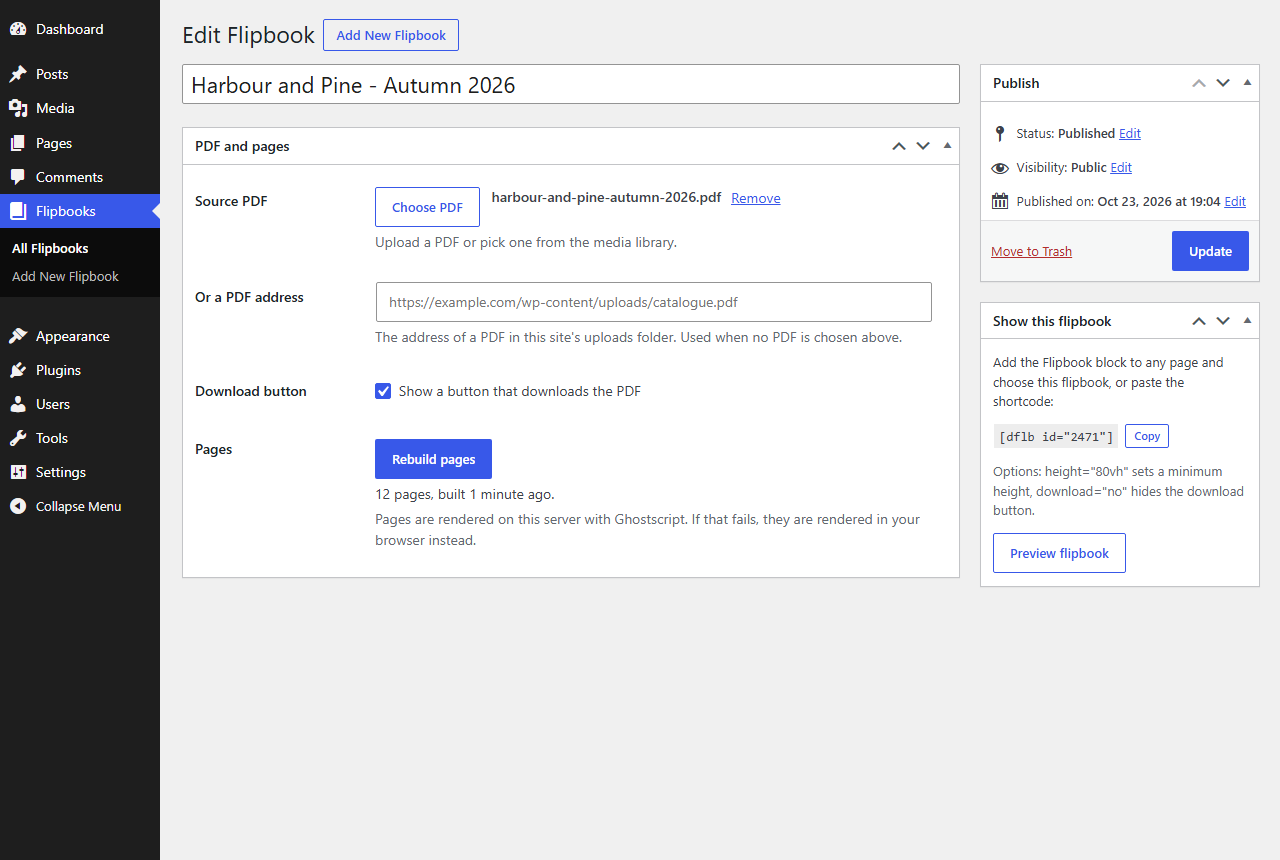
- Go to Flipbooks > Add New Flipbook, give it a title and choose a PDF.
- Click “Build pages”. Each PDF page becomes a web-sized image in your uploads folder.
- Add the Flipbook block to a page, or paste the shortcode
[dflb id="123"].
The viewer
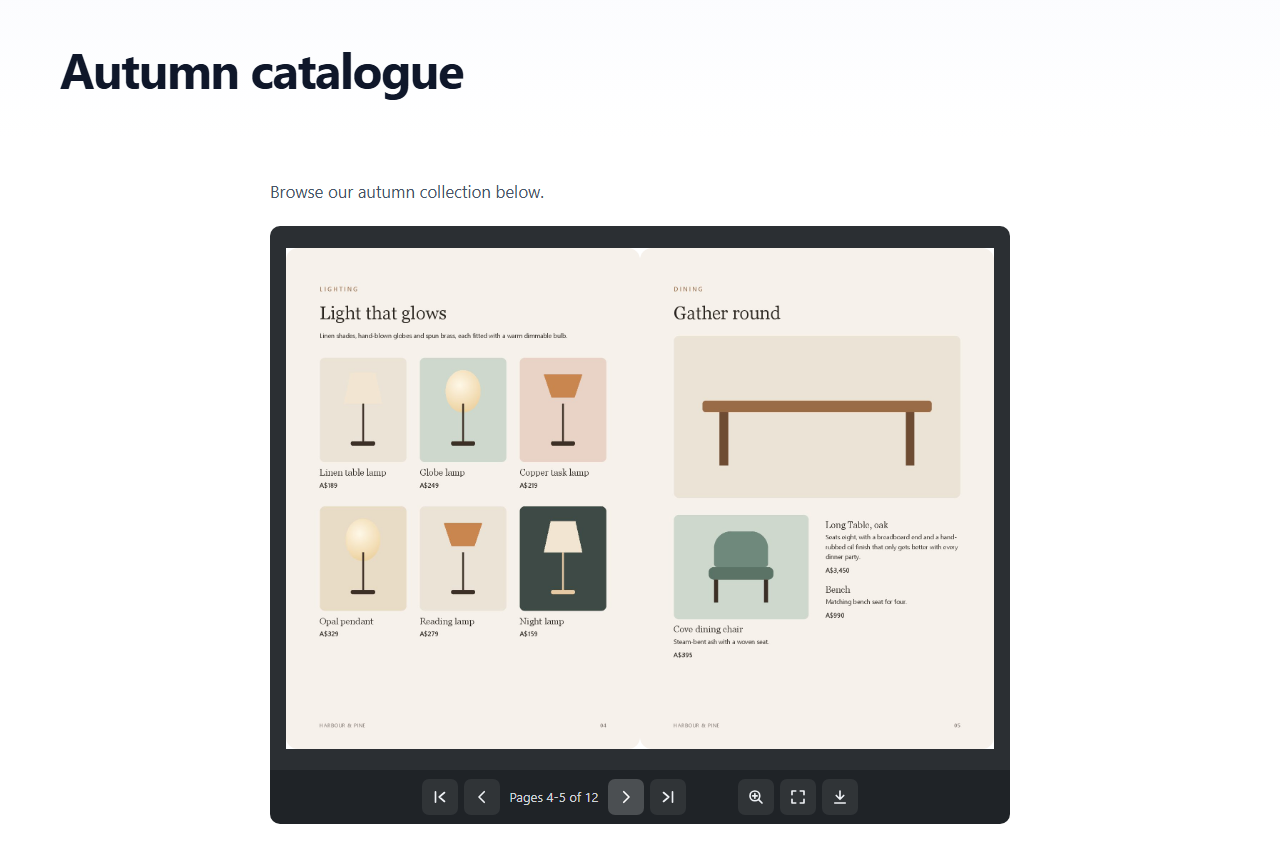
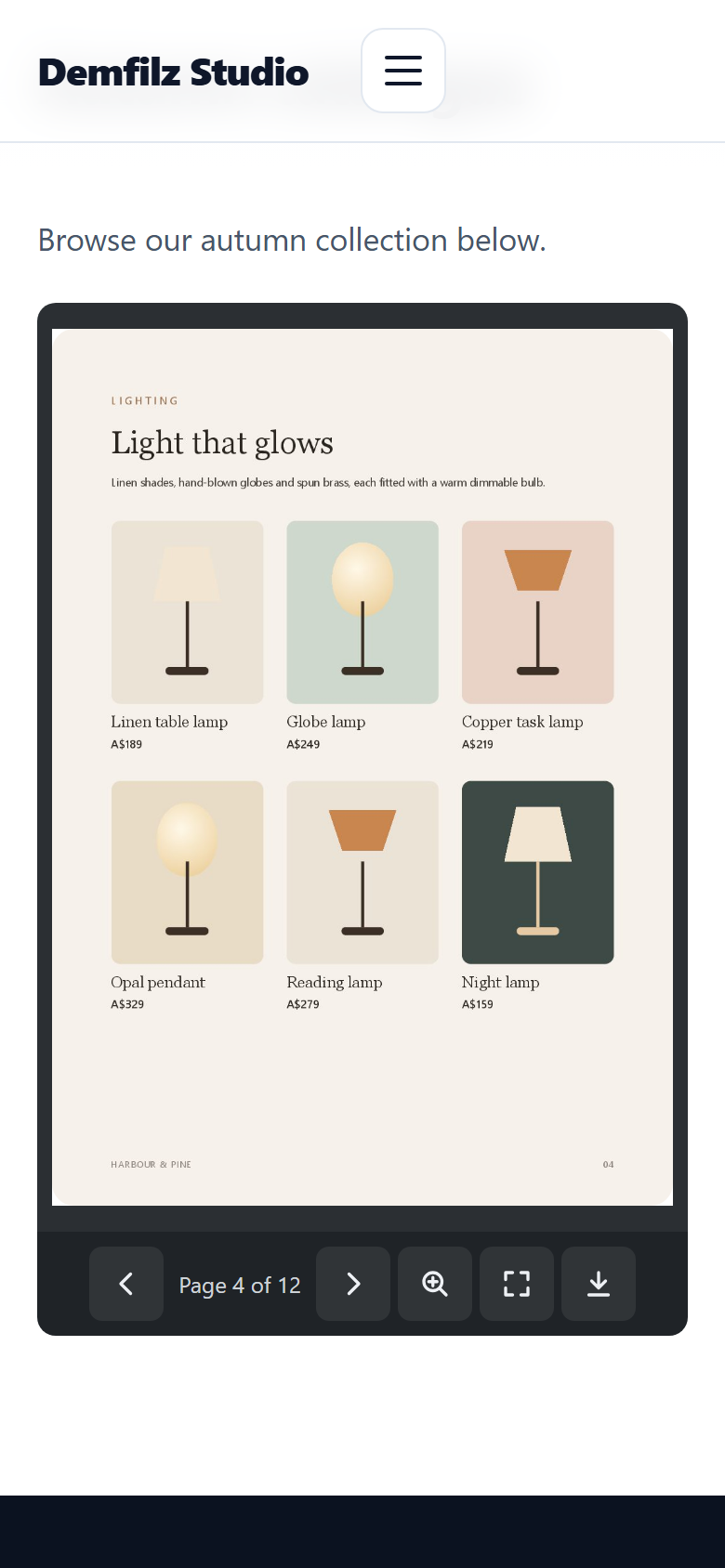
- A two-page spread on desktop and a single page with swipe on phones.
- Realistic page turns: drag a corner, click, swipe, or use the arrow keys.
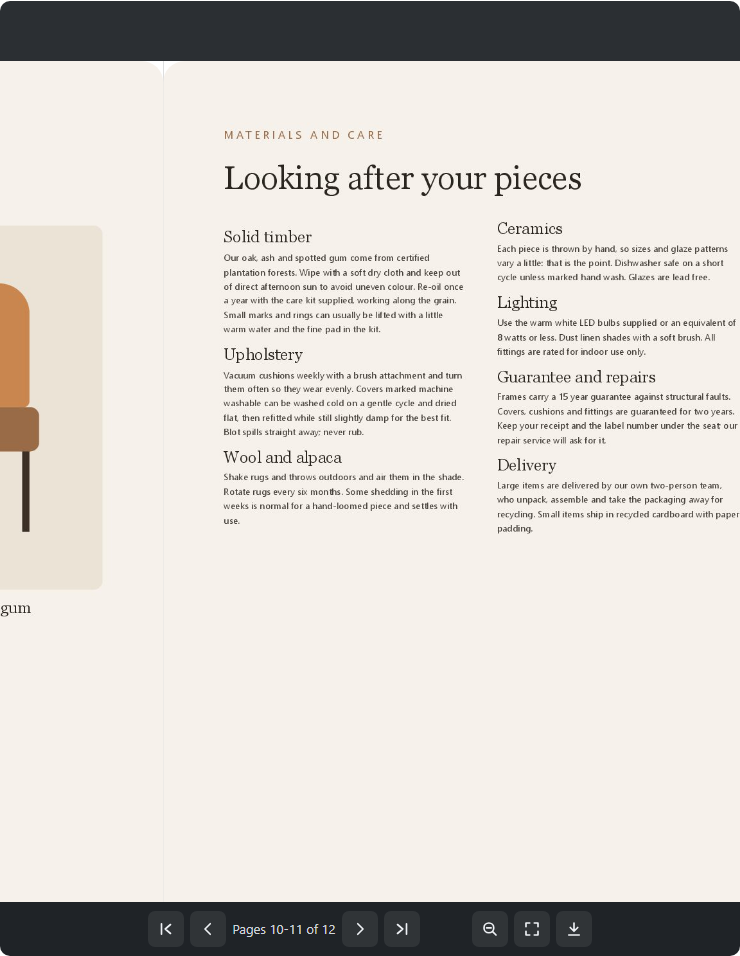
- Toolbar with first, previous, next and last page, a page counter, zoom with drag to pan, fullscreen and an optional download button.
- Page images load a few pages ahead of the reader, so a 200 page catalogue does not download all at once.
- Keyboard and screen reader friendly: labelled buttons, a live page counter, and focusable pages that answer to the arrow keys, Home and End.
Works on any host
Pages are rendered once, when you build the flipbook, so visitors only download images. If your server has Ghostscript or the Imagick PHP extension, the pages are rendered on the server. If it has neither, which is common on shared hosting, the pages are rendered in your own browser with the bundled PDF.js library and uploaded to your site one at a time. Large PDFs are built in small steps, so there are no time-outs.
A rebuild writes into a separate folder and only replaces the live pages when every page is ready, so a flipbook never shows half a catalogue.
Also included
- A Flipbook block with a flipbook picker, cover preview, wide and full width alignment, a minimum height and a download setting.
- Shortcode options:
height="80vh"anddownload="no". - An editor-only preview page for each flipbook.
- A notice when the source PDF has changed since the last build.
- WP-CLI commands for servers with Ghostscript or Imagick:
wp dflb create,wp dflb buildandwp dflb build-all.
Third-party libraries
The plugin bundles two open source libraries. Their licences are compatible with the GPL and included in the plugin folder.
- StPageFlip 2.0.7 by Nodlik, MIT licence. The page-flip viewer. Source: https://github.com/Nodlik/StPageFlip
- PDF.js 6.4.299 by Mozilla, Apache License 2.0. Renders PDF pages in the browser on hosts without a server-side renderer. Source: https://github.com/mozilla/pdf.js (the files in assets/lib/pdfjs are the unmodified legacy build, character maps and image decoders from the pdfjs-dist package; pdf.min.mjs and pdf.worker.min.mjs are renamed to .js so every web server sends them with a JavaScript content type).
- The WebAssembly image decoders that come with PDF.js: OpenJPEG (BSD 2-Clause), the JBIG2 decoder from PDFium (BSD 3-Clause) and qcms (MIT). Their licence files are in assets/lib/pdfjs/wasm/.
Screenshots


Blocks
This plugin provides 1 block.
- Flipbook Show a PDF flipbook with page turning, zoom, fullscreen and download.
Installation
- In your dashboard go to Plugins > Add New Plugin, search for “Demfilz Flipbook”, then install and activate it. Or upload the plugin folder to
/wp-content/plugins/and activate it on the Plugins screen. - Go to Flipbooks > Add New Flipbook.
- Enter a title, click “Choose PDF” and pick or upload your PDF, then click “Build pages” and wait for it to finish.
- Publish the flipbook.
- Edit the page where it should appear and add the Flipbook block, or paste the shortcode shown in the “Show this flipbook” box.
FAQ
-
Does it need Ghostscript or Imagick?
-
No. If the server has one of them the pages are rendered there. Otherwise they are rendered in your browser when you click “Build pages” and uploaded one at a time. Keep the tab open until the build finishes. The flipbook edit screen tells you which method your site uses.
-
How long does a build take?
-
Usually a second or less per page. A 40 page catalogue takes well under a minute. You only build once; visitors never wait for rendering.
-
Does it send my PDF anywhere?
-
No. The PDF and the page images stay on your site. Browser rendering happens in your own browser, and the page images are uploaded only to your own site. The plugin does not contact any outside service.
-
Can I use a PDF that is not in the media library?
-
Yes, as long as it is in your site’s uploads folder: paste its address into “Or a PDF address”. Files outside the uploads folder, files that are not really PDFs, and PDFs in folders your site keeps private (such as WooCommerce downloadable files) are not accepted.
-
I replaced the PDF. Why does the flipbook still show the old one?
-
The flipbook shows the pages from the last build. Click “Rebuild pages” after changing the PDF; the edit screen reminds you when the source has changed.
-
Can visitors download the PDF?
-
Yes, through the download button, unless you turn it off for the flipbook (“Download button” setting), for one placement (
download="no"), or in the block settings. Note that the page images are public, like any image on your site. -
How do I make the flipbook taller or full width?
-
Use
height="80vh"(or a pixel value) for a minimum height. In the block editor, choose wide or full width alignment. -
Is there a page limit?
-
500 pages per flipbook by default. Developers can change it with the
dflb_max_pagesfilter. -
Where are the images stored?
-
In
wp-content/uploads/dflb/<flipbook id>/. Deleting a flipbook permanently deletes its images. Uninstalling the plugin deletes all flipbooks and their images, but never your PDFs. -
Can I force browser rendering even though my server has Ghostscript?
-
Yes:
add_filter( 'dflb_server_renderer', '__return_empty_string' );
Reviews
There are no reviews for this plugin.
Contributors & Developers
“Demfilz Flipbook” is open source software. The following people have contributed to this plugin.
Contributors
Translate “Demfilz Flipbook” into your language.
Interested in development?
Browse the code, check out the SVN repository, or subscribe to the development log by RSS.
Changelog
1.1.0
- First public release.
- New: pages can be rendered in the browser with PDF.js, so flipbooks build on hosts without Ghostscript or Imagick.
- New: server builds run a few pages per request, so large PDFs no longer time out.
- New: rebuilds go into a staging folder and replace the live pages only when complete.
- New: Flipbook block.
- New: download button setting per flipbook and per placement.
- New: page images load a few pages ahead of the reader.
- New: cover thumbnails, page counts and shortcodes on the flipbook list; preview row action.
- Improved: keyboard support, button labels and focus styles.
- Improved: the source must be a real PDF inside the uploads folder, outside private folders.
- Improved: each build gets its own folder name, so unpublished flipbooks cannot be found by guessing.
- Improved: zoom keeps the whole page reachable, and dragging pans instead of turning the page.
1.0.0
- Initial build.