

Description
DeDanix Expiry, Batch & Recall for WooCommerce helps stores keep expiry dates visible, searchable, and actionable inside WooCommerce.
WooCommerce can manage stock at the product level, but many stores also need to know when products expire. Food shops, supplement stores, cosmetics sellers, natural product stores, light pharmacy catalogs, chemical supplies, spare parts, tickets, licenses, and other time-sensitive products can all benefit from a simple expiry control layer.
This Free edition focuses on product and variation expiry dates:
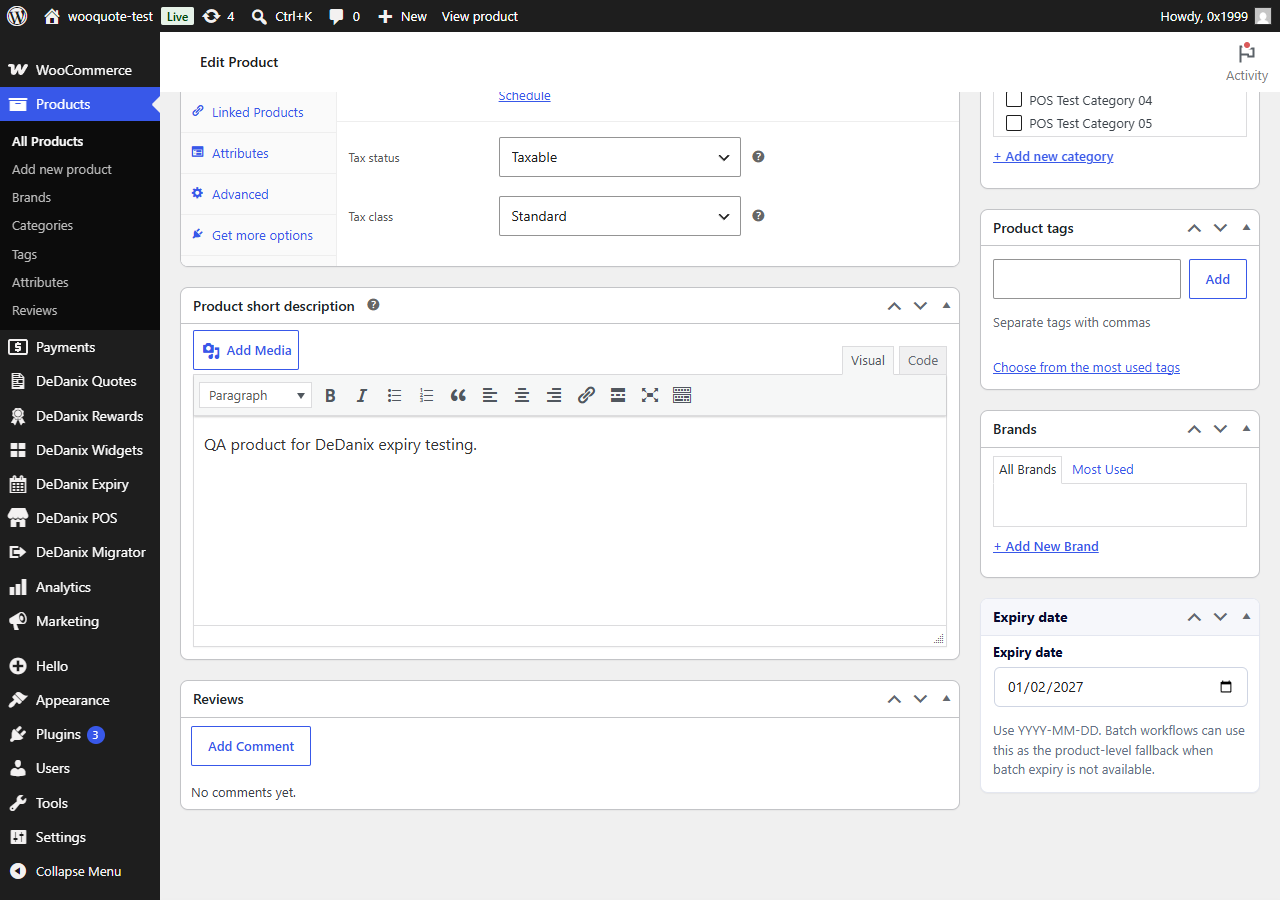
- Add an expiry date to WooCommerce products and variations.
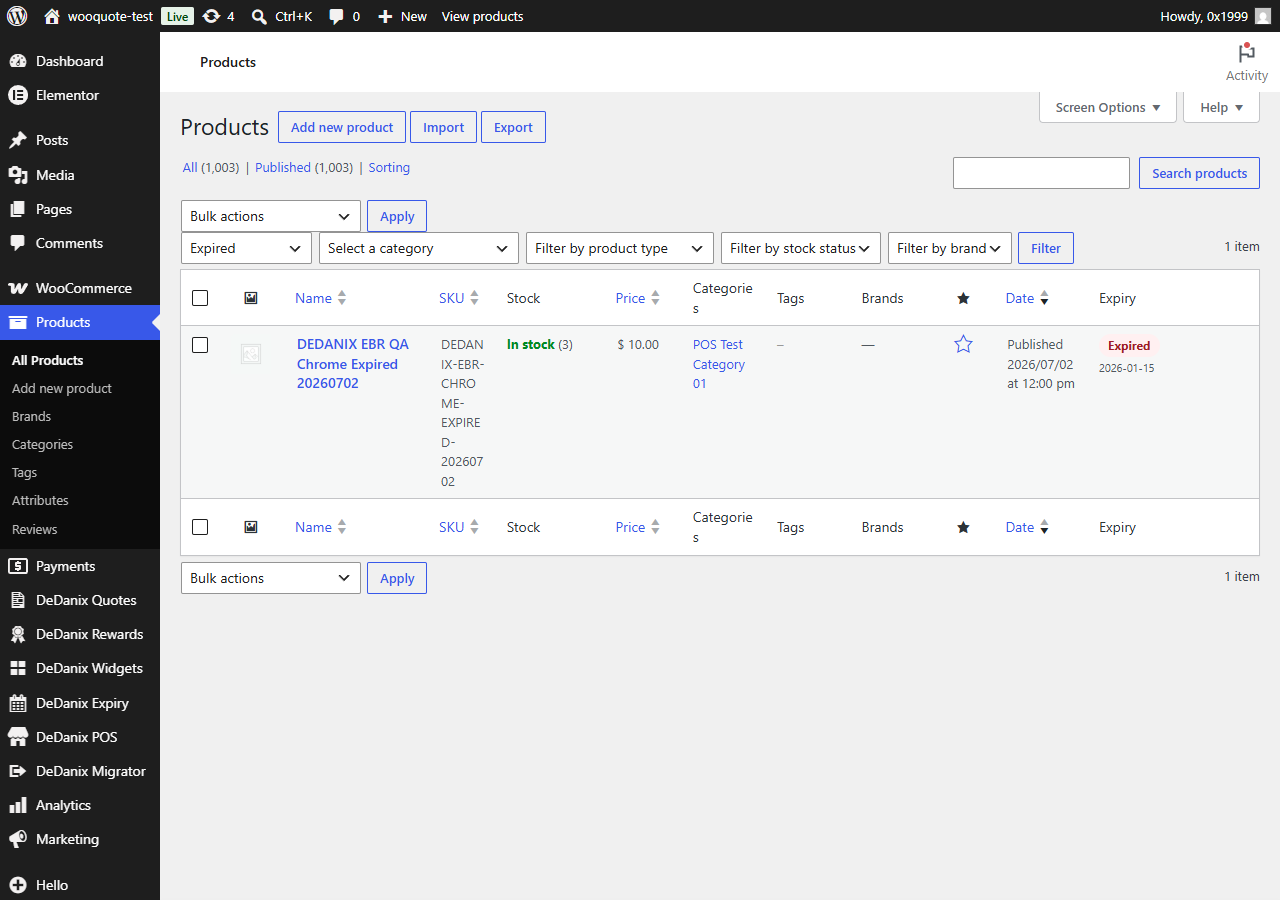
- See expiry status directly in the Products list.
- Filter products by expired, expiring soon, valid, or missing expiry date.
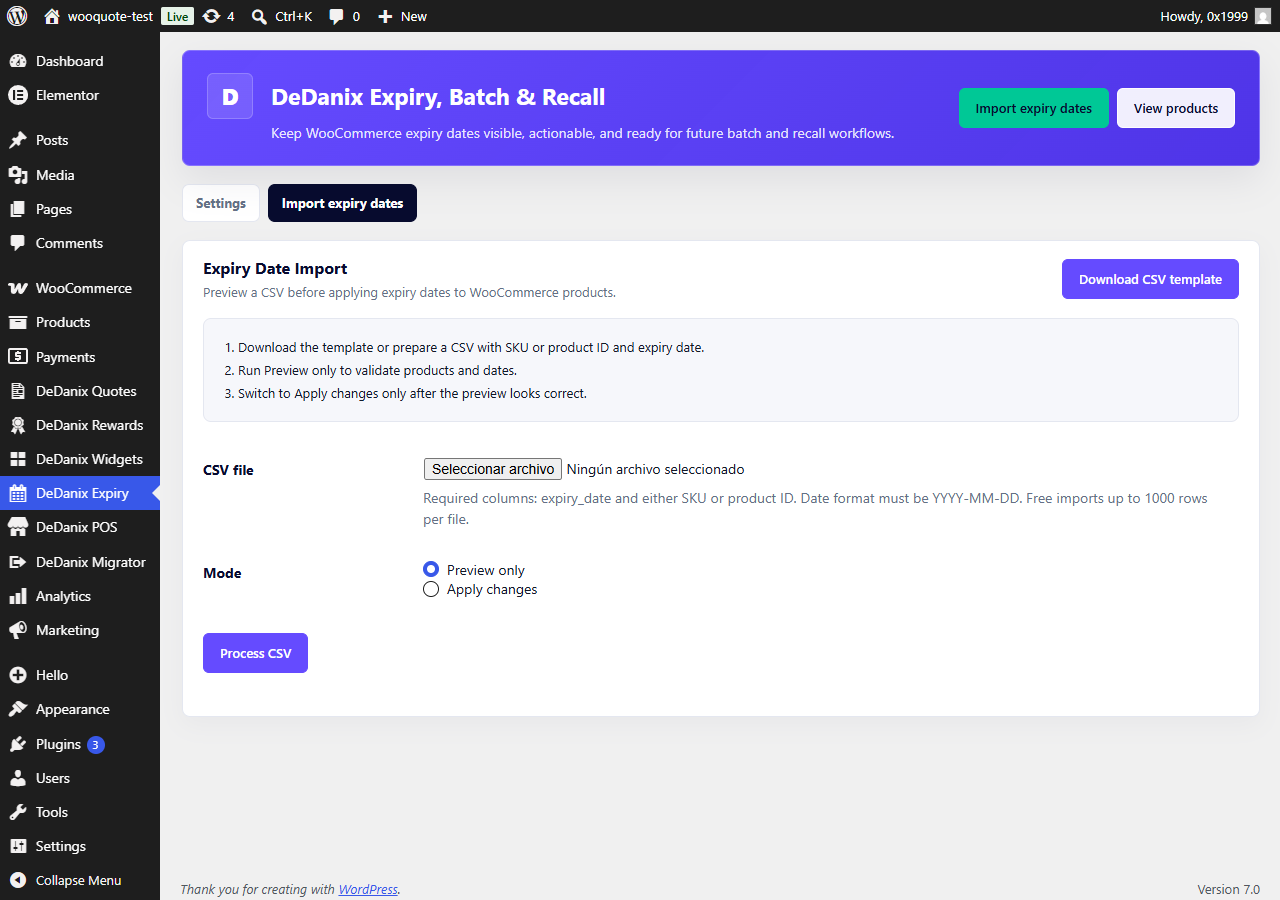
- Import expiry dates by CSV using SKU or product ID.
- Prevent customers from purchasing expired products.
- Optionally mark expired products out of stock or move them to draft.
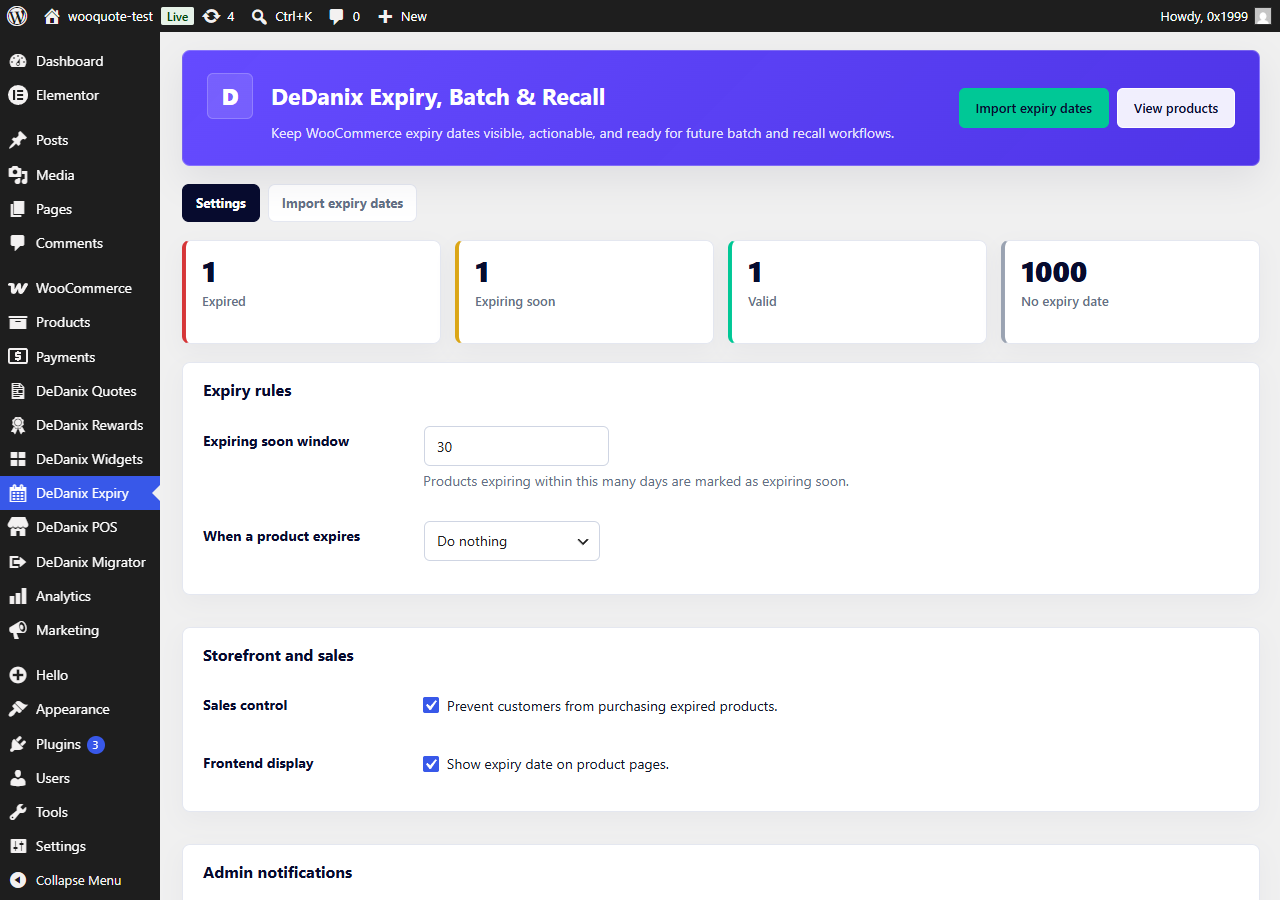
- Send daily admin alerts for expired and soon-to-expire products.
- Optionally show expiry dates on product pages.
Built for a clear Free workflow
Use the plugin in three simple steps:
- Add expiry dates manually or import them from CSV.
- Review risk from the WooCommerce expiry dashboard and Products list.
- Decide what happens when a product expires.
CSV expiry import
The Free importer supports a lightweight product-level CSV workflow:
- Download the CSV template.
- Add SKU or product ID.
- Add expiry date in YYYY-MM-DD format.
- Preview the file before applying changes.
- Apply valid rows when the preview looks correct.
Batch and recall direction
The product is designed with a future batch and recall workflow in mind. A future commercial add-on is planned for multiple batches per product, FEFO allocation, stock by batch, order-level batch traceability, recall lookup, customer recall emails, CSV export, dashboard reports, and bulk inventory import/export.
The Free plugin does not claim to be an ERP. It is a focused WooCommerce expiry layer that stays lightweight and practical.
Screenshots
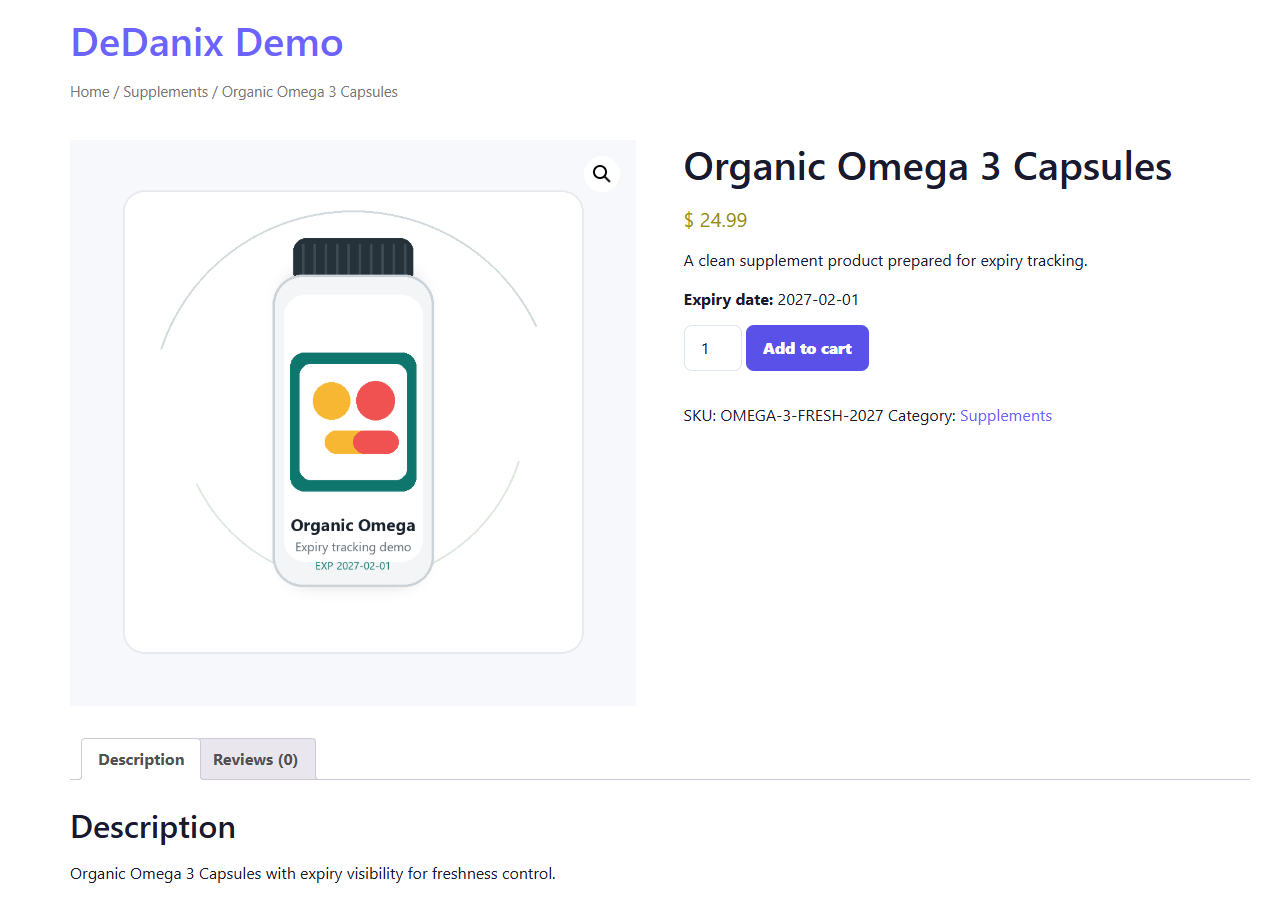
Installation
- Install and activate WooCommerce.
- Upload the plugin folder or install the ZIP from Plugins > Add New.
- Activate DeDanix Expiry, Batch & Recall for WooCommerce.
- Open DeDanix Expiry > Expiry & Recall to configure expiry rules.
- Edit a product or variation and add an expiry date.
- Use the Import expiry dates tab to preview or apply expiry dates from CSV.
FAQ
-
Does the Free plugin manage multiple batches per product?
-
No. Free tracks one expiry date per product or variation. Multiple batches, FEFO allocation, batch stock, and recall workflows are planned for a separate commercial add-on.
-
Can expired products be blocked automatically?
-
Yes. Free can prevent purchases of expired products. During the daily expiry check, it can also mark expired products out of stock or move products to draft, depending on your settings.
-
Can I show expiry dates to customers?
-
Yes. Frontend display is optional. You can enable it from DeDanix Expiry > Expiry & Recall.
-
Can I import expiry dates?
-
Yes. Free includes a simple CSV importer for product-level expiry dates. Use SKU or product ID plus expiry_date in YYYY-MM-DD format. The Free importer is intentionally limited to simple expiry dates and does not import batches.
-
Does this replace an ERP or warehouse system?
-
No. The plugin is designed as a focused WooCommerce expiry layer, not a full ERP or warehouse management system.
-
Does it work with variable products?
-
Yes. You can add expiry dates to individual variations. Product-level expiry dates are also supported.
-
What happens if WooCommerce is not active?
-
The plugin shows an admin notice and does not boot its WooCommerce features until WooCommerce is active.
Reviews
There are no reviews for this plugin.
Contributors & Developers
“DeDanix Expiry, Batch & Recall for WooCommerce” is open source software. The following people have contributed to this plugin.
Contributors
Translate “DeDanix Expiry, Batch & Recall for WooCommerce” into your language.
Interested in development?
Browse the code, check out the SVN repository, or subscribe to the development log by RSS.
Changelog
1.0.6
- Initial development scaffold.
- Product and variation expiry date fields.
- Product list column and filters.
- Expiry dashboard and settings.
- Simple CSV expiry import with preview/apply modes.
- Expired purchase blocking.
- Daily expiry action and admin email foundation.
- Initial POT file for translations.