

Description
Decionis Checkout Gate is a lightweight, API-first policy bridge for WooCommerce. It evaluates checkout economics immediately before order execution and blocks an order only when the Decionis service returns an explicit BLOCK decision.
The plugin supports classic shortcode checkout and Cart and Checkout Blocks. It uses WooCommerce CRUD APIs for decision metadata and declares compatibility with High-Performance Order Storage (HPOS).
Key behavior
- Sends the active cart to Decionis with a strict 120 millisecond request timeout.
- Blocks only an explicit, valid
BLOCKresponse. - Fails open on timeouts, network failures, non-success HTTP responses, invalid JSON, and unknown decisions.
- Includes native WooCommerce cost-of-goods data when available.
- Does not send customer names, email addresses, billing addresses, or shipping addresses.
- Stores non-secret decision, dossier, rule, bypass, and latency metadata on the WooCommerce order.
Zero-config connection
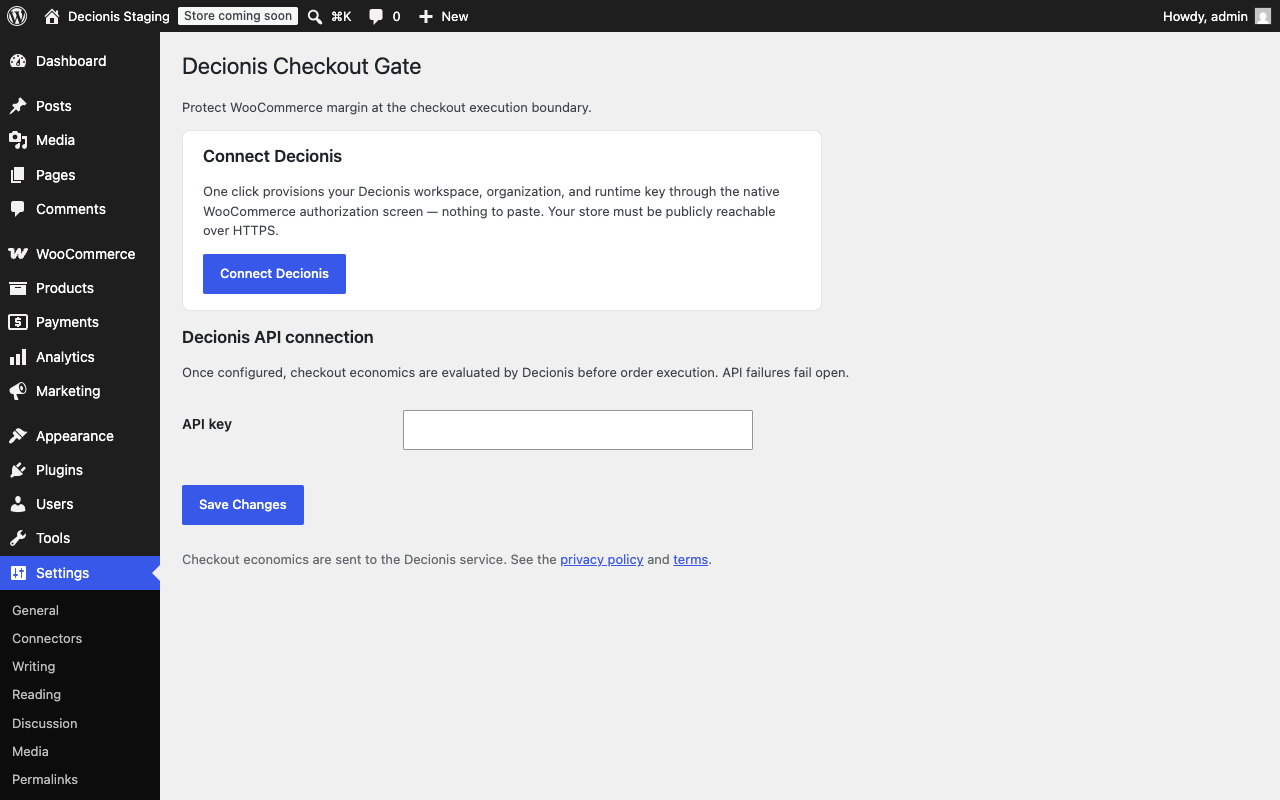
Select Connect Decionis on the settings screen and approve WooCommerce’s native authorization request. Decionis provisions an isolated organization, workspace, and least-privilege runtime key automatically — there is nothing to copy or paste, and new connections start in shadow mode. Stores that are not publicly reachable over HTTPS can paste an API key manually instead. With no connection and no API key, checkout proceeds normally.
External services
This plugin connects to the Decionis service (https://api.decionis.com) in two situations.
Checkout evaluation (/v1/intercept): when a customer submits WooCommerce checkout and the store is connected, the service receives product and variation IDs, SKU, quantity, price, line totals, available cost of goods, cart totals, discounts, shipping and tax totals, currency, applied coupon codes, a cart hash, WordPress/WooCommerce/plugin versions, guest status, and WordPress role slugs. It does not receive customer names, email addresses, billing addresses, shipping addresses, or payment credentials. This data is used to evaluate the merchant’s configured transaction and margin policies and to produce decision evidence.
Connection setup (/v1/woo/install/start and /v1/woo/install/status): when an administrator selects Connect Decionis, the service receives the store URL and store name to register an expiring install, and the plugin later exchanges one-time install tokens for the provisioned organization id and runtime key. During the native WooCommerce authorization the administrator approves, WooCommerce itself delivers the generated read/write REST API credentials to https://api.decionis.com/v1/woo/auth/callback; Decionis verifies them, provisions an isolated organization and workspace, stores the credentials encrypted, and registers order and product webhooks. Disconnecting from the Decionis workspace removes the registered webhooks and sealed credentials.
Service provider: Decionis Inc.
- Privacy policy: https://decionis.com/privacy
- Terms of service: https://decionis.com/terms
Screenshots
Installation
- Install and activate WooCommerce.
- Upload the plugin ZIP through Plugins > Add New Plugin > Upload Plugin, or copy the plugin files to
/wp-content/plugins/decionis. - Activate Decionis Checkout Gate through the Plugins screen.
- Open Settings > Decionis Checkout Gate and select Connect Decionis, then approve the WooCommerce authorization request. Alternatively, paste a Decionis API key.
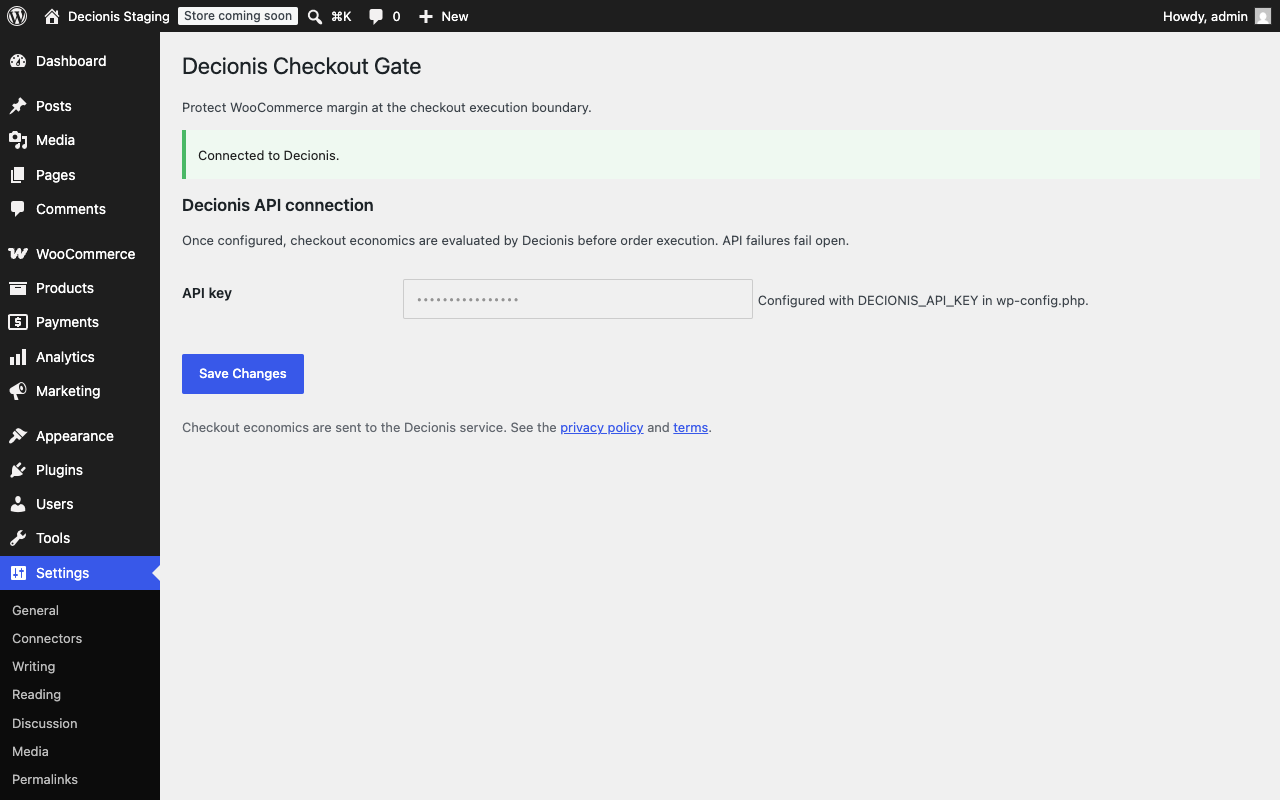
For managed environments, define DECIONIS_API_KEY in wp-config.php instead of storing the key in the WordPress options table.
FAQ
-
Do I need a Decionis account before installing?
-
No. Connect Decionis provisions an isolated organization and workspace for your store automatically through WooCommerce’s native authorization screen. Reconnecting the same store reuses its workspace.
-
My store is on localhost or behind a firewall — can I still connect?
-
Automatic connection requires the store to be publicly reachable over HTTPS. Private stores can paste a Decionis API key manually on the settings screen instead.
-
Checkout fails open. Network errors, timeouts, non-2xx responses, malformed responses, and unknown decisions do not block an order.
-
Does this support WooCommerce Cart and Checkout Blocks?
-
Yes. Both Store API checkout and classic shortcode checkout are evaluated.
-
Does this support HPOS?
-
Yes. The plugin declares HPOS compatibility and writes order metadata through WooCommerce order CRUD methods.
-
Does the plugin send personal or payment data?
-
The plugin does not send names, email addresses, billing or shipping addresses, or payment credentials. See the External services section for the complete payload disclosure.
-
How do I disable remote evaluation?
-
Remove the saved API key. If
DECIONIS_API_KEYis defined inwp-config.php, remove that constant as well.
Reviews
There are no reviews for this plugin.
Contributors & Developers
“Decionis Checkout Gate” is open source software. The following people have contributed to this plugin.
Contributors
Translate “Decionis Checkout Gate” into your language.
Interested in development?
Browse the code, check out the SVN repository, or subscribe to the development log by RSS.
Changelog
1.0.0
- Initial public release.
- Added zero-config Connect Decionis provisioning through WooCommerce’s native authorization flow.
- Added classic and Block Checkout policy enforcement.
- Added strict 120 millisecond fail-open API behavior.
- Added HPOS-compatible decision metadata.
- Added secure API key settings and
wp-config.phpsupport.