

Description
DDLC Cart Rescue – Abandoned Cart Recovery for WooCommerce helps store owners recover sales that would otherwise be lost when shoppers leave checkout without completing an order.
The plugin tracks recoverable WooCommerce carts, captures checkout contact details, sends a configurable three-email recovery sequence, creates optional coupons, restores carts through secure expiring links, and reports abandoned and recovered revenue. It works through your existing WooCommerce and WordPress email-delivery setup and does not require an external SaaS platform.
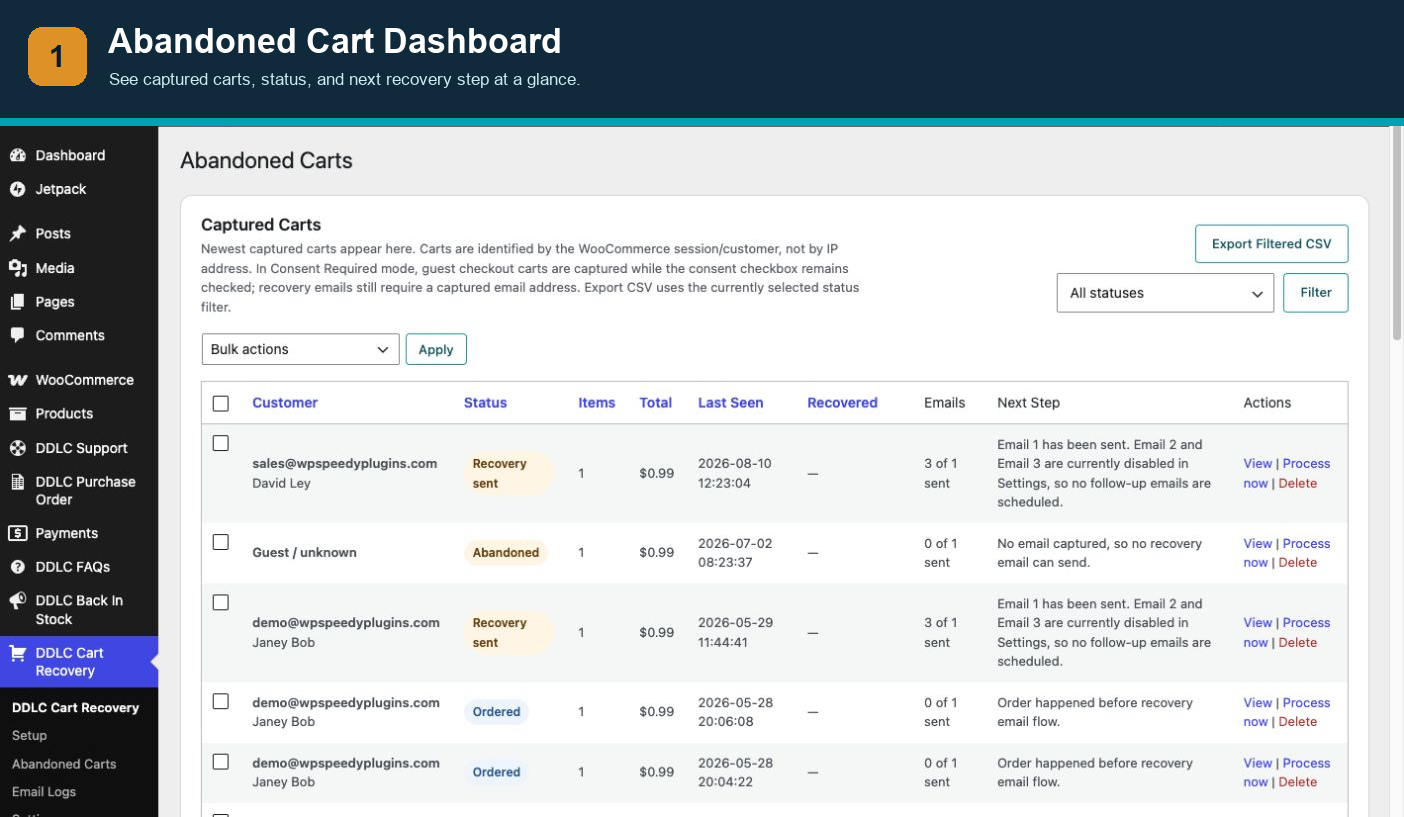
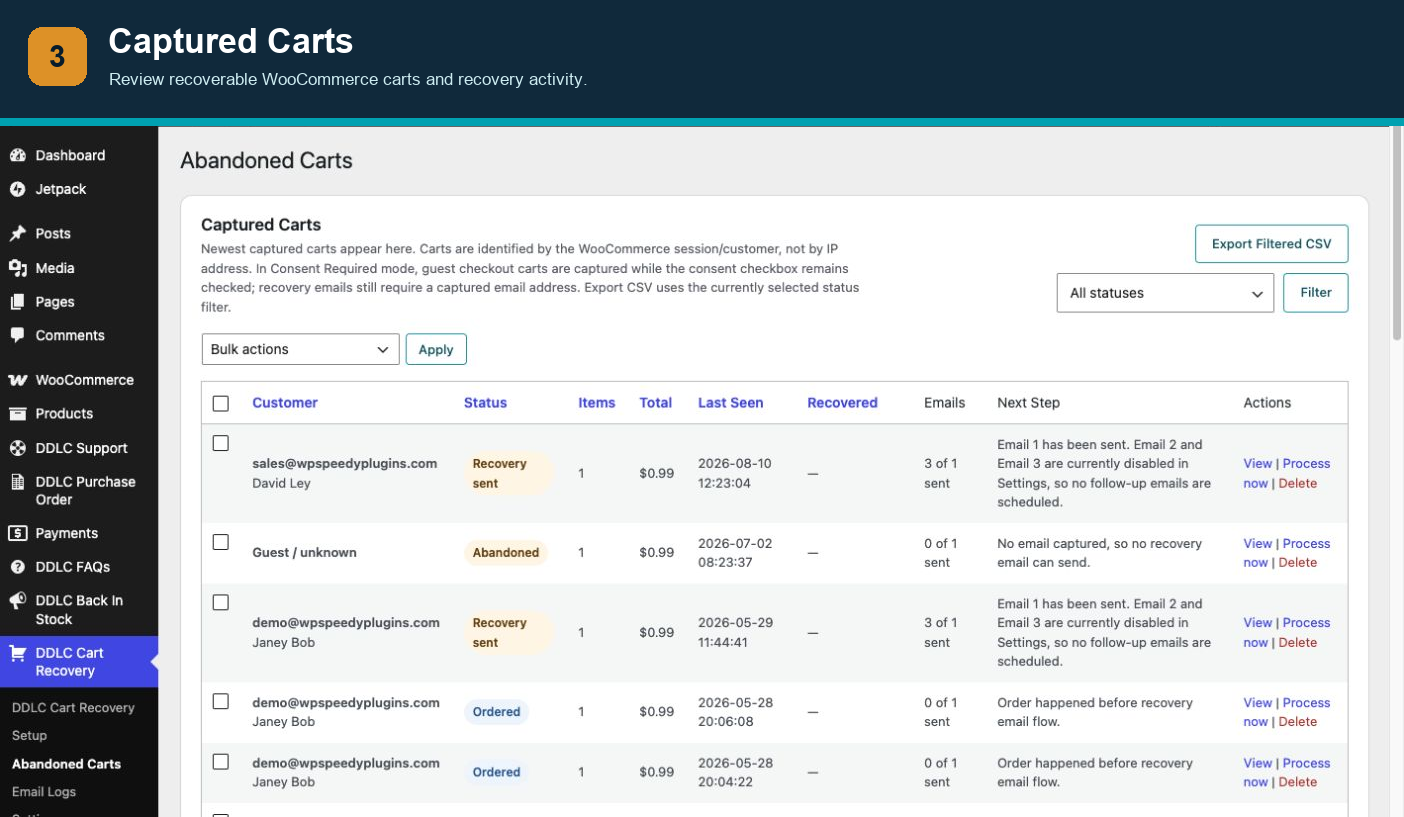
Use the dashboard to monitor active, abandoned, contacted, recovered, and suppressed carts. Review product-level abandonment analytics, inspect individual cart contents, generate recovery links, export filtered cart records, and audit delivery activity through the email log.
As with any WordPress plugin, we recommend testing new installations on a staging site before deploying to a live store.
Useful Links
- Documentation
- Support
- DDLC Cart Recovery Pro — a separately distributed product with additional code, services, updates, and priority support.
Features
- Lightweight WooCommerce cart tracking.
- Guest and logged-in cart support.
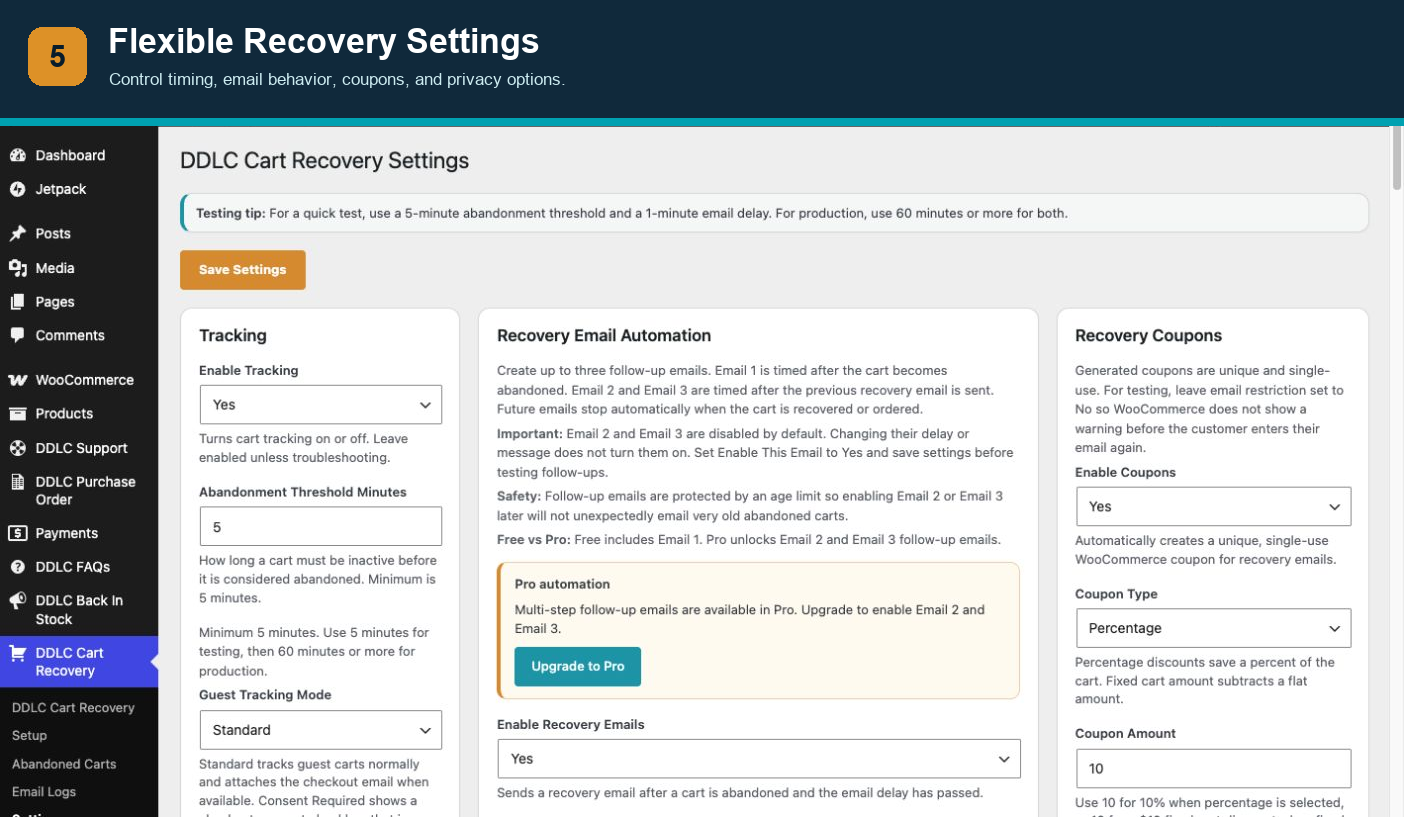
- Standard, Consent Required, and Logged-in Users Only tracking modes.
- Checkout consent checkbox when Consent Required mode is enabled; the box is checked by default and can be unchecked by the shopper.
- Classic checkout and Checkout Blocks email capture.
- Secure expiring recovery links.
- WooCommerce-styled recovery emails with editable templates.
- Optional recovery coupons.
- Configurable three-email recovery sequence.
- Optional high-value abandoned-cart notifications for store administrators.
- Optional DDLC email credit, disabled by default.
- Follow-up safety window to avoid emailing very old abandoned carts.
- Unsubscribe and suppression management.
- Dashboard with analytics, status breakdowns, and recent cart activity.
- Captured cart CSV exports using the active status filter.
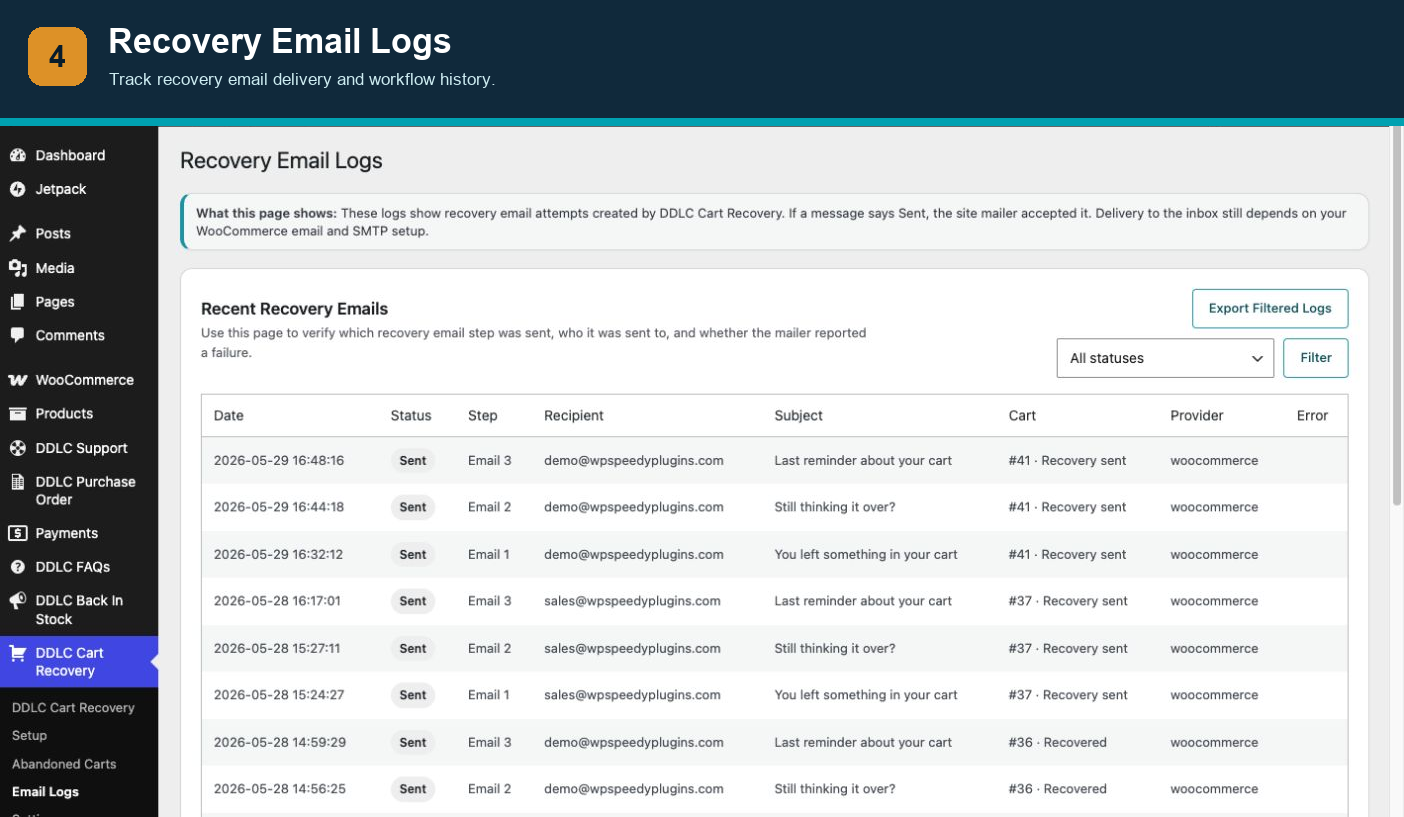
- Email logs and filtered email log exports.
- Email preview and test-send tools.
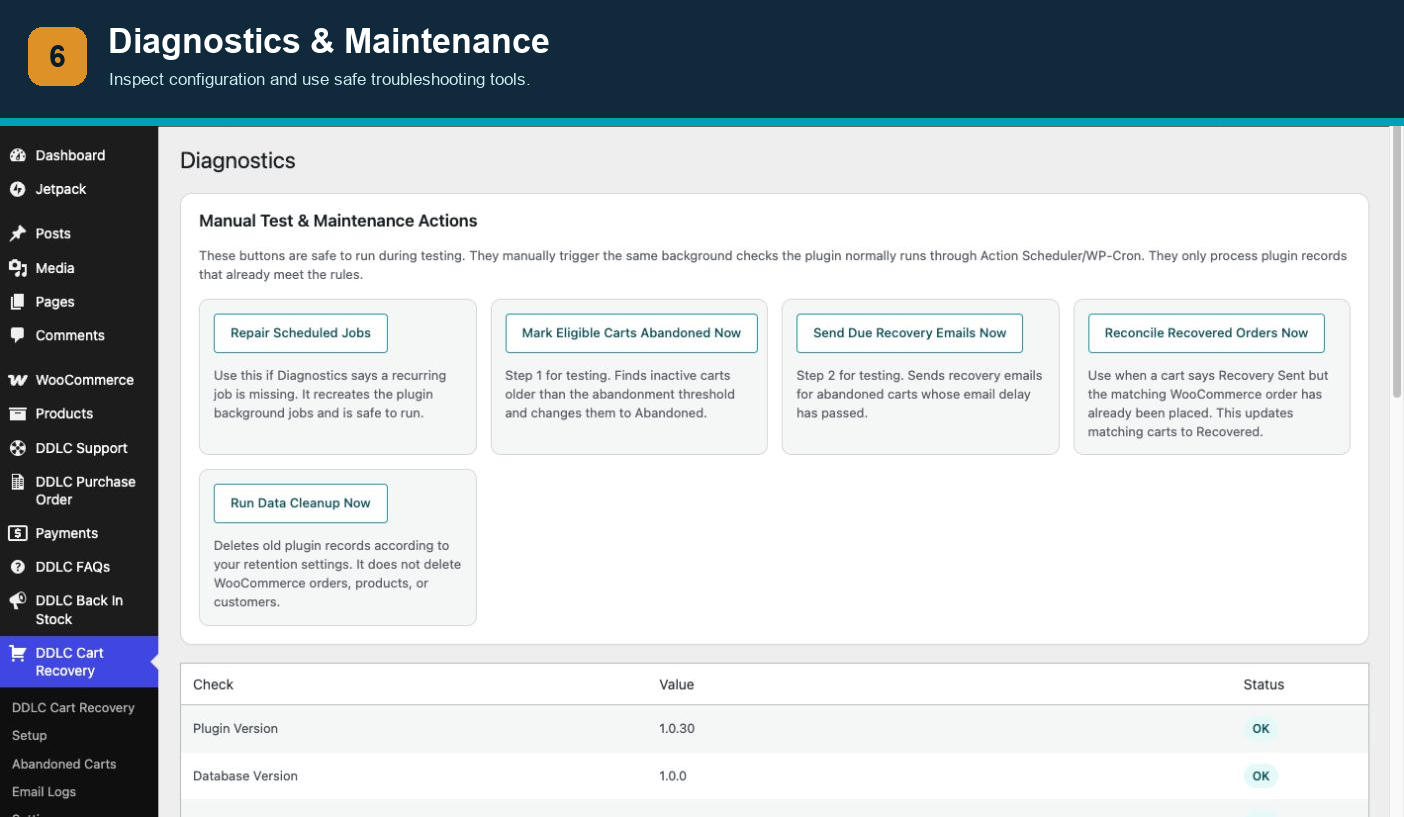
- Diagnostics and manual safe maintenance tools.
- Custom database tables for performance.
- Action Scheduler support with WP-Cron and throttled fallback processing.
- Data retention settings.
- Import/export settings.
- WordPress privacy exporter and eraser support.
- Uses your site’s WooCommerce/WordPress email delivery setup.
Privacy and Consent
The plugin provides Standard, Consent Required, and Logged-in Users Only tracking modes so store owners can choose an approach appropriate for their site. Consent Required mode displays a checkout consent checkbox that shoppers can clear. The plugin also includes configurable data-retention controls plus WordPress privacy exporter and eraser integration.
Cart and checkout information is stored in the store’s own WordPress database. The plugin does not require an external cart-recovery service. Store owners remain responsible for configuring the plugin and their privacy notice to comply with laws and policies applicable to their business.
Screenshots
Installation
- Upload the plugin zip through Plugins > Add New > Upload Plugin.
- Activate WooCommerce first.
- Activate DDLC Cart Rescue – Abandoned Cart Recovery for WooCommerce.
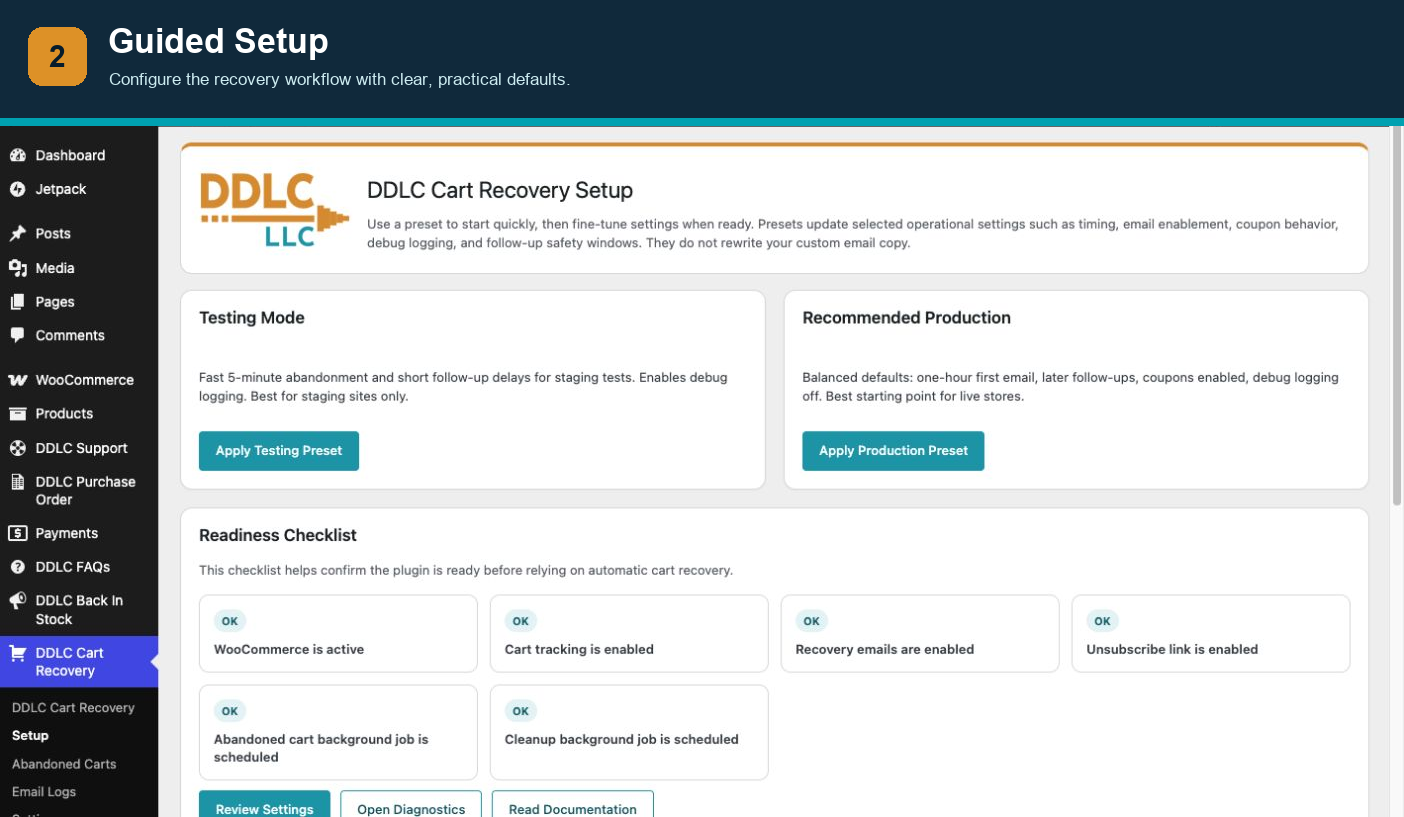
- Go to DDLC Cart Recovery > Setup.
- Choose a testing or production preset, then review Settings.
FAQ
-
Does this require WooCommerce?
-
Yes. This plugin is built specifically for WooCommerce carts, checkout, coupons, and orders.
-
Does it use IP address to identify carts?
-
No. Carts are identified primarily through WooCommerce sessions/customer data. IP addresses are only stored as privacy-safe hashes for diagnostics and are not the primary cart identity.
-
When does the consent checkbox appear?
-
The checkout consent checkbox appears only when Guest Tracking Mode is set to Consent Required. The box is checked by default and the shopper can uncheck it. In Standard mode, no extra checkbox is shown.
-
Can it send through my SMTP plugin?
-
Yes. Recovery emails use your site’s normal WooCommerce/WordPress email system. If your site uses an SMTP plugin, that plugin will usually handle recovery email delivery automatically.
-
Does Export Filtered CSV respect the status filter?
-
Yes. Choose a status on the Abandoned Carts page, click Filter, then Export Filtered CSV to export only those visible/matching cart records.
-
Why does a cart stay Active?
-
Active means the cart has not yet met the abandonment threshold, has no recoverable checkout email yet, or background processing has not run. Recovery emails require a captured valid email address.
-
What does the follow-up safety window do?
-
It prevents Email 2 and Email 3 from being sent to very old abandoned carts if a store owner enables follow-ups later.
-
Where can I get documentation or support?
-
See the documentation or visit DDLC support.
-
Is there a Pro version?
-
Yes. DDLC Cart Recovery Pro is a separately distributed product containing additional code and services. Every feature included in this WordPress.org plugin is available without a license, payment, quota, or time limit.
Reviews
There are no reviews for this plugin.
Contributors & Developers
“DDLC Cart Rescue – Abandoned Cart Recovery for WooCommerce” is open source software. The following people have contributed to this plugin.
Contributors
Translate “DDLC Cart Rescue – Abandoned Cart Recovery for WooCommerce” into your language.
Interested in development?
Browse the code, check out the SVN repository, or subscribe to the development log by RSS.
Changelog
1.0.32
- Removed all license and feature-gating architecture from the WordPress.org package.
- Made recovery-link generation and abandoned-product analytics unconditionally available.
- Bound checkout capture to the visitor’s server-side WooCommerce session and stopped accepting browser-supplied session identifiers.
1.0.31
- Made all three included recovery-email steps fully configurable and usable.
- Made high-value abandoned-cart notifications fully usable.
- Changed the optional DDLC email credit to off by default and user-controlled.
- Enqueued the admin menu helper through the WordPress scripts API.
- Updated the WordPress.org contributor account.
1.0.27
- Improved Consent Required checkout capture fallback for WooCommerce Checkout Blocks.
1.0.23
- Added Free/Pro package separation.
- Introduced follow-up email automation.
- Removed unbuilt direct provider integration wording.
- Clarified recovery email footer behavior.
- Renamed package to DDLC Cart Rescue – Abandoned Cart Recovery for WooCommerce.
- Updated slug/text domain to
ddlc-cart-rescue-for-woocommerce. - Updated product/upgrade URL to https://wpspeedyplugins.com/product/ddlc-cart-recovery-for-woocommerce/.
- Improved documentation/readme language for consent, SMTP compatibility, exports, and follow-up safety.
- Prepared package naming for product, docs, support, and license-manager alignment.
1.0.18
- Added clearer email delivery provider guidance.
- Linked Pro upgrade buttons to the product page.
- Improved upgrade and support information.