
Description
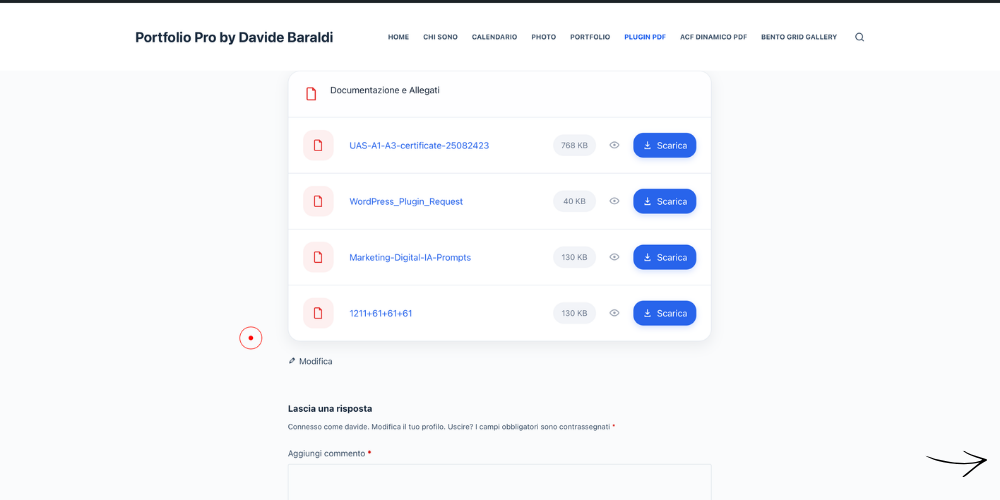
DB Solution – PDF is a WordPress plugin for displaying PDF files and documents in clean, responsive lists or grids.
It is designed for anyone who needs to publish documentation, brochures, price lists, technical files, downloadable resources or collections of PDF documents without building the layout manually.
Use the native Gutenberg block, select your PDF files from the WordPress Media Library and customize how your documents are displayed.
Prefer dynamic content? DB Solution – PDF can also read documents directly from an ACF Repeater field.
🎥 See DB Solution – PDF in action
📄 Manage PDFs directly in Gutenberg
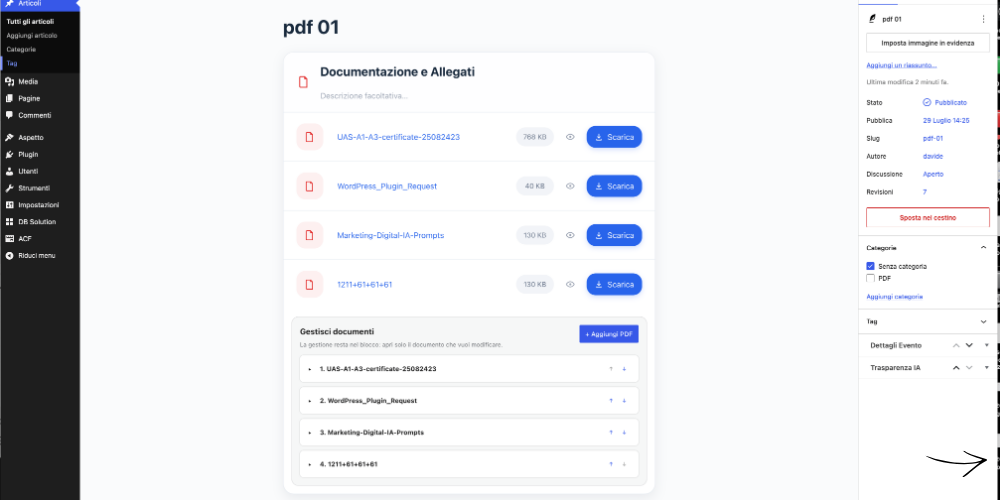
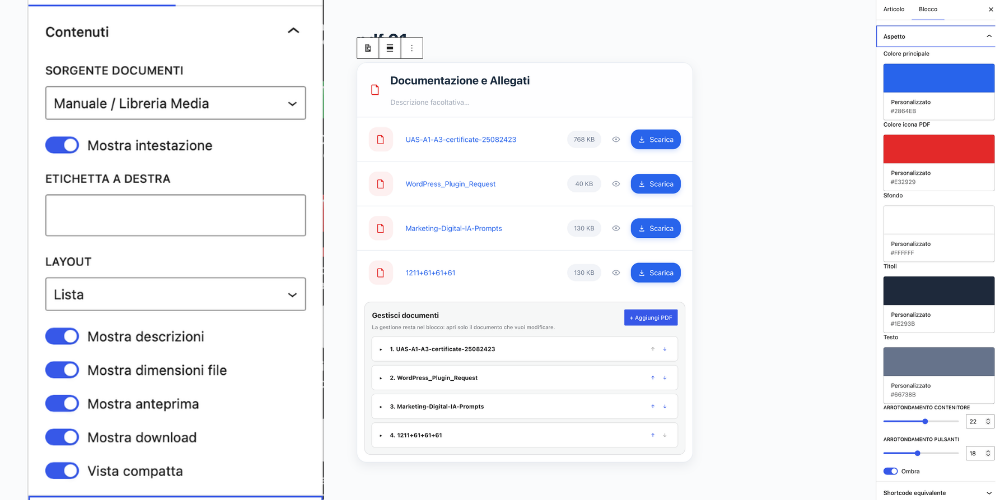
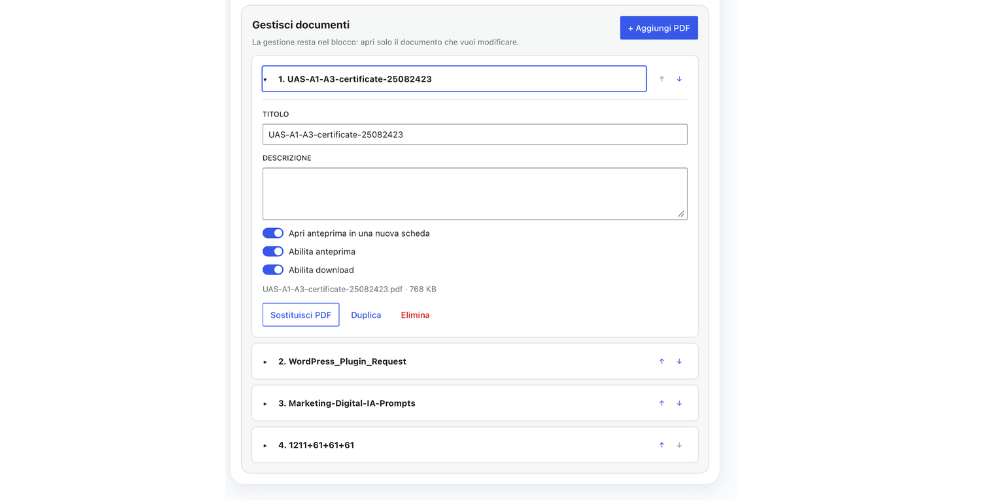
Everything is managed directly inside the block editor.
You can:
- Add multiple PDF files from the WordPress Media Library.
- Edit document titles and descriptions.
- Reorder documents.
- Duplicate, replace or remove individual files.
- Show or hide PDF previews.
- Enable or disable downloads.
- Display the file size automatically.
- Choose between list and grid layouts.
The block inspector remains clean and is used only for the settings that actually matter: source, layout, display and appearance.
🎨 List or Grid Layout
Choose how your documents should appear on the frontend.
The grid layout can be configured independently for desktop, tablet and mobile devices, allowing the document collection to adapt naturally to different screen sizes.
DB Solution – PDF inherits the typography of the active WordPress theme, helping the block integrate with the design of your website instead of imposing its own typography.
🧩 Dynamic PDFs with ACF Repeater
Advanced Custom Fields is completely optional.
If ACF is installed, DB Solution – PDF can automatically retrieve PDF documents from an ACF Repeater field attached to the current post or page.
A typical structure can be:
documenti_pdf (Repeater)
with:
pdf(File)titolo(Text)descrizione(Textarea)
Field names are configurable.
The PDF File field supports:
- Attachment ID.
- File array.
- File URL.
If the Repeater field name is left empty, the plugin can attempt to detect a populated Repeater containing a PDF File field automatically.
Manual documents can also be used as a fallback when no dynamic PDF is available.
🔗 Gutenberg and Shortcode
DB Solution – PDF is not limited to Gutenberg.
The same document renderer can also be used through a shortcode in page builders, widgets, templates and other shortcode-enabled areas.
Manual PDF files:
[dbsopd_pdf ids="123,456" heading="Documents" layout="list"]
Automatic ACF Repeater:
[dbsopd_pdf source="acf"]
Specific ACF fields:
[dbsopd_pdf source="acf" field="documenti_pdf" pdf_subfield="pdf" title_subfield="titolo" description_subfield="descrizione"]
Read documents from another post:
[dbsopd_pdf source="acf" field="documenti_pdf" post_id="123"]
You can also reference a page by slug or URL:
[dbsopd_pdf source="acf" field="documenti_pdf" post="acf-dinamico-pdf"]
The Gutenberg inspector automatically displays the equivalent shortcode for the current block configuration.
⚡ Built for WordPress
DB Solution – PDF is built using native WordPress technologies.
It uses:
- Gutenberg Block API.
block.json.- Server-side rendering.
- WordPress Media Library.
- Native WordPress APIs.
No jQuery, Bootstrap, Tailwind or external frontend framework is required.
The block uses Block API version 3 and supports the iframe-based editor architecture used by modern versions of WordPress.
👨💻 Developed by Davide Baraldi
DB Solution – PDF is designed and developed by Davide Baraldi, Independent Web Designer & WordPress Developer.
I develop WordPress solutions with a particular focus on usability, performance and integration with the native WordPress editor.
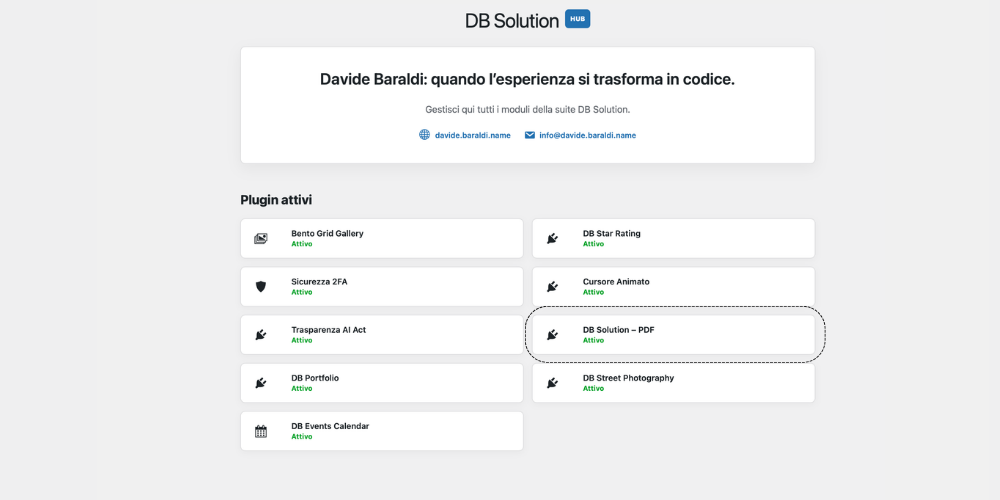
DB Solution – PDF is part of the DB Solution project: a collection of WordPress plugins created to solve practical problems without unnecessarily complicating the WordPress experience.
More information:
https://www.davide.baraldi.name/
Screenshots
Blocks
This plugin provides 1 block.
- DB Solution – PDF Liste e griglie PDF manuali o dinamiche da ACF Repeater, con rilevamento automatico, blocco Gutenberg e shortcode.
Installation
- Install DB Solution – PDF from the WordPress Plugins screen.
- Activate the plugin.
- Open the WordPress block editor.
- Search for “DB Solution – PDF”.
- Choose Manual or ACF Repeater as the document source.
- Add your PDF files and configure the layout.
- Publish or update the page.
You can also use the [dbsopd_pdf] shortcode without inserting the Gutenberg block.
FAQ
-
Do I need Advanced Custom Fields?
-
No. ACF is optional.
You can use DB Solution – PDF entirely with the native WordPress Media Library.
-
Can I manage multiple PDF files?
-
Yes. You can add and manage multiple documents directly from the Gutenberg block.
-
Can I display PDFs in a grid?
-
Yes. The plugin supports both list and grid layouts, including responsive column settings for desktop, tablet and mobile.
-
Does the plugin support ACF Repeater fields?
-
Yes. Select the ACF Repeater source and configure the Repeater and sub-field names.
-
Which ACF File return formats are supported?
-
Attachment ID, File array and URL.
-
Can I use DB Solution – PDF without Gutenberg?
-
Yes. Use the
[dbsopd_pdf]shortcode in page builders, widgets, templates or other shortcode-enabled areas. -
Can I retrieve PDFs from another post or page?
-
Yes. You can specify another post ID, slug or URL when using the ACF source.
-
Does DB Solution – PDF use external frontend frameworks?
-
No. The frontend does not require jQuery, Bootstrap, Tailwind or another external UI framework.
-
Who developed DB Solution – PDF?
-
DB Solution – PDF is developed and maintained by Davide Baraldi as part of the DB Solution WordPress plugin project.
Reviews
There are no reviews for this plugin.
Contributors & Developers
“DB Solution – PDF” is open source software. The following people have contributed to this plugin.
Contributors
Translate “DB Solution – PDF” into your language.
Interested in development?
Browse the code, check out the SVN repository, or subscribe to the development log by RSS.
Changelog
1.3.6
- Prefixed render callback variables with the plugin-specific
dbsopd_prefix for WordPress.org naming compliance. - Improved frontend container width behavior.
- Improved Gutenberg editor container width behavior.
- No functional changes to PDF, ACF Repeater, shortcode or DB Solution HUB behavior.