
Description
CyberSpark AI Visibility Check is the official WordPress plugin of CyberSpark’s AI Visibility Check (aivisibilitycheck.io). It shows how ChatGPT, Claude, Perplexity, Google and other AI assistants and search engines read your WordPress site — and what to change so they can find, understand and cite it.
It works on its own or beside the SEO plugin you already use (Yoast SEO, Rank Math, All in One SEO, SEOPress and others): when one is active, everything that would write the same tags stands down, so nothing is ever duplicated.
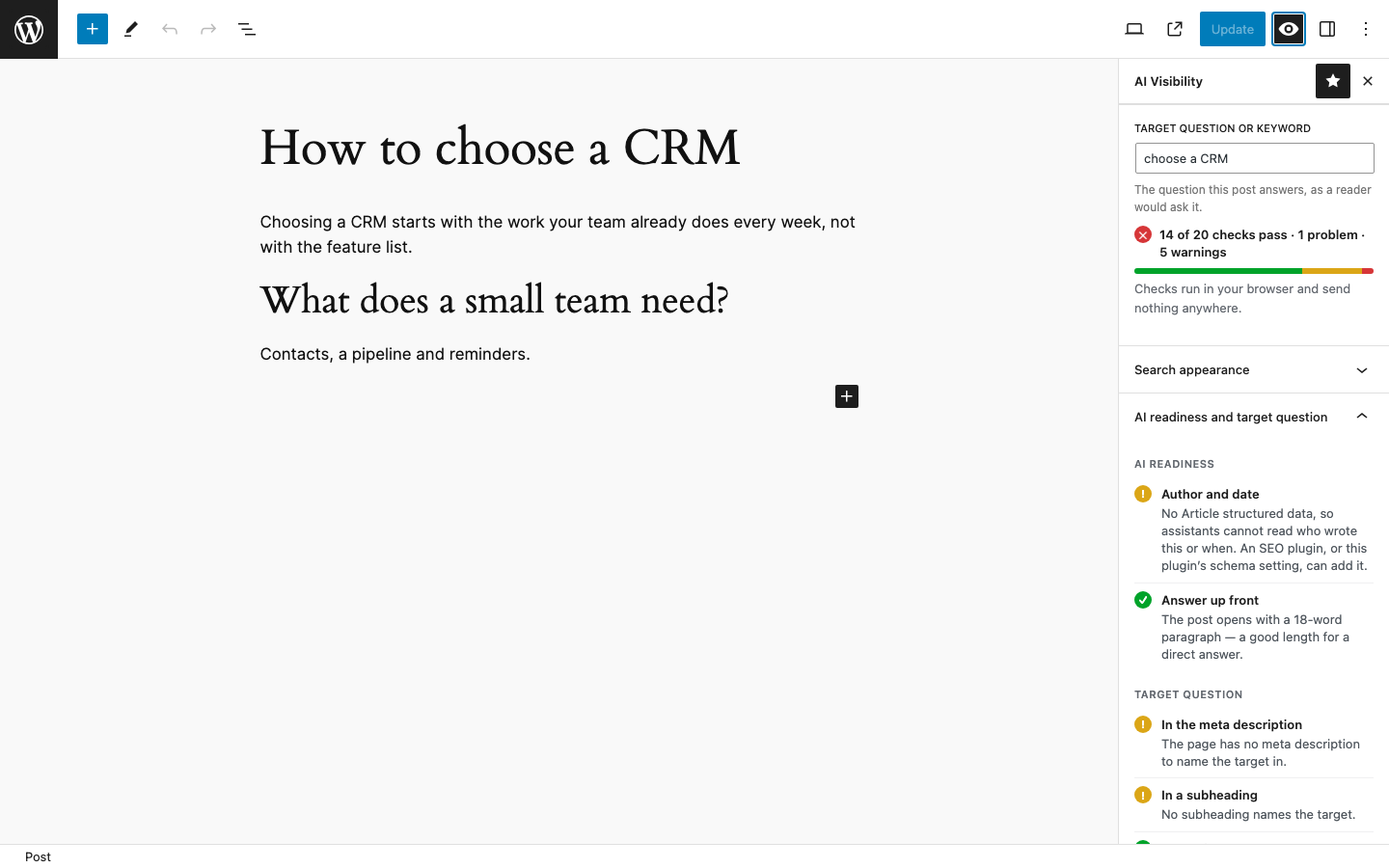
In the editor (no account needed)
- Live checks as you write: does the opening answer the question, are headings phrased as questions, are there lists and tables, sources, author and dates.
- Target question: say what the post answers, and see whether the title, opening, meta description, subheadings, address and images name it — and whether another post already targets it.
- Readability: sentence length, paragraph length, how subheadings are spread.
- On the published page: title, meta description, H1, heading order, canonical, indexing, language, structured data, social cards, hreflang — read from the page as visitors get it.
- Previews of the search result and the shared link.
- How AI reads this page: the page as plain text.
- A column in the posts list, and a check before publishing (it never blocks publishing).
The checks run in your browser. Nothing is sent anywhere.
Search appearance (no account needed)
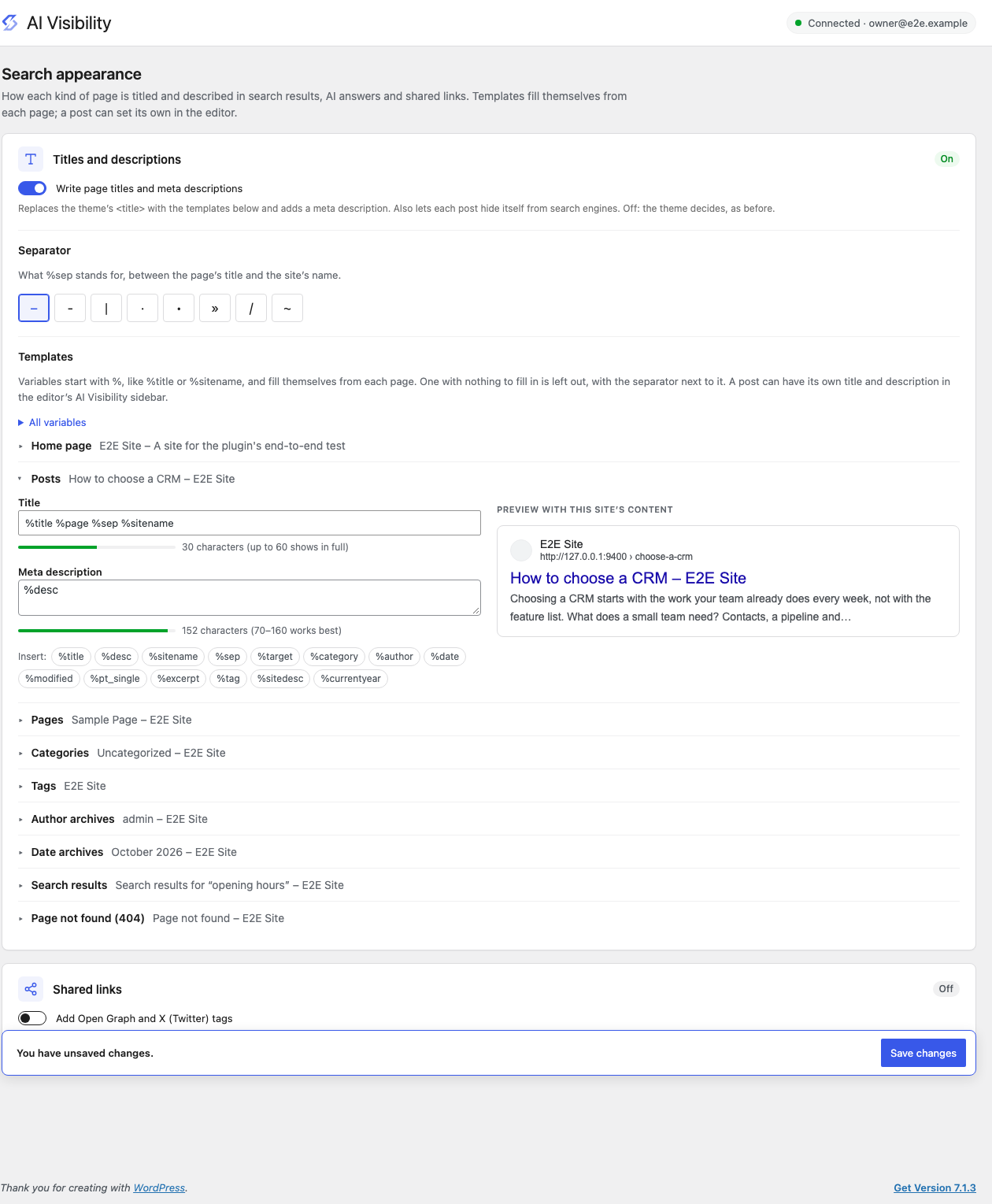
- Title and meta description templates for every kind of page — posts, pages, categories, tags, authors, dates, search, 404 — with variables such as
%title,%sitename,%sep,%desc,%sitedesc,%category,%author,%date,%pageand more (templates written for Yoast, with%%title%%, work too). - A live preview of each template with your own content, and a choice of separator.
- Per post: its own SEO title and meta description in the editor, with a live search-result preview, and Hide from search engines (noindex).
- Open Graph and X (Twitter) tags for shared links, with a default share image.
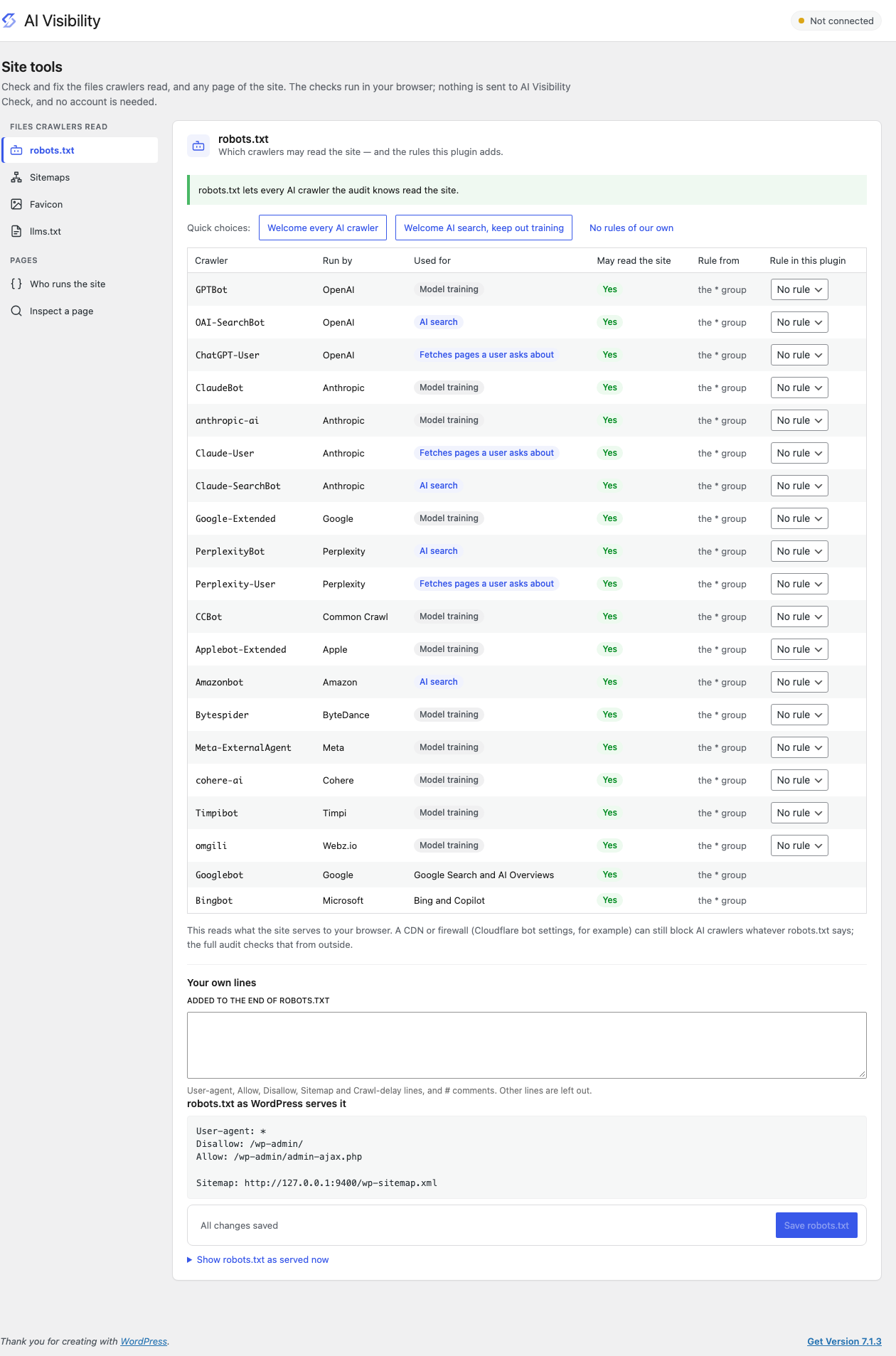
Site tools (no account needed)
- robots.txt: what it says to GPTBot, ClaudeBot, PerplexityBot, Google-Extended and the others — and per-crawler rules (welcome AI search, keep out training, or choose one by one) and your own lines, previewed before you save.
- Sitemaps: choose which content and whether author archives are in WordPress’s sitemap (posts hidden from search engines leave it automatically); then read every sitemap and list published pages that are in none.
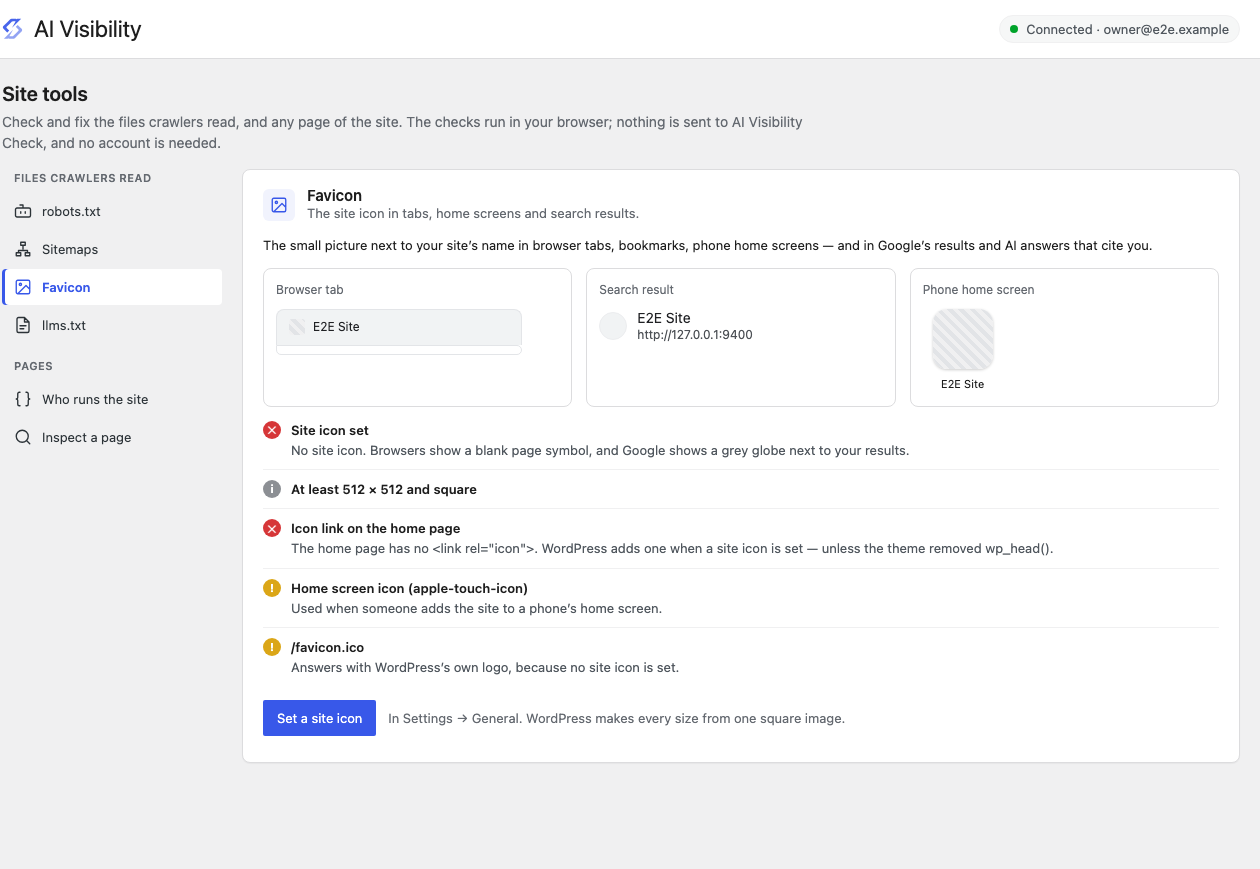
- Favicon: whether the site icon is set, big enough and served everywhere, with previews in a browser tab, a search result and a phone’s home screen.
- llms.txt: checks the file if you have one.
- Who runs the site: what your structured data says about your organisation.
- Inspect any page of the site.
Audits (with an AI Visibility Check account)
Connect an account to run audits of your site from the outside — the way AI crawlers see it:
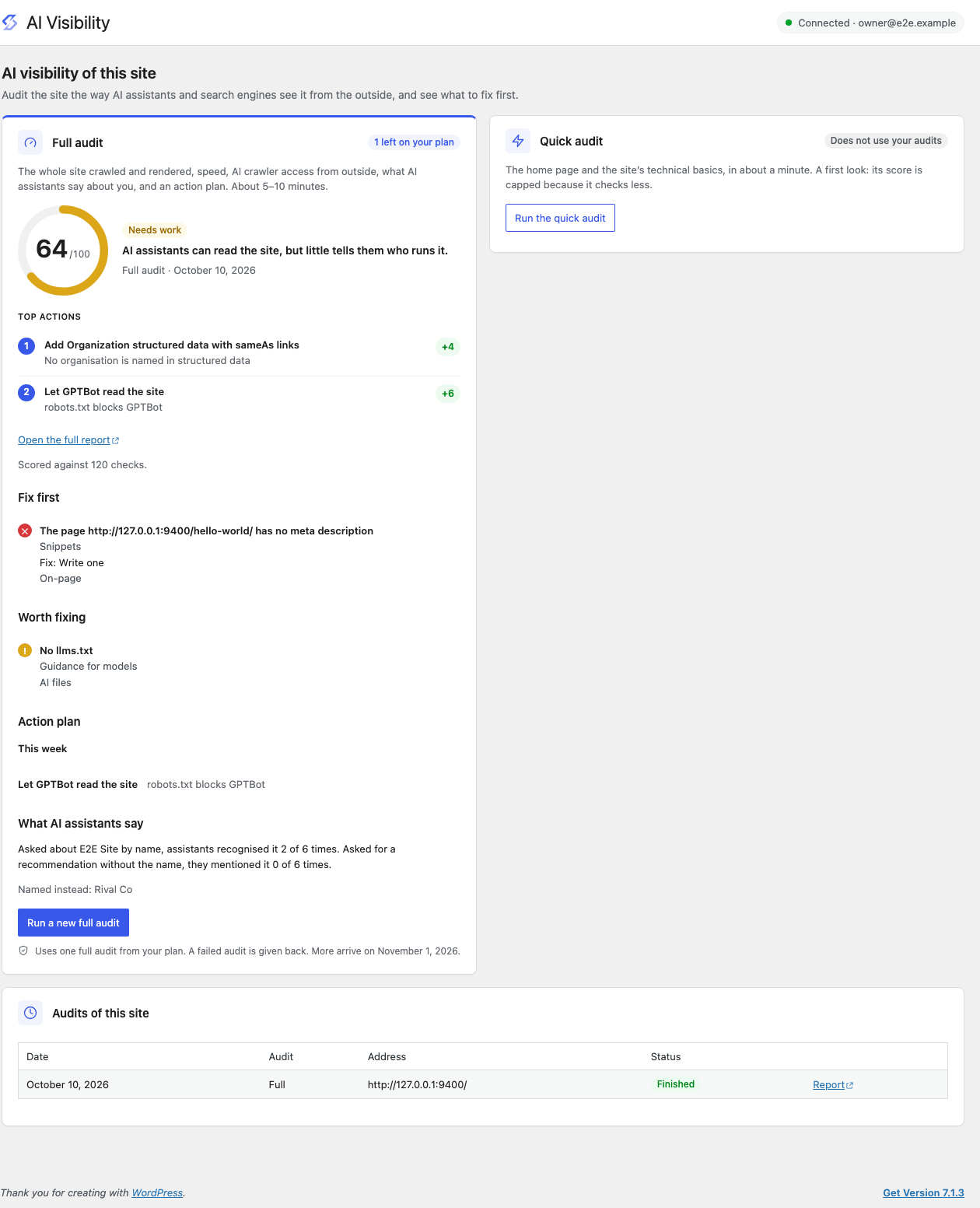
- Quick audit of the site or of a single page, in about a minute.
- Full audit of the whole site: crawl, rendering, speed, AI crawler access through your CDN or firewall, what AI assistants say about you, and an action plan.
Results appear in WordPress — on the Dashboard, in the AI Visibility screen, and next to each post the full audit has findings for.
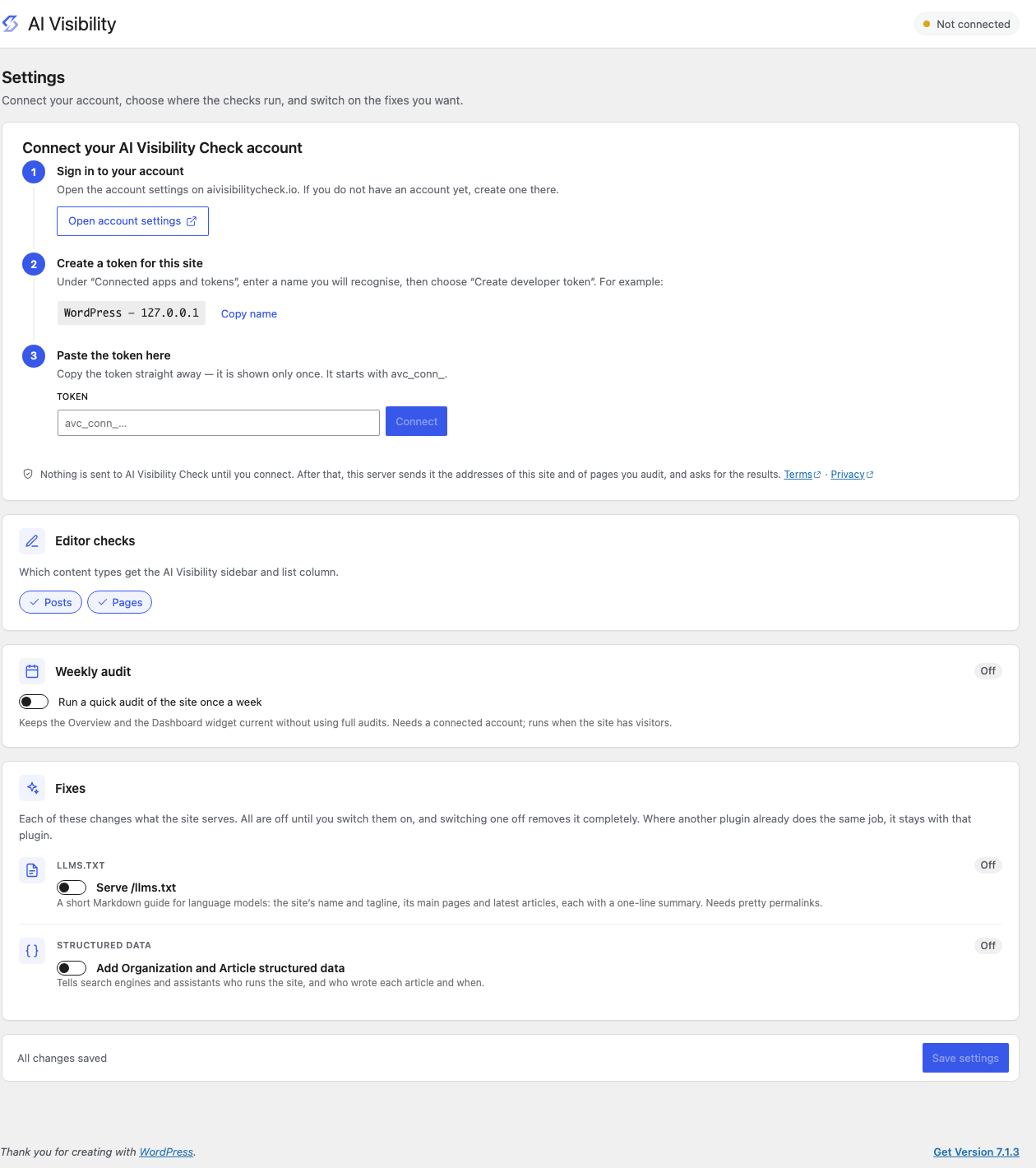
Optional fixes (off until you switch them on)
- Titles, meta descriptions and share tags from the templates above (only when no SEO plugin is active).
- Serve an llms.txt (unless another plugin already does).
- AI crawler rules and your own lines in robots.txt (never a robots.txt file on disk).
- Sitemap changes: content left out, author archives, noindexed posts.
- Add Organization and Article structured data (only when no SEO plugin outputs schema).
- Verify your domain with your account in one click.
External services
This plugin connects to the AI Visibility Check service at https://aivisibilitycheck.io, run by CyberSpark, only after an administrator connects an account in AI Visibility Settings by pasting a token from their account. Before that, nothing is sent.
Once connected, the WordPress server (never the visitor’s browser) sends:
- the account token, in the Authorization header of every request;
- the address of your home page when an administrator runs a site audit, or the address of a published page for a page audit, plus the site’s language;
- your domain name, when you choose “Verify this domain”;
- the plugin, WordPress and PHP version numbers, in request headers.
It receives the audit results and your account’s remaining audits. While connected, the server also checks once an hour that the token is still valid, so a token revoked on your account signs the site out. Disconnecting (or uninstalling the plugin) revokes the token.
The audit itself visits your public site from AI Visibility Check’s servers, as any crawler would.
- Terms of Service: https://aivisibilitycheck.io/terms/
- Privacy Policy: https://aivisibilitycheck.io/privacy/
The editor checks, search appearance and site tools do not use this service.
Source code
The JavaScript in build/ is compiled from TypeScript with esbuild and is not minified. Its sources and the build script ship with the plugin, in source/; source/README.md says how to build them.
Screenshots
Installation
- Install and activate the plugin.
- Open a post in the block editor and choose the eye icon (AI Visibility) in the toolbar.
- Optional: to run audits, open AI Visibility Settings and follow the three steps to connect your account.
FAQ
-
Do I need an account?
-
No, for the editor checks and the site tools. Yes, for audits: they run on AI Visibility Check’s servers.
-
Does it replace Yoast SEO or Rank Math?
-
No. It checks what those plugins output and adds the AI-visibility side. Where they already output schema or llms.txt, this plugin leaves it to them.
-
Does it give my posts a score?
-
The live checks say how many pass; they are not a score. The only score comes from an audit, which measures the site from outside.
-
Who can run audits?
-
Administrators. Editors and authors see the checks and the latest results.
Reviews
There are no reviews for this plugin.
Contributors & Developers
“CyberSpark AI Visibility Check” is open source software. The following people have contributed to this plugin.
Contributors
Translate “CyberSpark AI Visibility Check” into your language.
Interested in development?
Browse the code, check out the SVN repository, or subscribe to the development log by RSS.
Changelog
1.0.0
- First release.