

Description
This Contact Form 7 compatible Gutenberg Block automates CSS style generation, allowing you to quickly design contact forms with minimal setup.
Blocks
Style Contact Form 7
Design and style Contact Form 7 forms visually in the block editor with live styling controls.
Features
-
Gutenberg Block Integration: Design and customize Contact Form 7 forms directly in the block editor with live styling controls.
-
Responsive Design: Forms automatically adapt for desktop, tablet, and mobile devices.
-
Flexible Form Styling: Customize field backgrounds, labels, text, borders, padding, and shadows.
-
Improved User Experience: Includes styled validation, error, success, and loading states for Contact Form 7 forms.
-
Multilingual support with multiple translations.
-
Comprehensive documentation with video demos.
Docs and support
View the Docs, get fast Support. Popular Questions and Solutions will be posted to the Support Forum & FAQ.
Required Plugins
Screenshots

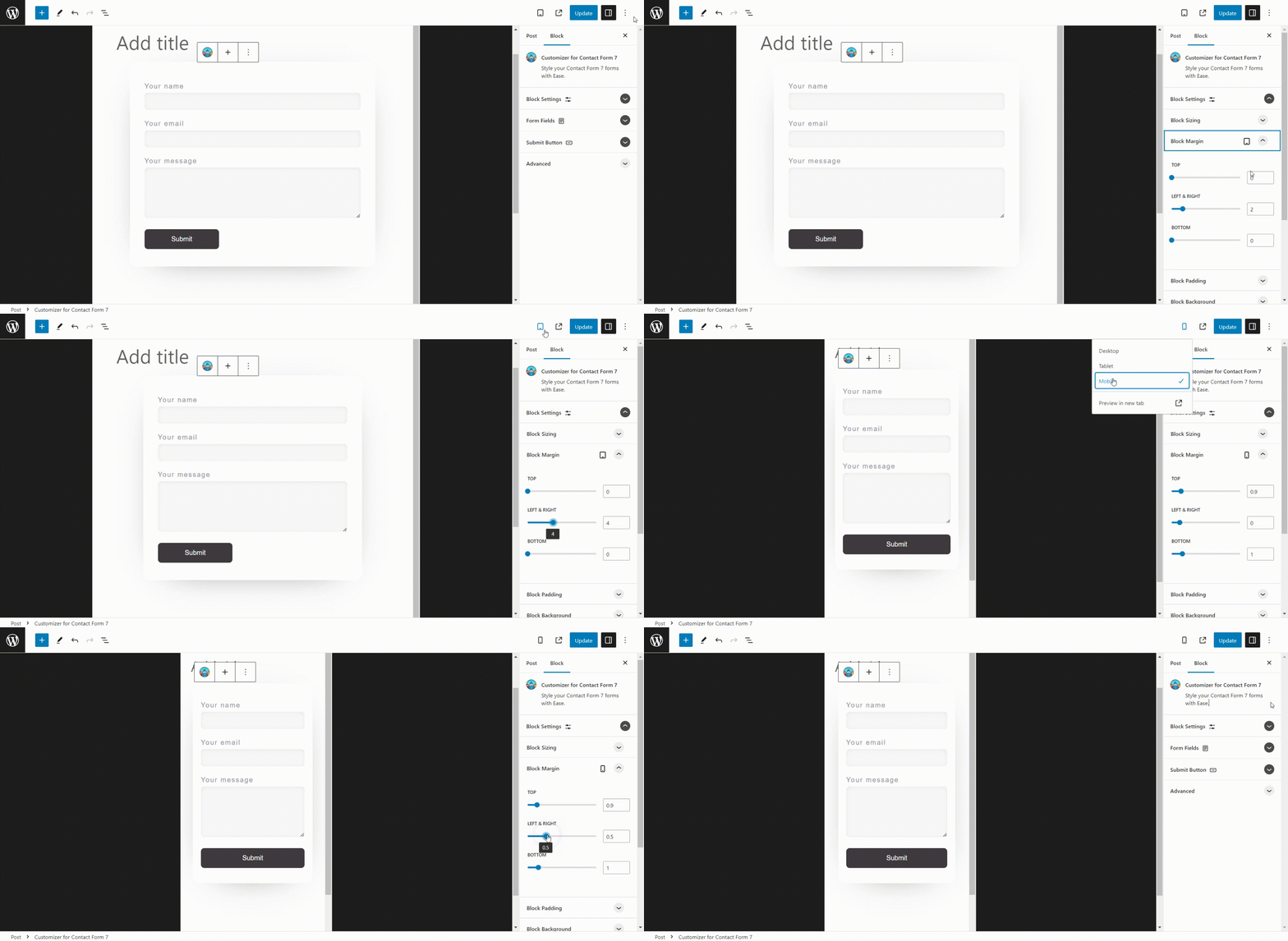

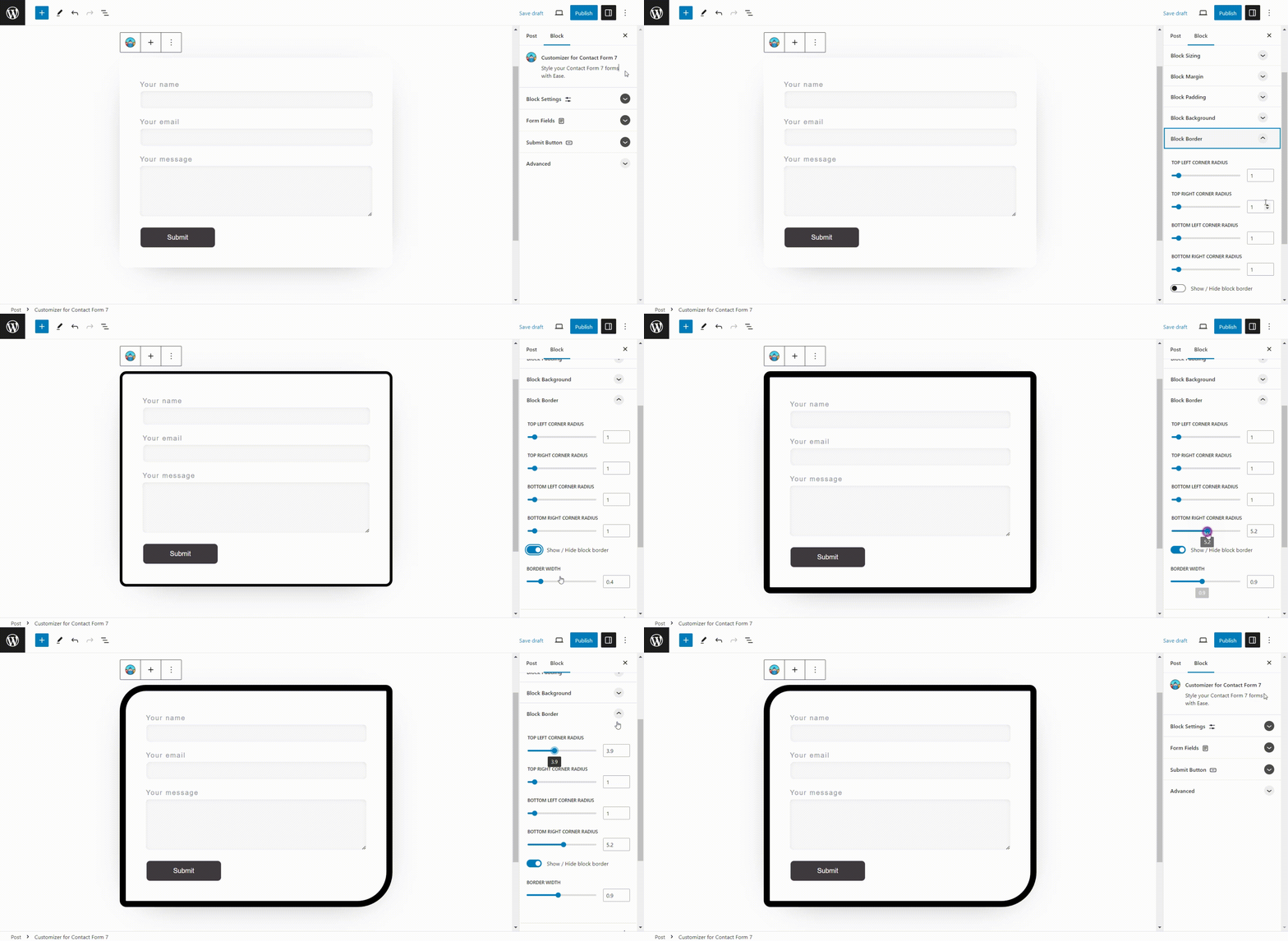

Blocks
This plugin provides 1 block.
- Style Contact Form 7 Style your Contact Form 7 forms with Ease.
FAQ
What is Contact Form 7?
Contact Form 7 is one of the most popular and widely used WordPress plugins for creating and managing multiple contact forms on a website.
Will Style Contact Form 7 plugin work with my theme?
While it is not possible to test with every WordPress theme, the plugin has been tested with many themes, especially block themes.
The demo videos were recorded with Twenty Twenty-Three theme.
Feel free to contact Support if it is not working as expected.
I am having issues, can you offer support?
Yes, click here for Support
Reviews


Contributors & Developers
“Style Contact Form 7” is open source software. The following people have contributed to this plugin.
Contributors
“Style Contact Form 7” has been translated into 8 locales. Thank you to the translators for their contributions.
Translate “Style Contact Form 7” into your language.
Interested in development?
Browse the code, check out the SVN repository, or subscribe to the development log by RSS.
Changelog
1.4.1
- Tested up to WP 7.0
- Adjusted block icon styling to better match WordPress 7.0 editor UI
- Improved contact form selection workflow for faster form switching in the editor
1.4
- Tested up to WP 6.9.4
- Added instance class to make unique in case of multiple forms
- Moved messages to popup
- Adjusted some default css values
- Centered spinner on button when set to width Auto
1.3
- Tested with WP 6.8
- Updated documentation
1.2
- Added new pro demo video.
- Moved pro plugin to its own domain : https://stylecontactform7.pro/
- Added 10 new demo pages
1.1.9
- Tested with WP 6.7
- Added background color to invalid fields.
- Centered the form loading spinner over submit button and hide button text when active.
- Fixed $wrapper_attributes output bug, flagged by plugin check.
- Changed default left and right margin for mobile screen size to -0.5 (em).
1.1.8
- fixing broken SVG icon links
1.1.7
- Added function to auto close the block inspector Panel Body tabs to keep it tidy and aid navigation.
- Improved admin page with a new layout, more information and links to new Pro Version.
- launched Style Contact Form 7 Pro – https://stylecontactform7.com/pro/
- Added more detailed descriptions of block features in the readme and added demo video.
- Translated all new text to 15 languages, Danish, German, English (UK), Spanish (Spain), Finnish, French (France), Croatian, Italian, Dutch, Polish, Portuguese (Portugal) Romanian, Russian, Swedish & Ukrainian.
1.1.6
- Set font family and removed some default form styles.
- Made the form identical in the editor and the front end.
1.1.5
- fix broken admin stylesheet link.
1.1.4
- Added 2px padding to ‘outer’ .cfcf7-block-container – this fixes the block overlapping the is_selected blue outline.
- Made the admin panel Css more specific to avoid disrupting other blocks admin panels.
- Changed Admin Menu title from ‘Style Contact Form 7’ to ‘Style CF7’ to avoid line break.
- Added some default gradient color options to the submit button.
1.1.3
- Bug fix, Altered ‘wpcf7_contact_form’ post loop as it was overwriting contact forms.
1.1.2
- Tested with WordPress 6.6
- Removed ‘margin’ option from Submit Button settings
1.1.1
- Changed Plugin display in main PHP file’.
- Added styles for contact form validation warnings.
- Added ‘New Additions’ link on admin page to https://stylecontactform7.com/new-additions/ where I will document recent upgrades and features.
1.1
- Changed Plugin display name and Gutenberg block name to ‘Style Contact form 7’.
- Added ‘Requires Plugins:’ header tag (WP 6.5+).
- Added fill color to Block Icon background.
- Added Top & Bottom negative Margin options to help refine block positioning for Desktop, Tablet & Mobiles screen sizes.
1.0.9
- Added styles for Contact Form 7 input fields, (radio, checkbox, number, select), Added margin option to Submit button, Added Gradient option to Submit button. Added field focus outline settings.
- Changed Field Border style & Field Border position options to Select inputs instead of Radio buttons. (thanks to @metasequoia for the feedback).
1.0.8
- Re-added ‘__experimentalGetPreviewDeviceType’ for > WP 6.5.
- Changed Text Transformation & Font Weight options to Select inputs instead of Radio buttons.
1.0.7
- Removed ‘__experimentalGetPreviewDeviceType’ as it was causing issues in site editor, using ‘getDeviceType’ instead.
1.0.6
- Added post loop to init function to access contact forms.
1.0.5
- Added languages (Danish, Dutch, English (UK), Finnish, French, German, Hindi, Italian, Japanese, Norwegian, Polish, Portuguese, Russian, Spanish, Swedish, Ukrainian)
1.0.4
- Added Pot file to languages folder
- Removed block patterns
1.0.3
- updated admin page
1.0.2
- moved docs & support to its own domain (stylecontactform7.com)
- updated links to docs & support throughout.
1.0.1
- bug fix – Undefined variable in block-patterns.php
- added default margin values for tablet and mobile.
1.0
- Initial release