
Description
Extends WordPress’s own built-in password-protected and private post/page settings — no second password system, no Pro tier, no upsells.
Title prefix
- Hide the “Protected: ” / “Private: ” prefix WordPress adds to a password-protected or private post’s title
- Or replace it with your own text
Password form
- Rewrite the intro text, the password label, and the submit button text
- Set the password field’s and submit button’s colors, and the button’s padding
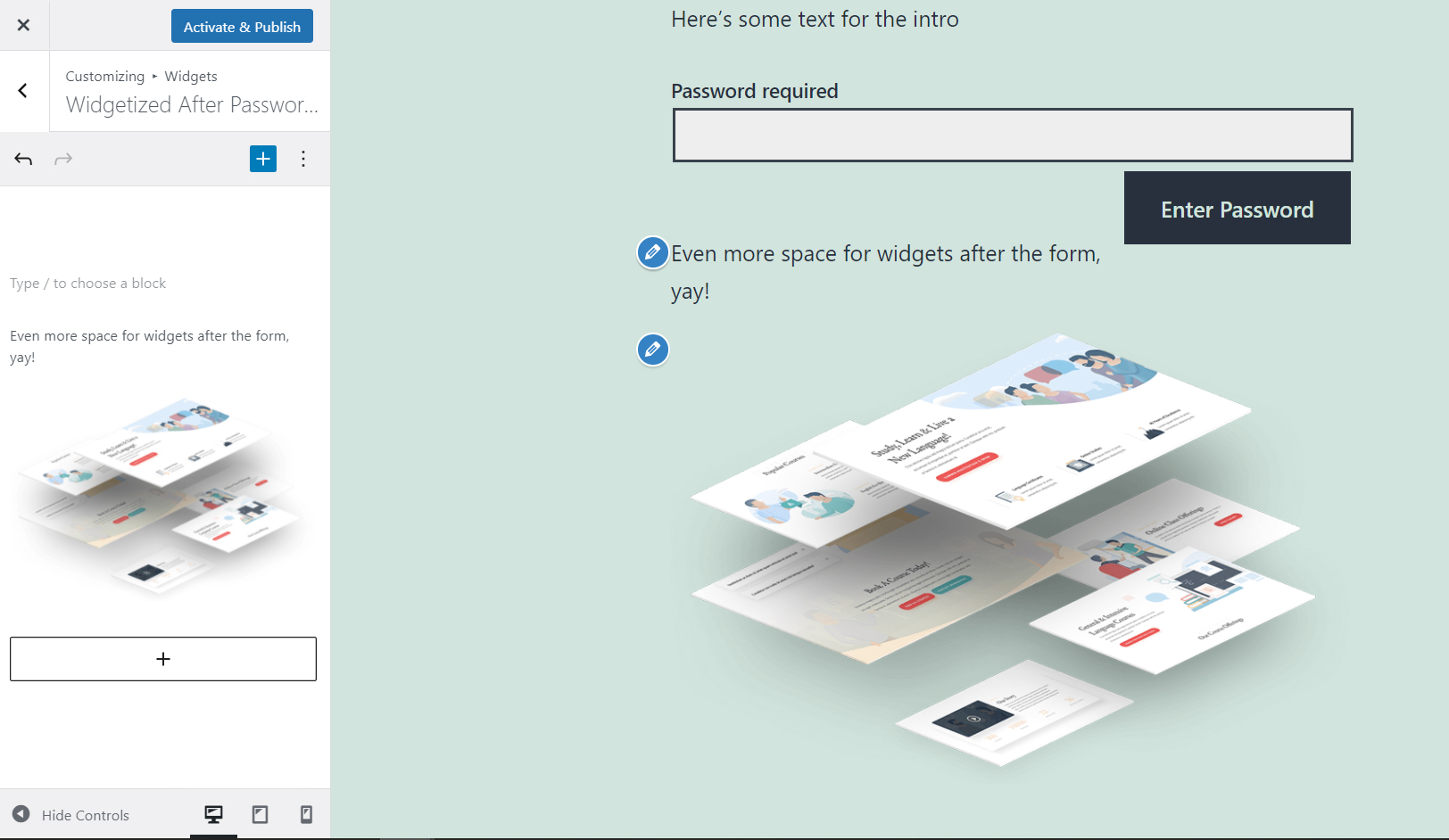
- Add widget areas before and after the form
- Custom “Invalid password” text for a wrong attempt (WordPress 6.8+)
- Custom excerpt text for protected posts in lists
- Set how long the password cookie lasts, or make it a session-only cookie
- Hide password-protected posts from your homepage, archives, search results, and feeds, while keeping them reachable at their own URL
- Or keep your theme’s own password form (Divi supported) and just add the widget areas
Configure everything through the Customizer (Appearance > Customize) or through Settings > Private & Protected, a plain settings page for block themes, which hide the Customizer. Both edit the same settings.
Donations
If you’d like to support future development, buy me a tea!
Screenshots


Installation
Through wordpress admin:
- Go to Plugins > Add Plugin
- Search for “Customize Private & Protected”
- Install the plugin
- Activate it
Through FTP:
Download the plugin Unzip customize-private-protected.zip and upload the folder to the /wp-content/plugins/ directory Activate the plugin through the ‘Plugins’ menu in WordPress
FAQ
-
How do I remove “Protected: ” from a password-protected page’s title?
-
Turn on “Hide Prefix” in the settings.
-
How do I remove “Private: ” from a private page’s title?
-
The same “Hide Prefix” setting controls both the private and protected prefix.
-
Can I rename the prefix instead of removing it?
-
Yes — leave “Hide Prefix” off and set your own text in the Private Title Prefix / Protected Title Prefix fields.
-
How do I change the password form’s text, or the wrong-password message?
-
The Protected Intro Text, Protected Label Text, and Protected Button Text fields cover the form itself; Invalid Password Text covers what shows after a wrong attempt.
-
I use a block theme and don’t see Appearance > Customize — where are the settings?
-
Go to Settings > Private & Protected instead. It has every option the Customizer has, and edits the same values.
-
Yes — the prefix comes from the same title WordPress uses everywhere, so menus, widgets, and the browser tab all update along with the page’s own heading.
-
Does this plugin add password protection to a page?
-
No. It only changes how WordPress’s own built-in “Password Protected” and “Private” post visibility options look — you still set those from the post/page editor’s Visibility setting.
-
Does it work with Divi?
-
Yes — turn on “Use Default Form” and the plugin hands off to Divi’s own password form (still adding the widget areas around it).
-
Can I hide protected posts from my blog list, search results, and RSS feed?
-
Turn on “Hide From Lists.” The post is still reachable at its own URL; it just won’t appear in listings. (Private posts are already hidden from anyone who can’t view them.)
Something not covered here? Ask in the support forum — it’s the fastest way to reach me.
Reviews


Contributors & Developers
“Customize Private & Protected: Password Form & Prefix” is open source software. The following people have contributed to this plugin.
Contributors
Translate “Customize Private & Protected: Password Form & Prefix” into your language.
Interested in development?
Browse the code, check out the SVN repository, or subscribe to the development log by RSS.
Changelog
1.6.0 – 2026-09-28
- Renamed the plugin to “Customize Private & Protected: Password Form & Prefix,” and rewrote the tags, description, and FAQ, so it’s findable by what it actually does
- Feature – Custom “Invalid password” text for a wrong attempt (WordPress 6.8+)
- Feature – Custom excerpt text for protected posts in lists (also works in block-theme Query Loops, where WordPress’s own excerpt filter doesn’t reach)
- Feature – Password cookie lifetime: set how many days it lasts, or make it a session-only cookie
- Feature – Hide password-protected posts from the homepage, archives, search results, and feeds (including block-theme Query Loop blocks), while keeping them reachable at their own URL
- Fix – The custom password form’s error message wasn’t actually linked to its
aria-describedby; screen readers now announce it - Fix – The custom form’s submit button now picks up a block theme’s Global Styles button color
- Added Settings and Get Help links on the Plugins screen, and a Get Help link on the settings page
- The “leave a review” notice now waits 14 days after activation, and its dismiss links persist correctly (they didn’t before)
- Fix – Every release since 1.3.6 had been publishing the plugin’s actual
.gitdirectory (full commit history) into the public SVN repository, because.distignorenever listed.git. Purged and fixed; no secrets were ever in that history
1.5.0 – 09-27-2026
- Feature – Added a Settings page under Settings > Private & Protected, with every option the Customizer has. Block themes (the default since WordPress 6.x) hide Appearance > Customize, so this makes every option reachable without it
- Both places edit the same settings, so use whichever is easier
1.4.0 – 09-27-2026
- Feature – Added Customizer color pickers for the submit button’s background and text color
- Fix – Live preview: the private-post title prefix preview rendered nothing (missing return); the protected-post one rendered the wrong thing entirely (a format string, not the title). Both properly re-render the title now, which also fixes the live preview causing a full form reload while typing
- Fix – Live preview JS: a broken selector meant it never found the title in block themes; an accidental global variable
- Fix – Checkboxes and pixel-padding fields were sanitized with a text/HTML sanitizer instead of a boolean or number one
- Fix – Prefix filters now use the post WordPress passes them, instead of only the currently-queried global post (matters for titles shown in menus, widgets, and lists)
- Fix – The
is-protected/is-privatebody classes and the frontend stylesheet no longer apply to archive pages just because the first listed post happens to be private or protected - Fix – The “leave a review” admin notice’s role check was broken (checked role names WordPress doesn’t use) and dismissing it never stuck; both fixed
- Fix – Default values now match between the Customizer and the front end, so nothing changes until a value is actually saved
- Renamed an internal class out of WordPress core’s own naming space, to avoid ever colliding with it; removed a leftover unused function
- Assets are now cache-busted with the plugin version, and the plugin’s stylesheet only loads on private/protected pages instead of every page
1.3.6 – 09-27-2026
- Fix – Escaped two unescaped output points in the Customizer’s custom control (flagged by WordPress Plugin Check): a control’s description text, and its
aria-describedbyattribute, which was also outputting a bare unwrapped ID instead of a real attribute - First release shipped via the new automated GitHub Actions SVN pipeline
1.3.5 – 09-27-2026
- Tested – Passed tests with WordPress version 7.1
- Fix – A
%character in a custom title prefix no longer breaks the page on PHP 8 - Fix – Password field no longer caps entries at 20 characters (core allows up to 255)
- Fix – Password form no longer emits a duplicate
classattribute, so theme styles for.post-password-formapply again - Fix – Password form now shows the “Invalid password” message and preserves the redirect after a wrong attempt, matching WordPress core since 6.8
- Feature – Added Customizer color pickers for the password field’s background and text color, to fix white-on-white fields on some themes
1.3.4 – 10-04-2025
- Tested – Passed tests with WordPress version 6.8.3
1.3.3 – 01-18-2025
- Tested – Passed tests with WordPress version 6.7.1
- Fix – Added div element to clear float from form submit button
1.3.2 – 05-19-2024
- Tested – Passed tests with WordPress version 6.5.3
1.3.1 – 01-13-2024
- Tested – Passed tests with WordPress version 6.4.2
- Tested – Passed tests with PHP versions up to 8.1.23
1.3.0 – 07-03-2023
- Enhancement – Tweaked selective refresh to improve user experience for supported themes
- Enhancement – Text domain namespace added for internationalization support
1.2.0 – 04-15-2023
- Enhancement – Implemented selective refresh to improve user experience
1.1.1 – 03-18-2023
- Tested – Passed tests with WordPress version 6.2
- Tested – Passed tests with PHP versions up to 8.1.9
- Fix – Fixed variables for custom input attributes, which broke in PHP 8 and up.
1.1.0 – 01-16-2023
- Tested – Passed test with WordPress version 6.1.1
- Feature – Added ability to customize protected button appearance
- Enhancement – Enabled translation in plugin labels
- Enhancement – Minor cleanup
1.0.1 – 09-24-2022
- Tested – Passed test with WordPress version 6.0.2
- Enhancement – Added dismissible notice for plugin review
1.0.0 – 04-06-2022
- Tested – Passed test with WordPress version 5.9.3
- Enhancement – Updated default values for button and label
0.2.0 – 01-09-2022
- Enhancement – Made fields hide/show based on hide Prefix & Use Default checkboxes
- Enhancement – Added support for Divi password form
- Feature – Added option to display WordPress’ default form with widgets
0.1.0 – 08-31-2021
- Initial Release