

Description
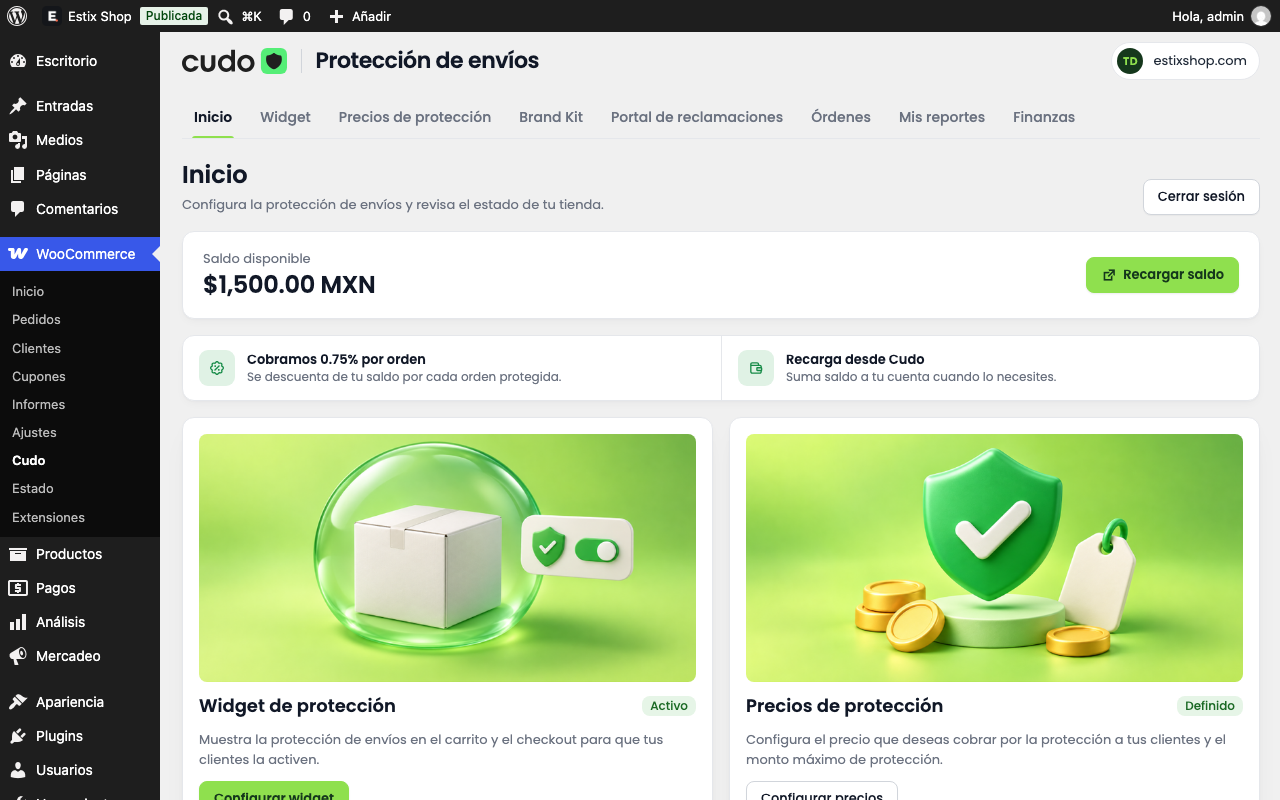
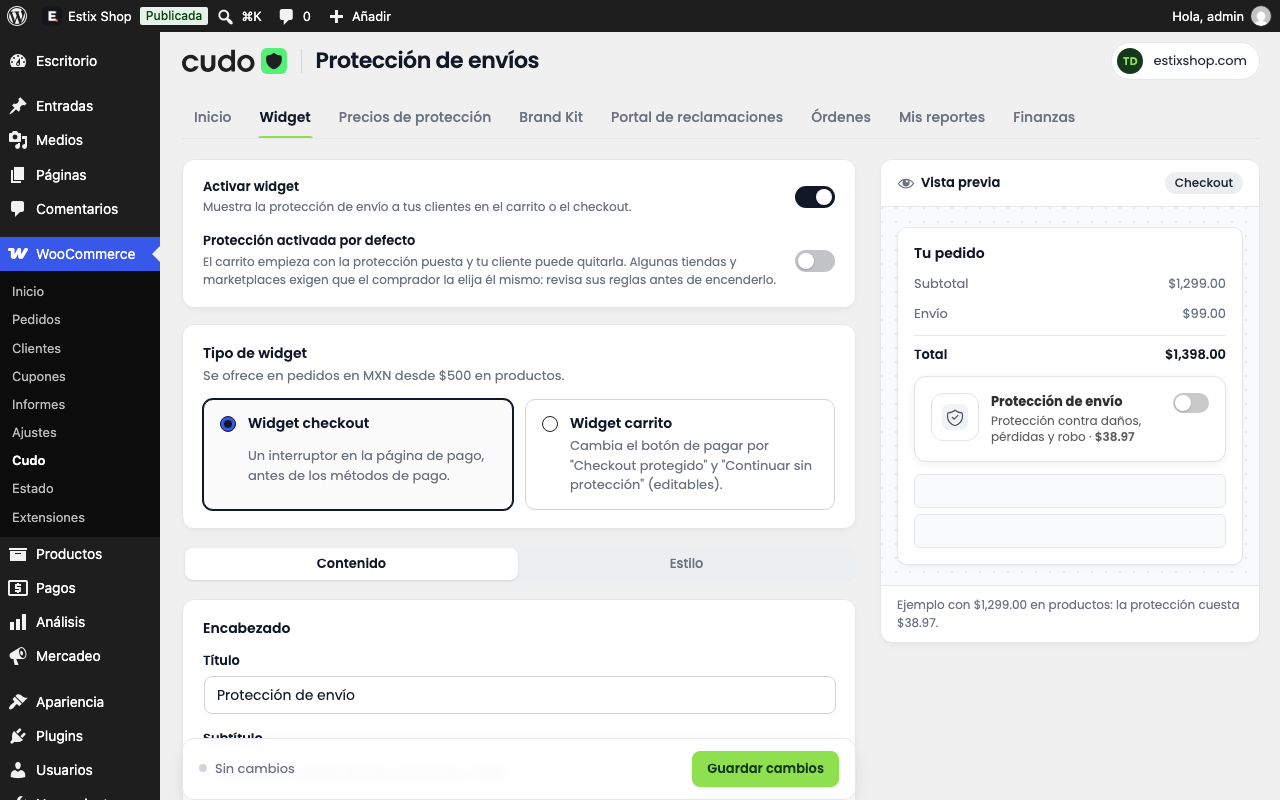
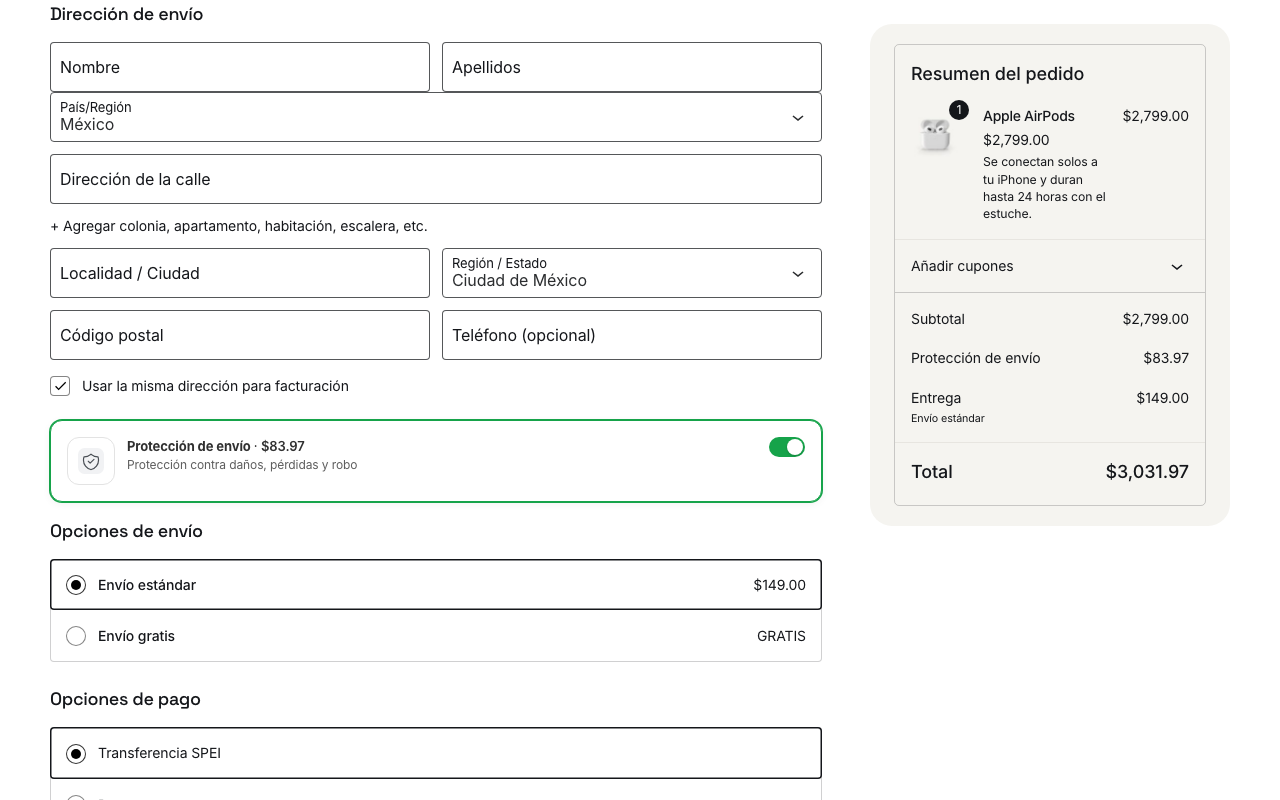
Cudo adds a shipping protection option to your cart or checkout. The customer chooses it (it is never pre-selected). If the package arrives damaged, gets lost or is stolen, the customer files a claim on your claims portal and Cudo compensates them.
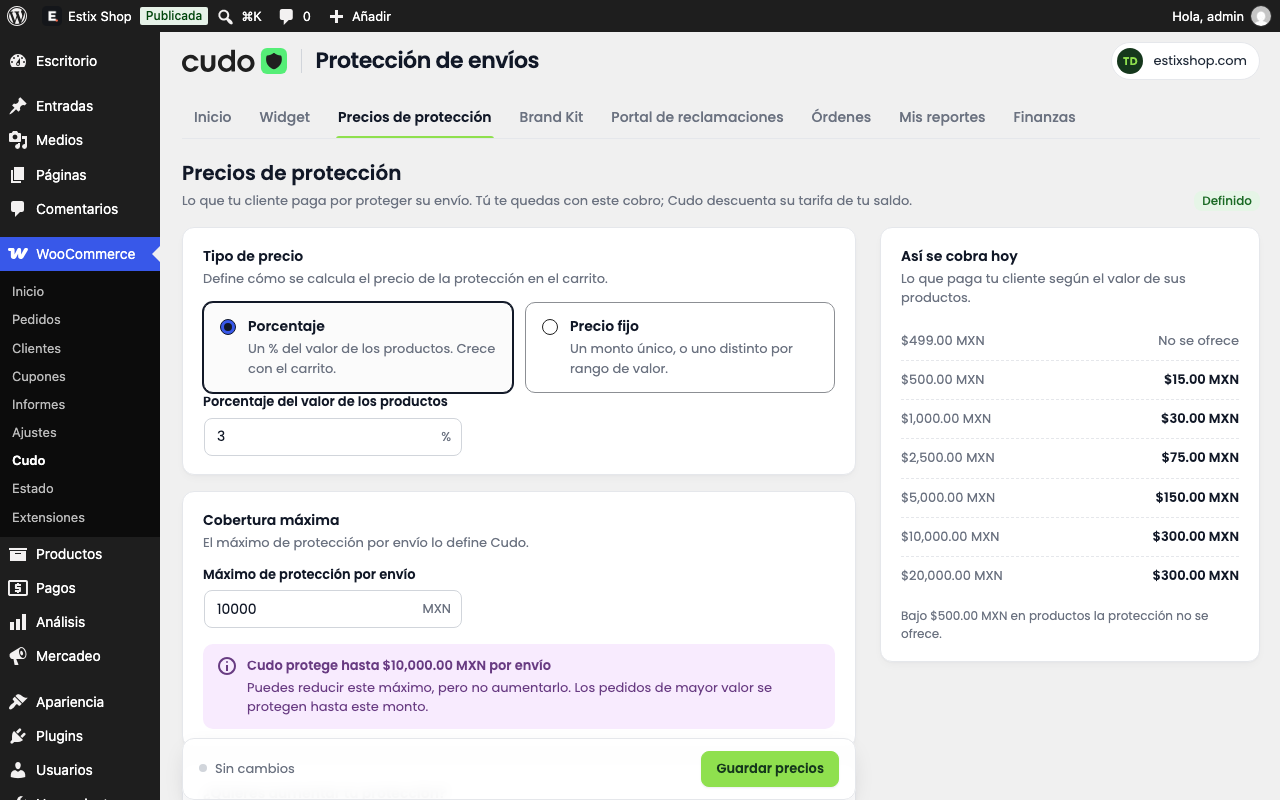
- You set the price: a percentage of the order, a fixed amount or price ranges.
- Cudo deducts a fee from your Cudo balance for every protected order.
- Works with the classic and the block-based cart and checkout.
- Orders in Mexican pesos (MXN) with at least $500 MXN in products.
The plugin’s interface is in Spanish (Mexico), the market Cudo operates in.
You need a Cudo account: https://app.cudo.lat/register
External service
This plugin connects to Cudo (https://cudo.lat), operated by SOS Soluciones Avanzadas S. de R.L. de C.V.:
- When you sign in and while you use the admin pages: your account, balance, prices, brand kit, claims portal, protections, claims and transactions.
- When a customer pays an order with protection: the order number and value, the products (name, quantity, price and image) and a SHA-256 hash of the customer’s email. The name, address, phone number and plain email are never sent.
- When you assign a tracking number or cancel the order: the tracking number or the cancellation.
- The Brand Kit and claims portal screens preview the fonts you can choose for your portal; those previews load from Google Fonts. The plugin’s own interface font (Poppins, SIL Open Font License) is bundled.
Terms and conditions: https://www.cudo.lat/terminos-y-condiciones
Privacy notice: https://www.cudo.lat/aviso-de-privacidad
Screenshots

Blocks
This plugin provides 1 block.
- Cudo · Protección de envío Interruptor para que el comprador agregue la protección de envío. Muévelo donde prefieras dentro del checkout.
Installation
- Upload the .zip under Plugins Add New Upload Plugin and activate it.
- Go to WooCommerce Cudo and sign in with your Cudo account.
- Set your prices and turn the widget on.
FAQ
-
Where do I enter the tracking number?
-
In the order, under “Número de guía (Cudo)”. If you use WooCommerce Shipment Tracking or Advanced Shipment Tracking, it is taken from there.
-
What happens if I cancel an order?
-
The protection is cancelled and Cudo refunds the fee to your balance, unless 24 hours have passed since a real tracking number was assigned.
-
Which currencies are supported?
-
Only Mexican pesos (MXN). The widget stays hidden for any other currency.
Reviews
There are no reviews for this plugin.
Contributors & Developers
“Cudo – Protección de envíos” is open source software. The following people have contributed to this plugin.
Contributors
Translate “Cudo – Protección de envíos” into your language.
Interested in development?
Browse the code, check out the SVN repository, or subscribe to the development log by RSS.
Changelog
0.1.1
- Security: the SVG cleaner for brand and portal images now also removes namespaced attributes and CSS escapes.
- The protection is no longer offered when the store is signed out of Cudo, so customers are never charged for a protection that cannot be created.
- A retry and an order status change can no longer send the same protection twice.
- A cancelled order that is reactivated is protected again.
- An unexpected response from Cudo shows a retry notice instead of breaking the admin page.
- Tested with WooCommerce 11.2.
0.1.0
- First release.