
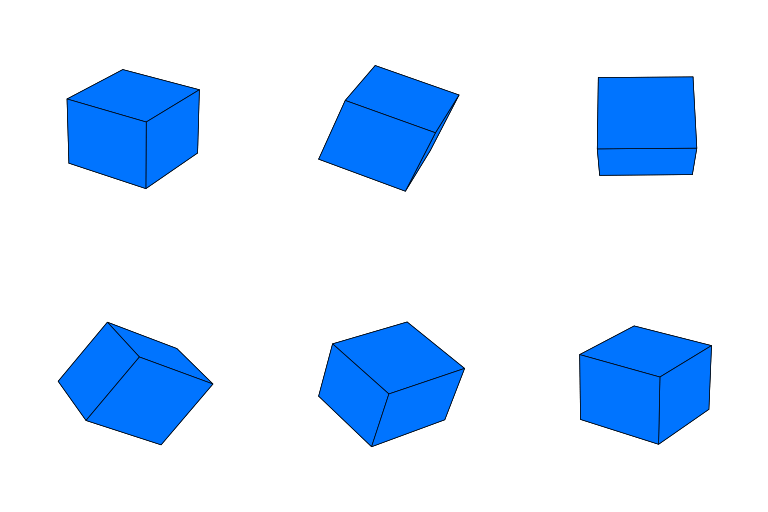
Description
Bored of static content? CubeLaunch lets you embed interactive 3D cubes and pyramids powered by WebGL—via a Gutenberg block, a shortcode, or a site‑wide “Coming Soon” overlay.
Key features
* Interactive 3D: drag to spin (X/Y) with inertia; pinch to zoom on touch devices.
* Cubes & pyramids with custom faces (images from the Media Library; built‑in 1:1 cropper).
* Gutenberg block with Small / Medium / Large presets + optional background‑color override.
* Shortcode to embed anywhere shortcodes are supported.
* Mobile‑friendly scrolling: on phones we add slim, invisible “scroll rails” around the canvas so the page still scrolls naturally even when the cube is under your thumb (side rails via CSS; top/bottom rails via a tiny JS helper). All adjustable via CSS variables.
* Coming Soon overlay (optional): a full‑page teaser with your shape, copy and a form (shortcodes/HTML).
Quick mobile tips
– Want smaller cubes on phones? Set --cl-mobile-size per instance (or change the global defaults in :root).
– Want easier scrolling near the cube? We already add invisible “rails” on phones. Tweak --cl-rail-width (sides) and --cl-rail-height (top/bottom). Set them to 0 to disable.
Note: Mobile “rails” affect embedded cubes (Block/Shortcode), not the Coming Soon overlay.
Why Choose CubeLaunch?
Whether you’re looking to create a unique product highlight, an engaging call-to-action, or simply add a touch of interactive flair to your website, CubeLaunch provides an easy-to-use solution. Its “Coming Soon” mode is perfect for building anticipation and capturing leads before your full site goes live. Ideal for portfolios, digital agencies, product launches, or any site wanting to make a memorable first impression.
CubeLaunch Pro (optional)
Unlock extras when you need them:
* Video textures for dynamic faces
* Stocks & crypto charts on faces (auto‑updating)
* Clickable face URLs to link to products or pages
* Texture rotation options
* Optional Z‑axis spin
See it in action DigiBrief.com
Basic Usage
A) Coming Soon overlay
– Admin CubeLaunch Coming Soon Settings.
– Configure the shape + faces, text, and (optionally) a signup form (shortcode or HTML).
– Enable the overlay. Visitors who aren’t logged in will see your Coming Soon page.
B) Gutenberg Block – Reusable shapes (CPT) for Posts & Pages
– Admin CubeLaunch Shapes for Pages & Posts Add New Shape Configuration.
– Choose Cube or Pyramid, set faces/background, Publish.
– In the block editor, search for and insert the “CubeLaunch Shape” block and pick your saved configuration.
– Adjust “Small / Medium / Large” in block settings.
C) Shortcodes
– On the same Shapes for Pages & Posts screen, each saved shape shows a shortcode you can paste into page builders, widgets, or classic editor.
– Example (paste literally):
[cubelaunch_shape id="123"]
-
You can add your own class for per‑instance CSS:
[cubelaunch_shape id=”123″ class=”my-promo-cube”]
Third Party Libraries
This plugin incorporates the following third-party libraries. We are grateful to their developers for making their work available.
-
glMatrix
- Source: Originally from https://cdnjs.cloudflare.com/ajax/libs/gl-matrix/2.8.1/gl-matrix-min.js (Now bundled locally in
/vendor/js/) - License: MIT License
- License URI: https://github.com/toji/gl-matrix/blob/master/LICENSE.md
- Copyright (c) 2015-2021, Brandon Jones, Colin MacKenzie IV.
- Source: Originally from https://cdnjs.cloudflare.com/ajax/libs/gl-matrix/2.8.1/gl-matrix-min.js (Now bundled locally in
-
Cropper.js
- Source: Originally from https://cdnjs.cloudflare.com/ajax/libs/cropperjs/1.5.12/cropper.min.js (Now bundled locally in
/vendor/js/) - License: MIT License
- License URI: https://github.com/fengyuanchen/cropperjs/blob/main/LICENSE
- Copyright (c) 2015-present Chen Fengyuan
- Source: Originally from https://cdnjs.cloudflare.com/ajax/libs/cropperjs/1.5.12/cropper.min.js (Now bundled locally in
Screenshots


Blocks
This plugin provides 1 block.
- CubeLaunch Shape Embeds a configured CubeLaunch 3D shape.
Installation
- Automatic: Plugins Add New search “CubeLaunch” Install Activate.
- Manual: Upload the
cubelaunch.zipvia Plugins Add New Upload Plugin.
FAQ
-
What image sizes work best for the faces?
-
Square images generally work best, especially for cube faces. For pyramid sides, the image will be masked into a triangle. We recommend images around 512×512 pixels to 1024×1024 pixels for a good balance of quality and performance. The built-in cropper helps you get a 1:1 aspect ratio.
-
How do I size cubes on mobile?
-
We ship CSS variables so you can tune sizes without
!important.Defaults (affect embedded cubes only, not Coming Soon):
:root{
  --cl-mobile-size-default: 85vw;  /* shortcodes & blocks with no preset */
  --cl-mobile-size-small:   70vw;
  --cl-mobile-size-medium:  85vw;
  --cl-mobile-size-large:   90vw;
  --cl-rail-width:          20%;   /* left/right rails (each side) */
  --cl-rail-height:         16%;   /* top/bottom rails (each edge) */
}
Change all cubes (Appearance Customize Additional CSS):
:root{
  --cl-mobile-size-default: 78vw;
  --cl-mobile-size-medium:  78vw;
}
Change just one cube (add a class, then override the var):
– Block select the block Advanced Additional CSS class(es):my-promo-cube
– Shortcode (paste literally):[cubelaunch_shape id="123" class="my-promo-cube"]-
CSS:
@media (max-width:600px){
.my-promo-cube{ –cl-mobile-size: 75vw; }
}
-
-
What are “scroll rails”? Can I disable them?
-
On small screens we add slim, invisible strips around the canvas so vertical scrolling remains easy even when your finger starts on the cube.
- Side rails (left/right) are pseudo‑elements (CSS).
- Top/bottom rails are tiny overlay elements added by a small JS helper.
Per instance:
@media (max-width:600px){
  .my-promo-cube{
    --cl-rail-width:  0;   /* disable side rails */
    --cl-rail-height: 0;   /* disable top/bottom rails */
  }
}
Shipped opt‑out classes (add to the wrapper):
–cl-rails-offturns off both
–cl-rails-x-offturns off side rails only
–cl-rails-y-offturns off top/bottom rails only -
Can I place a class on a shortcode?
-
Yes (paste literally):
[cubelaunch_shape id="123" class="homepage-hero"] -
Can developers change the defaults in PHP?
-
Use the
cubelaunch_mobile_cssfilter to alter the values we inject:add_filter( 'cubelaunch_mobile_css', function( $args ){ $args['sizes']['default'] = '82vw'; $args['sizes']['small'] = '68vw'; $args['sizes']['medium'] = '82vw'; $args['sizes']['large'] = '92vw'; $args['rail_width'] = '18%'; // side rails $args['rail_height'] = '12%'; // top/bottom rails // $args['breakpoint'] = 640; // optional // $args['enable_rails_x'] = true; // optional (side rails) // $args['enable_rails_y'] = true; // optional (top/bottom rails) return $args; }); -
Can I use videos or charts on the faces?
-
Image textures are supported in this free version. Video textures, auto-updating stock/crypto charts on faces, clickable URLs, and texture rotation are premium features available in CubeLaunch Pro.
-
How do I add a subscription form to the “Coming Soon” page?
-
In the
CubeLaunch>Coming Soon Settings, there’s a field for “Subscription Form Integration”. You can paste a shortcode from your favorite forms plugin (like Contact Form 7, Gravity Forms, WPForms) or HTML embed code from services like Mailchimp or ConvertKit. -
Is the plugin responsive?
-
Yes. Desktop sizing uses vmin presets; on small screens we switch to CSS‑variable widths (above). You can override them per instance.
-
Will CubeLaunch slow down my website?
-
No, CubeLaunch doesn’t touch your server. Each shape is rendered in the visitor’s browser with WebGL, so the only performance factors are the viewer’s device and how big the images/videos you give it are.
-
What are the browser requirements?
-
CubeLaunch uses WebGL for rendering the 3D shapes. Most modern desktop and mobile browsers support WebGL. If WebGL is not supported or disabled, a fallback message will be displayed. The admin interface requires a modern browser (no Internet Explorer 11 support).
-
Where can I get support?
-
For support with the free version of CubeLaunch, please use the support forum on the WordPress.org plugin page.
Reviews
There are no reviews for this plugin.
Contributors & Developers
“CubeLaunch” is open source software. The following people have contributed to this plugin.
Contributors
Translate “CubeLaunch” into your language.
Interested in development?
Browse the code, check out the SVN repository, or subscribe to the development log by RSS.
Changelog
1.0.3
- Update: Confirmed compatibility with WordPress 6.9.
- Security/Standards: Replaced direct $_POST access with filter_input() and improved sanitization to comply with Plugin Check.
- Standards: Prefixed global-scope variables in template and uninstall files to prevent potential conflicts.
1.0.2
- Fix: Eliminated black halo/“shadow” around PNG/WebP textures with transparency on WebGL shapes.
The fragment shader now composites the sampled texel over white using its alpha
(mix(vec3(1.0), texel.rgb, texel.a)) instead of branching onalpha == 0.0.
This prevents black-matte bleed from straight/lossy alpha during filtering/mipmapping.
1.0.1
- Fix: Elementor placeholder visibility.
1.0.0
- Initial release.