

Description
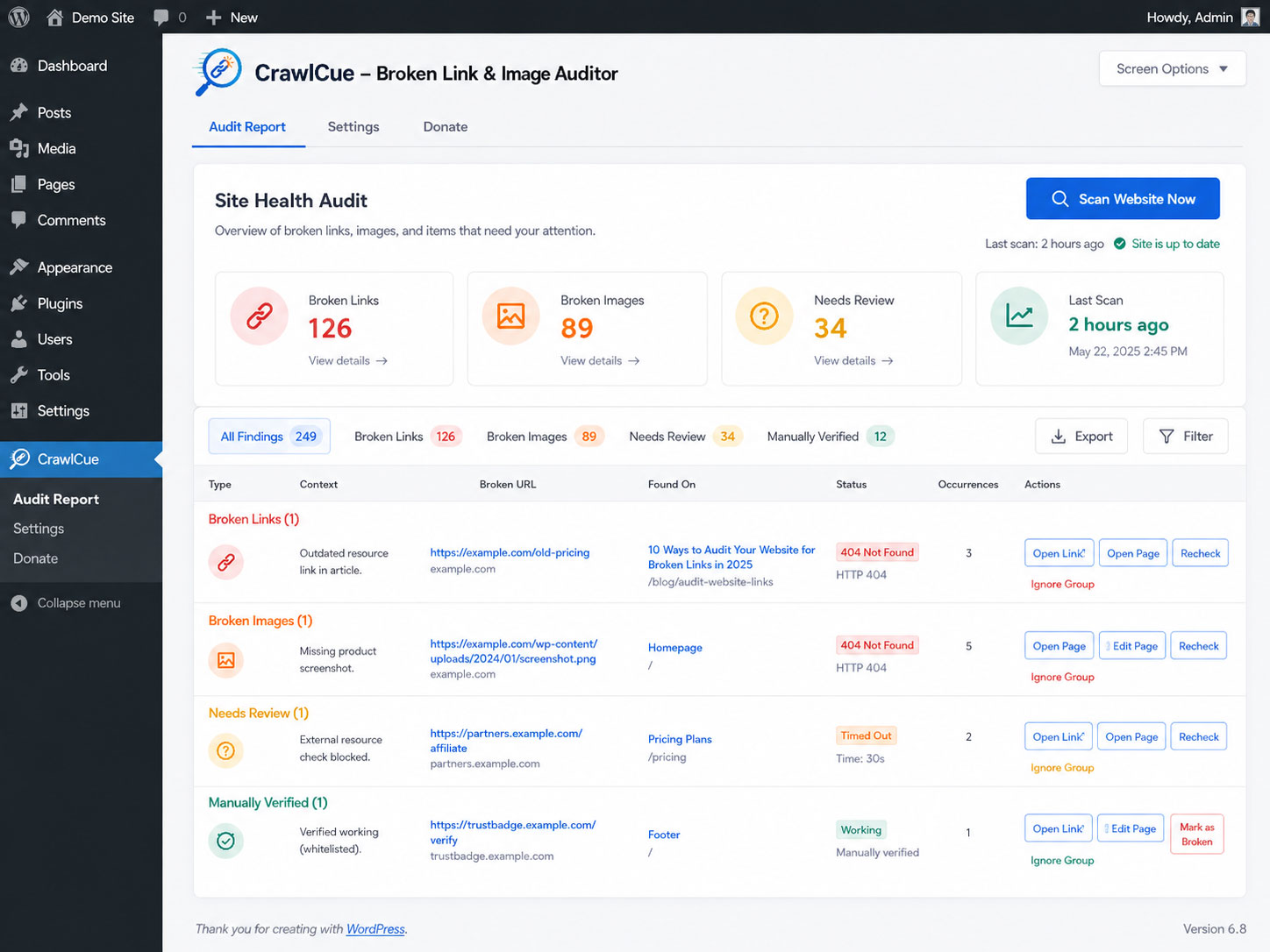
CrawlCue gives WordPress administrators a focused maintenance workflow:
- Manually crawl the rendered front end of the site.
- Discover internal pages from actual front-end links.
- Check internal and external HTTP/HTTPS links.
- Check image src and responsive srcset/source URLs.
- Cache duplicate URL checks during a scan to reduce unnecessary HTTP requests.
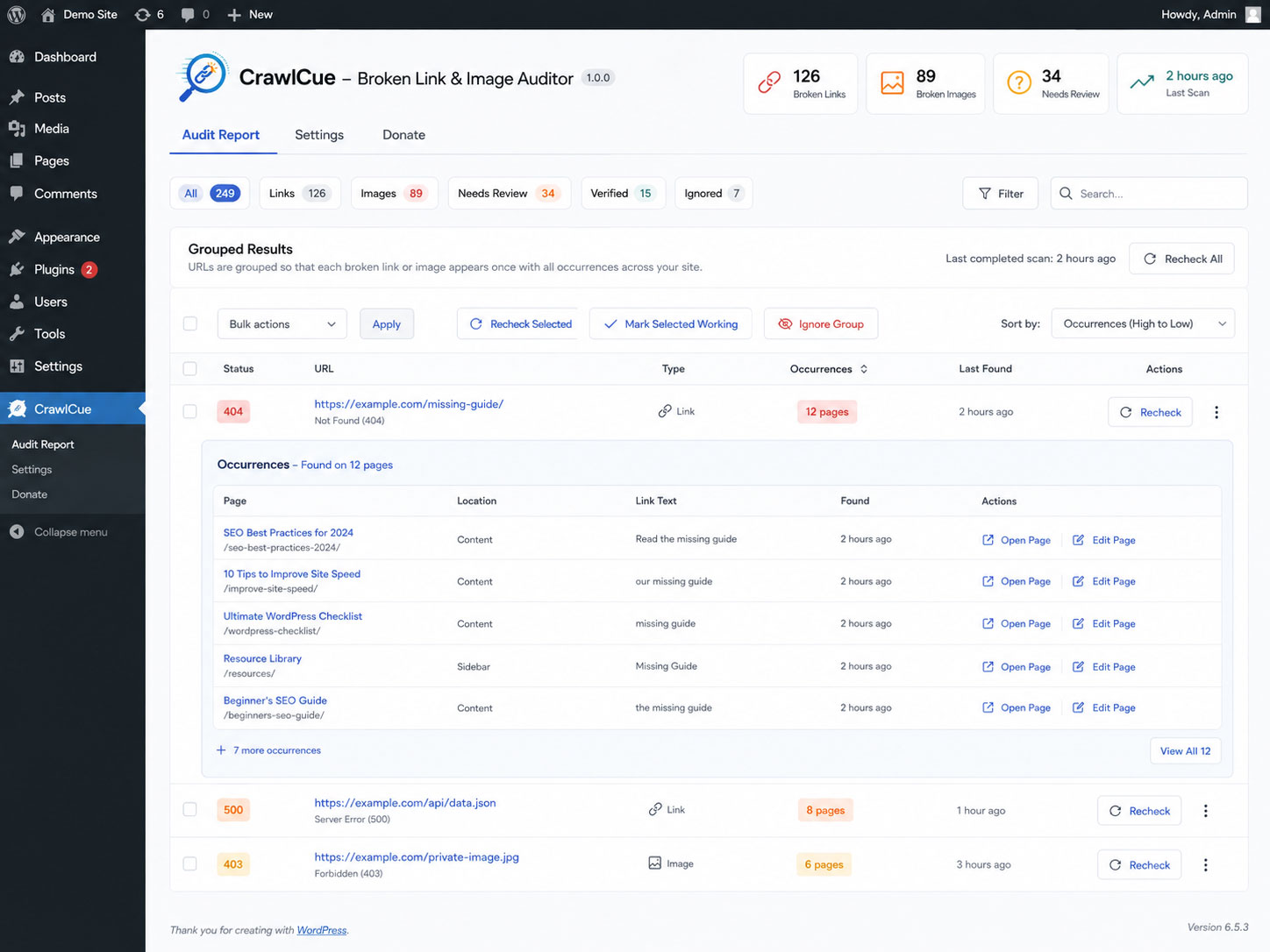
- Group repeated problem URLs so footer, menu, and template links do not flood the report; open a group to see every source page.
- Open the source page in a new tab or open the WordPress editor when available.
- Recheck a grouped result after fixing or removing it; CrawlCue checks the destination once and reloads source pages in small batches only when needed.
- Separate confirmed broken resources from URLs that automated checks could not verify because of access controls, throttling, bot protection, TLS trust differences, custom HTTP responses, or temporary server conditions.
- Sort report columns and bulk-recheck selected grouped results.
- Manually mark inconclusive URLs as working after opening them in your browser; CrawlCue remembers that verification across future scans unless strong evidence later contradicts it.
- Ignore intentional/unfixable URL groups without deleting the audit.
- Show a WordPress Dashboard widget with broken-link/image counts and the last scan time.
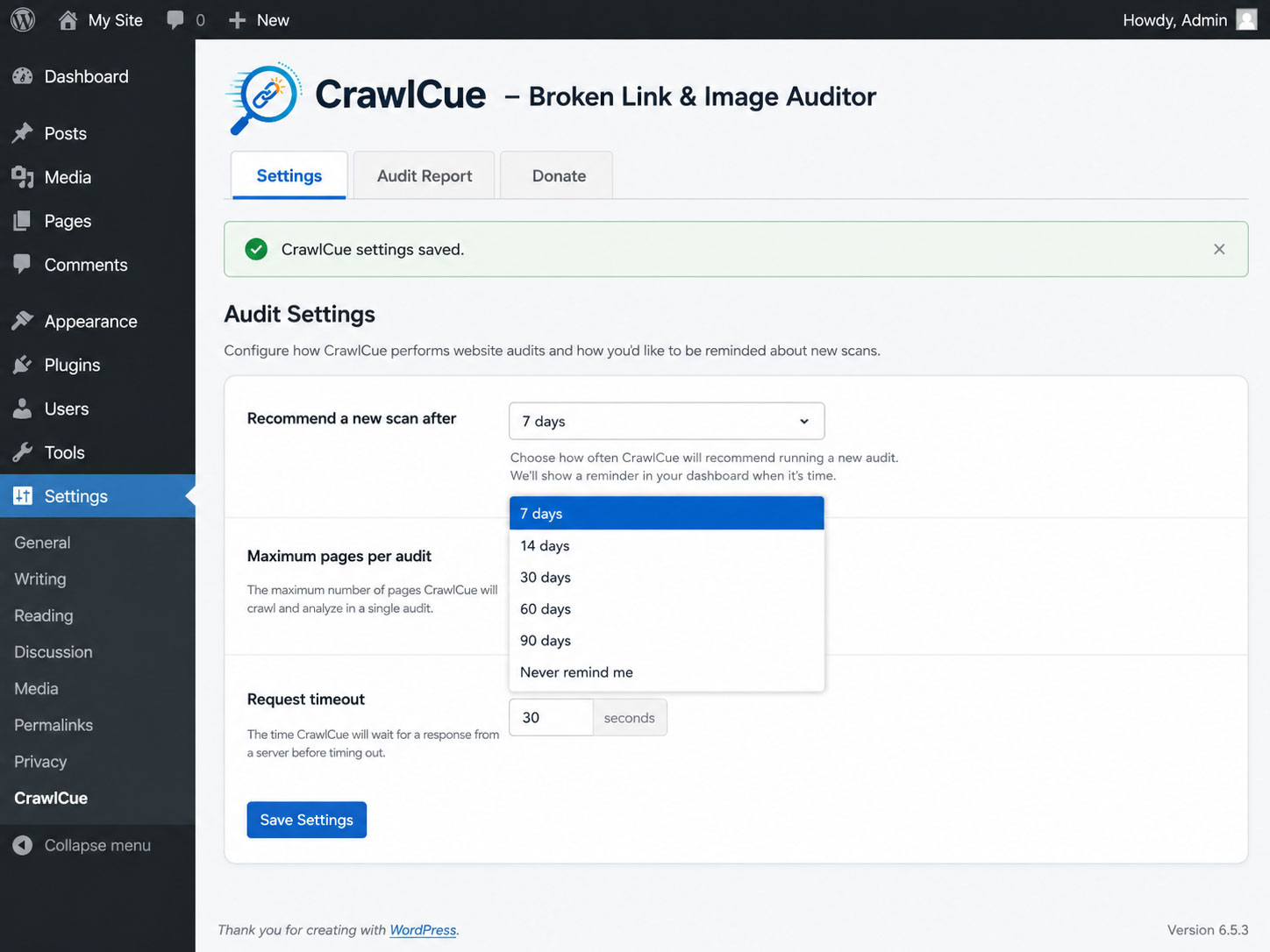
- Recommend another audit after 7, 14, 30, 60, or 90 days without scheduling anything.
- Run the scan in small administrator-initiated AJAX batches instead of one long PHP request.
CrawlCue intentionally does not use WP-Cron, require a cloud account, or send your crawl report to an external service.
Unlike simple database or status-code-only link checkers, CrawlCue scans the rendered front end and distinguishes confirmed failures from responses caused by bot blocking, rate limits, or temporary server conditions. This helps uncover more real-world link problems while reducing false positives. During an audit, the site server makes HTTP/HTTPS requests to the links and image URLs found on the site so it can verify whether they respond. Those destination servers can therefore receive normal web-request information such as the site server IP address and the plugin user-agent. The plugin does not add personal data, account data, or the site URL to its external-request user-agent.
Screenshots
Installation
- Upload the plugin folder to
/wp-content/plugins/or install the ZIP from Plugins > Add New > Upload Plugin. - Activate CrawlCue.
- Go to Tools > CrawlCue.
- Click “Scan Website Now” and keep the audit screen open while it runs.
- If the browser is closed during a scan, return to Tools > CrawlCue and click “Resume Scan”.
FAQ
-
Does the plugin use WP-Cron?
-
No. Scans only run while an administrator explicitly starts or resumes one. The “audit overdue” message is calculated from the saved last-scan timestamp when an administrator views WordPress.
-
Does it crawl Elementor output?
-
Yes. The crawler requests the rendered front-end HTML, so links and images output by Elementor, themes, menus, widgets, shortcodes, WooCommerce, and similar front-end systems can be discovered when they appear in the resulting HTML.
-
Does it check external links?
-
Yes. External URLs are checked with WordPress’s safe HTTP functions. Each unique URL is checked once per audit and that result is reused for every occurrence found on the site. A check normally uses HEAD; when HEAD is unsuccessful, CrawlCue may make one small GET fallback before classifying the URL.
-
Why is a URL listed under Needs Review even though it works in my browser?
-
Some sites, CDNs, firewalls, social networks, certificate chains, or anti-bot services respond differently to a WordPress server than they do to a visitor’s browser. CrawlCue therefore treats most non-success responses as inconclusive unless the response strongly establishes that the resource is gone. HTTP 404 and 410 are confirmed broken; responses such as 403, 429, custom/non-standard 4xx codes, 5xx codes, timeouts, DNS failures, and TLS/SSL verification failures are shown under Needs Review instead.
CrawlCue also retries a failed HEAD check with a small, browser-compatible GET request before classifying the URL, because some healthy sites do not handle HEAD requests the same way as normal page requests. The compatibility request still identifies itself as CrawlCue and does not solve JavaScript challenges, bypass CAPTCHAs, or use session-cookie tricks.
If you open an inconclusive URL yourself and confirm that it works, use Mark as Working. CrawlCue stores that manual verification separately from Ignore and remembers it on future scans when the automated check remains inconclusive. A later confirmed failure such as HTTP 404 or 410 overrides the old manual verification.
-
What happens if I remove a broken link or image instead of repairing its destination?
-
Recheck preserves that workflow. It first checks whether the representative source page still contains the saved URL. If the reference was removed, CrawlCue verifies the other grouped source pages in small batches and clears the removed occurrences. If the reference is still present, CrawlCue retests the destination once and updates the whole group.
-
Does it scan CSS background images?
-
Version 1.0 focuses on HTML image sources (
img src,srcset, andpicture/source) and hyperlinks. External stylesheets and CSS background-image crawling are not included in the first release.
Reviews
There are no reviews for this plugin.
Contributors & Developers
“CrawlCue – Broken Link & Image Auditor” is open source software. The following people have contributed to this plugin.
Contributors
Translate “CrawlCue – Broken Link & Image Auditor” into your language.
Interested in development?
Browse the code, check out the SVN repository, or subscribe to the development log by RSS.
Changelog
1.0.9
- Match the WordPress.org-assigned plugin slug for the translation text domain.
1.0.8
- Fixed the Plugin Check LIKE-wildcard error in the upgrade migration by escaping the literal prefix with
$wpdb->esc_like()and passing the wildcard pattern through$wpdb->prepare().
1.0.6
- Updated WordPress.org readme headers and short description for Plugin Check.
- Added translator comments and tightened output escaping for internationalized strings.
- Moved AJAX nonce verification directly into each request handler so automated security checks can verify it before request data is processed.
- Hardened custom-table SQL preparation and documented intentional uncached direct access to CrawlCue’s short-lived audit tables.
- Prefixed uninstall-scope variables and hardened table identifier handling.
1.0.5
- Added Mark as Working for Needs Review URLs that an administrator has opened and manually confirmed.
- Added a separate Verified report view and bulk Mark Selected Working / Undo Verification actions.
- Manual verification is persisted by resource type and URL across future scans when automated checks remain inconclusive.
- A later confirmed failure such as HTTP 404/410 overrides and removes an older manual verification.
- External fallback GET requests now use HTTP/1.1, normal browser content-negotiation headers, and a transparent browser-compatible CrawlCue user-agent to reduce simplistic bot-filter false positives without impersonating a specific browser.
- Administrator-triggered Recheck uses one extended compatibility GET with up to a 20-second timeout (bounded by the existing 30-second maximum) when the normal check remains inconclusive.
- CrawlCue still does not execute JavaScript challenges, bypass CAPTCHAs, reuse visitor cookies, or attempt to defeat access controls.
1.0.4
- Reduced false positives by retrying every unsuccessful HEAD request with a small GET request before classification.
- Confirmed Broken now focuses on strong failures such as HTTP 404/410, invalid URLs, redirect failures, and invalid image responses.
- Custom/non-standard 4xx responses such as HTTP 460, most other 4xx responses, 5xx responses, TLS/SSL verification failures, timeouts, DNS failures, and connection failures now go to Needs Review.
- Added friendlier explanations for verification warnings so server-to-server failures are not presented as proof that a visitor-facing link is broken.
- Grouped repeated URLs into one report row with an occurrence count and a View all source-pages detail view.
- Dashboard Broken/Needs Review counts now represent unique problem URLs rather than every repeated occurrence.
- Added sortable report-column headings.
- Added row checkboxes and Recheck Selected bulk processing.
- Group Recheck checks a representative source first. If a shared template/footer reference appears to have been removed, the remaining source pages are verified in small AJAX batches; otherwise the destination is checked once.
- Ignore/Unignore now applies to the entire grouped URL.
- Added an update migration that moves previously saved ambiguous HTTP/TLS results into Needs Review.
1.0.3
- Recheck now reloads the source page first, so removed or replaced broken links/images are recognized as fixed.
- Added persistent confirmation feedback when Recheck clears a repaired occurrence.
- Added a Needs Review classification for inconclusive automated checks such as HTTP 401, 403, 429, 999, timeouts, DNS failures, and temporary 5xx responses.
- HTTP 999 now receives the same limited GET fallback used for other commonly blocked HEAD requests.
- Added a Needs Review dashboard/report count, filter, amber status styling, and Open Link action for manual verification.
1.0.2
- Renamed the plugin to CrawlCue – Broken Link & Image Auditor.
- Standardized the slug, text domain, namespace, constants, hooks, options, database tables, AJAX actions, script/style handles, selectors, nonce names, and JavaScript global around the CrawlCue identity.
- Updated user-facing branding and outbound crawler user-agent.
1.0.1
- Hardened redirect handling for crawler HTTP requests.
- Sanitized all AJAX request values explicitly.
- Increased JavaScript global-name uniqueness and tightened output escaping.
- Standardized the plugin folder/main-file naming for WordPress.org packaging.
- Documented outbound link-check requests.
1.0.0
- Initial release.
- Manual batched front-end crawler.
- Broken link and image reporting.
- Dashboard health summary and last-scan reminder.
- Recheck and Ignore actions.
- No WP-Cron dependency.