

Description
Build Complete WordPress Websites—Without Leaving the Block Editor
Cozy Blocks is an all-in-one website-building toolkit for the native WordPress Block Editor. Create professional business websites, WooCommerce stores, blogs, magazines, portfolios, and service sites using advanced Gutenberg blocks, ready-made patterns, starter templates, dynamic content layouts, and conversion tools.
Build faster without moving to a separate page builder or proprietary content system.
58+ advanced blocks · 700+ ready-made patterns · 50+ starter templates · WooCommerce tools · Popup Builder · Blog and magazine layouts · Full Site Editing support
Start your way:
- Build custom layouts with flexible Gutenberg blocks.
- Insert professionally designed patterns for pages and sections.
- Import a starter template and customize it in the WordPress Site Editor.
Why Cozy Blocks?
Start with a complete starter template, insert a ready-made pattern, or create custom layouts with flexible Gutenberg blocks. Cozy Blocks brings website building, ecommerce, publishing, design, and conversion tools into the native WordPress Block Editor.
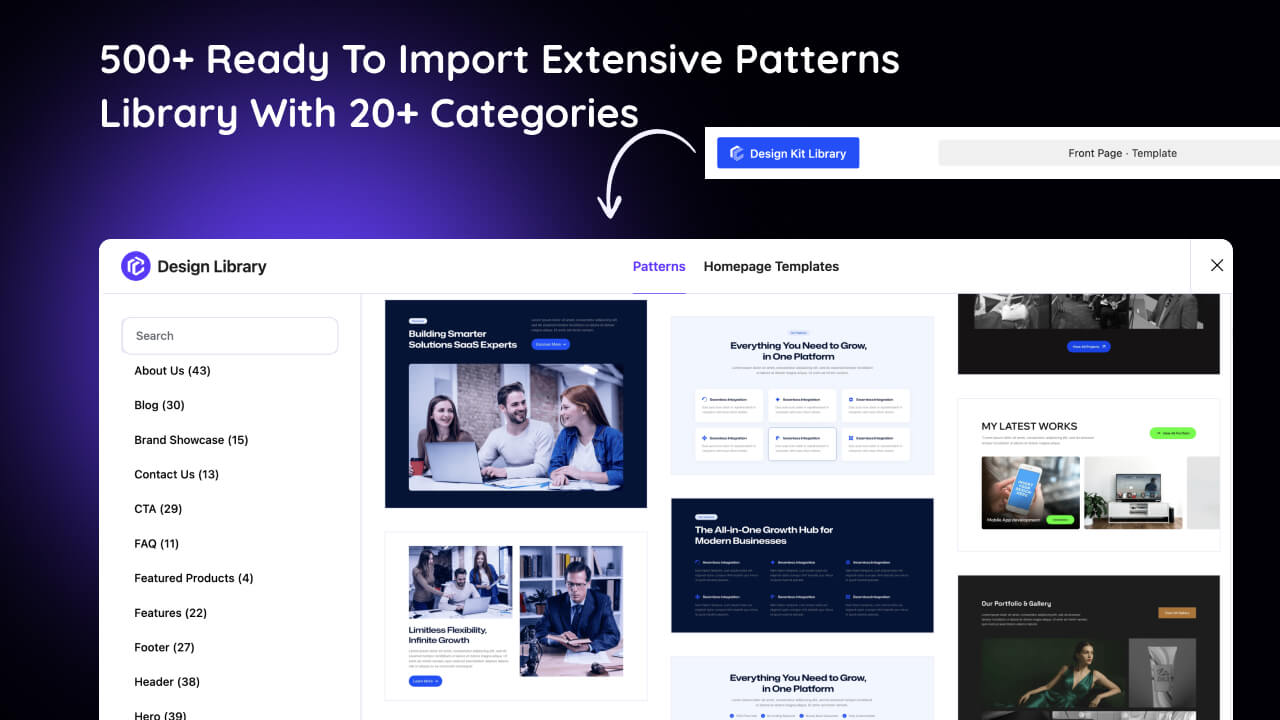
- Start faster — Choose from 700+ ready-made patterns and 50+ starter templates for business websites, services, blogs, portfolios, ecommerce stores, and more.
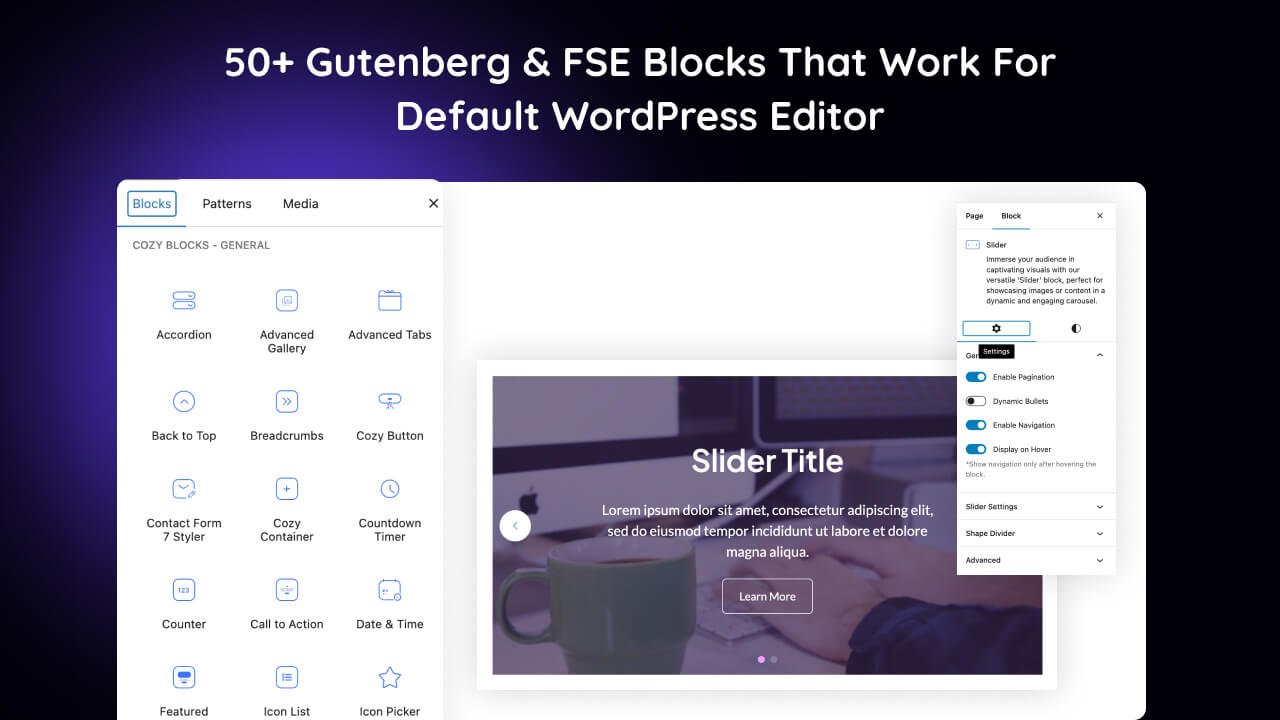
- Build with flexibility — Use 58+ Gutenberg blocks for layouts, content, marketing, navigation, publishing, and ecommerce.
- Create richer WooCommerce stores — Build product grids, carousels, categories, featured products, quick views, wishlists, reviews, and promotional store sections directly in WordPress.
- Publish better content — Create engaging blog, news, and magazine layouts with post grids, carousels, sliders, featured posts, related posts, tickers, and category-based content sections.
- Grow your audience — Add popups, slide-ins, announcement bars, calls to action, pricing tables, countdowns, testimonials, and other conversion-focused sections.
- Build dynamic websites — Display portfolios, FAQs, testimonials, posts, products, and other structured content with dedicated tools and flexible layouts.
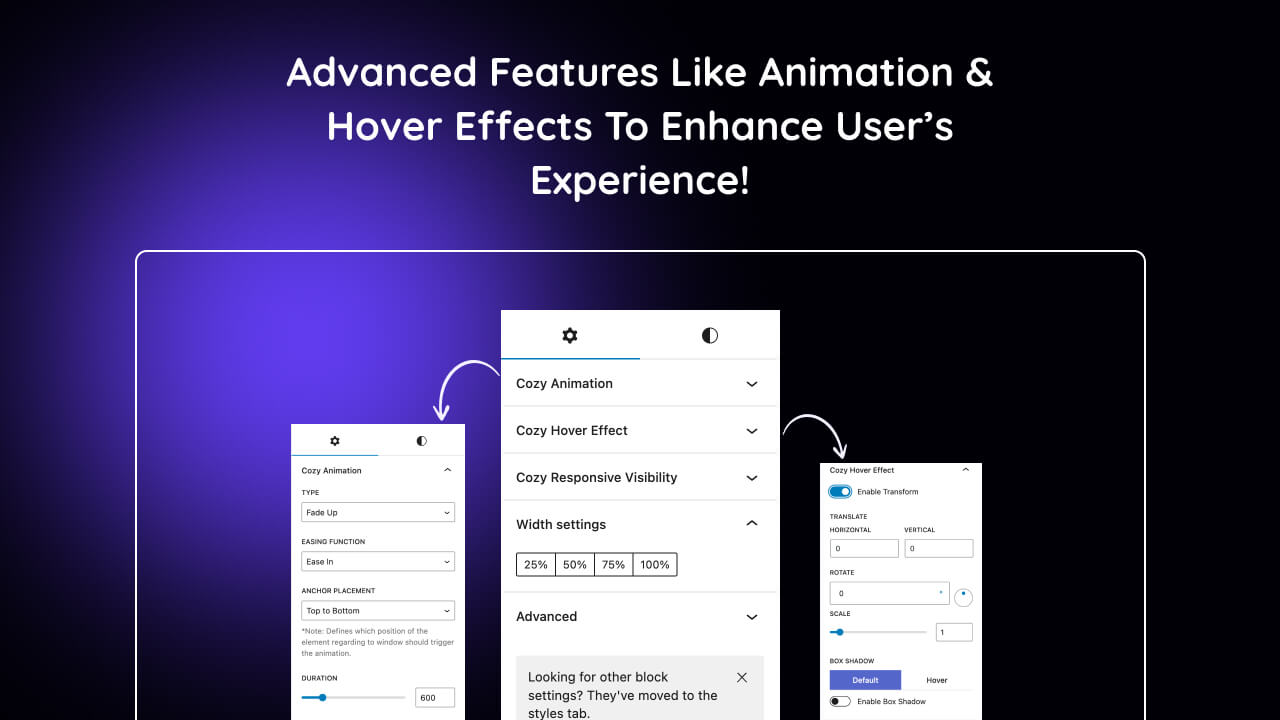
- Design with more control — Customize responsive layouts, typography, colors, spacing, animations, hover effects, and device visibility without writing custom code for common changes.
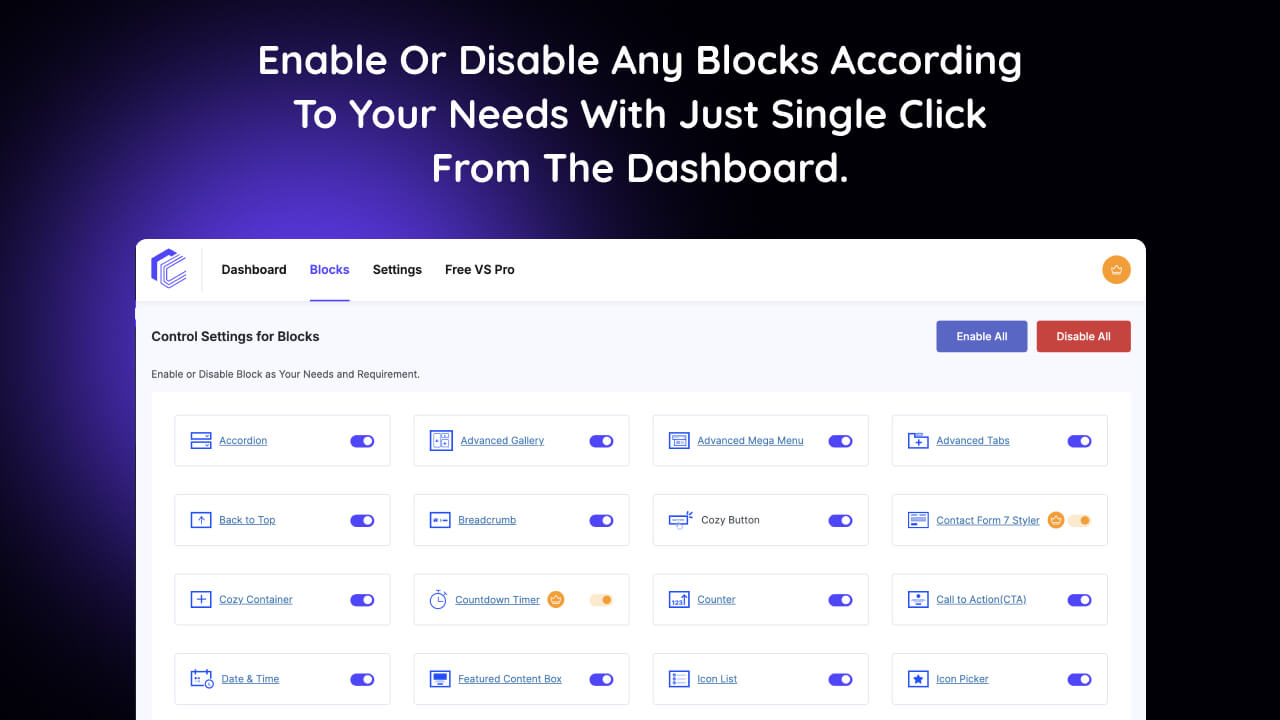
- Keep your site lean — Enable only the Cozy Blocks features and blocks you need with the Block Enable/Disable Manager.
- Stay native to WordPress — Work inside the familiar WordPress Block Editor and Site Editor without relying on a separate proprietary page-builder interface or locked-in content format.
From one section to a complete website, Cozy Blocks gives you the tools to build, customize, publish, sell, and grow with WordPress.
🛒 WooCommerce Store Builder
Create richer online stores with WooCommerce blocks.
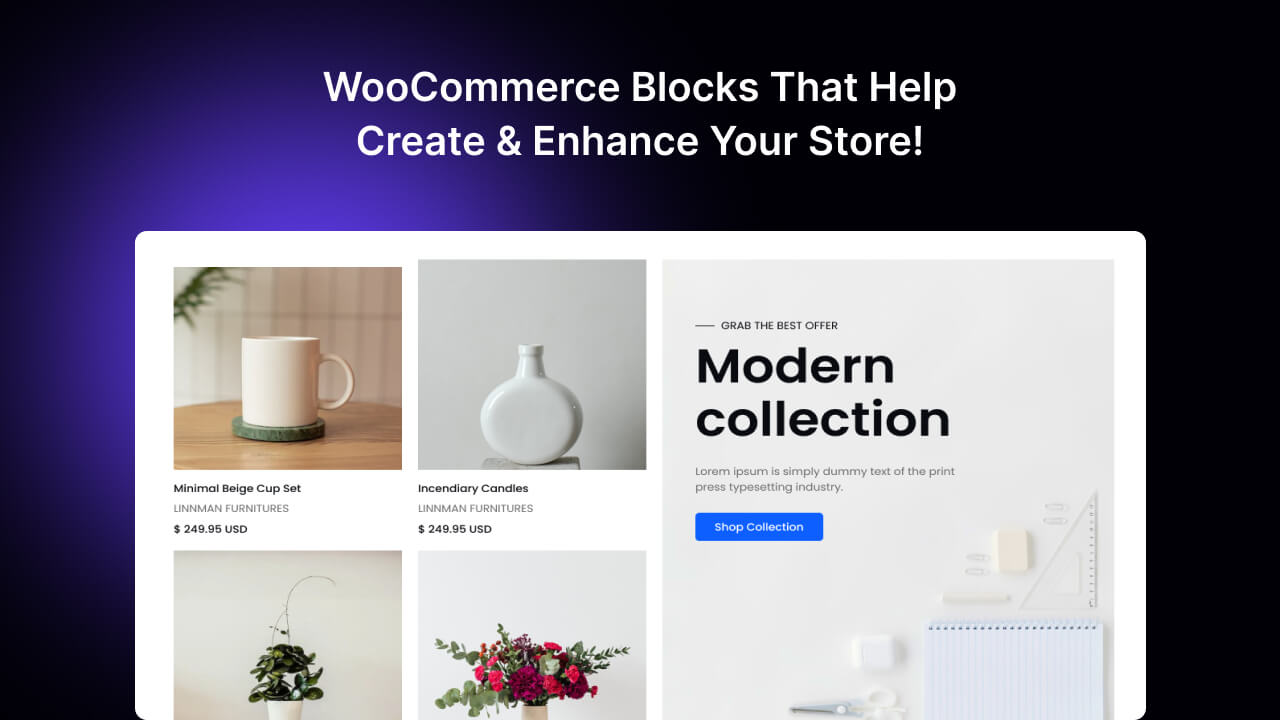
Cozy Blocks gives you the blocks and layouts to build, showcase, and customize your WooCommerce store directly in the WordPress Block Editor.
Build Your Store
Product Grid · Product Carousel · Product Slider · Featured Products · Product Categories
Enhance Shopping
Add to Cart · Product Reviews · Quick View · Wishlist · Product Showcase Tabs
From product showcases to promotional store sections, build a more flexible WooCommerce store without leaving the WordPress editing workflow.
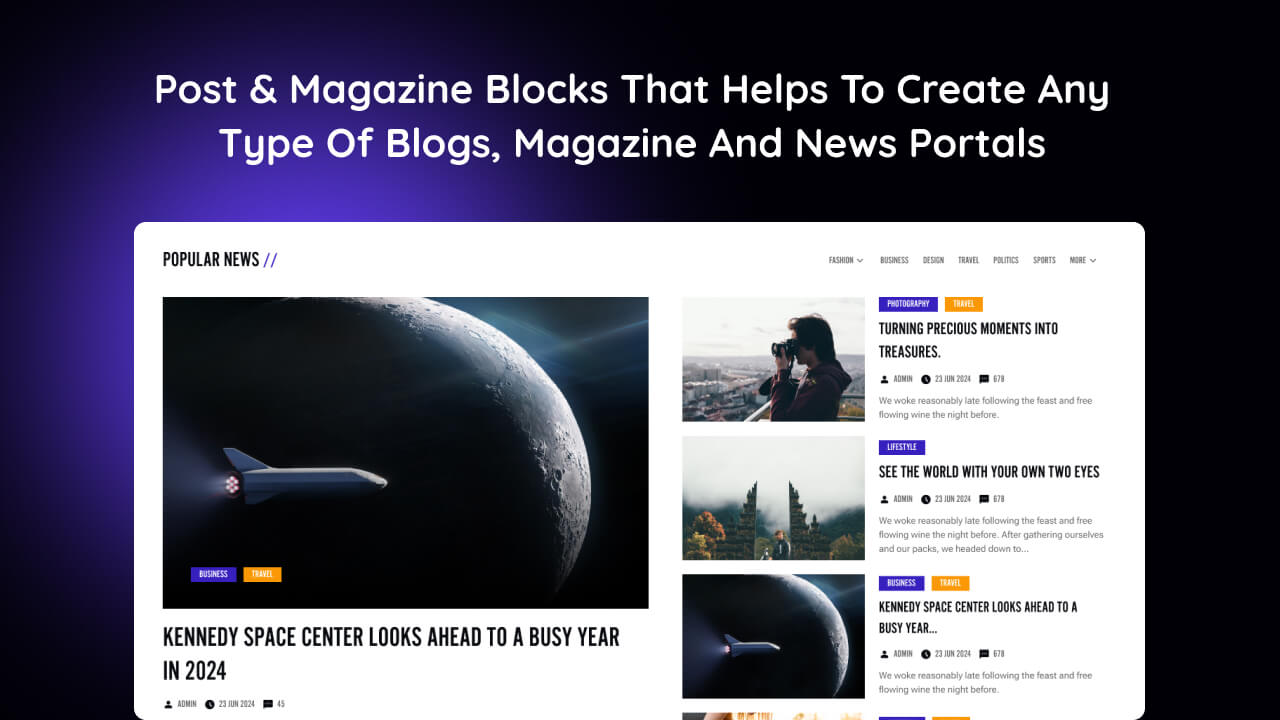
📰 Blog, News & Magazine Builder
Turn WordPress posts into engaging publishing layouts.
Cozy Blocks gives you the blocks and layouts to build rich blogs, news sites, online magazines, and content-driven websites directly with Gutenberg.
Build Editorial Layouts
Post Grid · Post Carousel · Post Slider · Featured Posts · Magazine Grid · Magazine List
Help Visitors Discover More
Trending Posts · Popular Posts · Related Posts · Categorized Post Tabs · Featured Post Tabs
Keep Stories Visible
News Ticker · Advanced Categories · Post Views · Post Comments
Go beyond a standard blog archive and create engaging, structured content experiences with WordPress blocks.
📈 Business Growth Toolkit
Build the sections that help your website communicate, build trust, and drive action.
Cozy Blocks includes practical tools for business websites and client projects.
Build Trust
Testimonials · Team · Brand Showcase · Portfolio · Reviews
Drive Action
CTA · Pricing Table · Countdown · Popup · Featured Content
Present Your Business
Services · Features · Statistics · Portfolio · FAQ · Contact
Create Better Experiences
Mega Menu · Tabs · Accordion · Sidebar Panel · Slider · Gallery · Before/After
Use the right block for the job instead of relying on a collection of basic text and image elements.
⚡ 58+ Advanced Gutenberg Blocks
Powerful blocks for real-world WordPress websites.
Build flexible layouts, engaging content, marketing sections, publishing experiences, and WooCommerce stores with a versatile collection of advanced Gutenberg blocks.
Layout & Navigation
Container · Mega Menu · Tabs · Accordion · Toggle · Sidebar Panel · Breadcrumbs
Content & Marketing
Slider · Gallery · CTA · Pricing Table · Counter · Progress Bar · Countdown · Popup
Blog & Publishing
Post Grid/Carousel · Post Slider · Featured Post · Popular Post · Trending Post · Related Post · Magazine Grid · Magazine List · News Ticker
WooCommerce
Product Grid/Carousel · Product Category · Featured Product · Product Slider · Add to Cart · Product Reviews · Quick View · Wishlist · Product Showcase Tabs
Business & Showcase
Testimonials · Team · Portfolio Gallery · Social Icons · Social Shares · Before/After
And more for building complete layouts, content sections, and interactive experiences.
🎨 700+ Ready-Made Patterns
Start with a ready-made section and make it your own.
Choose from professionally designed patterns for: Hero · About · Services · Features · Pricing · Testimonials · Team · Portfolio · Blog · FAQ · Contact · CTA · Newsletter · Statistics · Brand Showcase · WooCommerce
Insert, customize, and launch — without building every section from scratch.
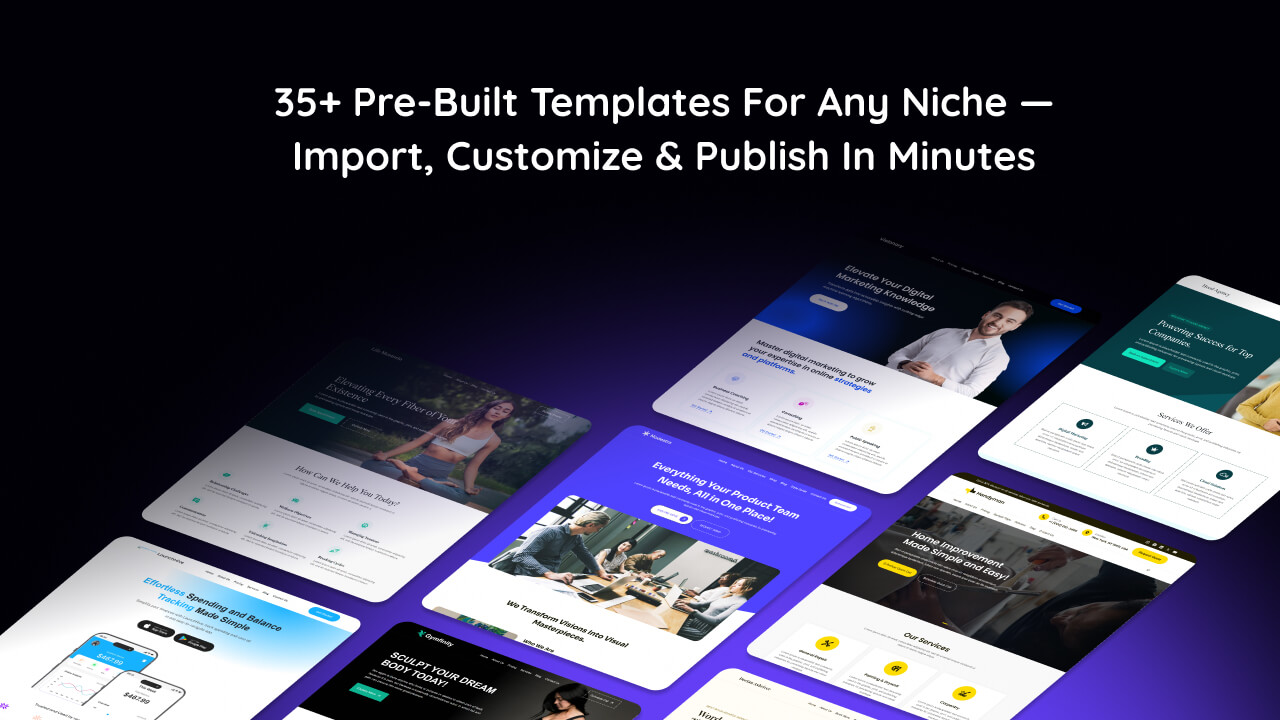
🚀 50+ Starter Templates
Start with a complete website, not a blank page.
Choose from ready-made templates for: Agency · Business · SaaS & Startup · Home Services · Blog & Magazine · Charity & Nonprofit · Education · Restaurant & Hotel · Photography · Portfolio · Author & Writer · WooCommerce
Import a complete starting point, customize the content and design, and launch with the WordPress Block Editor.
🎯 Design With More Control
Create polished layouts without custom code for every adjustment.
Cozy Blocks adds practical controls for:
- Responsive layouts and device visibility
- Typography and Google Fonts
- Colors, spacing, alignment, and styling
- Hover effects
- Scroll animations
- Interactive content
- Block-level customization
The Block Enable/Disable Manager also lets you control which Cozy Blocks features are active on your website.
🧩 More Than Blocks
Go beyond static blocks with dedicated content types for dynamic websites.
Cozy Blocks includes Portfolio, FAQ, and Testimonial custom post types with multiple layouts for flexible content presentation, plus built-in schema generation for FAQs and Testimonials.
Portfolio — Create and organize projects with a dedicated Portfolio post type and multiple layouts.
FAQs — Manage reusable FAQ content with multiple layouts and built-in FAQ schema.
Testimonials — Manage customer testimonials with multiple layouts and built-in testimonial schema.
Create structured content once, then display it dynamically across your website.
🧱 Built for the WordPress Block Editor
Native WordPress building, designed for a streamlined and efficient website.
Cozy Blocks extends the WordPress Block Editor, Gutenberg, and Full Site Editing with the tools you need to build complete websites — without replacing WordPress’s native editing system with another page builder.
Why it matters:
- Native WordPress Experience — Build and manage your website using the editor you already know.
- Flexible Website Building — Combine blocks, patterns, templates, and design controls to create layouts for any business or website type.
- Less Dependency — No separate proprietary page-builder interface or locked-in content format.
- Built to Grow With Your Website — Create, edit, and expand your website while keeping your content within the WordPress ecosystem.
Build freely, manage easily, and keep your website built on the WordPress foundation.
License
This plugin is licensed under the GPLv2 or later license. See LICENSE for more details.
Screenshots

Blocks
This plugin provides 59 blocks.
- Magazine List (Pro) Present categorized posts in clean magazine-style list layouts.
- Add to Cart Add customizable Add to Cart buttons to your product layouts.
- Slider Showcase images or content in an engaging, responsive slider.
- Product Category Showcase WooCommerce product categories in flexible layouts.
- Counter Highlight important numbers, statistics, and achievements with animated counters.
- Post Grid/Carousel Display posts in flexible grid or carousel layouts.
- Pricing Table Present pricing plans and features clearly at a glance.
- Advanced Gallery Showcase images in grid, masonry, or carousel layouts with lightbox viewing.
- Social Shares Make it easy for visitors to share your content across social networks.
- Trending Post (Pro) Showcase trending content to highlight what visitors are reading now.
- Popup Builder (Pro) Capture attention with our 'Popup Builder' block, a pop-up window designed to showcase offers and promotions, providing a compelling way to communicate with your audience.
- Scroll Animation (Pro) Create scroll-triggered animations that reveal and move content dynamically.
- Call to Action Guide visitors toward key actions with compelling CTA sections.
- Popular Post (Pro) Highlight popular posts to help visitors discover engaging content.
- Testimonials Build trust by showcasing customer testimonials in grid or carousel layouts.
- Product Grid/Carousel Showcase WooCommerce products in grid or carousel layouts.
- Advanced Categories (Pro) Showcase post categories with images in grid, list, or carousel layouts.
- Brand Showcase Display partner, client, or brand logos in grid or carousel layouts.
- Featured Product (Pro) Highlight selected WooCommerce products in grid or carousel layouts.
- Advanced Mega Menu Create powerful multi-column menus with rich content layouts, featured links, and more for easier navigation.
- Progress Bar Visualize progress, skills, statistics, or completion levels with flexible indicators.
- Quick View (Pro) Let shoppers preview product details without leaving the current page.
- Related Post (Pro) Recommend relevant posts to keep visitors exploring your content.
- Cozy Container Create flexible content sections with animation and customization options.
- Date & Time Display the current date and time anywhere on your site.
- Countdown Timer (Pro) Create urgency with customizable countdown timers for offers and events.
- Icon List Create visually engaging lists with customizable icons.
- Products Showcase Tabs (Pro) Organize WooCommerce products into easy-to-browse category tabs.
- Icon Picker Choose and add icons easily to enhance your content and layouts.
- Contact Form 7 Styler (Pro) Style Contact Form 7 forms to match your website design.
- Cozy Button Create stylish, customizable buttons for important actions.
- Portfolio Gallery Meta Retrieve portfolio gallery metadata for dynamic content displays.
- Featured Products Tab (Pro) Showcase selected products in organized, interactive tabs.
- Breadcrumbs Help visitors navigate your site with clear breadcrumb trails.
- Magazine Grid (Pro) Create engaging magazine-style layouts for categorized content.
- Categorized Post Tabs (Pro) Organize and showcase posts by category in interactive tabs.
- Toggle Content (Pro) Let visitors switch between content sections with interactive toggles.
- Product Slider (Pro) Showcase WooCommerce products in an engaging sliding layout.
- Advertisement Display ads using custom scripts or clickable image banners.
- Back to Top Give visitors a quick way to return to the top of the page.
- All Product Reviews Display WooCommerce reviews in flexible list, grid, or carousel layouts.
- Teams Showcase team members in polished grid or carousel layouts.
- Wishlist (Pro) Let shoppers save favorite products for quick access later.
- Featured Content Box Highlight important content with customizable feature boxes.
- Advanced Tabs Organize content into clean, interactive tabbed sections.
- Post Views (Pro) Display post view counts to highlight audience engagement.
- Before/After Image (Pro) Compare two images interactively with a smooth before-and-after slider.
- News Ticker (Pro) Display headlines in a dynamic scrolling news ticker.
- Featured Post Tabs (Pro) Showcase latest, popular, trending, and other featured posts in tabs.
- Sidebar Panel Add a flexible sidebar drawer for menus, posts, and custom content.
- Post Comments (Pro) Add and display post comments to encourage visitor discussions.
- Post Slider (Pro) Showcase posts in an engaging, interactive carousel.
- Social Icons Connect visitors to your social media profiles with ease.
- Portfolio Gallery Showcase projects and creative work in stunning gallery layouts.
- Accordion Organize FAQs and content in clean, expandable sections.
- Featured Post (Pro) Highlight selected posts in grid, list, or carousel layouts.
- Slide
- Grid Item
- Carousel Item
Installation
DIRECT FROM THE DASHBOARD
- Go to Dashboard > Plugins > Add New
- Search for “Cozy Blocks”
- Now Install and Activate the Plugin
DOWNLOAD & UPLOAD MANUALLY
- Go to https://wordpress.org/plugins/ and Search for “Cozy Blocks” and download file.
- Extract File and placed it to the “/wp-content/plugins/” directory.
- Activate the plugin through the “Plugins” menu in WordPress.
Watch our step-by-step tutorial on installing Cozy Blocks!
FAQ
-
What is Cozy Blocks?
-
Cozy Blocks is a complete website builder and business growth toolkit for the WordPress Block Editor (Gutenberg). It combines advanced blocks, patterns, starter templates, WooCommerce tools, Popup Builder, and conversion-focused features to help you build and grow your WordPress website.
-
Does Cozy Blocks need another page builder?
-
No. Cozy Blocks is built on the native WordPress Block Editor, so you don’t need Elementor, Divi, or another page builder. You can create and customize your website using WordPress blocks, patterns, templates, and the Site Editor.
-
Who is Cozy Blocks for?
-
Beyond standard content and design blocks, Cozy Blocks provides tools for features such as popups, FAQs, testimonials, portfolios, post and content layouts, and other website-building needs. This makes it more than a collection of individual Gutenberg blocks.
-
Do I need a CozyThemes’ theme to use Cozy Blocks?
-
No. Cozy Blocks can be used with compatible WordPress themes. CozyThemes block themes are designed to work closely with Cozy Blocks and provide an integrated experience, especially for Full Site Editing.
-
What is the difference between Blocks, Patterns, and Starter Templates?
-
Blocks are individual website elements you can add to your pages. Patterns are pre-designed sections made from multiple blocks. Starter Templates provide larger pre-designed website layouts that give you a ready-made starting point for a complete website. You can use any of them independently or combine them to build your site.
-
Can I build a complete website with Cozy Blocks?
-
Yes. Cozy Blocks provides blocks, patterns, starter templates, and website-building tools for creating complete websites. You can build business, agency, SaaS, service, portfolio, education, blog, magazine, and other types of websites without starting everything from scratch.
-
Can I use Cozy Blocks for WooCommerce stores?
-
Yes. Cozy Blocks includes WooCommerce-focused blocks and tools that help you create and customize online store layouts directly in the WordPress Block Editor. You can use them to showcase products and build richer WooCommerce pages and sections.
-
Can I use Cozy Blocks with the WordPress Site Editor and Full Site Editing?
-
Yes. Cozy Blocks is built for the WordPress Block Editor and works with modern block themes and the Site Editor. With a compatible block theme, you can customize your site’s templates, headers, footers, template parts, and other site-wide areas while using Cozy Blocks to extend your design and content-building options.
-
Can I customize Cozy Blocks without coding?
-
Yes. Cozy Blocks provides visual controls for typography, colors, spacing, alignment, responsive settings, hover effects, animations, and other design options, allowing you to customize layouts directly in WordPress without writing code for common design changes.
-
Is Cozy Blocks free, and what does Pro include?
-
Yes. The free version provides core Cozy Blocks functionality, including a selection of blocks, patterns, starter templates, and website-building features. Pro adds premium blocks, additional patterns and templates, and advanced features for users who need more functionality and flexibility.
-
Where can I get support or ask questions?
-
You can get support for Cozy Blocks via the support forum. You can also ask pre-sale questions, or request features through the official support channels provided by CozyThemes, the plugin’s developer.
-
Where do I report security bugs?
-
You can report any security bugs found in the source code of this plugin through the Patchstack Vulnerability Disclosure Program. The Patchstack team will assist you with verification, CVE assignment and take care of notifying the developers of this plugin.
Reviews


Contributors & Developers
“Cozy Blocks – Website Builder for WordPress Block Editor | Gutenberg Blocks, Patterns & Templates” is open source software. The following people have contributed to this plugin.
Contributors
“Cozy Blocks – Website Builder for WordPress Block Editor | Gutenberg Blocks, Patterns & Templates” has been translated into 2 locales. Thank you to the translators for their contributions.
Interested in development?
Browse the code, check out the SVN repository, or subscribe to the development log by RSS.
Changelog
2.2.25 – Sep 28, 2026
- Update: Dashboard access.
2.2.24 – Sep 24, 2026
- Add: Home service starter template.
- Update: Minor block improvements.
- Update: Security patch for ‘Wishlist’ block.