

Description
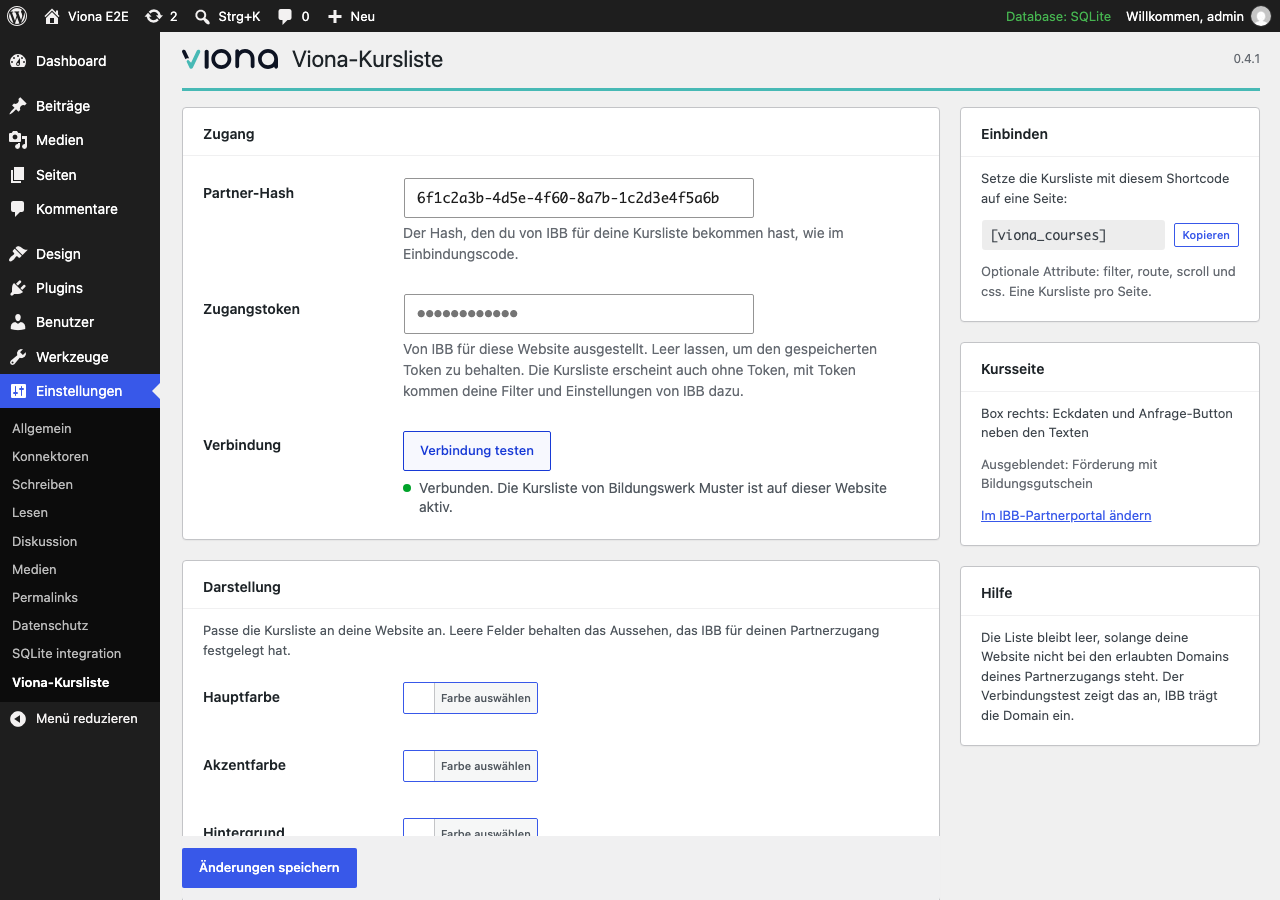
IBB partners show their courses on their own website with the Viona course list. This plugin replaces the copied embed code with a settings page, a block, an Elementor widget and a shortcode.
Viona is a service and a brand of IBB Institut für Berufliche Bildung AG. zirkel.design develops this plugin with IBB’s permission; you need a partner account with IBB to use it.
Features
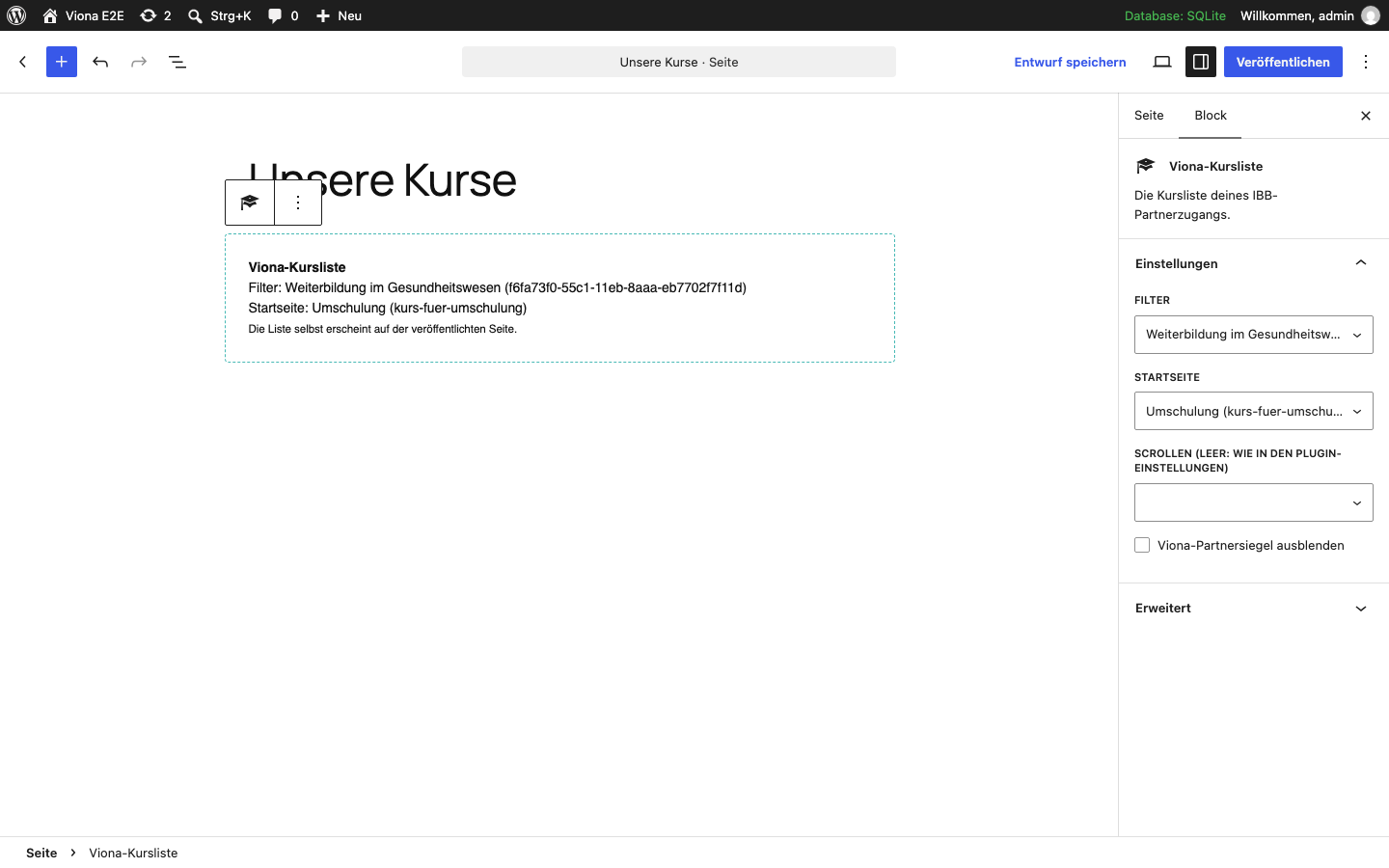
- Block “Viona course list” (WordPress 7.0 or later) with selects for your filters and the start page, filled from your IBB partner account, plus scrolling and, where IBB shows it, hiding the Viona partner seal
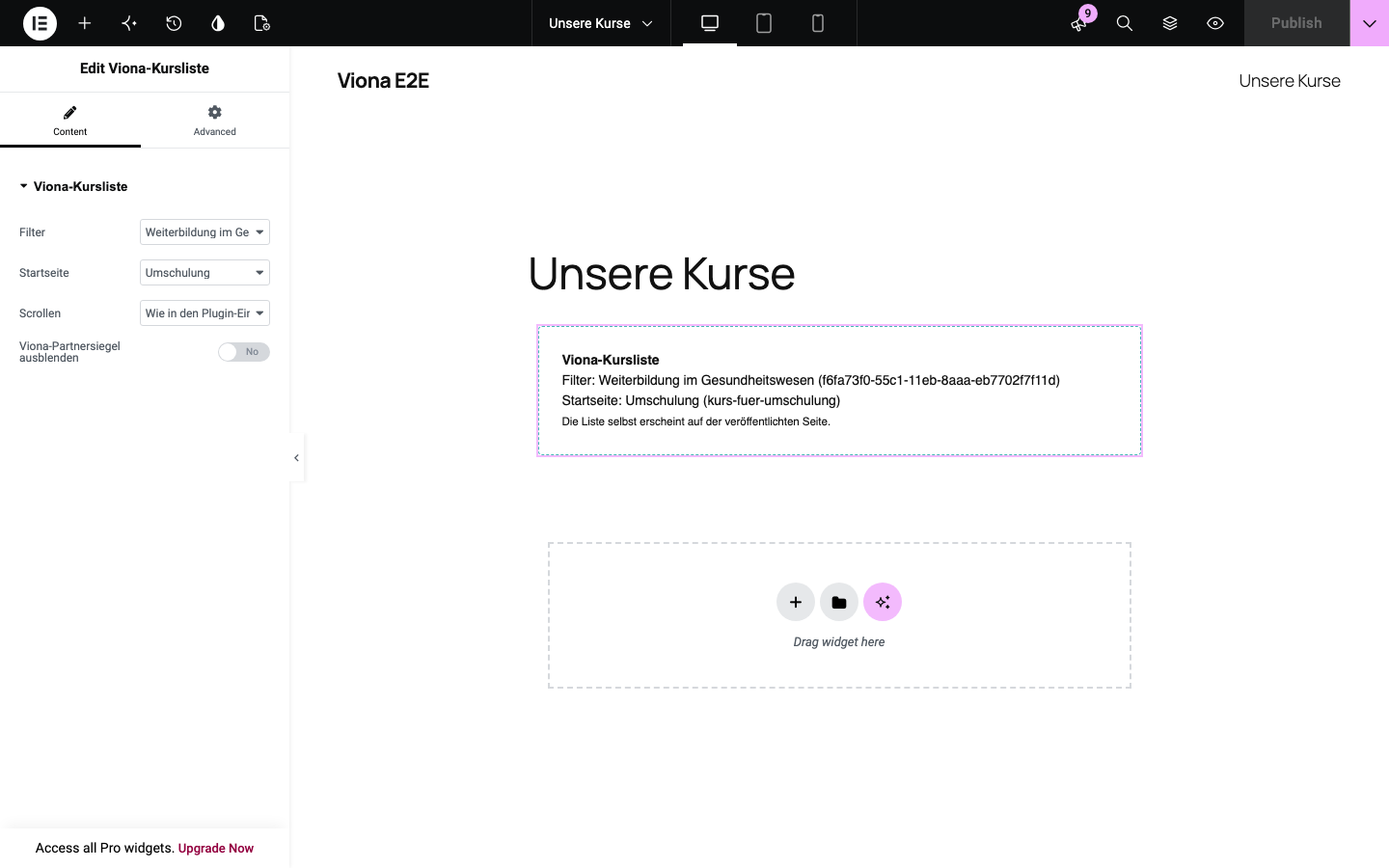
- Elementor widget “Viona course list” with the same selects as the block
- Shortcode
[viona_courses]with the optional attributesfilter,route,scroll,seal="false"andcss - Colours, corner radius and font of the list as settings, no CSS needed
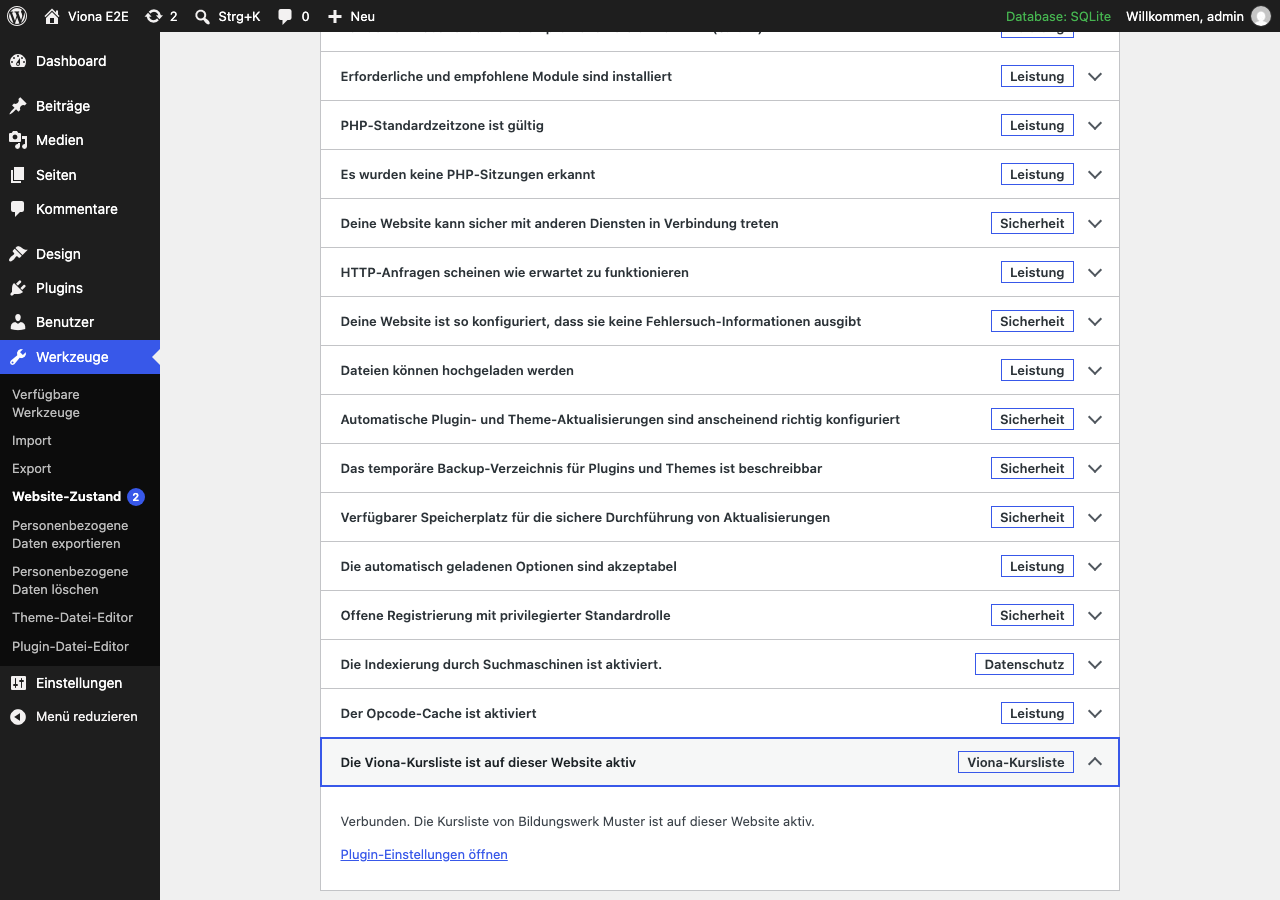
- Connection test that tells you when your website is not yet among the allowed domains, also under Tools Site Health
- Shows the course page layout you chose in the IBB partner portal, where IBB offers it
- Real addresses for every course and category below the page with the list, once IBB confirmed that page
- Takes over the settings of the older IBB VUC plugin; once you deactivate that plugin, its shortcodes
[ibb_vuc]and[vuc]keep working - Sets no cookies and tracks nothing on its own
External services
This plugin embeds the Viona course list, a service of IBB.
- In the visitor’s browser, the page loads the course list from the Viona whitelabel host (vuc.ibb.com by default): a script and the list itself in an iframe. The host receives the visitor’s IP address, browser details and the address of the page, as with any embedded content.
- From your website’s server, with an access token saved: on the settings page, in the block editor, for the connection test and once a day, the plugin asks the Viona embed API on the same host for the status of your access, your filters and list pages. It sends the access token, your website’s host name and the plugin version. It receives the name of your partner account, whether the list is active, whether your website is among the allowed domains, your filters and list pages, and the confirmed address for course URLs.
- When you choose the page for course URLs, the plugin sends that page’s path (e.g.
/courses/) to the Viona embed API, for IBB to confirm.
Terms: https://www.ibb.com/impressum
Privacy policy: https://www.ibb.com/datenschutz
Screenshots
Installation
- Upload the
course-embed-for-vionafolder to/wp-content/plugins/and activate the plugin. - Open Settings Viona course list and enter the partner hash from IBB.
- Optionally enter the access token IBB issued for your website and run the connection test.
- Add the block “Viona course list” or the shortcode
[viona_courses]to the page that should show the courses.
The access token can also be set in wp-config.php:
define('VIONA_EMBED_TOKEN', 'viona_...');
FAQ
-
Do I need an access token?
-
No. The course list shows with the partner hash alone. The token lets the plugin check the connection and offer your filters and list pages in the block.
-
The list stays empty. Why?
-
Browsers only show the list on websites IBB has allowed for your partner account. Run the connection test on the settings page; it tells you if your website is missing.
-
Can I set the values in code?
-
Yes. The filter
viona_embed_settingsreceives the saved settings and may change them, for example to read the partner hash from an environment variable. The settings page shows which values come from code. -
How do the course URLs work?
-
Course URLs are a feature IBB releases for each partner account; the settings show them once IBB did. Choose the page with the list under Settings Viona course list Course URLs. The plugin proposes its address to IBB; once IBB confirmed it, every course and category opens at its own address below that page, e.g.
/courses/course-for-x/123-title/, instead of/courses/#/.... Old links with#keep working and are rewritten. IBB decides whether search engines may index these addresses; if not, they carrynoindexand point to the page with the list as canonical, for WordPress, Rank Math and Yoast SEO. The filterviona_embed_rewrite_rulesreceives the rewrite rules for the page and may change them. Pretty permalinks are required. -
Does it work with Elementor?
-
Yes. Add the widget “Viona course list” and choose the filter and start page; with an access token saved, the selects list those of your partner account. The editor shows a placeholder, the list itself shows on the published page. The shortcode works in Elementor’s Shortcode and Text Editor widgets as well.
-
The plugin sets no cookies. Whether visitors must agree before the list loads is up to your privacy policy; the list is a service of IBB. The list’s frame is built in the browser by the Viona script, so content blockers that look for iframes in the page’s HTML (e.g. Borlabs Cookie, Real Cookie Banner) do not see one. If your banner blocks scripts from unknown hosts, allow the Viona host (vuc.ibb.com by default). Caching and optimisation plugins may combine or delay scripts: if the list stays empty, exclude
iframe_parent.min.jsand the inline script withCourseFrameObjectfrom delaying and combining. -
Can I show two lists on one page?
-
No, one list per page. Use one page per topic instead, each with its own filter.
Reviews
There are no reviews for this plugin.
Contributors & Developers
“Course Embed for Viona” is open source software. The following people have contributed to this plugin.
Contributors

Translate “Course Embed for Viona” into your language.
Interested in development?
Browse the code, check out the SVN repository, or subscribe to the development log by RSS.
Changelog
0.3.3
- Changed: the older IBB VUC plugin is no longer deactivated on activation; a notice asks you to deactivate it
- Changed: the Viona server is set only in the settings, no longer in a shortcode
- Changed: course URLs below the chosen page open the page as soon as you choose it; the list uses them once IBB confirmed the page
0.3.2
- Changed: package details tidied up
0.3.1
- Changed: the description names IBB as the provider of Viona
0.3.0
- Added: Elementor widget with selects for filter and start page, scrolling and the partner seal
- Added: check under Tools Site Health whether the list shows on your website
- Added: the course page layout chosen in the IBB partner portal shows in the settings
0.2.0
- Changed: new name, Course Embed for Viona
- Added: notes for Elementor, cookie banners and caching plugins
0.1.0
- First version: block, shortcode, settings, connection test, takeover of the IBB VUC plugin
- Added: real course URLs below the page with the list, once IBB confirmed it
- Added: scrolling and hiding the Viona partner seal in the block