
Description
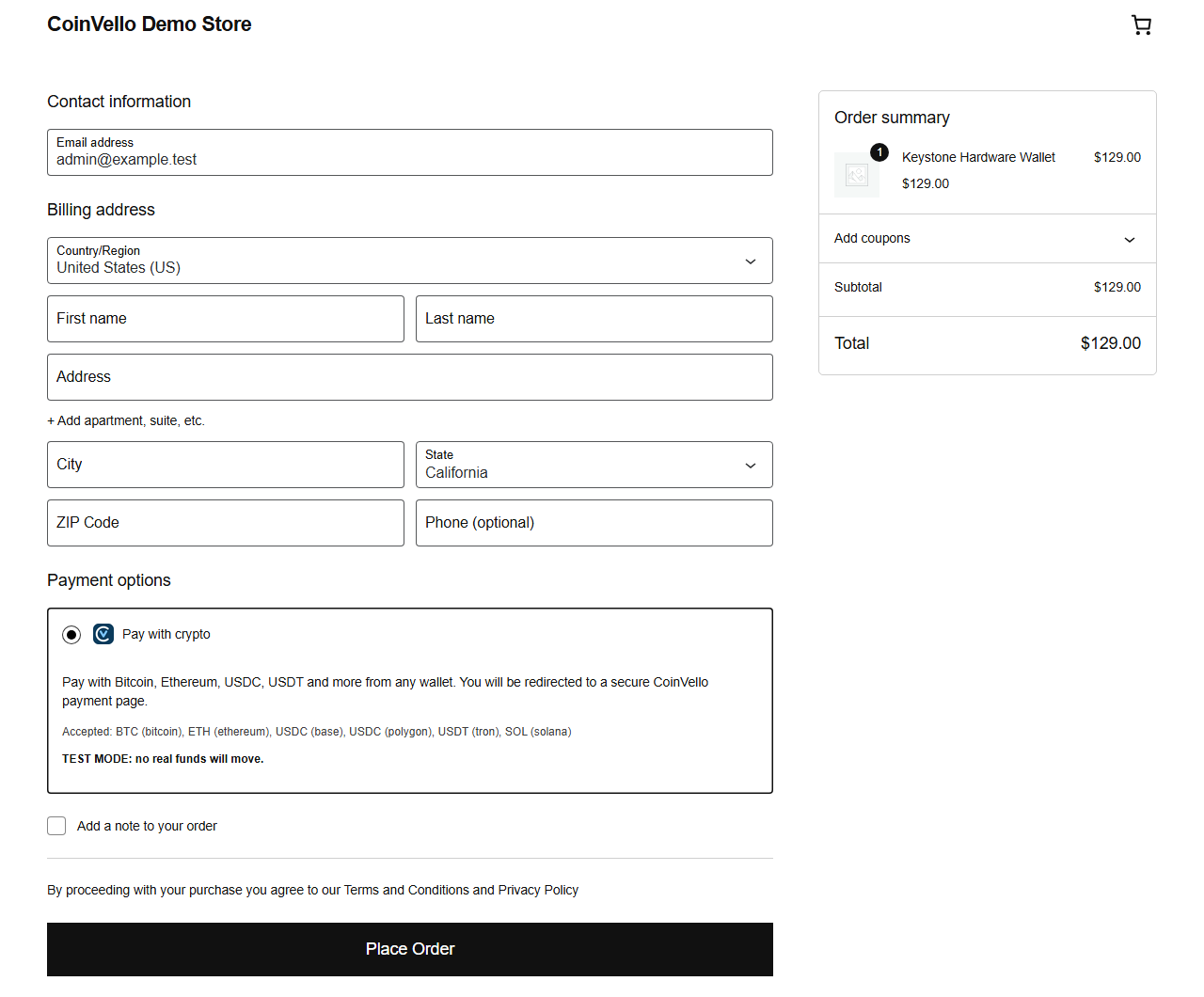
CoinVello for WooCommerce adds a “Pay with crypto” option to your checkout. Customers are redirected to a hosted CoinVello payment page where they pay from any wallet (MetaMask, WalletConnect, or a plain QR code); your store is updated automatically when the payment confirms.
Non-custodial. CoinVello never holds your funds. Every payment is sent directly from the customer’s wallet to a wallet you control. There is no balance to withdraw and no counterparty risk.
No KYC or KYB to sign up. Create an account with an email address, generate an API key, and start accepting payments. Your customers never create an account or verify their identity to pay.
Features
- Hosted checkout with locked exchange rate and configurable invoice expiry
- Choose which assets to accept per chain (BTC, ETH, USDT on Tron, USDC on Polygon, SOL, and more) or accept everything enabled on your account
- Clear admin notice when your CoinVello account runs out of processing credits
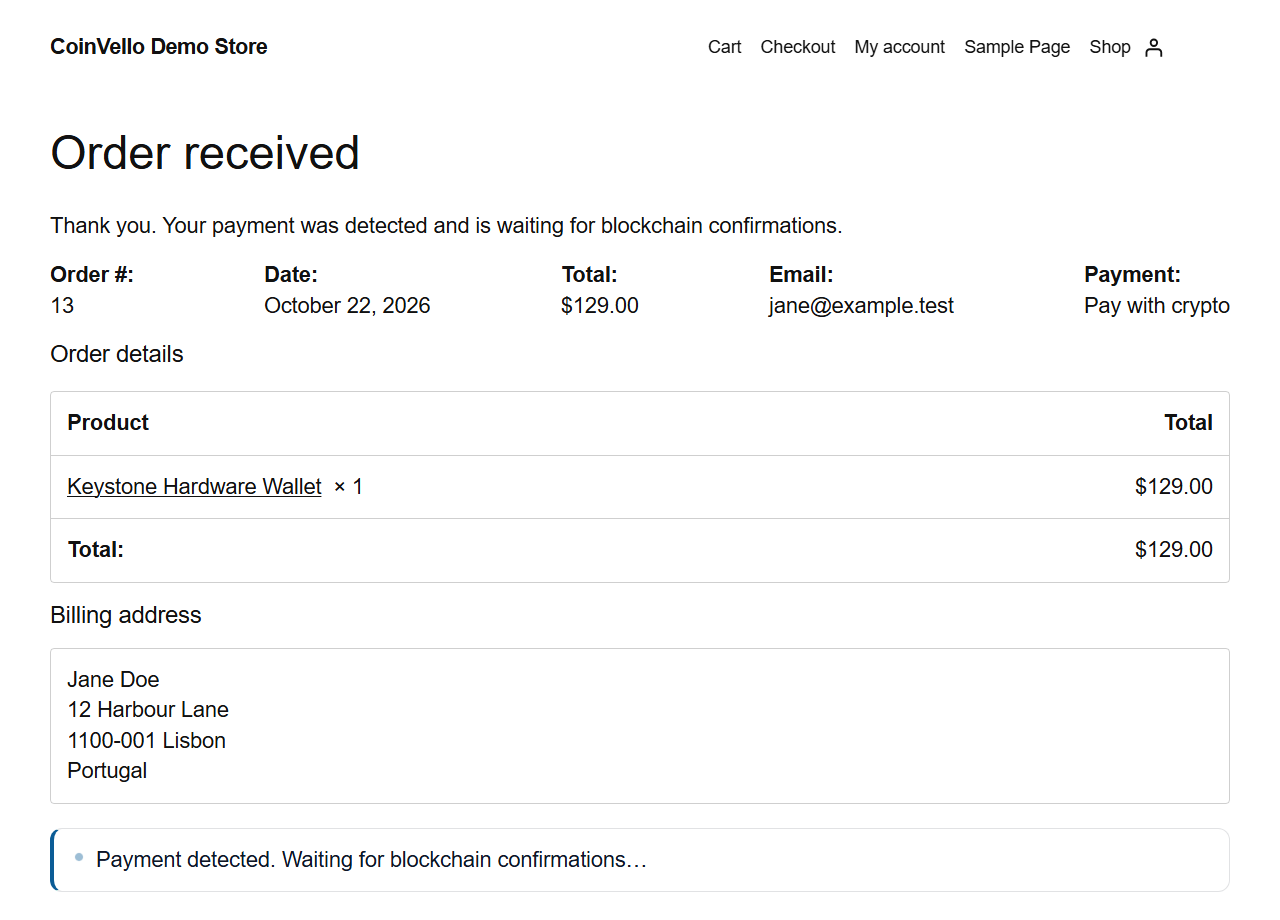
- Real-time order updates via signed webhooks, with thank-you page polling and an hourly re-sync as fallbacks
- Order notes with transaction hashes and block-explorer links
- Underpayment tolerance: accept small shortfalls automatically, hold the rest for review
- Overpayment and late-payment detection with clear order notes
- Choose Processing or Completed as the status after payment
- Test mode with separate test keys and secrets
- Works with the classic checkout shortcode and the Checkout block
- High-Performance Order Storage (HPOS) compatible
- Debug logging through WooCommerce > Status > Logs (API keys are redacted)
Refunds
Because CoinVello is non-custodial, refunds are not executed through the plugin. The order screen shows the payer details and links to the invoice in your CoinVello dashboard so you can send the refund from your wallet and then record a manual refund in WooCommerce.
Requirements
- WordPress 6.4+, WooCommerce 8.0+, PHP 8.1+
- A CoinVello account (coinvello.com) with an API key
Links
- Developer documentation: coinvello.com/developers
- API reference for AI assistants and agents: coinvello.com/llms-full.txt
- Support: coinvello.com/contact
External services
This plugin connects to the CoinVello API (https://api.coinvello.com) to create checkout sessions, read invoice and payment status and list supported assets. The order amount, currency, order number, the customer’s email and name (for the payment receipt), the return URLs and your store name are sent when a customer chooses to pay with crypto; nothing is sent until then. CoinVello calls your store’s webhook URL to report payment events; every call is signed and verified before an order is touched. Customers are redirected to the hosted payment page at https://pay.coinvello.com. See the CoinVello terms of service and privacy policy.
Screenshots

Installation
- Upload the
coinvello-for-woocommercefolder to/wp-content/plugins/or install the zip from Plugins > Add New. - Activate the plugin.
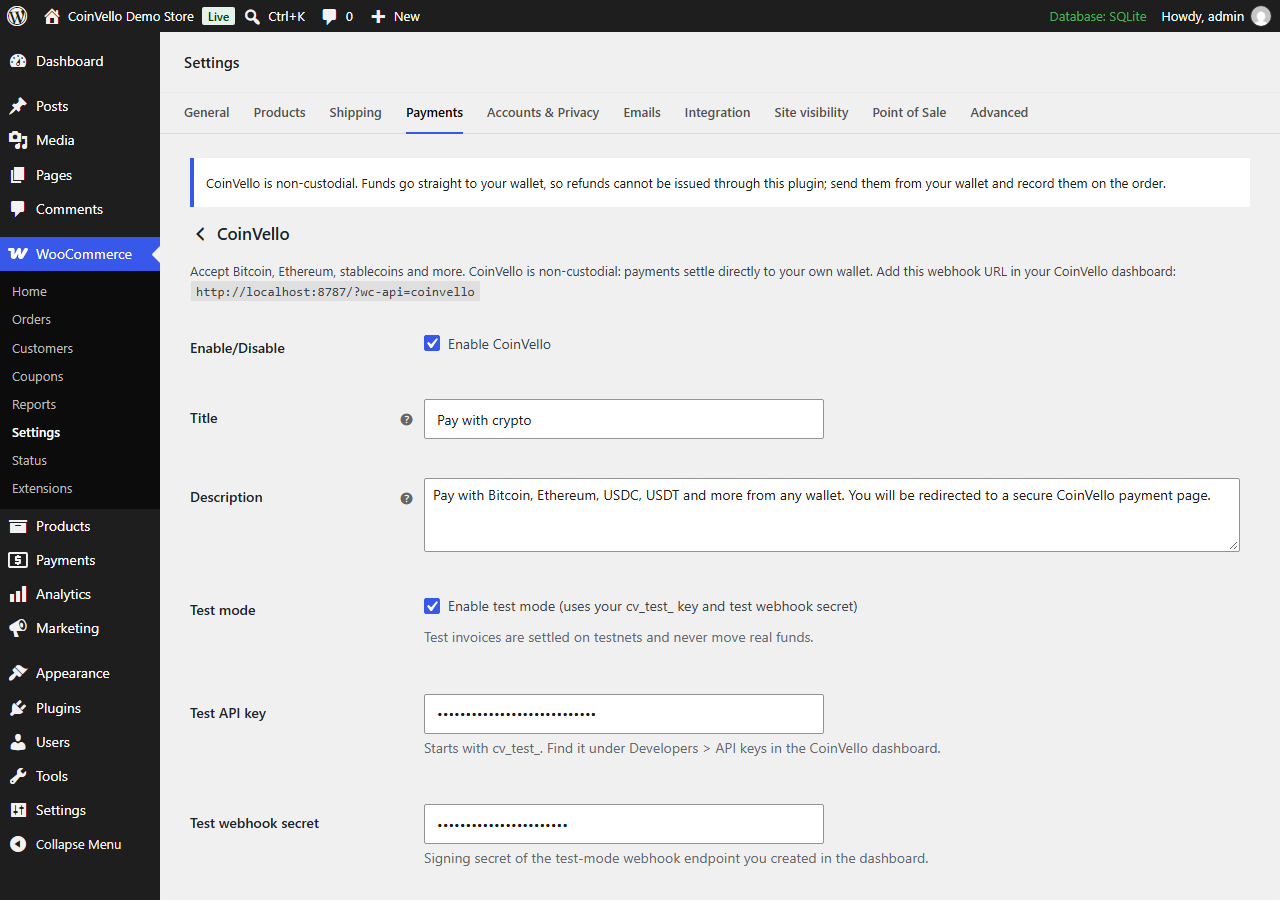
- Go to WooCommerce > Settings > Payments > CoinVello.
- Paste your test and/or live API key from the CoinVello dashboard (Settings > API keys) and save. The plugin registers its webhook URL in your CoinVello account and fills in the webhook secret for you; you do not need to set up webhooks yourself.
- Pick the accepted assets, the order status after payment and the underpayment tolerance, then enable the gateway.
- Place a test order in test mode to confirm the full flow before switching to live.
FAQ
-
Does CoinVello hold my money?
-
No. Funds move from the payer’s wallet to yours on-chain. CoinVello detects the payment and tells your store about it.
-
Do my customers need a CoinVello account?
-
No. They pay from any wallet. No sign-up or identity verification is required to pay.
-
What happens if a customer underpays?
-
If the shortfall is within the tolerance you set, the order is marked paid with a note. Otherwise the order goes on hold with the amounts in the order note so you can resolve it with the customer.
-
What happens if a customer pays after the invoice expired?
-
CoinVello still reports the payment. The order is moved to paid status with a note asking you to verify stock before fulfilling.
-
Where are the logs?
-
Enable “Debug log” in the gateway settings and open WooCommerce > Status > Logs, source “coinvello”.
-
Can I use this with the Checkout block?
-
Yes. The plugin registers a payment method integration for the Cart and Checkout blocks.
Reviews
There are no reviews for this plugin.
Contributors & Developers
“CoinVello for WooCommerce” is open source software. The following people have contributed to this plugin.
Contributors
Translate “CoinVello for WooCommerce” into your language.
Interested in development?
Browse the code, check out the SVN repository, or subscribe to the development log by RSS.
Changelog
1.0.4
- Accepted assets has an “All assets enabled on your account” option, selected by default.
- The payment method icon at checkout is 24 px instead of full size.
1.0.3
- Webhook setup is automatic: paste your API key and save, and the plugin registers its webhook in your CoinVello account. The webhook secret fields are optional.
1.0.2
- Robinhood Chain: ETH and USDG on Robinhood Chain can be accepted, and their transactions link to the Robinhood Chain explorer.
1.0.1
- New CoinVello branding: the checkout payment icon and the thank-you status box use the current mark and colours.
1.0.0
- Initial release: hosted checkout sessions, signed webhooks, thank-you page polling, hourly re-sync, underpayment tolerance, HPOS and Checkout block support, admin meta box and insufficient-credits notice.