

Description
CodePros Email Template Editor gives you full control over the transactional emails sent by WordPress and WooCommerce. Replace the default plain-text or basic HTML emails with pixel-perfect branded templates built in a visual drag-and-drop editor — no coding required.
Key features:
- Visual drag-and-drop email builder with blocks: heading, text, button, image, divider, spacer, columns, container, footer, and order items table.
- Assign templates to 8 WordPress core email types: new user registration (to user and admin), password changed notification, password reset, comment notification, comment moderation, email address change confirmation, and admin email change confirmation.
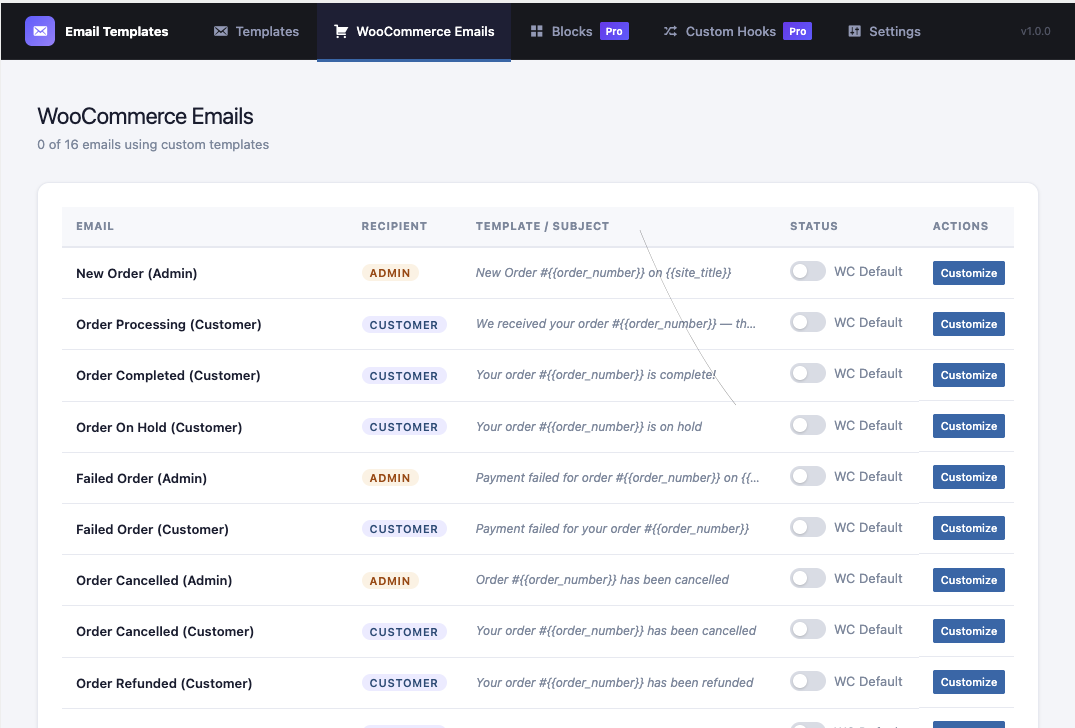
- Full WooCommerce transactional email support — all 16 WooCommerce email types covered.
- Per-template control over subject line, preheader text, From Name, and From Email address.
- Live preview with real variable data before sending.
- Send test emails directly from the admin.
- Dynamic variable system:
{{order_id}},{{customer_name}},{{order_items_table}}, and more — resolved at send time. - CSS inlining for maximum email client compatibility.
- WooCommerce email active/inactive toggle — instantly switch between the custom template and WooCommerce default per email type.
- Custom hook support (Pro) — intercept any email sent by third-party plugins.
- Reusable blocks (Pro) — save any block as a reusable snippet and insert it across multiple templates.
- Per-side padding controls on heading, text, image, and columns blocks for precise spacing.
- Container block for styled section wrappers with background color, border, and border radius.
- Footer block for branded email footers with copyright text and background styling.
Upgrade to Pro — unlock custom hook support, reusable blocks, and other advanced features: https://store.codepros.ai/codepros-email-template-builder
Built with WordPress-native technology:
- React admin SPA using
@wordpress/scripts. - REST API backend (
cpetb/v1namespace). - Custom database table (not post meta) for reliable template storage.
- No external dependencies for core features — your email data stays on your server. (Pro license validation contacts the CodePros AI licensing server — see “External Services” below.)
Requirements
- WordPress 6.3 or higher.
- PHP 7.4 or higher.
- MySQL 5.6+ or MariaDB 10.1+ (for the plugin’s custom database table).
- WooCommerce (optional) — required only if you want to customize WooCommerce transactional emails; the plugin works standalone without it.
- A modern browser (Chrome, Firefox, Safari, or Edge — latest two versions) to use the visual drag-and-drop builder in wp-admin.
- An active Pro license (optional) — required only to unlock Custom Hook Support and Reusable Blocks. See “Upgrade to Pro” above.
External Services
This plugin’s core email-building functionality runs entirely on your own server. No data is transmitted to any third party during template creation, preview, or email sending.
The Pro license verification feature contacts an external API operated by CodePros AI (the plugin developer). This is the only external service this plugin uses.
Service: CodePros AI Licensing API
Endpoint: https://api.store.codepros.ai
Operated by: CodePros AI
Terms of Service: https://codepros.ai/terms
Privacy Policy: https://codepros.ai/privacy-policy
When data is transmitted and what is sent:
-
License Activation — triggered manually when you enter a license key and click “Activate” in the plugin’s License settings screen.
- Your license key (entered by you)
- Your site name (from WordPress Settings General Site Title)
- Your site URL (from WordPress Settings General WordPress Address)
-
License Deactivation — triggered manually when you click “Deactivate” in the License settings screen.
- Your license key
- The activation instance ID (a token assigned by the licensing server at activation time, stored in your database)
-
License Validation — triggered automatically in the background, at most once every 12 hours, but only when a license key is already stored and was previously active. No data is transmitted if no license key has ever been entered.
- Your license key
- The activation instance ID
No data is ever sent if you do not enter a license key. Free-tier users are completely unaffected.
The plugin stores the following license-related data in your WordPress database (wp_options table):
Screenshots


Installation
- Upload the
codepros-email-template-builderfolder to the/wp-content/plugins/directory, or install directly through the WordPress plugin screen. - Activate the plugin through the Plugins screen in WordPress.
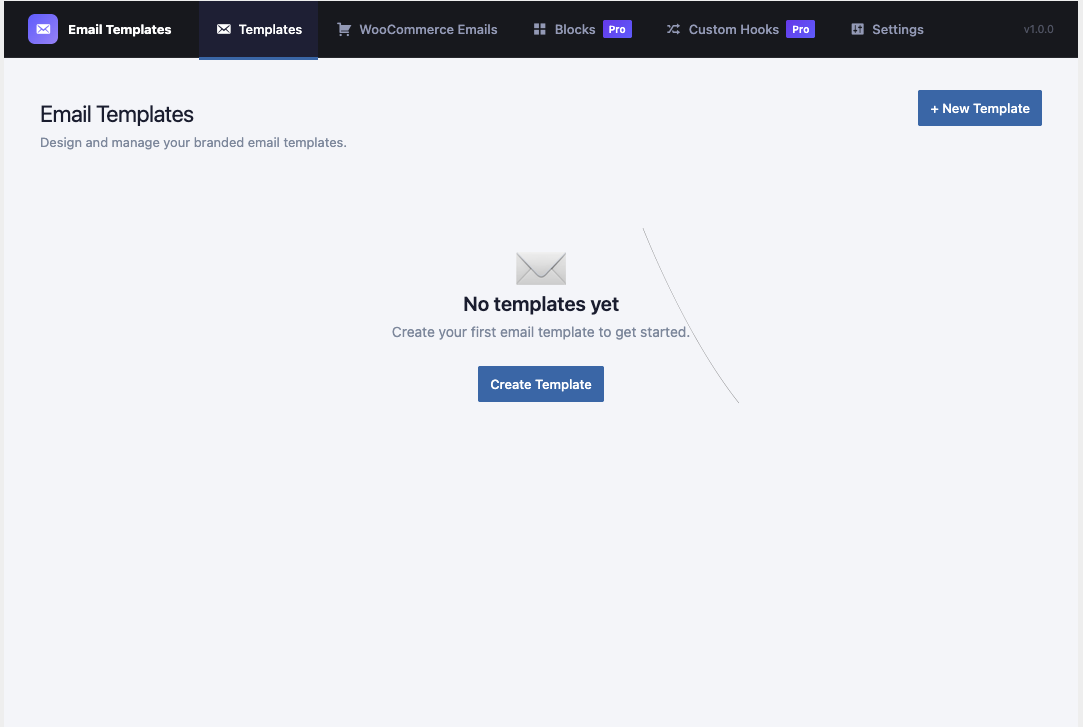
- Navigate to Email Templates in the WordPress admin menu.
- Click New Template to create your first template using the visual builder.
- Go to the WooCommerce Emails or Hook Assignments tab to connect your template to an email hook.
FAQ
-
Does this plugin work without WooCommerce?
-
Yes. The plugin works standalone for WordPress core emails (new user registration, password reset, email change confirmation). WooCommerce support is optional and activates automatically when WooCommerce is installed.
-
Will my existing WooCommerce emails still send if I deactivate a template?
-
Yes. Toggling a template to “inactive” immediately reverts that email type to the WooCommerce default without removing the assignment. You can re-activate at any time.
-
What Placeholders are available inside templates?
-
Available Placeholders depend on the email hook. Common Placeholders include
{{site_name}},{{site_url}},{{customer_name}},{{customer_email}},{{order_id}},{{order_total}},{{order_items_table}}, and more. The variable list is shown inside the builder for each assigned hook. -
Does the plugin send data to external servers?
-
All core email-building features operate entirely within your own WordPress installation — no data leaves your server during normal use.
The Pro license system is the only exception. When you enter and activate a Pro license key, the plugin communicates with the CodePros AI licensing server (
https://api.store.codepros.ai) to verify your subscription. See the “External Services” section below for full details of exactly what is sent, when, and why. -
What PHP version is required?
-
PHP 7.4 or higher is required.
Reviews
There are no reviews for this plugin.
Contributors & Developers
“CodePros Email Template Builder” is open source software. The following people have contributed to this plugin.
Contributors
Translate “CodePros Email Template Builder” into your language.
Interested in development?
Browse the code, check out the SVN repository, or subscribe to the development log by RSS.
Changelog
1.1.4
- Fixed URL-valued template variables (e.g.
{{reset_link}}) being under-escaped when placed inhref/srcattributes, and no longer left as inert, non-clickable text when dropped into template body copy as bare tokens.
1.1.3
- Added “Upgrade to Pro” link to the plugin description.
1.1.2
- Updated the CodePros AI licensing API endpoint to
https://api.store.codepros.ai.
1.1.0
Security & Bug Fixes
* Security fix: Added CRLF / email header injection protection — newline characters are now stripped from all user-supplied header values (From Name, From Email, subject) before they reach the mailer.
* Fix: Custom hook filters were silently not being registered at startup. The register_custom_hook_filters() call was missing, meaning third-party plugins that fired a cpetb_custom_* action would never be intercepted. Custom hooks now work correctly.
* Fix: Dropping a reusable (saved) block onto the canvas threw “Unknown block type: saved_block”. Added the missing saved_block catalog entry so blocks resolve correctly when dropped.
* Fix: Builder metadata comments could appear in rendered email output when template content contained the --> character sequence. Metadata is now Base64-encoded so the HTML comment boundary is never broken.
* Fix: Existing templates with already-corrupted metadata comments now render cleanly — both the JavaScript and PHP strip routines use a greedy regex that fully removes the broken comment in one pass.
Email Builder improvements
* Container block now supports nested inner blocks — you can drag any block inside a container and reorder them freely.
* Improved drag-and-drop stability: dragging blocks into and out of containers no longer causes duplicate or missing blocks.
* Code refactor of the email builder for improved readability and long-term maintainability — no behaviour changes.
1.0.0
- Initial release.
- Visual drag-and-drop email builder (heading, text, button, image, divider, spacer, columns, table blocks).
- WordPress core email hook support (new user, password reset, email change, comment awaiting moderation, email address change confirmation, and admin email change confirmation).
- Full WooCommerce transactional email support (16 email types).
- Per-template subject, preheader, From Name, From Email overrides.
- Live preview and send-test functionality.
- Granular capability system with 7
cpetb_*capabilities. - WooCommerce active/inactive toggle per email type.
- New block: Container — styled section wrapper with background color, padding, border, and border radius.
- New block: Footer — pre-styled email footer with text, background color, and alignment controls.
- Reusable blocks (Pro) — save any block as a reusable snippet and reuse it across templates.
- Per-side padding controls (top/right/bottom/left) for heading, text, image, and columns blocks.
- Background color control added to heading, text, and image blocks.
- Border radius control added to text block.
- License management UI — activate/deactivate Pro license from the admin License tab.
- License submenu added to the WordPress admin sidebar for quick access.
- CodePros AI license gating for WooCommerce Emails, Custom Hooks, and Reusable Blocks features.
- Pro blocks (Products, Posts) now show a PRO badge in the block palette when unlicensed; clicking redirects to the License page.
- Custom Hooks and Reusable Blocks LicenseGate screens now display both Activate and Purchase License buttons.
- Updated empty state icons for Reusable Blocks and Custom Hooks sections.