

Description
CodeAtoZ Store Reports for WooCommerce sends you a daily or weekly email that answers one question: what needs my attention right now?
This plugin combines three things store owners check every morning into a single email: sales performance, your order pipeline, and stock levels — so you don’t have to open wp-admin just to see if anything needs attention.
100% free. No Pro tier. No locked features. No trialware. Everything described below is included, forever, for every store.
What’s in the Daily Report
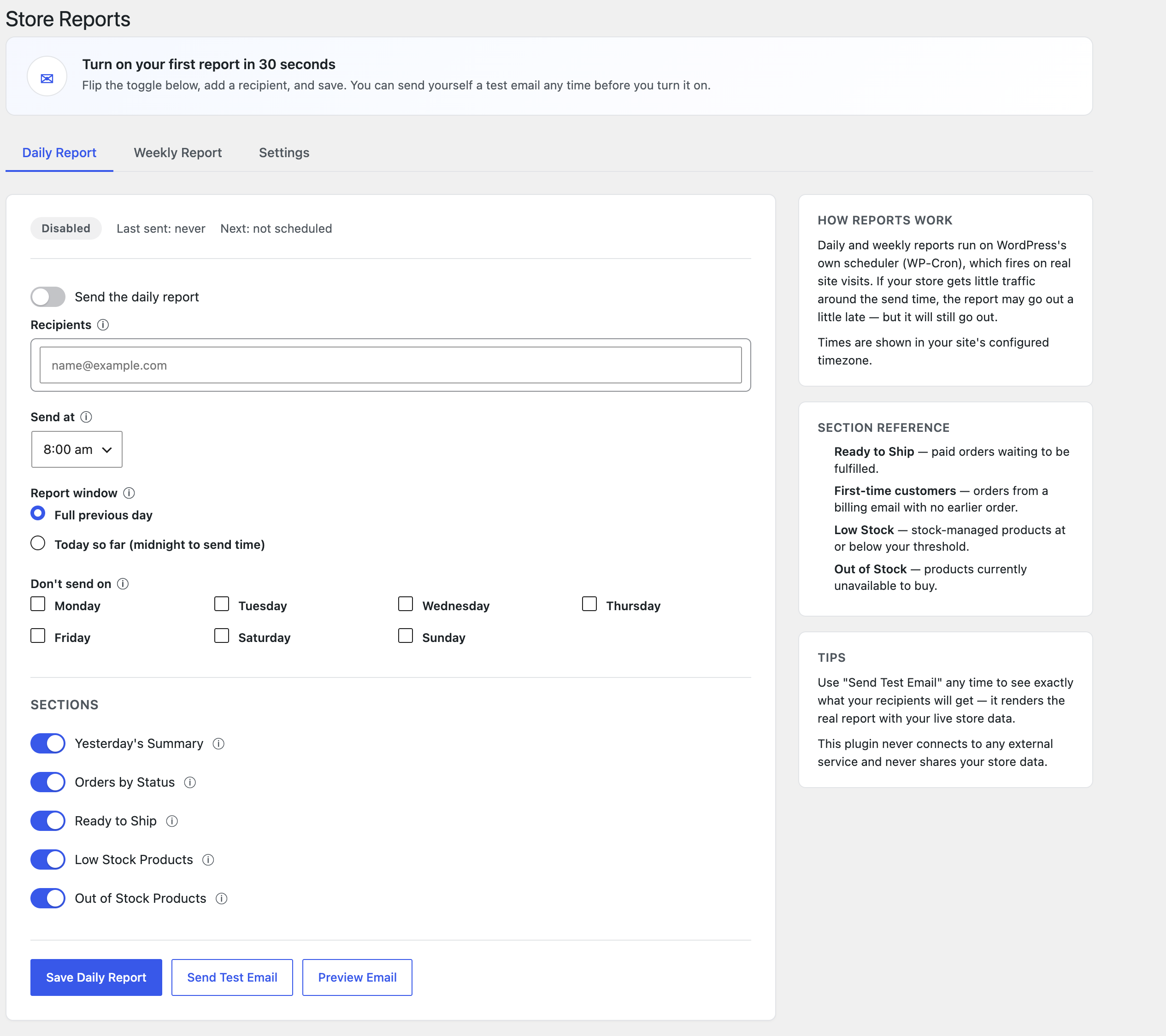
- Choose the report window: the full previous day (the default — a report on a day that just started is mostly empty) or today so far, from midnight to send time
- Order count and revenue for that window, plus how many orders came from first-time customers
- A refunds and cancellations line, so you see them without digging through orders
- Orders by status: Pending payment, Processing, On hold, Completed, Cancelled, Refunded, Failed
- Ready to Ship — paid orders (status: Processing) still waiting to be fulfilled, each linked straight to its order screen
- Low stock products (name, SKU, quantity, edit link)
- Out of stock products (name, SKU, edit link)
- A smart subject line: normal days show the stats right in the subject (“Daily Report — Your Store: 12 orders, $480.00”); a day with zero orders shows “No orders yesterday — Your Store” so the anomaly is visible without opening the email
- Skip the report on specific weekdays (e.g. don’t send on Sundays)
What’s in the Weekly Report
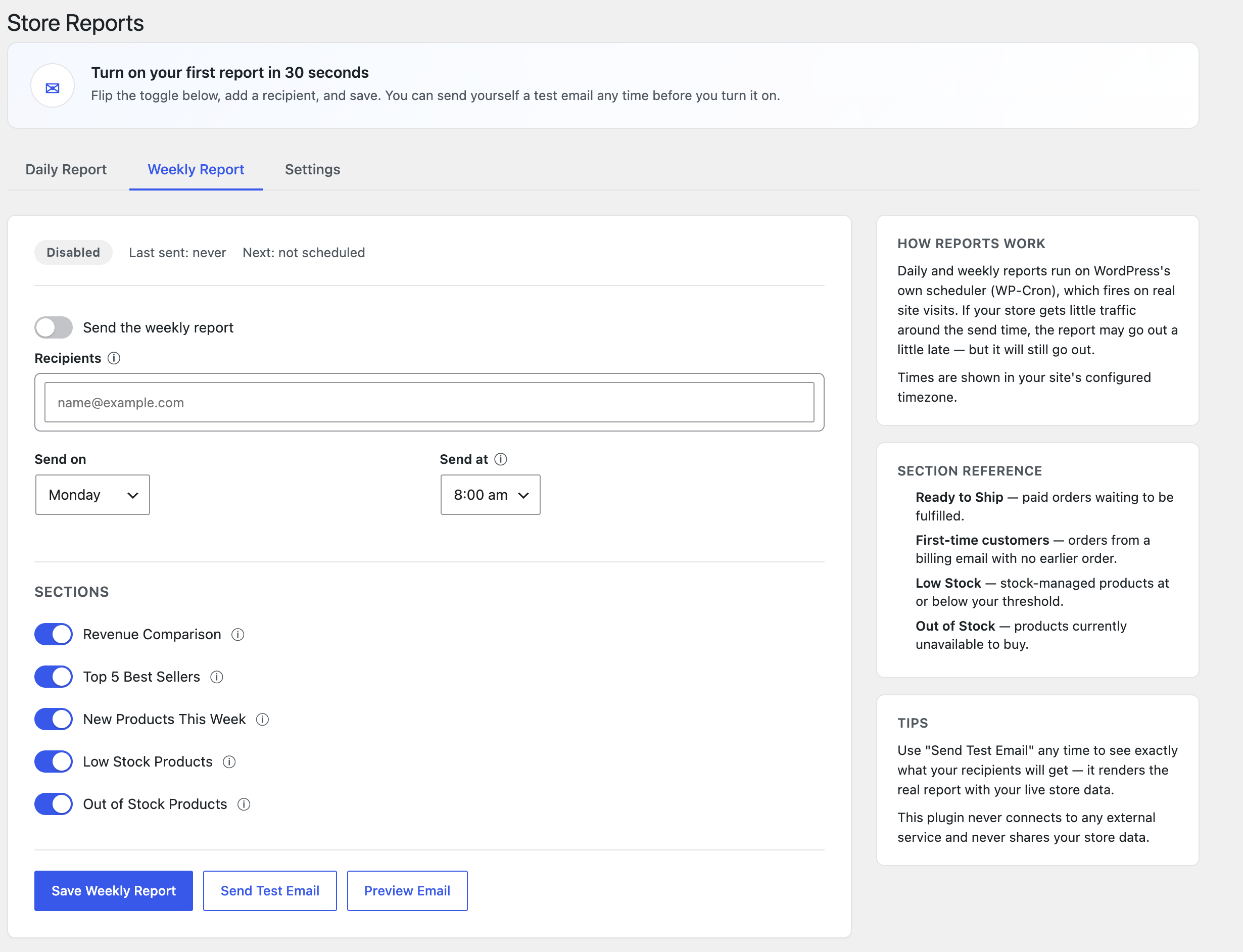
- This week’s revenue and order count vs. the previous week, with a percentage change
- Top 5 best-selling products of the week, by units sold
- New products added to the store during the week
- The same low stock and out of stock summaries as the daily report
Built for real stores
- A “Store Reports — Today” widget on your wp-admin Dashboard: today’s orders, revenue, ready-to-ship count, and low-stock count at a glance, with a link to your report settings
- Send to unlimited recipients, with a separate recipient list per report
- Turn any section on or off, independently, per report
- Choose the exact hour (and, for the weekly report, day of week) each report sends
- “Send Test Email” sends the real, live-data report to your own inbox instantly
- A live preview panel shows exactly what will be sent, right inside wp-admin
- Works correctly with WooCommerce High-Performance Order Storage (HPOS) and Cart/Checkout Blocks
- Does not add any custom database tables — everything is computed live from your store’s own order and product data
Does it send my data anywhere?
No. This plugin does not connect to any external service. It uses your site’s own email sending (wp_mail) to deliver reports directly to the recipients you choose. Nothing is tracked, logged externally, or sent to CodeAtoZ or anyone else.
By the makers of
CodeAtoZ Store Reports for WooCommerce is made by the same team behind CodeAtoZ Hide Prices for WooCommerce and CodeAtoZ B2B Suite for WooCommerce.
Screenshots
Installation
- Upload the plugin files to
/wp-content/plugins/codeatoz-store-reports-for-woocommerce, or install the plugin through the WordPress plugins screen directly. - Activate the plugin through the “Plugins” screen in WordPress.
- Make sure WooCommerce is installed and active.
- Go to WooCommerce Store Reports to turn on the daily and/or weekly report, add recipients, and choose which sections to include.
- Use “Send Test Email” to see exactly what will be delivered before turning a report on.
FAQ
-
Does it send my data anywhere?
-
No. This plugin does not connect to any external service or API. Reports are generated from your own store’s data and sent using your site’s normal outgoing mail (wp_mail) directly to the recipients you configure.
-
Why didn’t my report arrive?
-
Report emails are delivered through
wp_mail(), the same function WooCommerce uses for order emails. If your WooCommerce order emails also aren’t arriving, the issue is almost always with your host’s outgoing mail setup rather than with this plugin. Installing an SMTP plugin (to send through a real mail provider instead of your host’s default mail function) resolves this in most cases. Use “Send Test Email” on the Store Reports screen to check delivery at any time. -
Is there a Pro version?
-
No. Every feature in this plugin is free for every store, with no upgrade prompts and no locked functionality.
-
Does this work with High-Performance Order Storage (HPOS)?
-
Yes. The plugin declares compatibility with HPOS and Cart/Checkout Blocks, and all order lookups go through WooCommerce’s own APIs so they work correctly whether HPOS is enabled or not.
-
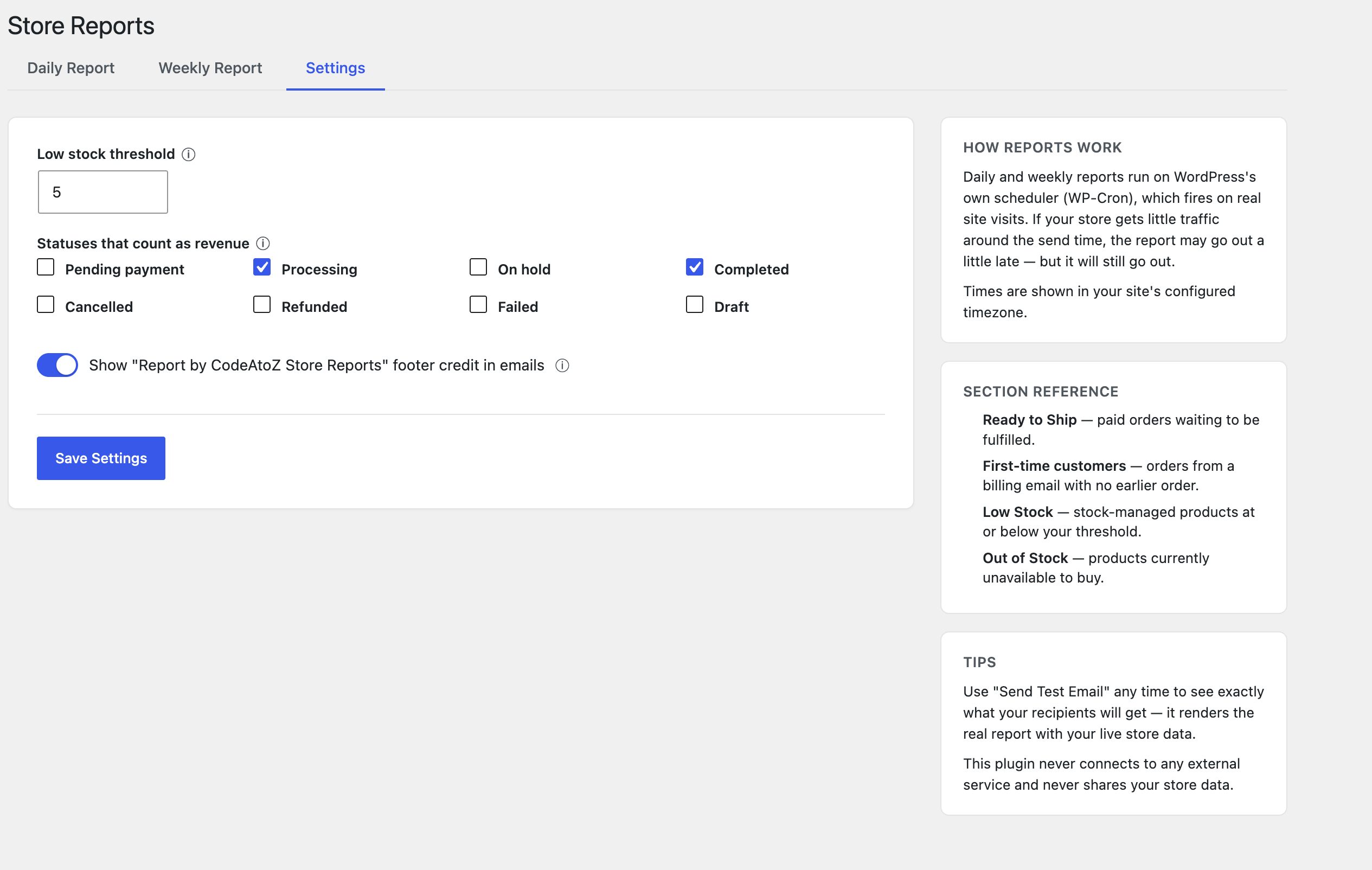
Can I choose which order statuses count as revenue?
-
Yes, under the Settings tab. It defaults to Processing and Completed orders.
-
Can I turn off individual sections of a report?
-
Yes. Each section (today’s summary, order status breakdown, ready to ship, low stock, out of stock, top sellers, new products, revenue comparison) can be switched on or off independently for each report.
-
What counts as a “first-time customer”?
-
An order whose billing email has no earlier order before the report window started. On very high-order-volume days (over 200 orders in the window) this check is skipped to keep report generation fast, and the summary line notes that first-time customer data was unavailable for that report.
-
Is the dashboard widget dismissible?
-
Yes. Like any WordPress Dashboard widget, you can remove it from view using the “Screen Options” panel at the top of the Dashboard screen.
Reviews
There are no reviews for this plugin.
Contributors & Developers
“CodeAtoZ Store Reports for WooCommerce” is open source software. The following people have contributed to this plugin.
Contributors
Translate “CodeAtoZ Store Reports for WooCommerce” into your language.
Interested in development?
Browse the code, check out the SVN repository, or subscribe to the development log by RSS.
Changelog
1.0.0
- Initial release: daily and weekly email reports with sales summary, order status breakdown, ready-to-ship orders, low/out-of-stock products, weekly top sellers, and new products added during the week.
- Daily report window choice (full previous day or today so far), first-time customer count, refunds/cancellations line, smart subject lines, and per-weekday skip option.
- “Store Reports — Today” wp-admin Dashboard widget.