

Description
Cloud Migrate copies a complete WordPress site — database, media, plugins and themes — from one host to another. You install the plugin on both sites, generate a connection key on the site you are moving from, paste it into the site you are moving to, and press Start. The destination pulls everything across by itself.
There is no export file to download, nothing to upload by hand, and no need for FTP, SSH or database credentials.
Built for real hosting
Most migration failures come from host limits, not from the migration itself. Cloud Migrate is designed around them:
- Resumable, chunked transfers. Work is split into small slices, each one bounded by the host’s own
memory_limitandmax_execution_time. No single request needs more than a few seconds or a few MB. - Adapts to what the host can take. It starts at the fastest pace both servers allow, halves it automatically after a failed request, and climbs back once conditions improve. Nothing to configure.
- Batched small-file transfers. Sites with thousands of small files are limited by request count, not bandwidth, so many files are fetched per request and several requests run in parallel.
- Recovers from out-of-memory conditions by reducing the transfer pace and continuing, instead of failing.
- Survives different table prefixes. If the two sites use different prefixes, tables are imported under their original names and
wp-config.phpis repointed at them (a backup is kept). Tables are never renamed, because WordPress stores the prefix inside user roles and capabilities. - Handles newer database servers. Collations the destination does not recognise (for example MariaDB 11.4’s
uca1400family) are mapped to the closest supported equivalent.
Safe by default
- Your current administrator account is copied into the migrated database, so you can still sign in afterwards with the same username and password.
- The destination’s original database tables are left untouched until you choose to delete them, so the migration can be undone.
- Serialized data is unserialized, rewritten and re-serialized properly — URLs are also replaced in JSON-escaped and URL-encoded forms, which is what page builders such as Elementor store internally.
- Connection keys are signed with HMAC-SHA256, are valid for three hours, and can be revoked at any time.
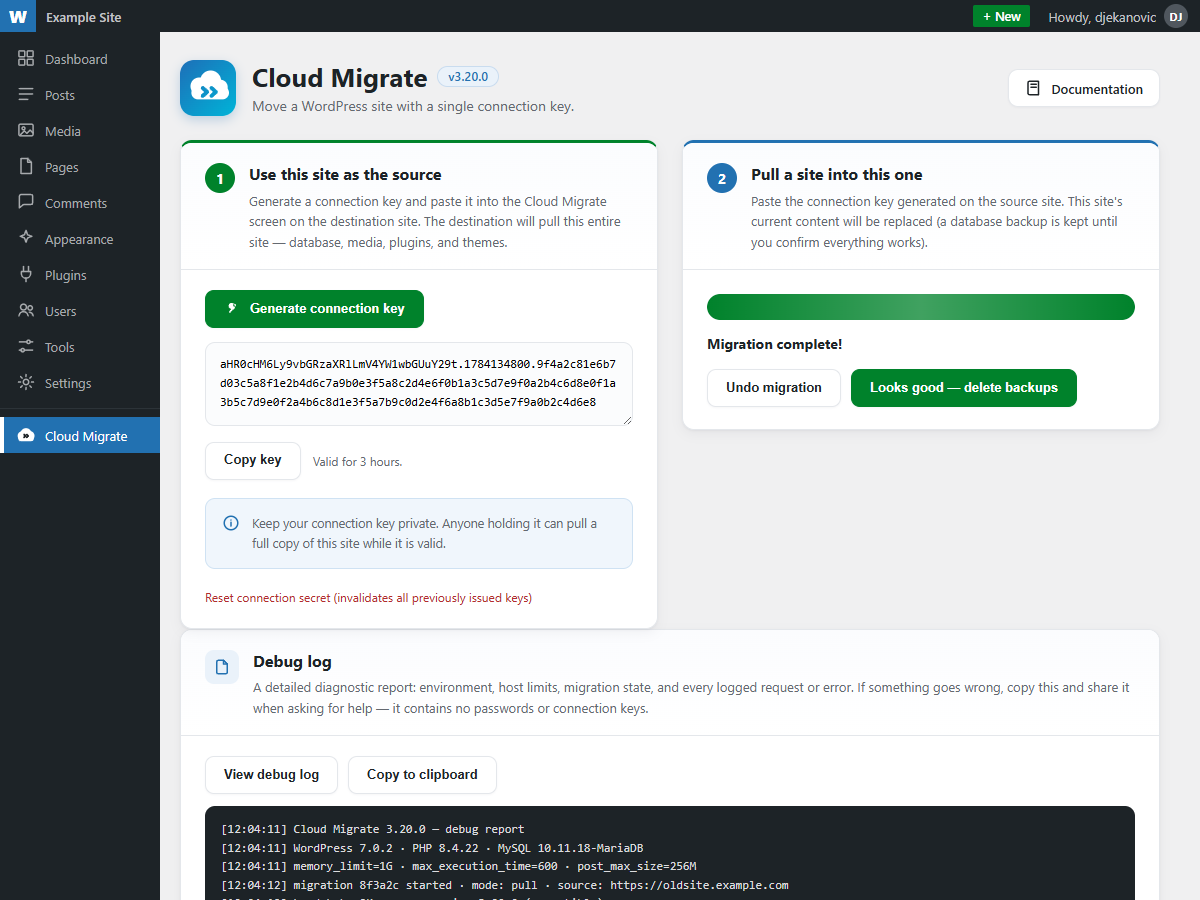
- A built-in debug report shows the environment, host limits, transfer throughput and every logged request. It contains no passwords and no connection keys.
What is transferred
The database is always migrated. You choose whether to include media/uploads, plugins, themes and must-use plugins.
External services
This plugin communicates with the other WordPress site you are migrating to or from — a site whose address you supply yourself by pasting its connection key. No third-party service is contacted, and no data is sent anywhere else.
- What is sent: the connection key you generated, and requests for database rows and files.
- When: only while a migration is running, and only to the site the connection key was issued for.
- What is received: that site’s database contents and files.
No analytics, telemetry, tracking or external API calls of any kind are made. The plugin loads no remote scripts, fonts or images.
Screenshots
Installation
- Install and activate Cloud Migrate on both the source site and the destination site.
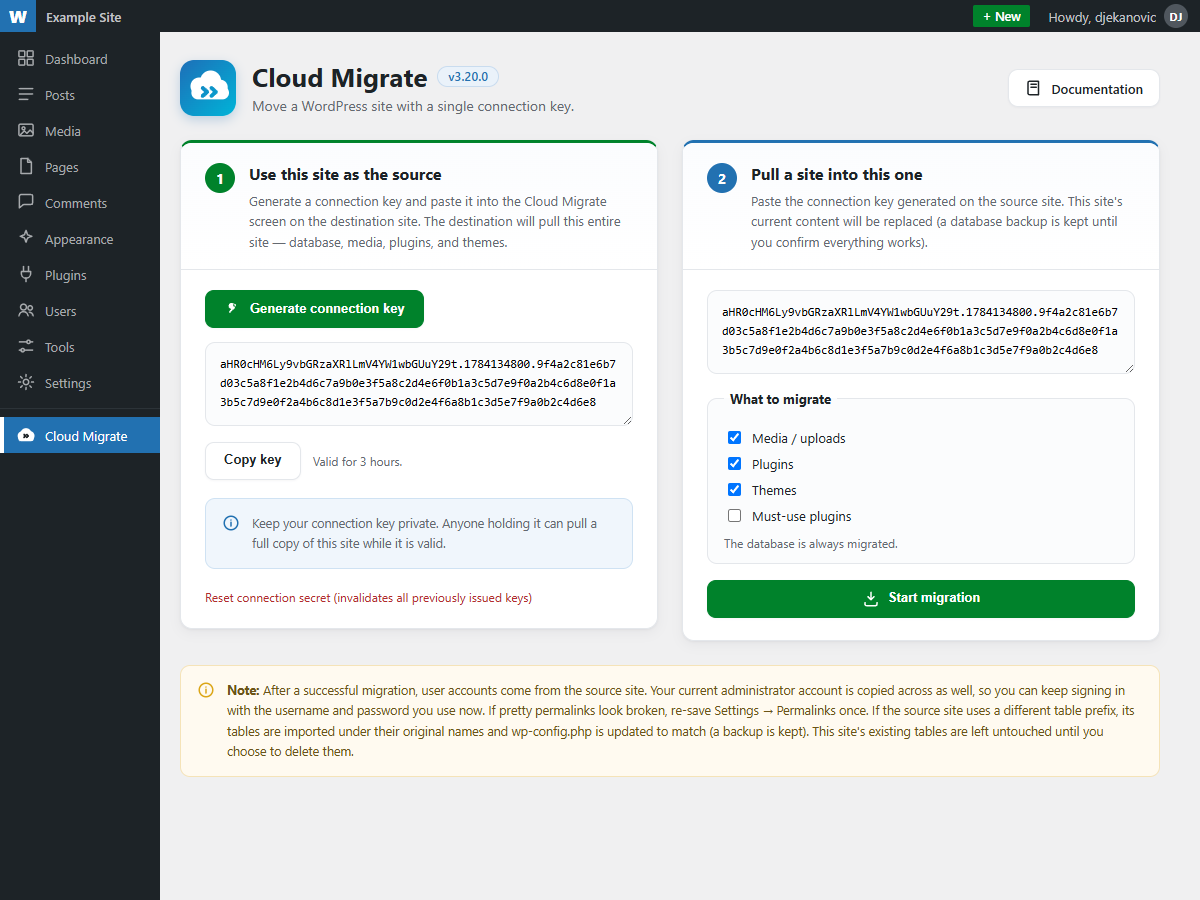
- On the source site, open Cloud Migrate and click Generate connection key, then copy it.
- On the destination site, open Cloud Migrate, paste the key, choose what to include, and click Start migration.
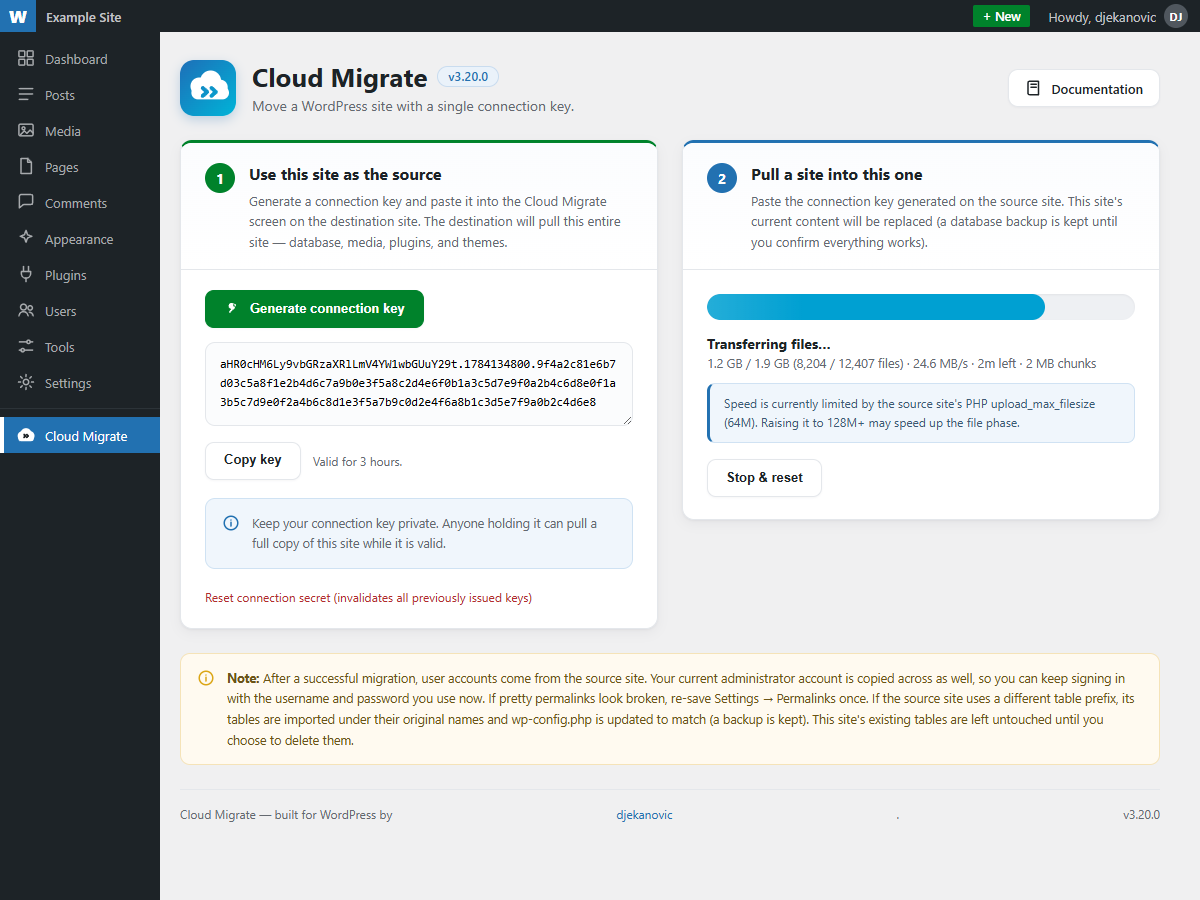
- Leave the browser tab open while the migration runs. Progress, transfer speed and estimated time remaining are shown live.
- When it finishes, check the site. If everything looks right, use Looks good — delete backups to remove the old tables. If not, use Undo migration.
FAQ
-
Does this need FTP, SSH or database access?
-
No. The two sites talk to each other over the WordPress REST API, authenticated with the connection key.
-
Will I be logged out after migrating?
-
No. User accounts come from the source site, but your current administrator account is copied across with its password hash intact, so the same username and password keep working.
-
What if my host is slow or has low limits?
-
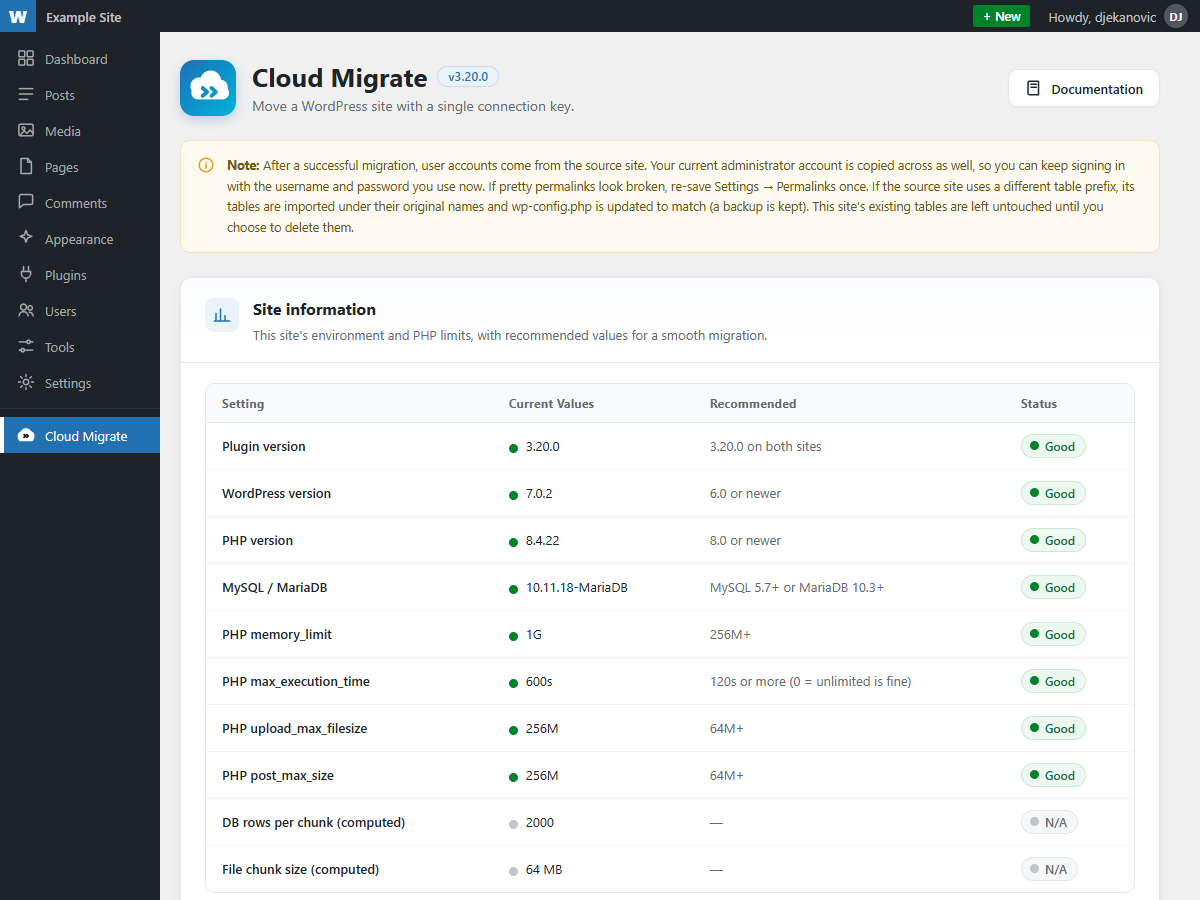
That is the case the plugin is built for. It measures each host’s limits and sizes its work accordingly, backing off automatically when a request fails and resuming where it left off.
-
What happens if a migration is interrupted?
-
Nothing is lost. Progress is saved after every slice of work. Reopen the page and click Resume.
-
Can I undo a migration?
-
Yes. The destination’s original tables are kept until you explicitly delete them. Undo migration puts the site back on them.
-
Do both sites need the same plugin version?
-
They should. Some transfer optimisations require a matching version on both ends; when versions differ the plugin falls back to a slower but compatible mode and says so in the log.
-
Is multisite supported?
-
Not yet. Multisite networks are detected and refused rather than migrated incorrectly.
Reviews
There are no reviews for this plugin.
Contributors & Developers
“Cloud Migrate” is open source software. The following people have contributed to this plugin.
Contributors
Translate “Cloud Migrate” into your language.
Interested in development?
Browse the code, check out the SVN repository, or subscribe to the development log by RSS.
Changelog
3.20.0
- Renamed to Cloud Migrate. Your settings, connection keys and any migration already in progress are unaffected.
3.19.0
- Hardened database access: every table name is now validated as a bare SQL identifier before it can reach a query, so a malformed or hostile name from the source site is rejected outright.
- Switched file deletion to WordPress’s own
wp_delete_file(). - Removed a redundant
load_plugin_textdomain()call; translations load automatically since WordPress 4.6. - Documented in code why raw database and byte-range filesystem access are unavoidable for a migration tool.
3.18.2
- Declared compatibility with WordPress 7.0.
- Added a translation template at
languages/cloud-migrate.pot(161 strings), so the plugin is ready for translators.
3.18.1
- Fixed: zero-byte files (empty RTL stylesheets, placeholder scripts,
index.htmlguards) were reported as unreadable and skipped, because PHP 8 raises an error when reading zero bytes. They now transfer as real empty files. - Skip messages now state the underlying reason instead of a generic “unreadable”.
3.18.0
- Redesigned the admin screen: card layout, numbered steps, status badges and clearer progress reporting.
3.17.0
- Added: automatic fallback to single-file transfers if the source site cannot serve batch requests, so a migration completes instead of failing.
- Added: the source site now reports PHP fatals as readable messages rather than a generic error page.
- Hardened the source endpoint against a single problem file taking down a request.
3.16.0
- Fixed: out-of-memory conditions during parallel transfers. Batch size now accounts for the memory each in-flight response costs, payloads are released as soon as they are written, and an out-of-memory event automatically reduces the transfer pace and continues.
3.15.0
- Fixed: a large file at the head of the queue could stall the transfer indefinitely.
- Fixed: the file phase could finalize while files were still queued.
- Ticks now return promptly so progress updates in real time.
3.14.0
- Added: small-file batching and parallel requests. Sites made up of many small files migrate dramatically faster.
- Added: transfer throughput, estimated time remaining and guidance on what limits the speed.
3.13.0
- Styled confirmation dialogs in place of browser popups.
3.12.0
- Transfer pace now scales up on capable hosts instead of being capped, with filters to raise the ceiling further.
3.10.0
- The debug report is now scoped to the current migration only.
3.9.0
- Added: unsupported database collations (such as MariaDB 11.4’s
uca1400family) are mapped to the closest supported equivalent.
3.4.0
- Fixed: exclusion rules no longer skip plugin source files that live in a directory named
cache.
3.2.0
- Fixed: Elementor dynamic tags with empty settings no longer cause a fatal error after migration.
3.1.0
- URLs are now replaced in JSON-escaped and URL-encoded forms as well as plain text, which page builders rely on.
3.0.0
- Renamed to Cloud Migrate, moved to its own top-level admin menu.