
Description
Your uploads folder is bigger than it needs to be. Images uploaded twice, copies left behind by old themes and page builders, thumbnail sizes WordPress no longer uses, backup folders and full-size originals nobody sees. They fill your hosting space, make every backup slower and larger, and are hard to find by hand.
Clearyvo Media Cleanup finds these files, shows you exactly why each one can go, and moves only the ones you choose to a restorable quarantine. Nothing is deleted straight away: if anything is missing, put it back with one click.
What it finds
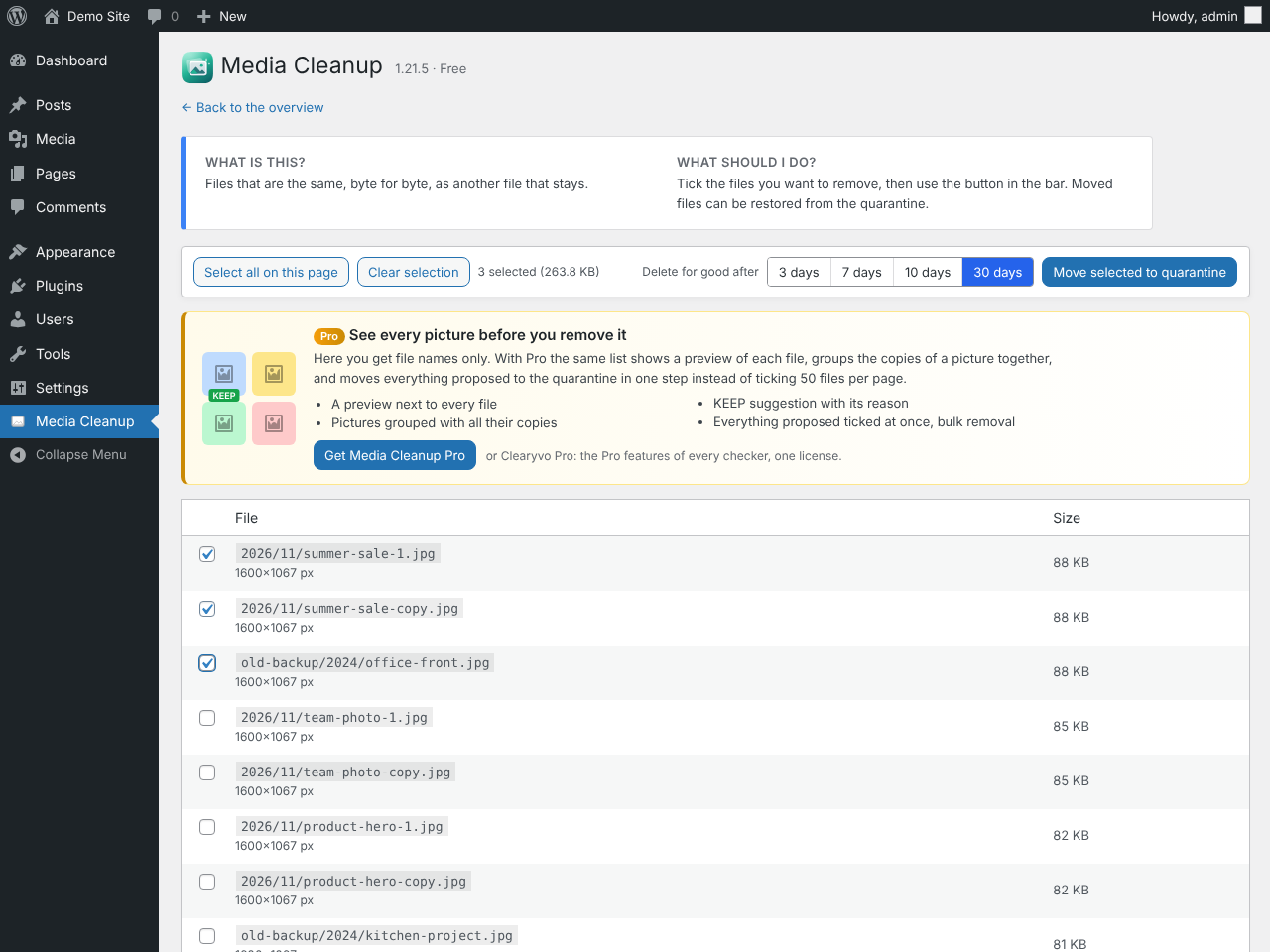
- Duplicate images – byte-for-byte identical copies of a picture that stays.
- Look-alike copies – the same picture saved again at the same or a lower resolution, confirmed by a strict picture comparison.
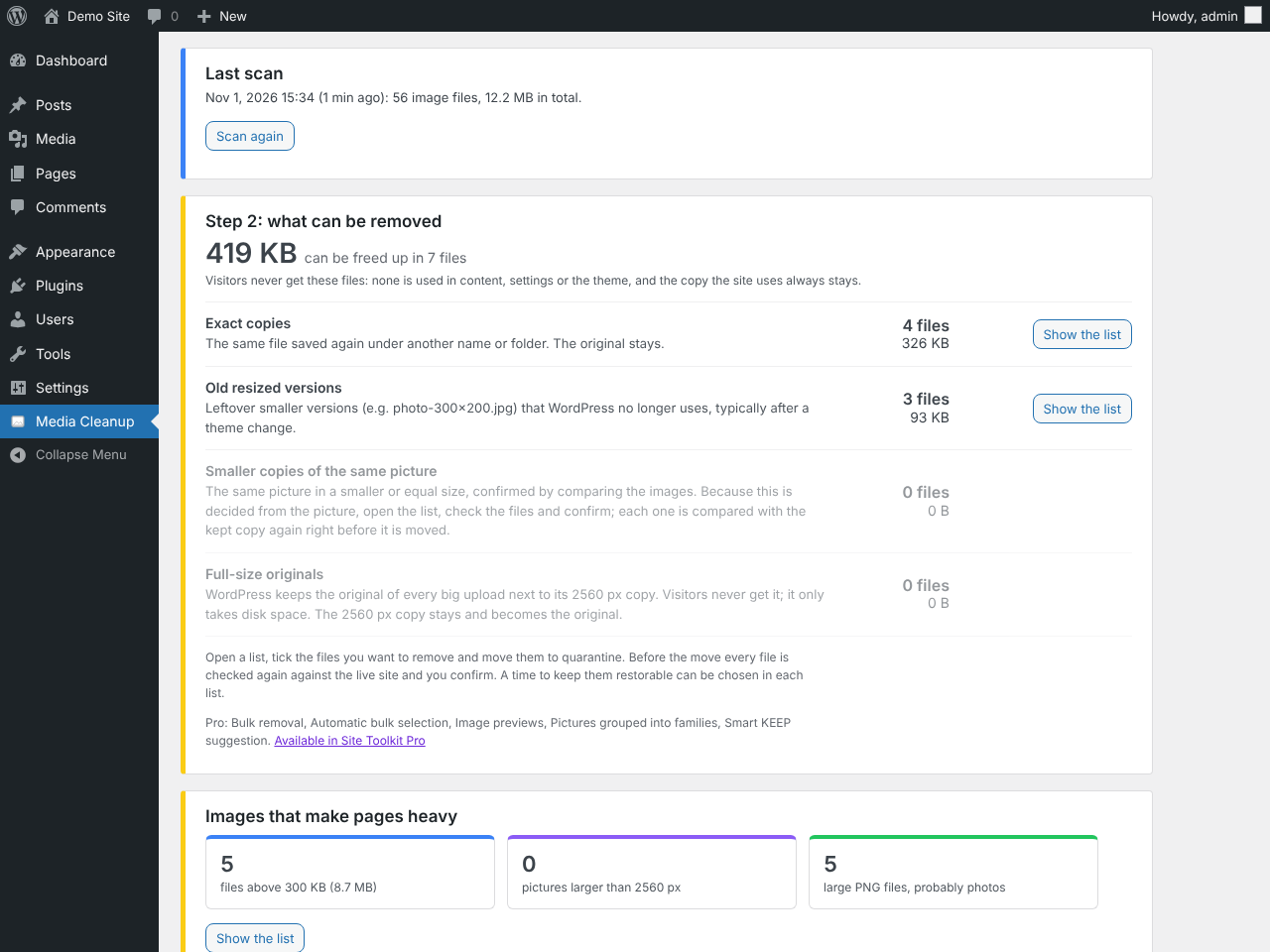
- Unused thumbnail sizes – old
photo-300x200.jpgfiles left behind after a theme change or thumbnail regeneration, which WordPress no longer lists. - Backup folders – images in old, backup or archive folders inside uploads.
- Full-size originals – the large originals WordPress keeps next to its 2560 px “-scaled” copy.
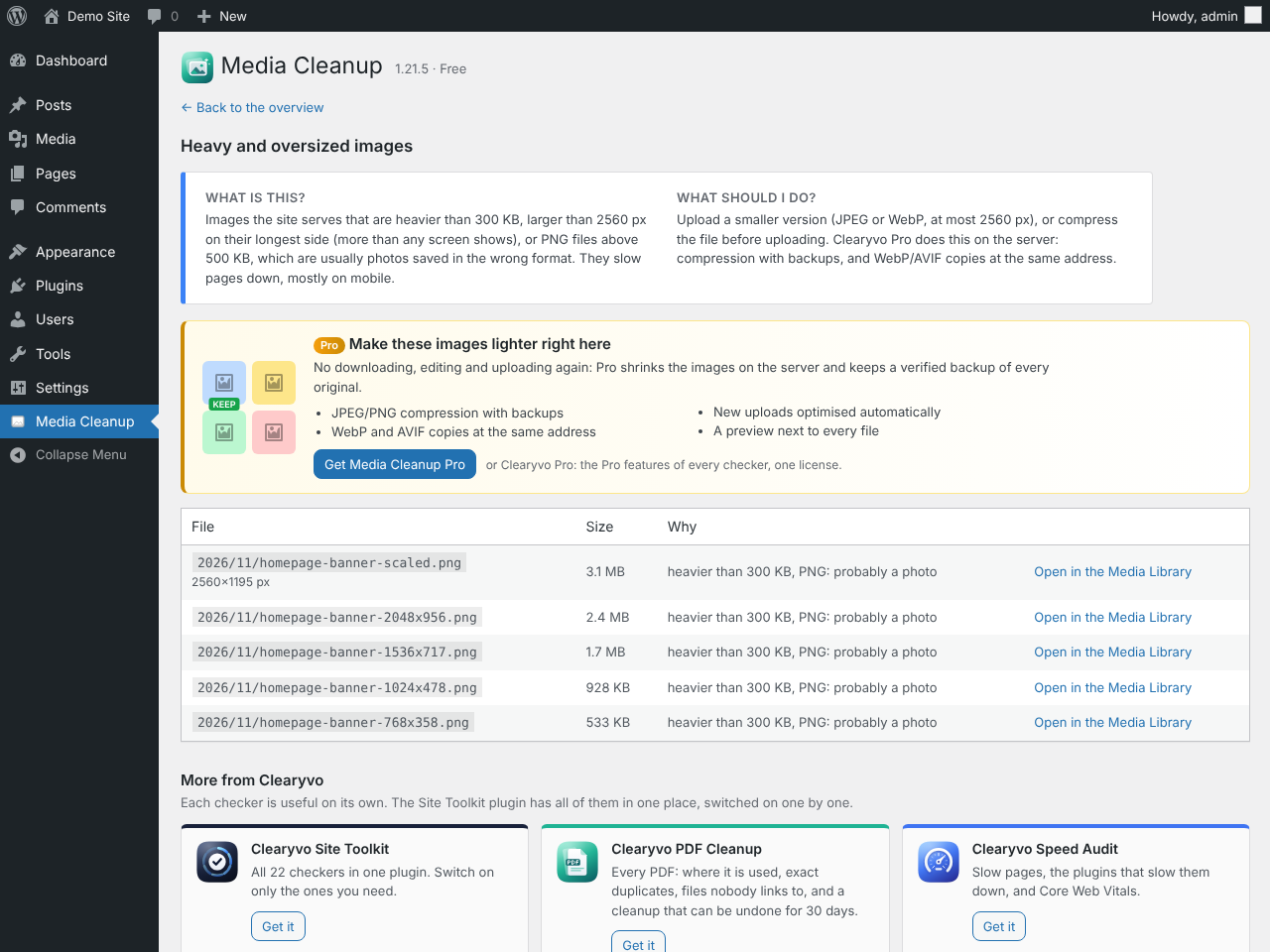
- Heavy and oversized images – files above 300 KB, larger than 2560 px, or PNG photos above 500 KB, with the pages they are used on, so you know what slows your pages down.
Safe by design
- Images in the Media Library are never moved. Registered duplicates are only listed.
- Every use is checked – posts, pages, products, custom fields, page builder data, settings, widgets, the active theme’s files and CSS, featured images, galleries, block IDs, the site icon and the logo.
- A check-only pass runs first and shows what would happen.
- Right before every move each file is checked again against the live site.
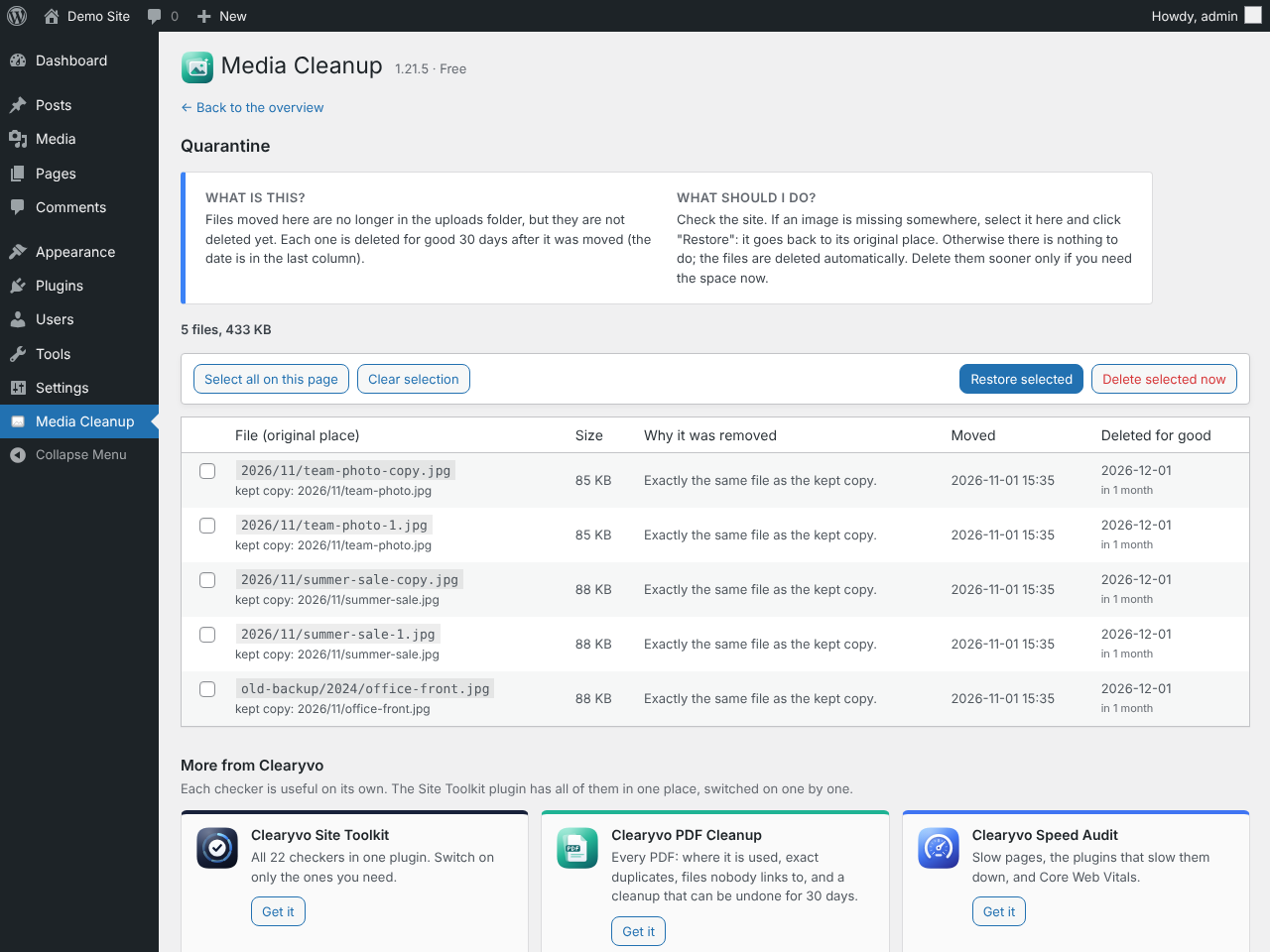
- Quarantine instead of delete – restore any file for 3, 7, 10 or 30 days (you choose); only then is it removed for good.
Works on any host
The scan runs in short, resumable steps while the page is open, so it finishes on shared hosting and on libraries with tens of thousands of images, without PHP time-limit errors. Visitors are not affected.
Part of the Clearyvo family
Focused plugins that each check one part of your site and share one Site Toolkit menu with a Site health score: broken links, SEO, PDFs, database cleanup, backups, speed and more. The Site Toolkit plugin has every checker in one plugin. More at wp-sitechecker.com.
How it works
Every image file in uploads is classified: Media Library originals, registered sizes, pre-scaling originals and image-editor backups (never moved); orphan sizes; files in backup folders; plugin-managed folders and WebP/AVIF copies (never touched); and unregistered files.
Within every group of same-picture files the plugin keeps the best copy in use (referenced, then registered) and the highest-resolution copy. Other copies are only offered when they are unregistered, unreferenced, not recent and verified: identical copies by SHA-256, look-alikes by a two-stage picture comparison (16×16 prefilter, then a strict 32×32 comparison). Anything that does not pass is listed as “unverified” and cannot be quarantined.
Limitations
- Image names that plugin code builds on the fly cannot be seen. Plugin folders and plugin-generated images are therefore left alone, and every move goes to the quarantine first.
- Plugin files (other than the active theme and CSS in uploads) are not searched for references.
- If theme files could not be read, quarantine is disabled until a scan completes cleanly. A scan older than 3 days must be repeated before quarantining.
- Visual comparison needs PHP GD (exact duplicates and orphan sizes work without it) and 64-bit PHP.
- Multisite: each site scans its own uploads folder; the main site skips the
sites/folders. - The quarantine folder is inside wp-content (random name, protected with .htaccess/web.config). On Nginx add a deny rule for
wp-content/wpmc-quarantine-*.
For developers
- Filter
wpmc_backup_regex: the regular expression that decides which folders count as backup folders. - On uninstall, tables and settings are removed. Quarantined files are kept (with the table that records where they belong) unless
WPMC_REMOVE_QUARANTINE_ON_UNINSTALLis defined as true in wp-config.php.
Screenshots
FAQ
How do I delete unused images in WordPress?
Open Media Cleanup in the admin menu (under Site Toolkit when other Clearyvo plugins are installed) and run a scan. The plugin lists image files your site does not use – duplicate copies, old thumbnail sizes, backup folders and full-size originals – with the reason for each. Tick the ones you want to remove and move them to the quarantine. Images that are registered in the Media Library are never moved.
How do I find duplicate images in the Media Library?
The scan groups files that show the same picture: exact copies (identical bytes) and look-alikes (the same picture at a lower resolution). In each group the copy that is used, or the largest one, is kept. Duplicates that are both registered in the Media Library are listed so you can merge them by hand.
Can I remove old thumbnail sizes after changing my theme?
Yes. Thumbnail files that WordPress no longer lists for an image (for example
photo-300x200.jpgfrom a previous theme) appear under “Old resized versions”. If a page ever asks for a size again, WordPress or a thumbnail plugin can create it.Will it make my backups smaller?
Yes. Every file removed from uploads is one less file in each backup, so backups get smaller and faster. Quarantined files are kept in a separate folder until they are removed for good; exclude
wp-content/wpmc-quarantine-*from your backups if you do not want them included meanwhile.Does it delete my images?
No. Files you choose are moved to a private quarantine folder, not deleted. You can put any of them back with one click for 3, 7, 10 or 30 days; only then are they removed for good.
What if something is missing after a move?
Open the Quarantine list, tick the file and press Restore: it goes back to its original place (and, for full-size originals, back into the Media Library item).
How does it know an image is used?
It looks for the file name, its URL and its Media Library ID in posts, pages, products, custom fields, term and user data, settings, the active theme’s files and CSS files in uploads, including featured images, galleries, block IDs, the site icon and the logo.
Will the scan slow down my site?
No. The scan runs in short steps in your browser tab, and visitors are not affected.
Does it work with page builders and WooCommerce?
Yes. Page builder data and product galleries are stored in posts and custom fields, which are searched.
Does it work on multisite?
Yes, per site: each site scans its own uploads folder.
What is the /wp-json/clearyvo/v1/app/ address?
A read-only REST route for the Clearyvo Site Inspector Mac app. It shows the Site health score to a signed-in administrator and changes nothing. It sends nothing anywhere.
Reviews
There are no reviews for this plugin.
Contributors & Developers
“Clearyvo Media Cleanup – Duplicate & Unused Images” is open source software. The following people have contributed to this plugin.
Contributors
Translate “Clearyvo Media Cleanup – Duplicate & Unused Images” into your language.
Interested in development?
Browse the code, check out the SVN repository, or subscribe to the development log by RSS.
Changelog
1.21.6
- Plugin name in the header matches the readme: Clearyvo Media Cleanup – Duplicate & Unused Images.
1.21.5
- Shared Clearyvo framework 2.3.1: the SEO checker is listed as Clearyvo SEO (formerly Image Alt & SEO) everywhere, whichever Clearyvo plugin loads the framework.
1.21.4
- Database: every query goes through $wpdb->prepare(), with %i placeholders for table names.
- Faster scan writes: batches of rows are saved in one transaction.
1.21.3
- New icons: one design for the whole Clearyvo family, with a colour per group of checkers.
1.21.2
- The other checkers in the shared menu have their new names (SSL Checker, Security Checker, Indexing Checker and the rest).
1.21.1
- The plugin links point to wp-sitechecker.com again, until the site has moved to clearyvo.com.
1.21.0
- New: read-only connection for the Clearyvo Site Inspector Mac app (Site health as data, for administrators with an Application Password).
1.20.1
- Links to the new home of the Clearyvo WordPress plugins: clearyvo.com/wordpress.
1.20.0
- First release under the Clearyvo name (folder and text domain: clearyvo-media-cleanup). Settings and results of the earlier versions are kept; activating this plugin switches the earlier copy off.