
Description
Most security plugins tell you that something is wrong. ClarityGuard tells you what it means and what to do about it.
Free features:
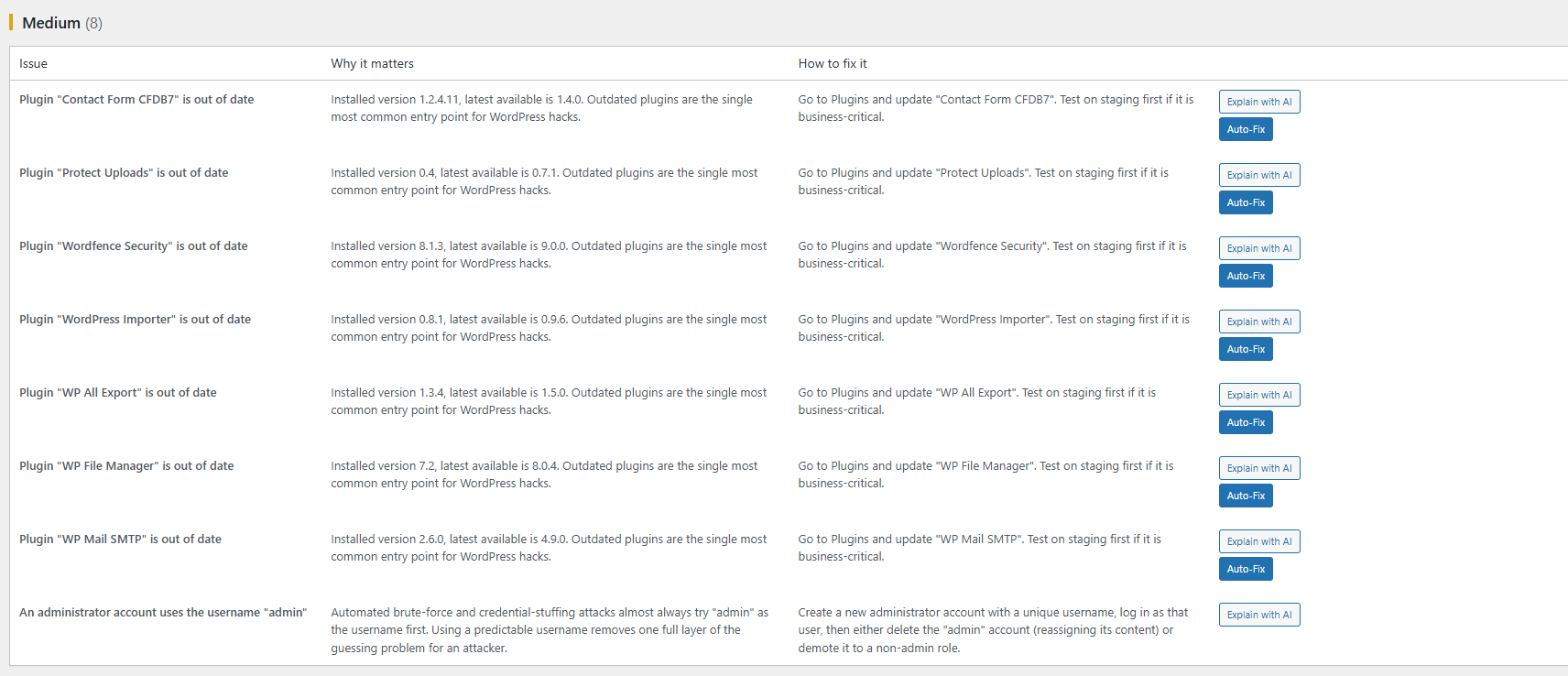
- Outdated WordPress core / plugin detection
- Known-vulnerability lookup (optional, bring your own WPScan API token)
- File permission checks on key WordPress files/folders
- Publicly exposed file detection (debug logs, backup files, .env, etc.)
- Default “admin” username detection
- Weekly automated scan with an email summary
- Plain-English explanation and fix steps for every finding
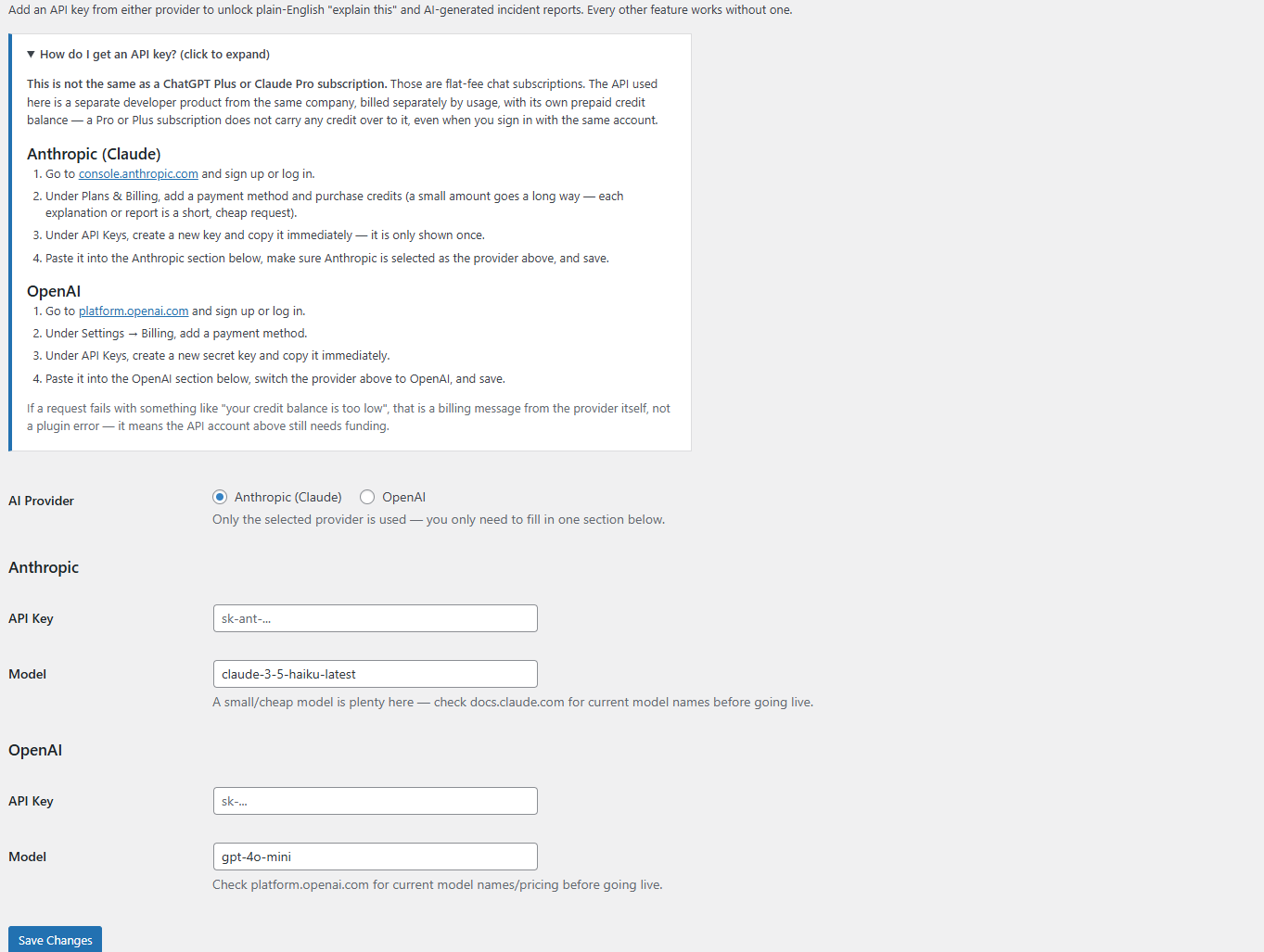
- “Explain with AI” per finding and an AI-generated incident report, once you add your own Anthropic API key under AI Settings (fully optional — everything else works with zero API keys)
Pro:
- One-click, reversible auto-remediation for safe fixes
- AI-generated, client-ready incident reports
- Malware / file-integrity diffing with AI-assisted triage
- Multi-site agency dashboard
External services
This plugin can optionally connect to the following third-party services. None of them are contacted unless you explicitly enable the feature and provide your own API key/token — every free-tier scan and check runs entirely locally with zero external calls.
Anthropic (Claude) — used to generate the plain-English “Explain with AI” text and AI incident reports, if you choose Anthropic as your AI provider under AI Settings and supply your own API key. When you click “Explain with AI” or “Generate AI Incident Report,” the relevant finding text (issue title, description, and site name) is sent to Anthropic’s API to generate the explanation; no data is sent otherwise.
Anthropic Commercial Terms of Service | Anthropic Privacy Policy
OpenAI — used the same way as Anthropic above, if you choose OpenAI as your AI provider under AI Settings and supply your own API key. The same finding text is sent to OpenAI’s API only when you click “Explain with AI” or “Generate AI Incident Report.”
OpenAI Terms of Use | OpenAI Privacy Policy
WPScan — used for the optional known-vulnerability lookup, if you add your own WPScan API token under Settings. When enabled, this plugin sends the slugs of your active plugins to the WPScan API to check them against the WPScan vulnerability database; no other site data is sent.
WPScan Terms of Service | WPScan Privacy Policy (WPScan is an Automattic property)
Screenshots
Installation
- Upload the
clarityguardfolder to/wp-content/plugins/. - Activate the plugin through the “Plugins” menu in WordPress.
- Go to “ClarityGuard” in the admin menu and click “Run Scan Now”.
FAQ
-
Does this replace Wordfence/Sucuri?
-
No — this is not a firewall or malware scanner replacement. It’s a plain-English triage and remediation layer, and works well alongside a firewall plugin.
-
Does the free version require any API keys?
-
No. Every free-tier check runs entirely locally. The known-vulnerability lookup is optional and only runs if you add your own WPScan API token in settings.
Reviews
There are no reviews for this plugin.
Contributors & Developers
“ClarityGuard” is open source software. The following people have contributed to this plugin.
Contributors

Translate “ClarityGuard” into your language.
Interested in development?
Browse the code, check out the SVN repository, or subscribe to the development log by RSS.
Changelog
0.5.5
- Fixed: the outdated-plugins check could keep reporting “no findings” even when updates were genuinely available, because it relied on WordPress core’s own throttled update check (wp_update_plugins()), which silently reuses whatever it found on its last run for up to 12 hours — including a stale empty result. “Run Scan Now” now forces a fresh check every time via delete_site_transient(‘update_plugins’) before checking, so results are always live.
0.5.0
- Added Freemius licensing integration scaffold: CG_License::is_pro() now checks a live Freemius license first (once the SDK is installed and configured — see FREEMIUS-SETUP.md), falling back to the existing developer constant / filter seam so nothing changes for sites that don’t have it configured yet.
- No visible changes for existing installs until Freemius credentials are added; this lays the groundwork for real Pro purchases/renewals instead of the CG_FORCE_PRO developer-only override.
0.4.0
- Added one-click Auto-Fix for safe, narrowly-scoped findings: file permission fixes (fully reversible via an Undo button), deleting known-safe exposed files (stock readme.html, debug.log), and plugin auto-updates.
- Every applied fix is written to an audit log (new cg_fix_log table) with before/after state, whether or not it’s revertible.
- Deliberately left unfixable from here: the default-admin-username finding, core version updates, and CVE findings, plus .env / wp-config.php.bak (too risky to auto-delete something that might be the only copy of a needed secret/backup).
0.3.0
- AI layer is now provider-agnostic: choose Anthropic (Claude) or OpenAI on the AI Settings page. Existing v0.2.0 Anthropic keys keep working automatically.
0.2.0
- Added optional AI layer: per-finding “Explain with AI” and a one-click AI-generated incident report, backed by the Anthropic Messages API.
- New AI Settings page for the API key/model (or define CG_AI_API_KEY in wp-config.php to keep it out of the database).
- AI responses are cached (30 days) per finding/report so repeat views don’t re-spend API calls.
0.1.0
- Initial MVP: core scanner, five checks, admin report page, weekly email summary.