
Description
CigalPay adds a crypto payment option to your WooCommerce checkout.
- Your prices stay in USD or EUR. The customer picks the coin on the CigalPay checkout and sees the exact amount to send.
- Accepted coins: Bitcoin, USDT (TRC-20), Ethereum, Solana, Litecoin, Dogecoin, Dash, Bitcoin Cash, Polygon and TRX. Customers can also pay in many other coins, converted automatically.
- The order is marked paid once the payment is confirmed on the network. Until then it stays on hold, so it isn’t cancelled while the network confirms.
- Works with the block-based checkout and the classic checkout, and with High-Performance Order Storage.
- Every payment notification is signed. The plugin also checks that the payment is for the checkout it created for that order, at the order’s price.
- Refund from the order page: the customer gets back the coin they paid, from your CigalPay balance.
How it works
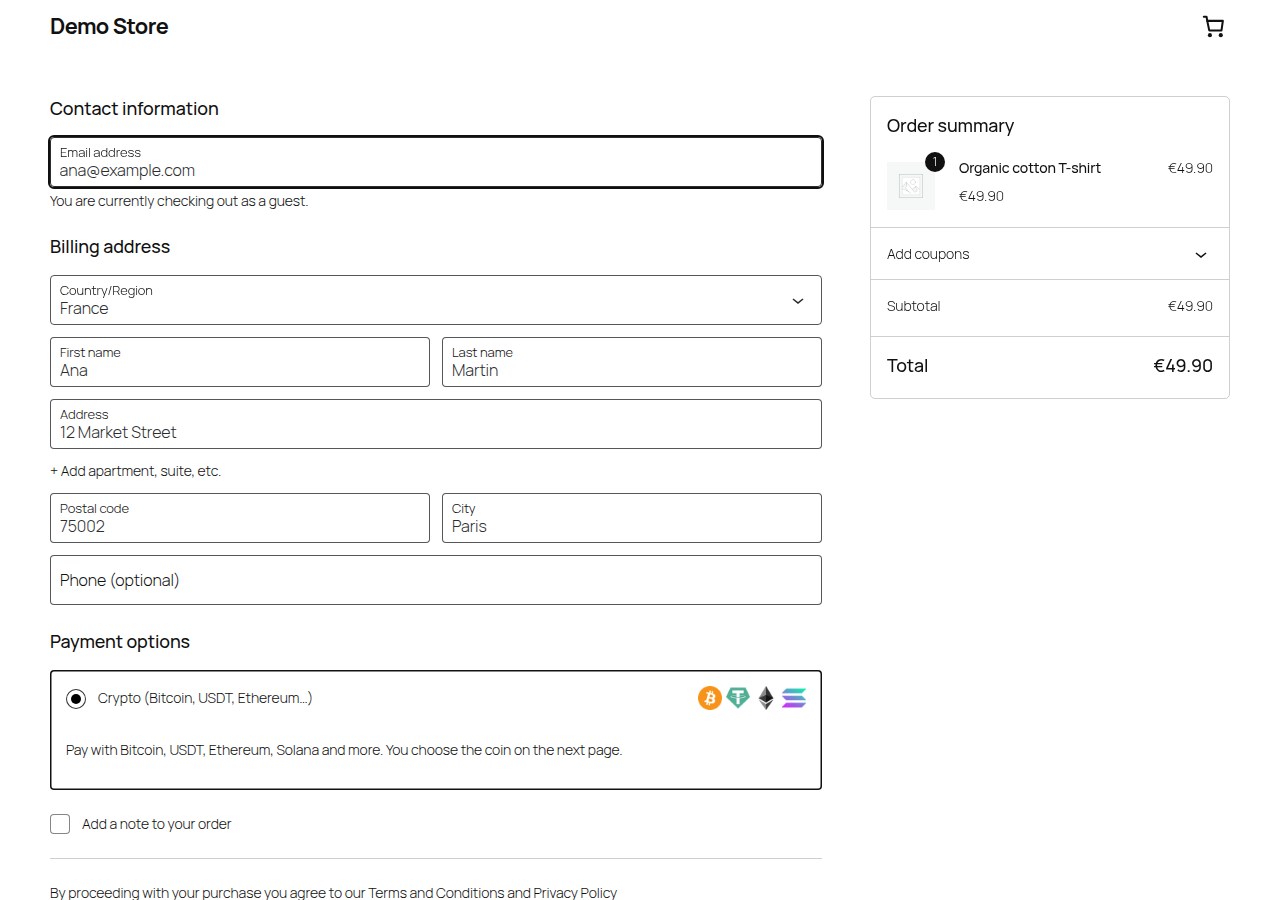
- The customer chooses “Crypto” at checkout.
- They’re sent to the CigalPay checkout, pick a coin and pay.
- CigalPay notifies your store, and the order moves to Processing.
External service
This plugin connects to CigalPay (https://cigalpay.com) to take payments. When a customer places an order with CigalPay, the plugin sends CigalPay:
- the order total and currency, the order number and the store name;
- the return address and the notification address of your store;
- the customer’s language.
No customer names, emails or addresses are sent. CigalPay then sends payment status notifications back to your store.
When you refund an order with “Refund via CigalPay”, the plugin sends CigalPay the payment id, the amount, the refund reason and the customer’s billing email, so CigalPay can email them the link to enter their refund address.
- Terms of service: https://cigalpay.com/terms-of-service
- Privacy policy: https://cigalpay.com/privacy-policy
Screenshots


Installation
- Install and activate the plugin.
- Create a free CigalPay account at https://cigalpay.com.
- In the CigalPay dashboard, open Settings API credentials. Copy your Account ID and your notification signing secret, and your API key to refund from WooCommerce.
- In WooCommerce Settings Payments CigalPay, paste the values and enable the payment method.
Your store currency must be USD or EUR.
FAQ
-
Do I need to set up a webhook?
-
No. The plugin sends its notification address with every payment.
-
What if the customer sends too little?
-
The order is put on hold with a note that shows the amount received, so you can contact the customer.
-
Can I refund from WooCommerce?
-
Yes. Add your API key in the plugin settings, then on the order page click Refund, enter the amount and click “Refund via CigalPay”. The amount is converted into the coin the customer paid, at the payment’s rate, and comes out of your CigalPay balance with the network fee. The customer gets an email to enter their address, and CigalPay sends the coin once the refund is reviewed. CigalPay’s fee on the payment is not refunded. A payment forwarded to your own wallet isn’t on your CigalPay balance: refund it from that wallet.
-
Where are the logs?
-
WooCommerce Status Logs, source “cigalpay”. Turn on “Debug log” in the plugin settings to log every notification.
Reviews
There are no reviews for this plugin.
Contributors & Developers
“CigalPay for WooCommerce” is open source software. The following people have contributed to this plugin.
Contributors
Translate “CigalPay for WooCommerce” into your language.
Interested in development?
Browse the code, check out the SVN repository, or subscribe to the development log by RSS.
Changelog
1.1.0
- Refund via CigalPay from the order page, in the coin the customer paid. Needs the new API key setting.
1.0.0
- First release.