
Description
Cherrylift copies the content you choose from one WordPress site to another, for example from staging to production, without migrating the database.
Copying a whole database (or whole tables) overwrites everything created on the target since the last sync: orders, user accounts, form entries, comments. Cherrylift only moves the items you pick, plus everything they depend on, and leaves the rest of the target site alone.
How it works
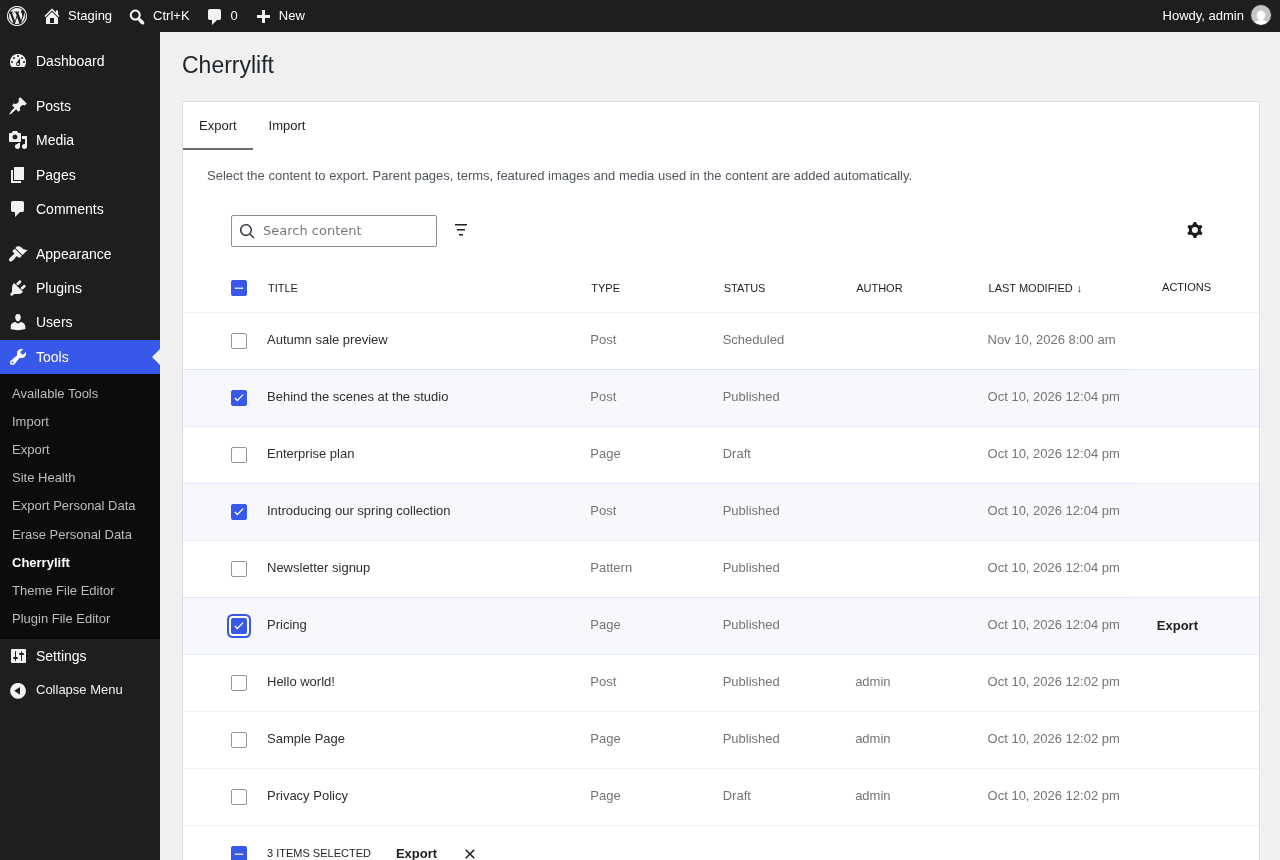
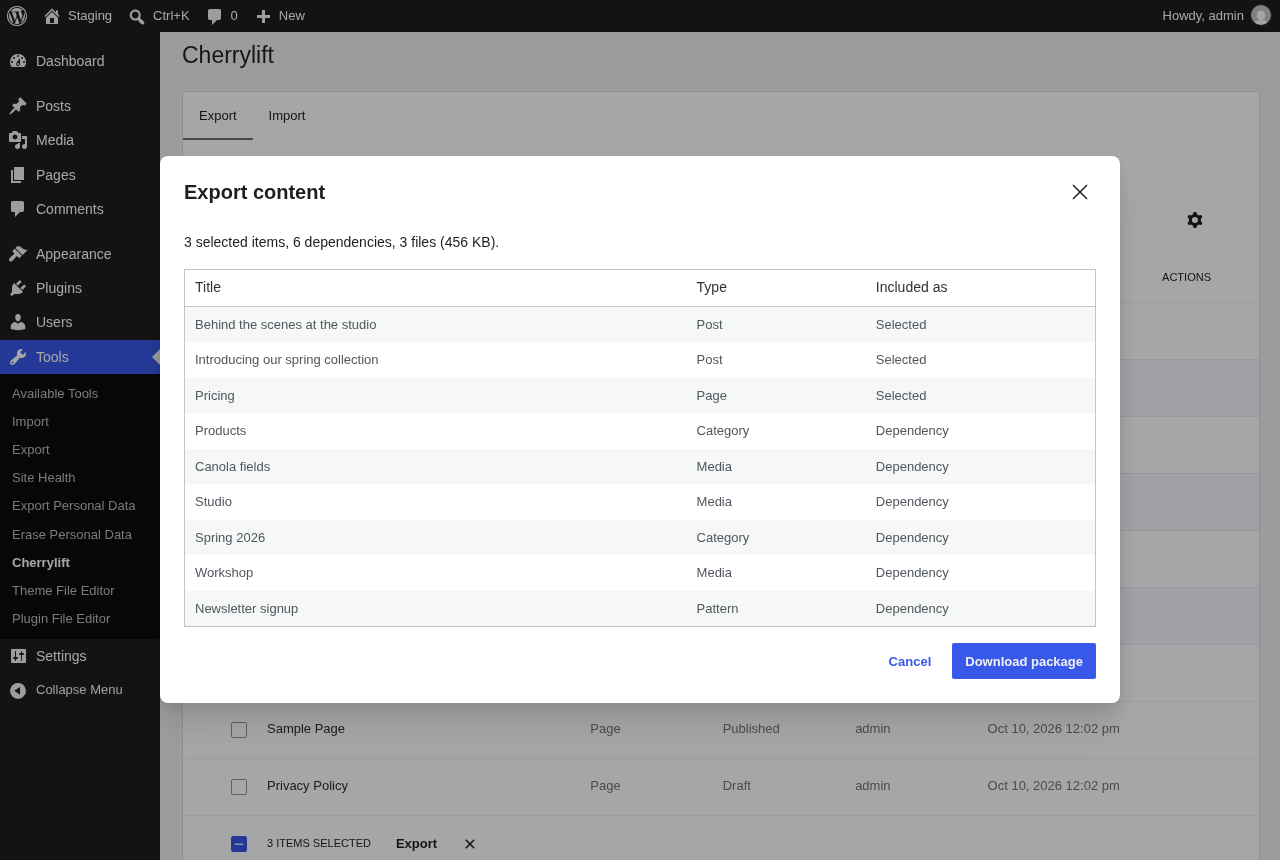
- On the source site, go to Tools Cherrylift Export, select content and download a package (a zip file).
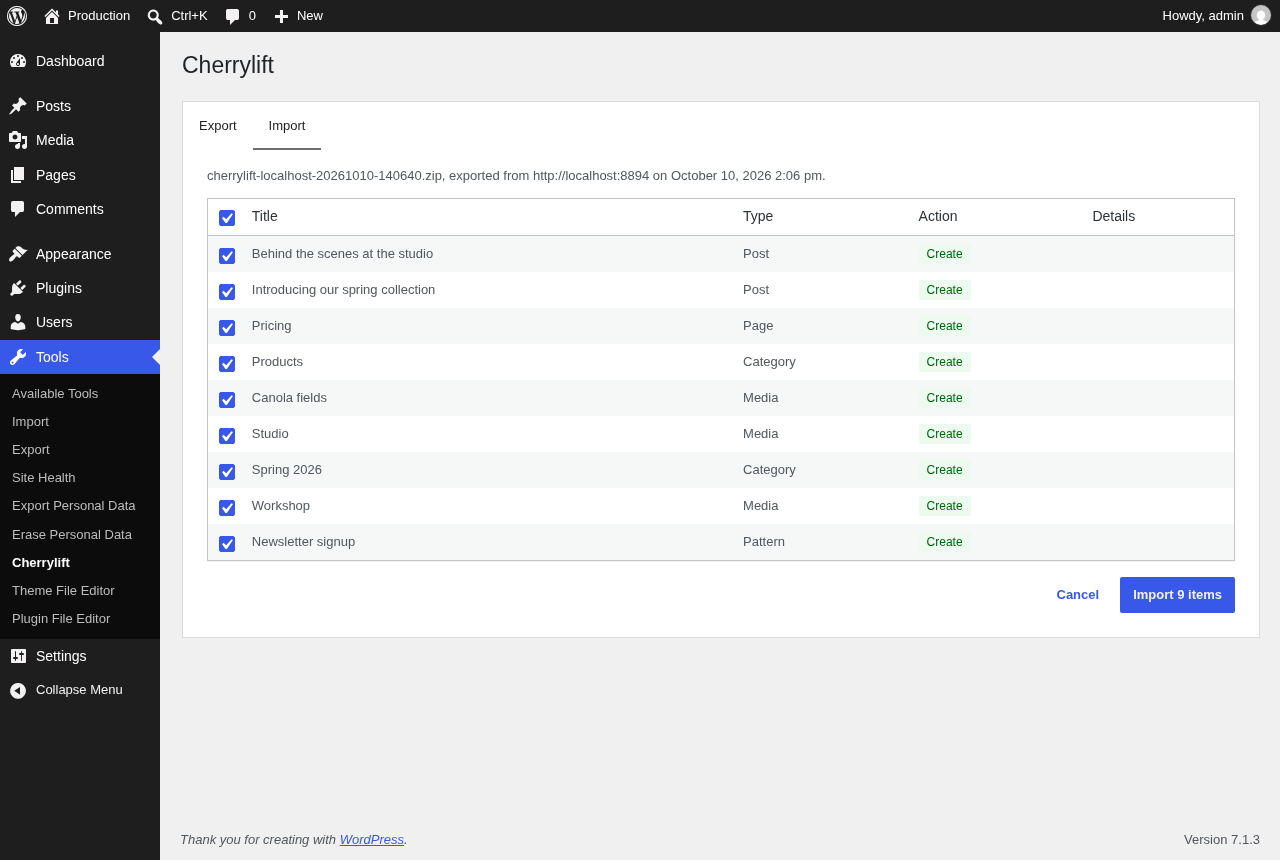
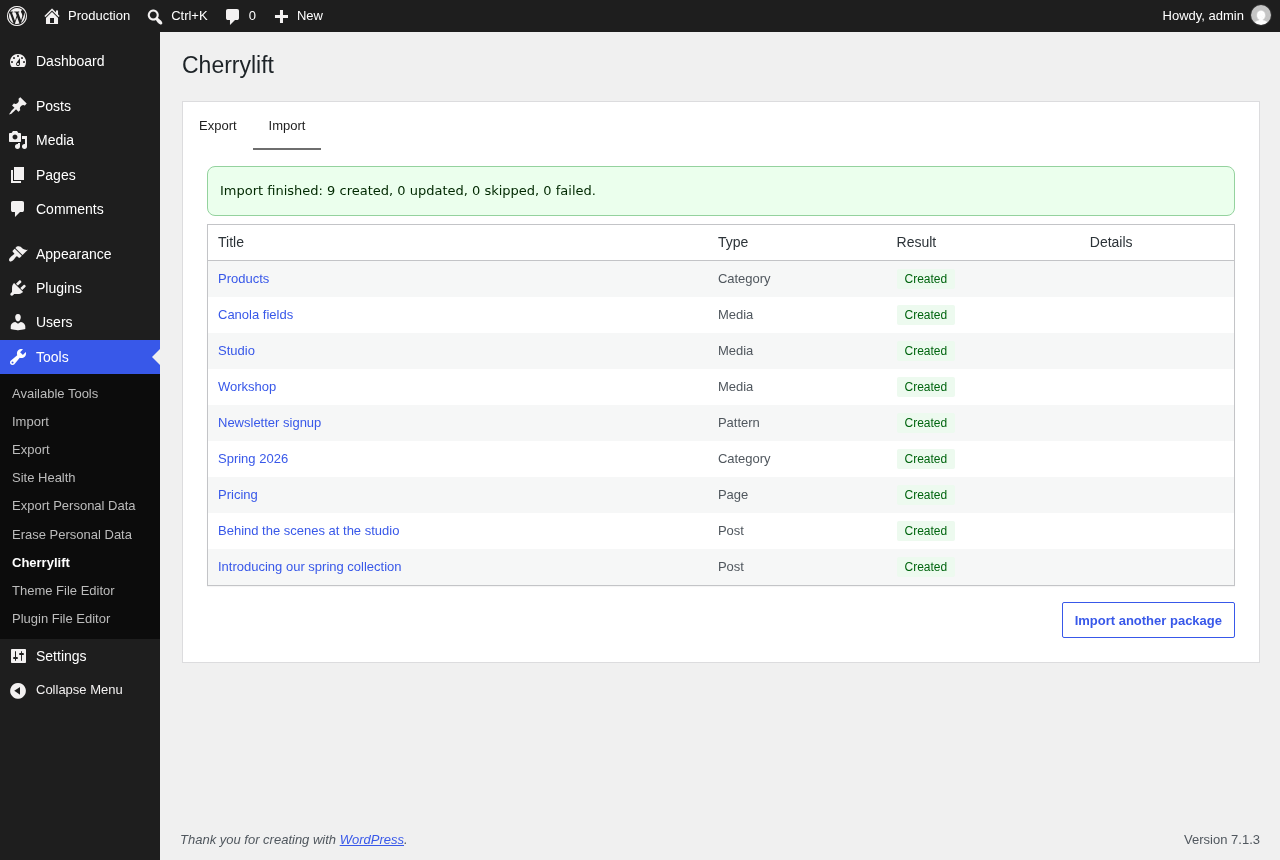
- On the target site, upload it under Import. A preview shows what will be created or updated, and you can untick anything you don’t want to change.
- Import. Every reference is remapped to the target site’s IDs and URLs.
Features
- Dependencies included automatically: parent pages, categories and tags (with their parent terms), featured images, media used in blocks and galleries, and synced patterns.
- Safe to repeat: every item gets a stable ID that travels with it, so syncing again updates the same content instead of duplicating it. Content created separately with the same slug is recognized too.
- References remapped: parent pages, featured images, term hierarchy, image, gallery, cover, file and video block IDs,
wp-image-…classes,[gallery]shortcodes, media URLs (including every image size) and links to the source domain. - Media handled carefully: files are uploaded with WordPress’s usual checks and image sizes are regenerated; existing media is only replaced when the file actually changed.
- Meta merged, not wiped: custom fields in the package are updated; fields that only exist on the target are kept.
- Large packages are imported in batches with a progress bar.
- Drafts, scheduled and private content can be synced and keep their status.
- WP-CLI:
wp cherrylift exportandwp cherrylift import, including dry runs. - REST API for automation.
- Developer-friendly: more than 25 actions and filters to change what is exported, how content is matched, which meta keys hold IDs, and more. See the hooks reference.
- Translation-ready.
What is never synced
Users, comments, orders and other non-content data, by design. Site settings, themes, plugins, menus, templates and global styles are not synced either.
Source code
The full source code, tests and issue tracker are on GitHub. The admin screen’s JavaScript in build/ is compiled from src-js/ in that repository with @wordpress/scripts: run npm install and npm run build to rebuild it. Contributions are welcome; see CONTRIBUTING.md in the repository.
Screenshots
Installation
- Install and activate the plugin on both the source and the target site.
- Go to Tools Cherrylift.
- Export from the source site, then import the package on the target site.
Imports from the admin screen are limited by PHP’s upload size (upload_max_filesize and post_max_size). For very large packages, use WP-CLI on the target site:
wp cherrylift import package.zip --user=admin
FAQ
-
Will importing overwrite my orders, users or form entries?
-
No. Only the items in the package are created or updated. Nothing else on the target site is changed.
-
What exactly ends up in a package?
-
The items you select, plus what they need to display correctly: parent pages, categories, tags and their parents, featured images, media used in the content, and synced patterns. The export preview lists every item before you download. Child pages are not included unless you select them.
-
What happens if I import the same package twice, or sync again later?
-
Items are updated in place. Each item carries a stable ID (stored as hidden metadata) that is used to recognize it on the target, so nothing is duplicated.
-
What if the target already has a page with the same slug that was created separately?
-
It is treated as the same page and updated, then linked for future syncs. This avoids “contact-2” duplicates on sites that were set up separately. Developers can turn this off with the
cherrylift_match_existing_entityfilter. -
Can I keep some items on the target unchanged?
-
Yes. In the import preview, untick the items you don’t want to create or update.
-
Are custom fields supported?
-
Custom fields (post meta and term meta) are copied. Fields that store IDs of other content (beyond featured images) are only remapped if a developer declares them with the
cherrylift_id_reference_meta_keysfilter. Advanced Custom Fields relationship, post object, image and gallery fields are not remapped automatically yet. -
Some media wasn’t imported. Why?
-
The target site only accepts file types allowed for uploads there. For example, SVG files are rejected by a default WordPress install. The import report lists anything that was skipped or failed.
-
Are links to other pages updated?
-
Links that point to the source site’s domain are rewritten to the target site’s domain. Links whose page has a different slug on the target are not adjusted.
-
Who can use it?
-
Administrators (the
manage_optionscapability) by default. Developers can change this with thecherrylift_capabilityfilter; WordPress’s normal per-item permissions then still apply. -
Is it safe to import a package someone sent me?
-
Only import packages you trust: a package is content from another site. Packages are validated before anything is extracted (sizes, file list, file types, checksums), and only content types can be written, never site configuration. Users without the
unfiltered_htmlcapability get their imported content filtered as usual. -
I use nginx. Anything to configure?
-
Uploaded packages wait in
wp-content/uploads/cherrylift/until they are imported, and WP-CLI exports are written there too. Their names are random and the folder blocks web access with an.htaccessfile, which nginx ignores. Add alocation ^~ /wp-content/uploads/cherrylift/ { deny all; }rule to block it there too. -
Does it work on multisite?
-
Multisite networks haven’t been tested yet. Syncing directly between sites of the same network isn’t supported: export from one site and import on the other.
Reviews
There are no reviews for this plugin.
Contributors & Developers
“Cherrylift – Selective Content Sync” is open source software. The following people have contributed to this plugin.
Contributors
Translate “Cherrylift – Selective Content Sync” into your language.
Interested in development?
Browse the code, check out the SVN repository, or subscribe to the development log by RSS.
Changelog
0.3.0
- Changed:
wp cherrylift exportwrites packages towp-content/uploads/cherrylift/exports/and prints their path (--porcelainprints only the path). The--fileoption is removed. - Changed: uploaded packages waiting for import are kept in
wp-content/uploads/cherrylift/packages/.
0.2.0
- Renamed from Selective Entity Sync to Cherrylift. Hooks (
cherrylift_*), the REST API (cherrylift/v1) and the WP-CLI command (wp cherrylift) use the new name. - Fixed: when a site lowers the plugin’s capability, the Export list only shows content the user can read.
- Changed: WP-CLI exports only write new
.zipfiles and never overwrite existing ones. - Translations now come from translate.wordpress.org.
0.1.1
- Fixed: error messages are now escaped for safe display everywhere, and still read normally in the admin screen, the import report and WP-CLI.
- The plugin package now includes composer.json.
0.1.0
- Initial release: export, import with preview and batching, ID and URL remapping, WP-CLI commands, REST API, French translation.