
Description
Chat203 adds a chat button to your website. Visitors ask questions and get answers right away, any time, in English or Spanish.
- Answers only from your content. Chat203 reads your website, files and questions-and-answers you add. It does not make things up; when it does not know, it says so and offers a person.
- English and Spanish. It answers in the visitor’s language.
- Hands off to a person. Visitors can ask for a human at any time. You reply from the Chat203 inbox.
- Collects leads. It asks for a name, email or phone when it makes sense (you choose when).
- Matches your site. It picks up your colors and font automatically.
- Safe by design. It always says it is an AI, asks for consent first, never asks for card numbers or passwords and hides them if typed, and shows the 988 crisis line when someone needs help.
You manage everything (what it knows, how it looks, your inbox and leads) in your Chat203 account at app.chat203.com.
External services
This plugin connects to the Chat203 service, run by Cabana West, to show the chat and answer visitors. It is required for the plugin to work.
- What is loaded: the chat button script from https://chat203.com/w.js on every front-end page while the chat is turned on; after the page has loaded, it loads the rest of the chat from https://chat203.com/w-app.js. Both always come from chat203.com, so improvements to the chat reach your site without a plugin update.
- What is sent, and when: when the page loads, the script asks Chat203 for your chat settings (it sends your site key and the page address). When a visitor agrees to chat and sends a message, the message, the visitor’s chosen language and the page address are sent to Chat203 to produce the answer. Contact details are sent only if the visitor types them in. A one-time human check (Cloudflare Turnstile) may run before the first message to block bots.
- Terms: https://chat203.com/terms/chat.html
- Privacy: https://chat203.com/privacy/chat.html
Screenshots

Installation
- Install and activate the plugin.
- Create a free account at https://app.chat203.com/signup (or sign in).
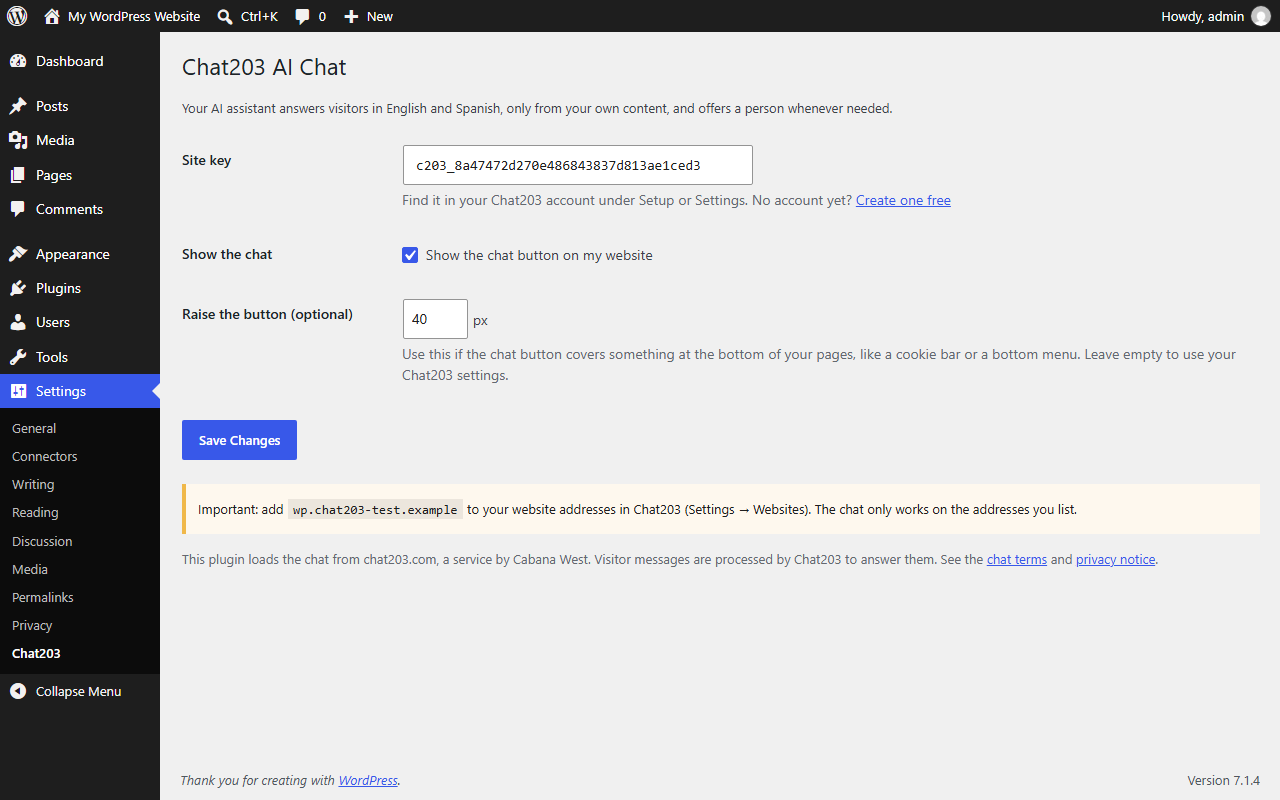
- In Chat203, add your website address under Settings Websites. The chat only works on the addresses you list.
- Copy your site key (it starts with
c203_) from Setup or Settings. - In WordPress, go to Settings Chat203, paste the key and click Save Changes.
The chat button appears on your website within a minute.
FAQ
-
Is it free?
-
There is a free plan with a monthly number of conversations. Paid plans add more conversations. See https://chat203.com.
-
Does it slow down my site?
-
No. The button script is under 1 KB compressed and loads after your page (async). The rest of the chat loads only after the page has finished loading.
-
Go to Settings Chat203 and enter a number in Raise the button (for example 76).
-
Which languages does it speak?
-
English and Spanish.
Reviews
There are no reviews for this plugin.
Contributors & Developers
“Chat203 AI Chat” is open source software. The following people have contributed to this plugin.
Contributors
Translate “Chat203 AI Chat” into your language.
Interested in development?
Browse the code, check out the SVN repository, or subscribe to the development log by RSS.
Changelog
0.1.3
- Describes the smaller chat loader: a tiny button script first, the rest of the chat after the page has loaded.
0.1.2
- Translations are now provided through translate.wordpress.org instead of files inside the plugin.
0.1.1
- Text domain is now chat203-ai-chat, matching the WordPress.org plugin slug.
0.1.0
- First release.