
Description
Academies that use Tutor LMS get the same request again and again: a student who forgot their password needs their certificate, or an employer wants to check that someone finished a course.
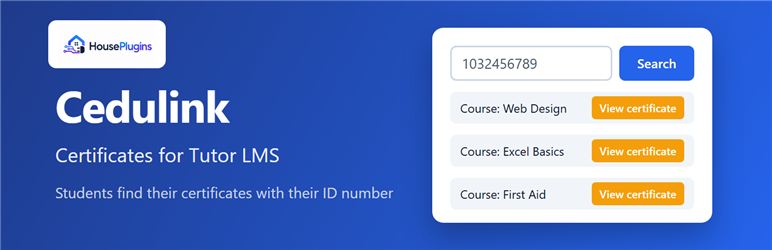
Cedulink Certificates adds a simple search form. The student types their ID number (for example, their national ID) and gets a table with every course they completed, the completion date and a button to open the Tutor LMS certificate. No account or password is needed.
Features
- Shortcode
[hp_tutor_certificate_lookup]that works on any page or page builder. - Searches the user profile field you choose (for example
cedula,dniorbilling_document). - Shows the student, course and completion date for every completed course.
- “View certificate” button that opens the public Tutor LMS certificate page, with your own template.
- Without a certificate add-on it still works as a proof of completion.
- Responsive design that adapts to any theme.
- Ready for translation. Includes Spanish.
Requirements
- Tutor LMS (free).
- The certificate button needs a Tutor LMS certificate add-on that renders certificates at
/tutor-certificate(included in Tutor LMS Pro). Without it, the lookup lists the completed courses only.
Security
- Only completed, published courses are listed.
- Administrator, editor and other staff accounts are never listed.
- No login session or cookie is created for the student.
- Each visitor is limited to 15 searches every 10 minutes (filter
hpclt_rate_limit).
Need more?
HP Tutor LMS Toolkit adds a CSV export of every student’s progress, a weekly report by email, one list with all completions and certificates, and bulk enrolment and unenrolment in several courses at once.
Installation
- Install and activate Tutor LMS.
- Install and activate this plugin from Plugins > Add New, or upload the ZIP file.
- Go to Settings > Tutor Certificate Lookup and enter the user meta key where the ID number is stored.
- Add the shortcode
[hp_tutor_certificate_lookup]to a page.
FAQ
-
Where does the ID number come from?
-
From a user profile field (user meta). Many registration, checkout and profile plugins save the ID number there. Enter that field’s key in Settings > Tutor Certificate Lookup.
-
Does the student need to log in?
-
No. The certificate page of Tutor LMS is public and identified by a unique code, so the button opens it directly.
-
Can someone see other people’s certificates?
-
Only by knowing their exact ID number. Decide whether the ID number is enough for your institution before publishing the page.
-
Is Tutor LMS included?
-
No. Tutor LMS is a separate plugin and must be installed and active.
Reviews
There are no reviews for this plugin.
Contributors & Developers
“Cedulink Certificates for Tutor LMS” is open source software. The following people have contributed to this plugin.
Contributors
Translate “Cedulink Certificates for Tutor LMS” into your language.
Interested in development?
Browse the code, check out the SVN repository, or subscribe to the development log by RSS.
Changelog
1.0.1
- Fix: removed a stray byte-order mark that could cause a “headers already sent” warning.
1.0.0
- First release.