
Description
Catalogafe checks a WooCommerce product CSV before you import it, and audits the products already in your store. It reads only: it never creates, updates or deletes a product. When the dry run is clean, you import with the normal WooCommerce product importer, as before.
WooCommerce CSV import validator and dry run
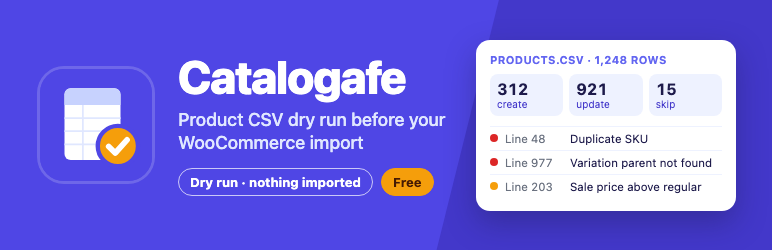
Upload a CSV under Products CSV Dry Run, choose the same update mode you will use in the WooCommerce importer, and see what the import would do before it touches anything: how many products would be created, updated or skipped, which rows have errors, and which only have warnings.
Check a product CSV before you import
Every row is checked for the mistakes that break or silently damage an import:
- Rows with no ID, SKU or global unique ID
- Invalid product types, type flags, prices, stock values, dates and statuses
- A sale price that is not lower than the regular price
- Existing products that will be skipped or updated
- External product URLs, image URLs (format) and empty category or tag terms
- Duplicate required headers, UTF-8, delimiter, header, file size and row-limit problems
Find duplicate SKUs, missing SKUs and duplicate GTIN/EAN/UPC
Catalogafe finds the same SKU, ID or GTIN/UPC/EAN/ISBN used on more than one row, and SKUs or global IDs that already belong to a different product in your store.
Fix variation and parent errors before they break an import
Variation rows are checked for a missing or wrong parent ID or SKU, and for variation attributes and global attribute names that don’t match.
CSV delimiter detection: comma, semicolon, tab and pipe
Exports from Excel, Numbers, Google Sheets and other shops use different separators. Catalogafe detects comma, semicolon, tab and pipe automatically, or you can choose one.
WooCommerce CSV column mapping and update-mode prediction
Headers from the WooCommerce exporter and common alternatives are mapped to WooCommerce fields, including attribute, download and meta columns, so you see which columns WooCommerce will use and which it will ignore.
Catalog audit: product health check for your existing store
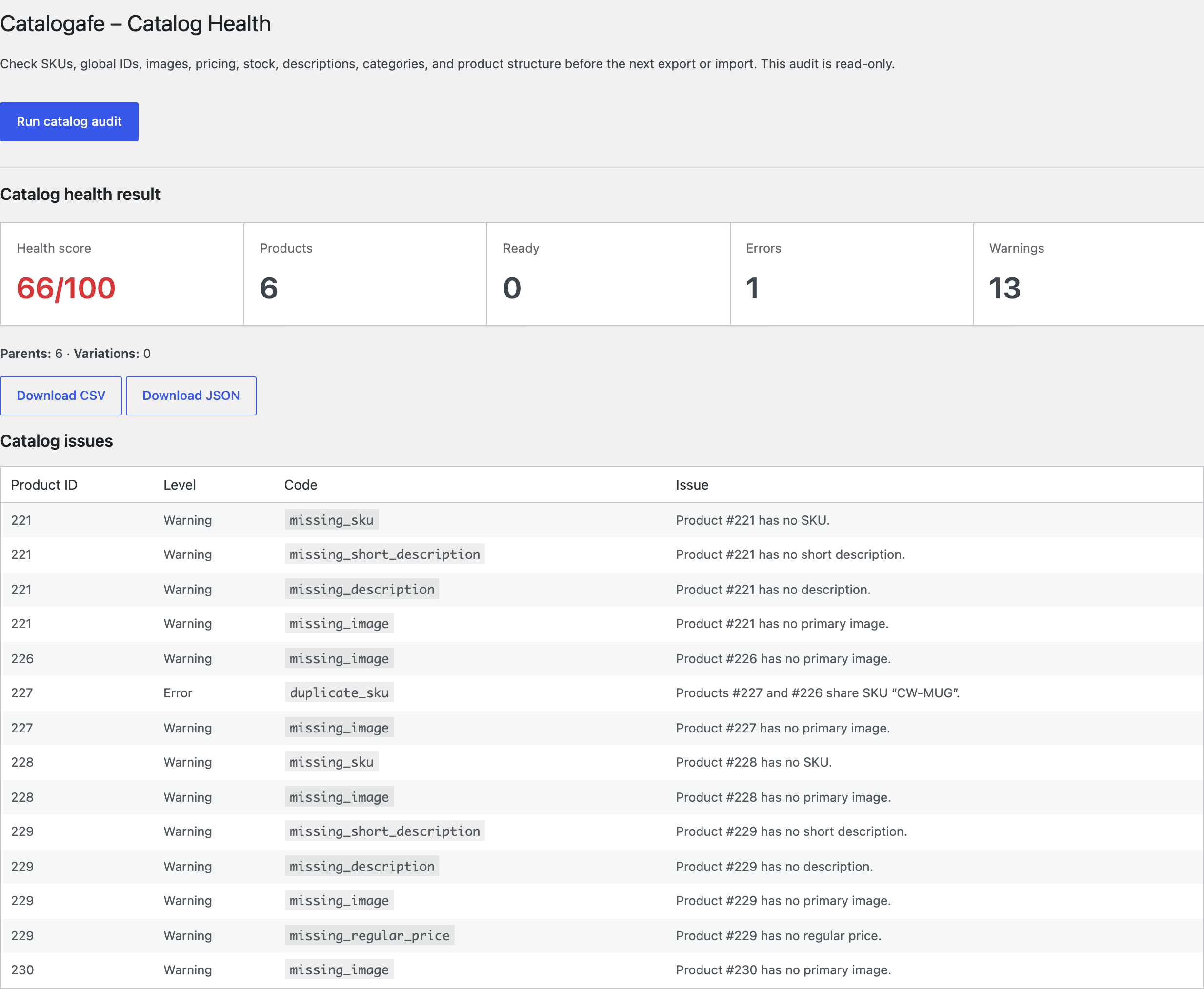
Products Catalog Health audits the products already in WooCommerce: duplicate SKUs and global IDs, missing SKUs, pricing and stock problems, missing images, short or missing descriptions, uncategorised products and product structure. It is read-only too.
Import quality score and downloadable CSV or JSON fix reports
Each check gives a quality score out of 100 and a list of issues with line numbers. Download the issues as CSV or JSON, fix your spreadsheet and check again.
WooCommerce CSV template download
Start from a WooCommerce-compatible CSV template with simple and variation examples.
Read-only by design: Catalogafe never imports
Catalogafe never writes products, never repairs your file and never contacts other servers while checking. Uploaded files are processed in memory for the check.
100% free
Catalogafe is free, with no paid version and nothing locked.
Screenshots


Installation
- Install and activate WooCommerce.
- Install and activate Catalogafe.
- Go to Products CSV Dry Run.
- Download the starter template or upload your own CSV.
- Choose a delimiter and the WooCommerce update mode.
- Review quality, mapping, predicted actions, and issues; download the report if fixes are needed.
- Go to Products Catalog Health to audit existing products without writing to them.
FAQ
-
How do I validate a WooCommerce product CSV before importing?
-
Go to Products CSV Dry Run, upload the CSV and run the check. Catalogafe lists every error and warning with its line number, the predicted create/update/skip totals and a quality score. Nothing is imported.
-
How do I do a dry run of a WooCommerce product import?
-
Choose the same “Update existing products” setting you will use in the WooCommerce importer. Catalogafe then predicts which rows the importer would create, update or skip, without changing your store.
-
Does Catalogafe import products?
-
No. It only reads the uploaded file and looks up existing product identifiers. The normal WooCommerce importer does the import.
-
How do I find duplicate SKUs in WooCommerce?
-
In a CSV, the dry run flags any SKU used on more than one row and any SKU that already belongs to another product. For products already in your store, run Products Catalog Health.
-
How do I find products with a missing SKU, image, price or category?
-
Run Products Catalog Health. It lists each product with a missing SKU, primary image, price, description or category, and other catalog problems.
-
Why does the WooCommerce product importer skip or update products?
-
The importer matches rows to existing products by ID or SKU, and whether it updates or skips them depends on the “Update existing products” option. Catalogafe shows which rows match an existing product and what will happen to each with your chosen option.
-
How do I fix variation rows with a missing or invalid parent?
-
Each variation row needs a Parent value that matches an existing variable product’s ID or SKU, or a new variable product in the same file. Catalogafe reports the line of every variation whose parent can’t be found.
-
Does it detect semicolon, tab or pipe delimiters?
-
Yes. Comma, semicolon, tab and pipe are detected automatically, and you can also choose one.
-
How do I check GTIN, UPC, EAN or ISBN values in a product CSV?
-
Catalogafe checks the global unique ID column for duplicates within the file and for values already used by another product in your store.
-
Where can I download a WooCommerce product CSV template?
-
Products CSV Dry Run has a “Download WooCommerce CSV template” link with simple and variation product examples.
-
Why does a negative stock quantity give a warning?
-
WooCommerce allows negative stock: it is how a product that sold on backorder shows the units still owed. So Catalogafe never blocks it. It warns only when a row has a negative Stock and its “Backorders allowed?” is not 1 or notify, because WooCommerce then imports the product as out of stock, which is rarely intended. A Stock value that is not a whole number (for example “abc” or 4.5) is an error.
-
Which “In stock?” values does WooCommerce accept?
-
WooCommerce’s own export writes “In stock?” as 1 (in stock), 0 (out of stock) or backorder, and “Backorders allowed?” as 1, 0 or notify. Catalogafe accepts exactly these. WooCommerce’s importer reads any other “In stock?” value as in stock, so a value such as outofstock or onbackorder gets a warning; values that mean in stock (instock, yes, true) import as intended and are not flagged.
-
What are the file and row limits?
-
CSV or TXT files up to 16 MB and 10,000 product rows. Reports keep up to 5,000 issues; the totals always count every issue.
-
Does it change the uploaded file?
-
No. Catalogafe does not repair files. Download the CSV issue report, fix the source spreadsheet and check again.
Reviews
There are no reviews for this plugin.
Contributors & Developers
“Catalogafe – Product CSV Import Validator, Dry Run & Catalog Audit for WooCommerce” is open source software. The following people have contributed to this plugin.
Contributors
Interested in development?
Browse the code, check out the SVN repository, or subscribe to the development log by RSS.
Changelog
1.0.0
- Initial release: read-only dry run for WooCommerce product CSV files before import, with no product changes.
- WooCommerce header mapping, including attribute, download and meta columns, and auto-detection of comma, semicolon, tab and pipe files (UTF-8 BOM and Excel “sep=” line supported).
- Predicted create, update and skip totals, an import quality score and row-level checks for SKUs, global unique IDs, prices, stock, backorders, variations, images and categories.
- Downloadable CSV and JSON issue reports.
- Products > Catalog Health: a read-only audit of the existing catalog.
- A WooCommerce-compatible import starter template.