

Description
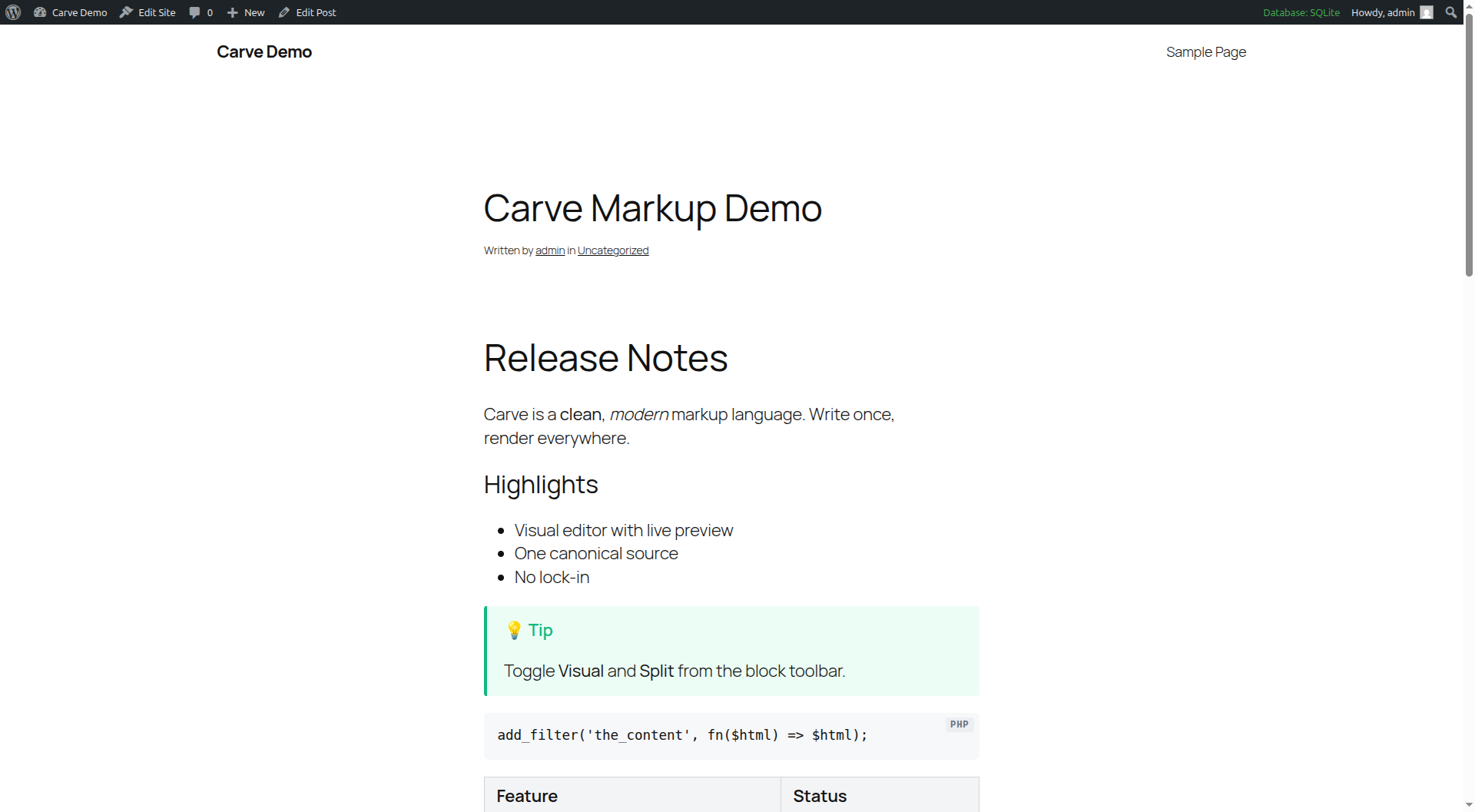
Carve is a lightweight markup language for documents and the web. This plugin renders Carve to HTML in WordPress, powered by the markup-carve/carve-php engine.
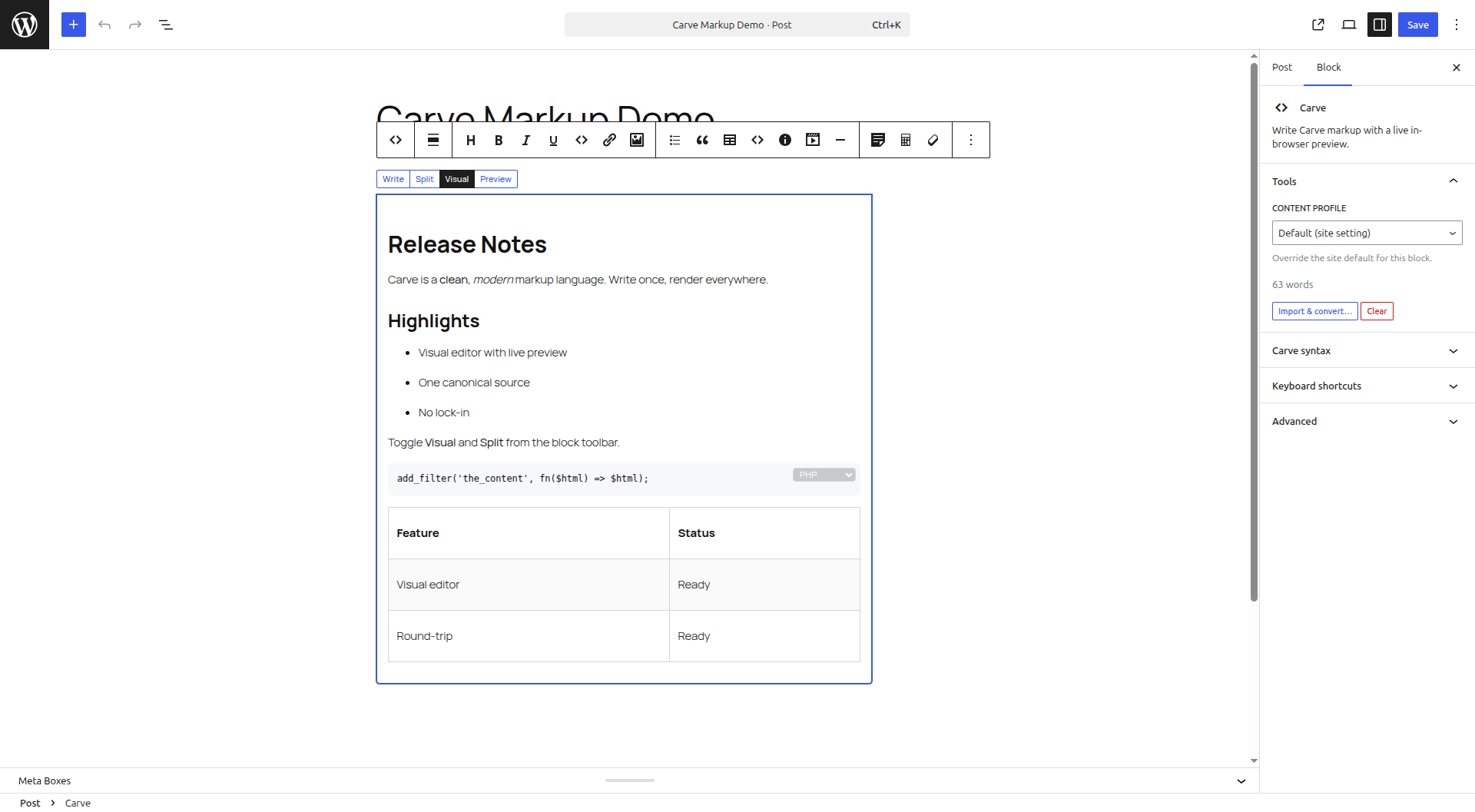
Features: per-post “Render as Carve” mode, a [carve] shortcode, a Gutenberg block with a visual (WYSIWYG) editor, comment support, content profiles, table of contents, heading permalinks, smart quotes, Mermaid, and WP-CLI migration.
Beyond a typical markup plugin:
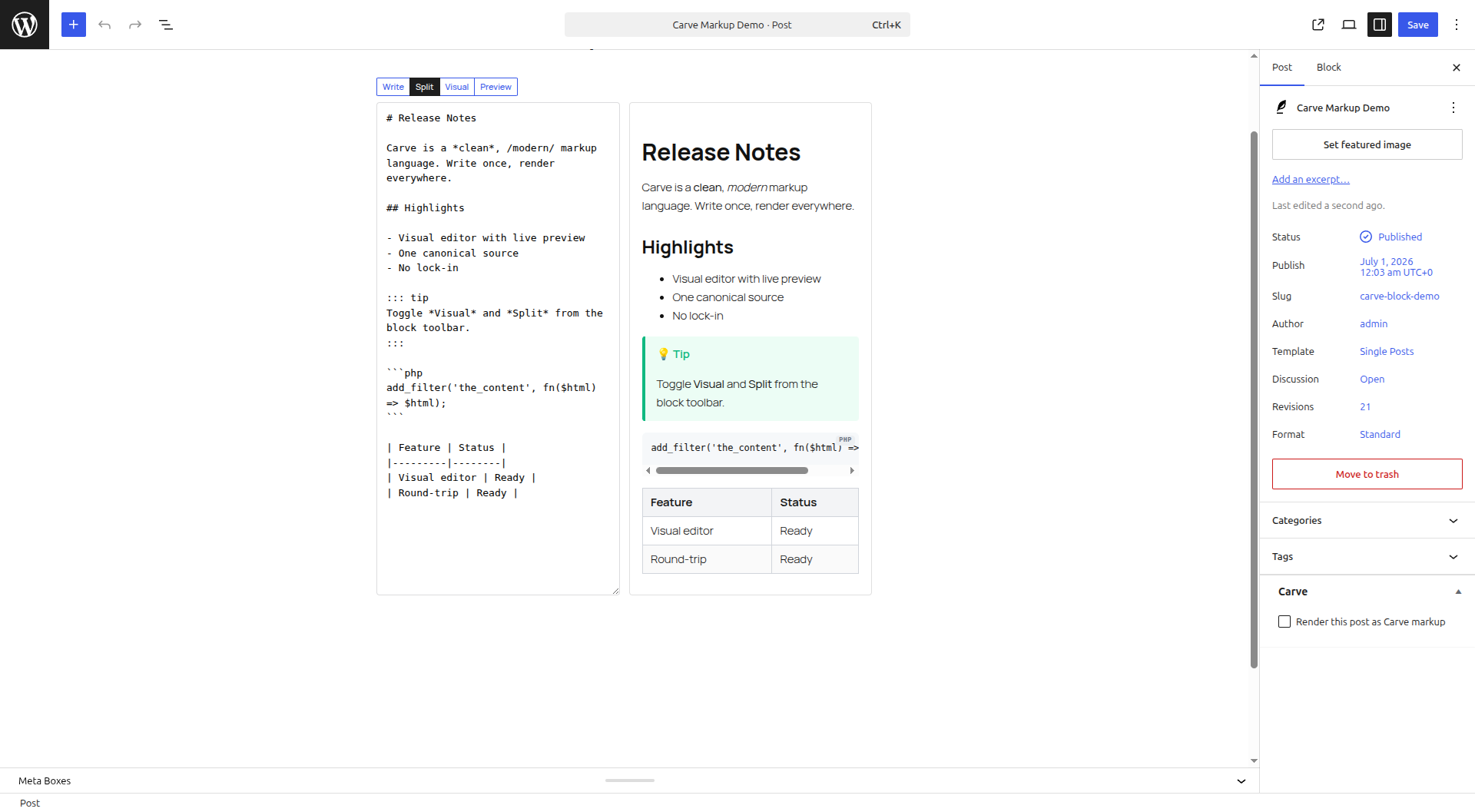
- Visual editor with Write / Split / Visual / Preview tabs. Edit visually or in source; every change round-trips to canonical Carve, and you are only warned when visual editing would change the rendered output.
- Instant in-browser preview using the Carve JS engine (no server round-trip).
- Paste or import Markdown, Djot, BBCode or HTML and convert to Carve in place; export any post as a .crv file.
- Map typed frontmatter (yaml/json/toml) to excerpt, SEO and post meta.
- Cache rendered HTML at save time; render via REST for headless WordPress.
Screenshots
Blocks
This plugin provides 2 blocks.
- Carve Slides Turn Carve markup into a keyboard-friendly slide deck.
- Carve Write Carve markup with a live in-browser preview.
Installation
- In your dashboard go to Plugins -> Add New, search for “Carve Markup”, then install and activate. Or upload the plugin ZIP under Plugins -> Add New -> Upload Plugin.
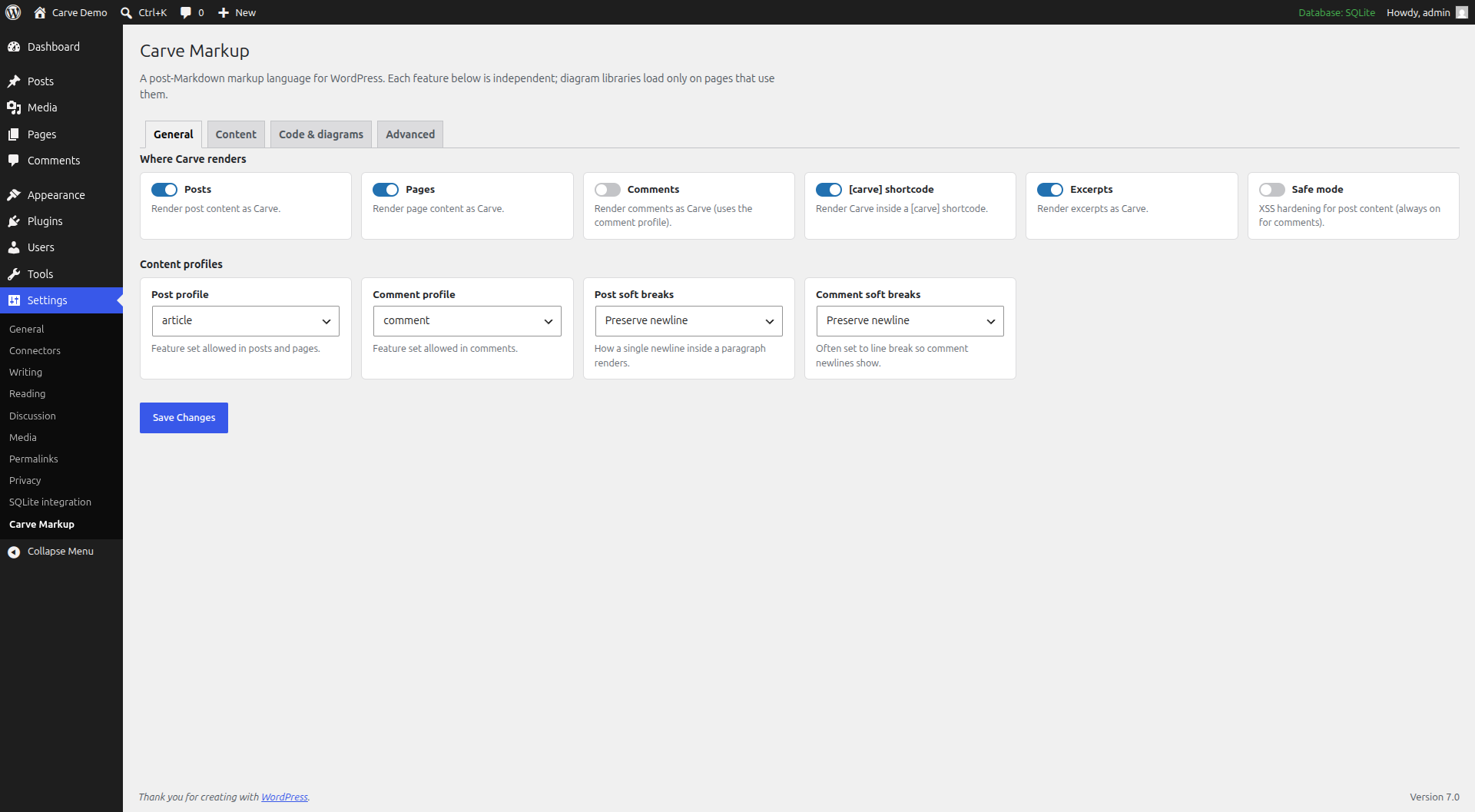
- Configure under Settings -> Carve Markup.
Installing from source (GitHub) instead? Run composer install --no-dev, optionally npm install && npm run build for the in-browser preview, then activate.
Reviews
There are no reviews for this plugin.
Contributors & Developers
“Carve Markup” is open source software. The following people have contributed to this plugin.
Contributors
Translate “Carve Markup” into your language.
Interested in development?
Browse the code, check out the SVN repository, or subscribe to the development log by RSS.
Changelog
0.1.7
- New: the Image control in all three editors opens the WordPress media library instead of prompting for a URL; the insert carries the attachment’s
wp-image-Nclass so core adds width, height, srcset and sizes, and alt text and caption come from the library once on insert. - Changed: a quoted fence title renders as a filename bar from the standard
titleattribute, and the plain renderer carries the title into the front-end code wrapper. - Changed: the editor toolbar keeps the selection – link, image and media controls open a URL input with the selected text intact, a fence or inline construct wraps what was selected, and a footnote lands after its anchor text.
- Changed: bundled the carve-php 0.1.10 and carve-grammars v0.1.11 engines (from 0.1.9 and v0.1.9), and the in-browser engine carve 0.1.9 and carve-grammars 0.1.11; an engine release can change rendered output, so documents can render differently and more correctly.
- Fixed: code-fence title and language chrome stays inside Split and Preview blocks instead of escaping the block it belongs to.
- Fixed: fence language badges and title bars are muted in dark mode, and the editor’s language picker matches; an explicit light theme keeps the light colors.
- Fixed: a
{.diff}fence gets syntax highlighting and diff rows at once, keeps the line number ahead of the marker when the gutter is on, and keeps its add and remove wash in dark mode. - Fixed: an img fence’s sanitized SVG renders again – its
data:URI did not survive wp_kses, so every img fence showed a broken image. - Fixed: a
::: tocdirective renders its contents list instead of an empty bordered box. - Fixed:
@nameand#tagrender as literal text when the mentions setting is off, in posts, in comments and on the public comment-preview endpoint. - Fixed: an image the engine promotes out of its paragraph renders as a block, with one line of rhythm before whatever follows it.
- Fixed: a second toolbar click removes an inline mark instead of doubling its delimiters, on all three source toolbars.
- Fixed: toolbar buttons in the classic source editor leave the caret and selection where the author expects.
- Fixed: the in-browser preview renders img fences, list tables and the colon spelling of a semantic span, which previously rendered only on the front end.
- Fixed: a cached post re-renders after the bundled engine moves, because the render cache signature now carries the engine version.
- Fixed: a highlight keeps its own ink, so
=highlight=stays readable on a dark theme – it inherited the theme’s prose color over a fixed light wash and computed 1.01:1; a nested link, insertion or deletion inherits that ink too.
0.1.6
- New: include directives expand behind the
unfiltered_htmlcapability – a post expands them only if the user who last saved it held it, a preview of a saved post follows the post’s stored trust bit, and a newinclude_rootsetting names the containment root. - New: import and paste conversions retain version 2 fidelity reports; the block editor shows findings, imported posts keep an audit report, and bulk migration requires review for non-lossless results.
- New: a
{.diff}code fence renders as a diff overlay instead of ordinary highlighted code. - New: the visual editor supports the structured inline editors from carve-grammars, so comment, literal, and raw-inline payloads are editable in place.
- Changed: bulk and CLI migration require
--forcefor unverified Markdown as well as degraded or dropped results, and show the findings first. - Changed: bundled the carve-php 0.1.9 and carve-grammars 0.1.9 engines (from 0.1.7 and v0.1.6), which add include expansion and the version 2 fidelity reports, change how the Markdown target spells emphasis and strike, and change several shapes the Carve writer emits; documents using those constructs can render differently and more correctly.
0.1.5
- New: native block-editor blocks for admonitions, code groups, and tables with spans, each retaining copyable Carve source and a server-rendered preview.
- New: Carve excerpts, source viewing, and
.crvexports now include focused native blocks and slide blocks, including those nested inside Groups or Columns. - Changed: improved Carve split editing and switched the editor to native browser fullscreen.
- Changed: bundled the carve-php 0.1.7 engine (and carve-grammars v0.1.6), a parser-correctness pass on how nested containers own the blocks written beneath them; documents mixing quotes, lists, description bodies, and footnote bodies can render differently and more correctly.
- Fixed: visual editing no longer overwrites a newer block value after Undo, a revision restore, or another editor changing the source during the session.
- Security: bound authenticated REST rendering to one megabyte by default, adjustable with the
wpcarve_render_max_bytesfilter.
0.1.4
- New: source-first Carve Documents (Posts -> Add Carve Document) store the whole post body as raw
.crv, with Write / Split / Preview views, a formatting toolbar,.crvdownload, and lossless conversion to and from a Gutenberg Carve block. - New: opt-in “Written with Carve” article footer, plus independent inline viewing and lossless
.crvdownload of the original public post source, with site defaults and per-post overrides. - Changed: bundled the latest carve-php development engine for the upcoming release, including correct omission of an external link target when new-tab behavior is disabled.
0.1.3
- New: Carve Workbench document health diagnostics, heading navigation, searchable commands, and semantic changes since the last save.
- New: per-block CSL-JSON bibliographies with numbered or author-date citations, unresolved-key diagnostics, references, and backlinks.
- Changed: refreshed release dependencies and removed the local Phiki offset patch now that Phiki 2.2.1 contains the fix upstream.
- New: optional dark-mode code theme (the
torchlight_theme_darksetting) – code blocks render both palettes and switch by the visitor’s color scheme, with a site theme toggle winning over the OS in both directions. - Fixed: Mermaid diagrams render in the effective color scheme and re-render on scheme changes, without the “Syntax error in text” a race with the vendor auto-run could cause.
- Fixed: all dark-mode surface styles (admonitions, tabs, code groups, TOC boxes, comment tabs) follow a site theme toggle in both directions, not only the OS preference.
- Fixed: carve code-fence highlighting ships dark palettes (no light-theme colors on dark backgrounds), closing inline delimiters keep their color, underlined text is styled again, and the overlay now covers every construct.
- Fixed: pasting Carve no longer offers a bogus “convert from Markdown” prompt, and the block excerpt renders from the Carve source instead of leaking raw block markup onto archive pages.
- Fixed: code-group tab strips follow the theme in dark mode; the phiki offset patcher fails loudly on read/write errors; local assets cache-bust by file mtime.
0.1.2
- New: bulk migration screen (Tools -> Carve Migrate) converts existing posts to Carve without WP-CLI; the list is a dry-run preview.
- New: opt-in diagram export – hover a rendered diagram to Copy SVG or Download it (SVG, or PNG for Chart.js/Vega-Lite). Enable under Settings -> Code & diagrams.
- Security: the public comment-preview endpoint is now gated and per-IP rate-limited; the paste-ingest endpoint rejects oversized input.
- Fixed: changing a rendering setting (table of contents, smart quotes, theme, diagram toggles) now refreshes cached posts instead of serving stale HTML.
- Fixed: [carve] shortcode fence titles such as ::: tab “Overview” keep their quotes and parse correctly.
- Fixed: admonitions with a custom title keep their per-type icon.
- Fixed: the Write-mode source field no longer grows past the viewport, keeping the mode tabs reachable.
- Changed: the front-end stylesheet loads only on pages that actually render Carve.
- Changed: minimum WordPress raised to 6.3 (blocks use Block API v3).
0.1.1
- Fixed content tabs and code groups: added the missing tab styles and preserved the radio group name through sanitization, so panels switch correctly.
- Inline code now has a background and images are constrained to their container width.
- The table of contents renders as a collapsible disclosure (closed by default, opens on click).
- The block’s live preview now renders tabs, details, spoilers and code groups as interactive widgets, matching the published output.
0.1.0
- Initial release: render Carve in posts, pages and comments; [carve] shortcode and carve/markup + carve/slides blocks.
- Visual (WYSIWYG) editor with Write / Split / Visual / Preview tabs, a unified toolbar, an in-block code-language picker and keyboard shortcuts.
- Import Markdown / Djot / BBCode / HTML and export posts as .crv.
- Live in-browser preview, frontmatter-to-meta, content profiles, table of contents, heading permalinks, smart quotes, diagram renderers, media embeds, bundled syntax highlighting, render caching and a REST endpoint.