

Description
CareCopy for Elementor is a copy, paste and migration tool for Elementor. It lets you duplicate entire pages, or individual sections and widgets, across any two WordPress sites — including all images and responsive breakpoint settings.
Key Features
- Export full pages — Export any Elementor page as a portable
.carecopy.jsonfile. The file includes the complete Elementor layout data for every section, container, column and widget. - Embed images — Optionally include image files as base64 data inside the export package so that it can be imported on a site that cannot reach the source domain.
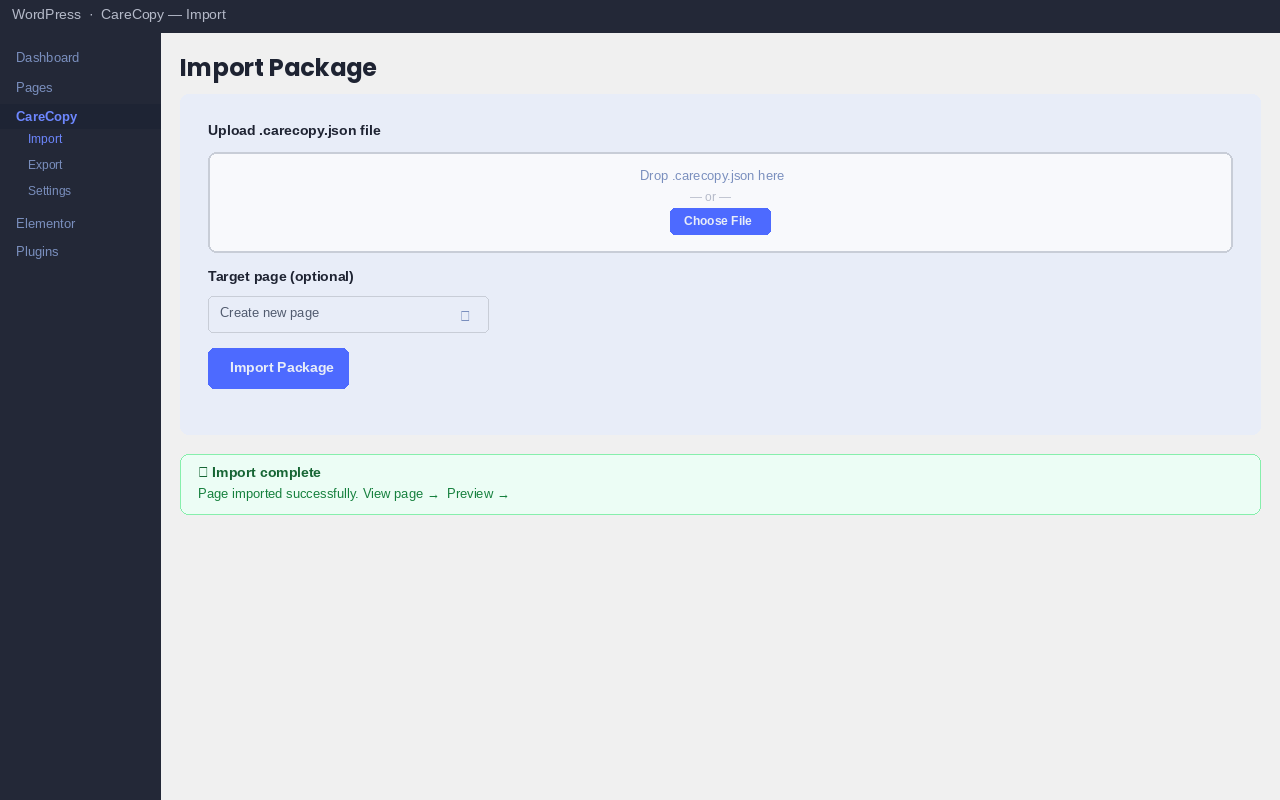
- Import on any site — Upload the package on any WordPress site running CareCopy. Images are automatically sideloaded into the media library and all attachment IDs are re-mapped so they point to local copies.
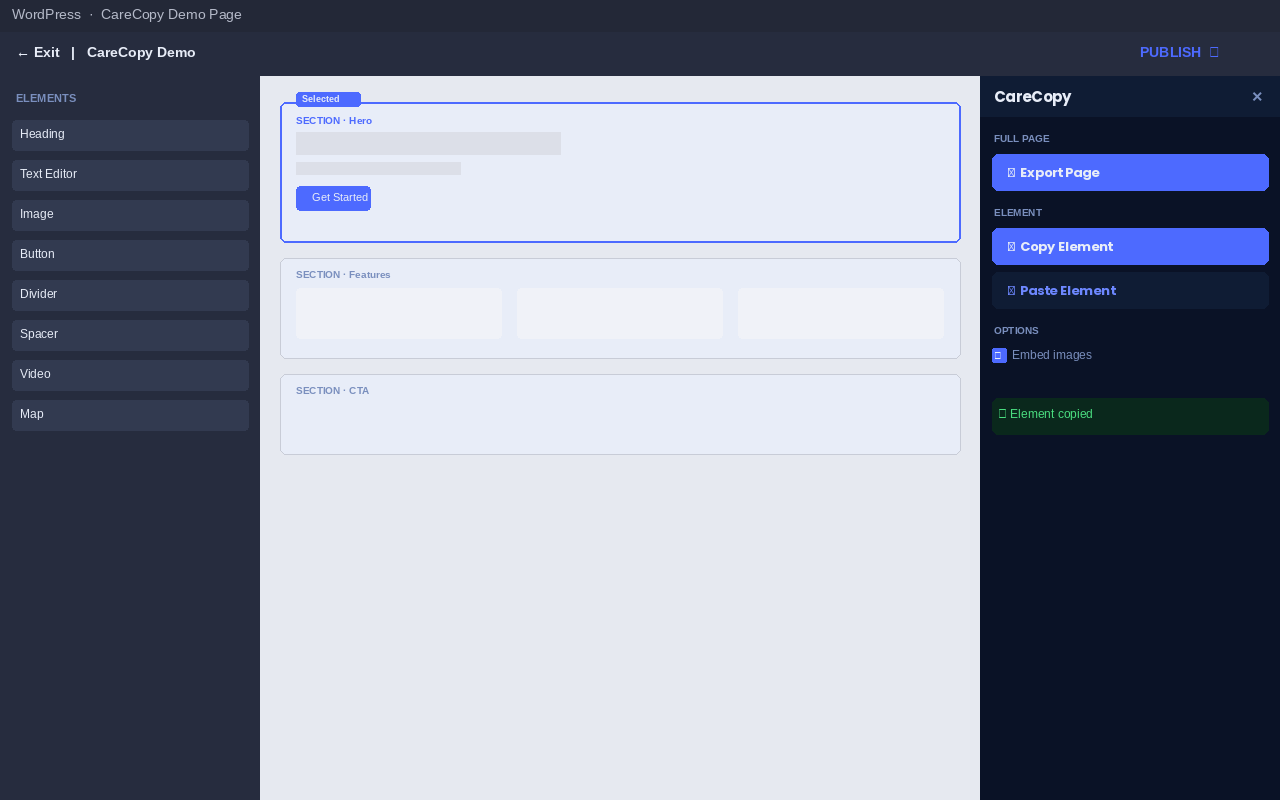
- Copy & paste elements — Inside the Elementor editor, select any section, container or widget and click “Copy Element”. Open the editor on a different page (or a different site) and click “Paste Element” to insert the copied element at the bottom of the page.
- REST API for direct push — Each site exposes a
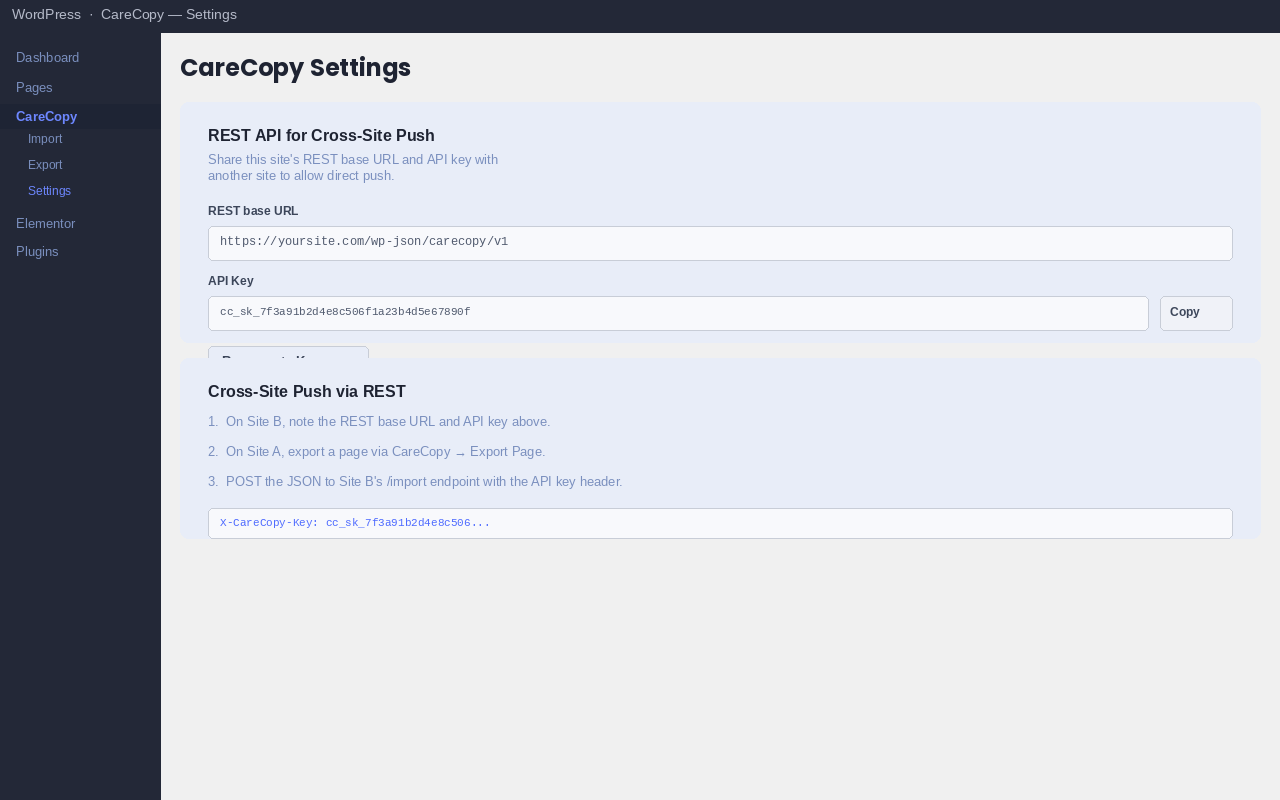
carecopy/v1REST endpoint. Authenticated requests (via the site’s CareCopy API key) can export and import pages without any manual file download. - Zero external dependencies — All functionality runs locally. No third-party services, no CDN calls, no telemetry.
How it Works
- Open any Elementor page in the editor.
- A small CC button appears on the right edge of the editor screen.
- Click it to open the CareCopy panel.
- Choose Export Page to download a
.carecopy.jsonfile, or select an element and choose Copy Element to store it in the browser clipboard. - On the destination site (or a different page on the same site), upload the file via CareCopy Import, or open the editor and click Paste Element.
Who Is It For?
- Agencies building multiple sites from a shared template library.
- Developers moving a site from staging to production (or between clients).
- Anyone who wants to reuse a carefully crafted Elementor section without rebuilding it from scratch.
This plugin requires Elementor to be installed and active.
Screenshots
Installation
- Upload the
carecopy-for-elementorfolder to/wp-content/plugins/, or install via Plugins Add New Upload Plugin. - Activate the plugin. Elementor must be active — an admin notice appears if it is not.
- Open any Elementor page in the editor; the CC trigger button appears on the right edge of the screen.
- To import a package, go to CareCopy Import in the WordPress admin.
FAQ
-
Does the plugin load anything from an external CDN?
-
No. All scripts and styles are bundled locally. No external requests are made at any time.
-
What happens to images during import?
-
Each image referenced in the Elementor layout is either sideloaded from the source URL (if the source site is publicly accessible) or decoded from the embedded base64 data. The image is added to the destination media library and all attachment IDs inside the Elementor JSON are re-mapped to the new local IDs.
-
Can I paste an element from one site to a different site?
-
Yes. Use “Copy Element” in the editor to store the element package in the browser’s localStorage. If you need to move it to a different browser or a different computer, choose “Export Page” and import the file on the other site via CareCopy Import.
-
What is the REST API key for?
-
The key lets one site push pages directly to another site via the
carecopy/v1/importREST endpoint, without manually downloading and uploading a file. Find the key under CareCopy Settings. -
Does it work with Elementor Pro?
-
Yes. CareCopy exports and imports raw Elementor JSON, so Pro widgets are included in the package. The destination site must also have Elementor Pro installed for those widgets to render.
-
What Elementor container types are supported?
-
Both the classic Section/Column layout and the newer Flexbox Container layout (introduced in Elementor 3.6) are supported — CareCopy works with the raw element tree so it is not tied to any particular container model.
Reviews
There are no reviews for this plugin.
Contributors & Developers
“CareCopy for Elementor” is open source software. The following people have contributed to this plugin.
Contributors
Translate “CareCopy for Elementor” into your language.
Interested in development?
Browse the code, check out the SVN repository, or subscribe to the development log by RSS.
Changelog
1.0.1
- Added
Requires Plugins: elementorheader. - Improved input sanitization for AJAX import handler.
- Added per-post
edit_postcapability check in REST import endpoint. - Updated Tested up to 7.1.
1.0.0
- Initial release.