
Description
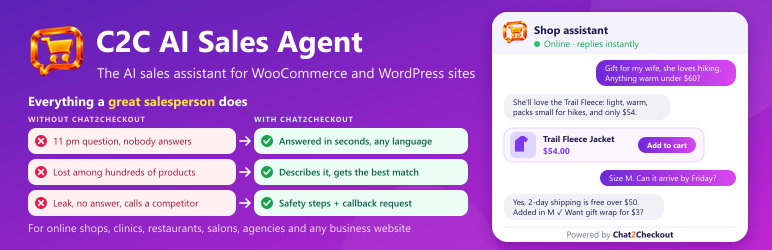
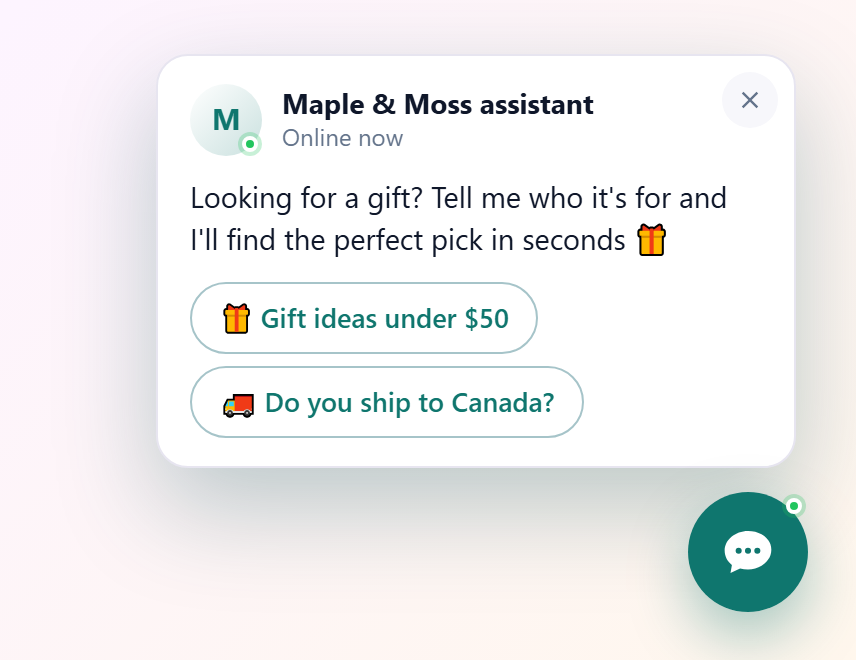
C2C AI Sales Agent turns your website visitors into customers. It takes each visitor from the first question in the chat all the way to checkout: it answers, recommends the right product, handles doubts, adds it to the cart and points the way to pay, like your best salesperson, on every page, around the clock. A real sales booster for your shop.
It learns your products, shipping, payment options and pages by itself, then chats with each visitor in their own language and guides them to buy or get in touch. The plugin connects your site to Chat2Checkout (chat2checkout.com), the service that runs the agent.
For WooCommerce stores
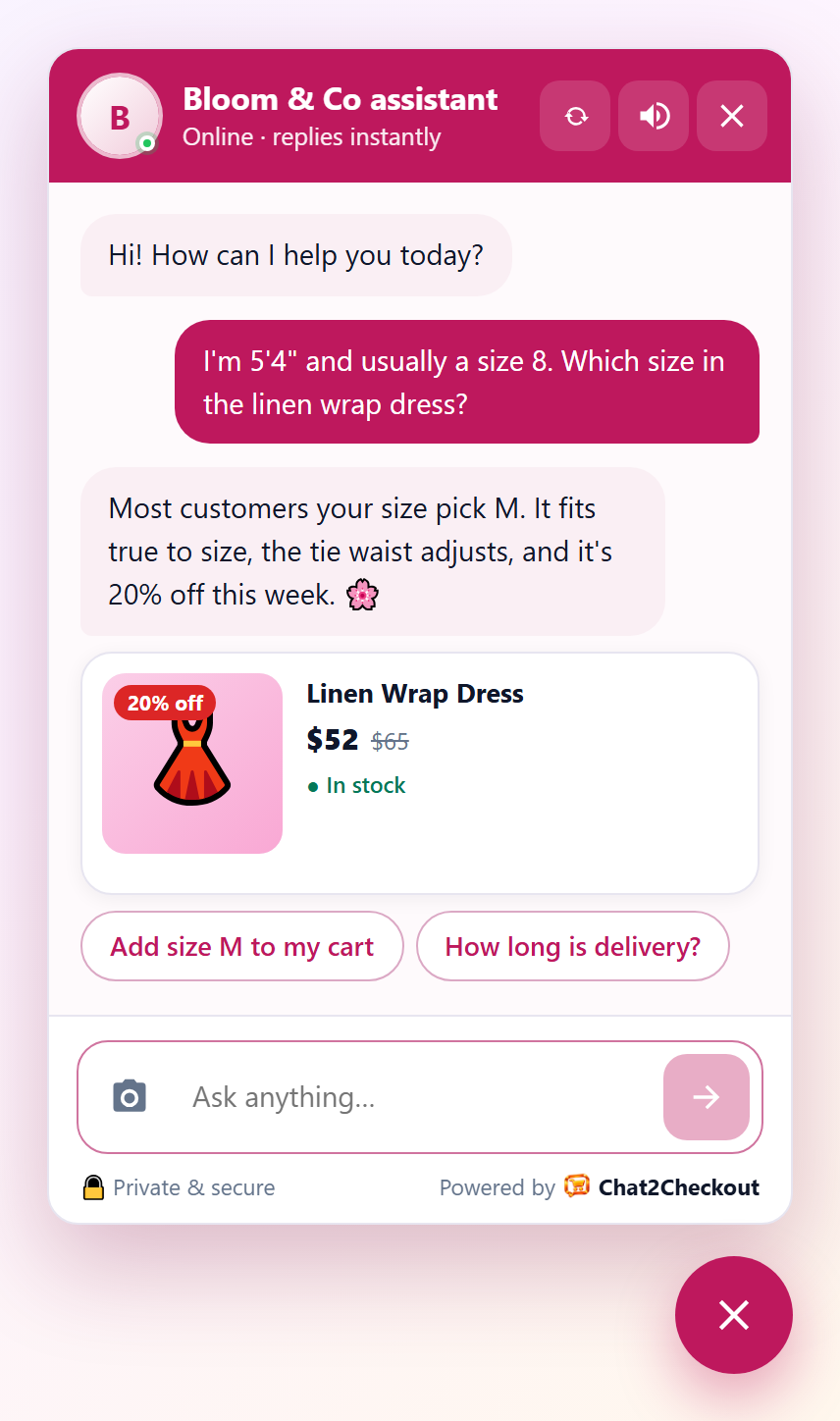
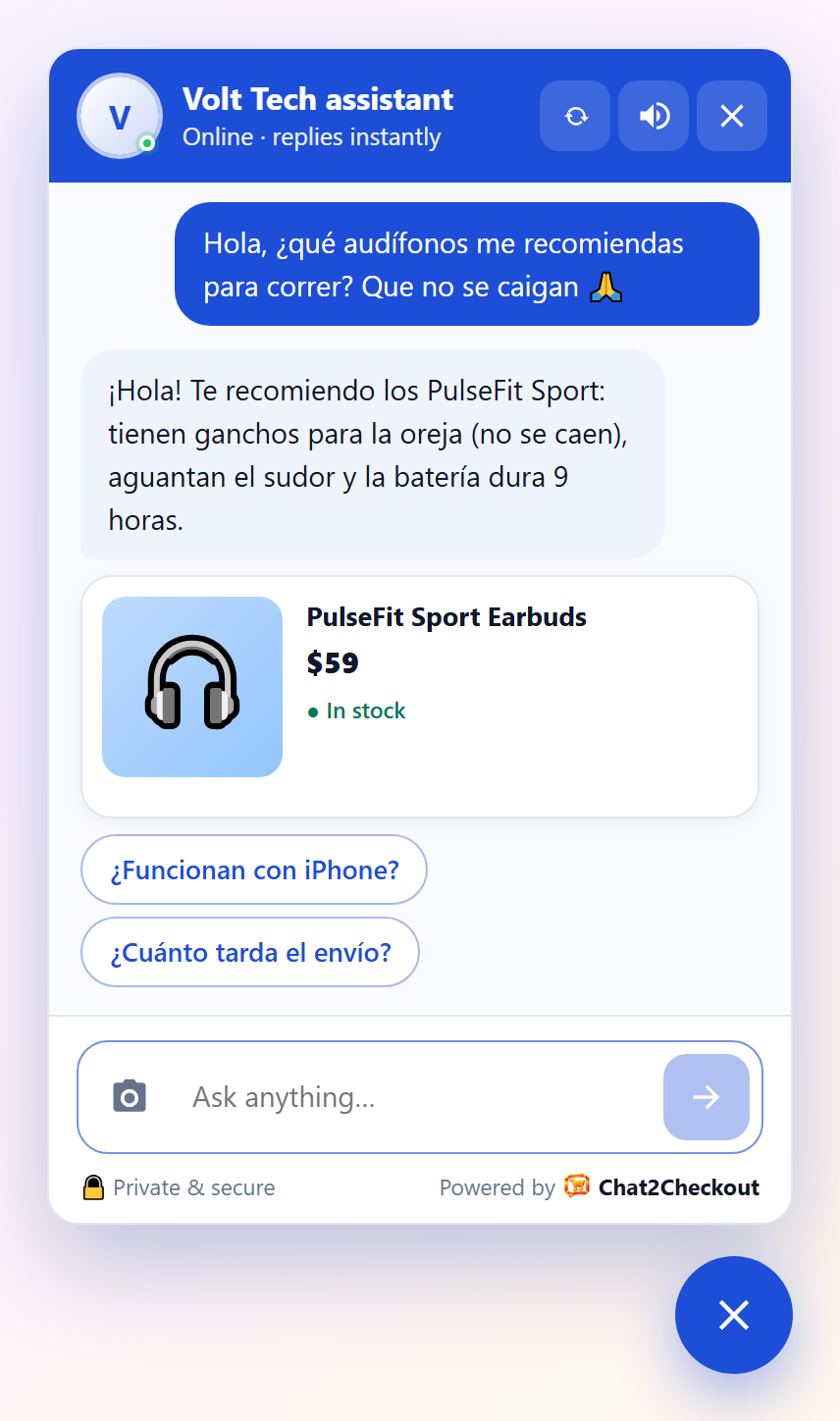
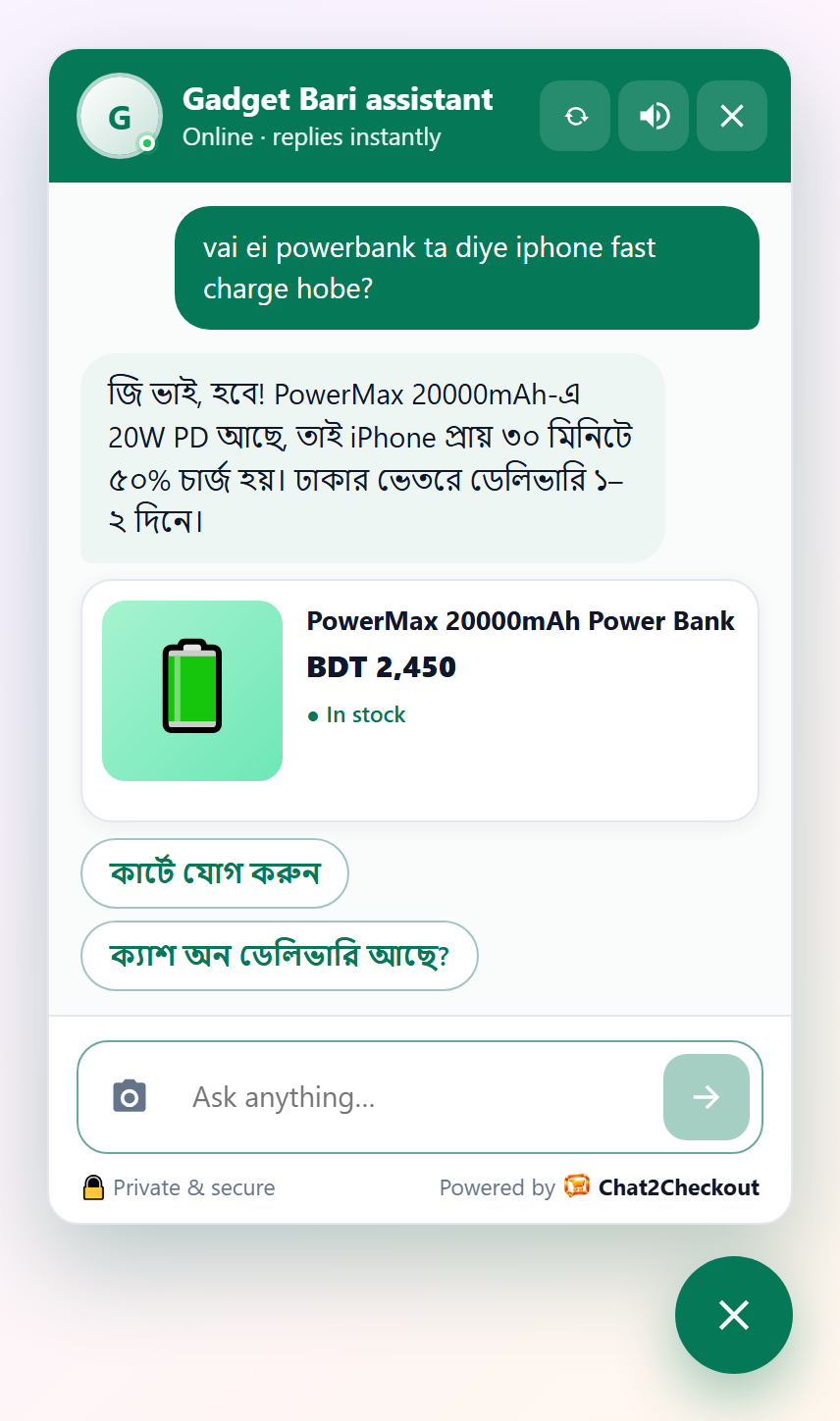
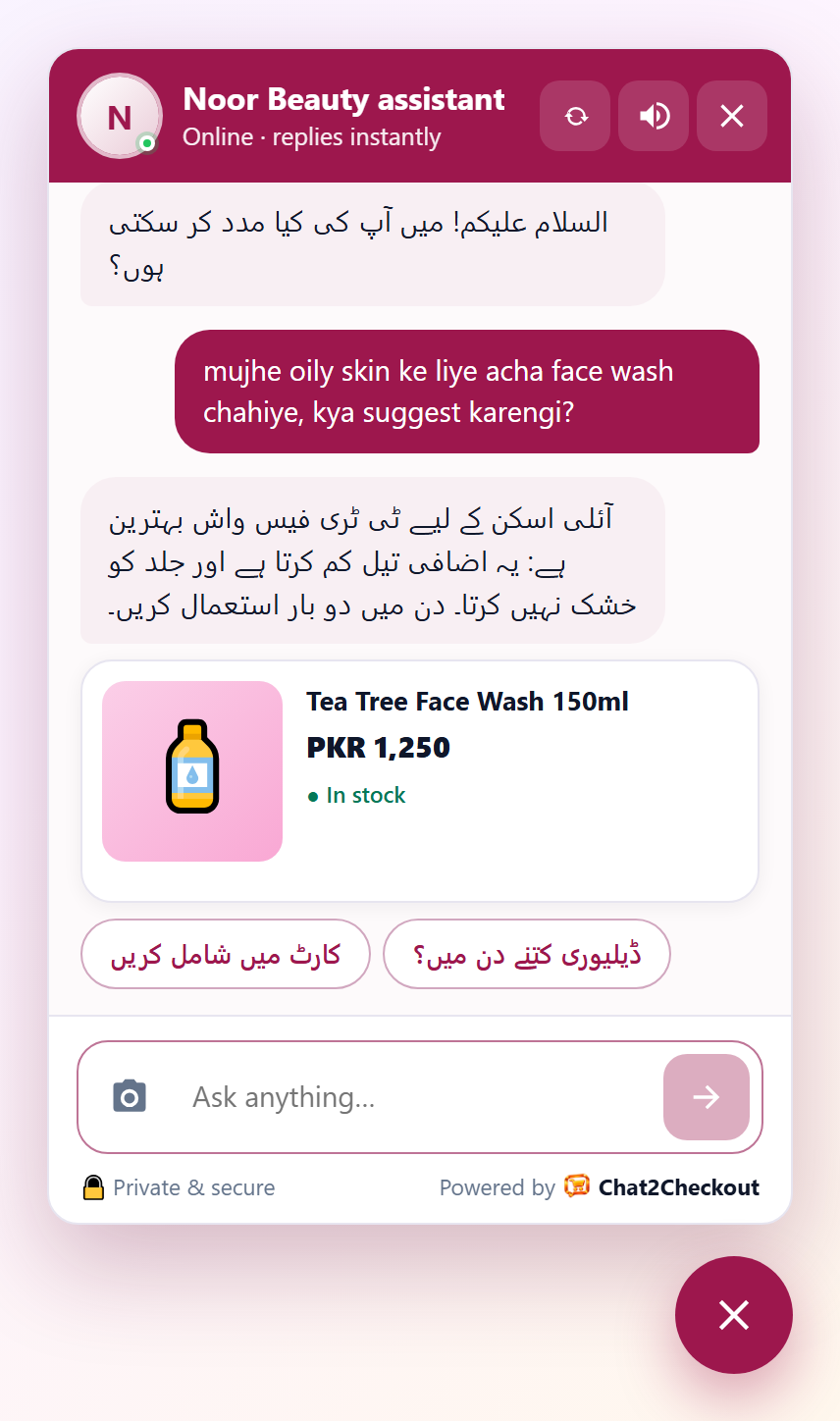
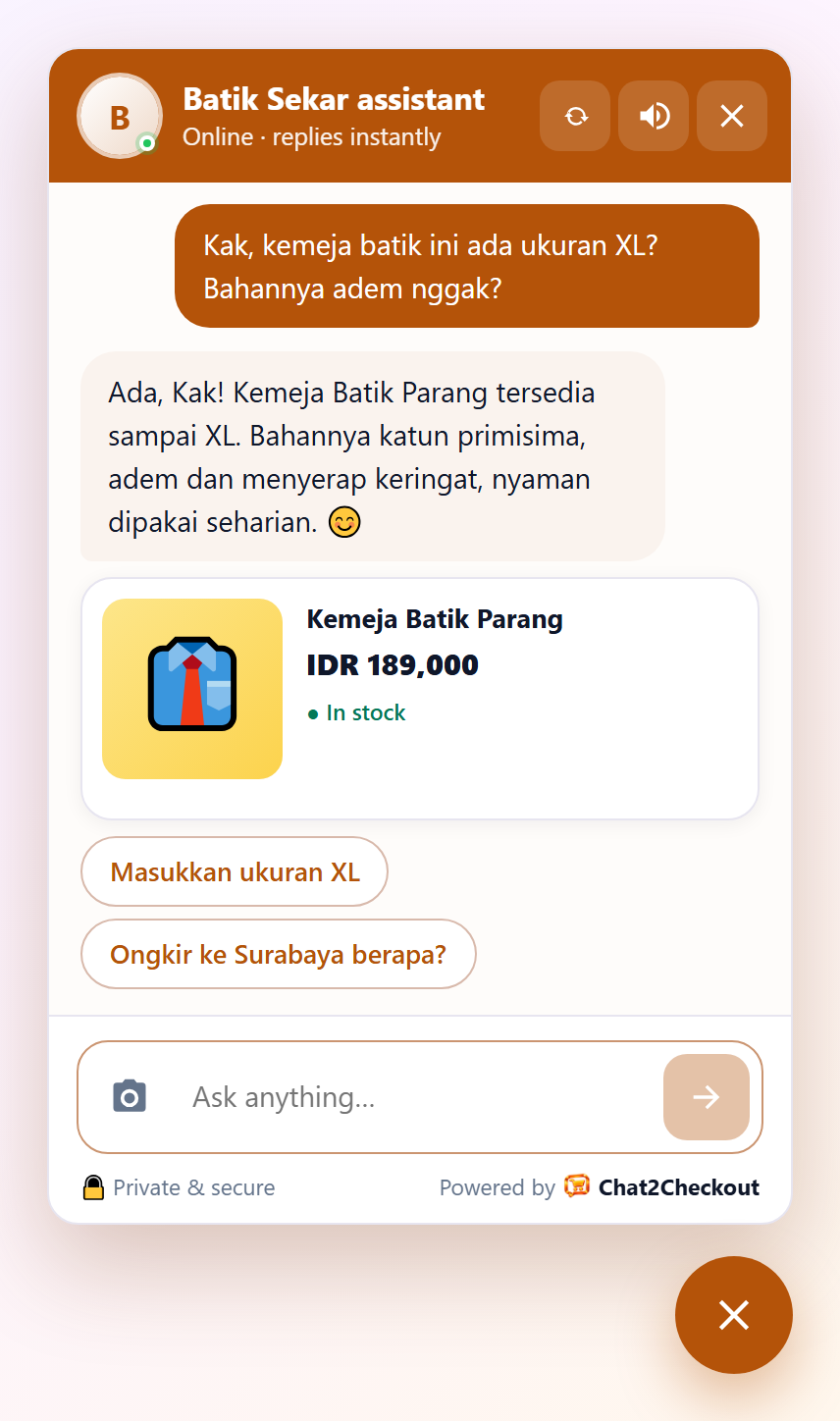
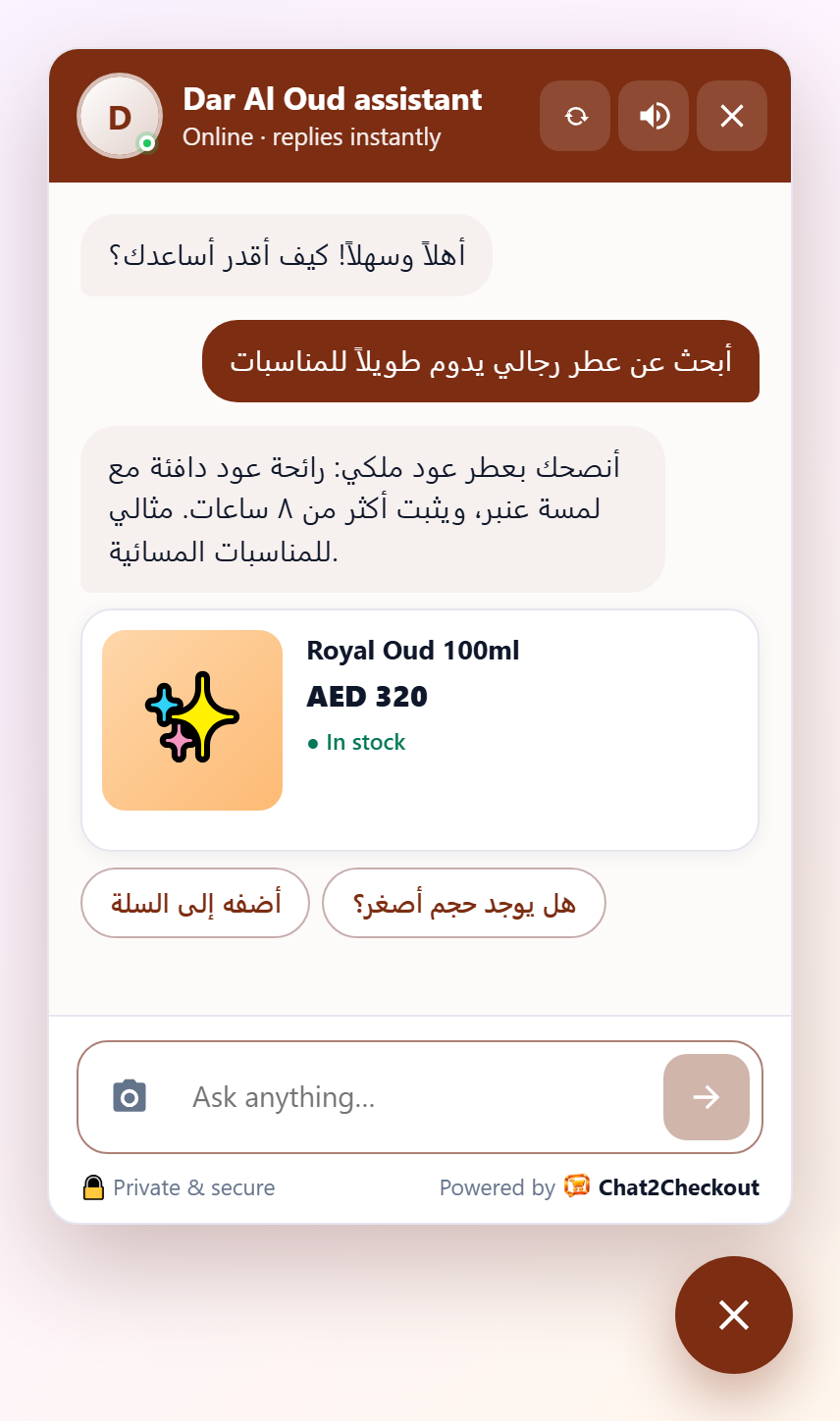
- Product cards with photo, price, sale price and stock, right in the chat.
- Visitors pick size or colour and add to their real cart without leaving the page.
- “What’s new?”, “Do you deliver to my city?”, “Where is my order?” answered from your own store data.
- Orders placed after chatting show up in your reports, with the revenue the chat brought in.
For any website
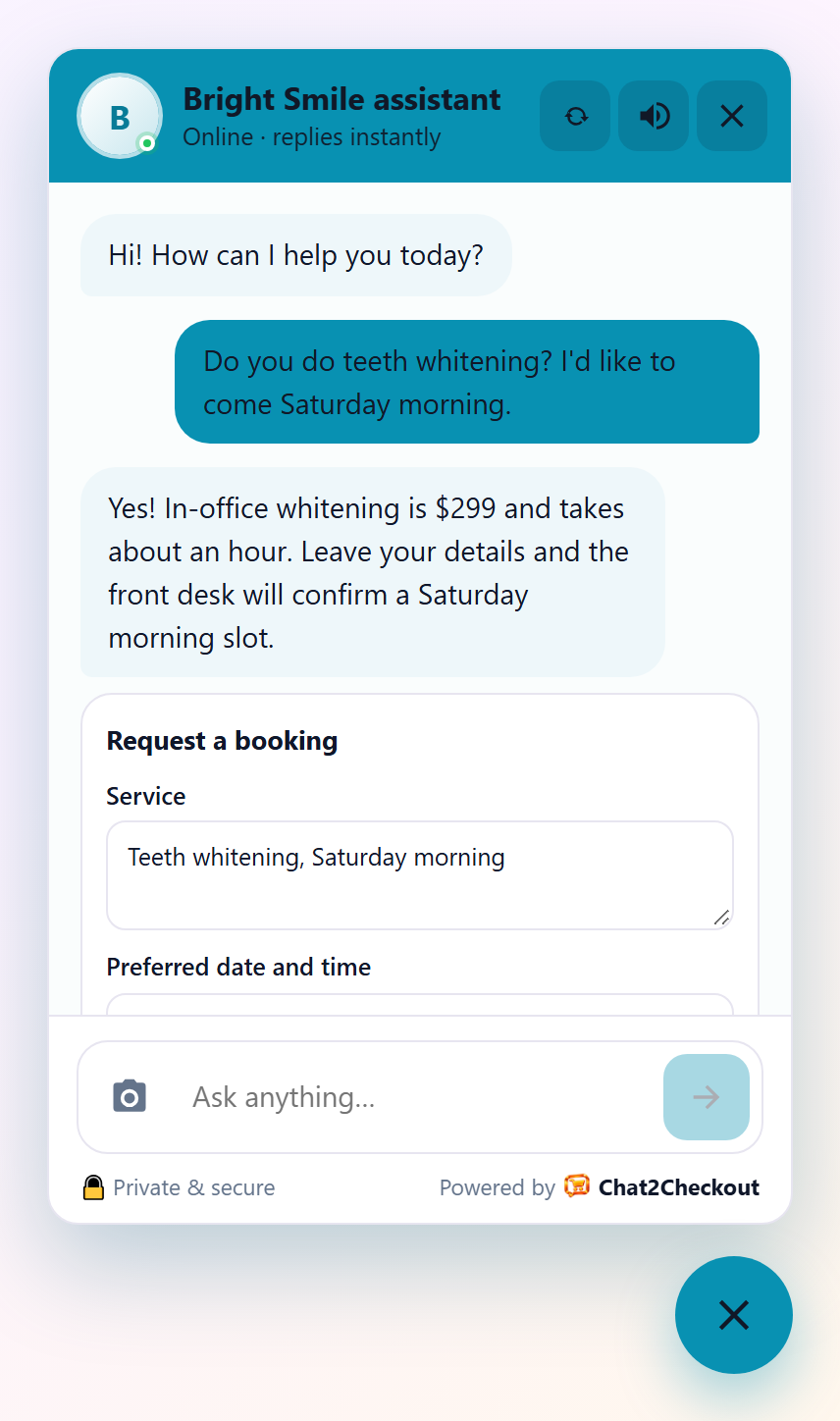
- Answers questions from your own pages and the notes you give it.
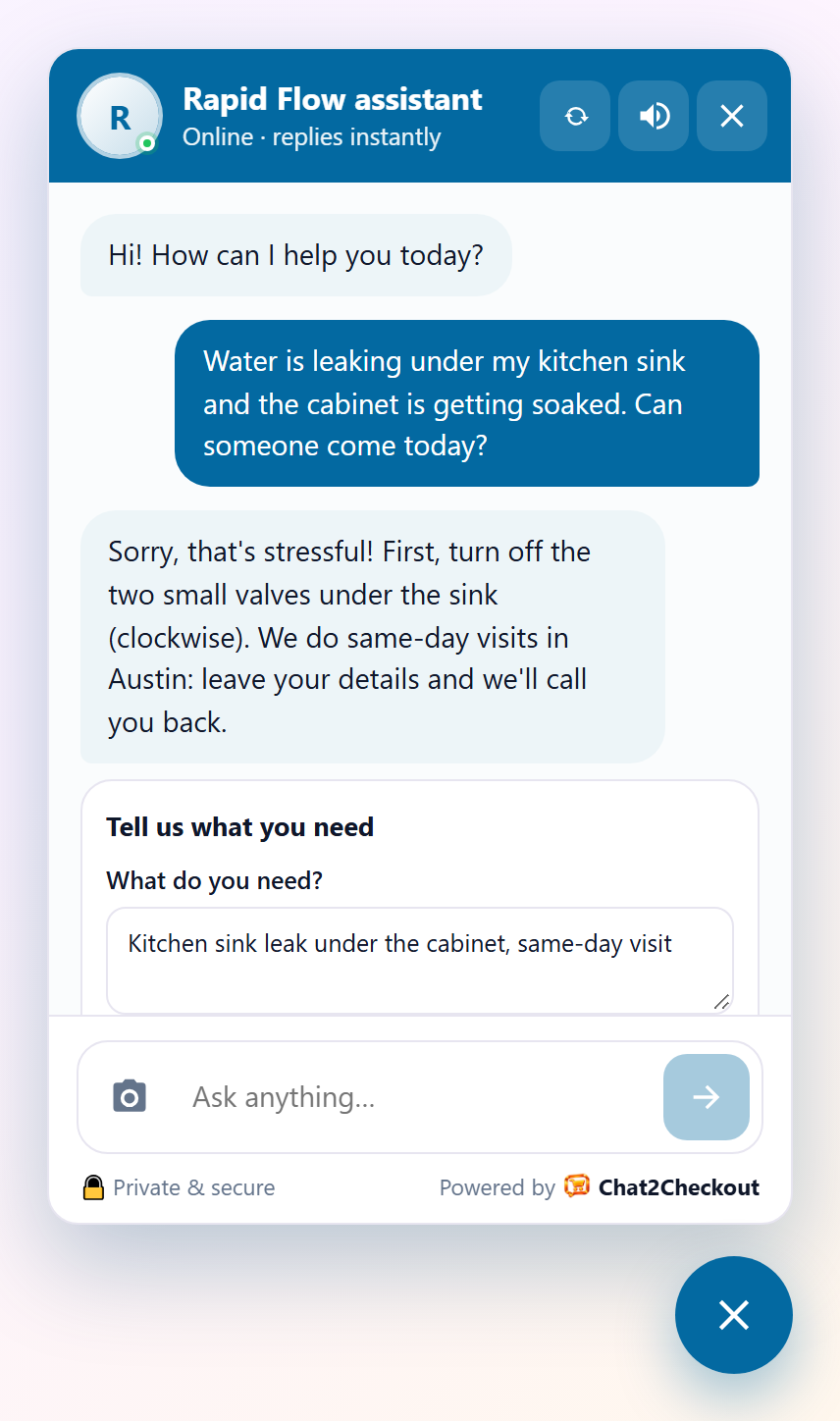
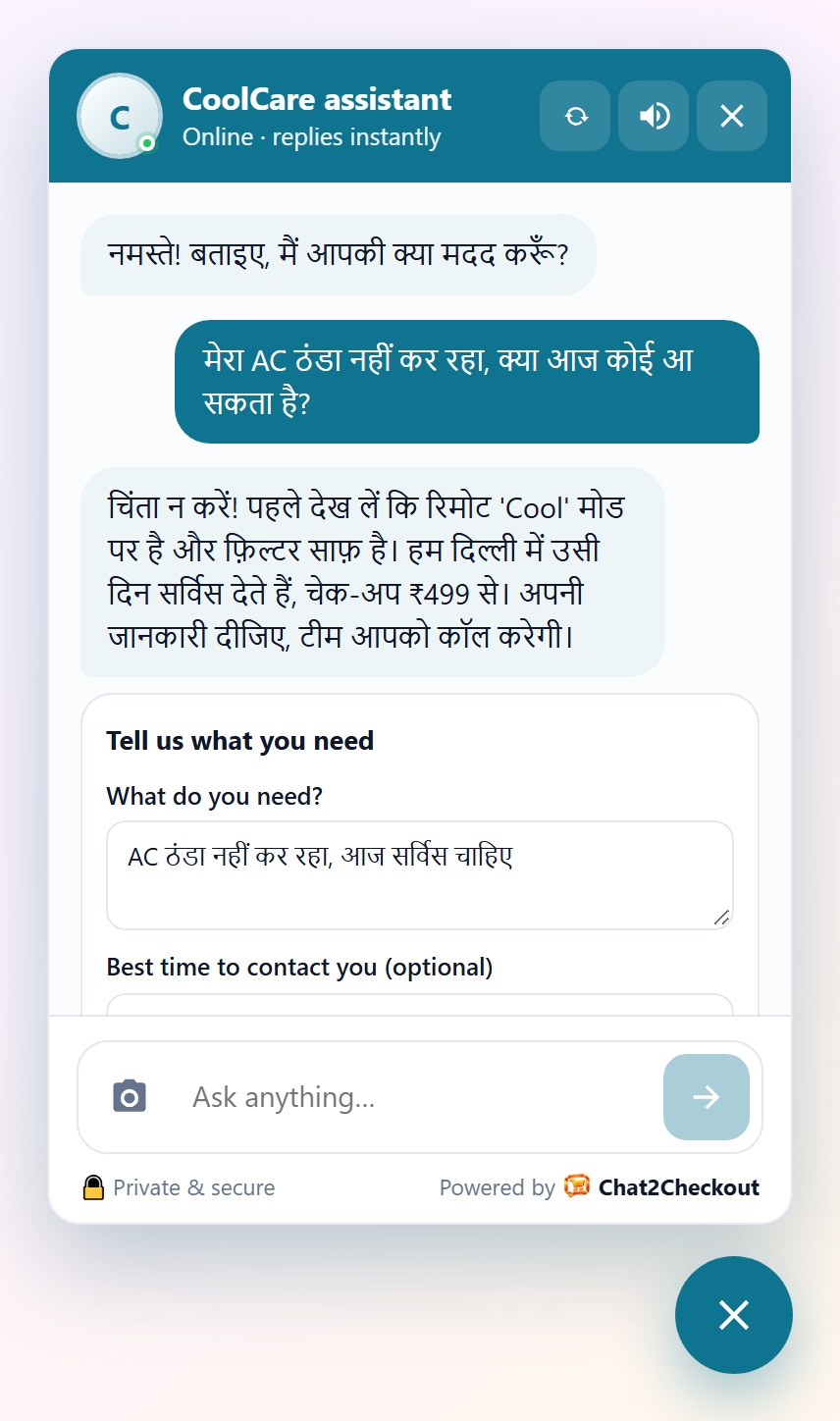
- Collects quote and booking requests for service businesses.
- “Talk to a person” buttons for your WhatsApp, phone or email.
Built to be safe and light
- Your API keys and store keys never sit in WordPress: the assistant runs on Chat2Checkout.
- The chat script is small and loads after your page, so it doesn’t slow your site down.
- Test mode (on by default) shows the chat only to logged-in administrators until you’re ready.
Free to start
Chat2Checkout has a free plan: the chat answers with your own AI key (a free Google Gemini key works, no card needed). Paid plans add more features, such as smarter search, photo search, voice and full reports, and plans with AI included need no AI key of your own. See pricing.
External services
This plugin connects your site to the Chat2Checkout service (https://chat2checkout.com), which runs the AI sales assistant. It does nothing until you paste a widget key from your Chat2Checkout account.
- The chat widget. On the public pages of your site (only for administrators while Test mode is on), the plugin loads the chat script from https://chat2checkout.com/widget/v1.js. When a visitor opens or uses the chat, the chat sends their messages, any photo they attach or voice message they record, the page they are on, an anonymous visitor id (also kept in a cookie named “salesagent_vid”) and, for WooCommerce, cart actions to Chat2Checkout so the assistant can answer. Contact details a visitor types into a chat form go to you, the site owner, through Chat2Checkout.
- Your own chat images. If you upload your own chat button or avatar image in your Chat2Checkout dashboard, visitors’ browsers load that image from Chat2Checkout’s file storage, which is hosted by Supabase (https://supabase.com). As with any image on a web page, the browser sends its IP address and browser details with that request; nothing else is sent. Supabase terms: https://supabase.com/terms, privacy policy: https://supabase.com/privacy
- Order reports (WooCommerce). When a visitor who used the chat places an order, or such an order changes status, the plugin sends the order number and your widget key to https://chat2checkout.com/api/widget/orders. Chat2Checkout then reads that order through the WooCommerce connection you set up, to show orders and revenue from the chat in your reports.
- Cart links from social chats (WooCommerce). When someone opens a cart link sent in a Messenger, Instagram or WhatsApp chat (an address ending in ?c2c_cart=…), the plugin sends that link’s code and your widget key to https://chat2checkout.com/api/widget/cart-link to read which products and quantities were chosen, then adds them to that visitor’s cart on your site.
Chat2Checkout terms of service: https://chat2checkout.com/legal/terms
Chat2Checkout privacy policy: https://chat2checkout.com/legal/privacy
Screenshots

Installation
- In WordPress, go to Plugins Add New, search for “C2C AI Sales Agent”, then Install and Activate.
- Create a free account at chat2checkout.com and connect your website. Your dashboard shows your widget key on the Widget page.
- Go to Settings C2C AI Sales Agent, paste the widget key and Save.
- Test mode is on: visit your site while logged in and try the chat. When you’re happy, untick Test mode and Save.
FAQ
-
Do I need an account?
-
Yes. The assistant runs on the Chat2Checkout service, so you create a free account at chat2checkout.com and paste your widget key into the plugin.
-
Is there a free plan?
-
Yes. On the free plan the chat answers with your own AI key (for example a free Google Gemini key). Plans with AI included don’t need an AI key of your own.
-
Does it work without WooCommerce?
-
Yes. On any WordPress site the assistant answers from your pages and notes and can collect leads and bookings. With WooCommerce it also shows products and adds them to the cart.
-
Which languages does it speak?
-
It replies in the visitor’s own language, including languages typed in Latin letters such as Banglish or Hinglish. The chat’s buttons and labels come in 11 languages.
-
My caching plugin hides the chat.
-
Saving the plugin settings clears the page cache of common caching plugins and hosts. The chat script is also marked so speed plugins (LiteSpeed, WP Rocket, Autoptimize, SiteGround, Cloudflare) don’t combine or delay it.
Reviews
There are no reviews for this plugin.
Contributors & Developers
“C2C AI Sales Agent” is open source software. The following people have contributed to this plugin.
Contributors
Translate “C2C AI Sales Agent” into your language.
Interested in development?
Browse the code, check out the SVN repository, or subscribe to the development log by RSS.
Changelog
1.7.0
- Cart links from Messenger, Instagram and WhatsApp chats: opening one puts the products chosen in the chat in the visitor’s cart and opens your checkout.
1.6.1
- New settings page: a 5-step setup guide that ticks off what’s done, a status badge (not connected, test mode, live), what the paid plans add, and quick help links.
1.6.0
- New name: C2C AI Sales Agent (the service it connects to is still Chat2Checkout). Your settings stay as they are.
1.5.1
- A mistyped widget key is no longer saved silently: the previous key is kept and you see a message.
- Safer one-click updates for the copy downloaded from chat2checkout.com: every detail of an update is checked first.
1.5.0
- First release on WordPress.org.
- Works on any WordPress site; WooCommerce stores get product cards, cart and order reports.
- Suggested text for your Privacy Policy page (Settings Privacy).
- Deleting the plugin removes its settings.
- All texts can be translated.