
Description
Buzzsprout is the easiest way to host, promote, and track your podcast. This is the official Buzzsprout plugin for WordPress: connect your show once with your RSS feed URL, then embed episodes anywhere on your site using native editor blocks.
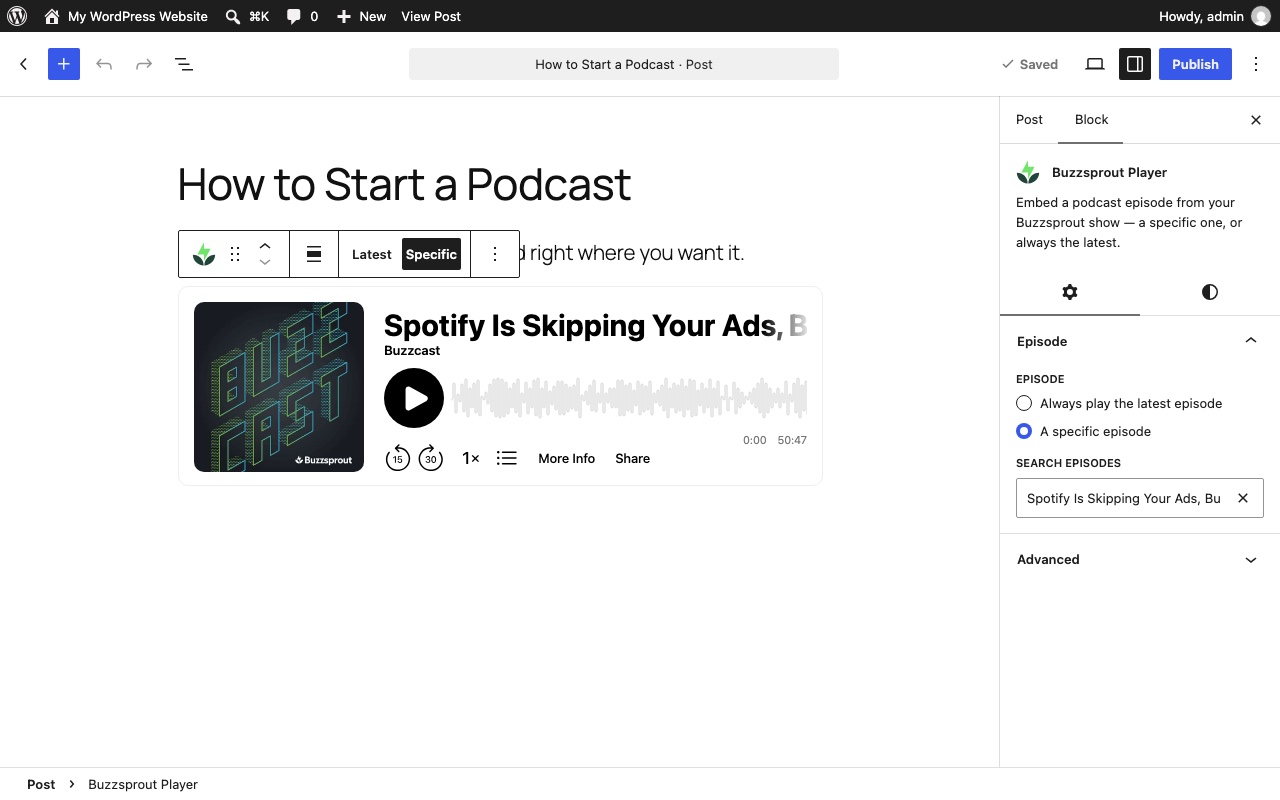
Buzzsprout Player block
Embed any episode with Buzzsprout’s audio player.
- Always play the latest episode — set it once and your page updates itself every time you publish
- Or pick a specific episode with a searchable picker covering your whole catalog
- Live player preview right in the editor
- Paste an old
[buzzsprout]shortcode and it converts to a Player block automatically
Buzzsprout Episode List block
Show your episodes, your way:
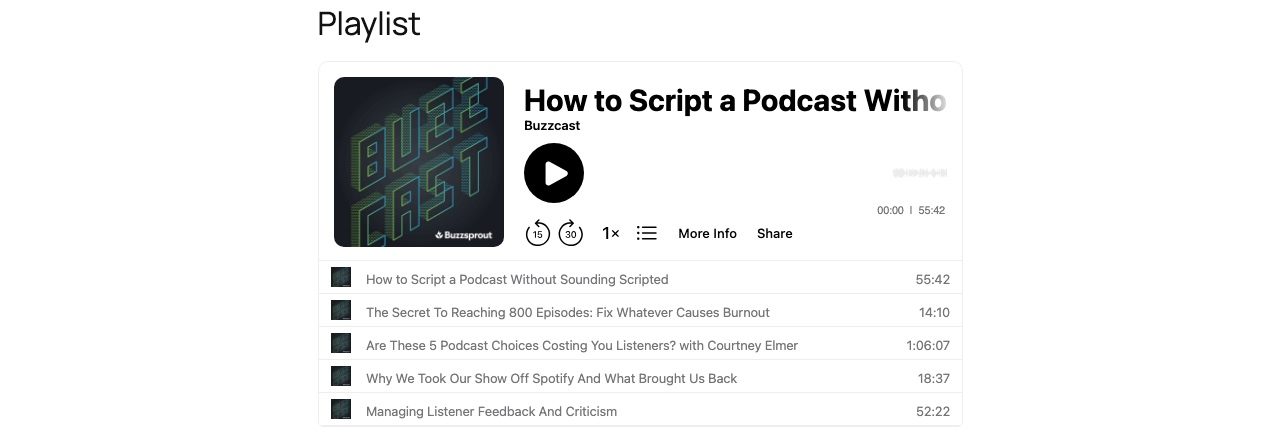
- Playlist player — Buzzsprout’s multi-episode player; show all episodes or the 5, 10, or 20 most recent
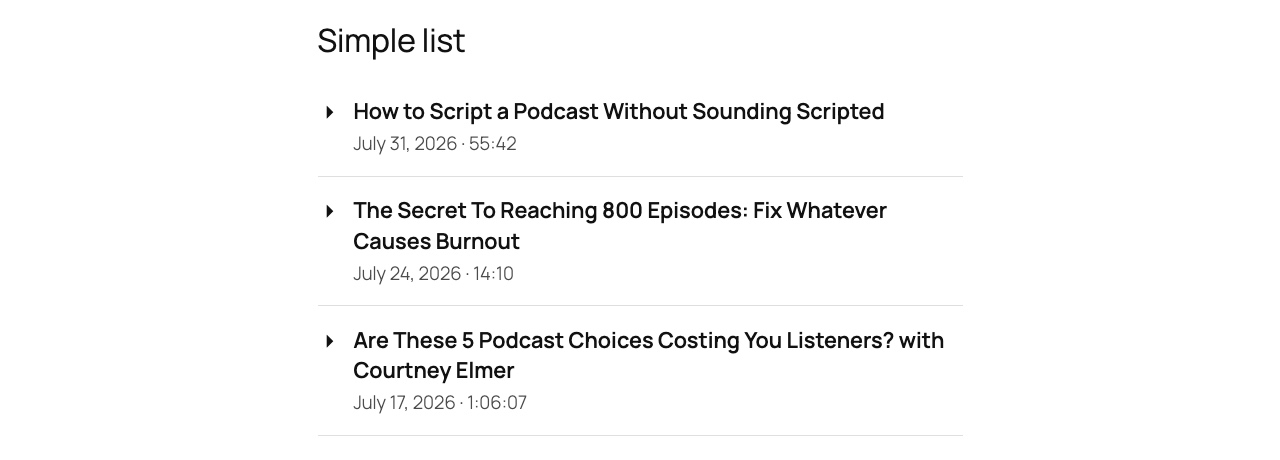
- Simple list — a clean, theme-matching list of titles with dates and durations; visitors click an episode to expand its player in place
- Filter by tags — either display can be limited to episodes with specific tags, so you can build pages per topic or season
Both blocks preview live in the editor, work in the Site Editor and block themes, support wide/full alignment and spacing controls, and inherit your theme’s colors.
Classic tools, still supported
- The
[buzzsprout episode='123']shortcode from earlier versions keeps working unchanged - Classic-editor users can still pick episodes from the Add Media window
Setup
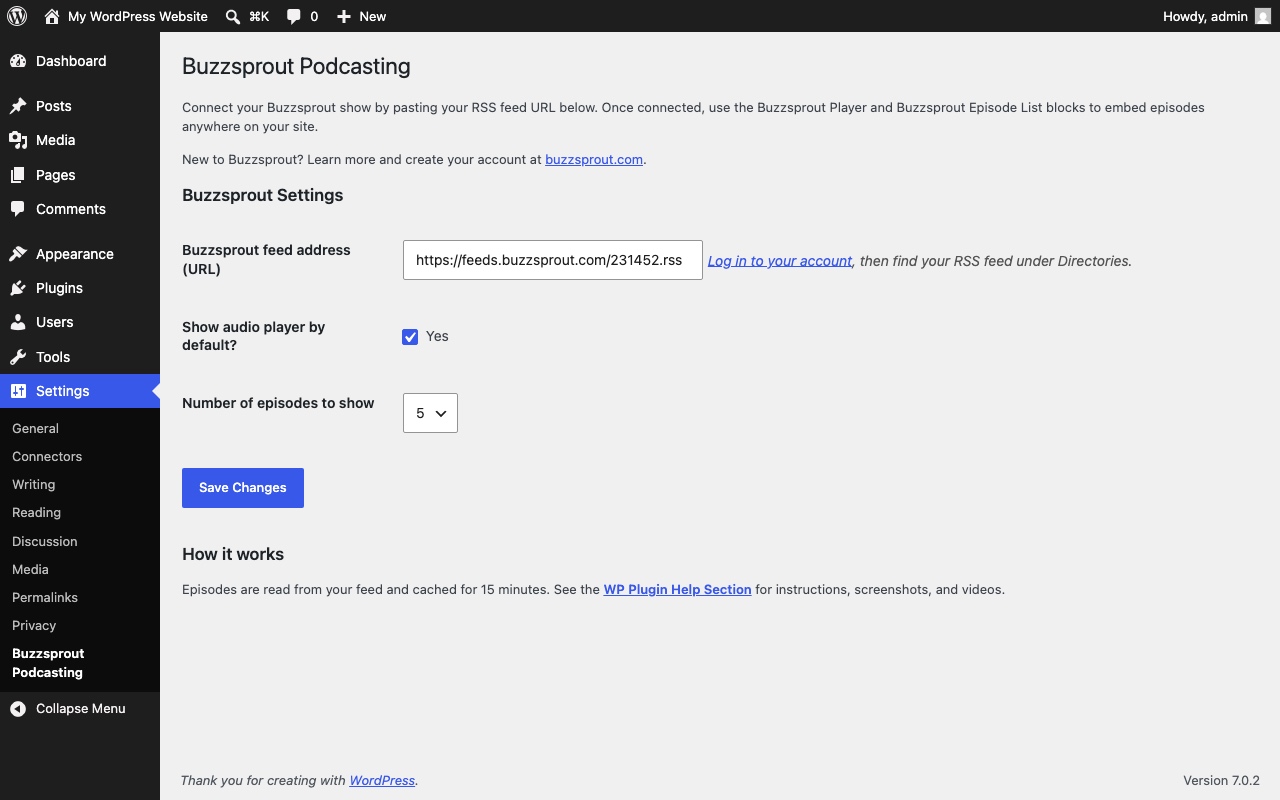
No API keys, no configuration maze: paste your Buzzsprout RSS feed URL (Settings Buzzsprout Podcasting) and you’re done. Episodes are fetched from your feed and cached for 15 minutes.
You can learn more about Buzzsprout and create a FREE account at www.buzzsprout.com.
Screenshots
Blocks
This plugin provides 2 blocks.
- Buzzsprout Episode List Show your episodes as a playlist player or an expandable list, updated automatically as you publish.
- Buzzsprout Player Embed a podcast episode from your Buzzsprout show — a specific one, or always the latest.
Installation
- Install the plugin from the WordPress plugin directory and activate it
- Go to Settings Buzzsprout Podcasting and paste your Buzzsprout RSS feed URL (find it in your Buzzsprout dashboard under Directories)
- Add the Buzzsprout Player or Buzzsprout Episode List block to any post, page, or template
FAQ
-
Where do I find my RSS feed URL?
-
Log in to your Buzzsprout account and open the Directories section — your feed URL looks like
https://feeds.buzzsprout.com/123456.rss. -
Do my old shortcodes still work?
-
Yes. Everything embedded with earlier versions of this plugin keeps working exactly as before. You can also paste an old shortcode into the block editor and it becomes a Player block automatically.
-
How quickly do new episodes appear?
-
Your feed is cached for 15 minutes, so new episodes (and tag changes) show up on your site within 15 minutes of publishing.
-
How does tag filtering work?
-
Add tags to your episodes in Buzzsprout, then enter the same tags (comma-separated) in the Episode List block’s settings. Only episodes with at least one matching tag are shown — handy for topic or season pages.
-
Does the player match my theme?
-
The Buzzsprout player keeps its own look, but the simple list display inherits your theme’s typography and colors, and supports the standard block color controls.
Reviews


Contributors & Developers
“Buzzsprout Podcasting” is open source software. The following people have contributed to this plugin.
Contributors
Translate “Buzzsprout Podcasting” into your language.
Interested in development?
Browse the code, check out the SVN repository, or subscribe to the development log by RSS.
Changelog
2.0.4
- Fixed: choosing an episode from the classic Add Media Buzzsprout Podcasting tab now closes the media window. The shortcode was being inserted behind the window with no feedback, which looked like nothing happened; in the block editor’s Classic block that could lead to the insert being discarded.
2.0.3
- Tested up to WordPress 7.1
- Improved: the Buzzsprout player script is now enqueued through WordPress instead of printed inline, so it loads in the footer and follows WordPress script handling
- Improved: embedding the same episode more than once on a page no longer reuses a DOM id
- Fixed: WordPress Plugin Check warnings (explicit script loading position, sanitized admin query args)
2.0.2
- Changed: thematic block icons on the WordPress.org plugin page (the Blocks section supports Dashicons only; editor keeps the Buzzsprout brand icons)
2.0.1
- Fixed: Buzzsprout brand icons now shown for the blocks on the WordPress.org plugin page
2.0.0
- New: Buzzsprout Player block — “always play the latest episode” mode, plus a searchable episode picker with live editor preview
- New: Buzzsprout Episode List block — playlist player (all/5/10/20 most recent) or an expandable simple list, both filterable by episode tags
- New: paste a legacy [buzzsprout] shortcode into the editor and it converts to a Player block; Player and Episode List blocks transform into each other
- Improved: episode feed cached for 15 minutes instead of re-fetched on every request
- Improved: alignment, spacing, and color block controls; refreshed settings page; translation-ready with the standard text domain
- Fixed: feed URLs on the rss.buzzsprout.com hostname are now accepted
- Fixed: hardened input sanitization and output escaping throughout
- The [buzzsprout] shortcode and classic-editor media tab keep working as before
1.8.7
- Fix for shortcode tag insertion bug
1.8.6
- Updated for latest version of WordPress 6.4
1.8.5
- Updated to sanitize shortcodes
1.8.4
- Updated for latest version of WordPress 6.3.2
1.8.3
- Updated for latest version of WordPress 6.1.1
1.8.2
- Updated for latest version of WordPress 5.4
1.8.1
- Fix for episode selection bug
1.8
- Fix for RSS items not loading
For older releases, see the full changelog in the plugin repository.