
Description
Bundle QR Payments for UPI lets your WooCommerce store accept UPI payments directly — no payment gateway account, no onboarding approval, no per-transaction commission to a gateway.
At checkout, your customer sees a QR code generated for the exact order amount. They scan it with any UPI app (Google Pay, PhonePe, Paytm, BHIM and others), pay, and enter their 12-digit UTR number on the confirmation page. You verify the UTR in your own UPI or banking app and complete the order. Simple, direct, and made for Indian stores that want to start taking online payments today.
Features
- Dynamic QR code per order — carries the exact amount and order number
- Works with every UPI app: GPay, PhonePe, Paytm, BHIM and more
- Static QR mode — use your own uploaded QR image instead
- UTR capture on the confirmation page, stored on the order with a private order note
- UTR shown in the admin order panel so verification takes seconds
- Payment instructions added automatically to the customer order email
- “Tap to pay” link on mobile that opens the customer’s UPI app directly
- Copy button for your UPI ID on the payment box
- Works with the classic checkout and the WooCommerce Checkout block
- HPOS (High-Performance Order Storage) compatible
- You choose the order status orders wait at until you verify payment
- No external service, no account, no fees — payments go straight to your UPI ID
How it works
- You enter your UPI ID (VPA) in the gateway settings.
- A customer checks out and scans the QR code with their UPI app.
- After paying, the customer submits their 12-digit UTR number.
- You check the UTR in your UPI/bank app and mark the order complete.
BundleWP Products
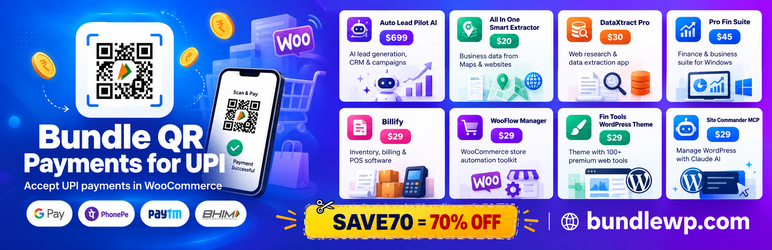
The plugin includes a “BundleWP Products” page under the WooCommerce menu listing all BundleWP products with a SAVE70 coupon banner for 70% off at bundlewp.com. Explore the full range:
Auto Lead Pilot AI – $699
AI-powered lead generation, CRM and campaign automation – find business leads, enrich contacts and run outreach from one dashboard.
All In One Smart Extractor – $20
Extract business data (names, phones, emails, addresses) from Google Maps and websites into ready-to-use lists.
DataXtract Pro – $30
Web research and data extraction app – pull structured data from any website quickly and export it for your business.
Pro Fin Suite – $45
Complete finance and business productivity suite for Windows – invoicing, accounting tools and everyday business utilities in one package, one-time payment.
Billify – $29
Smart inventory, billing and POS software for small businesses – fast billing, stock tracking and reports.
WooFlow Manager – $29
Store automation toolkit for WooCommerce – bulk-manage products, orders and routine store tasks in fewer clicks.
Fin Tools WordPress Theme – $29
WordPress theme for building a tools-directory website with 100+ premium web tools built in.
Site Commander MCP – $29
Manage your WordPress and WooCommerce store with Claude AI – connect your site and run it with AI commands.
Use coupon code SAVE70 for 70% off every product at bundlewp.com.
Credits
QR code generation uses QR Code Generator for JavaScript by Kazuhiko Arase (MIT License).
Installation
- Upload the plugin folder to
/wp-content/plugins/, or install it through the WordPress plugins screen. - Activate the plugin.
- Go to WooCommerce Settings Payments Bundle QR Payments for UPI.
- Enter your UPI ID (VPA) and payee name, keep the Dynamic QR mode, and save.
- Place a test order to see your QR code at checkout.
FAQ
-
Do I need a payment gateway account?
-
No. Payments go directly to your UPI ID. There is no gateway approval, no paperwork and no gateway commission.
-
Which UPI apps work?
-
All of them. The QR code follows the standard UPI format, so Google Pay, PhonePe, Paytm, BHIM and any other UPI app can scan and pay it.
-
How do I confirm a customer actually paid?
-
After paying, the customer submits their 12-digit UTR (transaction reference) number on the confirmation page. It is saved on the order and shown in the admin order panel — open your UPI or banking app, match the UTR and amount, then complete the order.
-
Can I use my own QR image instead?
-
Yes. Switch the QR code type to “Static” in the settings and upload your QR image. Note that a static QR cannot carry the order amount, so customers type the amount themselves.
-
Does it work with the Checkout block and HPOS?
-
Yes. Bundle QR Payments for UPI registers a payment method for the WooCommerce Checkout block and declares compatibility with High-Performance Order Storage.
-
Does the plugin send any data to external servers?
-
No. QR codes are generated in the customer’s browser, and payments happen directly between the customer’s UPI app and your UPI ID.
Reviews
There are no reviews for this plugin.
Contributors & Developers
“Bundle QR Payments for UPI” is open source software. The following people have contributed to this plugin.
Contributors
Translate “Bundle QR Payments for UPI” into your language.
Interested in development?
Browse the code, check out the SVN repository, or subscribe to the development log by RSS.
Changelog
1.0.3
- New: “BundleWP Products” page under the WooCommerce menu — all BundleWP products in a card layout with the SAVE70 coupon offer, same as our Notification Bar plugin.
- Added the plugin icon and banner on WordPress.org.
1.0.2
- Renamed to “Bundle QR Payments for UPI” following the WordPress.org review team’s suggestion for a distinctive name (UPI placed after “for”). No functional changes.
1.0.1
- Renamed to “QRNest for UPI” (interim name, superseded during review). No functional changes.
1.0.0
- Initial release: dynamic and static UPI QR payments for WooCommerce, UTR capture, admin order panel, customer email instructions, Checkout block support and HPOS compatibility.