

Description
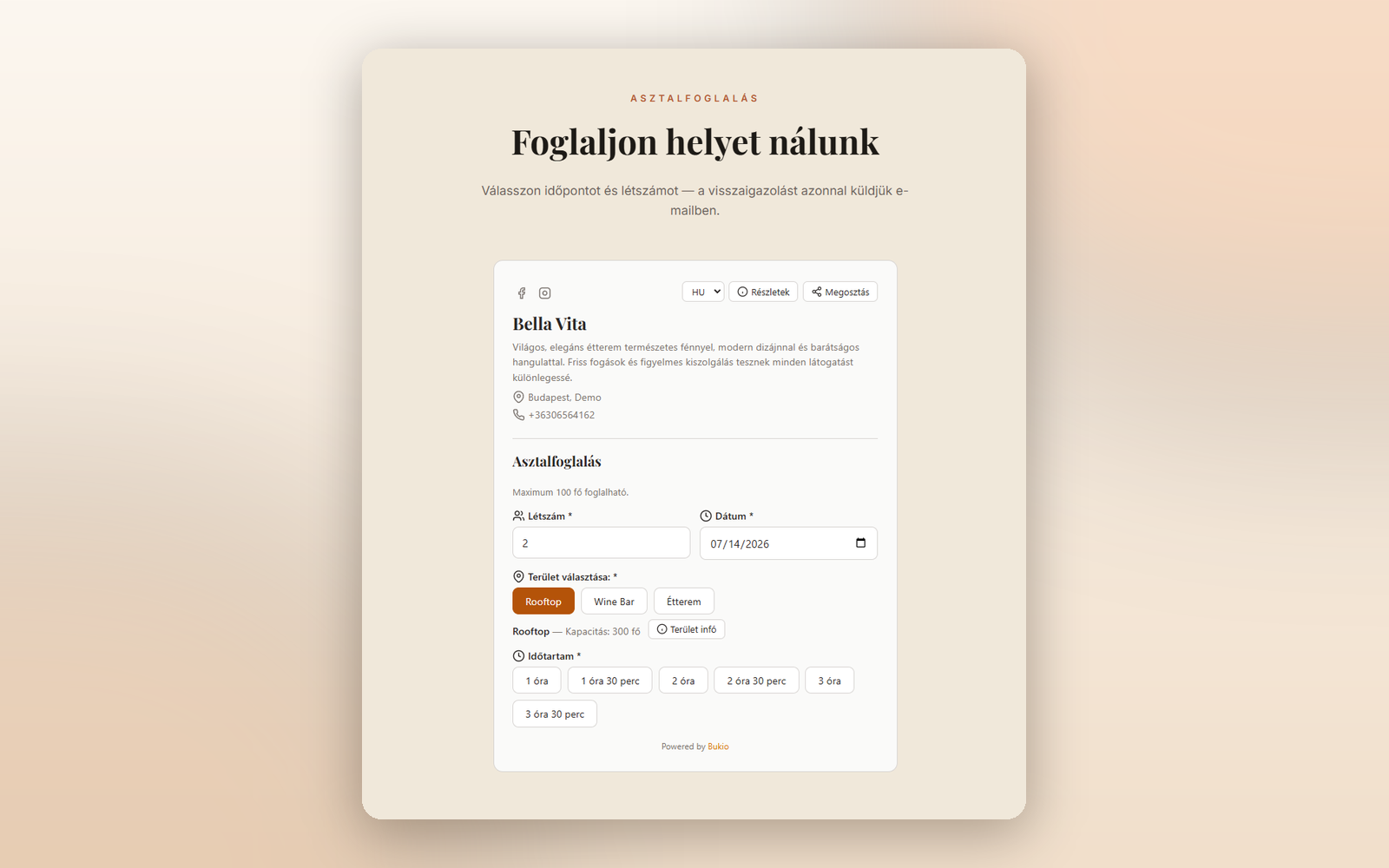
Bukio Booking – Table Reservation Widget turns your WordPress site into a complete restaurant reservation system. Embed a fully functional table booking form on any page — guests book a table directly on your website, with no iframe and no redirect.
Bukio is a full restaurant booking system with online table reservations, table management, guest database, automatic email reminders and business analytics. This plugin connects your WordPress site to your Bukio account and provides:
- Real-time availability — guests see available time slots instantly
- Full booking flow — party size, date, duration, time selection, contact info
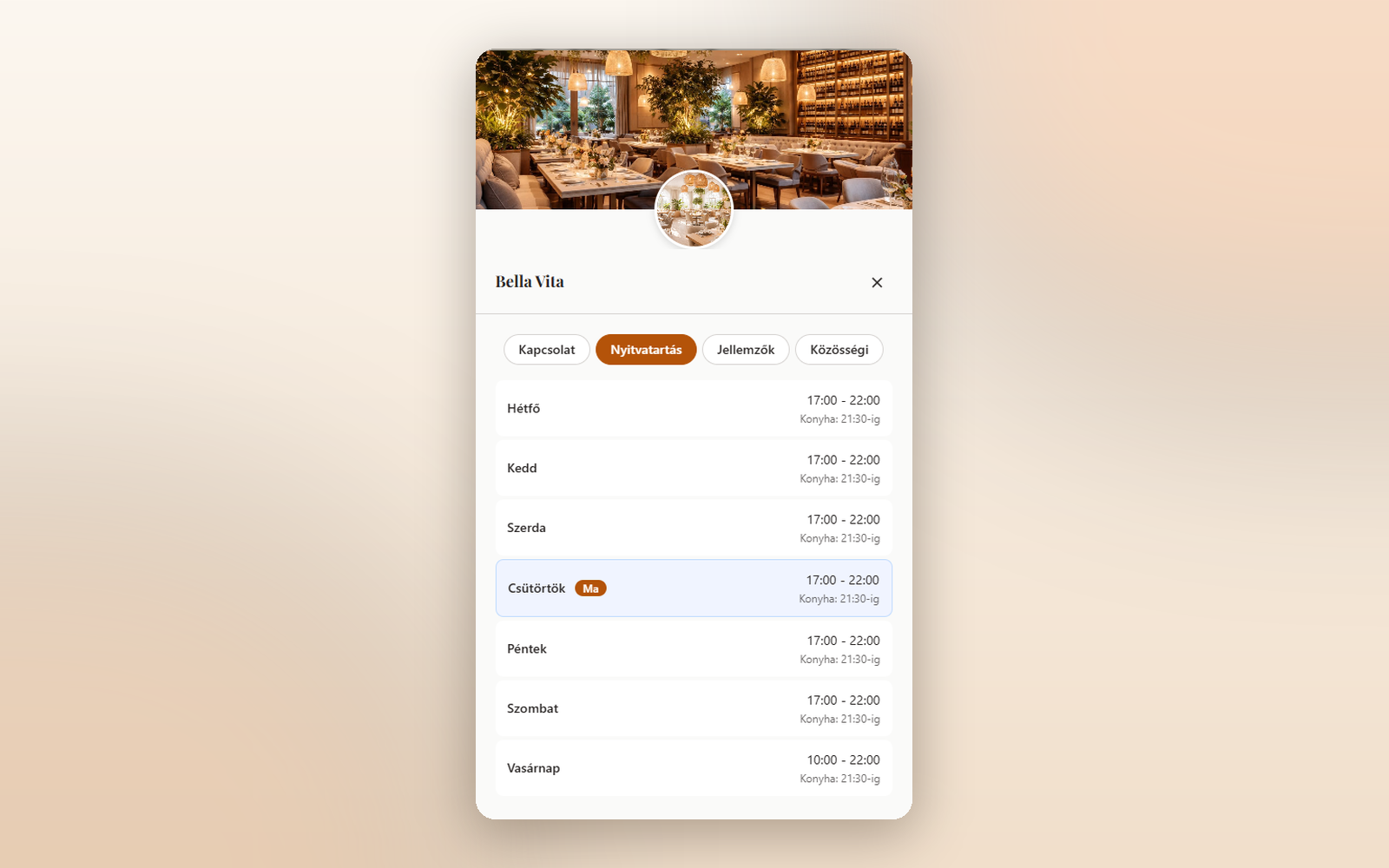
- Restaurant info panel — opening hours, contact details, amenities, social links
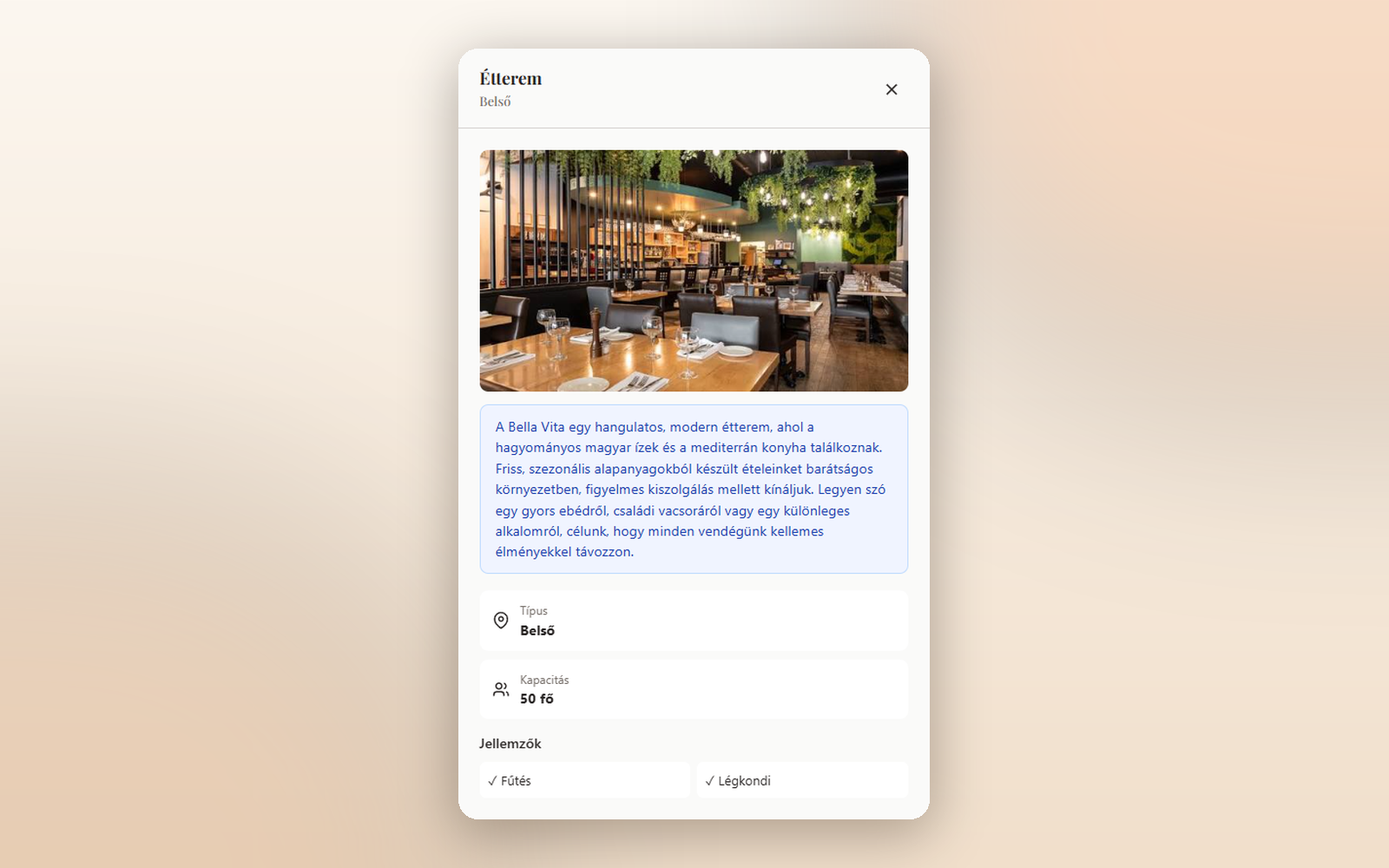
- Area selection — with image gallery, features, and seasonal info
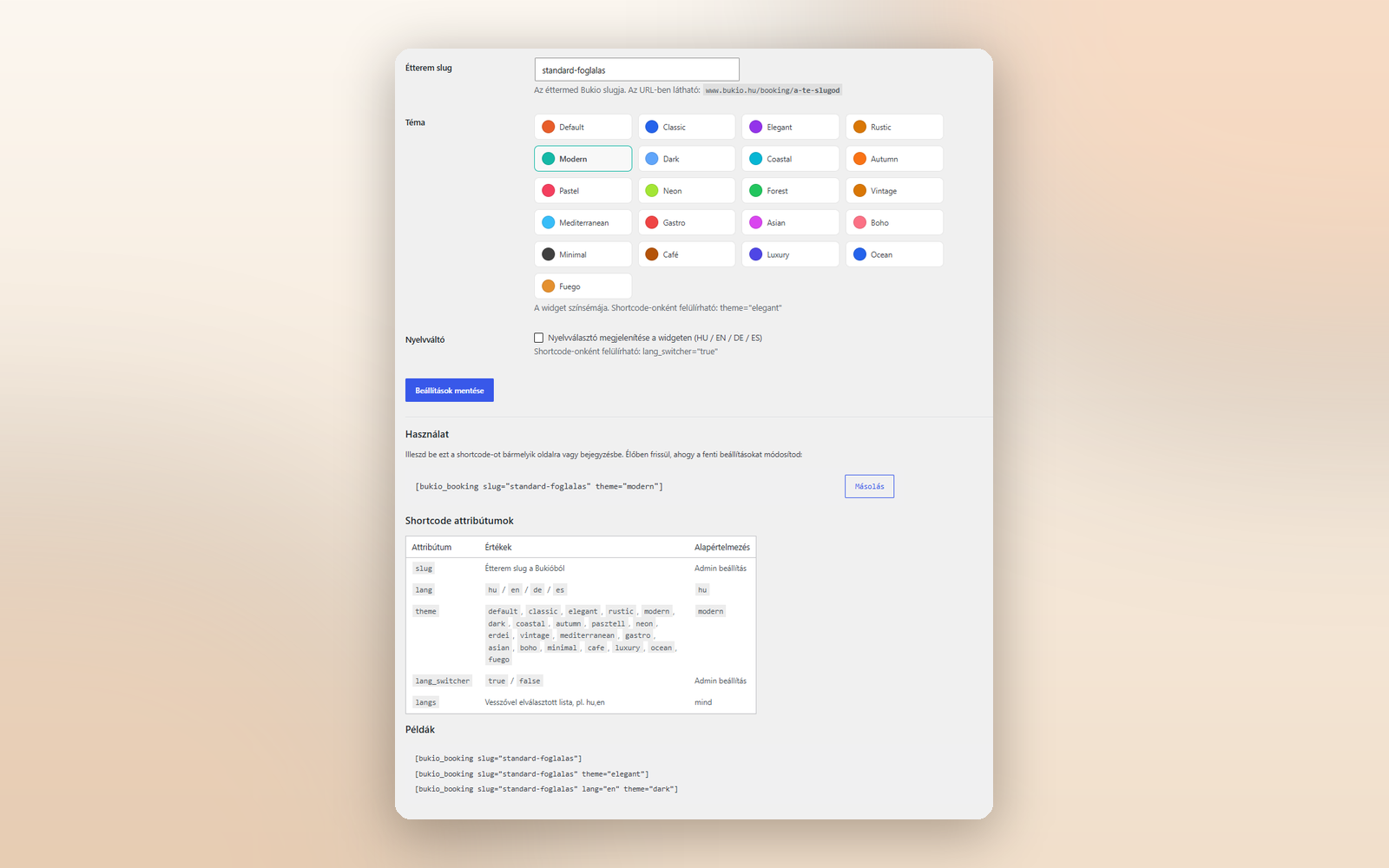
- 21 color themes — from minimal to neon, matching any website design
- 4 languages — Hungarian, English, German, Spanish
- Policy display — privacy policy, terms, cancellation policy modals
- Mobile-friendly — fully responsive design
- No iframe — the widget renders natively in your page, no scrollbar issues
- Lightweight — single JavaScript file, zero dependencies
How It Works
- Create a free account at bukio.hu
- Set up your restaurant (areas, tables, opening hours, rules)
- Install this plugin on your WordPress site
- Add
[bukio_booking slug="your-restaurant-slug"]to any page - Guests can now book a table directly from your website
Shortcode
[bukio_booking slug="your-restaurant-slug"]
Shortcode Attributes
- slug — Your restaurant slug from Bukio (visible in the URL: bukio.hu/booking/your-slug)
- lang — Language:
hu,en,de, ores(default:hu) - theme — Color theme (default:
default). See Themes section below. - lang_switcher — Show a language selector on the widget:
true/false(default: admin setting) - langs — Restrict the language selector to a subset, e.g.
hu,en
Available Themes
default, classic, elegant, rustic, modern, dark, coastal, autumn, pasztell, neon, erdei, vintage, mediterranean, gastro, asian, boho, minimal, cafe, luxury, ocean, fuego
Non-WordPress Usage
The widget also works on any HTML page:
<div data-bukio-widget data-restaurant-slug="your-slug" data-lang="hu" data-theme="default"></div>
<script src="https://bukio.hu/js/widget.js" defer></script>
External Service
This plugin connects to the Bukio platform (bukio.hu) to load the booking widget and process reservations. When the widget loads, it fetches restaurant data (name, areas, opening hours, policies) from the Bukio API and sends booking submissions to Bukio.
- Service provider: Bukio (Studio Bromo — Nagy György EV.)
- Service URL: https://bukio.hu
- Privacy Policy: https://www.bukio.hu/hu/dokumentumok/adatkezeles
- Terms of Service: https://www.bukio.hu/hu/dokumentumok/aszf
Data transmitted: restaurant slug, guest name, email, phone number, party size, selected date/time, and special requests. No data is stored on your WordPress server.
Screenshots
Installation
- Upload the
bukio-bookingfolder to/wp-content/plugins/ - Activate the plugin through the ‘Plugins’ menu in WordPress
- Go to Settings Bukio and enter your restaurant slug
- Add the shortcode
[bukio_booking]to any page or post
FAQ
-
Do I need a Bukio account?
-
Yes. You need a free account at bukio.hu to set up your restaurant and get your slug.
-
Is the widget free?
-
The WordPress plugin is free. Bukio offers both free and paid plans for restaurants.
-
Can I use multiple widgets on one page?
-
Yes. Each shortcode creates an independent widget instance. You can even use different slugs for different restaurants.
-
Does it work with page builders?
-
Yes. The shortcode works with Elementor, Divi, WPBakery, Gutenberg, and any builder that supports shortcodes.
-
What data is sent to Bukio?
-
Only the booking details: guest name, email, phone, party size, date, time, and special requests. The plugin itself does not track visitors, set cookies, or run analytics. If the restaurant has configured analytics or marketing integrations in their Bukio account, those may run inside the widget according to the restaurant’s own configuration and privacy policy.
-
Can I customize the colors?
-
Yes. Choose from 21 built-in themes in Settings Bukio, or override per shortcode with the
themeattribute.
Reviews
There are no reviews for this plugin.
Contributors & Developers
“Bukio Booking – Table Reservation Widget” is open source software. The following people have contributed to this plugin.
Contributors
Translate “Bukio Booking – Table Reservation Widget” into your language.
Interested in development?
Browse the code, check out the SVN repository, or subscribe to the development log by RSS.
Changelog
1.0.2
- Getting started guide on the settings page with Bukio registration link
- Live shortcode preview with copy button — updates as you change the settings
- New “Language switcher” default option (lang_switcher can still override it per shortcode)
- Settings page rebuilt on the WordPress Settings API
- Admin styles and theme picker moved to enqueued assets (no inline scripts)
- Tested up to WordPress 7.0
- Clarified privacy wording in the FAQ
1.0.1
- Language switcher support in the shortcode (lang_switcher, langs attributes)
- Widget loaded from the canonical www host
1.0.0
- Initial release
- 21 color themes
- 4 language support (HU, EN, DE, ES)
- Restaurant info panel with tabs
- Area info modal with image gallery
- Policy modals
- Admin settings page with visual theme picker