

Description
BranchLex – Multi Location for WooCommerce lets a single store manage many physical locations – shops, warehouses or pickup counters – while keeping WooCommerce’s own products, customers, cart, checkout, payments and orders. Products are never duplicated: each product and variation simply has stock at each branch.
Branches
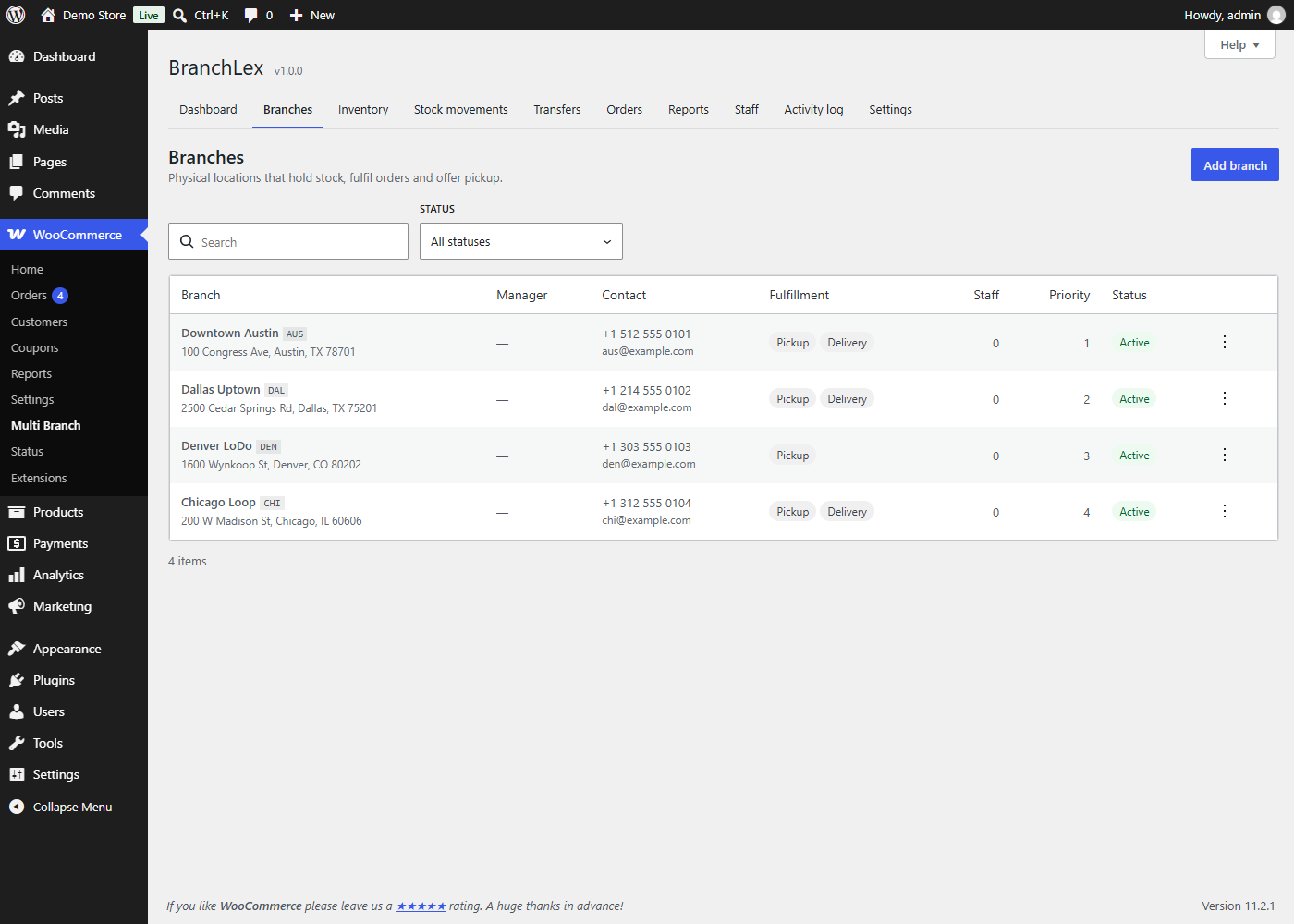
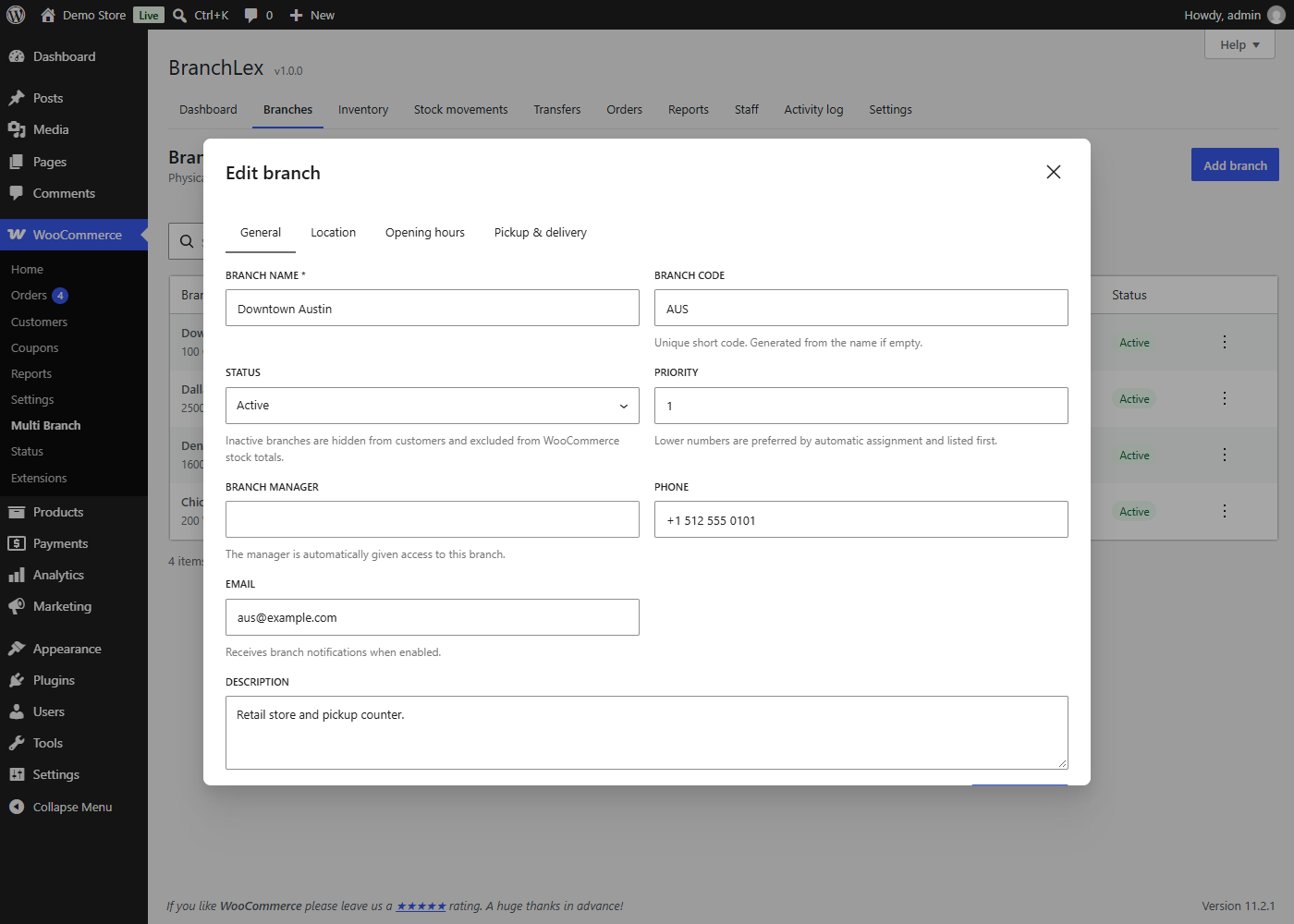
- Address, map coordinates, opening hours (including overnight), timezone, phone, email and manager
- Activate or deactivate branches, set a priority, and choose whether each branch offers pickup and/or delivery
- Delivery service areas by postcode (wildcards and ranges) or city
Inventory and stock
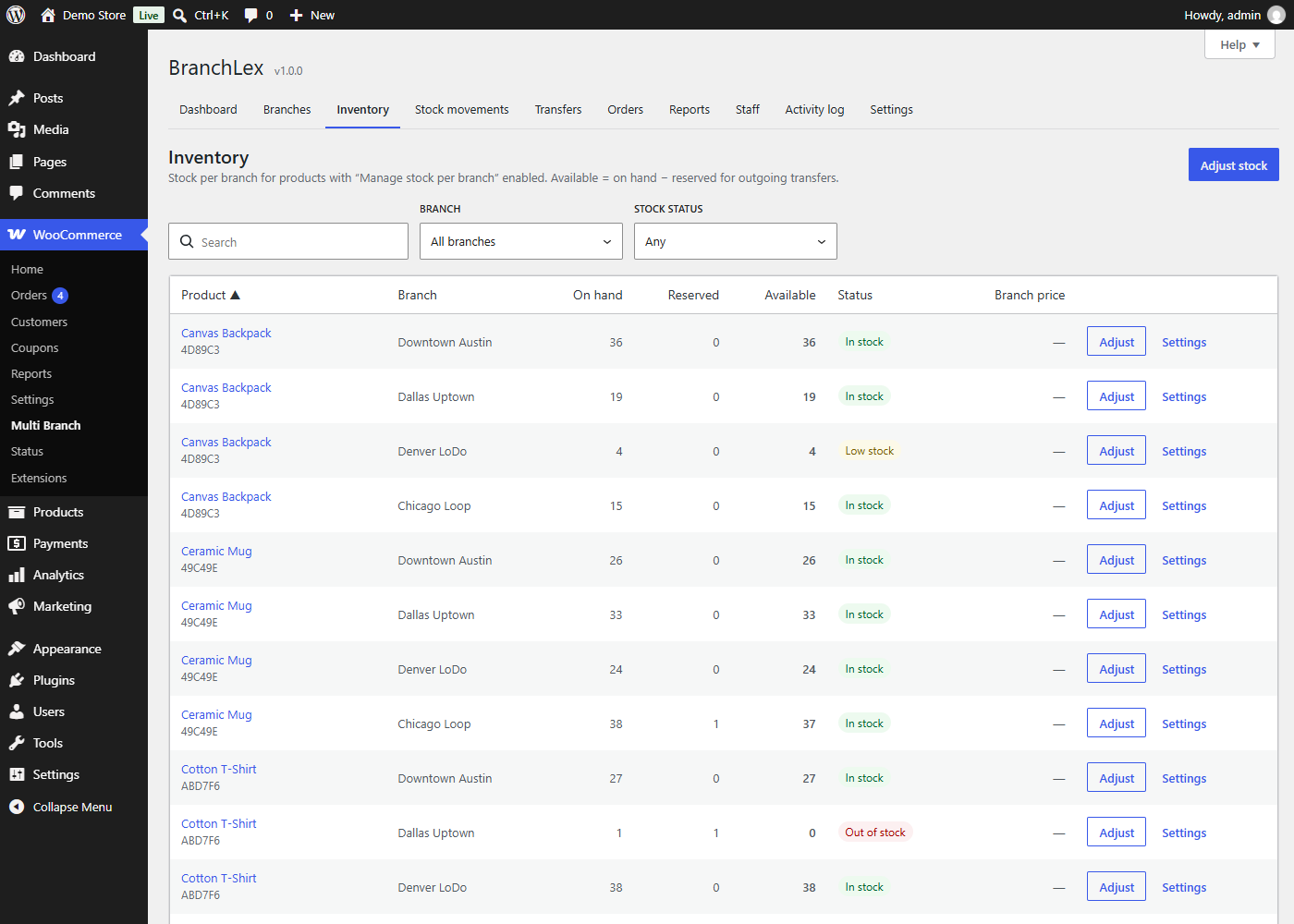
- Stock per branch for simple products and every variation
- Adjust stock (increase, decrease or set) with a required reason and movement type: purchase, return, damaged, expired, adjustment or manual
- A full audit trail of every stock movement: sales, returns, transfers and adjustments
- Low-stock thresholds per branch, “not sold at this branch” per item, optional negative stock
- WooCommerce’s stock quantity is kept equal to the total of all active branches
Stock transfers
- Pending Approved In transit Received, or Cancelled
- Stock is reserved at the source when the transfer is created and moves when it is dispatched
- Partial receipt, cancellation (stock returns to the source) and approval by the source branch manager
Storefront
- Branch selector as a dropdown, list or modal, via shortcode, block or widget, with optional “Find the nearest branch”
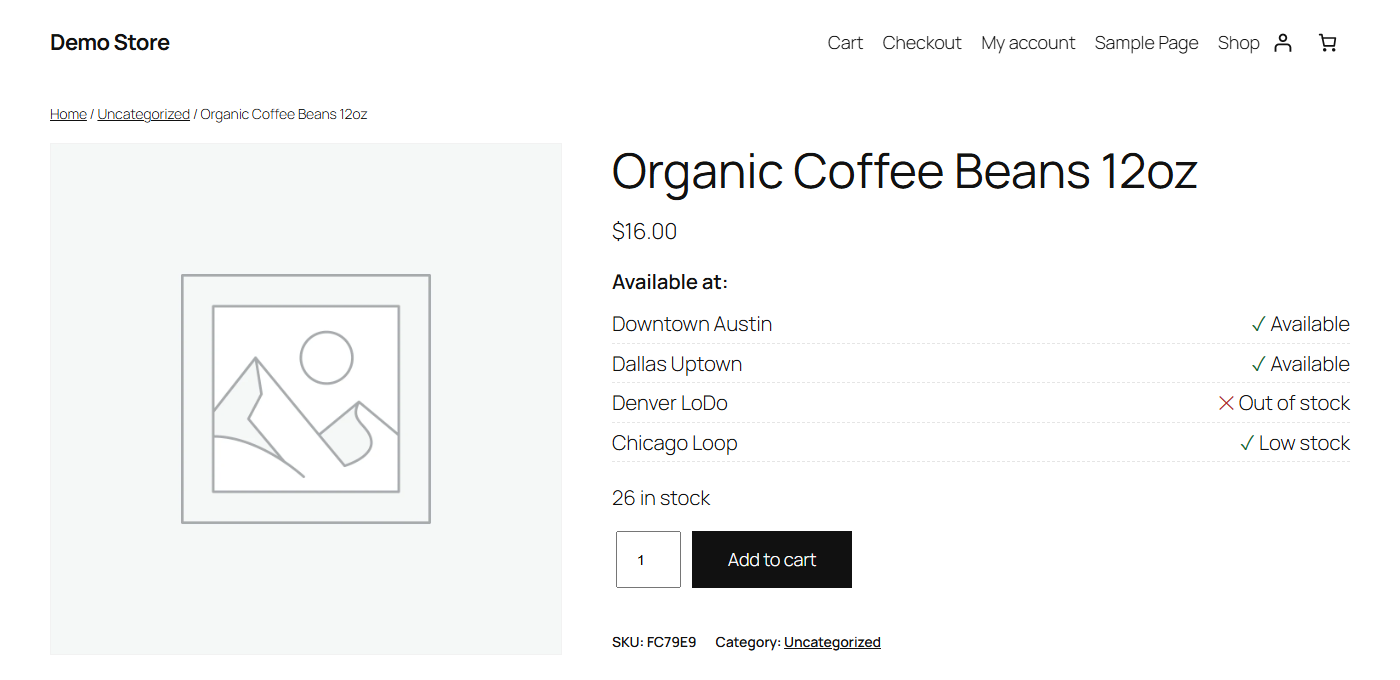
- “Available at” list on product pages; stock status and quantity limits follow the customer’s branch
- Optionally hide products that are unavailable at the chosen branch
- Cart and checkout validation for both the classic and the block checkout
Fulfillment
- Branch Pickup shipping method: one pickup option per branch, shown in the block checkout’s pickup tab
- Branch Delivery shipping method: delivery fee and free-delivery threshold per branch, limited to the branch’s service area
Orders
- Orders are assigned to the pickup branch, manually, or by rules you order: customer-selected branch, postcode, city, sufficient stock, nearest branch, priority
- Optional split fulfillment across branches
- Branch stock is reduced when an order is paid, restored when it is cancelled or fails, restocked on refunds, and moved when an order is reassigned
- Branch column, filter and assignment box on the WooCommerce orders screen (HPOS and legacy storage)
Staff and reports
- Branch Manager and Branch Staff roles that only see their own branches, with a configurable capability matrix
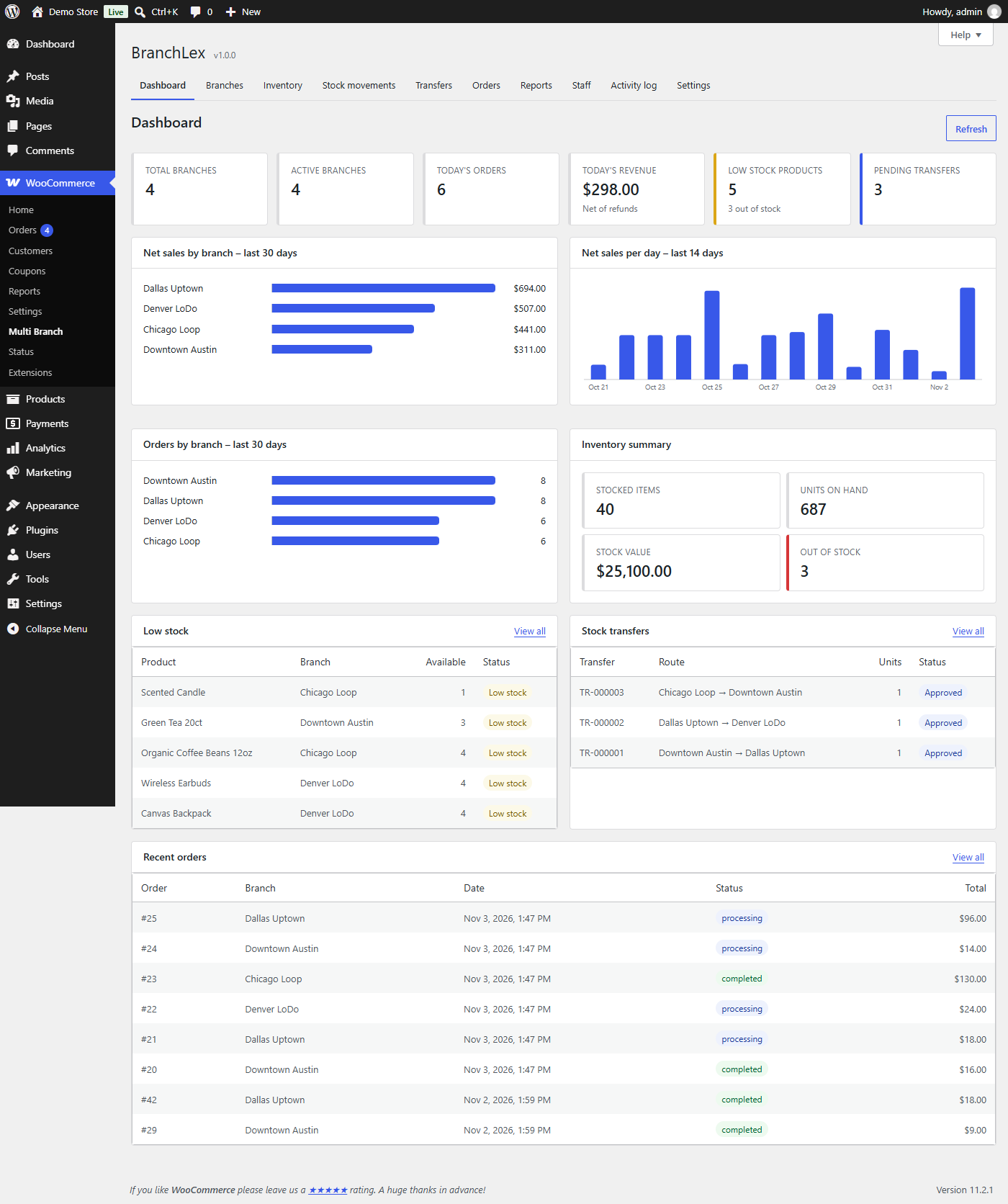
- Dashboard with today’s orders and revenue, low stock and pending transfers
- Sales, order, inventory (including stock valuation) and staff reports with date filters and CSV export
- Activity log of who changed what
Also included
- Optional branch-specific pricing
- Six notifications through WooCommerce emails: new branch order, order assigned, low stock, out of stock, transfer update, transfer received
- REST API (
/wp-json/branchlex/v1), actions and filters, WP-CLI commands - Compatible with WooCommerce High-Performance Order Storage (HPOS) and the cart/checkout blocks
- Translation ready
This plugin does not connect to any external service.
BranchLex is an independent extension. It is not affiliated with, endorsed by or sponsored by WooCommerce or Automattic. WooCommerce is a trademark of Automattic Inc.
Source code
The admin interface is built with React. The compiled files in build/ are generated from the human-readable source in src/ (included in the plugin) using @wordpress/scripts:
npm install && npm run build
Privacy
The plugin stores the customer’s chosen branch in the WooCommerce session, in a cookie named branchlex_branch and, for logged-in customers, in their account. If a customer uses “Find the nearest branch”, the browser asks for permission and approximate coordinates are kept in the session and stored with the order. Staff actions are recorded in an activity log with the user and, optionally, the IP address. Nothing is sent to third parties. Suggested privacy policy text is added under Settings Privacy, and the data is included in WordPress’ personal data export and erasure tools.
Screenshots


Installation
- Make sure WooCommerce is installed and active.
- In WordPress go to Plugins Add New Upload Plugin, upload the zip and activate it (or install it from the plugin directory).
- Go to WooCommerce Multi Branch Branches and add your branches.
- In Settings General choose a default branch. Existing WooCommerce stock is imported into it when you enable branch stock on a product.
- Edit a product, open the Inventory tab and tick Manage stock per branch. Then add stock in Multi Branch Inventory.
- In WooCommerce Settings Shipping, add Branch Pickup and/or Branch Delivery to your shipping zones.
- Show the branch selector with the
[branchlex_branch_selector]shortcode, the Branch Selector block or widget, or turn on automatic placement in the plugin settings.
FAQ
-
Does it create a copy of each product for every branch?
-
No. Each product and variation has one stock record per branch.
-
What happens to WooCommerce’s own stock quantity?
-
For products with branch stock enabled, it is kept equal to the total available stock across all active branches, so WooCommerce’s catalog, stock status and reports stay correct. The field is locked in the product editor.
-
How do I add branch staff?
-
Create the user account in Users Add New and give it the Branch Manager or Branch Staff role. Then assign the user to one or more branches in Multi Branch Staff. BranchLex never creates users or changes WordPress roles itself.
-
Can branch staff see other branches?
-
No. Branch managers and staff only see the branches they are assigned to. Store administrators and shop managers see everything.
-
What if two customers buy the last unit at the same time?
-
Both paid orders are recorded. The branch goes to negative stock and the order gets a note, so staff can transfer stock from another branch.
-
Does it work with the block checkout and HPOS?
-
Yes, both are supported.
-
Is my data deleted when I remove the plugin?
-
No. Branches, stock and history are kept unless you enable “Delete all plugin data on uninstall” in Settings Advanced before deleting the plugin.
-
Which shortcode attributes are available?
-
[branchlex_branch_selector display=”dropdown|list|modal” show_details=”yes|no” title=”Choose your branch”]
Reviews
There are no reviews for this plugin.
Contributors & Developers
“BranchLex – Multi Location for WooCommerce” is open source software. The following people have contributed to this plugin.
Contributors
Translate “BranchLex – Multi Location for WooCommerce” into your language.
Interested in development?
Browse the code, check out the SVN repository, or subscribe to the development log by RSS.
Changelog
1.0.0
- Initial release.