
Description
Brain 2FA protects WordPress accounts with a second authentication factor. After entering their password, users confirm their identity with a six-digit code from an authenticator app or from their email inbox.
Codes are generated and verified on your own server. Brain 2FA does not send any data to third-party services.
Features
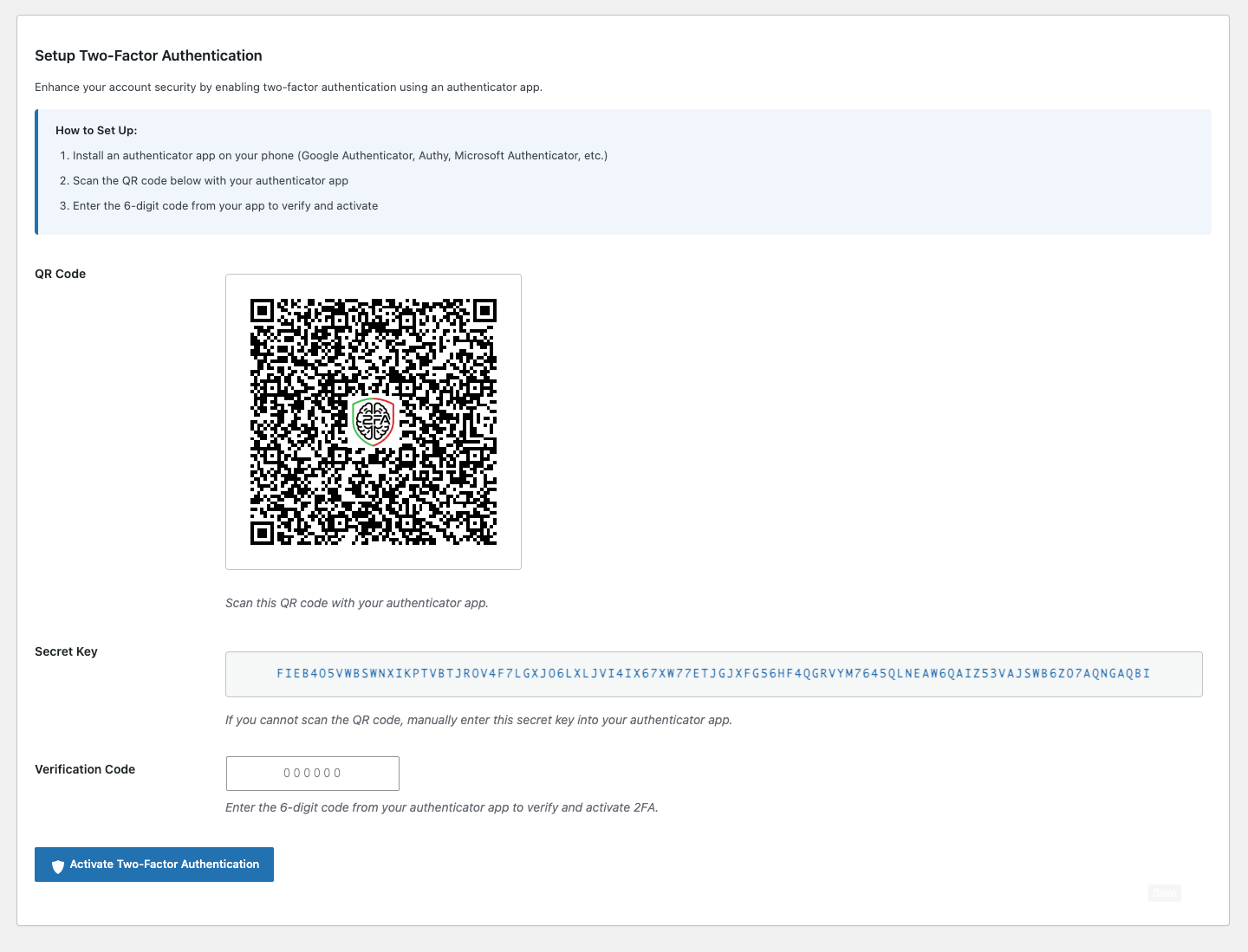
- Authenticator apps (TOTP): Works with Google Authenticator, Microsoft Authenticator, Authy, 1Password, Bitwarden and any other TOTP-compatible app. Users set it up by scanning a QR code or entering the secret key manually.
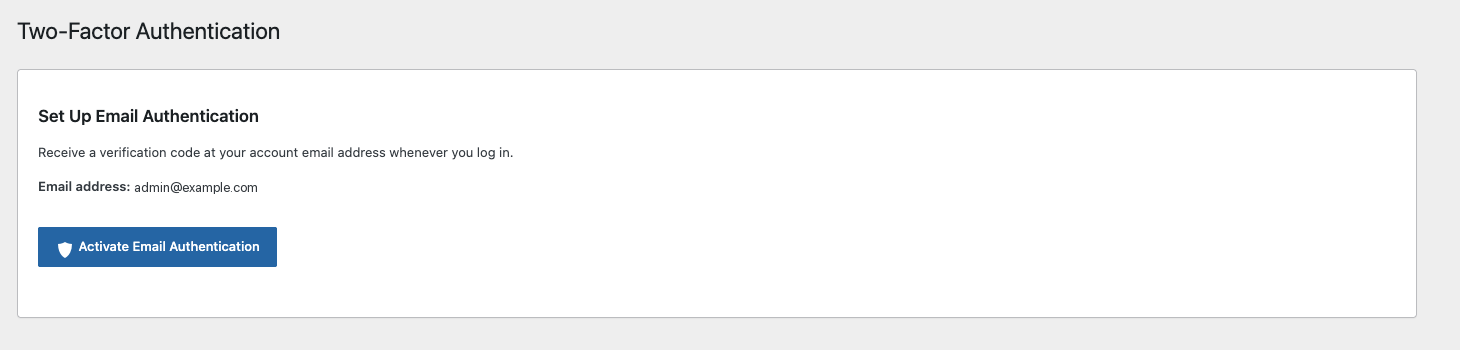
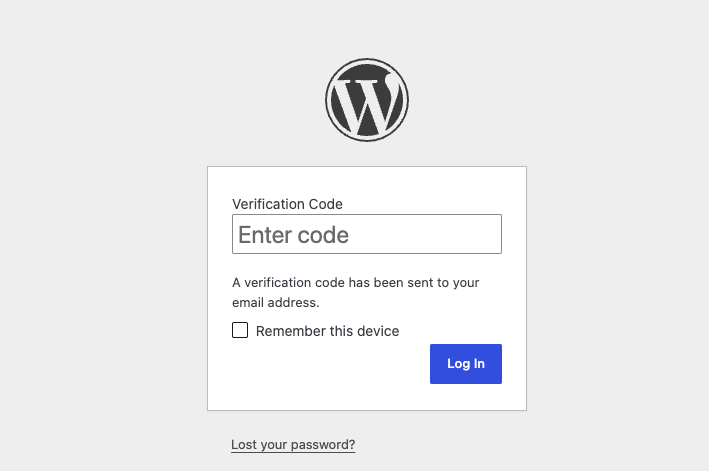
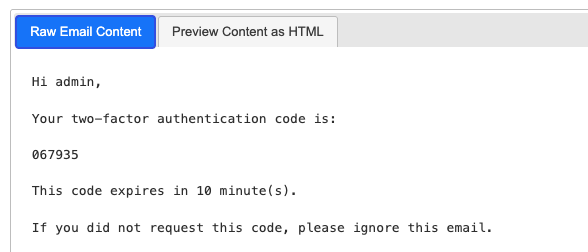
- Email verification codes: Sends a one-time code to the account email address, with a configurable expiry time.
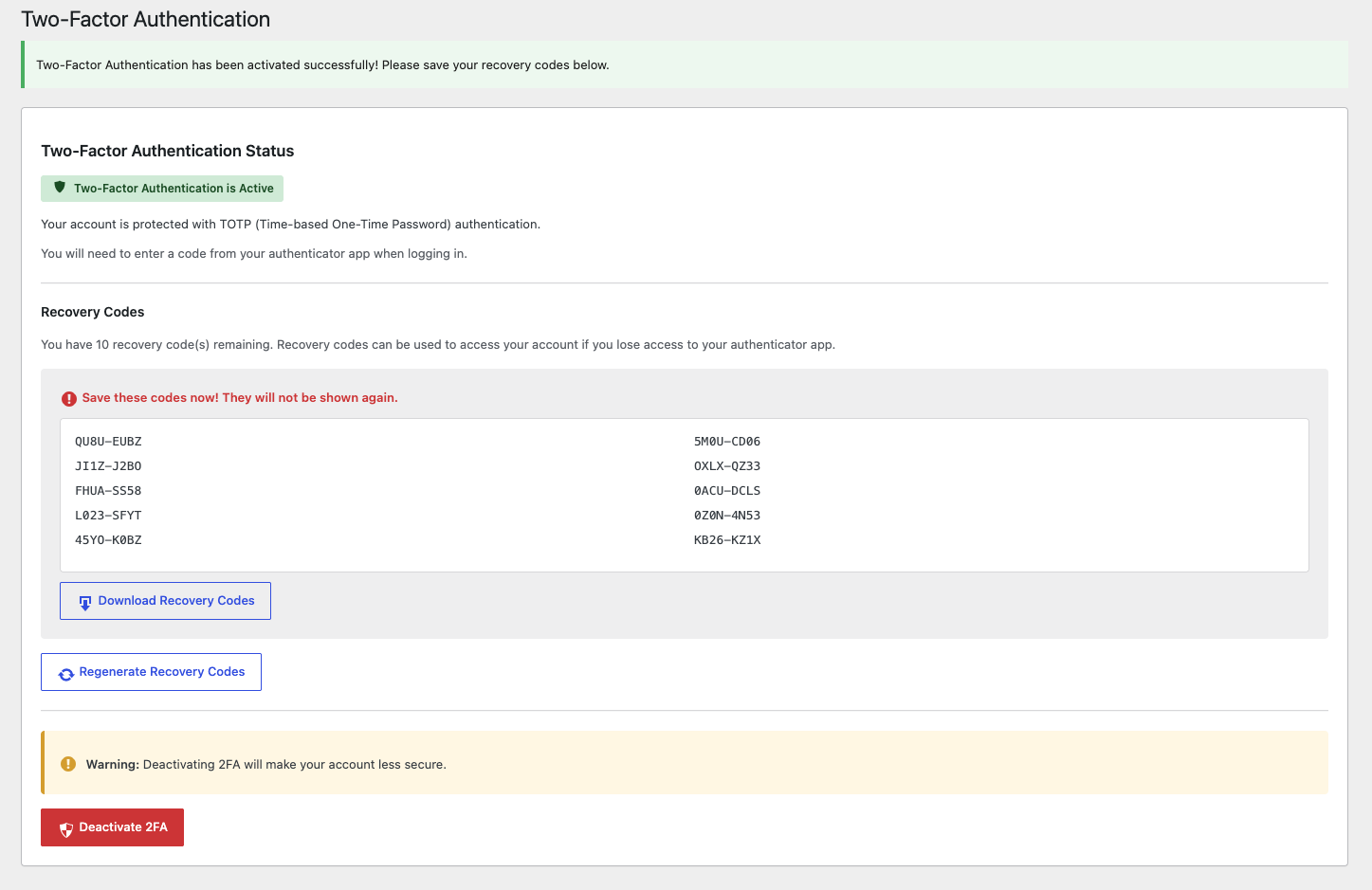
- Recovery codes: TOTP users receive one-time recovery codes they can download and regenerate in case they lose their phone.
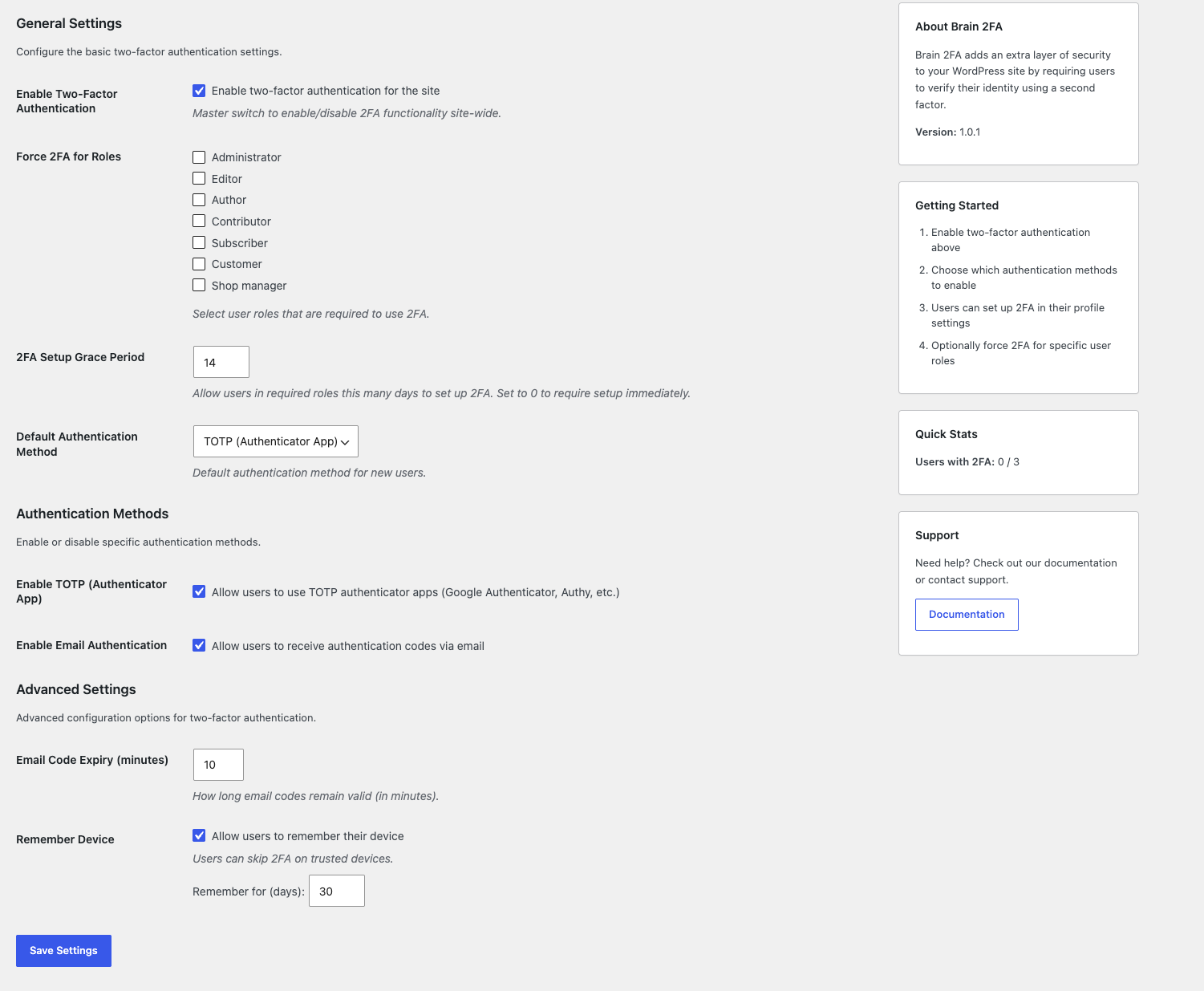
- Role-based enforcement: Require two-factor authentication for selected user roles, such as Administrator, Editor or Shop manager.
- Setup grace period: Give users in required roles a set number of days to enable 2FA. After the deadline, they can sign in but only reach the setup page until 2FA is enabled. Administrators can see deadlines in the Users list and extend them from a user’s profile.
- Trusted devices: Users can optionally skip the code on devices they trust, using expiring, password-hashed tokens.
- Consistent enforcement: The 2FA policy applies to every sign-in, including direct submissions of the login form, not only the JavaScript-assisted flow. The credential check before the code step is rate limited per IP address.
- WooCommerce support: Works with the default WordPress login form and the WooCommerce My Account login form. Customers can set up and manage 2FA from a link on their My Account dashboard.
- Works without JavaScript: If the login script cannot run, a verification code field is shown on the login form instead.
- Translation ready: All user-facing text can be translated.
Support
Need help? Visit Braintum Support.
Development
The development source code and build tools for Brain 2FA are publicly available at:
https://github.com/Braintum/brain-2fa
The JavaScript files in assets/js/ are generated from the source files in src/js/.
Screenshots
Installation
- Upload the
brain-2fafolder to the/wp-content/plugins/directory, or install the plugin through the WordPress Plugins screen. - Activate the plugin through the Plugins screen in WordPress.
- Open Brain 2FA > Settings and enable two-factor authentication.
- Configure authentication methods and role requirements as needed.
FAQ
-
How do users set up two-factor authentication?
-
Users can open Brain 2FA > Login Security from the WordPress admin area and follow the setup instructions for the configured default method.
-
Which authenticator apps are supported?
-
Any app that supports time-based one-time passwords (TOTP), including Google Authenticator, Microsoft Authenticator, Authy, 1Password and Bitwarden.
-
What happens if a user loses access to their authenticator app?
-
TOTP users can use a recovery code. Site administrators can also manage setup grace periods from the user profile.
-
Can I require two-factor authentication for specific roles?
-
Yes. In Brain 2FA > Settings, select the roles that must use 2FA and set a grace period. Users in those roles get the configured number of days to complete setup. After that, or immediately with a grace period of 0, they can still sign in but are taken to the setup page and cannot use the rest of the site until 2FA is enabled.
-
Does the plugin support WooCommerce login?
-
Yes. The plugin supports the standard WooCommerce My Account login form. Customers can set up two-factor authentication from the link on their My Account dashboard.
-
Does Brain 2FA connect to external services?
-
No. Codes, QR codes and recovery codes are generated on your server, and verification emails are sent through your site’s normal WordPress mail setup.
-
Where can I get support?
Reviews
There are no reviews for this plugin.
Contributors & Developers
“Brain 2FA” is open source software. The following people have contributed to this plugin.
Contributors
Translate “Brain 2FA” into your language.
Interested in development?
Browse the code, check out the SVN repository, or subscribe to the development log by RSS.
Changelog
1.0.4
- New: Users who miss their setup deadline are no longer locked out. They can sign in, but only reach the setup page until two-factor authentication is enabled. A grace period of 0 now works as described: setup is required at the first sign-in.
- New: WooCommerce customers can set up and manage two-factor authentication from a link on their My Account dashboard.
- New: A verification code field is shown on login forms when JavaScript is unavailable.
- Improvement: Email authentication is turned on only after you enter a code sent to your address, so broken site email cannot lock you out.
- Improvement: Users whose role requires two-factor authentication must set up a new method right after deactivating, instead of getting a new grace period.
- Security: Sessions started before a setup deadline are also restricted to the setup page once it passes. XML-RPC and REST logins stay blocked until setup is complete.
1.0.3
- Security: Limit failed verification attempts. After 5 failed codes, an account is locked out of verification for 15 minutes; repeated failures from one IP address are also limited.
- Security: Turning off two-factor authentication and regenerating recovery codes now require your account password.
- Security: A new authentication method can no longer be set up over an active one.
- Security: Users receive an email when two-factor authentication is turned on or off, or recovery codes are regenerated.
- Security: Trusted devices are revoked when a password is changed or reset.
- Security: Email verification codes can only be used once, even with simultaneous requests.
- Fix: The email code expiry setting is limited to 1–60 minutes.
- Fix: The QR code area is hidden when the QR code cannot be generated; the secret key is still shown.
1.0.2
- Security: TOTP codes can no longer be reused within their validity window.
- Fix: Clock-drift tolerance now correctly accepts the previous and next 30-second authenticator codes.
1.0.1
- Fix: PHP 8.4 deprecation notice in the TOTP fallback verification (explicit nullable
WP_Userparameter).
1.0.0
- Initial release.