

Description
OrderCare brings together two essentials for a better post-purchase experience: tracking automation and an Ai CRM for customer care. Tracking keeps your team informed about shipment events; the CRM keeps delivery questions, conversations, and follow-up connected to each order.
OrderCare Ai CRM Lite is the free starting point, with manual shipment tracking, customer self-service, and Care Records. OrderCare Ai CRM Pro adds scheduled carrier tracking, webhooks, broader carrier tools, and AI Rescue to help your team decide what to do next and prepare customer responses. Together, these tools help your store stay informed about deliveries while giving customers thoughtful follow-through.
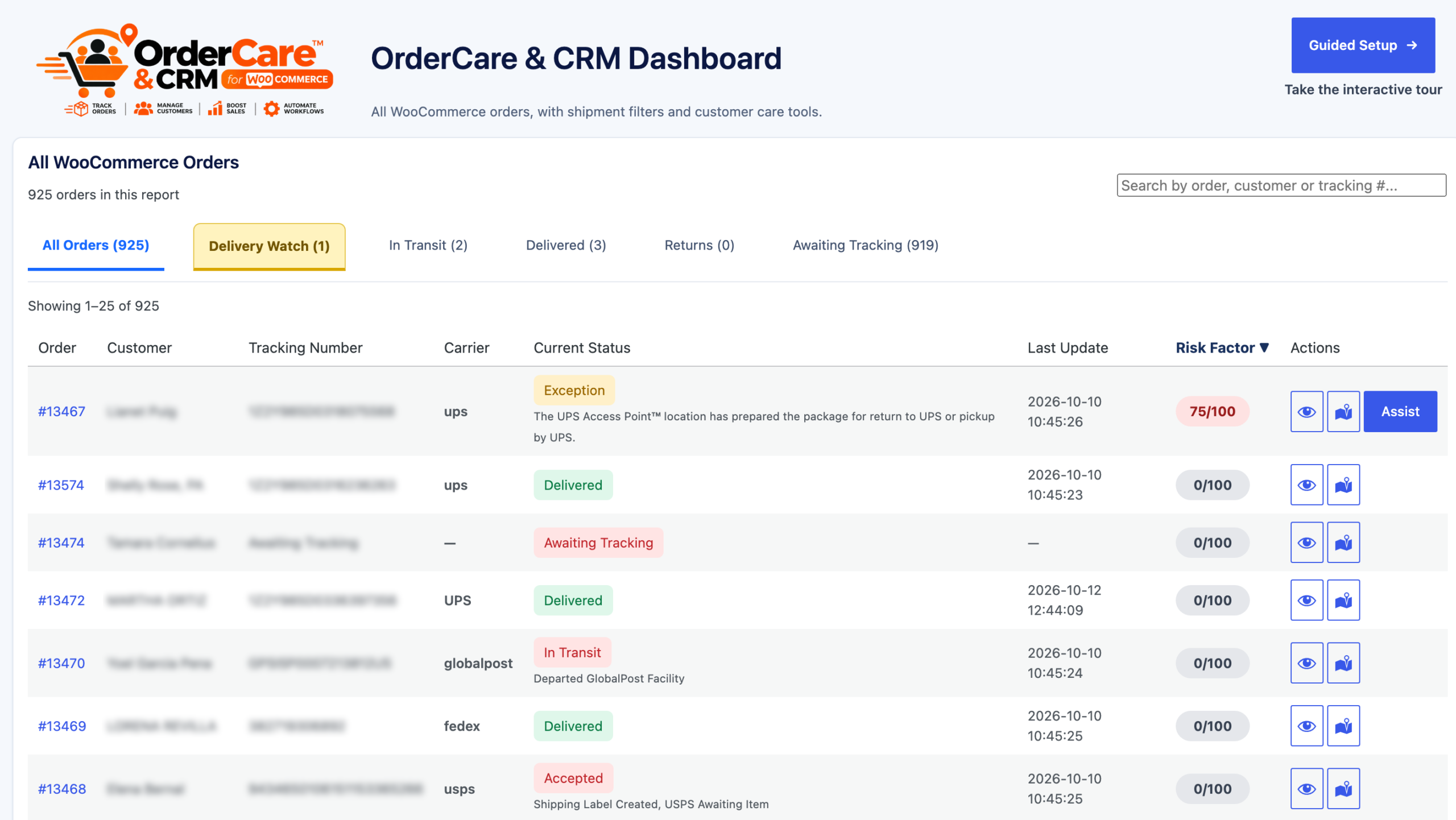
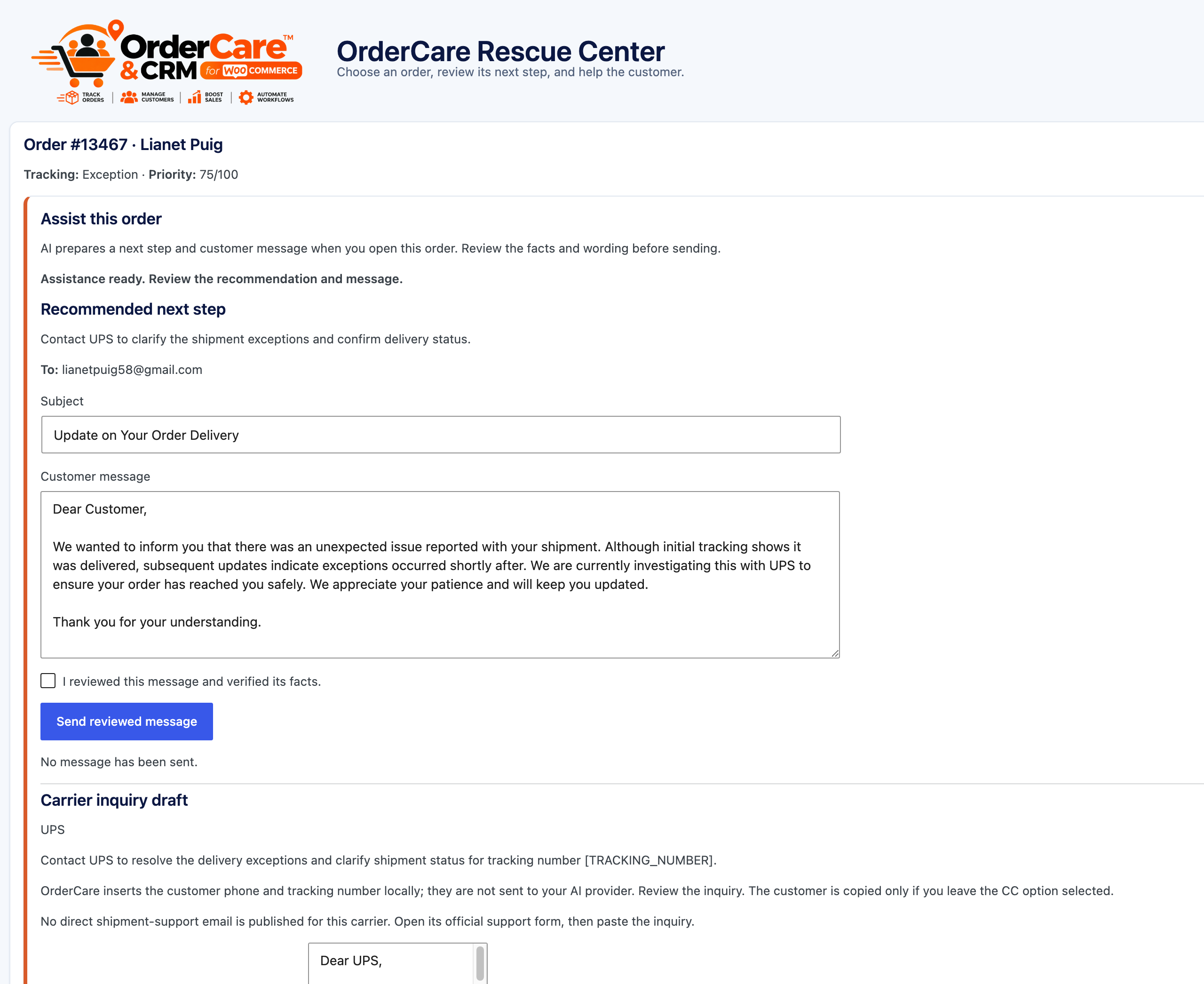
Enter a carrier and tracking number on an order or import tracking records from CSV. Customers can view saved tracking in My Account and, when enabled, in existing WooCommerce order emails. Delivery Watch, regular Assist, Care Records, and the Customer Help Center help your team manage the next step.
Lite is free indefinitely. It does not require a license, trial, or usage quota. Pro is a separate paid edition for stores that need scheduled carrier tracking and webhooks, expanded carrier coverage, carrier contacts, AI-assisted drafts, and PayPal sync. Pro costs $14.99 per month or $149 per year per website, with no trial. Use the Upgrade action at the end of the OrderCare row in the Plugins list to open the OrderCare Pro purchase page on BoxesEtcetera.
Features
- Delivery Watch: Review saved shipment statuses, delivery exceptions, missing tracking, and follow-ups.
- Manual tracking: Enter a carrier name, tracking number, status, and shipped date on a WooCommerce order.
- CSV tracking import: Preview a file and map tracking rows to orders before importing.
- Customer tracking views: Show saved tracking in My Account and optionally include it in existing WooCommerce order emails.
- Customer Help Center: Add [ordercare_help_center] to a page. Customers can look up an order, report a problem, and reply to a support conversation. Guests verify with a one-time code sent to the order billing email.
- Care Records: Keep staff notes, customer replies, assignments, follow-up dates, and message history on WooCommerce orders.
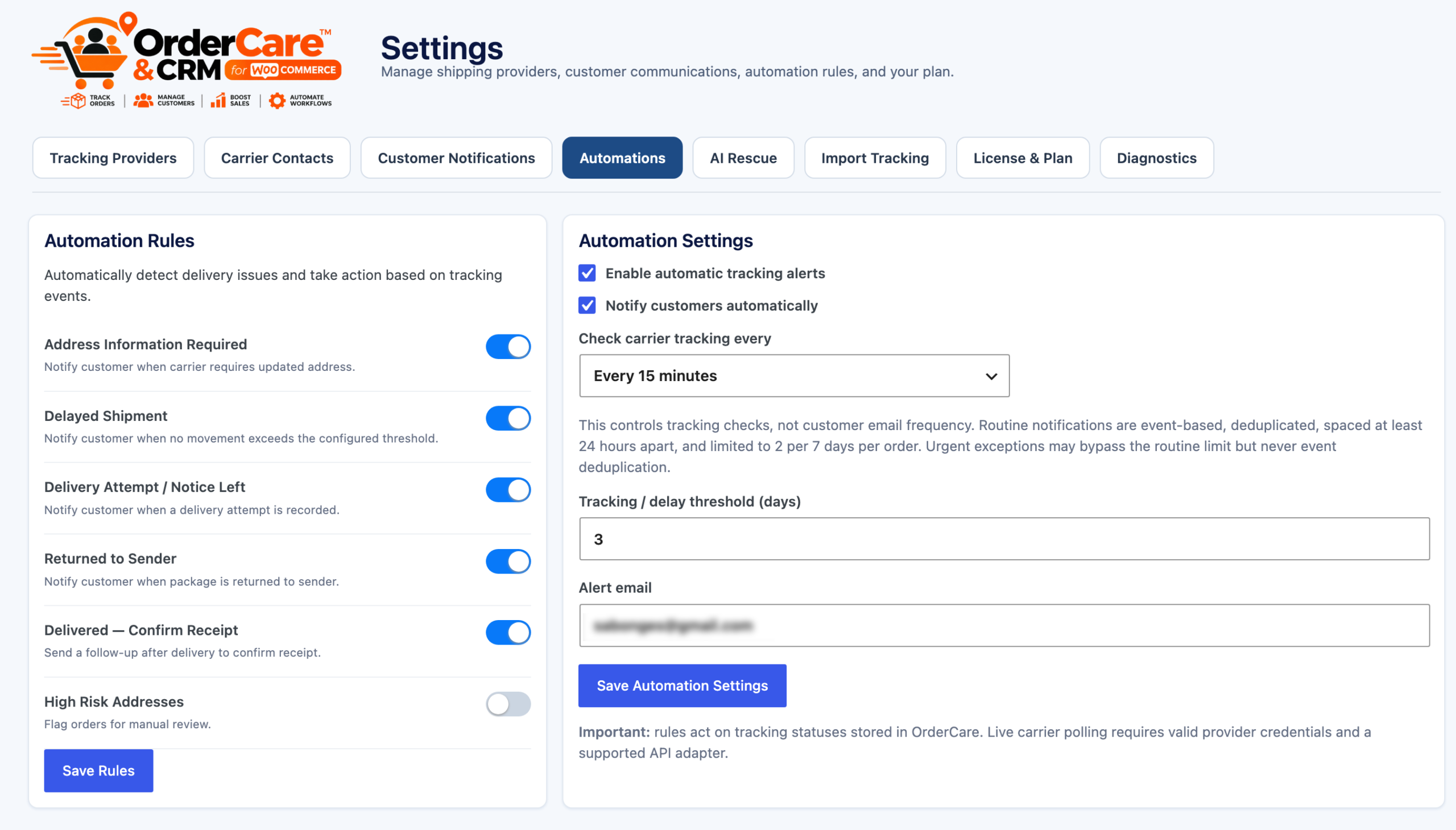
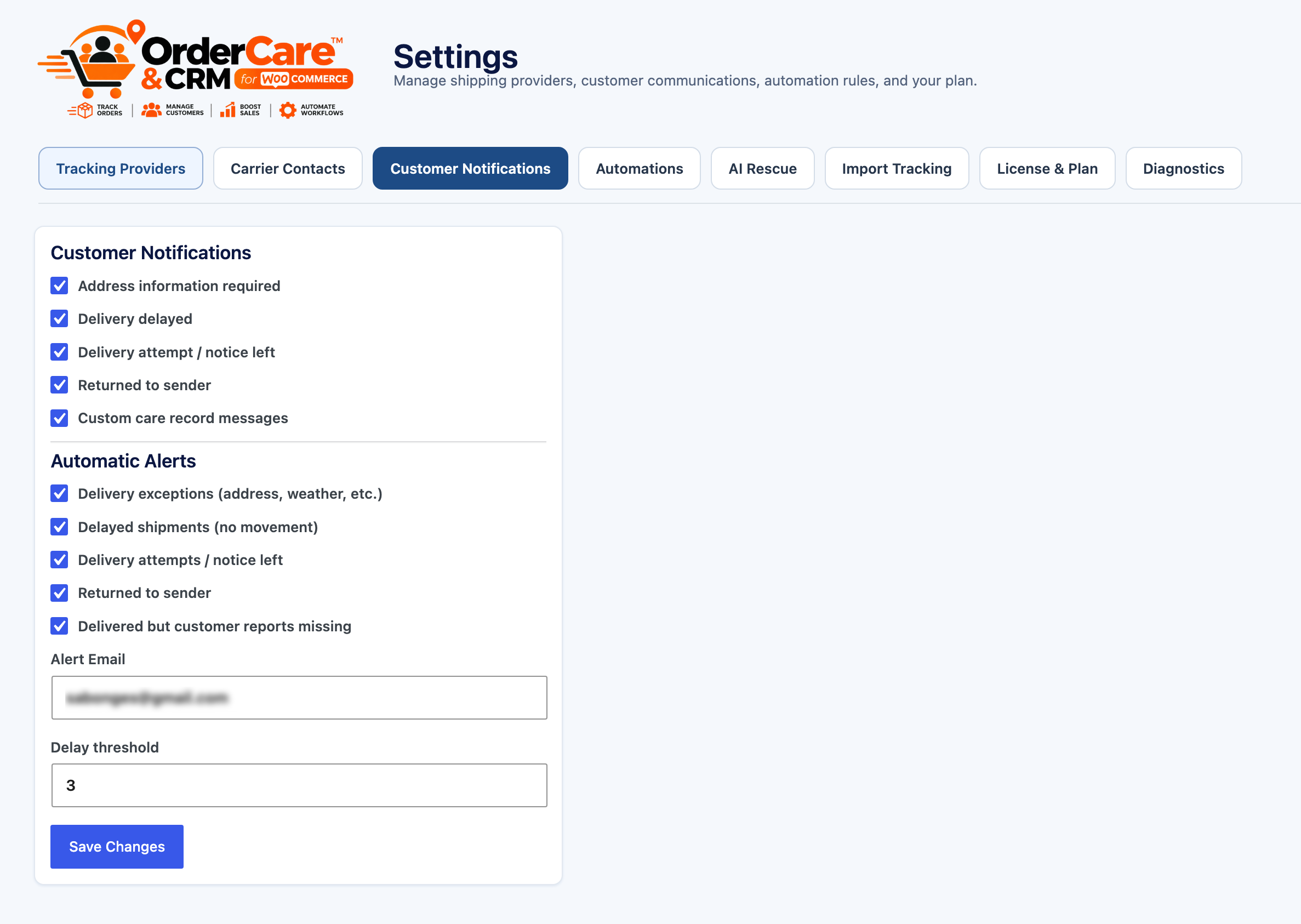
- Regular Assist and alerts: Use saved order and tracking information to guide staff follow-up. Configure basic event notifications and rules; customer messages follow store settings and safeguards.
- HPOS support: Shipment and care data are stored with WooCommerce orders.
External services
Lite does not connect to carrier APIs or send carrier tracking webhooks. The merchant may use the WordPress site’s configured mail transport for customer notifications and feature-request messages. Feature requests are stored in WordPress and emailed only if the site administrator has configured a support address. OrderCare does not purchase shipping labels or postage.
Lite and Pro
Lite is free indefinitely and includes manual tracking, CSV imports, Delivery Watch, regular Assist, Care Records, the Customer Help Center, customer tracking views, and basic alerts.
Pro is a separate paid subscription with no trial: $14.99 per month or $149.99 per year per website. It is built to help your team turn delivery updates into useful customer follow-through:
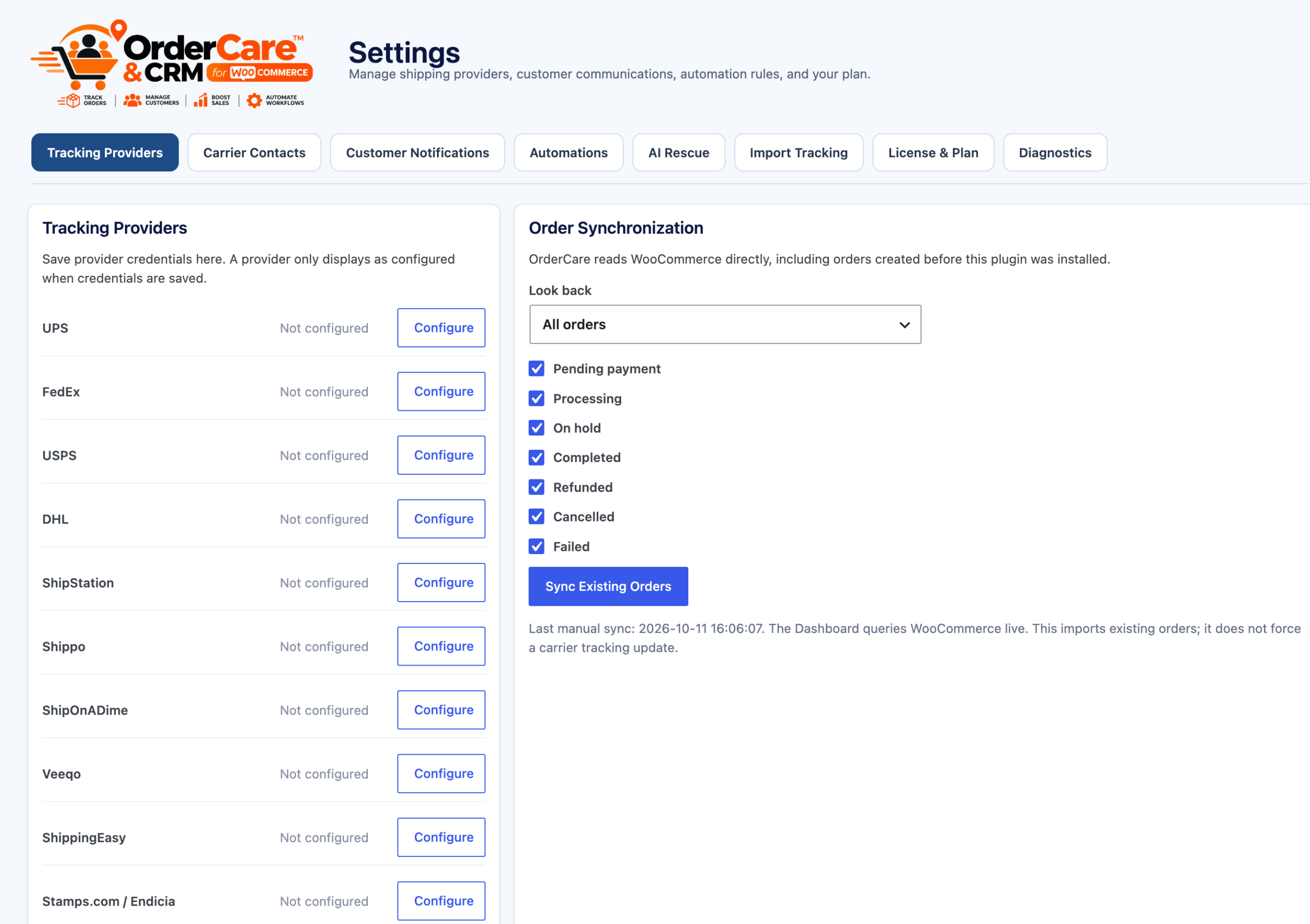
- Stay ahead of delivery problems: connect supported carrier or shipping-platform accounts for scheduled tracking checks, or use authenticated webhooks for shipment events from supported providers.
- Reach more carriers: use the 34-carrier selector, with TrackShip account support extending live tracking across its 1,020+ carrier network.
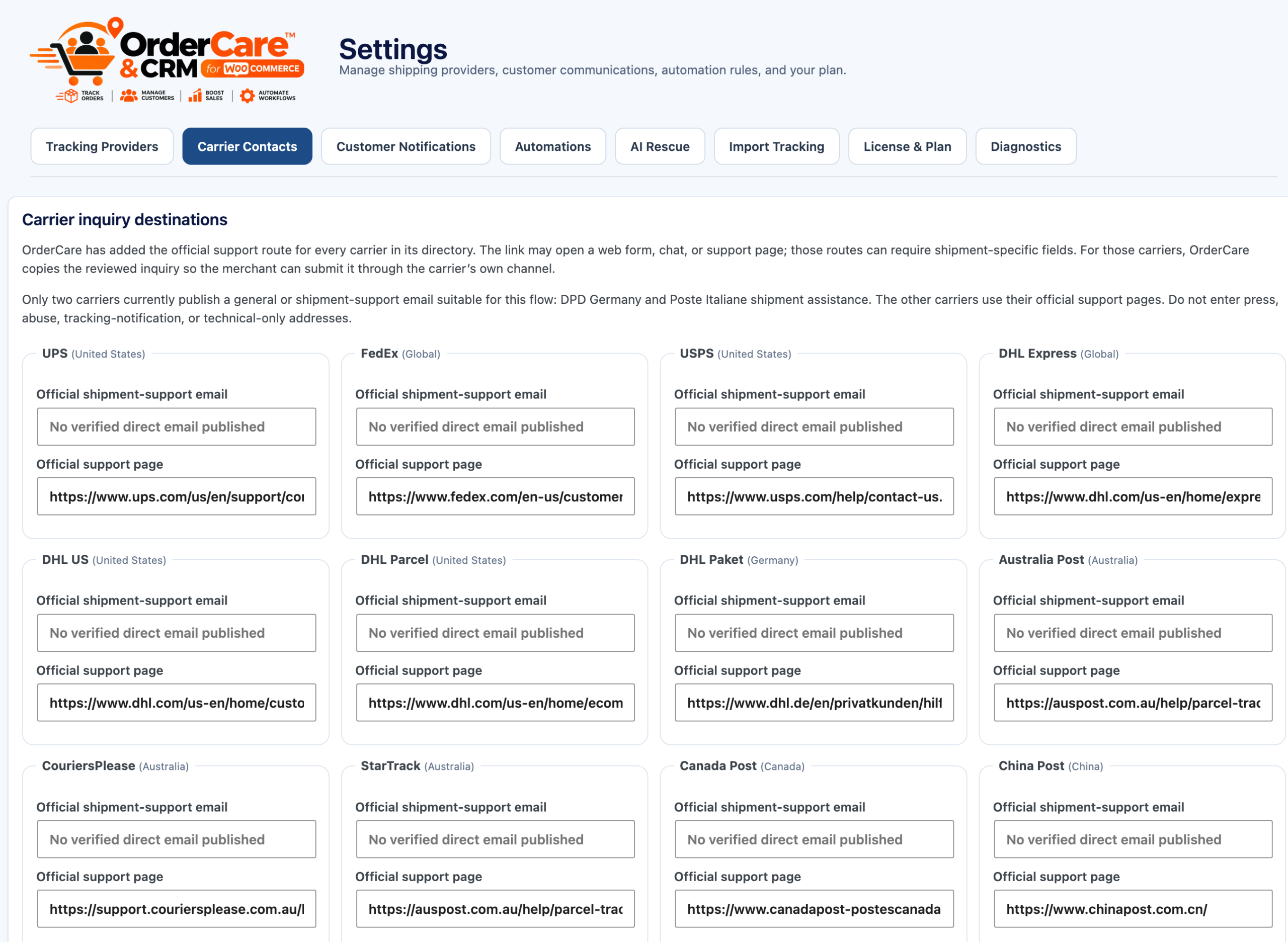
- Find carrier help faster: open official support routes and use verified shipment-support emails where available. Assist can prepare an inquiry for merchant review.
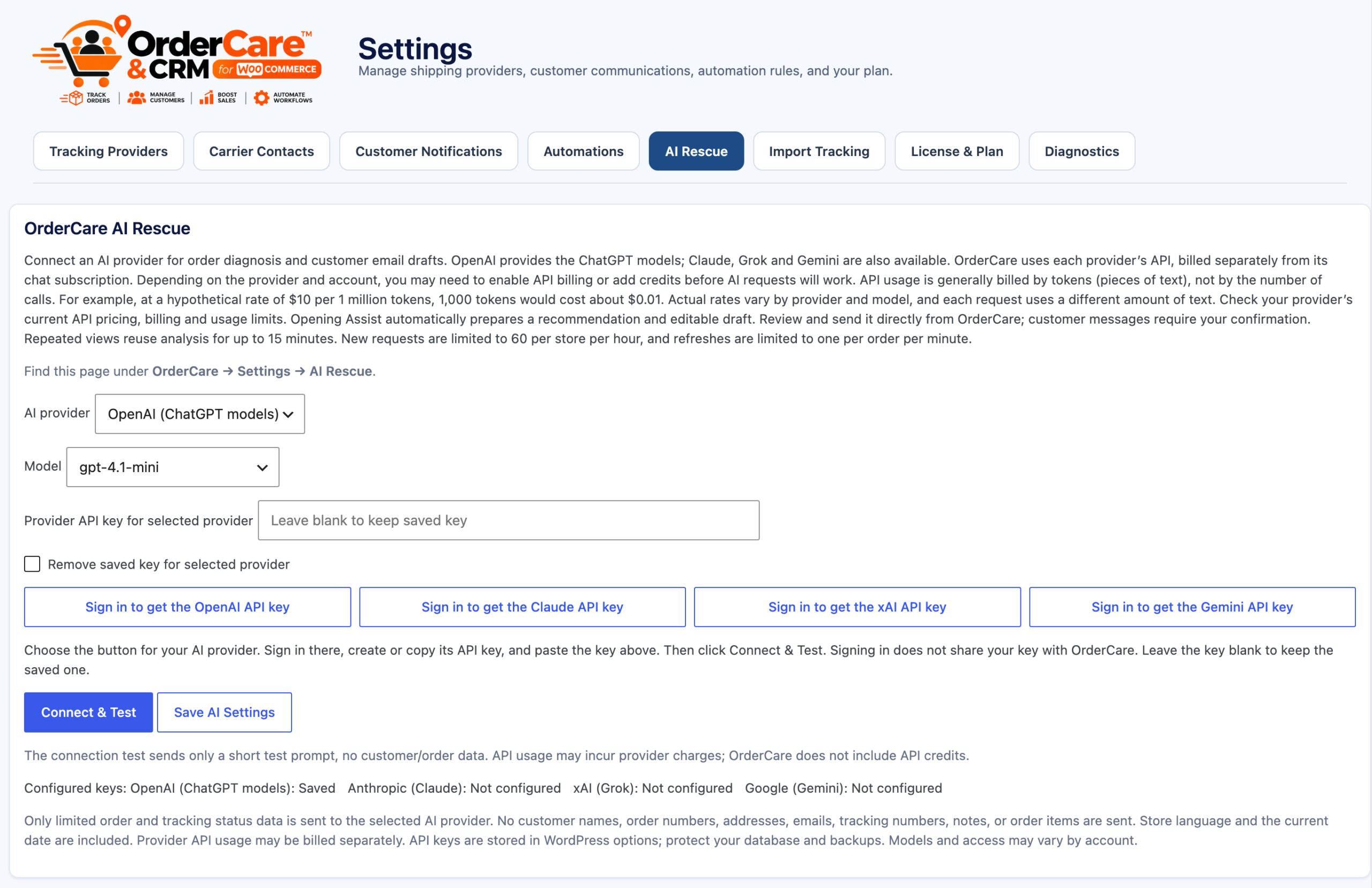
- Turn shipment signals into a next step: AI Rescue recommends an action and prepares editable customer and carrier messages. Your team reviews and approves each send; bring your own AI provider account.
- Keep PayPal buyers informed: sync shipment tracking from PayPal-paid WooCommerce orders to PayPal. Buyer emails are optional and off by default.
Provider coverage depends on supported APIs, account access, and credentials. Third-party provider or AI accounts, permissions, and charges may be separate. See the Pro preview tabs in Lite to explore these features; controls remain locked until you use Pro.
Privacy
Lite stores shipment tracking, care records, and customer conversations with WooCommerce orders. It does not send tracking data to carrier APIs. Customer notifications and feature-request emails use the site’s configured mail transport. Update your privacy disclosures to describe the email services configured on your site.
Support
For setup help and product information, visit OrderCare Ai CRM Pro for WooCommerce.
Security
Customer access is checked against the WooCommerce order owner or verified with a one-time code sent to the guest order’s billing email. Use HTTPS and keep WordPress, WooCommerce, and plugins updated.
Screenshots
Installation
- Install and activate OrderCare Ai CRM Lite and WooCommerce.
- Open a WooCommerce order and add the carrier name and tracking number, or use OrderCare Settings Import Tracking to import a CSV.
- Enable customer tracking cards in OrderCare Settings Customer Notifications if you want tracking details in existing WooCommerce emails.
- Add [ordercare_help_center] to a page, or use the built-in action to create the Customer Help Center.
To move to the hosted-server edition, deactivate Lite and activate Pro. Order data and Care Records remain stored with WooCommerce orders. Lite does not erase order metadata when deactivated.
FAQ
-
Is Lite a time-limited trial?
-
No. Lite remains free indefinitely and has no license, trial, or usage quota.
-
Can I add tracking without a carrier account?
-
Yes. Enter shipment details manually or import them from a CSV. Lite displays the saved tracking details to your team and customers.
-
Does Lite automatically check carrier websites for updates?
-
No. Lite is for manual tracking and CSV imports. Pro adds scheduled tracking through supported carrier accounts and authenticated webhooks.
-
What does Pro add?
-
Pro adds scheduled carrier tracking, authenticated carrier webhooks, TrackShip coverage, the 34-carrier selector and carrier contacts, AI-assisted analysis and reviewed drafts, and PayPal tracking sync. Pro is paid with no trial.
-
Can I switch from Lite to Pro without losing order data?
-
Yes. Deactivate Lite and activate Pro. WooCommerce order data and Care Records remain stored with the orders.
Reviews
There are no reviews for this plugin.
Contributors & Developers
“OrderCare Ai CRM Lite for WooCommerce” is open source software. The following people have contributed to this plugin.
Contributors
Translate “OrderCare Ai CRM Lite for WooCommerce” into your language.
Interested in development?
Browse the code, check out the SVN repository, or subscribe to the development log by RSS.
Changelog
4.8.6
- Match the text domain to the WordPress.org plugin slug and sanitize generated form markup.
- Correct the Pro annual price to $149/year.
4.8.5
- Restyle the Lite compare-page purchase button in orange with black text and update its label.
4.8.4
- Send the Plugins-list Upgrade action directly to the OrderCare purchase page on BoxesEtcetera.
OrderCare Ai CRM Lite has its own WordPress plugin slug and cannot run at the same time as the separately installed hosted-server edition.= 4.8.3 =
* Tighten the OrderCare dashboard menu spacing so the icon and two-line label align cleanly.
4.8.2
- Refresh the OrderCare logo to show Tracking Automation + Ai CRM for WooCommerce.
4.7.9
- Rename the Lite edition to OrderCare Ai CRM and update the shared product logo.
4.7.8
- Match the Lite Plugins-row Upgrade action to the orange OrderCare brand color.
4.7.7
- Normalize UPS capitalization in tracking labels and customer-facing order details.
4.7.6
- Add benefit-focused narratives for Pro features to Lite’s comparison, locked tabs, and read-only previews.
4.7.5
- Expand the Pro listing and Lite previews with clear descriptions of each Pro feature.
4.6.9
- Show all nine settings tabs; mark Pro-only features in gray with an upgrade information bubble.
- Keep Customer Notifications, Automations, Import Tracking, and Diagnostics available in Lite.
4.6.8
- Restore Suggest an Edit after Settings, with requests clearly identified as Pro development.
- Keep Dashboard as the single shipment overview; remove duplicate Tracking and Tracking & Alerts menu entries.
- Show the quick-start instructions directly on the dashboard without an expand button.
- Preserve existing tracking links through the Dashboard view.
4.6.7
- Set the plugin author to ShipOnaDime.
4.6.6
- Restore the plugin class closure and initialization call so the Lite ZIP activates correctly.
4.6.5
- Correct Pro annual pricing to match the $149.99 Stripe checkout.
4.6.4
- Simplify Lite to manual tracking and CSV imports; remove carrier API polling, provider configuration, carrier webhooks, and shipment REST endpoints.
- Keep Delivery Watch, regular Assist, Care Records, customer self-service, customer tracking views, and basic notifications.
- Preserve saved WooCommerce order tracking and care records; retain saved provider settings for edition migration.
- Update Lite and Pro comparison, setup guidance, and privacy disclosures.
4.6.3
- Resolve Plugin Check findings by tightening request validation, escaping output, and adding nonce checks to state-changing flows.
- Clarify safe generated markup and read-only admin query handling for static analysis.
4.6.2
- Fix guest Help Center lookup to resolve the displayed WooCommerce order number, including custom and sequential order-number formats.
- Add a five-minute first-use checklist and clearer setup notes for manual tracking, live provider credentials, and the Customer Help Center.
- Put Tracking & Alerts and Customers & Care Records in the main menu.
- Clarify the separate Pro carrier selector, verified contacts, TrackShip coverage, AI drafts, and PayPal sync.
- Remove dormant TrackShip-only provider paths from Lite and add FAQ and screenshot captions for the WordPress.org listing.
4.6.1
- Remove AI Assist, Carrier Contacts, the 34-carrier selector, the 1,020+ TrackShip directory, and PayPal tracking sync from Lite.
- Keep regular Assist, manual carrier entry, core tracking integrations, Care Records, customer self-service and CSV imports.
- Add an in-dashboard Lite vs Pro comparison and Upgrade to Pro link. Pro is paid with no trial.