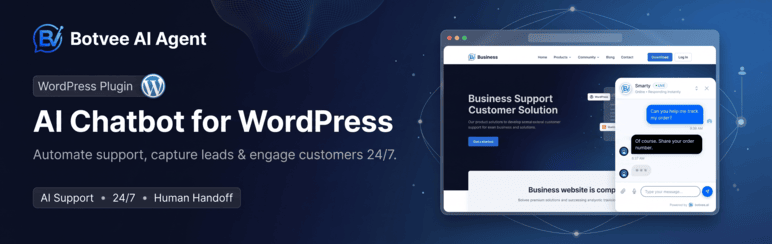

Description
Botvee AI Agent is the official WordPress connector for the Botvee AI Agent platform.
This lightweight plugin connects your WordPress website directly with your Botvee account. No coding, no FTP, no theme editing required — just install, connect, and your AI Agent is live.
How It Works
- Install and activate the plugin
- Click Connect with Botvee
- Log into your Botvee account
- Select which AI Agent to display
- Your AI Agent is live instantly!
Key Features
- One-Click Connection — OAuth-style authentication, no manual token pasting
- AI Agent Selector — Choose which AI Agent appears on your site from a searchable dropdown
- Auto Widget Injection — AI Agent widget loads automatically on your pages
- Display Rules — Show the AI Agent everywhere, only on selected pages, or everywhere except the pages you choose
- Activity Panel — Conversations, messages and leads without leaving WordPress
- Agent Health — See at a glance if your AI Agent is untrained, paused, or deleted on Botvee
- WooCommerce — Live product, stock and order lookups, plus optional browse-abandonment and cart-recovery tracking
- Ultra Lightweight — Under 1MB, minimal database usage, async loading
- Fully Managed — All AI logic, training, and customization stays on Botvee’s platform
- Secure — Encrypted token storage, nonce validation, capability checks
What This Plugin Does NOT Do
This plugin is a connector only. It does not store chats, process AI, manage training data, or render the AI Agent widget. All intelligence lives on botvee.ai.
External services
This plugin is a connector for Botvee, an external AI Agent service run by Botvee (https://botvee.ai). The plugin cannot work without it: all AI logic, agent training, conversation storage and the chat widget itself live on Botvee’s servers, not on your site.
It talks to two Botvee hosts:
https://botvee.ai— where the chat widget script (/widget.js) is loaded from on your public pages, and where the dashboard links in this plugin point.https://api.botvee.ai— the API this plugin sends requests to, and where you sign in to authorise the connection.
What is sent, and when:
- When you click “Connect with Botvee” — a sign-in window opens on api.botvee.ai. On success your site domain and the chosen AI Agent id are registered with Botvee, and an access token is stored (encrypted) on your site. Nothing is sent before you click Connect.
- On every page where the AI Agent is shown — the visitor’s browser loads the widget script from botvee.ai and sends the AI Agent id, your site domain, an anonymous visitor id, and, for logged-in users only, their display name, email address, and (with WooCommerce) their order count and total spent. This is what lets the agent answer “where is my order?” for a signed-in customer.
- While you use the plugin dashboard — your AI Agent list, conversation/message/lead counts and agent status are fetched from the API.
- After you connect, if WooCommerce is active — your published products, and your orders with their payment status, are sent to Botvee so the AI Agent can answer questions about stock, prices and order status. Product stock changes are sent as they happen so Stock Alert customers are notified.
- Only if you switch them on — Browse abandonment sends the viewed product, view duration, an anonymous visitor id and the shopper’s email/phone; Cart recovery sends the cart contents and the shopper’s email/phone. Both are off by default, and even when on, nothing is sent for a shopper who has not given an email address or phone number. You can switch them off at any time under Botvee WooCommerce Send shopper activity to Botvee.
By using this plugin you agree to Botvee’s terms and privacy policy:
- Terms of Service: https://botvee.ai/terms
- Privacy Policy: https://botvee.ai/privacy
Installation
- Upload the
botvee-ai-agentfolder to/wp-content/plugins/ - Activate the plugin through the Plugins menu
- Navigate to Botvee in the left sidebar
- Click Connect with Botvee and follow the prompts
FAQ
-
Do I need a Botvee account?
-
Yes. Create a free account at botvee.ai to get started.
-
Does the plugin slow down my site?
-
No. The widget script loads asynchronously and does not block page rendering.
-
Can I control which pages the AI Agent appears on?
-
Yes. Under Where it appears you can show it on every page, only on pages you pick, or everywhere except the pages you pick. WooCommerce stores can also hide it on checkout and account pages.
-
Can I use different AI Agents on different pages?
-
One AI Agent is active per site. You can change which one at any time from the dashboard.
-
What does WooCommerce tracking send?
-
Only shoppers who have already given an email address or phone number are sent, because both features follow up by email or phone. Both toggles are off until you switch them on. Requests are non-blocking, so they never slow a page down.
-
Is my data secure?
-
Yes. Authentication tokens are encrypted using AES-256 before storage. All API communication uses HTTPS.
Reviews

Contributors & Developers
“Botvee AI Agent” is open source software. The following people have contributed to this plugin.
Contributors
Translate “Botvee AI Agent” into your language.
Interested in development?
Browse the code, check out the SVN repository, or subscribe to the development log by RSS.
Changelog
1.2.7
- Fixed: on a store with a refund, the one-time order history export stopped with a PHP fatal error (“Call to undefined method OrderRefund::get_order_number”) and WordPress emailed the site owner. Refunds are no longer treated as orders
1.2.6
- Fixed: the one-time order history export could restart from the newest order on every page load and never finish, re-sending the same orders to Botvee for days. It now remembers how far it got, works in short runs that fit the host’s PHP time limit, and stops once the history is exported
1.2.5
- New: Position on screen — choose whether the chat button sits on the left or the right, at the top or the bottom, and how far it sits from each edge (0–300px). Useful when a cookie bar, a back-to-top button or a sticky cart already owns the bottom-right corner
- New: the greeting bubble follows the button, and its pointer and close button move to the matching corner
- Changed: the chat window opens towards the middle of the screen, so it never runs off the edge the button is parked against
- Changed: the position is written onto the button itself, not only in the stylesheet — the chat script pins its own bottom-right corner, so a right or bottom distance had no effect until now
- Note: on a phone the chat still opens full screen; only the button moves
- Note: sites that never change the position get exactly what they had — no extra CSS or script is added
1.2.4
- Changed: the AI Agent panel now shows the agent that is connected to this site as a single card, with a Change button — the full list only appears when you want to switch
- Changed: picking an agent from the list no longer saves it straight away; the choice is applied when you click Save (or discarded with Cancel)
- New: Save asks you to confirm. If the agent you picked is already connected to another website or Shopify store, the confirmation names that site and tells you it will be disconnected there before it is connected here; otherwise it is a plain “are you sure”
- Changed: the agent list from Botvee now carries where each agent is currently connected, which is what the confirmation reads
1.2.3
- Changed: browse-abandonment and cart-recovery tracking are now off by default — nothing about a shopper is sent to Botvee until you switch them on yourself
- Changed: the browse-abandonment timer is a proper enqueued script instead of markup printed into the footer
- New: an “External services” section in this readme setting out exactly what is sent to Botvee, when, and links to the terms and privacy policy
- Changed: the plugin now talks to botvee.ai and api.botvee.ai
1.2.2
- Changed: the Connection panel now sits under the AI Agent picker, filling the empty column that was left below it
- Fixed: the dashboard logo URL is escaped where it is printed instead of where it is assigned
- Changed: admin template variables carry the full
botvee_prefix, so they cannot collide with another plugin’s globals - Changed: display-rule modes are written as class constants rather than bare strings
- Changed: the WP_DEBUG-only proxy log line is marked as intentional for code scanners
- Changed: readme “Tested up to” raised to 7.0 and the stable tag brought in step with the plugin version
1.2.1
- Fixed: switching to a different AI Agent left the new agent with an empty catalog — the pushed store mirror now follows the site to whichever agent it points at
1.2.0
- New: the plugin pushes your full product catalog to Botvee, so the AI Agent answers from a mirror instead of waiting on a live site call — with a sync-status line and a “Sync now” button on the dashboard
- New: every WooCommerce order is pushed with its payment state, so customer and spend figures on Botvee reflect paid orders only
- New: restocks are pushed the moment they happen, so Stock Alerts go out instantly instead of on the next cron sweep
- Changed: the pushed mirror is now the primary source for product answers, with the live store proxy kept as the fallback
1.1.4
- Fixed: buyers could still receive an abandoned-cart nudge after checking out — the order confirmation now closes every cart captured for that shopper, including ones captured by the chat widget under a different id
- Fixed: browse-abandonment tracking never fired — dwell time is now measured in the browser instead of being reported as zero
- Fixed: disconnecting now clears the WooCommerce proxy secret, so the site’s product/order endpoints stop accepting the old credentials
- Changed: readme stable tag brought back in step with the plugin version
1.1.0
- New: display rules — choose which pages the AI Agent appears on, and hide it on WooCommerce checkout and account pages
- New: activity panel showing conversations, messages and leads inside WordPress
- New: AI Agent health — warns when the selected agent is untrained, paused, or has been deleted on Botvee
- New: WooCommerce status panel, plus optional browse-abandonment and cart-recovery tracking (off by default)
- New: live stock endpoint so Stock Alerts check real inventory before notifying a customer
- Fixed: the dashboard showed the raw agent ID instead of its name until the agent list finished loading
- Fixed: the proxy’s authentication failure response disclosed part of the stored shared secret and its length
- Fixed: the shared secret and other options were left in the database after uninstall
- Changed: plugin folder and text domain renamed from
botvee-ai-chatbottobotvee-ai-agent - Changed: redesigned admin screen built around whether your AI Agent is actually live
1.0.0
- Initial release
- OAuth-style authentication
- AI Agent fetching and selection
- Automatic widget injection
- Encrypted token storage
- Modern SaaS-style admin dashboard