

Description
bookingtime appointment
Appointments simply managed. Software for all services – connecting you with your customers. Start now!
https://youtu.be/f73oHpU5O74
Features
- Real-time booking
- E-mail / text message* reminders
- Notifications on client activity
- Daily and weekly calendar
- Individual appointments and courses
- Personal microsite
- Easily integrated client booking module
- Complete customer management
- Calendar Sync
- Staff management
- Guest booking / registration
- Availability of Appointments
- Customisable texts
- Log
- Standard access permissions
- Individual access permissions
- Resource optimisation
Use of Third-Party Services
This plugin uses external third-party services to provide certain functionalities. Below is a description of the services used in this plugin, along with links to their terms of service and privacy policies.
Third-Party Services Used
-
BookingTime API
Description: This plugin accesses the BookingTime API to retrieve and manage booking data.
Circumstances of Use: The API is used to synchronize data in real-time and process booking requests.
API URL: https://api.bookingtime.com/app/v3/
Privacy Policy: https://service.bookingtime.com/legal/de/datenschutz/bookingtime_Datenschutzbestimmungen.pdf (If the link is missing, please check the service’s website)
Terms of use: https://service.bookingtime.com/legal/de/agb/bookingtime_AGB.pdf (If the link is missing, please check the service’s website) -
BookingTime OAuth Service
Description: This plugin uses the BookingTime OAuth Service to manage authentication and authorization processes.
Circumstances of Use: The OAuth service is used to securely access the BookingTime API.
OAuth URL: https://auth.bookingtime.com/oauth/token
Privacy Policy: https://service.bookingtime.com/legal/de/datenschutz/bookingtime_Datenschutzbestimmungen.pdf (If the link is missing, please check the service’s website)
Terms of use: https://service.bookingtime.com/legal/de/agb/bookingtime_AGB.pdf (If the link is missing, please check the service’s website)
Screenshots
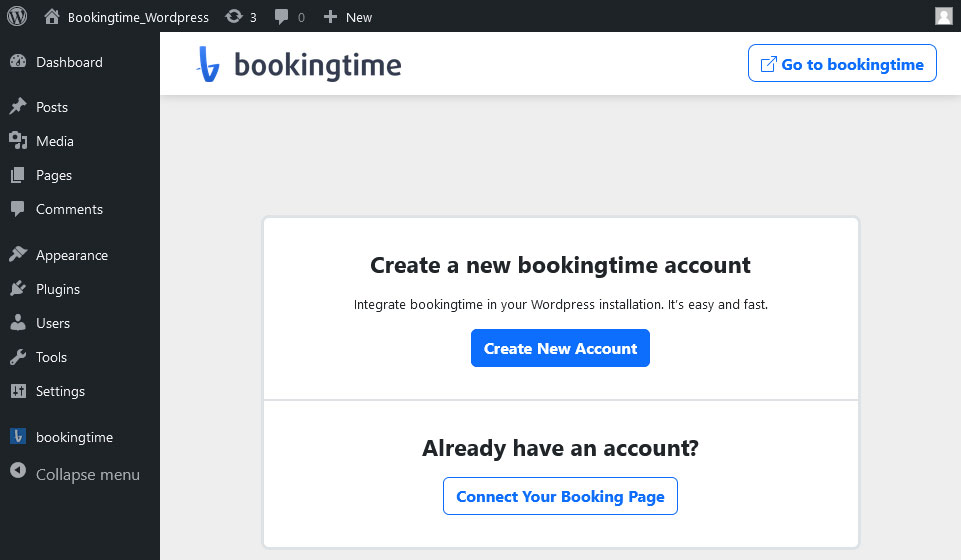


Blocks
This plugin provides 1 block.
- Appointment Appointment ganz einfach.
Installation
To install appointment, follow these steps:
- Download and unzip the bookingtime appointment plugin
- Upload the entire appointment/ directory to the /wp-content/plugins/ directory
- Activate the appointment plugin through the Plugins menu in WordPress
- Register and configure the settings at the appointment menu.
- To insert the appointment form into some content or post use the icon appointment that will appear when editing contents or the shortcode [appointment id=”YOUR_ID”] method.
FAQ
-
For all questions and answers, you can visit the following URL:
-
https://www.bookingtime.com/faq
Reviews
There are no reviews for this plugin.
Contributors & Developers
“bookingtime appointment” is open source software. The following people have contributed to this plugin.
Contributors
Translate “bookingtime appointment” into your language.
Interested in development?
Browse the code, check out the SVN repository, or subscribe to the development log by RSS.
Changelog
6.0.10
- Security: admin endpoints now require administrator capabilities.
- Security: XSS hardening – API responses are escaped, script tags removed from the wp_kses allowlist.
- Performance: the bookingtime API is no longer called on every page load.
- Fixed: admin styles, scripts and the menu icon now load regardless of the plugin directory name.
- Security updates of the JavaScript build dependencies.
- Corrected minimum PHP version: 8.1 is required.
- Tested up to WordPress 7.0.
1.0.0
- Initial release.