

Description
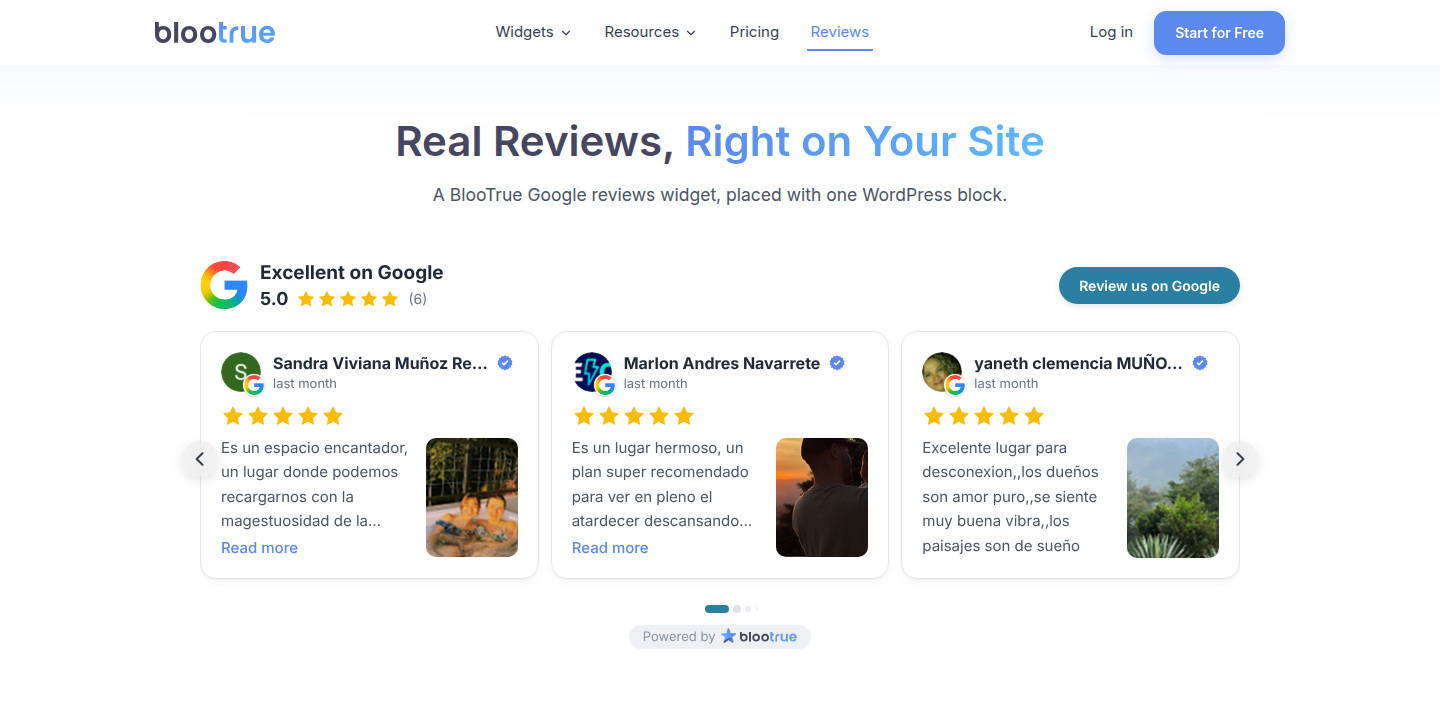
BlooTrue puts your real customer reviews on your WordPress site: Google reviews, Yelp, Facebook, TripAdvisor, Booking.com, Angi, BBB and 20+ more platforms, in 100+ widget styles (slider, marquee, grid, list, masonry, badges) with animations that make people stop and read.
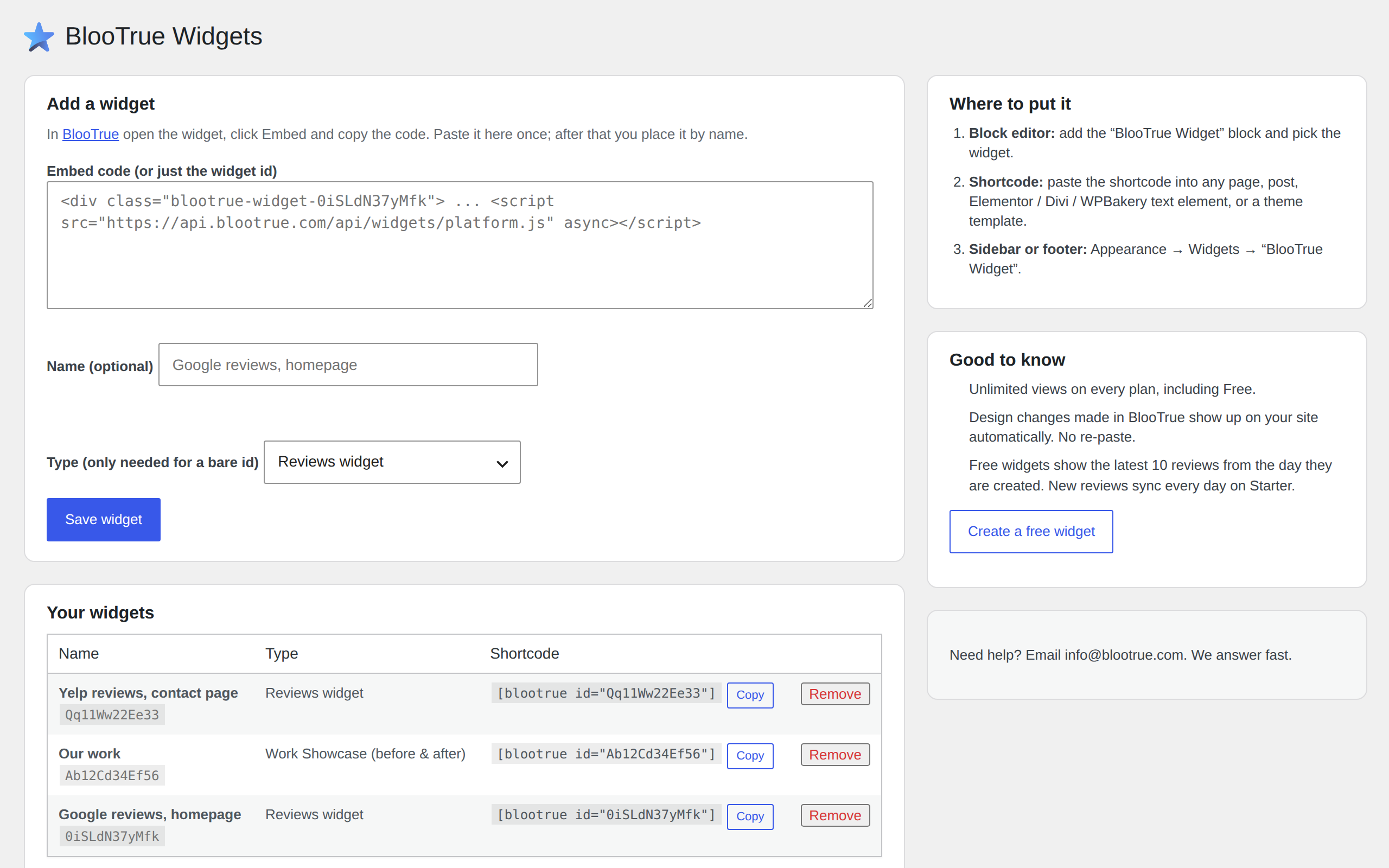
Connect your BlooTrue account once under Settings BlooTrue Widgets, pick your widgets from the list and place them anywhere by name. No code to copy. New to BlooTrue? You create a free account in the same step. Prefer pasting? The embed code from BlooTrue still works too.
Want to see it with your own reviews first? Build a widget in your browser on our Google review widget for WordPress page.
Four ways to place a widget
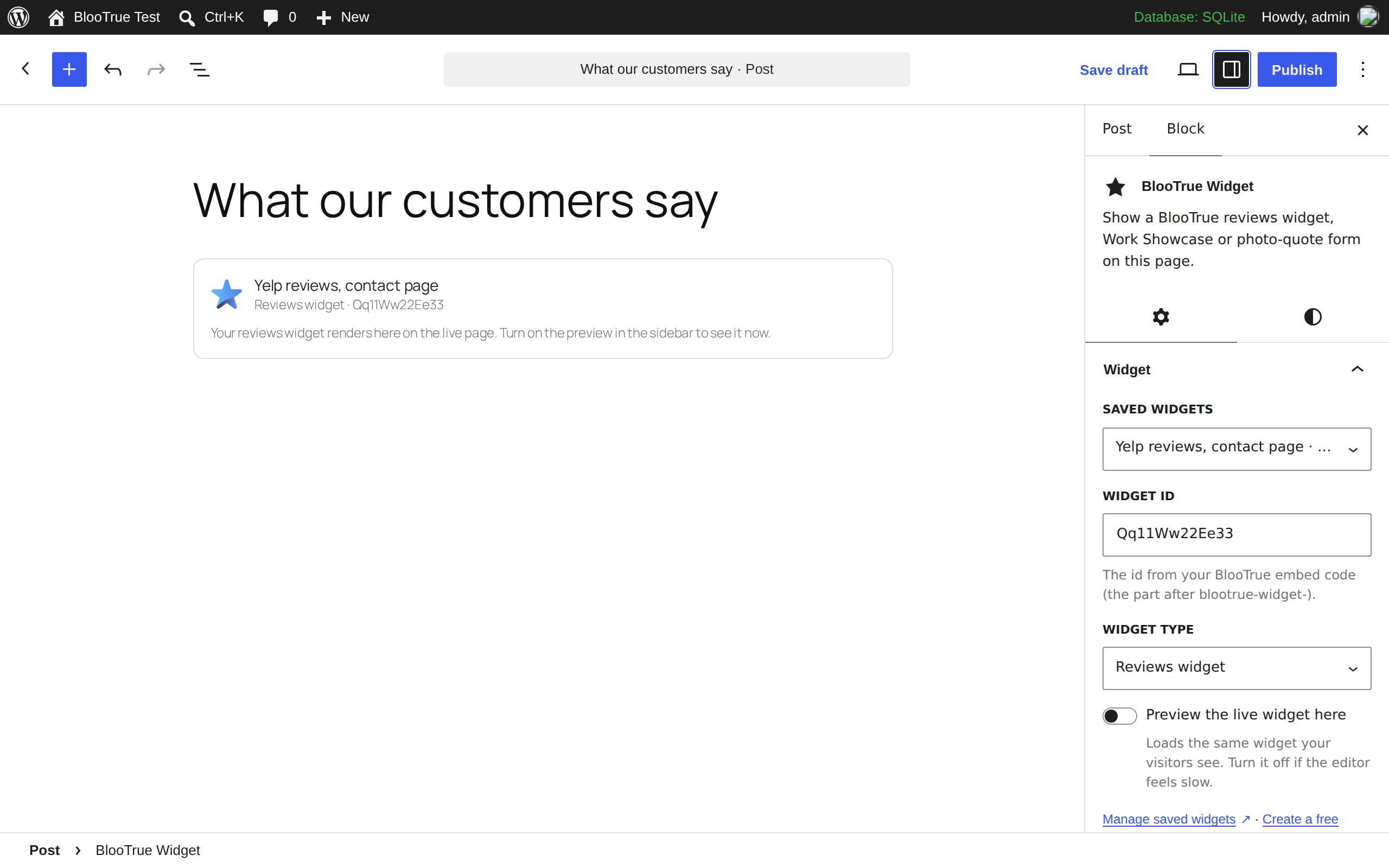
- Block editor: the “BlooTrue Widget” block, with a live preview in the editor.
- Elementor: the “BlooTrue Widget” element; pick your widget from a list in the panel.
- Beaver Builder (free Lite and paid): the “BlooTrue Widget” module, same list.
- Shortcode:
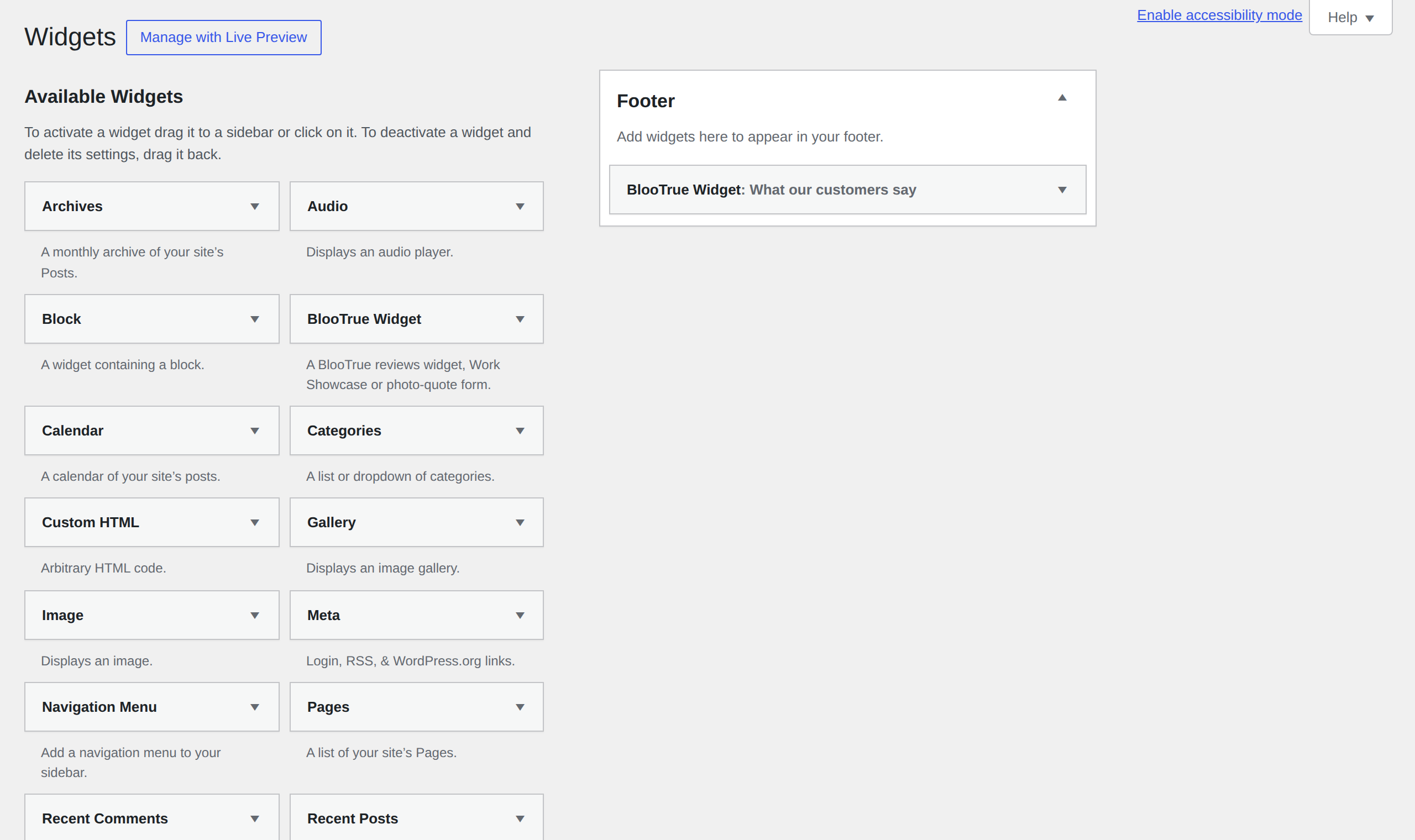
[blootrue id="YourWidgetId"]in any page, post, Divi / WPBakery / Bricks text element or theme template. - Sidebar or footer: Appearance Widgets “BlooTrue Widget”.
What you get
- Reviews from 20+ platforms, or several platforms blended into one all-in-one widget.
- 100+ styles and animations, designed to match your site.
- Unlimited widget views on every plan, including Free.
- Rich snippets on paid plans: review schema on your page, so Google and AI read your reviews as data.
- Readable by AI search on paid plans: the plugin also writes your review text into the page’s own HTML and refreshes it every hour, so the crawlers behind ChatGPT, Claude and Perplexity can read it. A widget on its own renders in a frame they skip.
- Auto-translation into 68+ languages.
- A before/after Work Showcase widget for trades and studios, and a photo-quote form so visitors send a photo and you reply with a price.
- Edit the design in BlooTrue and your site updates by itself. No re-paste.
Free plan: one widget, one review source, unlimited views, the latest 10 reviews from the day the widget is created. Starter ($9/month or $84/year) syncs new reviews every day, removes the BlooTrue badge and unlocks every style and animation.
External services
This plugin displays widgets hosted by BlooTrue (BlooLab Technologies Inc.). It connects to https://api.blootrue.com and https://app.blootrue.com in the ways listed below, and to no other service.
1. From your visitor’s browser. On any page where you have placed a widget, your visitor’s browser loads a script from https://api.blootrue.com and the widget is rendered from there. That request sends what any web request sends (the visitor’s IP address, browser user agent, the page URL as the referrer) and, for widget analytics, the host name of the page the widget is on.
2. From your WordPress server. For every reviews widget you place, your server asks https://api.blootrue.com/api/widgets/embed/{widget id}/content.html for that widget’s review text, so it can be written into the page’s own HTML (see “Can AI assistants read my reviews?”). This happens when a page containing the widget is built and the saved copy is more than one hour old, or 15 minutes old if the last attempt returned nothing. The request sends the widget id, your server’s IP address and a user agent that names this plugin and its version. It sends nothing about your visitors, your users or your content. BlooTrue returns the review text for widgets on a paid plan and an empty answer for free ones; the request is made either way, because the plugin does not know your plan. Work Showcase and photo-quote widgets do not make this request.
3. Only if you click Connect BlooTrue. Your browser opens https://app.blootrue.com/connect/wordpress with your site’s address, the address of this settings page and a one-time check value, so BlooTrue can show which site is asking and send you back. After you approve, your server sends the one-time code BlooTrue returned and your site’s address to https://api.blootrue.com/api/site-connections/token and stores the read-only token it gets back in your database. While connected, your server sends that token to https://api.blootrue.com/api/site-connections/widgets when you open the plugin’s settings page (at most once a minute) to list your widgets, and to https://api.blootrue.com/api/site-connections/me when you click Disconnect. Nothing about your visitors, your users or your content is sent.
The widget list and any embed code you paste are stored in your own database. If you never click Connect, nothing from your WordPress admin is sent to BlooTrue.
- Terms of service: https://www.blootrue.com/legal/terms?utm_source=wordpress-plugin&utm_medium=plugin&utm_campaign=readme
- Privacy policy: https://www.blootrue.com/legal/privacy?utm_source=wordpress-plugin&utm_medium=plugin&utm_campaign=readme
The optional editor preview loads the same widget from https://api.blootrue.com inside the block editor only when you turn it on.
Screenshots
Blocks
This plugin provides 1 block.
- BlooTrue Widget Show a BlooTrue reviews widget, Work Showcase or photo-quote form on this page.
Installation
- Install and activate the plugin.
- Go to Settings BlooTrue Widgets and click Connect BlooTrue. Sign in, or create a free account at app.blootrue.com, and approve.
- Back in WordPress, click Add to this site next to a widget. No widget yet? Create a new widget opens BlooTrue; it shows up in the list once published.
- Add the BlooTrue Widget block to a page (or the BlooTrue Widget element in Elementor), paste the shortcode, or use Appearance Widgets.
Prefer not to connect? Open your widget in BlooTrue, click Embed, copy the code and paste it under Or paste an embed code.
FAQ
-
Do I need a BlooTrue account?
-
Yes. The widget shows the reviews BlooTrue collects for your business. Connecting creates a free account if you do not have one, or you can paste an embed code from BlooTrue instead.
-
What can the connection do?
-
Only list your widgets’ names and types so you can pick them here. It cannot change your widgets or your BlooTrue account. Disconnect it any time from this settings page or in BlooTrue under Settings Integrations; widgets already on your pages keep working.
-
Does the plugin slow my site down?
-
No. It adds one small async script from api.blootrue.com to pages that contain a widget, and nothing to pages that do not. The widget renders in its own frame, so it cannot break your theme’s CSS or JavaScript.
-
Can I show more than one widget on a page?
-
Yes. Any number of widgets, of any type, on the same page.
-
Does it work with Elementor, Beaver Builder, Divi, WPBakery, Bricks and other builders?
-
Yes. Elementor and Beaver Builder get a native “BlooTrue Widget” element. In any other builder, use the shortcode in a text or HTML element.
-
Which review platforms are supported?
-
Google, Yelp, Facebook, TripAdvisor, Booking.com, Airbnb, OpenTable, Angi, BBB, G2, Capterra, Glassdoor, Indeed, TrustRadius, Clutch, Expedia, Agoda, Etsy, Google Play and more. The full, current list is on blootrue.com/widgets.
-
Can AI assistants read my reviews?
-
On paid plans, yes. The widget renders in its own frame, and the crawlers behind ChatGPT, Claude and Perplexity do not run JavaScript, so a widget by itself is invisible to them. On a paid plan this plugin also writes your review text straight into the page’s HTML, and refreshes it every hour, so those crawlers read the same reviews your visitors see. Your visitors never see it twice: the text is replaced by the live widget the moment it loads. Free widgets do not include it.
This is one reason to use the plugin rather than pasting the embed code by hand. The pasted code carries a snapshot of your reviews from the day you copied it; the plugin keeps that text current on its own.
-
Does the plugin add a link to BlooTrue on my site?
-
Not unless you turn it on. Settings BlooTrue Widgets has a “Show a Powered by BlooTrue link” checkbox, and it is off by default. When it is on, the plugin adds one nofollow link inside a noscript tag, which visitors only see with JavaScript turned off.
Separately, a widget on the BlooTrue free plan shows a small BlooTrue badge inside the widget itself. That badge is drawn by the BlooTrue service, not by this plugin, and a paid BlooTrue plan removes it.
-
Are the reviews real?
-
Yes. Every review is pulled from the platform your customers actually wrote it on, and links back to it.
Reviews

Contributors & Developers
“BlooTrue Reviews Widget” is open source software. The following people have contributed to this plugin.
Contributors
Translate “BlooTrue Reviews Widget” into your language.
Interested in development?
Browse the code, check out the SVN repository, or subscribe to the development log by RSS.
Changelog
1.3.0
- Beaver Builder: a “BlooTrue Widget” module (Lite and paid versions). Pick a saved widget from a list, or type a widget ID. Loads only when Beaver Builder is active.
1.2.0
- Elementor: a “BlooTrue Widget” element. Pick a saved widget from a list in the Elementor panel, or type a widget ID. Loads only when Elementor is active.
1.1.0
- Connect BlooTrue: sign in once and pick your widgets from a list. No embed code to copy. The connection is read-only and can be removed from either side.
- Create a new widget from the settings page; it appears in the list once published.
- Pasting an embed code still works.
1.0.1
- Every link to BlooTrue from the plugin and this readme is tagged, so sign-ups from WordPress are counted.
- Readme: clearer rich snippets wording (no promise of stars in Google results), new tags.
1.0.0
- First release: reviews widgets, Work Showcase and photo-quote form via block, shortcode and sidebar widget.