

Description
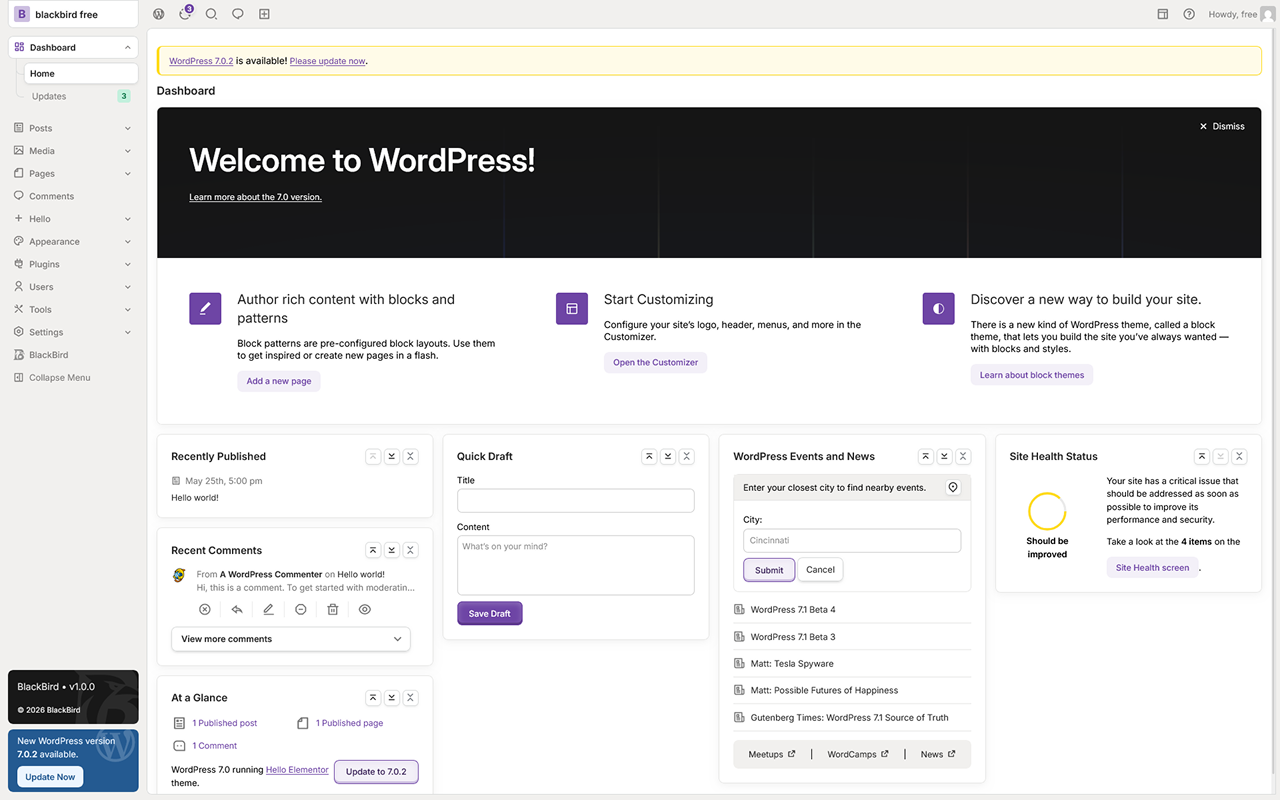
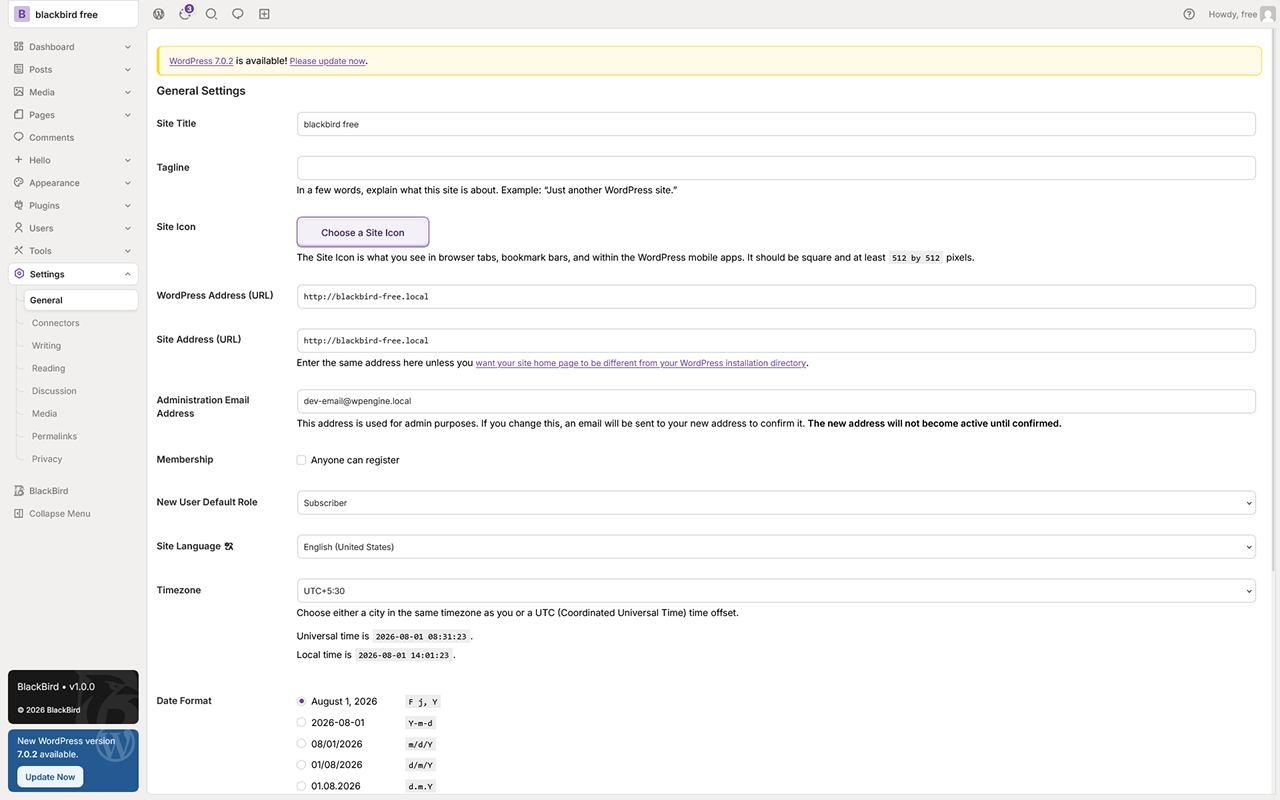
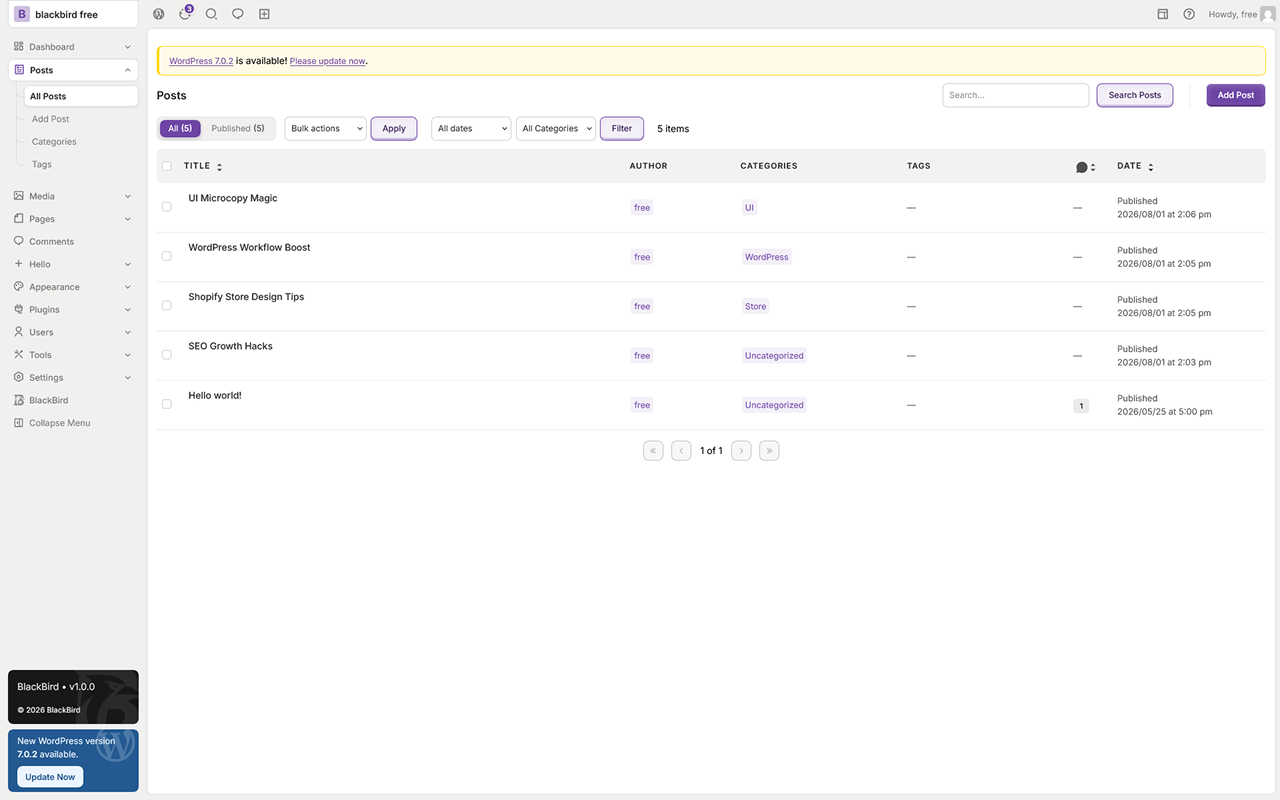
Blackbird Admin transforms the default WordPress dashboard into a modern, organized, and productivity-focused workspace. Designed for agencies, freelancers, SaaS founders, developers, and business owners, Blackbird helps you create a professional admin experience with a clean UI, improved workflow, and powerful customization tools.
Whether you manage client websites, business portals, or your own WordPress projects, Blackbird gives you better control over the dashboard experience without unnecessary complexity.
Why Blackbird Admin?
The default WordPress admin panel is functional, but it can feel outdated and cluttered. Blackbird Admin improves the entire backend experience with a polished interface, organized layouts, custom branding tools, and workflow-focused enhancements.
Blackbird is built for:
- Agencies managing multiple client websites
- Freelancers delivering premium admin experiences
- SaaS and product businesses using WordPress
- Admin teams managing content and operations
- Developers who want a cleaner dashboard environment
- Businesses that need custom branding and better usability
Modern Dashboard Experience
Create a more elegant and professional WordPress admin interface with:
- Clean and modern dashboard design
- Optimized layouts for productivity
- Better spacing and organized navigation
- Improved readability and workflow structure
- Minimal and distraction-free interface
- Responsive admin experience across devices
Custom Branding & White Labeling
Transform WordPress into your own branded platform. Features include:
- Custom admin logo upload
- Brand color customization
- White-label admin interface
- Hide WordPress branding elements
- Custom footer text and dashboard identity
Productivity-Focused Admin Tools
Blackbird improves admin workflow with smart interface enhancements and management tools. Use Blackbird to:
- Organize admin menus more efficiently
- Simplify dashboard navigation
- Improve user accessibility
- Create cleaner workflows for teams
- Reduce unnecessary distractions
- Deliver a better experience for clients and editors
Built for Agencies & Client Projects
Blackbird Admin is designed with real client work in mind. Manage multiple websites with a consistent dashboard experience and deliver a more professional admin panel to your customers.
Agency-focused benefits:
- Faster onboarding for clients
- Cleaner admin interface for non-technical users
- Better brand presentation
- Improved dashboard usability
- Reduced support confusion
- Professional admin appearance
Lightweight & Performance Friendly
Blackbird is designed to stay lightweight and optimized while improving the admin experience.
- Clean and optimized code structure
- Fast-loading admin components
- Minimal unnecessary overhead
- Compatible with modern WordPress workflows
- Built with scalability in mind
Secure & Reliable
Security and stability are important for every admin environment. Blackbird follows WordPress development standards and is designed for safe integration into professional websites.
- WordPress coding standard focused
- Secure settings management
- Stable admin customization system
- Designed for long-term maintainability
License
BlackBird Admin is free software: you can redistribute it and/or modify it under the terms of the GNU General Public License as published by the Free Software Foundation, either version 2 of the License, or (at your option) any later version.
BlackBird Admin is distributed in the hope that it will be useful, but WITHOUT ANY WARRANTY; without even the implied warranty of MERCHANTABILITY or FITNESS FOR A PARTICULAR PURPOSE. See the GNU General Public License for more details.
You should have received a copy of the GNU General Public License along with BlackBird Admin. If not, see https://www.gnu.org/licenses/gpl-2.0.html
Third-Party Resources
RemixIcon
BlackBird Admin uses the RemixIcon icon library, self-hosted within the plugin.
- Source: https://remixicon.com/
- License: Remix Icon License v1.0
- License URL: https://github.com/Remix-Design/RemixIcon/blob/master/License
Inter Font
BlackBird Admin bundles the Inter typeface, self-hosted within the plugin.
- Source: https://fonts.google.com/specimen/Inter
- Author: Rasmus Andersson
- License: SIL Open Font License 1.1
- License URL: https://scripts.sil.org/OFL
Privacy Policy
BlackBird Admin does not collect, store, or transmit any personal data.
Screenshots
Installation
From WordPress.org (Recommended)
- Log in to your WordPress admin dashboard.
- Navigate to Plugins -> Add New Plugin.
- Search for “BlackBird Admin”.
- Click Install Now next to the BlackBird Admin result.
- Click Activate Plugin after installation completes.
Manual Upload
- Download the plugin ZIP file from WordPress.org.
- Log in to your WordPress admin dashboard.
- Navigate to Plugins -> Add New Plugin -> Upload Plugin.
- Select the downloaded ZIP file and click Install Now.
- After installation completes, click Activate Plugin.
FTP Installation
- Download and extract the plugin ZIP file on your computer.
- Upload the extracted
blackbird-adminfolder to/wp-content/plugins/via FTP. - Log in to your WordPress admin dashboard.
- Navigate to Plugins.
- Locate BlackBird Admin and click Activate.
Minimum Requirements
- WordPress 6.0 or higher
- PHP 7.4 or higher
- MySQL 5.7 or higher
FAQ
-
What is Blackbird Admin Theme?
-
Blackbird is a modern and fully customizable WordPress Admin Theme plugin designed to improve the appearance, usability, and overall experience of the WordPress dashboard. It transforms the default admin panel into a cleaner, faster, and more professional workspace with enhanced UI components, improved layouts, customizable branding options, dark mode support, and productivity-focused features.
The plugin is ideal for freelancers, agencies, developers, SaaS products, and businesses that want a premium admin experience for themselves or their clients.
-
Why is the brand called Blackbird if the primary color is not black?
-
The name Blackbird represents clarity, intelligence, elegance, and modern simplicity – not just a color. The brand identity is inspired by the smooth, focused, and confident nature of the blackbird itself, which reflects the core goal of the plugin: creating a cleaner and more professional WordPress admin experience.
While black often symbolizes sophistication and minimal design, Blackbird is not limited to a dark or black-based interface. The plugin is built with flexible customization options, allowing users to apply different color schemes, branding styles, and modern UI themes that match their own identity.
-
Is Blackbird compatible with all WordPress themes?
-
Yes. Blackbird is designed to work independently from your frontend website theme. Since the plugin only modifies the WordPress admin dashboard, it does not interfere with your public website design, layouts, or frontend functionality.
You can safely use Blackbird with almost any modern WordPress theme, including custom-built themes and popular builders like Elementor, Gutenberg, Divi, and Beaver Builder.
-
Does this plugin affect website performance?
-
No. Blackbird is optimized for performance and lightweight dashboard rendering. The plugin only loads required assets within the WordPress admin area and avoids unnecessary scripts or heavy dependencies.
Our development approach focuses on:
- Optimized CSS and JavaScript loading
- Minimal resource usage
- Faster dashboard rendering
- Clean and scalable code structure
- Improved admin usability without slowing down the website
Your frontend website performance remains completely unaffected.
-
Can I customize the admin dashboard design and branding?
-
Yes. Blackbird includes powerful customization settings that allow you to personalize the WordPress admin dashboard according to your brand identity and workflow requirements.
You can customize:
- Primary colors
- Typography
- Admin layout
- Menu styling
These features make Blackbird perfect for agencies creating branded client dashboards.
-
Is Blackbird compatible with popular WordPress plugins?
-
Yes. Blackbird is built to maintain high compatibility with most popular WordPress plugins and admin workflows.
The plugin works well with tools such as:
- WooCommerce
- Elementor
- Yoast SEO
- Rank Math
- WPForms
- Contact Form 7
- Advanced Custom Fields
- WP Rocket
- All-in-One SEO
We continuously improve compatibility with new WordPress updates and third-party plugins.
-
Do I need coding knowledge to use Blackbird?
-
No coding knowledge is required. Blackbird is designed with a beginner-friendly interface and intuitive settings panel that makes customization simple and accessible.
Most settings can be configured with just a few clicks, including:
- Theme colors
- Typography settings
- Branding options
- Dark mode configuration
For advanced users and developers, Blackbird also supports custom CSS and JavaScript for deeper customization and extended functionality.
-
How do I get support?
-
Support is available through the WordPress.org plugin support forum at https://wordpress.org/support/plugin/blackbird-admin/

Contributors & Developers
“BlackBird Admin” is open source software. The following people have contributed to this plugin.
Contributors
Translate “BlackBird Admin” into your language.
Interested in development?
Browse the code, check out the SVN repository, or subscribe to the development log by RSS.
Changelog
1.0.0
- Initial public release.
- Full Light Mode admin theme across all core WordPress screens.
- Redesigned admin menu and toolbar.
- Dashboard widget redesign (recent posts, recent comments).
- Page load animation on every admin page transition.
- Block editor (Gutenberg) style integration.
- Media library styling.
- Plugin and theme screen styling.
- Site Health screen styling.
- Compatibility with Elementor, Yoast SEO, Rank Math, and Contact Form 7.
- BlackBird info page with plan details, quick links, and version info.