
Description
Beziworld – Shop Marketing sends the right email at the right moment, on its own. You build a flow in a visual editor: when something happens in your shop, wait, check a condition and send an email or create a coupon. Everything runs on your own site: flows, statistics, saved carts and the unsubscribe list stay in your database.
Ready-made flows
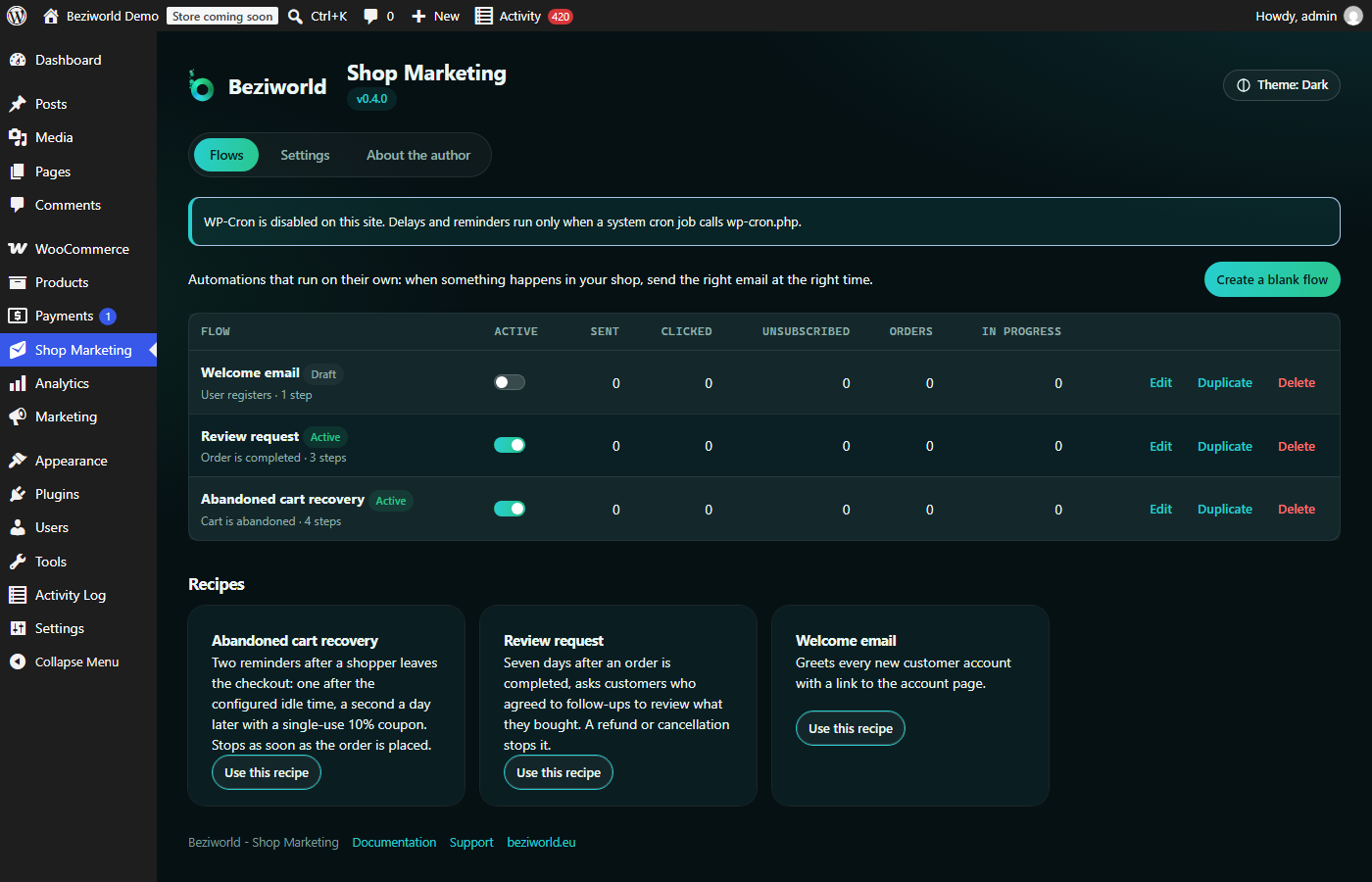
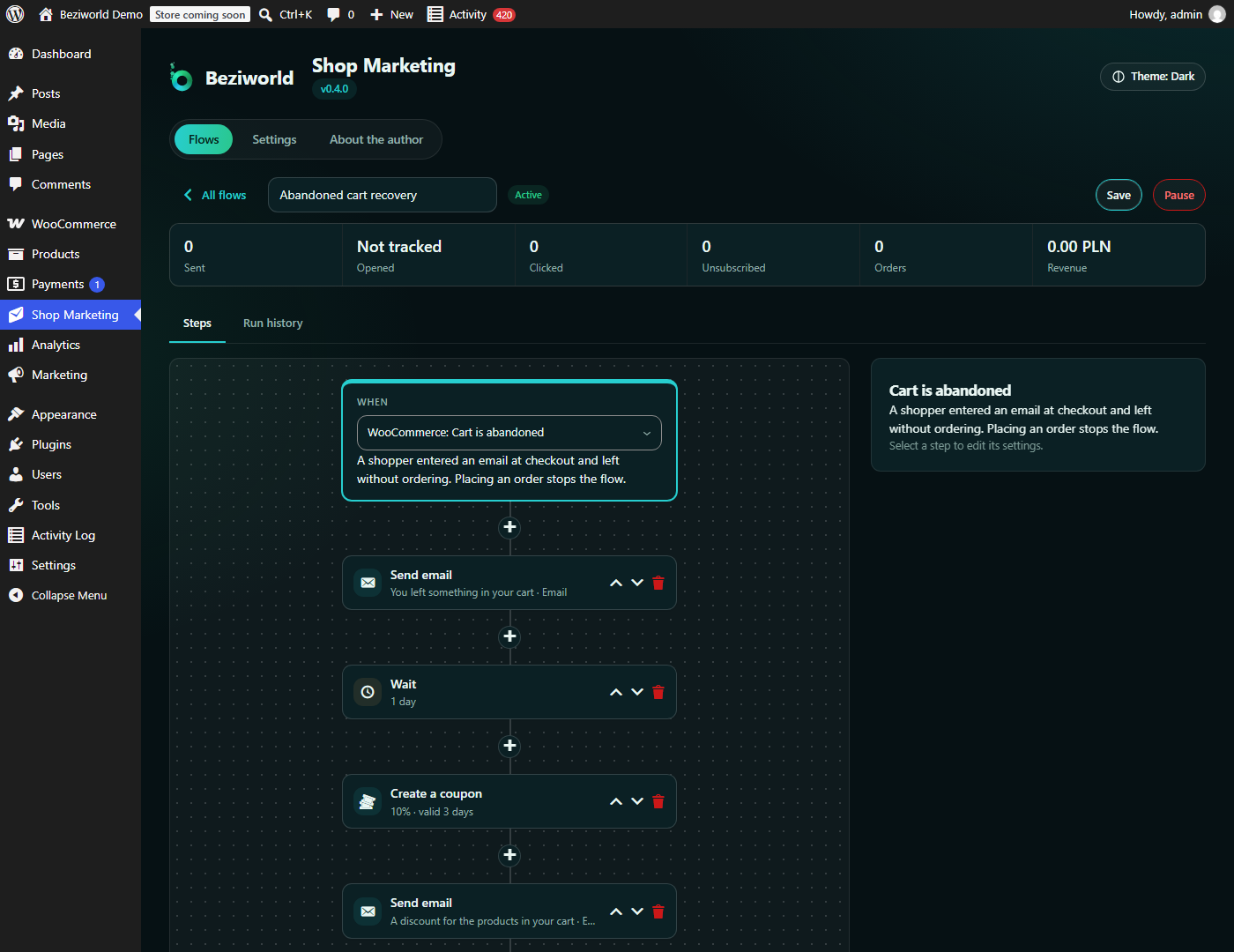
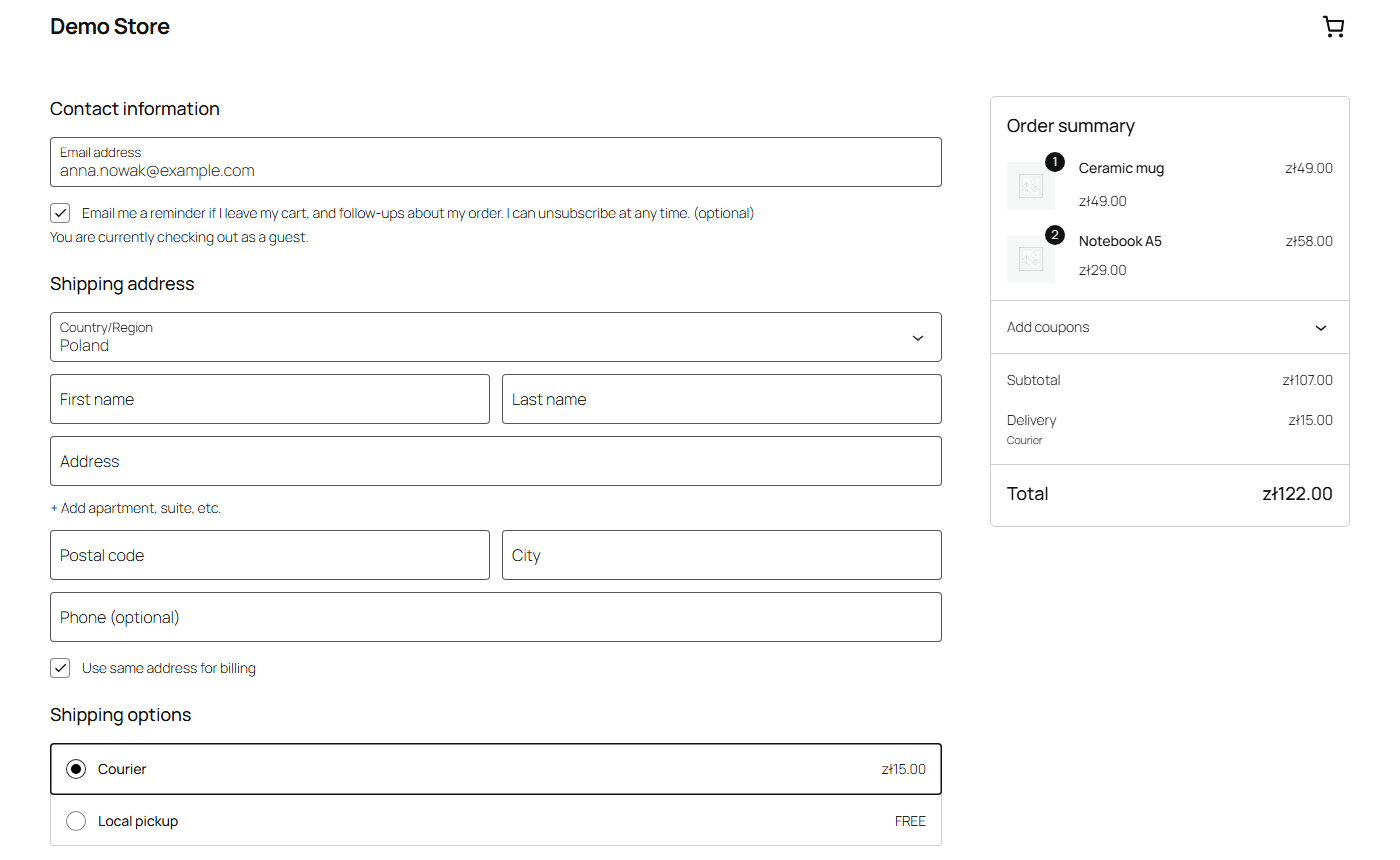
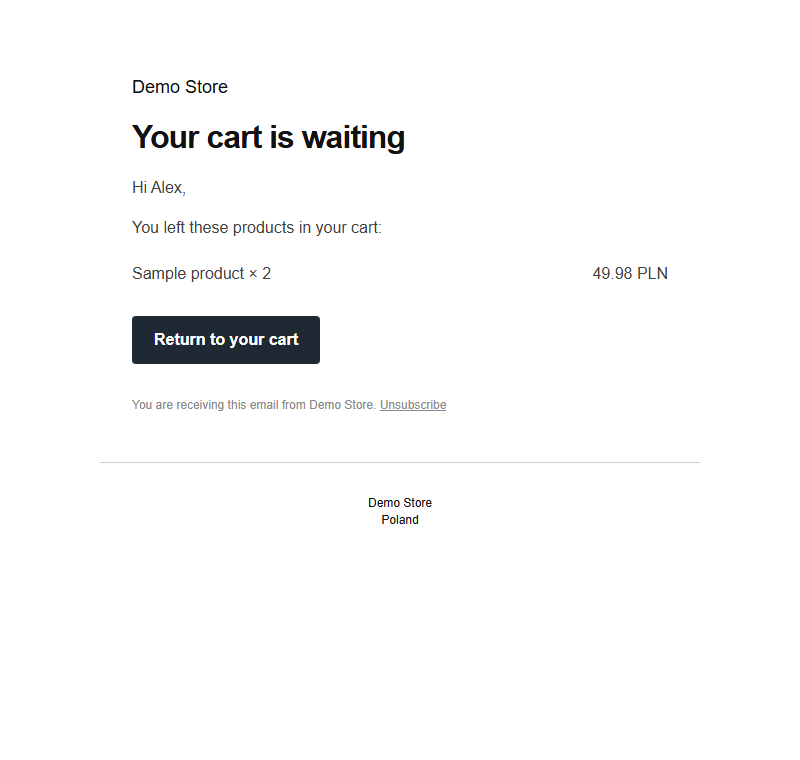
- Abandoned cart recovery. A shopper enters their email at checkout, ticks the consent checkbox and leaves. After the time you choose they get a reminder with the products and a link that restores the cart on any device. A day later a second reminder offers a single-use discount code. Placing an order stops the sequence immediately.
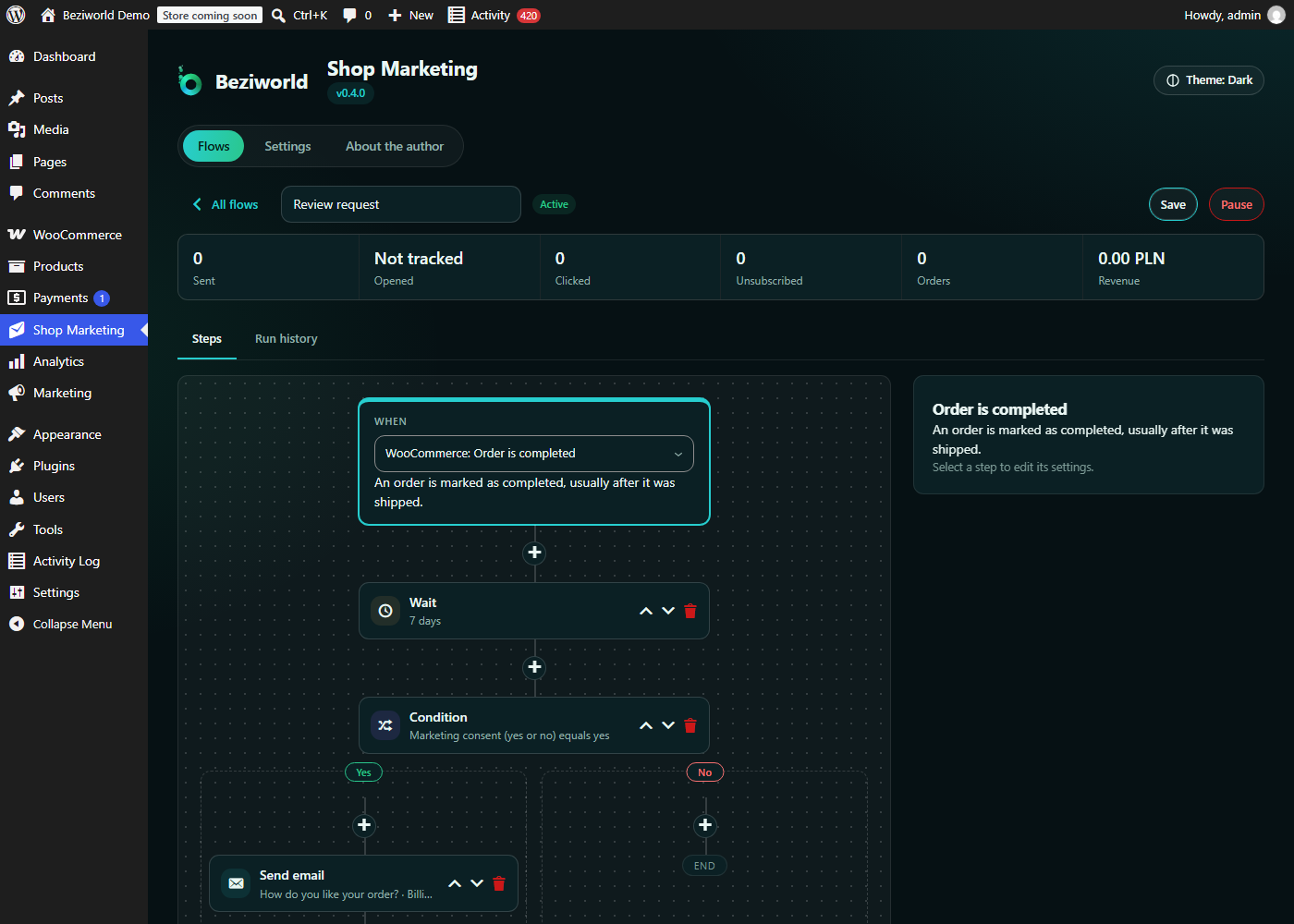
- Review request. Seven days after an order is completed, customers who agreed to follow-ups get an email with a review link for every product they bought. A refund or cancellation stops it.
- Welcome email for new customer accounts.
Each recipe becomes an ordinary flow you can change: the timing, the wording, the conditions, the discount.
Visual flow editor
- Triggers: cart abandoned, order placed, order paid, order completed, user registered, post published.
- Steps: send an email, wait (minutes to weeks), yes/no condition with branches, create a WooCommerce coupon, store a value.
- Insert customer and order data into any field with one click: name, greeting, order number, totals, the item table, review links, the cart restore link, or the coupon code created by an earlier step.
- Run history with a step-by-step log of every run.
Emails that look like your shop
- Emails use the WooCommerce email template, so they match your order emails. Without WooCommerce a clean built-in template is used.
- Every marketing email carries an unsubscribe link and the List-Unsubscribe headers that mail providers use for their one-click button. Unsubscribed addresses are skipped automatically and their pending emails are cancelled.
- Per-flow statistics: sent, clicked, unsubscribed, orders and revenue from recovered carts. Opens can be counted too, but that is off by default.
Privacy by design
- Carts are saved only while an abandoned cart flow is active, and only after the shopper ticks the consent checkbox in the classic or the block checkout. Unticking it deletes the saved cart.
- Integrated with Tools > Export Personal Data and Erase Personal Data.
- Saved carts, finished runs and logs are deleted after the retention periods you set.
- Click and open tracking go through your own site; no data is sent to external services.
- Suggested text for your privacy policy is added to Settings > Privacy.
Built for WooCommerce and WordPress.org
- Works with the block checkout and the classic checkout, High-Performance Order Storage and the cart and checkout blocks.
- Delayed steps run in the background through WP-Cron; each run is claimed atomically, so overlapping cron requests never send an email twice.
- REST API (
beziworld-shop-marketing/v1) and WP-CLI commands (wp shop-marketing). - Developers can add triggers and actions with the
bwsm_register_triggersandbwsm_register_actionshooks. - Translation-ready; translations are delivered through translate.wordpress.org.
Screenshots
Installation
- Install the plugin through Plugins > Add New, or upload the
beziworld-shop-marketingfolder to/wp-content/plugins/. - Activate it.
- Open Shop Marketing in the admin menu, pick a recipe and click Save and activate.
- For timely reminders on a site with little traffic, call
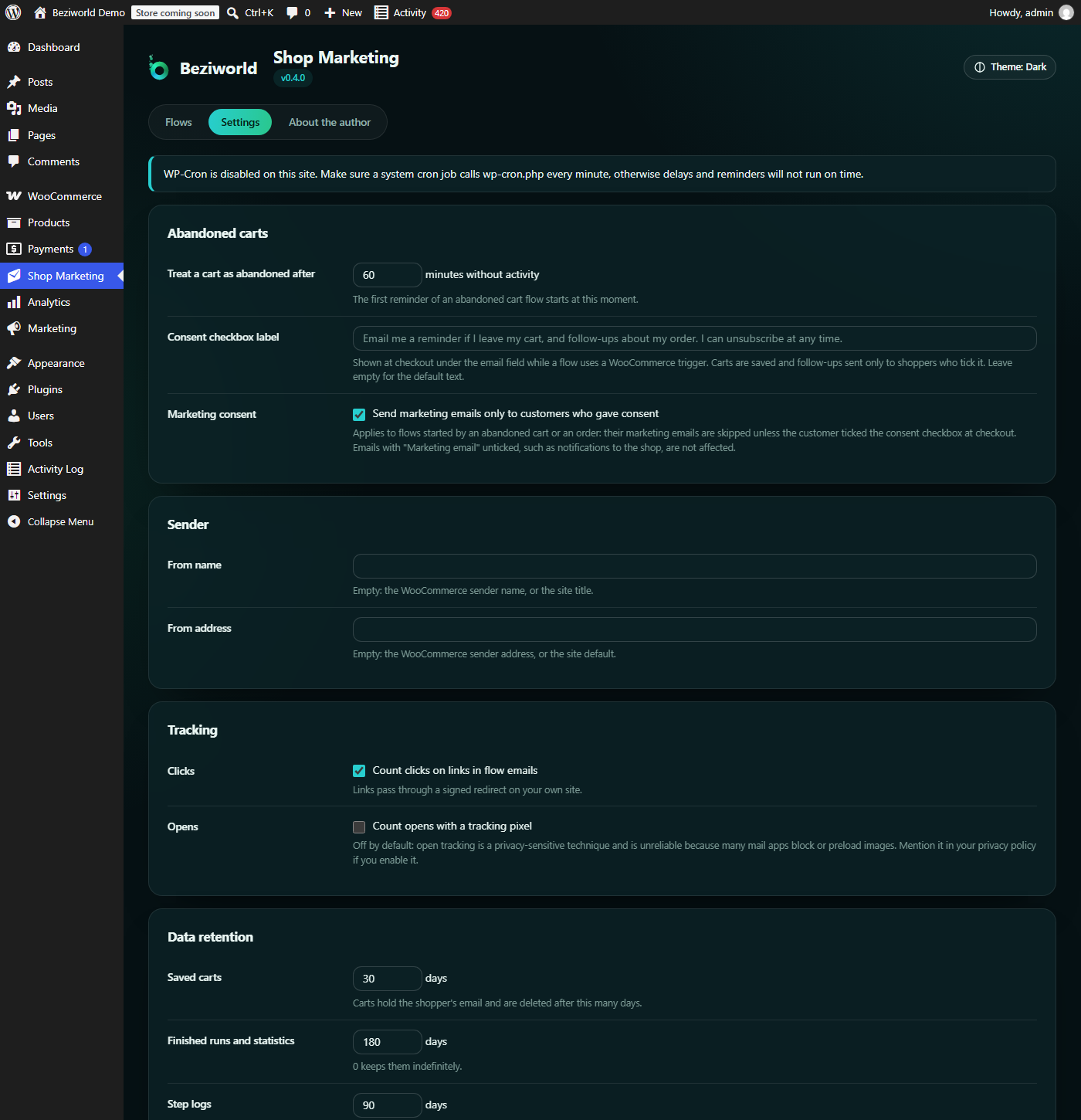
wp-cron.phpfrom a system cron job every minute, or runwp shop-marketing run.
FAQ
-
Does it require WooCommerce?
-
No. Without WooCommerce you can use the WordPress triggers (user registered, post published) and send emails. The shop features (abandoned carts, order triggers, coupons) appear when WooCommerce is active.
-
When is a cart considered abandoned?
-
When a shopper who entered an email and ticked the consent checkbox has not touched the cart for the time set in Shop Marketing > Settings (60 minutes by default).
-
Is a cart saved before the shopper agrees?
-
No. Nothing is stored until the consent checkbox is ticked, and the checkbox only appears while a flow uses a WooCommerce trigger.
-
What happens when a customer unsubscribes?
-
The address is added to the unsubscribe list, pending emails to it are cancelled, and future marketing emails to it are skipped. Emails about orders sent by WooCommerce are not affected.
-
Why are my delayed emails late?
-
WP-Cron runs when someone visits the site. On a quiet site, set up a system cron job that calls
wp-cron.phpevery minute, or runwp shop-marketing runfrom cron. -
What happens to my data when I delete the plugin?
-
By default flows, statistics, saved carts and the unsubscribe list are kept, so reinstalling restores everything. Tick “Delete all … when the plugin is deleted” in the settings to remove them on deletion. Deactivating never deletes data.
Reviews
There are no reviews for this plugin.
Contributors & Developers
“Beziworld – Shop Marketing” is open source software. The following people have contributed to this plugin.
Contributors
Translate “Beziworld – Shop Marketing” into your language.
Interested in development?
Browse the code, check out the SVN repository, or subscribe to the development log by RSS.
Changelog
0.5.0
- New: email preview and test send in the flow editor. The preview shows the email in the WooCommerce template with data from your latest order or saved cart; test emails use invented sample data only, are marked [Test], skip consent and unsubscribe rules and are not counted in the statistics (at most 10 per 10 minutes).
- New: trigger “Order status changed” with a target status and an optional previous status; cancelled, refunded or failed orders stop waiting steps.
- New: recipe “Thank you after the first order”, sent only for a customer’s first paid order.
- Improved: recipe cards keep their action button at the bottom with consistent spacing.
0.4.0
- New: a redesigned admin interface shared by all Beziworld plugins: a header with the plugin version and a dark, light or automatic theme, and tabs between the Flows, Settings and About screens. The sidebar keeps a single “Shop Marketing” entry; every screen stays at its address.
- New: marketing emails of abandoned cart and order flows are sent only to customers who gave consent (setting “Marketing consent”, on by default, including existing sites). Emails not marked as marketing are unaffected. If your order flows send to customers without consent, they now stop: review this setting after updating.
- New: proof of consent (time, text shown and checkout type) is stored with the order and the saved cart, included in the personal data export and removed by the personal data eraser.
- New: the cart restore link can carry the coupon of the flow and applies it automatically ({{steps.coupon.restore_url}}, used by the abandoned cart recipe).
- Fix: editing an active flow no longer affects customers already in it; each run keeps the version of the flow it started with, and a run whose step no longer exists is marked as failed instead of finished.
- Fix: flows no longer send email inside the checkout request; the first step runs on the next scheduler tick, so placing an order is not slowed down.
- Fix: an email that fails to send is retried up to three times (after 5, 15 and 45 minutes); an interrupted run never sends the same email twice nor creates a second coupon for the same step.
- Fix: revenue is attributed to a flow only when it actually sent an email for that cart.
- Fix: restoring a cart adds its products to the current cart instead of replacing it, names products that could not be added, and expired restore links show a clear message.
- Fix: emails are written in the customer’s language when its language pack is installed.
- Fix: link scanners and bots are no longer counted as opens or clicks.
- Improved: expired, unused coupons created by flows are deleted by the daily maintenance.
- Improved: the scheduler adapts its time budget to the server’s execution time limit.
- Improved: the steps of the flow editor are selected with a real button and are fully keyboard accessible.
0.3.0
- New: visual flow editor with triggers, emails, delays, yes/no conditions, coupons, data insertion and run history.
- New: WooCommerce triggers for abandoned carts and placed, paid and completed orders, with a consent checkbox in the block and classic checkout.
- New: abandoned cart recovery with a cart restore link that works on any device; an order stops the reminders and is attributed to the flow.
- New: “Create a coupon” action for single-use, email-restricted discount codes.
- New: recipes for abandoned cart recovery, review requests and welcome emails.
- New: emails in the WooCommerce email template, with an unsubscribe link, one-click unsubscribe headers and an unsubscribe list.
- New: per-flow statistics for sent emails, clicks, optional opens, unsubscribes, orders and revenue.
- New: export and erasure of personal data, suggested privacy policy text and retention periods for carts, runs and logs.
- New: settings screen; an option to keep or delete the plugin’s data on uninstall (kept by default; previously it was always deleted).
- New: WP-CLI commands
wp shop-marketing runandwp shop-marketing maintenance. - Changed: database tables, options and hooks use the
bwsmprefix and the REST API moved tobeziworld-shop-marketing/v1. Data of 0.1 and 0.2 is carried over automatically. - Changed: shop managers can use the plugin when WooCommerce is active.
- Fix: a step can no longer run twice when two cron requests overlap.
- Fix: values inserted into emails are HTML-escaped.
- Fix: the plugin no longer loads translations too early.
0.2.0
- Changed: the plugin is now “Beziworld – Shop Marketing” (previously BeziFlow), with the text domain beziworld-shop-marketing and a Polish translation.
- New: an “About the author” screen with the author’s details and an optional way to support development.
0.1.0
- Initial release: the automation engine, custom tables, REST API, WP-CLI commands and an overview screen.