

Description
BeautyForms Form Builder is a lightweight, block-native form builder for the WordPress block editor. A form is just a block: drop in a Form block, nest the field blocks you need, and publish. Submissions are validated on the server and stored as entries.
Because every field is a real block, forms live inside normal posts and pages — no shortcodes, no embeds, no separate builder screen. Reuse a form anywhere with core synced patterns.
Fields
- Text, Email, Textarea, Number, Phone, URL
- Select, Radio, Checkbox (single consent and multiple)
- Date, Hidden, Submit
Features
- Native styling — fields use the block editor’s own spacing, typography, color, and border controls. Nothing hand-rolled to relearn.
- Server-side validation — the server rebuilds the form’s field schema from the source post and validates every submission against it. The browser’s field list is never trusted.
- Spam protection — a honeypot field and a submission time-trap, both on by default.
- Email notifications — send submissions to one or more recipients with a configurable subject and from address.
- Entry storage — submissions are saved as a
beautyforms_entrycustom post type with one meta value per field. - Success behavior — show a message or redirect to a URL.
- Developer friendly — extend the field allowlist through the
beautyforms_field_blocksfilter and hookbeautyforms_submission_savedto react to new entries.
License
BeautyForms Form Builder is distributed under the terms of the GNU General Public License v2 or later. See https://www.gnu.org/licenses/gpl-2.0.html for more details.
Screenshots
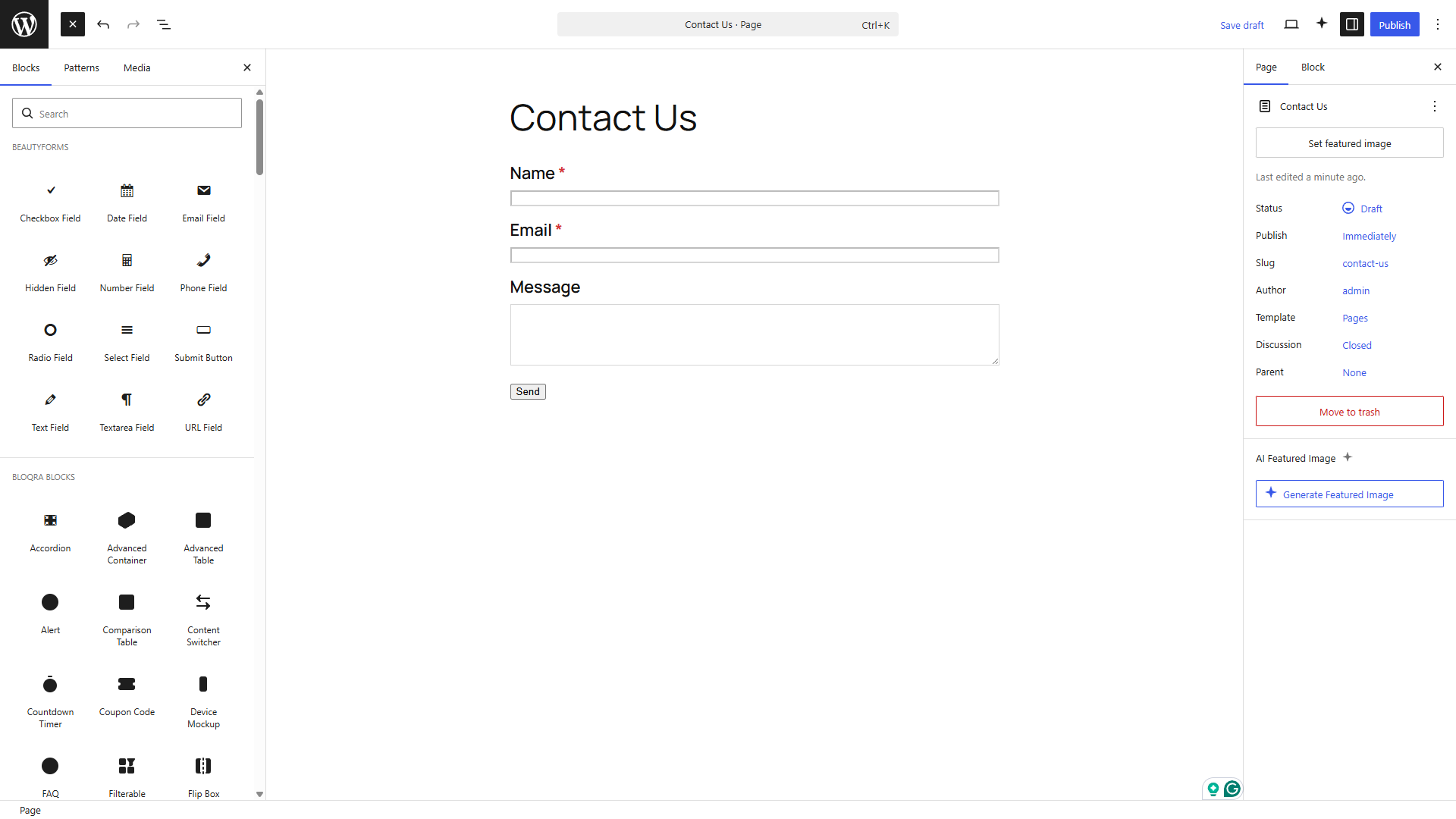
Blocks
This plugin provides 13 blocks.
- Select Field A dropdown select field.
- Hidden Field A hidden field carrying a preset value.
- Form A form built from field blocks. Add fields inside, then set recipients and success behavior.
- Email Field An email address field with validation.
- Text Field A single-line text field.
- Textarea Field A multi-line text field.
- URL Field A URL field with validation.
- Submit Button The button that submits the form.
- Date Field A date picker field.
- Radio Field A single-choice radio button group.
- Phone Field A telephone number field.
- Number Field A numeric field with optional min, max and step.
- Checkbox Field A single consent checkbox or a multi-choice group.
Installation
- Upload the plugin files to
/wp-content/plugins/beautyforms-form-builder, or install through the WordPress plugins screen. - Activate the plugin from the Plugins screen.
- Edit any post or page, add the Form block, and insert the field blocks you need.
- Configure recipients and success behavior in the Form block settings, then publish.
FAQ
-
Where are submissions stored?
-
Each submission is stored as a
beautyforms_entrycustom post type with one meta value per field. Notification emails are sent to the recipients you configure. -
Does it work with the classic editor?
-
No. BeautyForms Form Builder is built exclusively for the WordPress block editor.
-
How do I reuse a form across pages?
-
A form is a normal block, so use a core synced pattern to reuse it anywhere.
-
Can developers add their own field types?
-
Yes. Register a block in the
beautyformscategory and append it to the allowlist with thebeautyforms_field_blocksfilter.
Reviews
There are no reviews for this plugin.
Contributors & Developers
“BeautyForms Form Builder” is open source software. The following people have contributed to this plugin.
Contributors
Translate “BeautyForms Form Builder” into your language.
Interested in development?
Browse the code, check out the SVN repository, or subscribe to the development log by RSS.
Changelog
1.0.0
- Initial release.