
Description
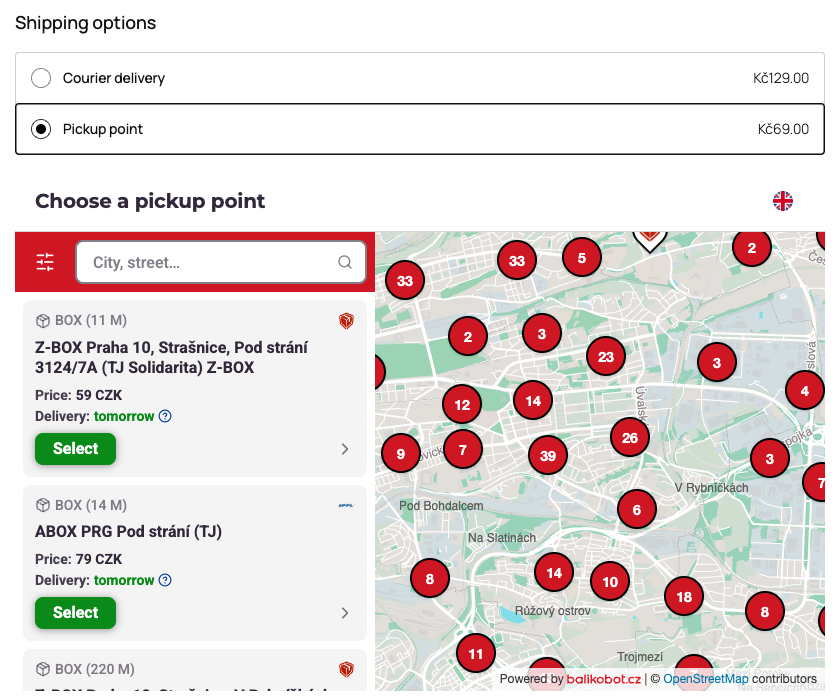
For the shipping methods your Balikobot Portal marks as pickup-point methods, this plugin shows a
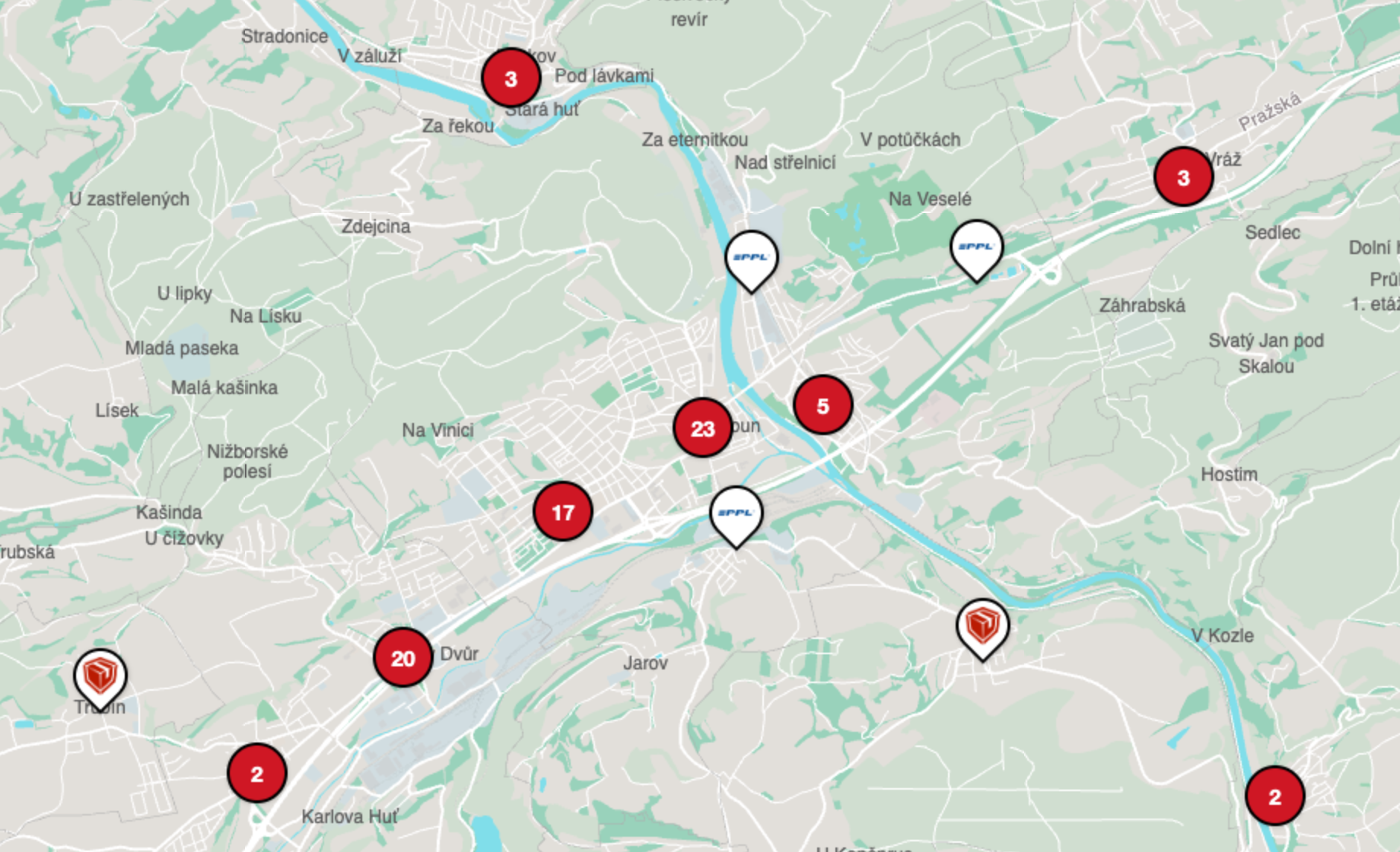
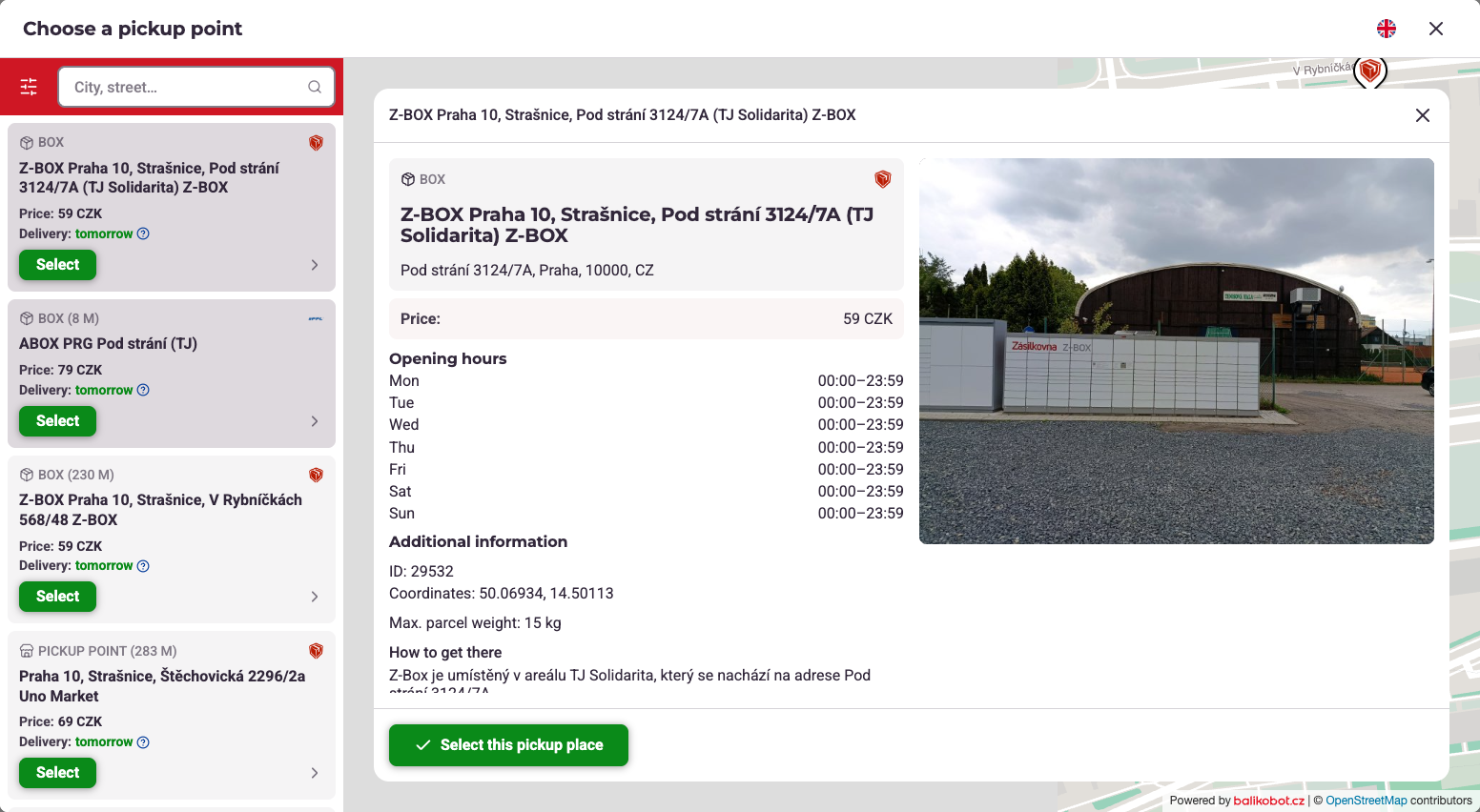
pickup point picker at checkout. The customer chooses a point on a map, and the chosen point is saved
on the order for Balikobot to read.
Both WooCommerce checkout implementations are supported:
- The classic shortcode checkout (
[woocommerce_checkout]) - The Checkout block (
woocommerce/checkout)
Nothing has to be copied into the shop by hand. The plugin asks the Balikobot Portal which widget
belongs to this shop, matched on the shop’s own web address, and which shipping methods offer a
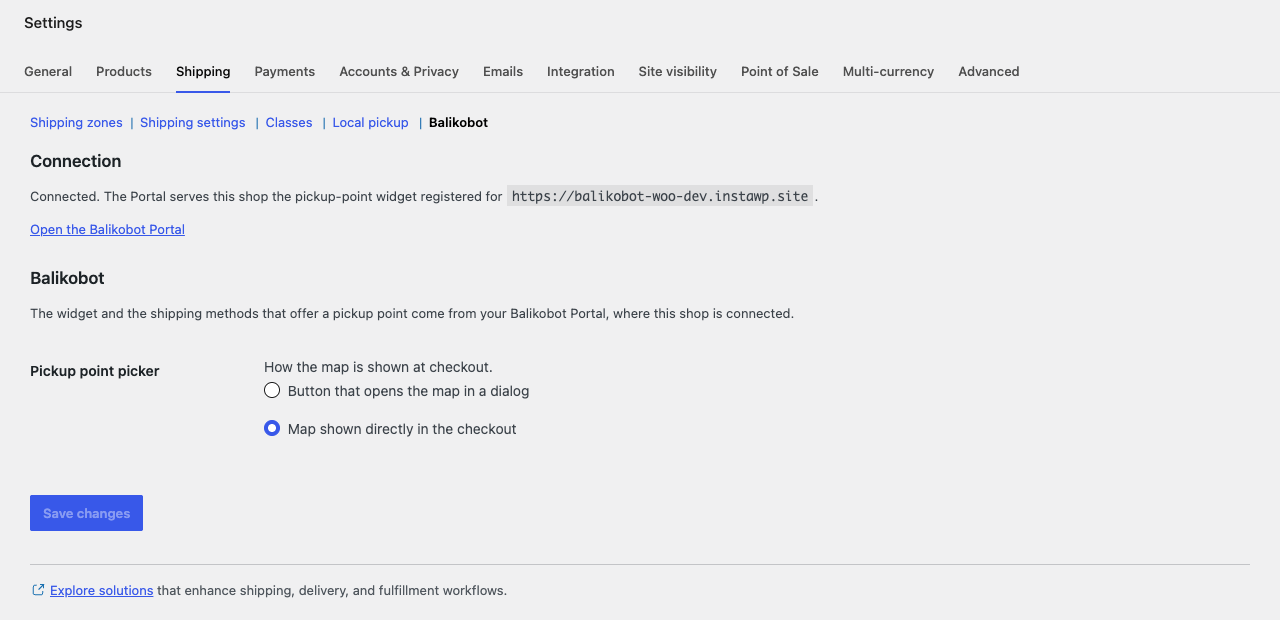
pickup point. No Balikobot credential is stored here. The only setting is whether the map opens in a
dialog or is shown directly in the checkout.
Balikobot is a paid shipping service. The plugin does nothing until you have a Balikobot account with
this shop connected in the Balikobot Portal.
Source code
The Checkout block script in blocks/build/ is compiled from blocks/src/, which ships with the
plugin. To rebuild it, run npm install && npm run build in the blocks/ directory.
External services
This plugin connects to services operated by Balikobot s.r.o. (https://www.balikobot.cz/). Without
them there is no pickup point picker.
Balikobot widget host
The widget files are hosted by Balikobot on Google Cloud Storage, under
https://storage.googleapis.com/bb-dist-prod/widget/. Google only hosts the files: Google Cloud
terms https://cloud.google.com/terms, Google Cloud privacy notice
https://cloud.google.com/terms/cloud-privacy-notice.
- Your server downloads
widget/v1/config.json, which names the Balikobot Portal API address,
before it calls the Portal API (see below). The request carries only WordPress’s standard user
agent, which includes the site address. - The customer’s browser loads the widget script
widget/v1/balikobot-widget.json the checkout
page. When the customer opens the picker, the browser also loads the picker page, the map tiles
(OpenStreetMap data) and the street search index from the same host. The picker page address
carries the widget id, the shop’s web address and the checkout language. Like any web request,
these requests reveal the customer’s IP address and browser to the host.
Balikobot Portal API
The Portal API (https://portal-api.balikobot.com) tells the plugin which widget belongs to the shop
and returns the pickup points.
- Your server calls
GET /api/widgets/resolveandGET /api/widgets/{id}/configto learn which
widget belongs to this shop and which shipping methods offer a pickup point. Both requests send
this shop’s web address (the Site Address from Settings > General) and nothing else. They run when
the cart or checkout page loads, when an order is placed, and on the Balikobot settings screen. - When the customer opens the picker, their browser requests the pickup points and their details.
These requests send the widget id, the shop’s web address, the destination country and the name
of the chosen shipping method, along with the customer’s IP address like any web request. They send no cookies and no customer name, address or contact details. - If the customer allows it, the browser’s location is used to centre the map. It stays in the
browser and is not sent.
The pickup point the customer picks is posted back to your shop and saved on the order.
Terms of use: https://www.balikobot.cz/wp-content/uploads/2026/08/Vseobecne-obchodni-podminky-2026_EN.pdf
Privacy policy: https://www.balikobot.cz/wp-content/uploads/2026/08/Zasady-ochrany-osobnich-udaju-Balikobot-s.%E2%80%85r.%E2%80%85o._CZ.pdf
All legal documents: https://www.balikobot.cz/dokumenty/
Screenshots

Installation
- Install and activate the plugin. WooCommerce 8.3 or later has to be active.
- In the Balikobot Portal, connect this shop and switch the pickup point widget on. The Portal matches the shop by its web address, so the Site Address in Settings > General has to be the address registered in the Portal.
- In the Portal, map your WooCommerce shipping methods to Balikobot deliveries and mark the ones that are pickup point deliveries.
- Open WooCommerce > Settings > Shipping > Balikobot. The Connection panel there says whether the Portal recognises this shop. The same screen sets whether the map opens in a dialog or is shown directly in the checkout.
The picker then appears at checkout for the shipping methods you marked in the Portal.
You need this plugin only for pickup point delivery. Connecting WooCommerce to Balikobot does not require it.
FAQ
-
Do I need this plugin to use Balikobot?
-
No. WooCommerce connects to Balikobot without it. Install it only when you want customers to choose a
pickup point during checkout. -
I activated the plugin and nothing changed at checkout.
-
That is what happens until the shop is connected in the Balikobot Portal. The plugin asks the Portal
which widget belongs to this shop; with no answer it shows no picker and checkout works as before.
The Connection panel under WooCommerce > Settings > Shipping > Balikobot shows the web address the
Portal was asked about. It has to match the one registered in the Portal exactly. A fix there shows
on the next page load. -
Where do I choose which shipping methods offer a pickup point?
-
In the Balikobot Portal, not in WordPress. The plugin reads the list from the Portal each time the
checkout page loads. -
The picker failed to load for a customer. Can they still order?
-
Every other shipping method is unaffected. A pickup point method needs a chosen point, so the
customer sees a message saying the picker could not be loaded, and can try again or choose a
different shipping method. -
Does it work with the Checkout block and High-Performance Order Storage?
-
Yes. Both are declared compatible, and the chosen point is saved the same way on either checkout.
Reviews
There are no reviews for this plugin.
Contributors & Developers
“Balikobot Shipping App” is open source software. The following people have contributed to this plugin.
Contributors
Translate “Balikobot Shipping App” into your language.
Interested in development?
Browse the code, check out the SVN repository, or subscribe to the development log by RSS.
Changelog
0.1.1
- Every function, class, constant, option, hook, script handle and CSS class has a unique prefix.
- No admin notice when the shop is not connected; the Plugins screen links to the settings instead.
- Classic checkout: an order with a pickup point method can no longer be placed without a chosen point.
- Classic checkout: a point chosen and then abandoned for another shipping method is not saved on the order.
- The External services section lists every service the plugin connects to.
0.1.0
- First release: classic and Blocks checkout, order meta, admin, customer and email display.
- The widget and the pickup-point shipping methods come from the Balikobot Portal.
- The picker can open in a dialog or be shown inline in the checkout.
- Checkout stays usable when the picker cannot load, and the customer is told why.