

Description
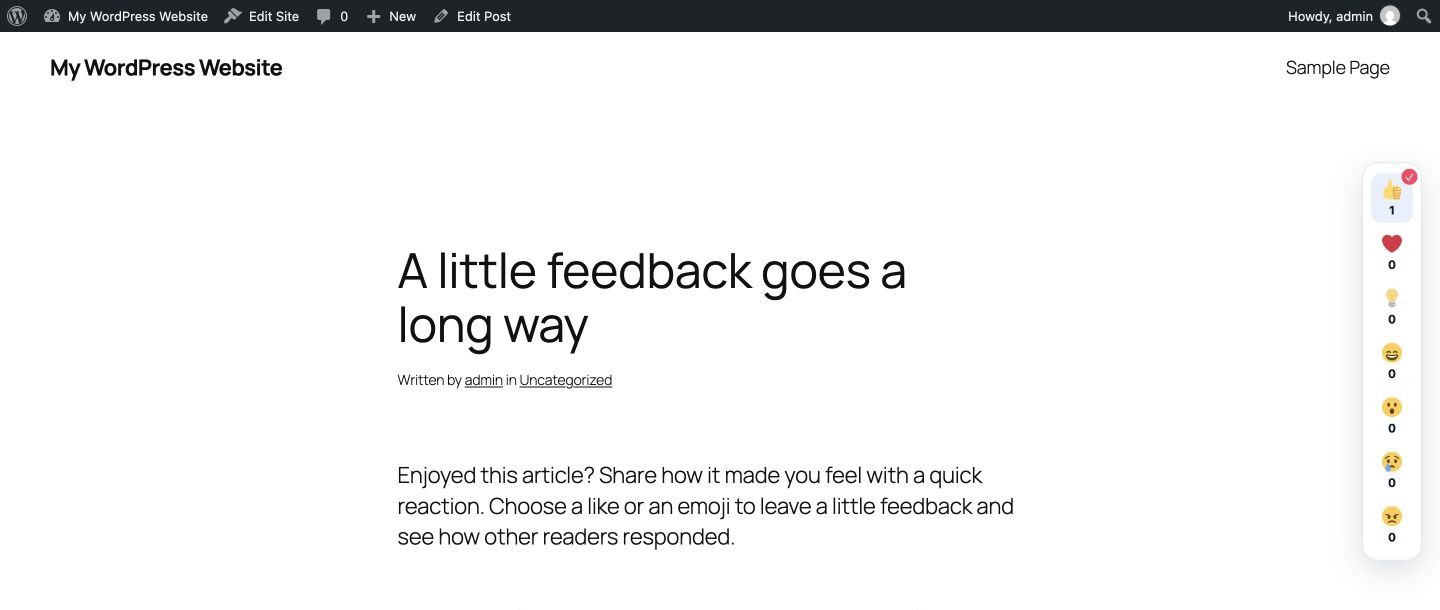
Awesome Content Reactions lets visitors add likes and emoji reactions to WordPress posts, pages, and public custom post types. Display reaction buttons automatically, with a Gutenberg block, or using a shortcode. Customize emojis, labels, and layouts, and view reaction analytics inside WordPress.
Reaction data stays in your WordPress database. The plugin supports guest and signed-in reactions, keyboard navigation, screen-reader labels, and six responsive layouts.
Features:
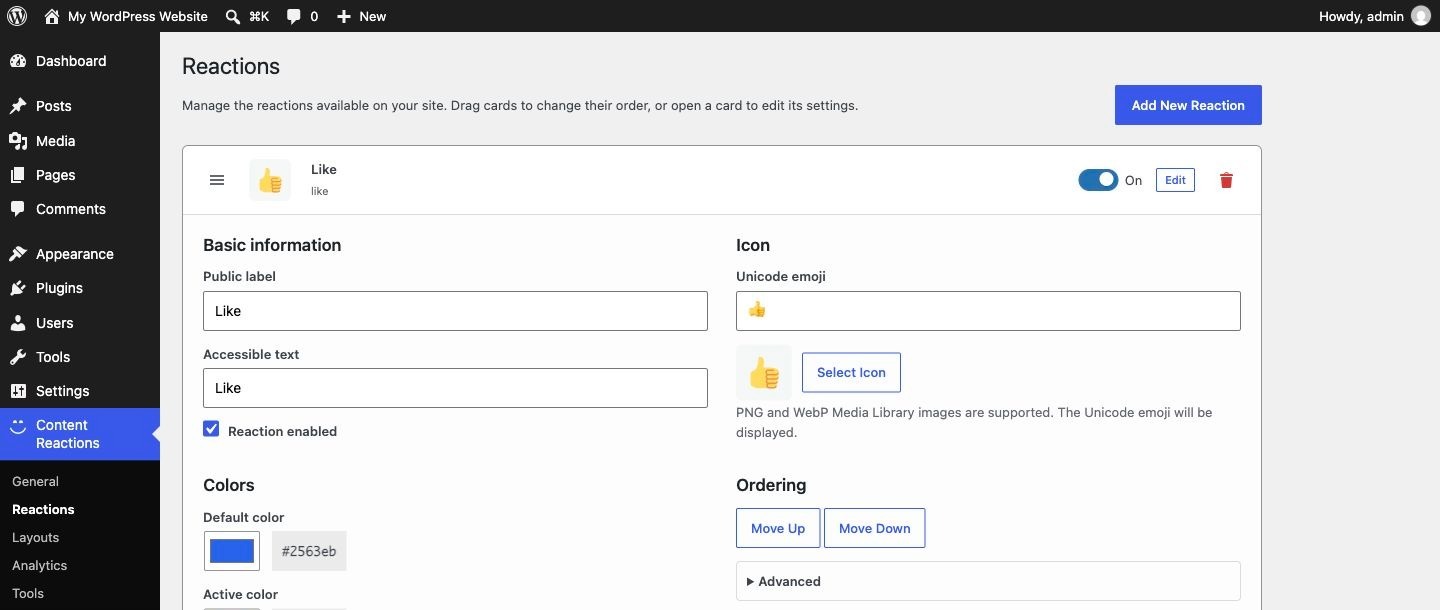
- Seven Unicode emoji defaults with editable labels, accessible text, colors, and order; add your own reactions with Unicode emoji or PNG/WebP Media Library icons.
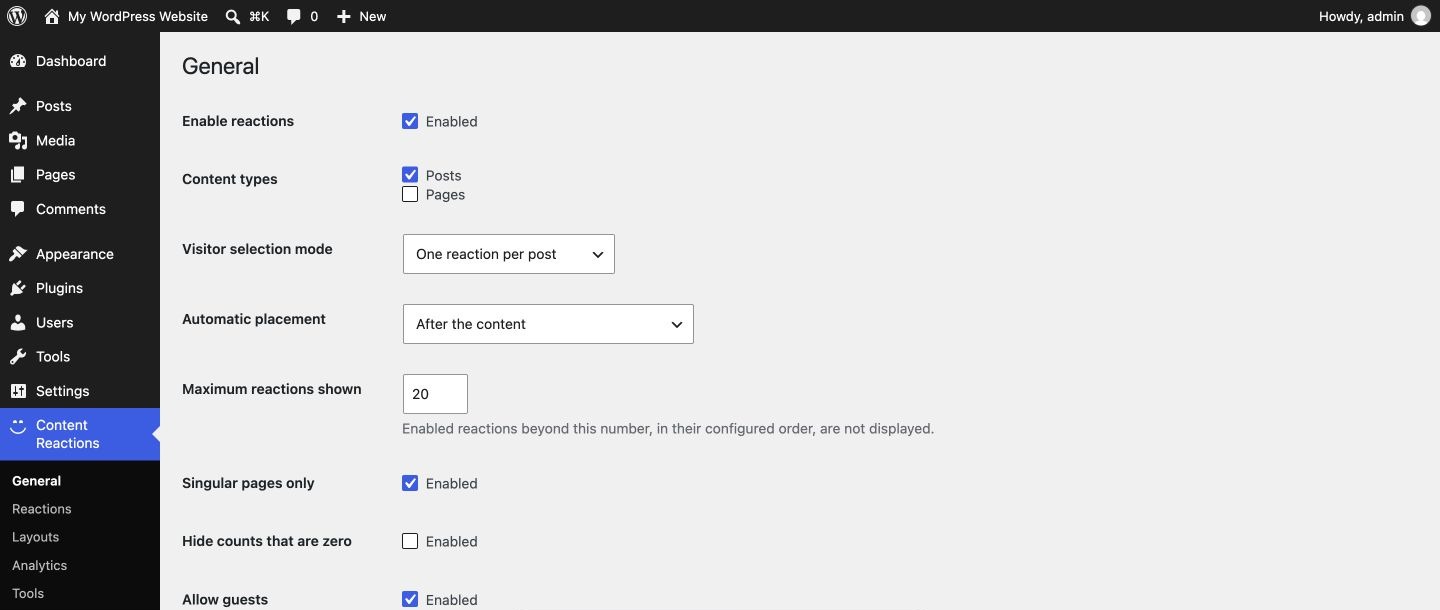
- Up to 20 reactions displayed at once (“Maximum reactions shown” setting).
- Guest or signed-in reactions, with separate controls for changing and removing a reaction.
- One-reaction and multiple-reaction visitor modes.
- Posts, pages, products, and public custom post types.
- Automatic placement after or before the content, or manual placement only.
- Dynamic Content Reactions block (with wide/full alignment and HTML anchor),
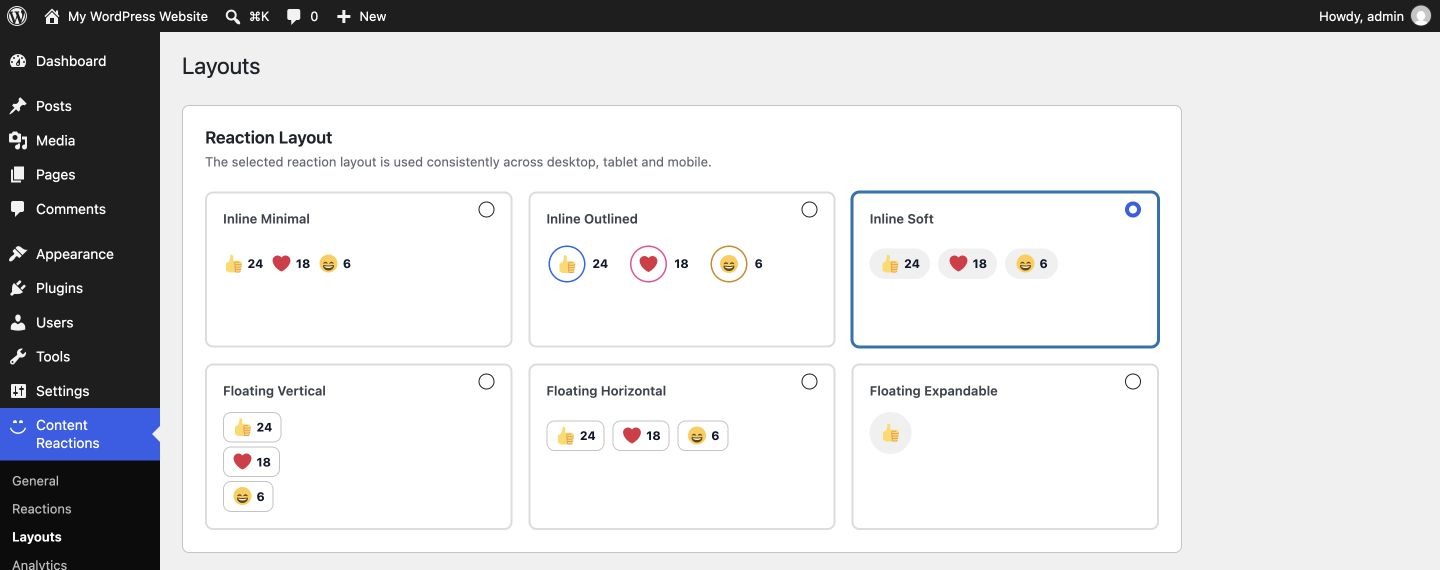
[bhcr_reactions]shortcode, and PHP helpers. - Six layouts: Inline Minimal, Inline Outlined, Inline Soft, Floating Vertical, Floating Horizontal, and Floating Expandable. One selected layout is used on every screen size; on archive views the floating layouts render as their matching inline style so several posts do not stack.
- Keyboard-accessible buttons that keep focus while saving, screen-reader names that include the count, live announcements, and reduced-motion support.
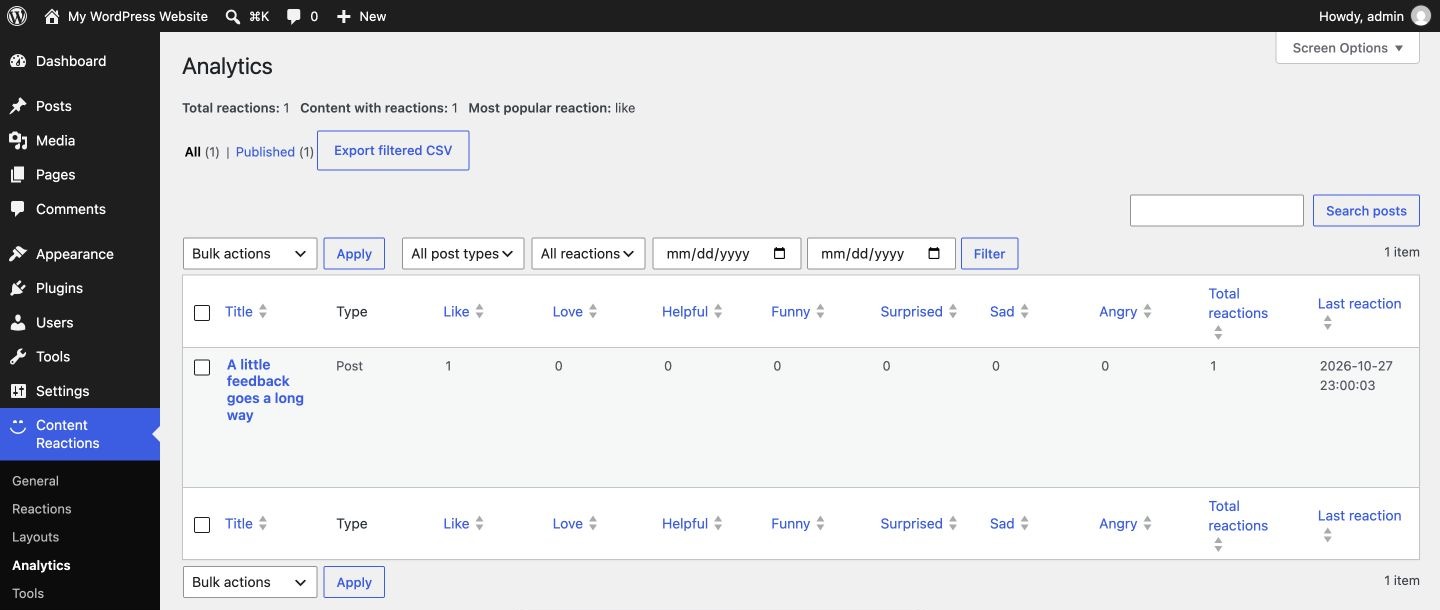
- Analytics with filters, sorting, pagination, per-content and bulk reset, and filtered CSV export.
- Privacy Policy Guide text, personal-data exporter, and eraser integration.
Privacy
For guests who react, the plugin sets the bhcr_visitor first-party cookie for one year. It contains a random anonymous identifier. The site stores a keyed hash of it with the content ID, reaction key, and timestamps. For signed-in people, their WordPress user ID is stored instead. Rate limiting keeps a keyed hash of the connecting IP address in a temporary cache entry for at most 10 minutes. No raw IP address or fingerprint is stored with reactions, and no data is sent to external services. Reactions are removed when their content or user account is permanently deleted.
Screenshots
Blocks
This plugin provides 1 block.
- Content Reactions Display reactions for the current post.
Installation
- Install the plugin from Plugins > Add New, or upload its ZIP there.
- Activate Awesome Content Reactions.
- Configure it under Content Reactions in the WordPress admin menu.
FAQ
-
Enable automatic placement under Content Reactions > General. You can also place reaction buttons manually with the Content Reactions block or the
[bhcr_reactions]shortcode. Enable the Like reaction and disable other reactions if you want to show only a like button. -
Can visitors react without logging in?
-
Yes. Enable guest reactions in the plugin settings. A first-party cookie identifies returning guests after their first reaction; clearing cookies creates a new anonymous identity.
-
I used Post Reactions. How do I move to this plugin?
-
This plugin is the renamed successor of Post Reactions 2.3.0. Install and activate it, then deactivate Post Reactions; while Post Reactions is active, this plugin waits and shows a notice. On the next page load it moves the reactions table, settings, reaction definitions, and per-post choices. Existing
[bh_post_reactions]shortcodes and Post Reactions blocks keep rendering on the site, and guests keep their reactions. Delete Post Reactions only after the move (if it was already deleted with “Keep reaction data” on, its data is still moved). On multisite, each site moves its own data on its first page load. Theme code that callsbh_post_reactions_render()or usesbh_post_reactions_*filters must switch to thebhcr_names. -
Does this send data to another service?
-
No. Reaction data stays in the site’s WordPress database.
-
How are guests recognized?
-
When a guest reacts for the first time, the site sets a first-party, HTTP-only cookie named
bhcr_visitorthat holds a random anonymous identifier for one year. Viewing reactions does not set the cookie. The database stores a keyed hash of the identifier, not the cookie value or an IP address. Clearing cookies creates a new anonymous identity, so guest reactions are not a strong one-person-one-vote mechanism. -
Is there protection against scripted voting?
-
Reaction writes are rate limited per visitor identity and per network address for each piece of content. The network limit uses a keyed hash of the connecting IP address in a short-lived cache entry (at most 10 minutes). Behind a reverse proxy that does not pass the visitor address to PHP, use the
bhcr_rate_limitsfilter to adjust or disable the network limit. Limits are exact with a persistent object cache; without one they are approximate under bursts of simultaneous requests. Rate limiting slows scripted voting; it does not make anonymous voting abuse-proof. -
Does it work with page caches and CDNs?
-
Yes. Pages contain no personal reaction state; each visitor’s state is loaded from the REST API, whose responses are sent with
Cache-Control: private, no-store. If a CDN or proxy is set to cache everything regardless of headers, exclude/wp-json/bhcr/and bypass the cache for signed-in visitors, or visitors may see each other’s selections. -
How do I place reactions manually?
-
Choose “Manual only” under Content Reactions > General > Automatic placement, then use the Content Reactions block,
[bhcr_reactions], orbhcr_render()in a theme. The shortcode acceptspost_id,reactions(comma-separated keys), andlayout(one of the six layout keys). A block placed in a site-editor template or template part is detected, so automatic placement does not add a second component. -
Why does a reaction not appear?
-
Check that the reaction is enabled, that its position is within “Maximum reactions shown”, and, for a single post, whether the post’s Content Reactions box uses “Use all enabled reactions” or a specific selection.
-
Frontend styles are scoped to the component and use high-specificity selectors so that generic theme button styles do not change it. To customize it, target the component’s own
bh-post-reactionsclasses with a selector of equal or higher specificity. -
Does deletion remove data?
-
Data is preserved by default. Disable “Keep reaction data” under Content Reactions > Tools before deleting the plugin to remove plugin options, post meta, and the custom table. On multisite, each site’s own setting is respected.
-
Can I use SVG reaction icons?
-
No. PNG and WebP Media Library images are supported. SVG upload stays disabled because safely accepting arbitrary SVG requires a dedicated sanitizer.
Reviews
There are no reviews for this plugin.
Contributors & Developers
“Awesome Content Reactions” is open source software. The following people have contributed to this plugin.
Contributors
Translate “Awesome Content Reactions” into your language.
Interested in development?
Browse the code, check out the SVN repository, or subscribe to the development log by RSS.
Changelog
3.0.0
- Renamed from Post Reactions to Awesome Content Reactions. Every function, class, option, hook, block, shortcode, REST route, and cookie now uses the
bhcrprefix; data from Post Reactions is moved automatically (see the FAQ). - Fixed: on multisite, code that deleted another site’s content inside
switch_to_blog()removed the current site’s reactions instead. - Fixed: a block placed in a template part, a nested part, or a synced pattern rendered twice with automatic placement.
2.3.0
Released as Post Reactions. Fixed lost votes from additional guests and signed-in users, an admin fatal error after older upgrades, race conditions in changing and removing reactions, rate limiting, duplicate components with automatic placement, theme style interference, and several accessibility, privacy, and multisite issues.