
Description
Bahader Loyalty rewards your customers for every order and gives them a reason to come back. It is quick to set up, looks at home in your store, and stays fast on large catalogues.
How it works
- A customer places an order and earns points, for example 1 point for every 1 spent.
- Points are added when the order is completed, so cancelled orders never earn points.
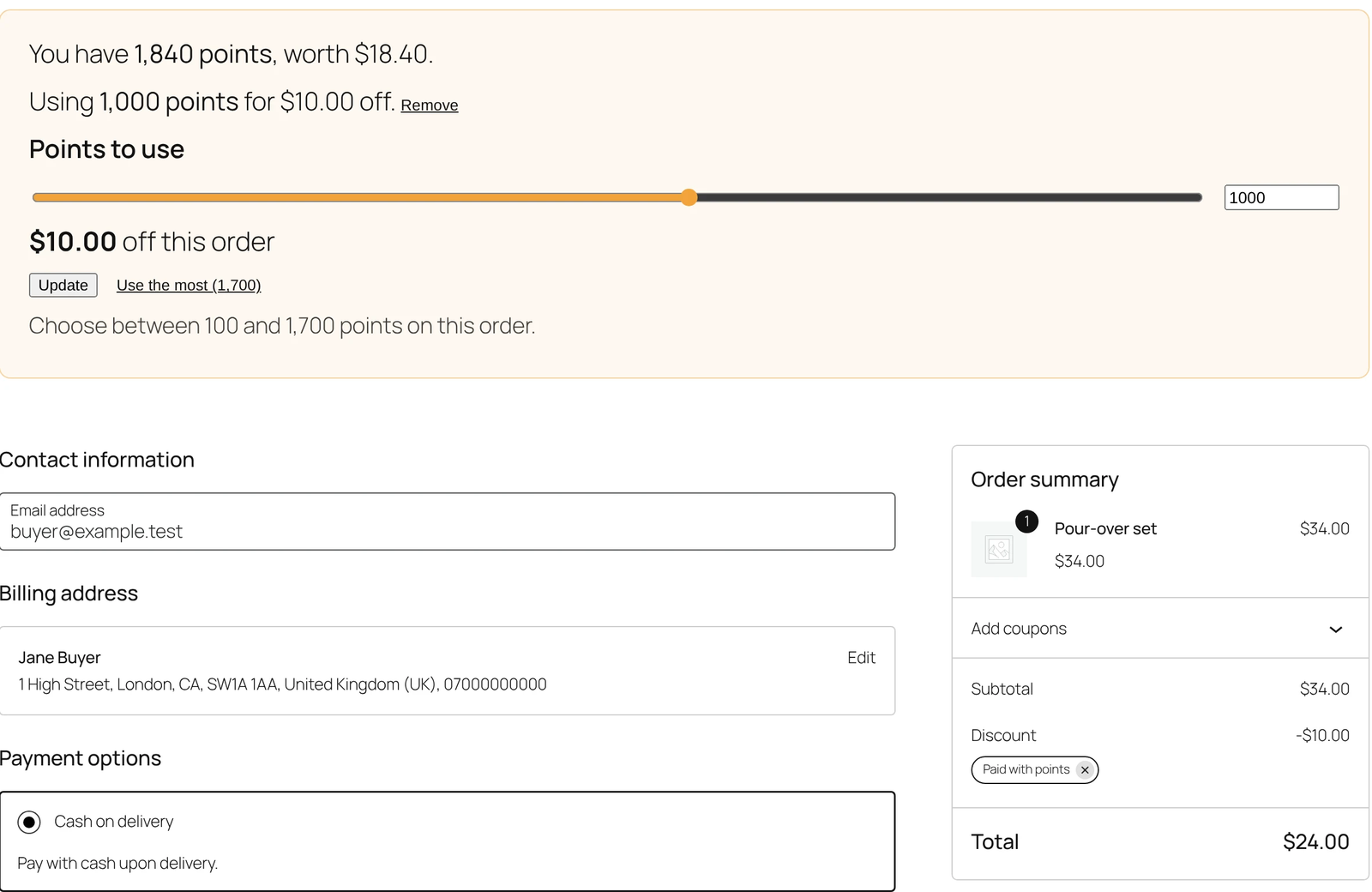
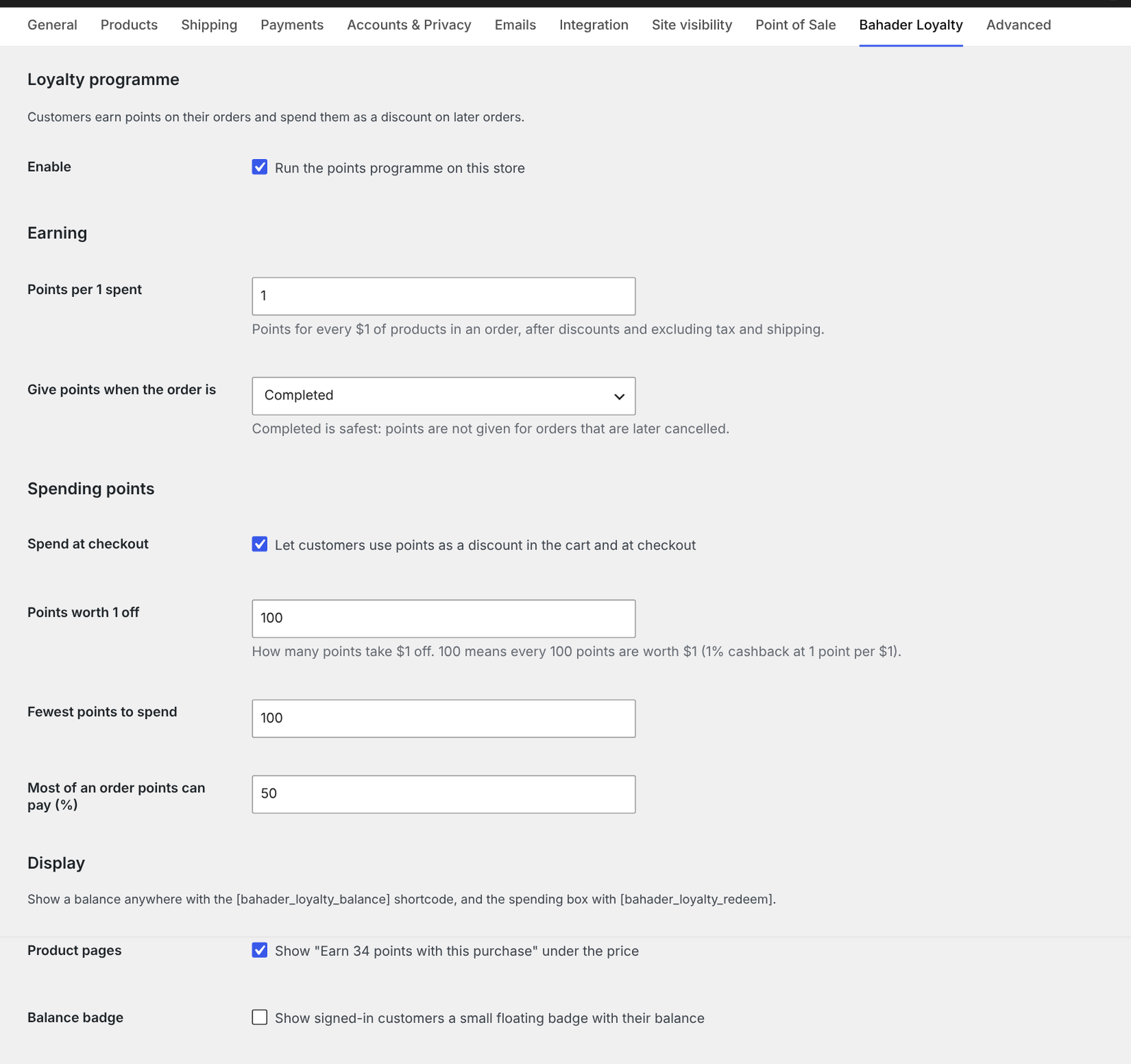
- Next time, they spend their points as a discount in the cart or at checkout, for example 100 points for 1 off.
Everything in the free version
- Points on every order, after discounts and excluding tax and shipping
- Points added when the order is completed (or when it is paid, if you prefer)
- Spend points as a discount in the cart and at checkout, with a minimum to spend and a maximum share of the order
- Works with both the classic cart and checkout and the Cart and Checkout blocks
- Refunds handled: points for refunded items are taken back, and points spent on a cancelled or fully refunded order are returned
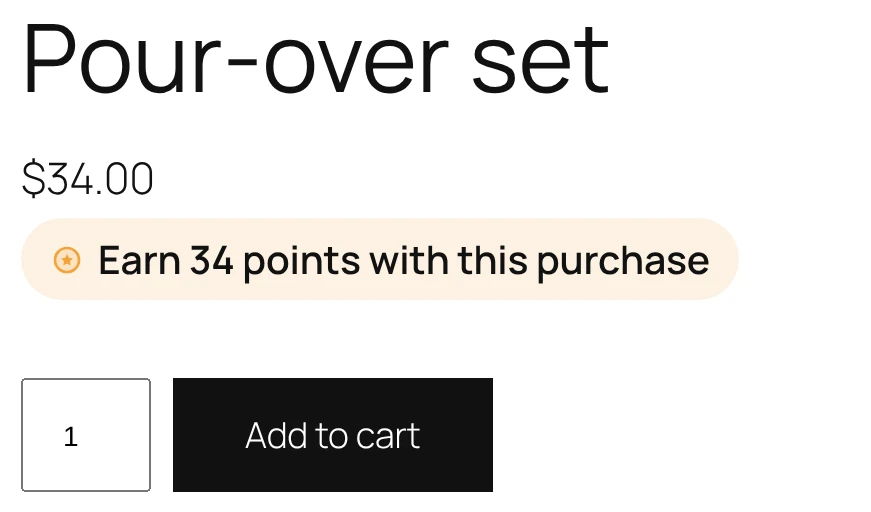
- “Earn 34 points with this purchase” under the price on product pages, including variable products
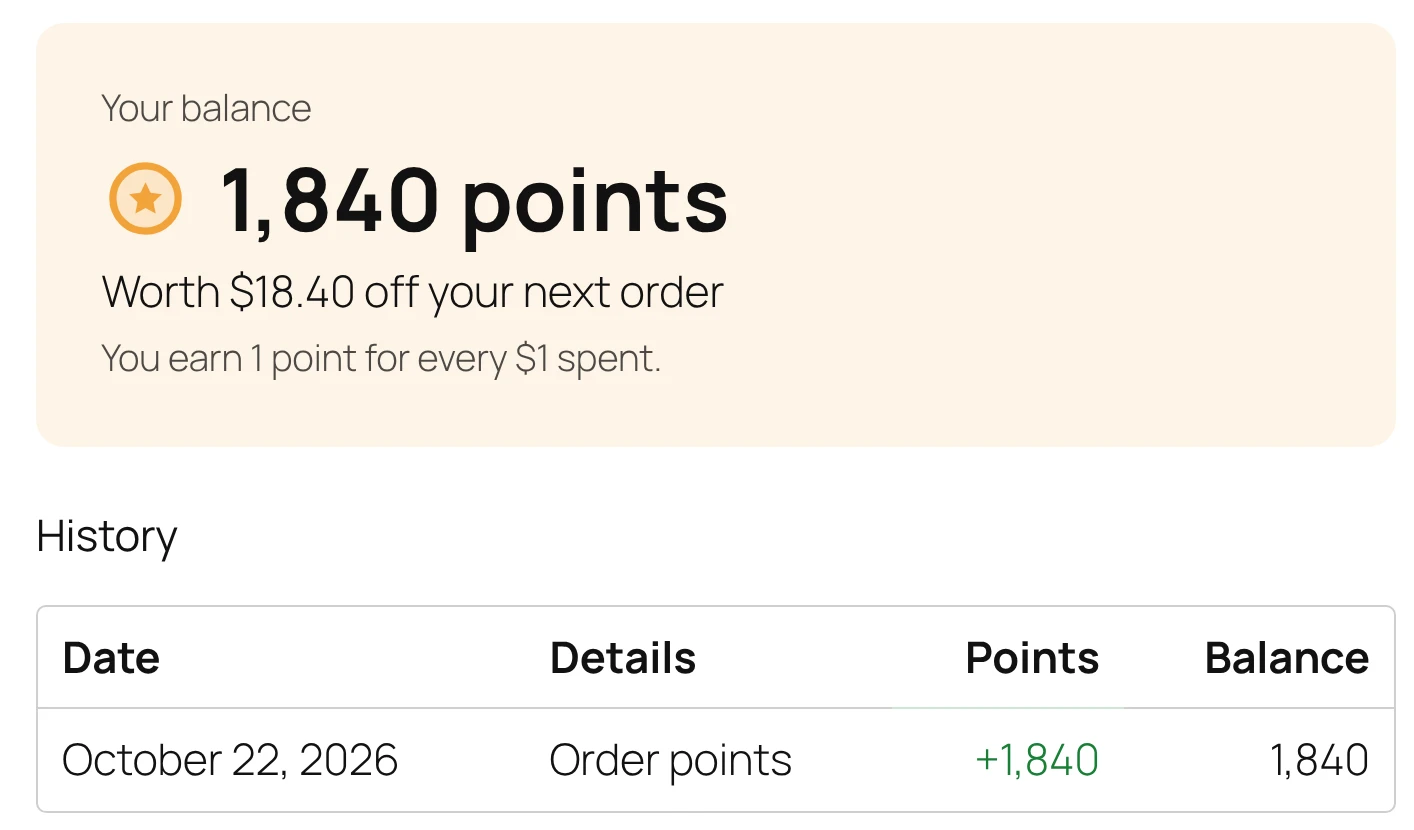
- A Points tab in My Account with the balance, what it is worth and the full history
- Show the balance anywhere with the
[bahader_loyalty_balance]shortcode, or as a small floating badge - Pick an accent colour so everything suits your theme
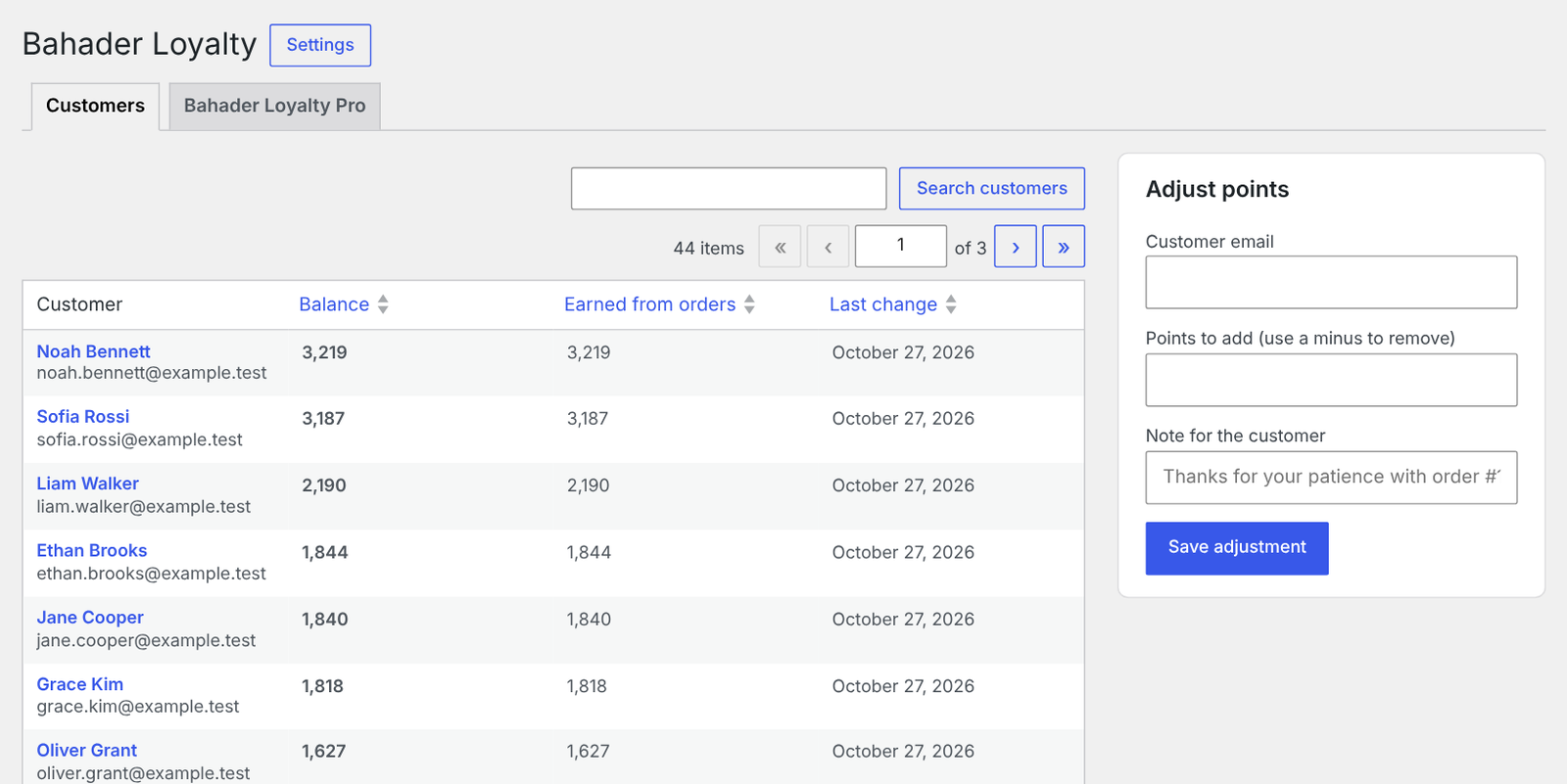
- See every customer’s balance and history, and add or remove points by hand with a note
- Points on every order screen, and a Points column on the Users screen
- Compatible with WooCommerce High-Performance Order Storage (HPOS)
- Built for speed: balances are stored per customer, never recalculated from order history on page load
Bahader Loyalty Pro
Bahader Loyalty Pro is an optional add-on for stores that want more: your own name for points, ranks with higher earning for loyal customers, a welcome bonus, double-points campaigns, points per product or category, points for sign-ups and reviews, points expiry and branded emails. Everything in this plugin stays free. Learn more about Bahader Loyalty Pro.
Screenshots
Installation
- Install and activate WooCommerce.
- Go to Plugins > Add New, search for “Bahader Loyalty”, then install and activate it.
- Go to WooCommerce > Settings > Bahader Loyalty to check the earning and spending rates. The defaults work out of the box.
- See customers and their points under WooCommerce > Bahader Loyalty.
FAQ
-
When do customers get their points?
-
When the order is completed. You can switch this to when the order is paid (Processing) in the settings.
-
Do guests earn points?
-
No. Points are linked to a customer account, so customers need to be signed in or create an account at checkout.
-
What happens when I refund an order?
-
The points earned on the refunded items are taken back. If points were spent on an order that is cancelled, fails or is fully refunded, they are returned to the customer.
-
Does it work with the Cart and Checkout blocks?
-
Yes. The points box appears with the Cart and Checkout blocks as well as the classic cart and checkout.
-
How do I show a customer’s balance in my header?
-
Add the
[bahader_loyalty_balance]shortcode to your header, for example with a Shortcode block. You can also turn on the floating balance badge in the settings. -
Does Bahader Loyalty send data anywhere?
-
No. Bahader Loyalty does not contact any external service and stores everything in your own database.
Reviews
There are no reviews for this plugin.
Contributors & Developers
“Bahader Loyalty Points & Rewards for WooCommerce” is open source software. The following people have contributed to this plugin.
Contributors
Translate “Bahader Loyalty Points & Rewards for WooCommerce” into your language.
Interested in development?
Browse the code, check out the SVN repository, or subscribe to the development log by RSS.
Changelog
1.0.0
- First release.